1
FMB 026 Bluetooth Water Flow Meter
Instruction Manual
Fujian OralGarden Technology Co., Ltd.
3rd Floor, Fuqi Group workshop, No.7 Gaoxin Avenue, Haixi
Park, High-tech Zone, Fuzhou, Fujian
1. Install Batteries
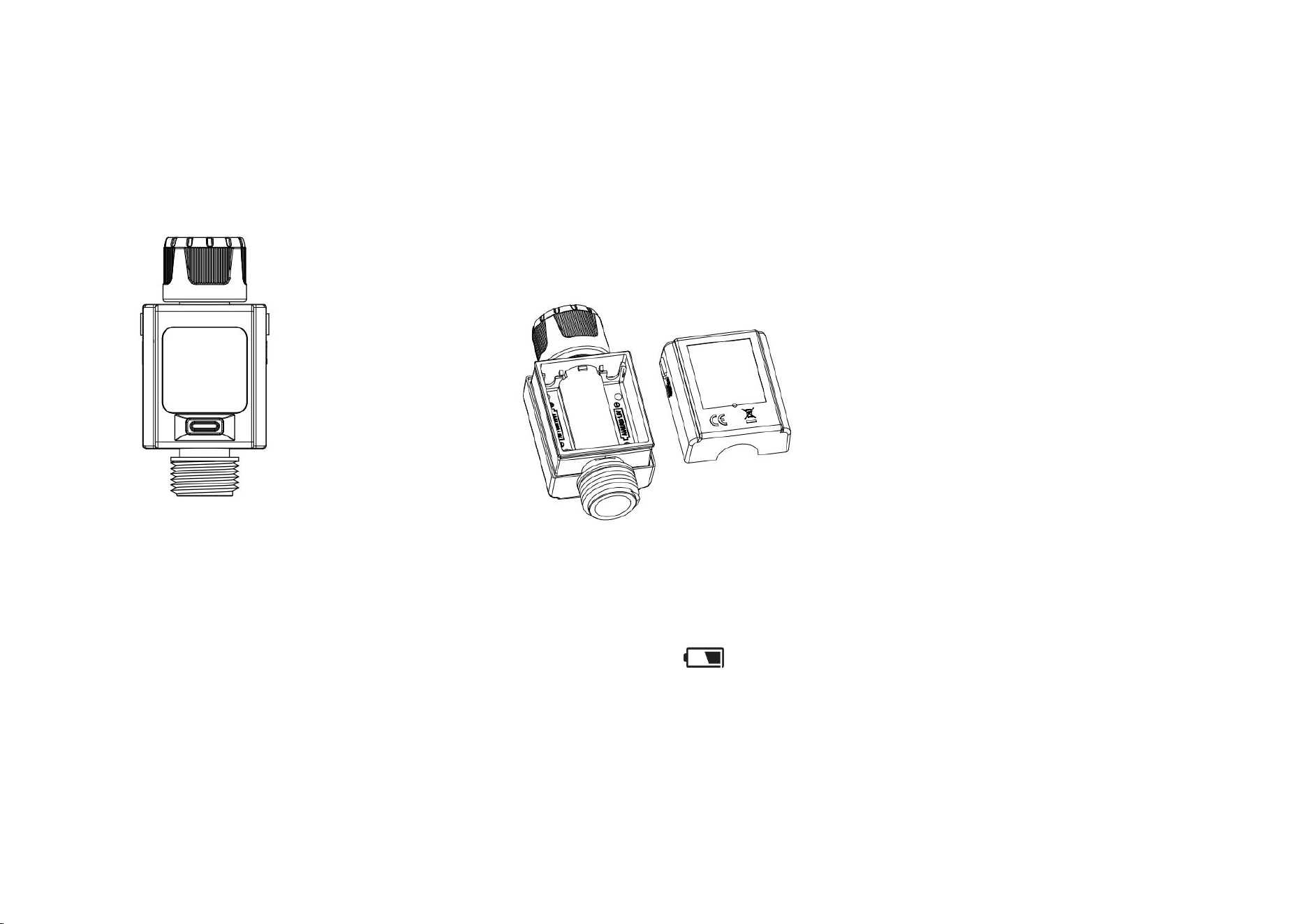
Remove the rear cover from the back of the Water
Flow Meter. Follow the instructions on the battery
holder to insert two AAA alkaline batteries (Do not
mix rechargeable batteries) in the battery
compartment; when inserting the battery, pay
attention to the + and – markings. Then, put the
rear cover back on.
1.1 Changing the Battery
If the indicator appears as “ ” the battery
has to be changed.
2. Technical Data
Maximum flow rate: 41.9 L/min or 11.0GAL/min
Maximum water consumption: 99999L or 99999GAL
Operating voltage: DC2.4V - DC3.4V
Low voltage indicator: <2.4V±0.1V
Operating current: ≤300uA
Bluetooth range: ≥70 meters
Operating current: ≤80uA
Waterproof rating: IP54
Maximum tolerance: ±5%
Operating pressure: 0.5bar-8bar
Standby: ≥10 months
Working temperature: 3℃ - 65℃
Storage temperature: -20℃ - 70℃
Maximum humidity: 90%
3. Function Keys
Press the key to switch working modes.
In mode 1, mode 3, or mode 4, press the button for 3S
to clear the current display data.
In mode 2, press the button for 3S to switch units of
measurement to liters or gallons.
In mode 5, press the button for 5S to enter the pairing
state.
The LCD screen will enter the sleep mode if there is no
action or water flow for 1 minute in any mode.
Pressing the button will automatically wake it up into
the previous mode.
The LCD screen has an auto-rotate function.
2
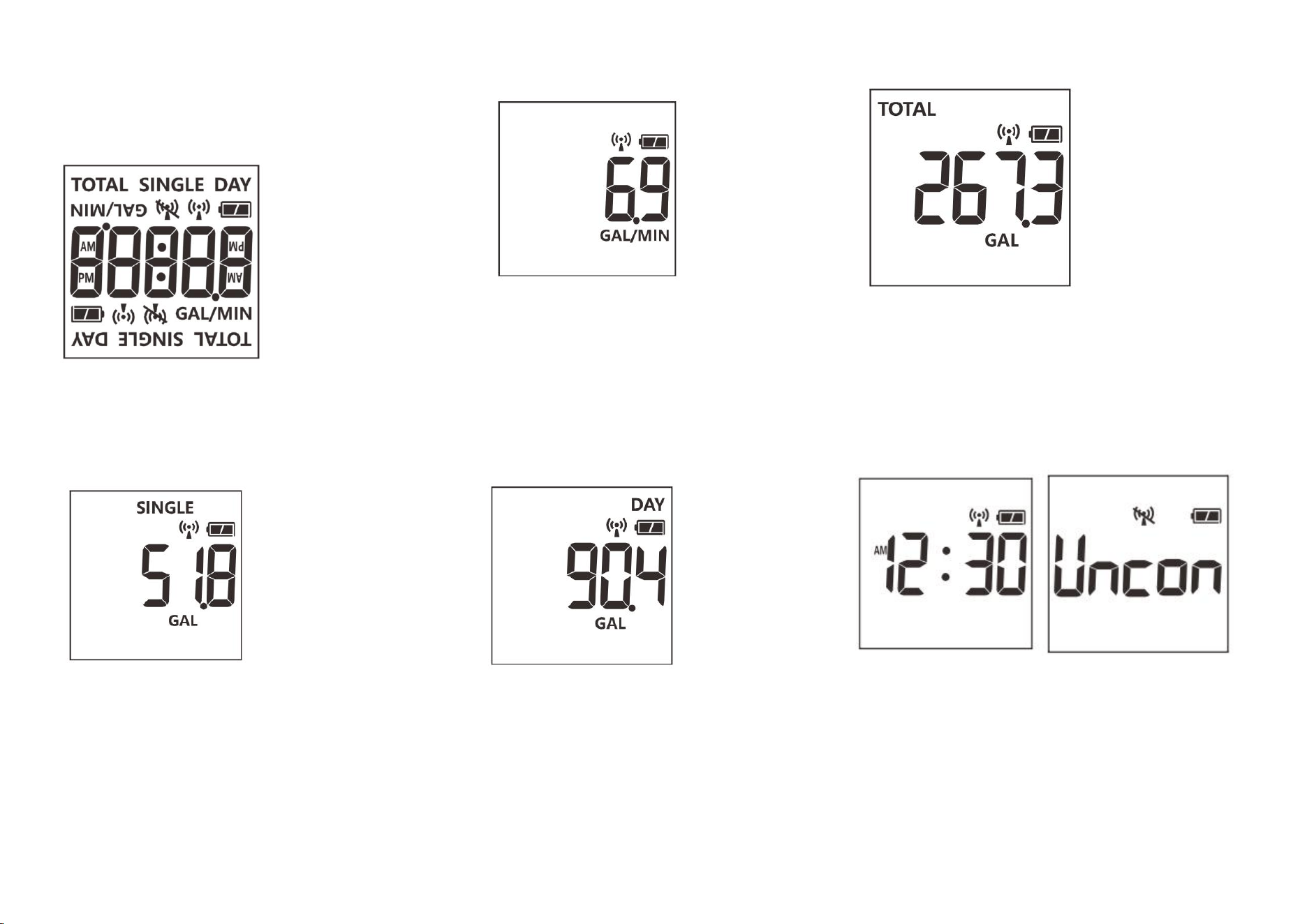
The product has five measurement modes: single-use
water consumption, real-time water flow rate, daily water
consumption, total water consumption, and current time
display.
3.1 Mode 1: calculates single-use water consumption
The LCD screen displays "SINGLE" water consumption in
liters or gallons. Suppose the flow meter stops running for
more than 30 seconds and restarts. In that case, it clears
the original accumulated data, begins re-accumulating, and
updates the display of real-time water consumption every
second.
3.2: Mode 2: measures the real-time flow rate
The screen displays the current flow rate value
every second in units of L/Min or GAL/Min. The
display does not show the leading zero; the
maximum value indicated is 41.9L/Min or
11.0GAL/Min. If the flow rate exceeds this value, it
will be displayed as HH.H L/Min or HH.H GAL/Min.
3.3 Mode 3: Daily Water Consumption
The screen shows the total water consumption
each day starting at 0:00. The LCD displays the
"DAY," and the unit is either L or GAL with a
maximum display value of 999999L or 999999GAL.
3.4. Mode 4: Total Water Consumption
The LCD screen displays the total water consumption when
the unit is powered on or starts operating. LCD displays the
"TOTAL in either liter (L) or gallons (GAL)," and the total
water consumption is updated every second.
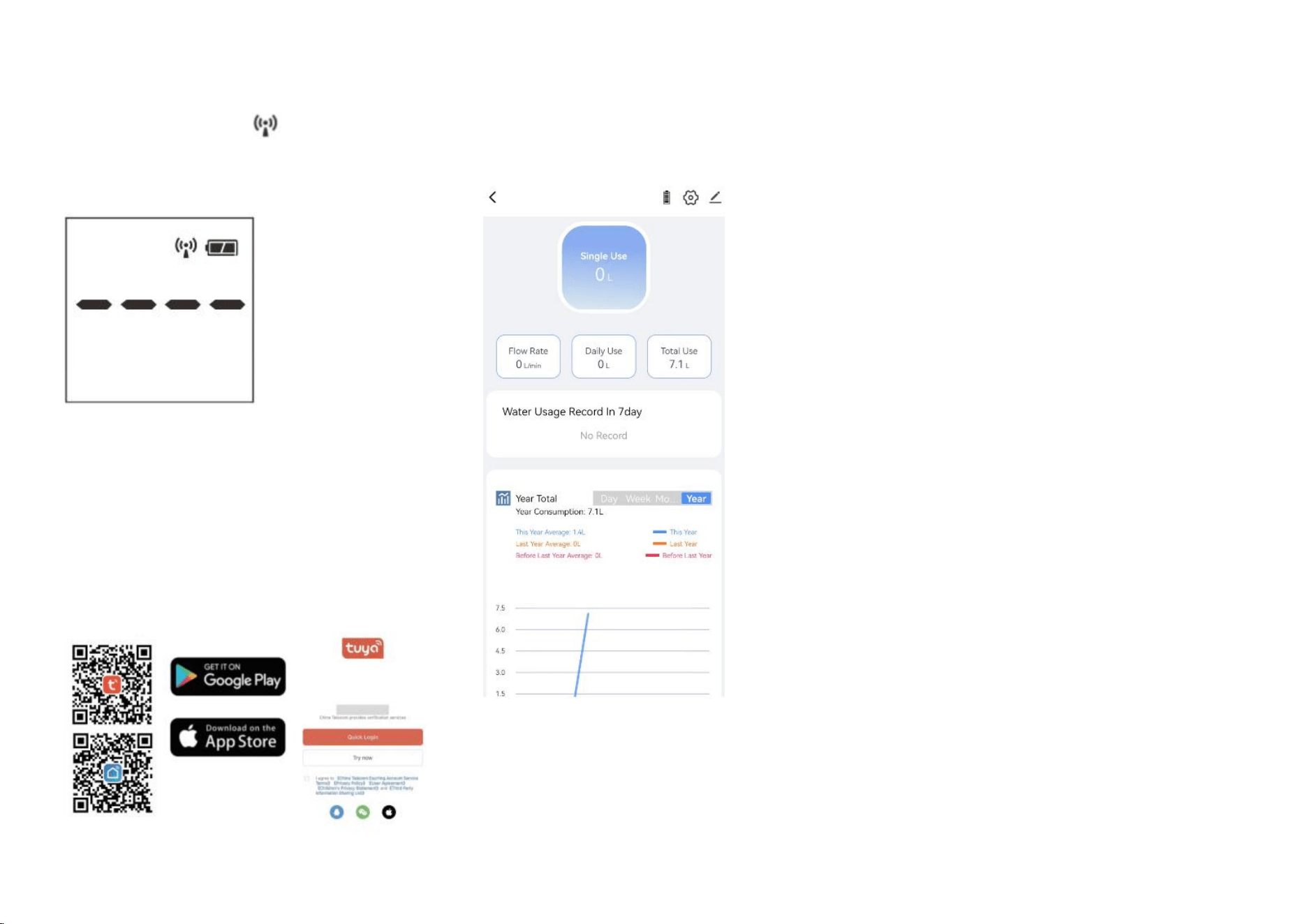
3.5 Mode 5: Current Time
When the LCD is in the off state, press the button to show
the current time and connection graph if the product is
connected to the smartphone. If disconnected, it will show
the disconnection graph. For a paired but disconnected
device, it will display "-----." When the product is unpaired,
it will show "Uncon." Pressing the button again will switch
to mode 1.
3
4. Add Device
In mode 5, press the button for 5 seconds to enter pairing
mode; the screen will show " " with a blink every 0.5 S
before connecting the device to the smartphone. Please
pair it with the device within 1 minute.
5. Install APP
5.1. Download the Smart Life App
Scan the QR code below or search for “Tuya Smart.”
Follow the instructions to set up a new account or log
in with an existing account.
Please proceed to the next step if you have already
installed the Smart Life APP.
5.2 Once paired, you can monitor the current
real-time flow rate and access daily, weekly,
monthly, and yearly water consumption.
5.3 On the app, you can view the water usage records for
single-use, total water consumption in 24 hours, total water
consumed within 1 year, and monthly water consumption
for up to 3 years. It can save up to 100 records if the device
is disconnected and automatically clears the earliest
records when the data exceeds 100
FCC Caution:
This device complies with part 15 of the FCC Rules. Operation is
subject to the following two conditions:(1) this device may not
cause harmful interference, and (2) this device must accept any
interference received, including interference that may cause
undesired operation.
Any changes or modifications not expressly approved by the
party responsible for compliance could void the user's authority
to operate the equipment.
NOTE: This equipment has been tested and found to comply with
the limits for a Class B digital device, pursuant to Part 15 of the
FCC Rules. These limits are designed to provide reasonable
protection against harmful interference in a residential
installation. This equipment generates, uses and can radiate radio
frequency energy and, if not installed and used in accordance
with the instructions, may cause harmful interference to radio
communications. However, there is no guarantee that
interference will not occur in a particular installation.
If this equipment does cause harmful interference to radio or
television reception,which can be determined by turning the
equipment off and on, the user is encouraged to try to correct
the interference by one or more of the following measures:
-- Reorient or relocate the receiving antenna.
-- Increase the separation between the equipment and receiver.
-- Connect the equipment into an outlet on a circuit different
from that to which the receiver is connected.
-- Consult the dealer or an experienced radio/TV technician for
help.
To maintain compliance with FCC’s RF Exposure guidelines, This
equipment should be installed and operated with minimum
distance between 20cm the radiator your body: Use only the
supplied antenna.