B78
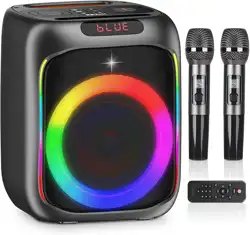
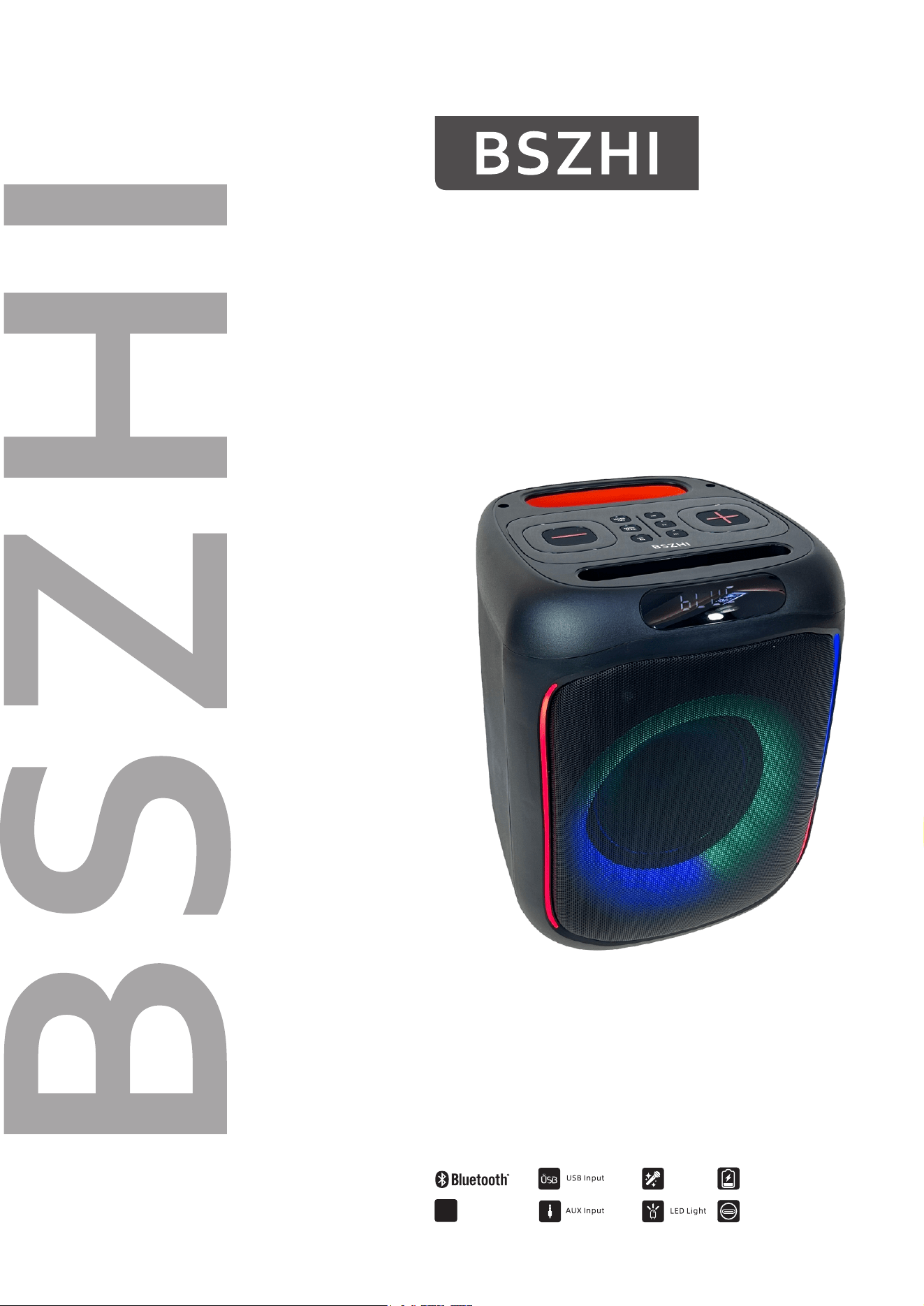
Portable Karaoke Speaker
Opetation manual
Mic Input
Built-in
Battery
Type- c
DSP
EQ Presets
MANUAL-B78
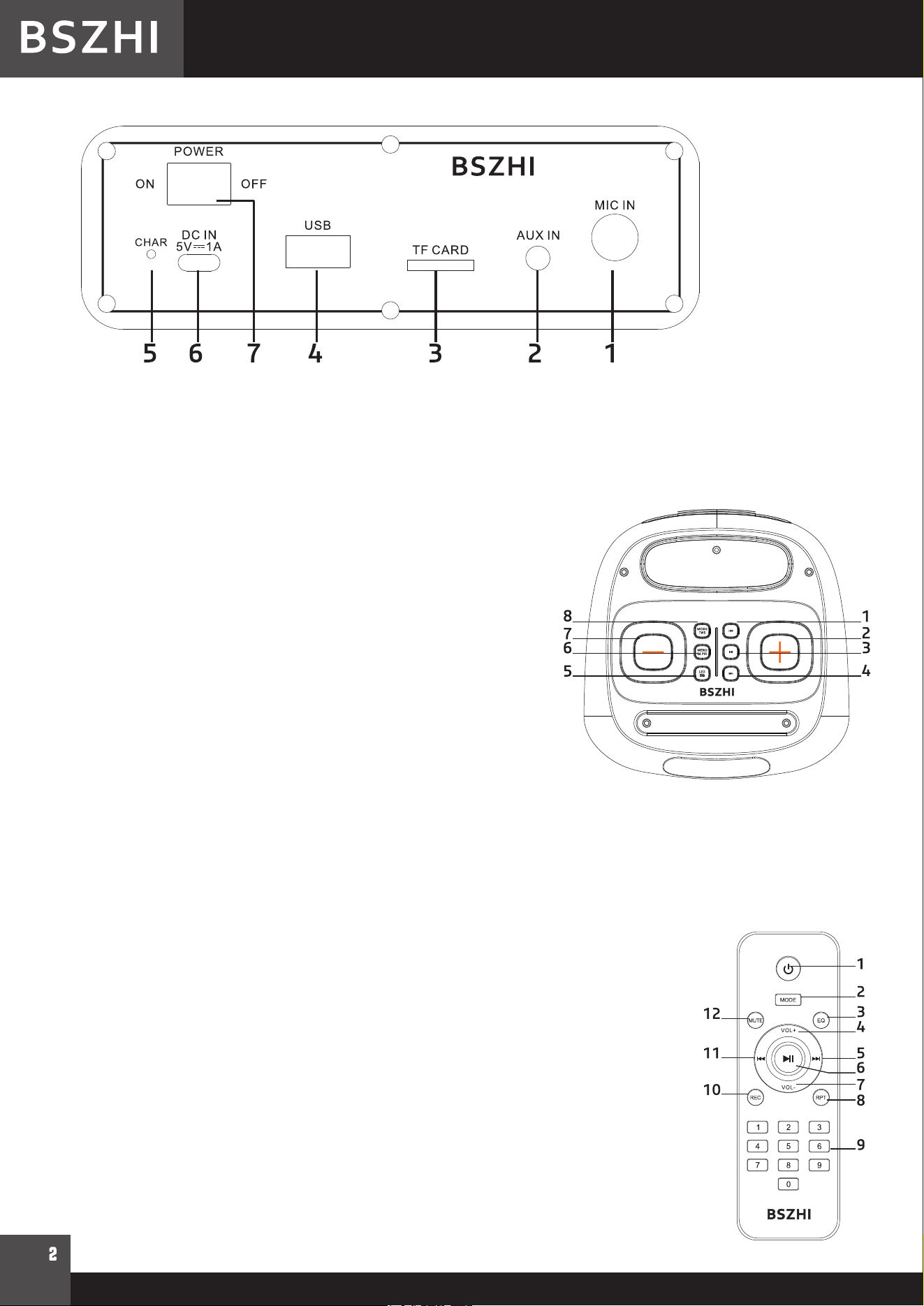
REAR PANEL CONNECTORS
1.Microphone input: Connect the supplied microphone to this input
2.AUX input: Connect an external line device to this input
3.TF: Insert a micro SD card to play the music on your card
4.USB: Insert a USB stick to play the music on your stick
5.CHAR: battery charge indicator
6.5Vdc 1A USB-C connector: Connect the supplied charger lead to this input to charge the built-in battery
7.POWER: ON/Off switch
TOP PANEL CONTROLS
1.Previous song
2.Press to increase the volume
3.Play/Pause button: Short press to play/pause the song.Long
press to disconnect the BT
4.Next song
5. Short press to cycle through the 7 LED light effect programs.
The 8th time keep the button pressed to switch the light effect
off.
Long press to switch between Rock-Pop-Jazz-Classic-Flat
modes
6.MENU/MIC.PRI: This button controls following functions in con-
junction with the VOLUME buttons (2 & 7) :
Mic Volume -> Mic Echo -> Treble -> Bass Short press once,
"Mo" is displayed. Set the microphone volume via the Volume
+&- buttons Short press a second time, "E" is displayed.Set the
microphone echo via the Volume +& - buttons MIC Short press a third time,
"Mt" is displayed. Set the treble via the Volume + & - buttons Short press a
fourth time, "Mb" is displayed.Set the basses via the Volume +& - buttons
MIC PRIORITY: Long press the button. "O-ON" is displayed and the mic priority function is active. Long press again.
"O-OF" is displayed.The Mic priority function is disabled.
7. Press to decrease volume
8.MODE: Short press to select an input source among BLUE/AUX/USB/TF
Long press in BT mode to link the speaker via BT to another B78
REMOTE CONTROL
1. ON/OFF button
2.MODE: Short press to select an input source. Long press to pair the speaker with
another B78 in BT mode
3. EQ: Press to select a music style among Rock-Pop-Jazz-Classic-Flat
4.Increase volume
5. Next song
6. Play/pause
7. Decrease volume
8. Repeat one/all songs
9. Number buttons for direct input of a file number. Press the number of the file to
access it directly. For file numbers above 9, press the first digit + the second digit. Ex.
For file number 15, press 1 + 5. For file number 38, press 3+8
10. REC: Short press to record the microphone sound on your micro SD card or USB
stick. Short press to play your recorded file.
11. Previous song
12. MUTE: stops the sound
MANUAL-B78
USE OF THE REMOTE CONTROL
Please operate the remote control within a distance of 6m and 30°between the remote and the appliance. Aim the
remote at the sensor. Remove all obstacles between the remote and the sensor.
The remote control might not work properly if the sensor is exposed to strong sunshine.
If the remote control doesn't work properly, please check the batteries.
BT MODE
Short press the MODE button until Blue is displayed. Activate the BT function on your BT enabled device and
select
B78. Press the PREVIOUS/NEXT button on the top panel to select a song.
A
UX IN JACK
Connect an audio cable to the AUX IN jack of the speaker and to the audio output socket on the external audio
TWS WIRELESS BT CONNECTION
First pair your smartphone with a speaker (cf.BT MODE). Turn on the second B78 and keep the Mode &TWS
button pressed on the second B78. The second B78 will now play the same music the first one.
device such as MP3 player, discman, etc. Press the MODE button and select AUX
Note: To improve FM reception, insert one end of the supplied AUX-IN cable into AUX input jack and leave
the other end open, it will work as pigtail antenna.
eVatmaster Consulting GmbH
Bettinastr.30
EU REP
60325 Frankfurt am Main,Germany
contact@evatmaster.com
_ _OST EU 20210819000028
EVATOST CONSULTING LTD
Office 101 32 Threadneedle Street, London,
EU REP
United Kingdom, EC2R 8AY
contact@evatost.com
_ _OST EK 20210819000009
FCC Statement
This equipment has been tested and found to comply with the limits for a Class B digital device, pursuant to part 15 of the FCC Rules. These limits are designed to provide reasonable protection against harmful interference
in a residential installation. This equipment generates, uses and can radiate radio frequency energy and, if not installed and used in accordance with the instructions, may cause harmful interference to radio communications.
However, there is no guarantee that interference will not occur in a particular installation. If this equipment does cause harmful interference to radio or television reception, which can be determined by turning the
equipment off and on, the user is encouraged to try to correct the interference by one or more of the following measures:
•Reorient or relocate the receiving antenna.
•Increase the separation between the equipment and receiver.
•Connect the equipment into an outlet on a circuit different from that to which the receiver is connected.
•Consult the dealer or an experienced radio/TV technician for help.
Caution: Any changes or modifications to this device not explicitly approved by manufacturer could void your authority to operate this equipment.
This device complies with part 15 of the FCC Rules. Operation is subject to the following two conditions: (1) This device may not cause harmful interference, and (2) this device must accept any interference received,
including interference that may cause undesired operation.
RF Exposure Information
The device has been evaluated to meet general RF exposure requirement. The device can be used in portable exposure condition without restriction.

