Visit Our Website
SCAN ME
PyleUSA.com
USER GUIDE
Questions or Comments?
We are here to help!
Phone: 1.718.535.1800
PyleUSA.com/ContactUs
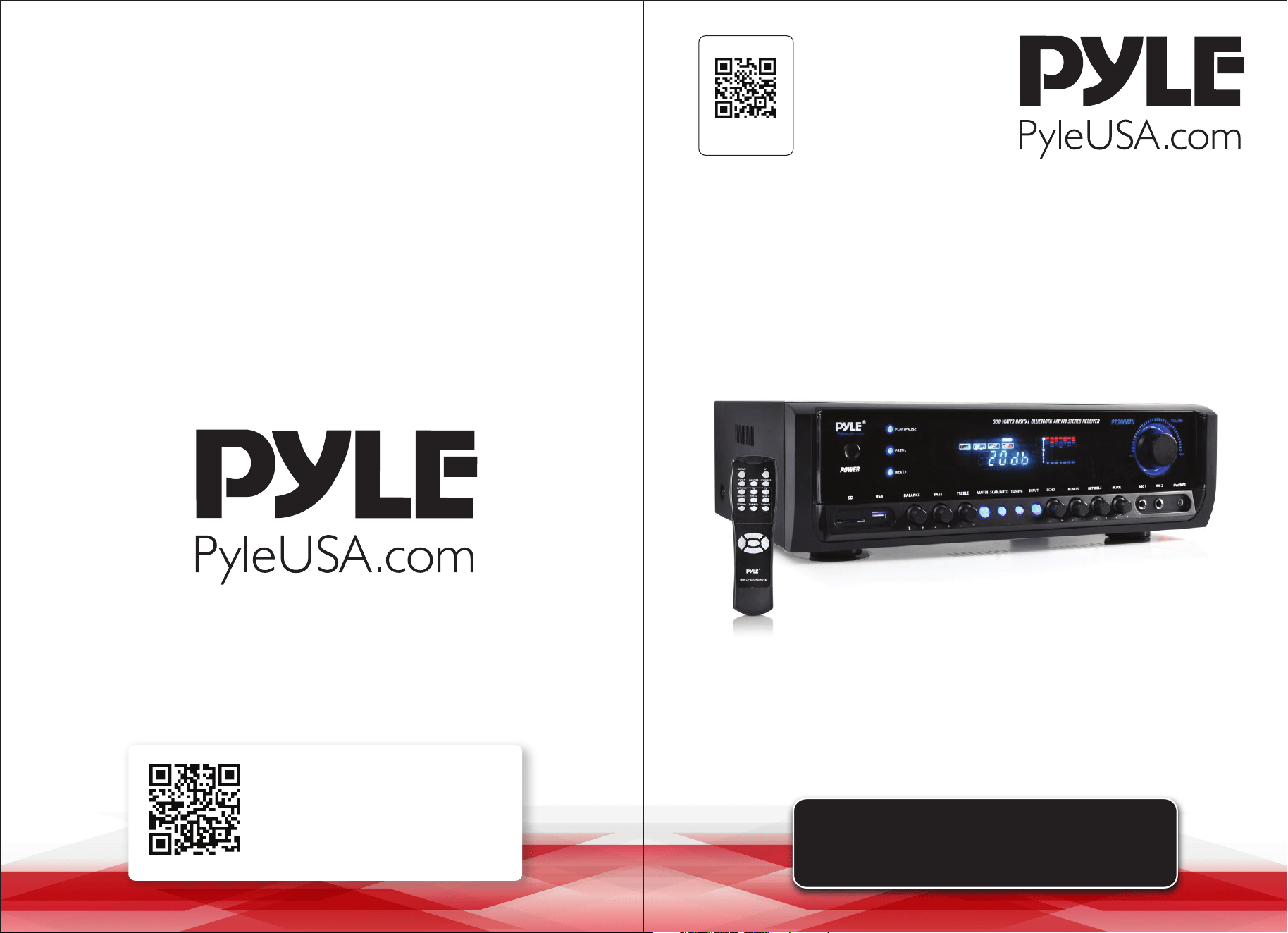
PT390BTU
Digital Home Theater Bluetooth
Stereo Receiver

READ ALL INSTRUCTIONS CAREFULLY BEFORE USING THIS PRODUCT.
RETAIN THIS OWNER’S MANUAL FOR FUTURE REFERENCE.
System Features:
• 4-Channel Receiver System
• Powers Up to 4 Speakers
• Bluetooth Wireless Streaming Ability
• AM/FM Radio with Digital LCD Display
• USB Flash & SD Memory Card Readers
• MP3 Digital Audio File Compatibility
• Aux (3.5mm) Input Connector Jack
• (4) Pair Speaker Terminal Binding Posts
• (2) 1/4'' Microphone Inputs
• (2) Pair RCA (L/R) Audio Input Connector Jacks
• (2) Pair RCA (L/R) Audio Output Connector Jacks
• Connects to TV, Home Theaters, External Speaker Systems
• Radio Station Auto Scan, Tuning Control
• Built-in Ventilation Cooling Fan
• 50 Radio Station Memory Pre-Sets
• Main Volume/Balance/Treble/Bass Controls
• Microphone Volume/Bass/Treble/Echo Controls
• Includes Antennas, Audio Cable, Remote Control
Bluetooth Connectivity:
• Instantly Receives Wireless Music Streaming
• Works with all of Your Favorite Devices
(iPhone, Android, Smartphone, iPad, Tablet, etc.)
• Bluetooth Version: 3.0
What's in the Box:
• Home Theater Receiver
• Remote Control
• AM/FM Antennas
• Power Cable
Technical Specs:
• Power Output: 300 Watt MAX
• Impedance: 8 Ohm
• T.H.D.: <1%
• S/N Ratio: >76dB
• Input Lvl. Impedance: 350mV/47k
• Tone Characteristics: +/-12dB
• Input Sensitivity: 300mV/33k
• USB/SD can play what le types: MP3, WMA, WAV
• Maximum USB/SD Card support size: 8GB
• Frequency Response: 20Hz-20kHz
• Battery Operated Remote, Requires (2) x ‘AAA’, Not Included
• Power Supply: 110/220V Switchable
• Dimensions (L x W x H): 16.9'' x 12.2'' x 4.7'' -inches
FCC INFORMATION
WARNING:
Changes or modications not expressly approved by the party responsible for compliance could void the
user’s authority to operate the equipment.
NOTE: This equipment has been tested and found to comply with the limits for a Class B digital device, pursuant
to Part 15 of the FCC Rules. These limits are designed to provide reasonable protection against harmful interfer-
ence in a residential installation. This unit generates, uses, and can radiate radio frequency energy, and if not
installed and used in accordance with the instructions, may cause harmful interference to radio communica-
tions. However, there is no guarantee that interference will not occur in a particular installation. If this
equipment does cause harmful interference to radio or television reception, which can be determined by
turning the equipment o and on, the user is encouraged to try and correct the interference by one or more of
the following measures:
• Reorient or relocate the receiving antenna.
• Increase the separation between the equipment and receiver.
• Connect the equipment to an outlet on a circuit dierent from that to which the receiver is connected.
• Consult the dealer or an experienced radio/TV technician for help.
This device complies with Part 15 of the FCC Rules. Operation is subject to the following two conditions:
1. This device may not cause harmful interference.
2. This device must accept any interference received, including interference that may cause undesired operation.
ww w.PyleUSA.com
2
ww w.PyleUSA.com
3
California Prop 65 Warning
WARNING:
This product may expose you to chemicals, which is known to
the state of California to cause cancer, birth defects and other
reproductive harm. Do not ingest.
For more info go to: www.P65warnings.ca.gov
ww w.PyleUSA.com
4
ww w.PyleUSA.com
5
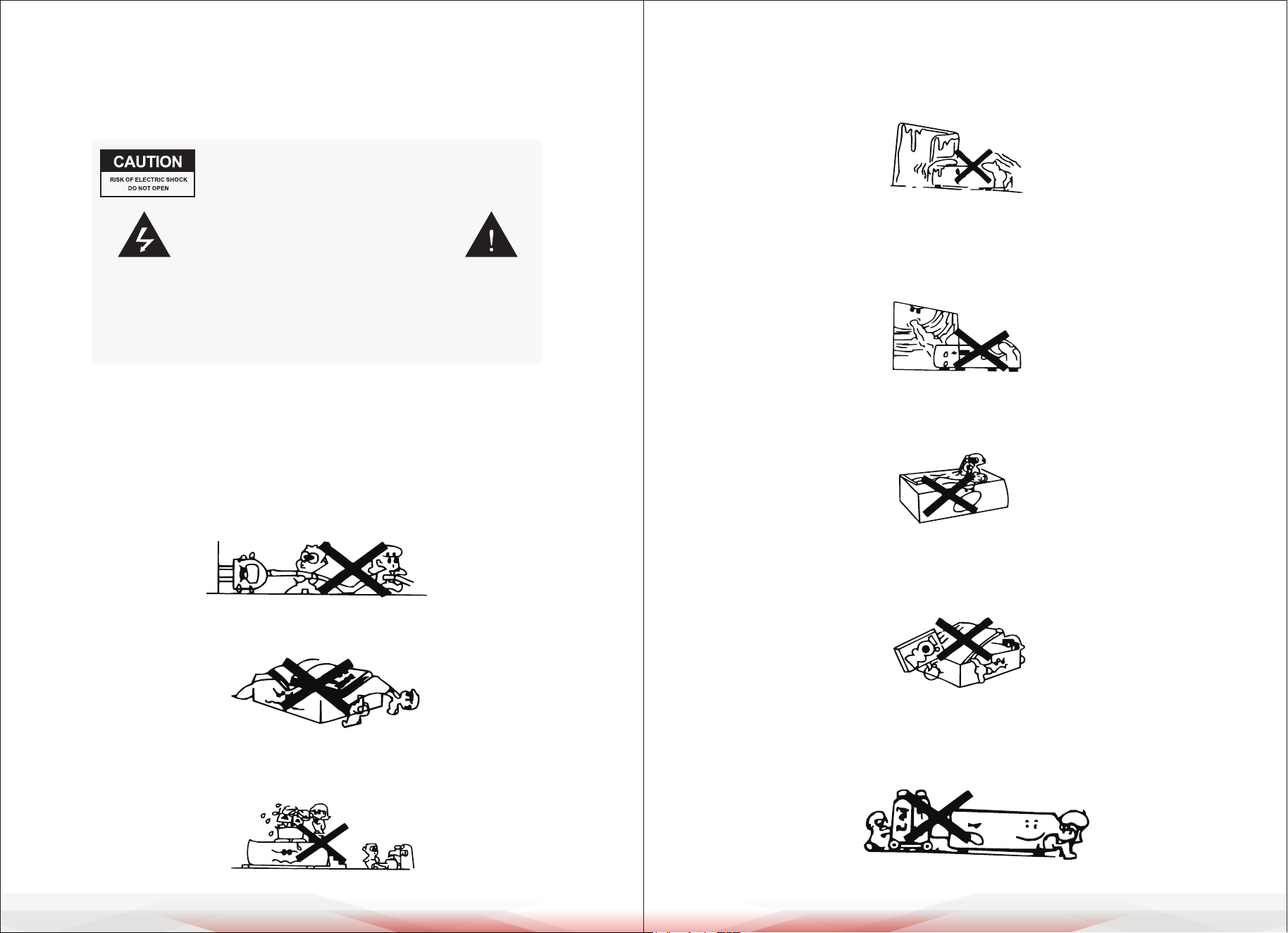
WARNING: TO REDUCE THE RISK OF FIRE OR ELECTRIC
SHOCK. DON'T EXPOSE THIS EQUIPMENT TO RAIN OR
MOISTURE.
TO REDUCE THE RISK OF FIRE OR ELECTRIC
SHOCK AND ANNOYING INTERFERENCE, USE
THE RECOMMENDED ACCESSORIES ONLY.
THIS DEVISE IS INTENDED FOR CONTINUOUS
OPERATION!
*Designs and specications are subject to change without notice.
*Cautlon: Please use 4 Ω speakers.
Please take a few minute to read the instruction manual and operating
instructions. This will tell you how to use the receiver system. Here, you will
nd unit features and operation instructions to ensure trouble free use and
installation. Please retain these operating instructions for future reference.
Before Use
1. Ensure that the power line voltage is AC 110V/220V
If you are not sure of the type of power supplied to your home, consult your
dealer or local power company.
2. Protect the Power Cord
Protect the power cord from being walked on or pinched particularly at plugs,
convenience receptacles, and the point where they exit from the apparatus.
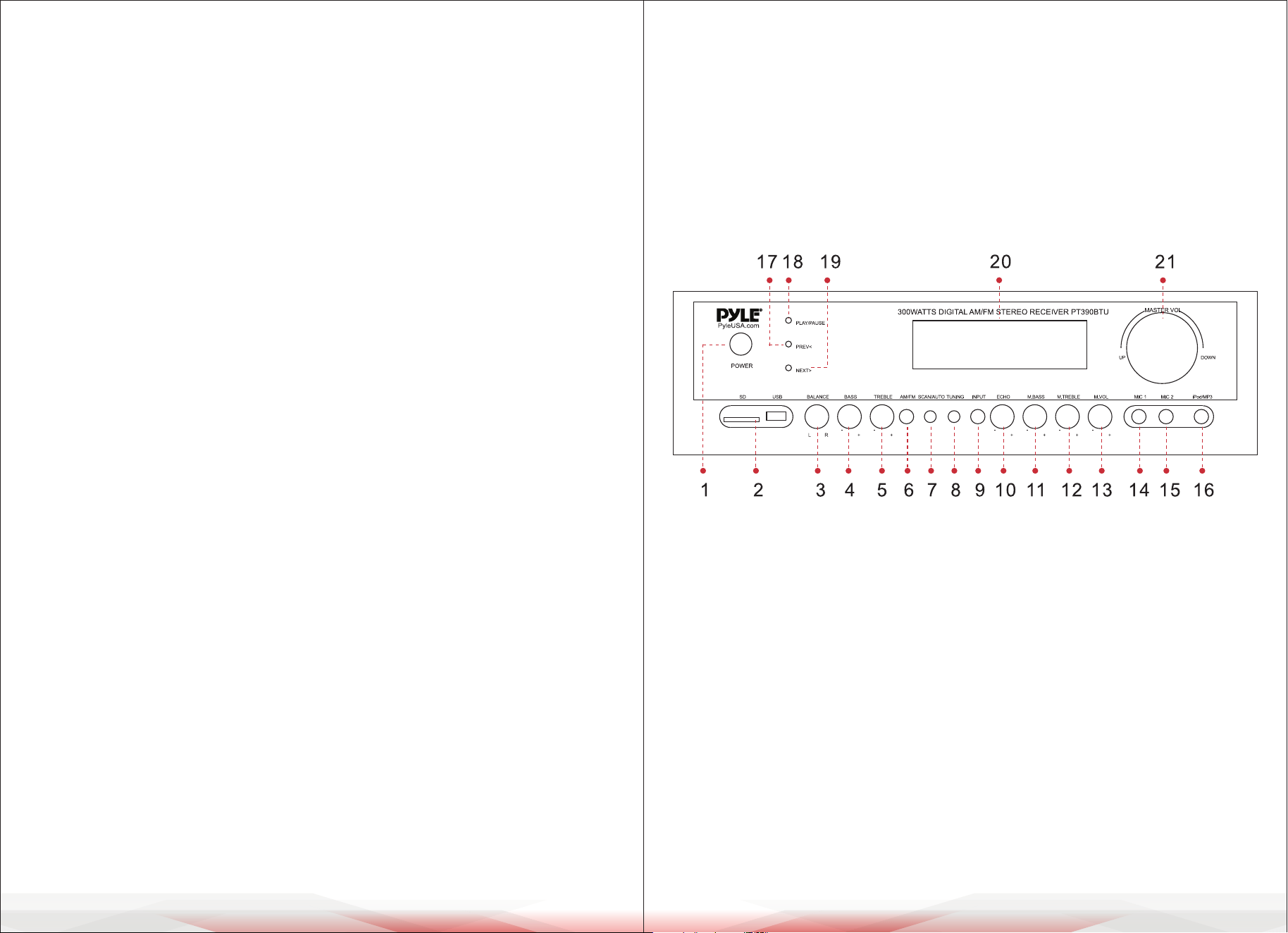
3. Do not block any ventilation openings.
4. Keep the unit free from moisture, water, and dust.
Do not place objects lled with liquids, such as vases, on the unit.
5. Operating Environment
Operating environment temperature and humidity: +5 ºC to +35 ºC (+41 ºF to
+95 ºF); less than 85 %RH (cooling vents not blocked)
6. Install this sound system in a well ventilated, cool, dry, clean place.
Do not install this unit in a poorly ventilated area, or in locations exposed to
high humidity or direct sunlight (or strong articial light)
7. Avoid metals dropping in the unit
Avoid metals dropping into the unit, like needle, hairpins, smaller metal objects
8. DO NOT OPEN THE UNIT as this might result in damage to the circuitry or
electrical shock. If a foreign object should get into the unit, contact your dealer
or service company.
9. Do not attempt to clean the unit with chemical solvents as this might damage
the nish. Use a clean, dry or slightly damp cloth.
ww w.PyleUSA.com
6
ww w.PyleUSA.com
7
OPERATION
1. POWER: Use this button to turn the speakers ON or OFF.
Caution: Make sure all connections are secure and the main volume is set to
the minimum level before turning ON the unit.
2. INPUT SELECT: Select the input source: CD/DVD, USB, Radio, or Wireless BT
Streaming.
3. MICROPHONE VOLUME (MIC VOL): Adjust the "MIC VOL" knob to increase or
decrease the karaoke microphone volume.
4. ECHO: Adjust the "ECHO" knob to achieve a desirable echo eect.
5. TREBLE/BASS: Turn the TREBLE/BASS knob to adjust the treble or bass tone of
the master channel.
6. MASTER VOLUME: Turn the MASTER VOLUME knob to the right to increase the
volume, or to the left to decrease it.
How to Replace the Preset Radio Stations
Use the remote control to set the radio stations.
NOTE: The preset radio stations cannot be deleted, but they can be replaced.
Operation Steps:
1. Press TUNER MODE on the remote control.
2. Press AM/FM and select FM.
3. Press PRE/NEXT to select the stations you do not want to keep.
4. Press TUNING to choose the radio stations you want to save.
5. Press MEMORY to save the new stations.
By following these steps, you can replace the preset radio stations.
Wireless BT Playback
1. Make sure the unit is powered ON.
2. Set the input mode to BT.
3. Use your smartphone or other compatible Wireless BT-enabled device to search
for available Wireless BT networks. The PT390BTU will appear in the network list
as 'PT390BTU'.
4. Connect and pair: Connecting does not require a password. If prompted, enter
'0000' (four zeros).
Note:
1. In Wireless BT Streaming mode, control the volume using both your unit and
your Wireless BT device.
2. The Wireless BT Streaming range may be aected by electronic interference or
obstacles between your unit and the Wireless BT device.
CONTROLS & FUNCTIONS
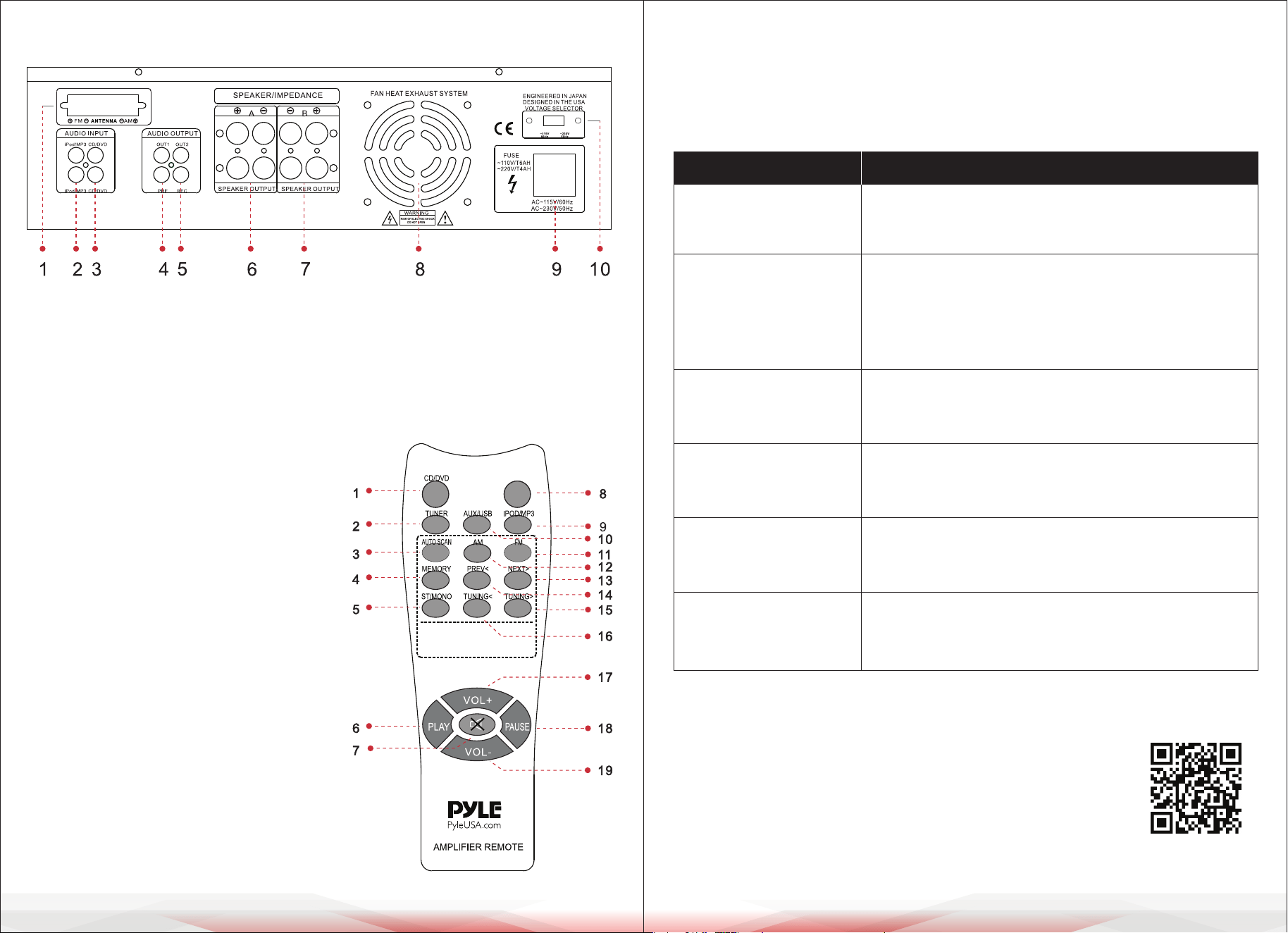
FRONT PANEL
1. Power ON/OFF key
2. USB/SD signal input
3. Music balance knob
4. Music bass knob
5. Music treble knob
6. Tuner AM/FM conversion button
7. Tuner automatic search button
8. Tuner ne-tuning button
9. Audio input select key
10. Mic Echo volume knob
11. Mic Bass knob
12. Mic Treble knob
13. Mic Master Volume knob
14. Mic 1 input
15. Mic 2 input
16. lpod/mp3 signal input
17. USB/SD Prev button
18. USB/SD Play pause button
19. USB/SD Next button
20. VFD Display
21. Music Master Volume knob
ww w.PyleUSA.com
8
ww w.PyleUSA.com
9
BACK PANEL
REMOTE CONTROL
1. CD/DVD Audio Input Select key
2. Tuner Audio Input Select key
3. Tuner Automatic Search key
4. Tuner Memory key
5. Tuner Stereo/Mono key
6. USB/SD player key
7. Audio Mute key
8. None
9. IPOD/MP3 Audio Input Select key
10. AUX/USB Audio Input Select key
11. Tuner FM Select key
12. Tuner AM Select key
13. USB/SD Next key
14. USB/SD Prev. key
15. Tuner tuning + select key
16. Tuner tuning - select key
17. Music Volume + key
18. USB/SD pause key
19. Music Volume - key
TROUBLESHOOTING
If you experience any of the following diculties while using the unit, use this
troubleshooting guide to help you remedy the problem, should any problem
persist, consult your nearest dealer.
1. FM/AM Radio antenna
2. lpod/mp3 Signal input
3. Dvd Signal input
4. Audio Output 1
5. Audio Output 2
6. R-LSpeaker a output jack
7. R-L Speaker b output jack
8. Take out the breeze fan export
9. Power line (~110V /220V)
10. 110V/220V selection switch
L
R
L
R
L
R
L
R
PROBLEM POSSIBLE CAUSE
No power
• The ac power cord is disconnected
• Wall socket poor connection or the wall socket is
inactive
No sound
• Disconnected speakers and components.
• Make sure you select the correct component on
the unit
• Volume control at lowest level
• Speaker wire short or open
One master speaker
NO sound
• Bad or Incorrect speaker connections
• Balance not in center
• Speaker wire short or open
Bad Sound
Microphone
has no sound
Severe hum
or noise
• The place is unt for the speakers
• Bad or incorrect speakers connections
• Treble and bass controls are too low
• Microphone volume is too low
• Microphone not turned ON
• Microphone wire short or open
• Check that the speakers and components are
connected securely
• The plugs and jacks are dirty
Register Product
Thank you for choosing PyleUSA. By registering your product,
you ensure that you receive the full benets of our exclusive
warranty and personalized customer support.
Complete the form to access expert support and to keep your
PyleUSA purchase in perfect condition.
Start Here
Model Number:
PT390BTU
PyleUSA.com/pages/register