01
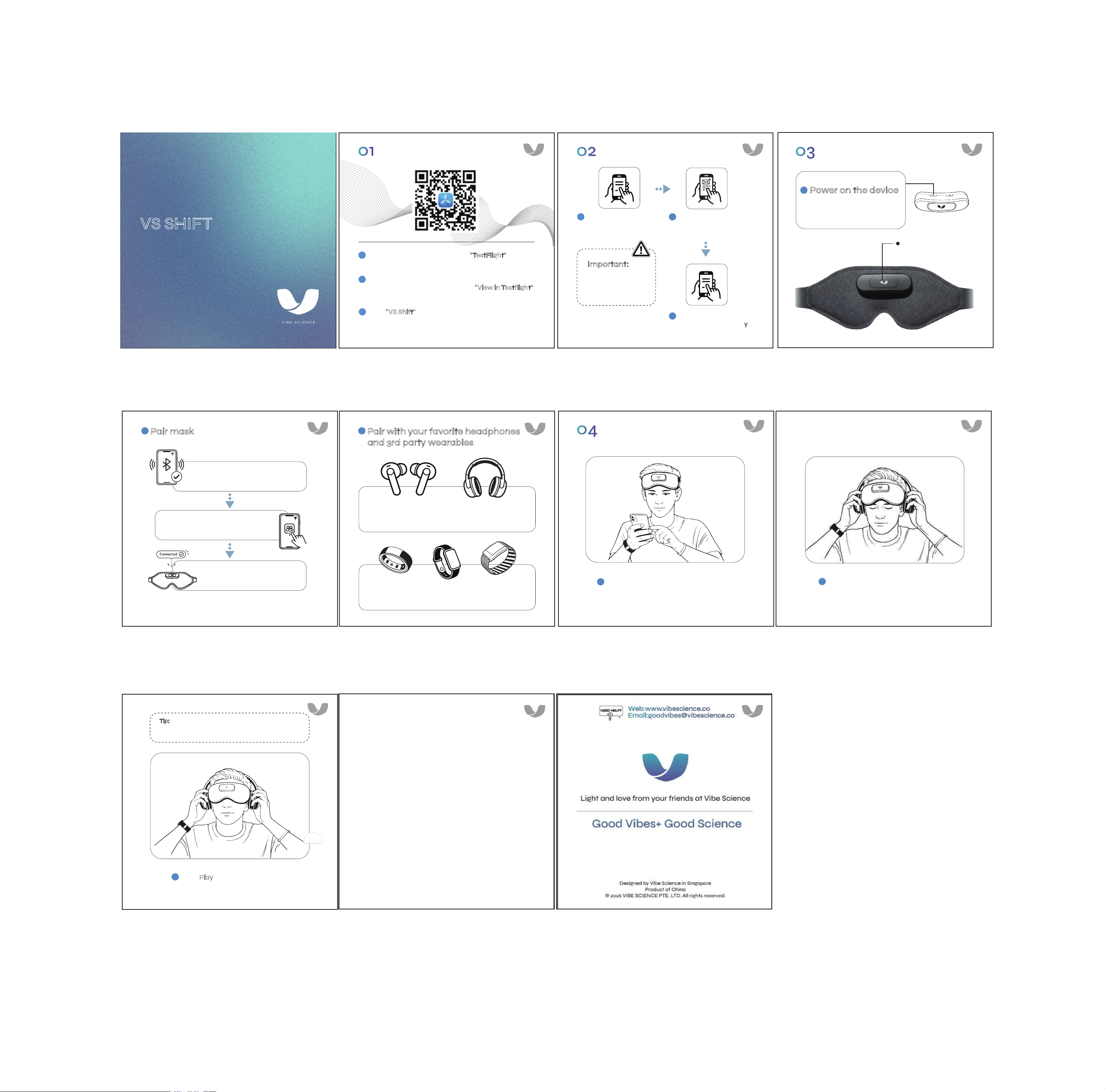
Download App
Scan the QR code or search for “TestFlight” in the
App Store.
Find the TestFlight invitation in your mail box that
you use as apple id, and click the “View in Testflight”
button to download VS Shift.
Now “VS Shift”
is on your TestFlight lists, click install,
wait a few minutes to open and use it.
Open the VS Shift app
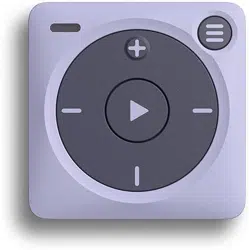
Power on the device
Press and hold the left
button for 3 seconds
Connect with wearable fitness trackers for
enhanced analytics (in ‘Settings’)
Sign in with email OTP
(enter your email, check
inbox, enter passcode)
Accept Terms &
Conditions and safety
acknowledgment
02
Register Account
Tap the pairing icon in the app
Connect with any wired or Bluetooth headphones
(just make sure they’re comfy!)
blue light = pairing mode
03
Power On & Pair Devices
1
2
3
1
2
3
Important:
Do not use if you
have epilepsy or
photosensitivity.
Pair mask
1
2
Pair with your favorite headphones
and 3rd party wearables
3
【Optional】
【Required】
04
Choose Session & Enjoy
Select a session from the app dashboard
1
Get comfy and put on your mask and
headphones
2
Press Play in the app
Relax, breathe deep, and enjoy!
3
Tip:
Adjust brightness using buttons on the controller
during your session.
Enable Bluetooth on your phone
Wait for "Connected"
(white light on controller)
Light and love from your friends at Vibe Science
Designed by Vibe Science in Singapore
Product of China
© 2026 VIBE SCIENCE PTE. LTD. All rights reserved.
VS SHIFT
QUICK START GUIDE
VS SHIFT
QUICK START GUIDE
Good Vibes+ Good Science
Web:www.vibescience.co
Email:goodvibes@vibescience.co
NEED HELP?
FCC Caution:
This device complies with part 15 of the FCC Rules. Operation is subject to the
following two conditions: (1) This device may not cause harmful interference, and
(2) this device must accept any interference received, including interference that
may cause undesired operation.
Any changes or modifications not expressly approved by the party responsible for
compliance could void the user's authority to operate the equipment.
NOTE: This equipment has been tested and found to comply with the limits for a
Class B digital device, pursuant to Part 15 of the FCC Rules. These limits are
designed to provide reasonable protection against harmful interference in a
residential installation. This equipment generates, uses and can radiate radio
frequency energy and, if not installed and used in accordance with the
instructions, may cause harmful interference to radio communications. However,
there is no guarantee that interference will not occur in a particular
installation.
If this equipment does cause harmful interference to radio or television
reception, which can be determined by turning the equipment off and on, the user
is encouraged to try to correct the interference by one or more of the following
measures:
-- Reorient or relocate the receiving antenna.
-- Increase the separation between the equipment and receiver.
-- Connect the equipment into an outlet on a circuit different from that to
which the receiver is connected.
-- Consult the dealer or an experienced radio/TV technician for help.
The device has been evaluated to meet general RF exposure requirement. The device
can be used in portable exposure condition without restriction.