Thanks for choosing us!
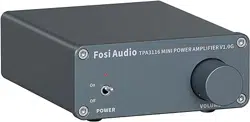
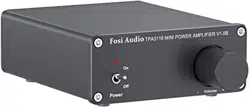
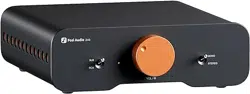
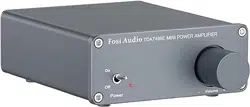
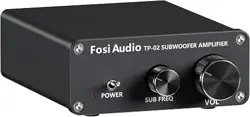
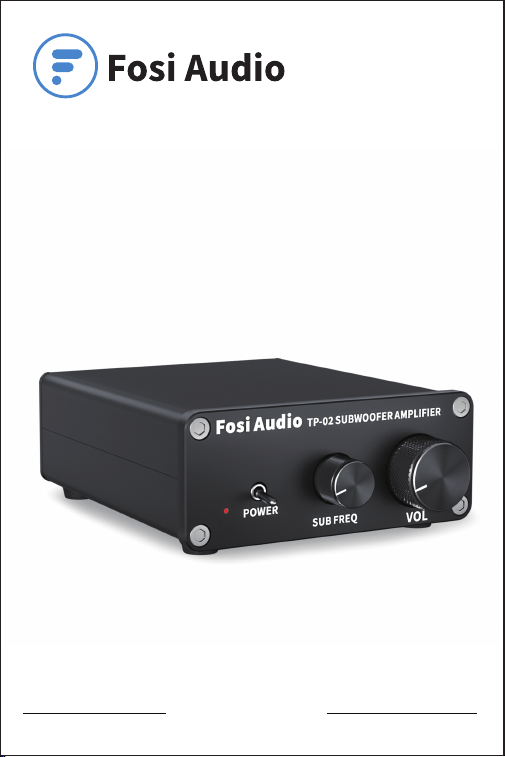
Fosi Audio TP-02 User Manual

Product Specifications
Mini compact but powerful! Fosi Audio TP-02 is a Hi-Fi
stereo mono channel subwoofer amplifier that features
220watt power output. TP-02 is perfectly suited for the
home audio subwoofer, with a more delicate and clear
sound, allowing you to enter the world of music
wholeheartedly.
Input Interface: RCA
Output: passive subwoofer +
active subwoofer
Product Adapter Input
Voltage Range:
AC 110V - 240V
Product Weight: 1.88lb/0.85 kg
Bass Frequency Range: 20-200Hz
Terminating Impedance: 2 - 8 Ω
Max Power Output: 220 watts
Input Sensitivity: ≤ 280mV
Product Dimensions: 5.1x3.93x1.37inch
(13*10*3.5cm)
SNR: ≥ 98dB
THD: ≤ 0.04%
Power Adapter: 24V/4.5A
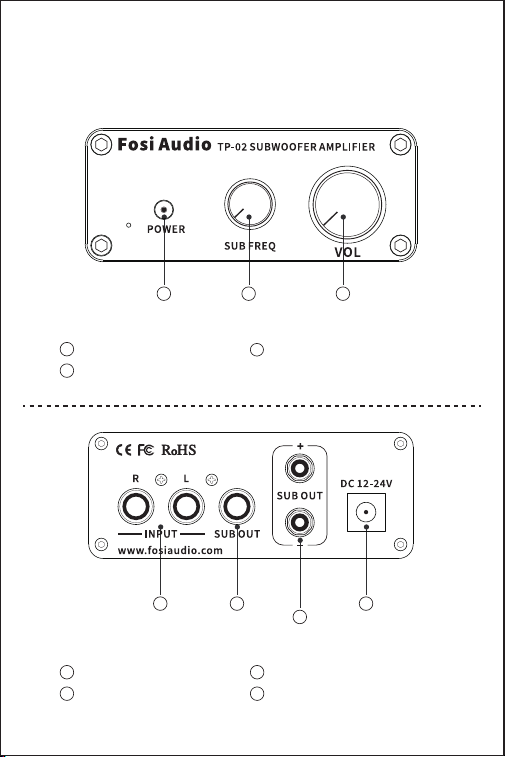
Product Overview & Control
Functions
RCA Input
Active Subwoofer Output
1
2
Passive Subwoofer Output
DC Input
3
4
Back Panel
Power Switch
SUB Frequency Control
1
2
Volume Control
3
Front Panel
21
3
4
2 31

Package Contents
Fosi Audio TP-02 Amplifier*1
AC Power Cord*1
24V Power Supply*1
User Manual*1
Quick Setup
Step 1: Prepare TP-02, 24V power supply, passive subwoofer or
active subwoofer, speaker wires or banana plugs;
Step 2: Connect the TP-02 to the passive subwoofer, you can
connect the passive subwoofer wire via the bare wire or
banana plugs;
Step 3: Connect the 24V power supply to the DC Input;
Step 4: Toggle the power switch on the front panel upwards to
turn on the TP-02 amplifier.
Note1: Before connecting the power supply, please make sure that
the TP-02's power switch is in the “down” position.
Otherwise, there will be a “POP” click sound from your
subwoofer.
Note2: Before connecting the power supply, please turn down the
volume control to 0 (always rotating counterclockwise) to
protect your audition from damage.
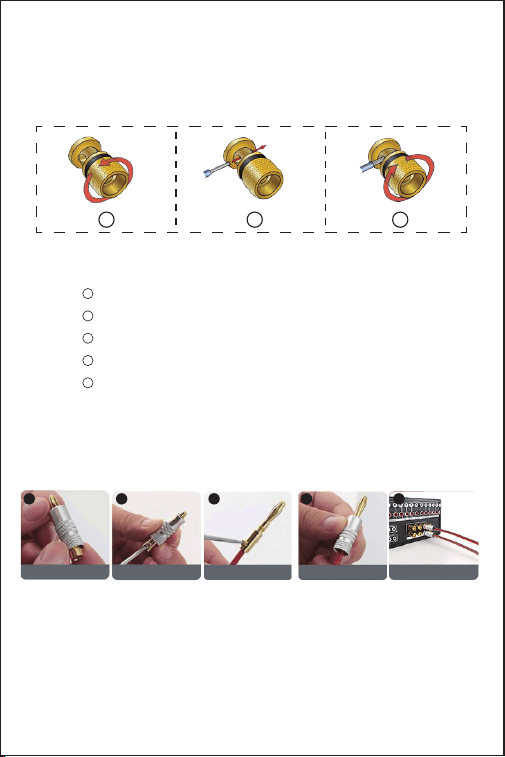
How to connect the speaker wire?
Method 1: Bare wire connection illustration
: Release the horn terminals block terminals;
: Insert the two ends of the speaker wire into the
amplifier and speaker terminal holes;
: Tighten the horn terminals;
1
2
3
Package Contents
Fosi Audio TP-02 Amplifier*1
AC Power Cord*1
24V Power Supply*1
User Manual*1
Quick Setup
Step 1: Prepare TP-02, 24V power supply, passive subwoofer or
active subwoofer, speaker wires or banana plugs;
Step 2: Connect the TP-02 to the passive subwoofer, you can
connect the passive subwoofer wire via the bare wire or
banana plugs;
Step 3: Connect the 24V power supply to the DC Input;
Step 4: Toggle the power switch on the front panel upwards to
turn on the TP-02 amplifier.
Note1: Before connecting the power supply, please make sure that
the TP-02's power switch is in the “down” position.
Otherwise, there will be a “POP” click sound from your
subwoofer.
Note2: Before connecting the power supply, please turn down the
volume control to 0 (always rotating counterclockwise) to
protect your audition from damage.
How to connect the speaker wire?
Method 1: Bare wire connection illustration
: Release the horn terminals block terminals;
: Insert the two ends of the speaker wire into the
amplifier and speaker terminal holes;
: Tighten the horn terminals;
Method 2: Banana plugs connection illustration
: Release the banana jacket;
: Loosen the screw;
: Insertion speaker wire and tighten the screw;
: Tighten the banana jacket;
: Insert the banana plug into the horn terminals of the
speaker and amplifier.
Note: Please take care to avoid contact between the two banana
plugs so that it will not cause a short circuit because some
of the banana plugs are metal-cased.
Note1 : Please make sure that the speaker's wire is not attached
the chassis.
Note 2: Because the location is relatively small, positive and
negative poles can not be in contact.
1
2
3
4
5
1
2
3
Release Jacket Loosen Screw
Insertion speaker wire
tighten screw
Tighten Jacket
1 2 3 4
banana plug into
the horn terminals
5

Troubleshooting/QA
1: The power supply indicator is not illuminated.
• Make sure that the AC power cord is securely connected to the
power supply and to an AC power outlet.
• Check whether the power LED on the power supply stays on. If
not, the power supply is broken.
• If you make sure the power supply is defective, please contact us
for exchange.
2: Which type of speakers works best with the TP-02
Amplifier?
• Fosi Audio TP-02 works well with most 2-8Ω subwoofers.
3: Why does the TP-02 make serious noise when used
together with a radio?
• The common feature of Class D power amplifiers is that they can
cause serious noise when used with a radio, so we do not
recommend using the TP-02 with a radio or too close to it.
4: Why there is no voice from my amplifier?
• Please make sure that the AC outlet is on and working.
• Verify that the amplifier and your devices are turned on.
• Recheck speaker wire connections from the amplifier to the
speaker.
• Please make sure that the cable from the power supply is
connected to the amplifier and check whether the power LED on
the power supply stays on. If not, the power supply is broken.
• Please make sure that the volume/power knob on the front panel
is turned on and not set to the minimum volume.



• Please make sure that your devices (iPad, computer, etc.) are
turned on and not set to the minimum volume. Please change the
device with other one and try it again if you can. If it still not work
then it is the problem of the amplifier.
• Please make sure that the cables from your devices are working
and properly connected. You can change the cables with new one
and see if it will work again. If not then it is the problem from the
amplifier.
5: Why does the sound crack or make a lot of electric
noise?
• When you put your hand on the volume knob or the amplifier case
it will make some buzzing sound, it's normal because the amplifier
case and the volume knob are made of aluminum. Once you move
your hand away from the amplifier, the buzzing sound will
disappear.
• Please make sure all the cables are completely pushed into the
devices, an incomplete connection will cause the cracking sound.
• Please unplug all of the signal input cables and then check
whether cracking noise disappears, if not the crack is from the
amplifier.
• If you didn’t use the original factory standard power supply,
please replace the power supply with the original standard power
supply before testing. Many power supplies in the market have
large interference coefficients, which will cause a lot of sound.
6: Why is there an interference sound after connecting the
signal line?
• If you use unshielded signal lines, there will be interference
signals entering the power amplifier. If you don’t like the sound,
you are advised to use the shielded signal lines or unplug the
signal lines.

7: Why does the amplifier stop working after a period?
And after a while it work again?
• The amplifier is in this case normally overheat protected, and the
output power may have exceeded the designed range, so you can
lower the volume a little and try again.
8: How much power does this product use in standby
mode? Can this amplifier be left on all the time?
• Power stable rated output of about 180watt. This is a Class D
amplifier, which consumes some power in standby mode and has
a stable rated output of about 150watt.
9: When the volume adjustment on the amplifier stays the
same, why is the speaker's output volume different while
different devices are used ( such as CDS and mobile
phones ) ?
• The output voltage of different types of audio sources is different.
For the mobile phone, it is 0.35mV, but the CD 1V. The signal
output amplitude of the devices will directly influence the volume.
10: Why the sound of the power amplifier is not so good at
the beginning and for the high frequency it is also not
clear, but after working for 10 hours the sound is normal
again?
• Speakers and amplifiers are very sensitive equipments. They
need also to match themselves with each other. So usually the
sound will be good again after the new power amplifier and the
speaker work more than 10 hours.
11: Why the sound quality is not so good?
• Turn down the volume of the input device and turn up the volume
of the amplifier.
• Please make sure that your devices (iPad, computer, etc.) are
turned on and not set to the minimum volume. Please change the
device with other one and try it again if you can. If it still not work
then it is the problem of the amplifier.
• Please make sure that the cables from your devices are working
and properly connected. You can change the cables with new one
and see if it will work again. If not then it is the problem from the
amplifier.
5: Why does the sound crack or make a lot of electric
noise?
• When you put your hand on the volume knob or the amplifier case
it will make some buzzing sound, it's normal because the amplifier
case and the volume knob are made of aluminum. Once you move
your hand away from the amplifier, the buzzing sound will
disappear.
• Please make sure all the cables are completely pushed into the
devices, an incomplete connection will cause the cracking sound.
• Please unplug all of the signal input cables and then check
whether cracking noise disappears, if not the crack is from the
amplifier.
• If you didn’t use the original factory standard power supply,
please replace the power supply with the original standard power
supply before testing. Many power supplies in the market have
large interference coefficients, which will cause a lot of sound.
6: Why is there an interference sound after connecting the
signal line?
• If you use unshielded signal lines, there will be interference
signals entering the power amplifier. If you don’t like the sound,
you are advised to use the shielded signal lines or unplug the
signal lines.

• Please make sure that your subwoofer is passive, not active.
• Please unplug the RCA input and connect this amplifier to a
subwoofer. Then connect the amplifier to the power supply,
switch it on and turn up the volume. Hear whether noise or hum
remains. If yes, the issue may come from the amplifier or your
subwoofer; if not, the issue may come from your RCA cable or
your device, then please exchange the device and audio cable
with other one and try again.
• Please make sure all the cables are completely pushed into the
device, incomplete connection will create distortion.
• Please make sure your TP-02 amplifier has enough power to drive
your subwoofer and check the parameters of your subwoofer if
they match themselves with ones of TP-02. And if you need more
electricity power, you can use a more powerful power supply
such as 24V 8A or 24V 10A.
12: How can the power which goes into the unit be 24v,
4.5a , 108 watts while the power of the unit are
220watts?
• 220 watts are 'Peak' output. Since the power supply can only
provide a maximal power of 108 watts, it can not supply any more
than 108 watts continuously (Even the number 108 watts are
impossible. That would be likely at 10% THD). However, the
capacitor could provide a temporary peek boost to 220 watts for a
very, very brief period. Maybe a few milliseconds. If you want to
reach 220w power, you can use a 24V 8A or 24V 10A power
adapter.

13: What are the true RMS wattage specifications for this
device, when the power is 2Ω, 4Ω?
• 220 watts are the MAX power output. Its RMS power output is
RMS 150watts @ 4Ω, RMS 120watts @ 8Ω with 24V 4.5A
power supply. If you want to get more power, you can upgrade the
power supply with 24V 8A.
14: Why cuts the sound in or out?
• Try to reduce the sound of your device.
• Ensure that the positive and negative poles of the speaker output
do not touch each other. Some relatively large banana plugs are
easy to touch each other and will cause a short circuit.
• Try to exchange your audio source to test, if still so then there
are problems with the amplifier.
15: Low Volume.
• Recheck the volume on your device and turn up the sound of the
amplifier. Make sure that it isn’t set to minimum volume.
• Please make sure if your device needs a pre-amp or not.
• If you are using the turntable, please make sure if your turntable
needs a phono preamp or not. Some turntables have built-in
phono preamp, some not.
16: Can I use the TP-02 in other countries?
• Yes, the wide voltage AC 110-240V for power input can be used
in any country. You need only to match the power cord adapter
with the power supply in that country.
For any problems please leave a message to the customer
support email address: suppor[email protected]
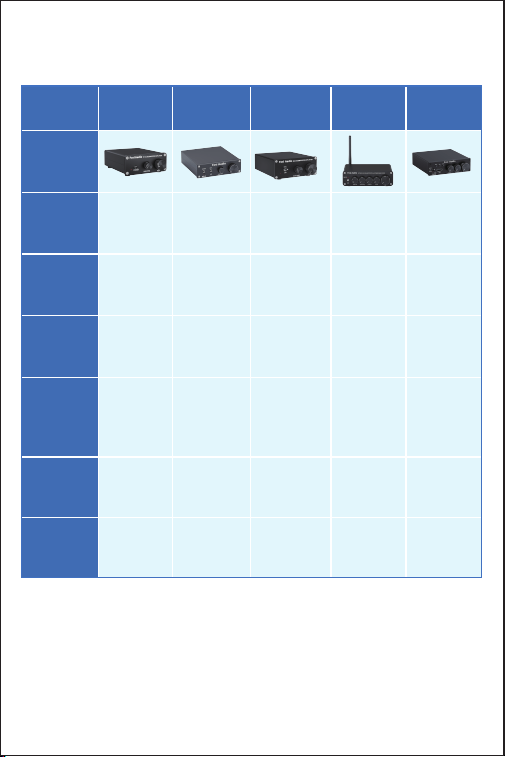
Comparison Section
Model
Type
Subwoofer
Amp
Subwoofer
Amp/
Mono Amp
Subwoofer
Amp/
Mono Amp
2.1CH Amp
Picture
Bluetooth
Version
-
-
- Bluetooth 5.0
Input
RCA
RCA RCA Bluetooth +
RCA
Output Passive
Speakers+
Active
Subwoofer
Passive
(Speakers+
Subwoofer) +
Powered
Subwoofer
Passive
(Speakers+
Subwoofer) +
Powered
Subwoofer
Passive
(Speakers+
Subwoofer) +
Powered
Subwoofer
Power
Adapter
24V/4.5A
32V/5A
19V/4.74A 24V/4.5A
MAX Power
Output
220 watts
200 watts 100 watts
50 watts x 2 +
100 watts
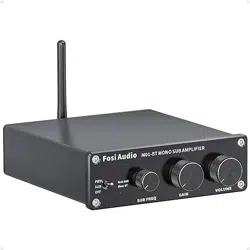
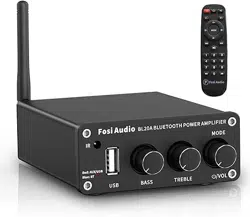
TP-02 M03 M04 BT30D BL20C
2.1CH Amp
Bluetooth 5.0
Bluetooth +
RCA +
U-Disk
Passive
Speakers +
Powered
Subwoofer
24V/4.5A
160 watts X2

Our website: www.fosiaudio.com
Amazon store: www.amazon.com/fosiaudio
Our Youtube channel: Fosi Audio
Our Facebook page: Fosi Audio
After-sale Service and Technical Support Email:
support@fosiaudio.com
customer@fosiaudioshop.com
Warranty Information
• All Fosi Audio products have an 18-month limited warranty on
parts and labor from the date of purchase. Please contact us if
you have any problems.
About Fosi Audio
• Fosi Audio designs and builds innovative audio products with
all your music in mind. Great sound, simple but elegant
designs, high-quality materials, and truly useful features are
what Fosi Audio is about. We sincerely hope you get as much
enjoyment from our products as we’ve had to create them!
Fosi Audio Product’s User Manual