V5
非常感谢阁下购买本公司产品!在使用产品前,请认真阅读本说明书内容。
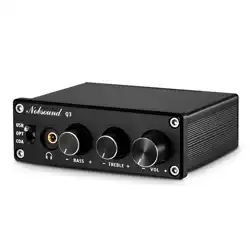
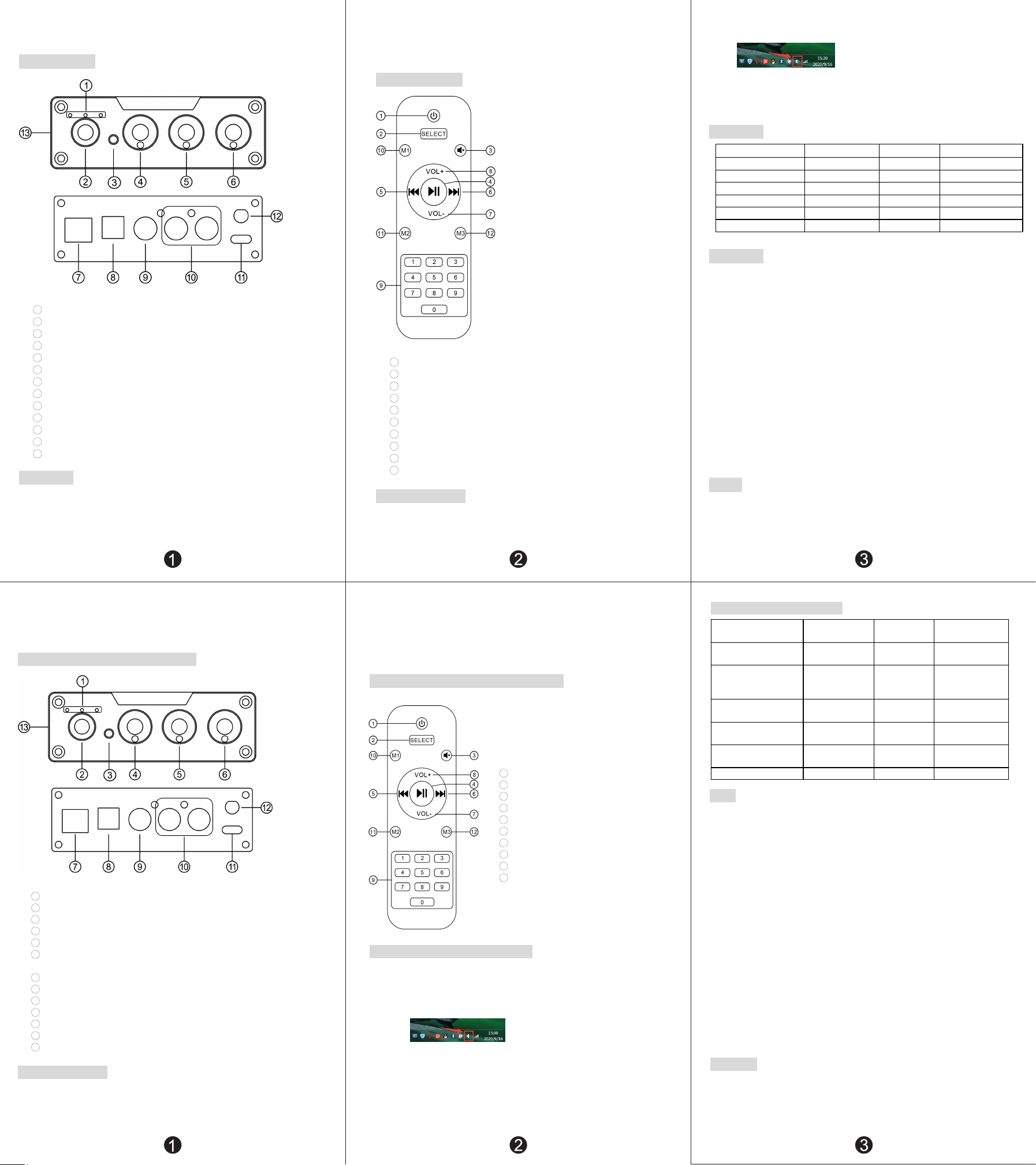
前后面板说明:
1
………………………… 输入通道指示灯
2
………………………… 3.5 耳机(与 RCA 同步输出)
3
………………………… 红外接收窗口
4
………………………… 低音调节旋钮
5
………………………… 高音调节旋钮
6
………………………… 编码器旋钮(短按:开机/切换通道;左右旋转调节音量;长按关机)
7
………………………… PC-USB 输入
8
………………………… 光纤输入
9
………………………… 同轴输入
10
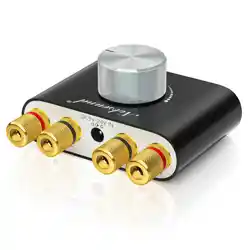
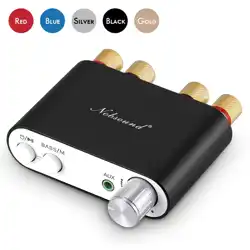
………………………… RCA 输出(红/右声道,白/左声道)
11
………………………… Type-C 充电接口(DC 电压不得高于 5V)
12
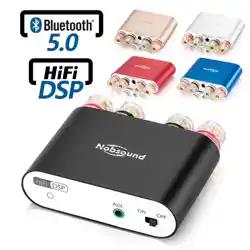
………………………… 蓝牙天线座
13
………………………… U 盘输入接口
操作步骤:
1. 将要使用的后级设备接至本产品的 RCA 输出接口。
2. 将需要使用的音源设备接至音源输入口。
3. 接上电源(DC 电压不得高于 5V)。
4. 短按编码器旋钮开机,并切换到对应的输入通道。
5. 调节各旋钮,达到合适的音量及音效。
遥控器功能说明:
1
………………………… 开/关机
2
………………………… 切换输入通道
3
………………………… 静音
4
………………………… 暂停/播放
5
………………………… 上一曲
6
………………………… 下一曲
7
………………………… 音量减
8
………………………… 音量加
9
………………………… 数字选曲键
10
………………………… M1、M2、M3 本产品无功能
PC-USB 操作说明:
1. 将配置的 USB 线,本机 PC-USB 接口连接到电脑(USB 支持热插拔)。
2. 短按编码器旋钮切换到 PC-USB 输入。
3. 如图,在 PC 端右下角找到带有喇叭符号的图标
。
4. 右击弹出选项,点击【播放设备】。
5. 在弹出的框中选择 PC 识别到的 USB 设备(USB HIFI AUDIO)。
6. 点击确认识别到的数字输出,设为默认值即可。
规格参数:
PC-USB 支持最高采样率 96KHz/24bit RCA 输出电平 1.9V
PC-USB 支持的操作系统 W7/W8/W10/MAC/Linux 高/低音调整范围 ±6dB
同轴、光纤支持最高采样率 192KHz/24bit 频率响应 20Hz-20KHz(±0.5dB)
U 盘支持的最大容量 64G 失真度 ≤0.005%
耳机阻抗匹配 16-300Ω 信噪比 ≥113dB
耳放最大输出功率 110mW 包装重量 0.28kg
工作电压 DC 5V 包装尺寸 长 195*宽 160*高 70mm
常见问题:
问:我所有的线都接好了,为什么没有声音?
答:1.检查机器是否通电,通道指示灯是否亮,相应的输入通道是否连接正确。
2.检查后级连接是否正确。
3.若以上都正常,检查输入的播放设备是否静音、暂停了、或者音量处于最小状态。
问:为什么声音出现破音?
答:本机虽为 DAC 解码器,但作为前级产品也是有放大作用的,如果后级设备音量调到最大,而前级也
调
到最大,那就很容易失真,此时你只需要将前级或后级音量调小一些就可以。
问:为什么我插上输入线后不接播放音源,音箱会有很大的嗡嗡声?
答:使用了不带屏蔽的信号线空载时,会有干扰信号进入到功放进行放大,建议你换成带屏蔽的信号
线,或者拔掉信号线。
问:蓝牙声音为什么断断续续的?
答:测试蓝牙距离时,蓝牙在无任何遮挡物的情况下,10 米内声音没有出现卡顿和断开连接为正常。
(注:路由器会对蓝牙信号产生干扰,不要靠太近!)
警告!
1.请勿私自打开外壳,操作不当可能会引起触电的危险。
2.请使用正规厂家生产的开关电源,否则会有损坏机器的风险。
3.请勿将机器放在高温或潮湿环境下工作。
Thank you very much for choosing our products!Please read this manual carefully
before using the product.
Front and rear panel description:
1
………………………… Input channel indicator light
2
………………………… 3.5 headphones (synchronous output with RCA)
3
………………………… Infrared receiving window
4
………………………… Bass adjustment knob
5
………………………… Treble adjustment knob
6
………………………… Encoder knob (short press: start/switch channel; rotate left
and right adjust volume; long press shut off)
7
………………………… PC-USB Input
8
………………………… Optical Input
9
………………………… Coaxial Input
10
………………………… RCA output (red/right channel, white/left channel)
11
………………………… Type-C charging interface (DC voltage shall not be higher than 5V)
12
………………………… Bluetooth antenna base
13
………………………… U disk input interface
Operation steps:
1. Connect the rear level equipment to be used to the RCA output interface of the product.
2. Connect the sound source equipment to be used to the sound source input port.
3. Connect the power supply (DC voltage shall not be higher than 5V).
4. Briefly press the encoder knob to start the machine and switch to the corresponding input
channel.
5. Adjust the knobs to achieve proper volume and sound effect.
Remote control function description:
1
………………………… on/off
2
………………………… Input channel switching
3
………………………… Mute
4
………………………… Pause/play
5
………………………… Previous song
6
………………………… Next song
7
………………………… Volume down
8
………………………… Volume up
9
………………………… Digital selection song key
10
………………………… M1、M2、M3 This product has
no function
PC-USB Operating instructions:
1. Use the configured USB cable to connect the PC-USB interface of the machine to the
computer (USB supports hot plug).
2. Short press the encoder knob to switch to PC-USB input.
3. As shown in the figure, find the icon with horn symbol in the lower right corner of
PC end
。
4. Right click the pop
-
up option and click 【play device】.
5. Select the USB device recognized by the PC in the pop
-
up box(USB HIFI AUDIO)。
6. Click the recognized digital output to set it as the default value.
Specification parameters:
PC-USBSupports the highest
sampling rate
96KHz/24bit
RCA Output level
1.9V
PC-USBSupported operating
systems
W7/W8/W10/MAC/Linux
Treble and bass
adjustment range
±6dB
Coaxial and optical fiber
support the highest
sampling rate
192KHz/24bit
frequency
response
20Hz-20KHz(±0.5dB)
Maximum capacity supported
by U disk
64G THD ≤0.005%
Headphone impedance
matching
16-300Ω SNR ≥113dB
Maximum output power of
earphone
110mW Packing weight 0.28kg
working voltage DC 5V Package size L195*W160*H70mm
FQA:
Q: all my wires are connected. Why is there no sound?
A: 1.Check whether the machine is powered on, whether the channel indicator is on, and whether
the corresponding input channel is connected correctly.
2. Check whether the rear stage connection is correct.
3. If all the above are normal, check whether the input playback device is mute, paused, or the
v
olume is at the minimum state
.
Q: why is the sound distorted?
A: Although this machine is a DAC decoder, it also has amplification function. If the volume of
the power amplifier is adjusted to the maximum and the volume of the DAC decoder is also adjusted
to the maximum, it is easy to be distorted. At this time, it is only necessary to reduce the volume
of DAC decoder or power amplifier.
Q: Why does the speaker make a loud buzzing sound when I plug in the input cord and don't connect
the audio source?
A: When the signal line without shielding is used, there will be interference signals entering
the power amplifier for amplification. It is recommended that you replace the signal line with
shielding or unplug the signal line.
Q: why does Bluetooth sound get stuck?
A: when using Bluetooth to test the distance, it is normal that the sound does not get stuck or
disconnected within 10 meters without any obstructions.
(Note: the router will interfere with the Bluetooth signal. Try not to get close!)
warning!
1. Please do not open the machine shell. Improper operation may cause electric shock.
2. please use the regular manufacturer of switching power supply, otherwise there will be
the risk of damage to the machine.
3. Do not put the machine in a high temperature or humid environment.