
Catalogue
1.Overview of the User Manual .................................................................................................................................................1
2.Riding Instructions ..................................................................................................................................................................2
2.1 Safety Checklist ............................................................................................................................................................................................3
2.2 Permitted & Prohibited Users ....................................................................................................................................................................... 4
2.3 First- time Use & Beginner Training .............................................................................................................................................................. 5
2.4 Pre - ride Check - List ...................................................................................................................................................................................6
2.5 Protective Gear & Wearing Requirements ................................................................................................................................................... 7
2.6 Prohibited Riding Scenarios ......................................................................................................................................................................... 8
2.7 No Dangerous Operations ............................................................................................................................................................................9
2.8 Vehicle Alerts, Speed- Limiting and Pedal Tilt- Back ...................................................................................................................................10
2.9 Low- Battery, High / Low Temperature and Power- Margin Risks ................................................................................................................11
2.10 Handling After Falls, Crashes and Water Exposure ................................................................................................................................. 12
2.11 Battery and Charging Safety .....................................................................................................................................................................13
3.Unlocking Sleep Mode .......................................................................................................................................................... 14
4.Description of Product ..........................................................................................................................................................15
4.1 Function Schematic ....................................................................................................................................................................................15
4.2 Product Size Drawing .................................................................................................................................................................................16
4.3 Product Specification ..................................................................................................................................................................................17
5.Setting Page ...........................................................................................................................................................................18
5.1 Introduction of Display Basic Page .............................................................................................................................................................18
5.2 Information ................................................................................................................................................................................................. 19

5.3 Button Settings Introduction .................................................................................................................................................................. 20-21
5.4 Password setting ........................................................................................................................................................................................ 22
5.5 Lock Mode and Unlock ...............................................................................................................................................................................23
5.6 Pedal Settings ............................................................................................................................................................................................ 24
5.7 Tilt-back Settings ........................................................................................................................................................................................ 25
5.8 Over-speed Alarm Settings ........................................................................................................................................................................ 26
5.9 Screen Brightness Settings ........................................................................................................................................................................ 27
5.10 Vehicle Balance Calibration ......................................................................................................................................................................28
5.11 Sleep Mode Setting .................................................................................................................................................................................. 29
5.12 Kilometers/Miles Unit Switching ............................................................................................................................................................... 30
5.13 Voltage Adjustment ...................................................................................................................................................................................31
5.14 Low Battery Mode Setting ........................................................................................................................................................................ 32
5.15 High Speed Mode .....................................................................................................................................................................................33
5.16 Angle Protection Settings ......................................................................................................................................................................... 34
5.17 Button Volume Settings ............................................................................................................................................................................ 35
5.18 Charging Voltage Settings ........................................................................................................................................................................36
5.19 Acceleration Assist Settings ..................................................................................................................................................................... 37
6.Error Codes and Causes ...................................................................................................................................................... 38
7.Closed Hydraulic Suspension ............................................................................................................................................. 39
8.Maintenance, Modification and Non- Original Accessories ............................................................................................. 40
9.Lending, Transfer and Local Regulations .......................................................................................................................... 41
10.Abnormal Conditions, Accidents and After- Sales Service ...................................................................................... 42-45
11.Packing List ..........................................................................................................................................................................44

第 1 页
1.Overview of the User Manual
Thanks for purchasing LeaperKim electric unicycle. We will wholeheartedly provide you with satisfactory products and
services.
This vehicle is strictly prohibited to drive on the motorway. It must be confirmed that it fits to the requirements of local
laws and regulations. Do not use this product in the areas prohibited by laws and regulations. Do not use this product at the
speed specified by local laws and regulations.
In order that you can ride LeaperKim electric unicycle more safely, please carefully read and understand all the product
information and precautions listed in this manual before riding, and refer to the instruction to use LeaperKim electric unicycle.
Please maintain the vehicle regularly, which will help to keep the performance and resale value of the vehicle product.
Please keep this manual for future after-sales use.
Your satisfaction with LeaperKim electric unicycles is our driving force!
Guangzhou Coyote Intelligent Equipment Co., Ltd

第 2 页
This product is an electric self- balancing unicycle, a personal mobility and recreational device with inherent riding risks. During riding,
there are risks of loss of balance, loss of control, crashes, falls that may result in serious personal injury or even death. Reading and
complying with these safety notice, the user manual, vehicle alarms and speed- limit reminders can reduce risks, but cannot eliminate
them entirely. If you cannot understand or fail to abide by these safety instructions, do not use this product.
Users must read and understand all safety warnings in this user manual before using the product. Even if you follow all instructions,
accidents may still result from road conditions, other people’s actions, vehicle faults or your physical condition. The company is not legally
responsible for any injuries or property damage caused by ignoring safety instructions or the user manual, breaking local laws, wrong
operation, modification, over- speeding or using non- original parts.
The unicycle stays stable through both the rider’s balance skill and the vehicle’s dynamic control system. Improper operation,
over- speeding, riding fast with low battery, sharp acceleration, hard braking, sharp turning, ignoring alerts, ignoring tilt- back warnings,
slippery surfaces, uneven roads, crashes, water damage and product modification may cause the vehicle to lose balance, resulting in
falls, crashes, serious injury or even death.
2.Riding Instructions
This document is a statutory safety notice with legal notification effect. By powering on and riding the unicycle, the user shall be deemed to
have fully acknowledged, understood and agreed to all terms, voluntarily assumed all riding risks, and confirmed that the Company has fully
fulfilled its safety notification obligations. The Company shall be exempted from or relieved of corresponding liabilities in accordance with the law.
Dangerous
Warning
These instructions apply to all electric unicycle products from our company. For specific parameters including speed, load weight, slope, tire
pressure, temperature, water- resistance and charging, please refer to the user manual, vehicle nameplate, App prompts and official safety
announcements. All the above documents carry equal legal validity.
Our products may undergo design changes and improvements during production and sales. In case of any inconsistency with this manual,
the actual product shall prevail.

第 3 页
2.1 Safety Checklist
Item
Requirement
Must- do
Wear helmet and protective gear; complete beginner training; check battery level, tire pressure, tires,
pedals, screws, alerts and fault codes before riding.
Must- avoid
Motor vehicle lanes, crowded areas, slippery / flooded / icy surfaces / muddy ground, potholes and steps,
poor night visibility, low- battery or fault- alert status.
Must- stop use
Immediately stop using the vehicle when you get alerts, vibration, speed limiting, pedal tilt- back, falls,
crashes, water exposure, strange odors, smoke or abnormal overheating.
Prohibited actions
Ignoring alerts or pedal tilt- back; high- speed riding under low battery; sharp acceleration and hard braking;
jump stunts; carrying passengers; product modification; firmware cracking; using non- original chargers.

第 4 页
2.2 Permitted & Prohibited Users
The following persons are strictly prohibited from using this product. Users voluntarily assume all personal- injury,
property and legal risks:
1. Persons under 14 years old, or those who have not reached the minimum age required by local laws and
regulations;
2. Persons under the influence of alcohol, or after taking medicines that may impair judgment, reaction and
balance;
3. Persons with heart disease, high blood pressure, epilepsy, vertigo, balance disorders, movement disorders, or
any other medical conditions unsuitable for strenuous exercise;
4. Pregnant women;
5. Persons whose height or weight exceeds the limits stated in the user manual;
6. Persons who cannot understand the user manual, App safety alerts or vehicle warning signals;
7. Persons who have not completed beginner training and cannot independently mount, dismount, ride straight at
low speed, turn and brake to a stop.
Minors shall learn and use this product only under guardian supervision. Vehicle owners must not lend the
vehicle to anyone who does not meet the above requirements.
第 5 页
2.3 First- time Use & Beginner Training
Usage Stage
Safety Requirements
New vehicle / Beginner Mode
Keep low speed, low- sensitivity or stay in Beginner Mode.
Initial mileage after tutorial completion
Continue practicing at low speed. Avoid high speed, sharp acceleration, hard
braking and complex road conditions.
Disabling beginner speed limit
You must fully understand the risks of falls, crashes, serious injury or even
death.
Borrowing or changing rider
New riders shall re- read these instructions and start over with low- speed
beginner training.
We recommend users purchase personal accident insurance and third- party liability insurance suitable for electric unicycles
before use. Local laws in some regions may require mandatory insurance. Please check and comply with relevant local regulations.
Before first- time use, users must complete vehicle activation, review safety instructions and finish the beginner tutorial. When
activating the vehicle or logging into the App for the first time, confirm that you have fully read and understood these safety
instructions.
Warning
1. Beginners shall practice on flat, dry, open ground free of motor vehicles, pedestrians and obstacles.
2. First- time practice should be assisted by an experienced adult.
3. Do not practice on roads, among crowds, on slopes, slippery surfaces, at night or in complex environments.
4. Do not enter public areas or open roads until you have fully mastered mounting, dismounting, low- speed straight riding,
deceleration, braking to stop and turning.
5. Do not skip, bypass or tamper with the beginner tutorial, speed- limit logic or safety- confirmation procedures.

第 6 页
2.4 Pre - ride Check - List
Complete at least the following checks before every ride. Do not ride the vehicle if any item shows an abnormality.
Check Item
Action for Abnormality
Battery level
Do not ride at high speed with low battery. Charge the unit promptly.
Tire pressure
Inflate tires if pressure is insufficient. Do not ride with low tire pressure.
Tire condition (bulges, cracks, heavy wear)
Stop use and replace the tire.
Pedals (looseness, deformation, strange
noise)
Stop use and inspect / repair.
Pedal anti- slip surface
Replace if damaged, peeling or slippery.
Housing, frame and screws (loose or
damaged)
Stop use and inspect / repair.
Tire rotation smoothness
Do not ride if there is abnormal resistance or strange noise.
Alerts or App fault codes on power- on
Do not ride until faults are cleared.
Signs of fall, crash or water exposure
Do not ride or charge before full inspection.
Accessories such as clip- jump and seat
Do not ride unless firmly secured.

第 7 页
2.5 Protective Gear & Wearing Requirements
You must wear a safety- standard- compliant helmet and fasten its chin strap for every ride. Wrist guards, knee
pads, elbow pads, arm guards, gloves and non- slip footwear are also recommended. For high- speed riding,
off- road riding or night- time riding, wear a full- face helmet, chest- back protector and reflective gear. Failure to wear
protective gear greatly increases the risk of head, facial, wrist, knee and spinal injuries in the event of a fall.
Prohibited Wearing
Do not ride bare- footed, or while wearing slippers, high- heeled shoes, long dresses, loose- fitting clothing
or any other items that may impair control, get caught in the wheel or cause slipping.

第 8 页
2.6 Prohibited Riding Scenarios
Do not use this product under the following conditions:
Prohibited Scenarios
Risk Note
Motor- vehicle lanes, arterial roads, highways and public
roads
Mixing with motor vehicles may cause severe injury or death.
Roads or areas where electric unicycles are banned by law
You must check and follow local laws and regulations.
Crowded areas, shopping malls, subway stations, school
gateways
Risk of hitting others or being disturbed by pedestrians.
Rain, snow, icy surfaces, slippery and muddy ground
Reduced grip may lead to skidding and falls.
Puddles, pooled- water and water- covered surfaces
Water ingress may cause short- circuit and loss of control.
Sand, gravel, fallen leaves, potholes, curbs and steps
Wheel jamming, bouncing or loss of balance may occur.
Uphill or downhill slopes steeper than the manual- specified
limit
Insufficient power, braking performance or grip.
Night- time areas with no lighting or poor visibility
Poor ability to detect obstacles.
Harsh conditions: strong wind, heavy rain, extreme high or
low temperature
Reduced handling, battery output and braking performance.
Low- battery, over- temperature or fault- alarm status
Insufficient safety margin of the vehicle.
After falls, crashes or water exposure without inspection
Hidden faults may exist.
第 9 页
2.7 No Dangerous Operations
Dangerous
When the unit triggers alerts, vibration, speed- limiting or pedal tilt- back, do not keep accelerating and do not lean your body forward.
Ignoring these limits may cause loss of balance, resulting in falls, crashes, serious injury or even death.
1.
Do not perform sharp acceleration, hard braking or sharp turning.
2. Do not keep accelerating when the unit gives alerts, vibration, speed- limiting or pedal tilt- back.
3. Do not attempt to exceed speed limits, disable warnings, tamper with firmware or bypass safety protections.
4.
Do not ride at high speed with low battery.
5. Do not perform long- duration high- power climbing, off- road hill jumping or repeated sharp acceleration.
6. Do not pass speed bumps, potholes, steps, curbs or gravel roads at high speed.
7.
Do not jump, launch off ramps, perform stunts, ride with one foot, ride backwards or weave side- to- side.
8. Do not carry passengers or children, tow others or be towed by other vehicles.
9. Do not use mobile phones, headphones, cameras or any other distracting devices while riding.
10.
Do not hold objects in both hands or carry large items that affect balance.
11. Do not modify the battery, motor, controller, tire, pedals, suspension, firmware or any safety- related components.
12.Do not use non- original chargers, batteries, critical structural parts or unapproved accessories.
13.
Do not disassemble or repair the unit unless you are a qualified professional. Self- disassembly will void your
product warranty.

第 10 页
2.8 Vehicle Alerts, Speed- Limiting and Pedal Tilt- Back
When the unit triggers alerts, vibration, speed- limiting, pedal tilt- back or risk pop- ups in the App, the vehicle is nearing or
has entered safety- protection status. You must stop accelerating at once, reduce speed, and stop for inspection in a safe
location. Do not lean forward, keep accelerating or attempt to bypass these limits. Such actions may cause loss of balance,
leading to falls, crashes, serious injury or even death.
Alert Type
Meaning
Mandatory User Action
Over- speed alert
Current speed is approaching the safe upper
limit
Slow down immediately
Pedal tilt- back
The unit is enforcing acceleration limits
Do not lean forward; slow down gradually
Low- battery alert
Battery output capacity is reduced
Reduce speed and stop to charge as soon
as possible
Over- temperature alert
Controller / motor / battery temperature too high
Stop for cooling; do not ride under
high- power conditions
Over- current / overload
alert
Current load exceeds the safe range
Stop climbing, sharp acceleration or
overloaded operation
Fault alert
The unit detects an abnormality
Stop riding right away and contact official
after- sales support
Post- fall / post- crash
alert
Hidden faults may exist in the vehicle
Do not resume riding until full inspection is
completed
第 11 页
2.9 Low- Battery, High / Low Temperature and Power- Margin Risks
In low- battery conditions, the vehicle’s available power, acceleration, climbing capability and safety margin will decrease.
Riding at high speed, accelerating sharply, climbing uphill, riding against headwinds or carrying loads under low- battery
conditions may prevent the unit from delivering enough power to maintain balance, which can result in sudden loss of
balance or falls.
Risk Scenarios
Risk Note
Proper Operations
High- speed riding with
low battery
Insufficient power margin; balance may not be
maintained.
Reduce speed immediately; stop and
charge as soon as possible.
Low- temperature
environment
Reduced battery discharge capability.
Reduce speed; avoid sharp acceleration
and climbing.
High- temperature
environment or
over- temperature alert
Controller / motor / battery may enter protection
mode.
Stop for cooling; do not ride under
high- power conditions.
Long downhill slope
Continuous braking may trigger over- charge,
over- temperature or system protection.
Control your speed; get off and push if
necessary.
Strong headwind /
over- load / uphill riding
Significantly increased load.
Reduce speed; avoid sharp acceleration.
Dangerous
Once the unit shows low- battery prompts, speed- limiting, alerts or auto power- off, do not restart it to continue riding. Push the vehicle or
recharge it before further use.

第 12 页
2.10 Handling After Falls, Crashes and Water Exposure
After a fall, crash, water exposure or heavy impact, or when the unit shows abnormal alerts, hidden damage may
exist to the battery, controller, sensors, tires, pedals, housing or structural components — even if the unit can still
power on. Continuing to ride may cause sudden loss of control, power cut- off, alerts or loss of balance. Stop using
the unit immediately. Do not use it again until it has been inspected and approved by official after- sales support.
Users must not conceal incidents such as falls, crashes or water exposure, and must not keep using the unit or
transfer it to others. If personal injury occurs due to concealed incidents, the user shall bear corresponding legal
liabilities.
If the unit gets wet, do not charge it, do not power it on for testing and do not ride it. Keep it away from flammable
materials, stop use and contact official after- sales support.
Warning
Dangerous
In case of severe collision, cracked housing, deformed battery compartment, strange odors, smoke, abnormal
heating, failed power- on / power- off or constant alerts: stop using the unit right away and keep it away from
flammable materials.

第 13 页
2.11 Battery and Charging Safety
Only use the original- manufacturer charger and manufacturer- approved batteries, wiring harnesses and charging ports.
Using non- original chargers, non- original or modified batteries may cause over- charging, short- circuit, fire, explosion,
vehicle loss- of- control or personal injury.
Do not charge under any of the following conditions:
1. The charging port, charger, charging cable or power socket is wet.
2. The unit has suffered water exposure, a fall or crash and has not been fully inspected.
3. The battery case is damaged, bulging, gives off strange odors, smokes or shows abnormal heating.
4. Ambient temperature is outside the charging- temperature range specified in the user manual.
5. Use non- original or unapproved chargers.
6. Flammable materials are nearby, or the unit is placed in enclosed, high- temperature or direct- sunlight environments.
Keep good ventilation during charging and stay away from flammable items. Disconnect the power once charging is
finished. When storing the unit for a long time, recharge it regularly following the user- manual instructions to prevent
damage caused by over- discharge.
第 14 页
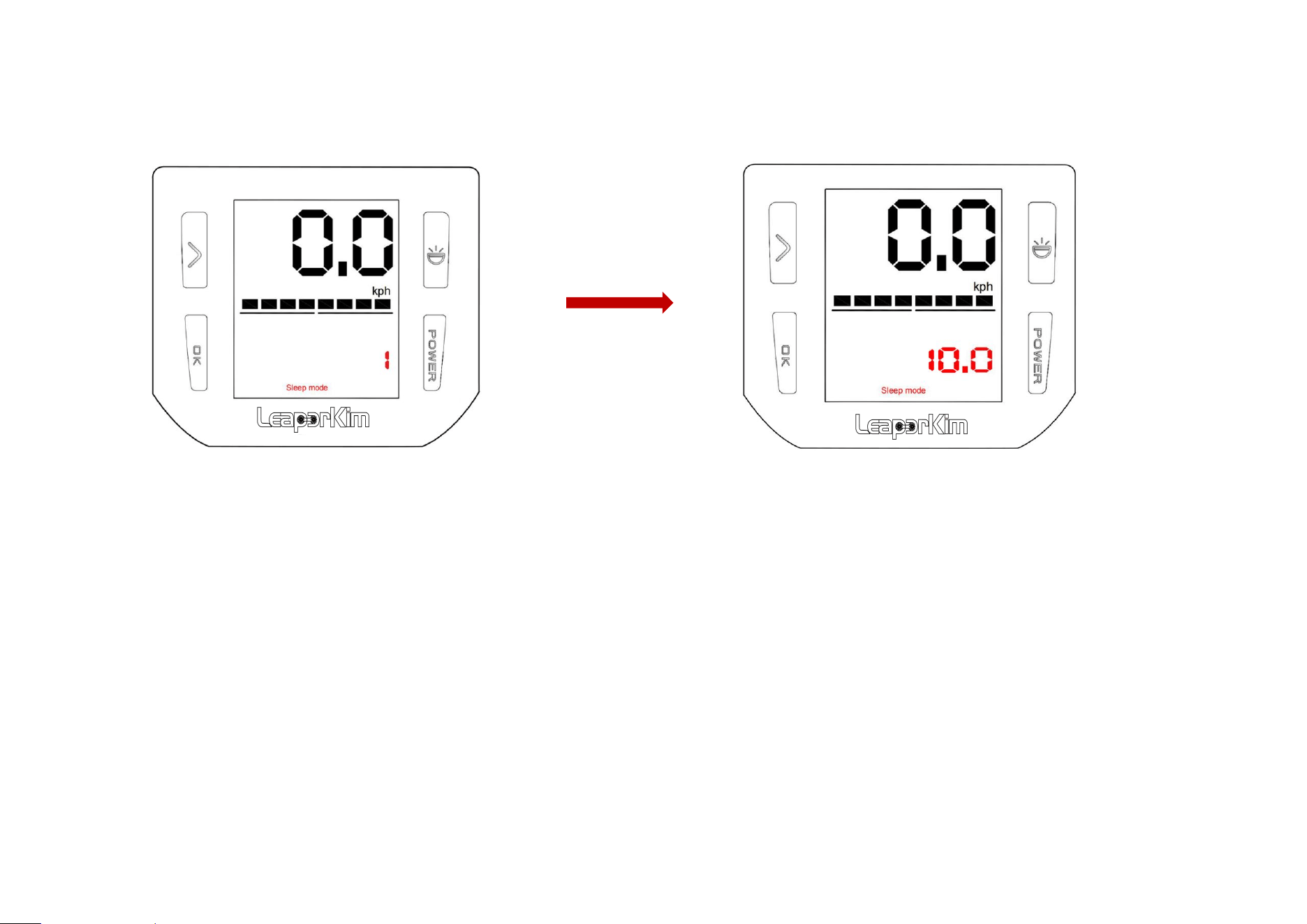
3.Unlocking Sleep Mode
Long press and hold the ‘POWER’ button for 10s, number on display will change from 1 to 10,
the vehicle will make a long sound and release button to unlock Sleep Mode;
Connecting charger will allow you to unlock Sleep Mode directly;
Setting it to Sleep Mode during transportation prevents the ‘POWER’ button from being
accidentally pressed to power it on;
第 15 页
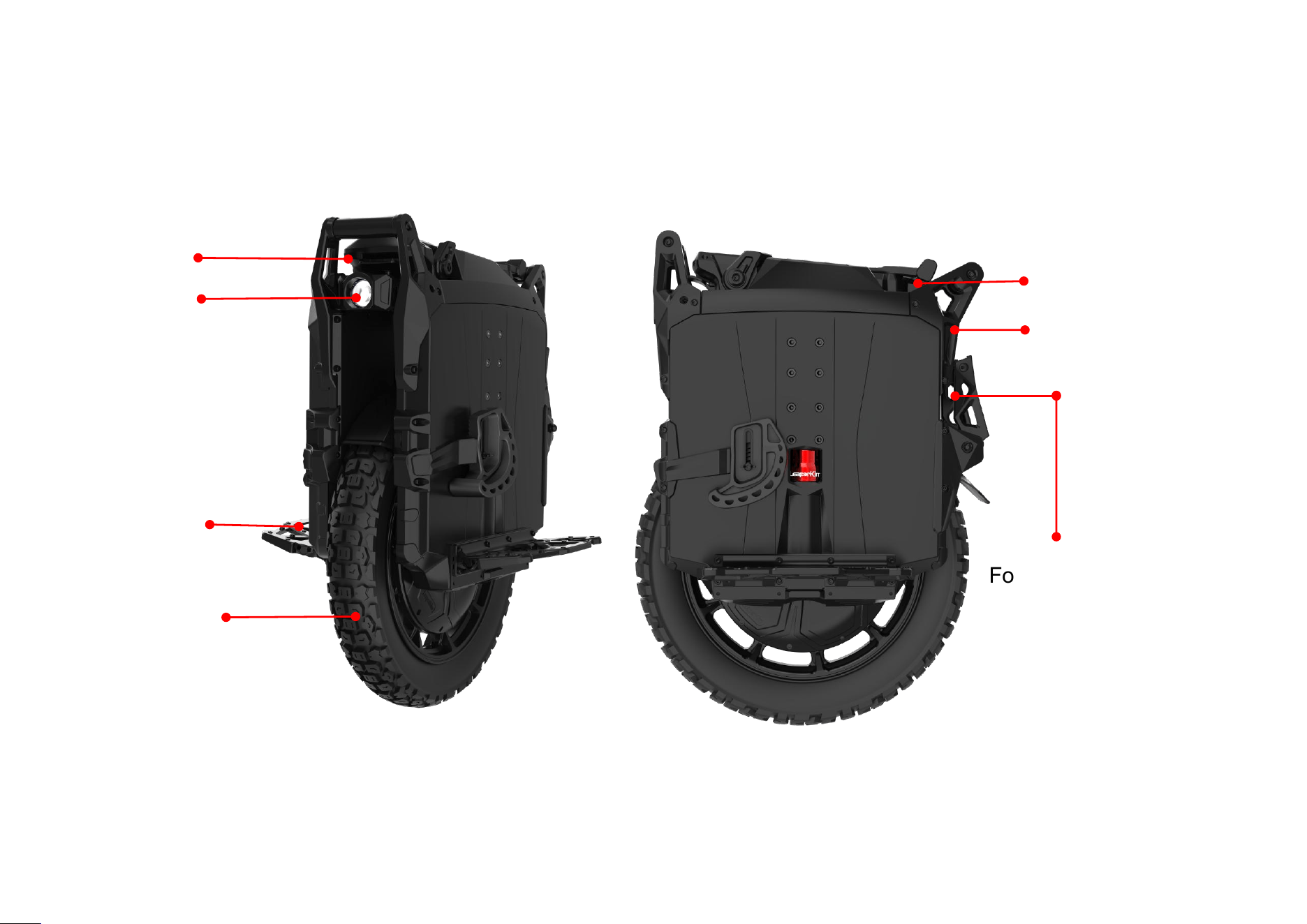
拉杆把手
Taillight
Folding Parking Stand
Adjustable Pedal
Display
Trolley handle
4.Description of Product
4.1 Function Schematic
Headlight
Anti-skid tire
第 16 页
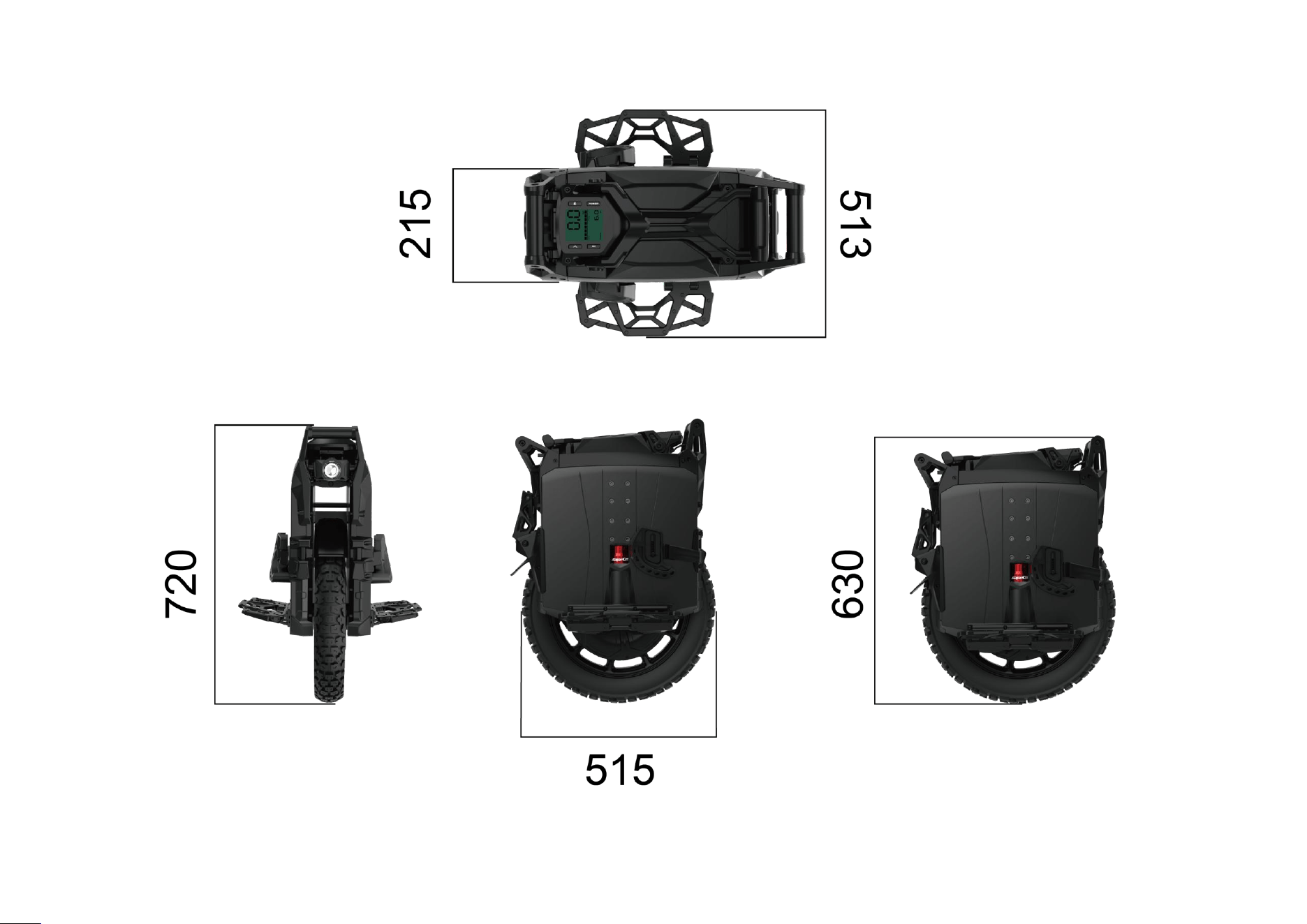
4.2 Product Size Drawing
第 17 页
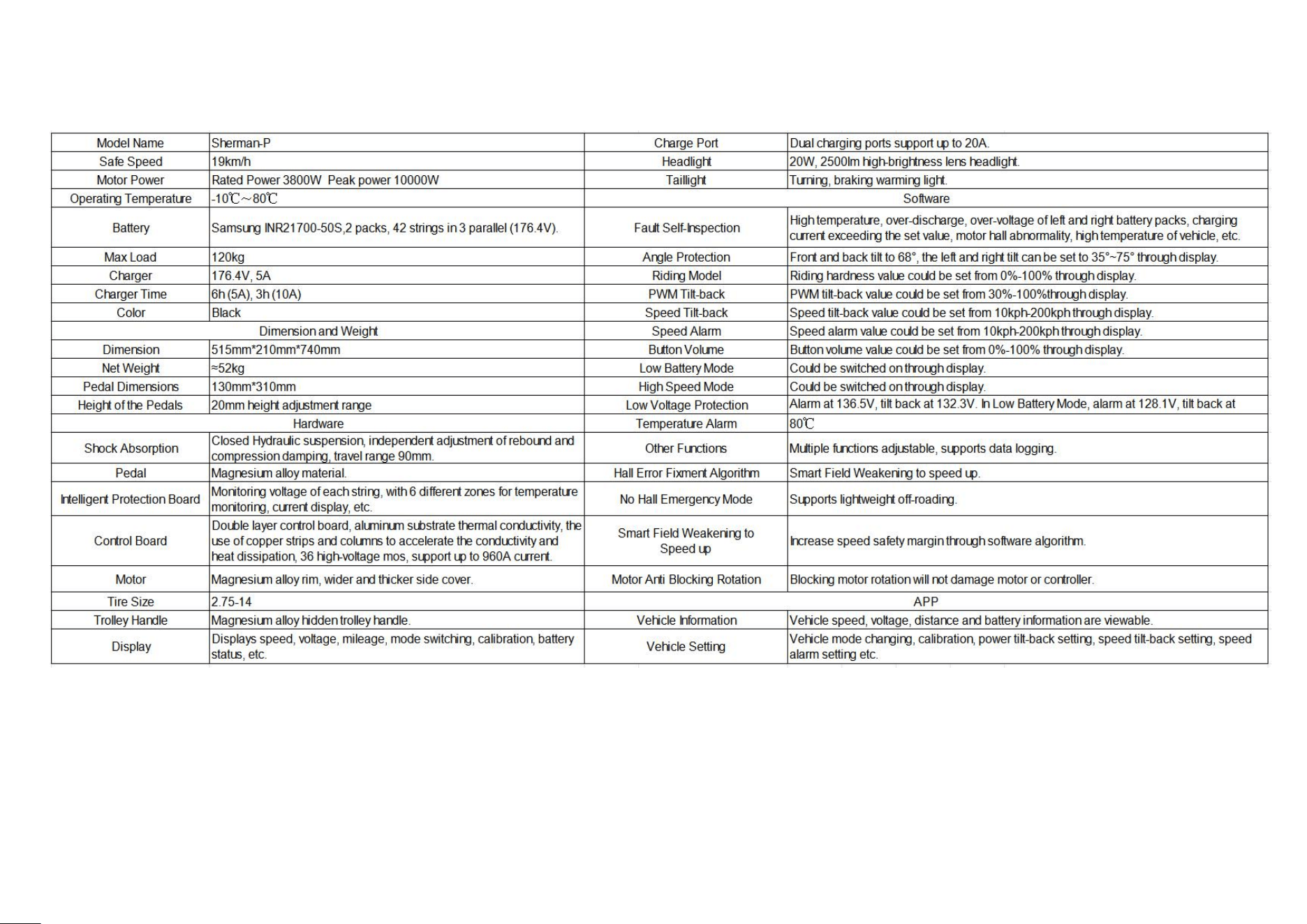
4.3 Product Specification
第 18 页
Vehicle Information Area
Function Setting Area
5.Setting Page
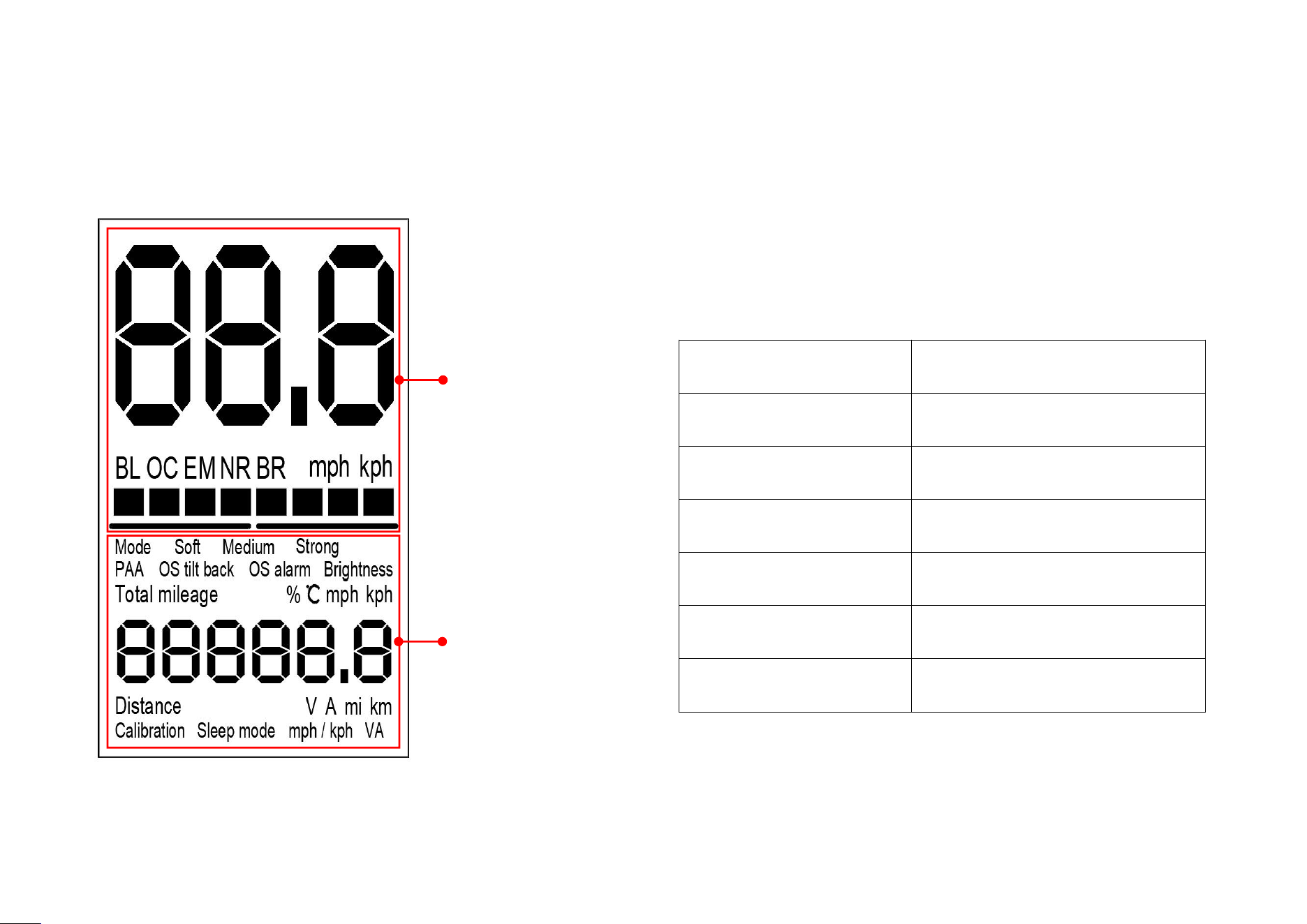
5.1 Introduction of Display Basic Page
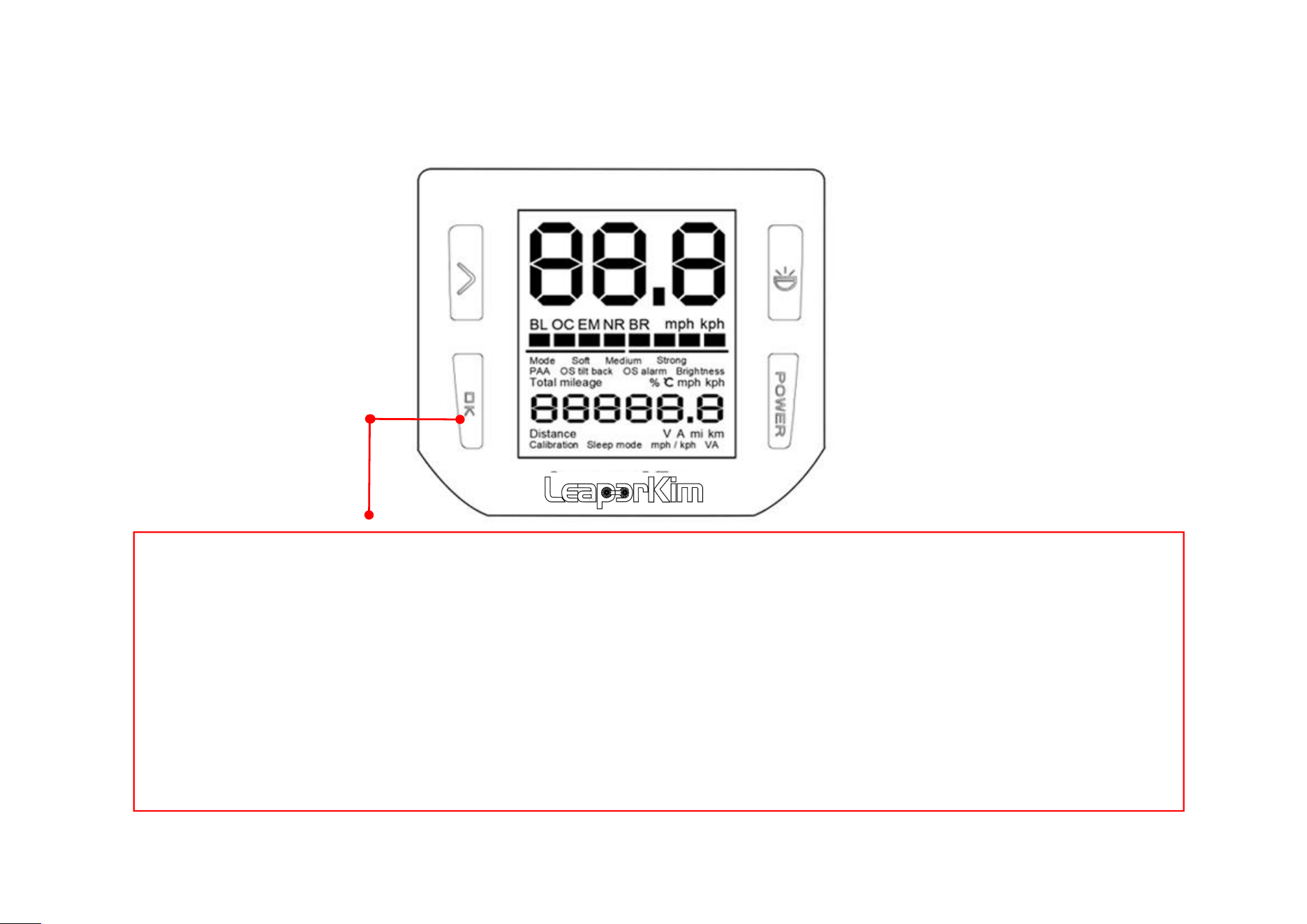
After powering on vehicle, press and hold the ‘OK’ button for 2s, after 2 beeps you will enter the setup page.
Icon
Name
Distance
Short distance
Total mileage
Total mileage
℃
Bottom board temperature
V
Battery Voltage
A
Output Current
V A
Output Power
第 19 页
Vehicle Information Area
Function Setting Area
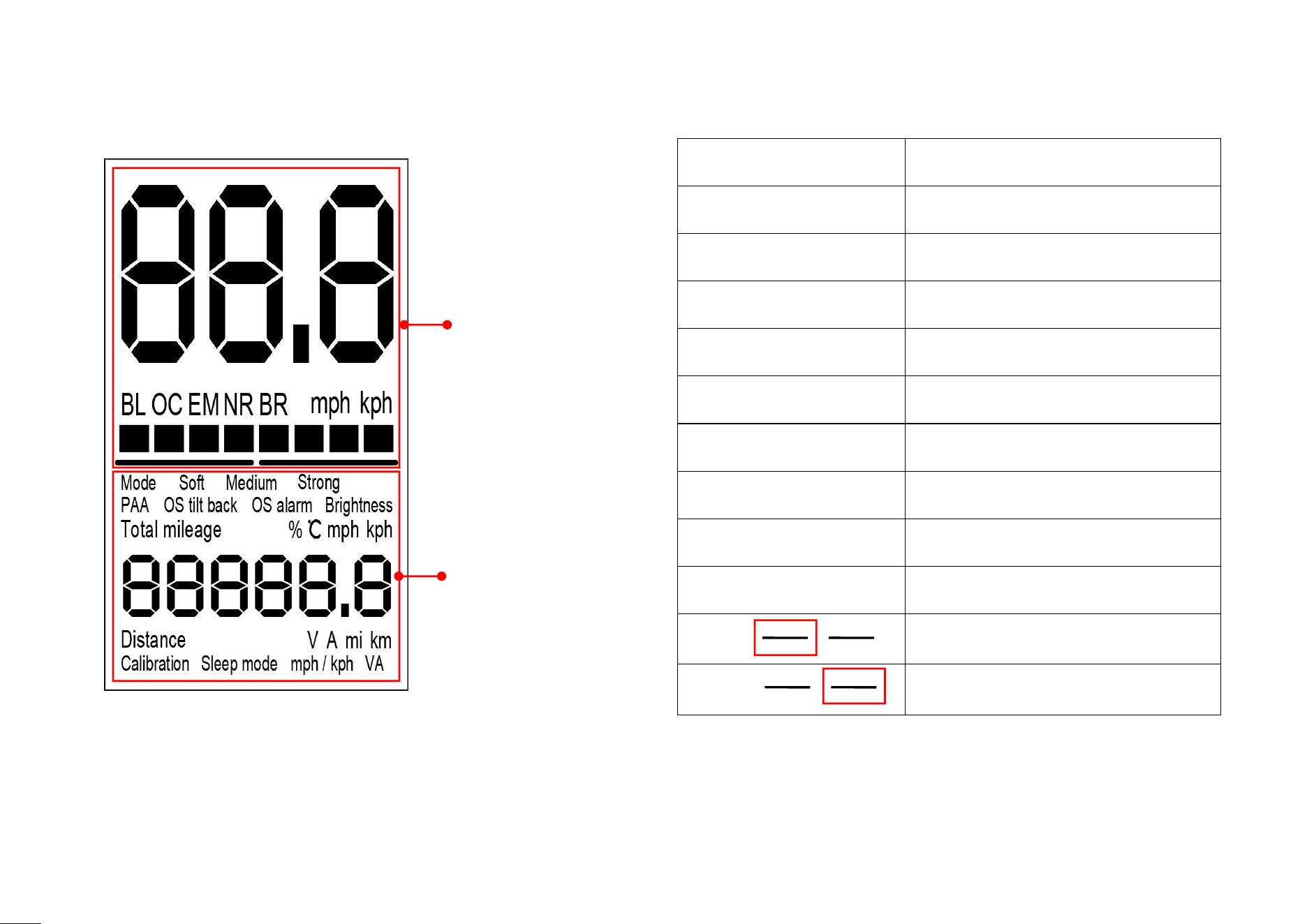
5.2 Information
Icon
Name
88.8
Speed per hour
BL
Left battery pack status
OC
——
EM
——
NR
——
BR
Right battery pack status
mph
Miles per hour
kph
Kilometer per hour
■■■■■■
Vehicle power
Left battery pack signal
Right battery pack signal
第 20 页
5.3 Button Settings Introduction
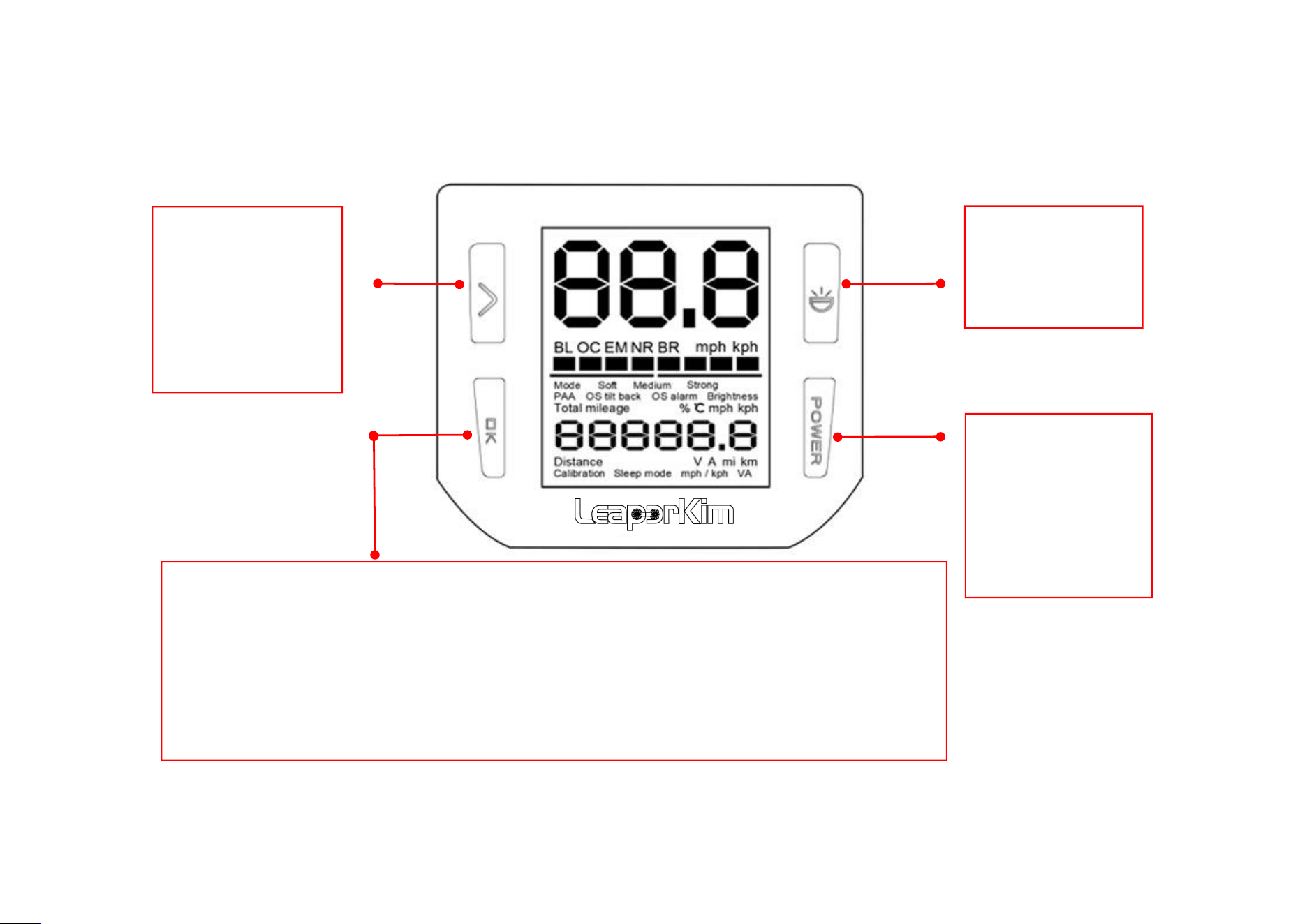
OK button
1. Long press enter setting mode after 2 beeps.
2. Long press enter the advanced mode after 3 beeps.
3. Long press enter log mode after 4 beeps.
4. Long press enter left battery pack after 5 beeps.
5. In left battery pack mode, long press the ‘switch’ button to enter right battery pack mode.
Switch button
On the short
mileage interface,
long press for more
than 3s to clear
short mileage to 0
Light button
Short press to turn
on/off headlight
Power button
1. Long press to
turn on/off
2. Short press to
turn on/off taillight
warning
第 21 页
5.3 Button Settings Introduction
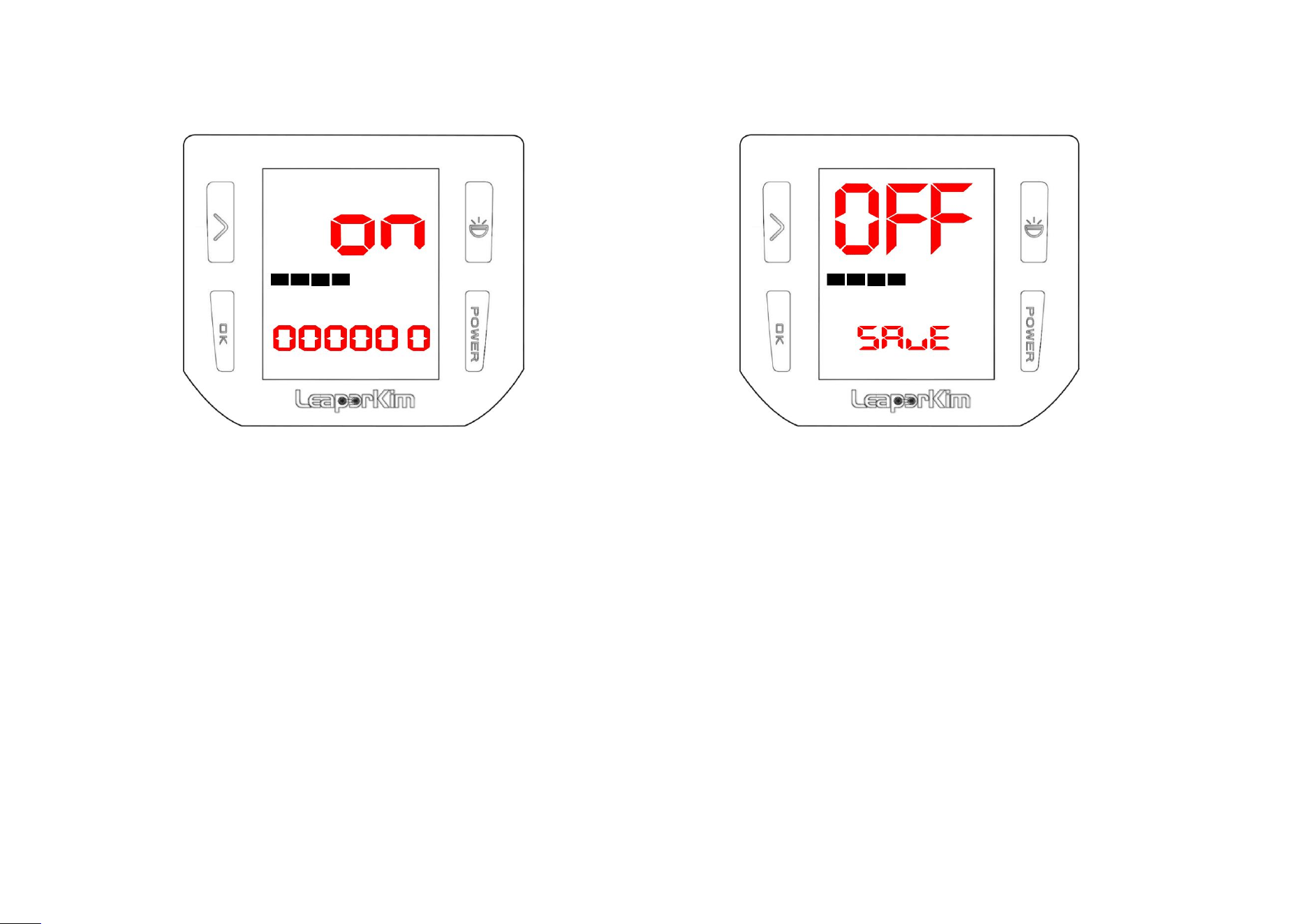
1. Power on wheel to enter basic page, long press ‘OK’ button on the basic page, after release it hearing two beeps to enter
setting page;
2. On setting page, press ‘Switch’ button to select setting item, press ‘OK’ button to adjust the specific value of the setting
item;
3. Short press ‘OK’ button is for forward settings; Long press ‘OK’ button for 0.5s and release it immediately after hearing one
sound is backward settings;
4. After completed settings, press and hold the ‘OK’ button for 1s, release it until hearing the sound and display returning to
basic page; Wait for 20s, it will save settings automatically, or power off it and re-power on will save it automatically. In these
two ways to finish settings ;
第 22 页
5.4 Password setting
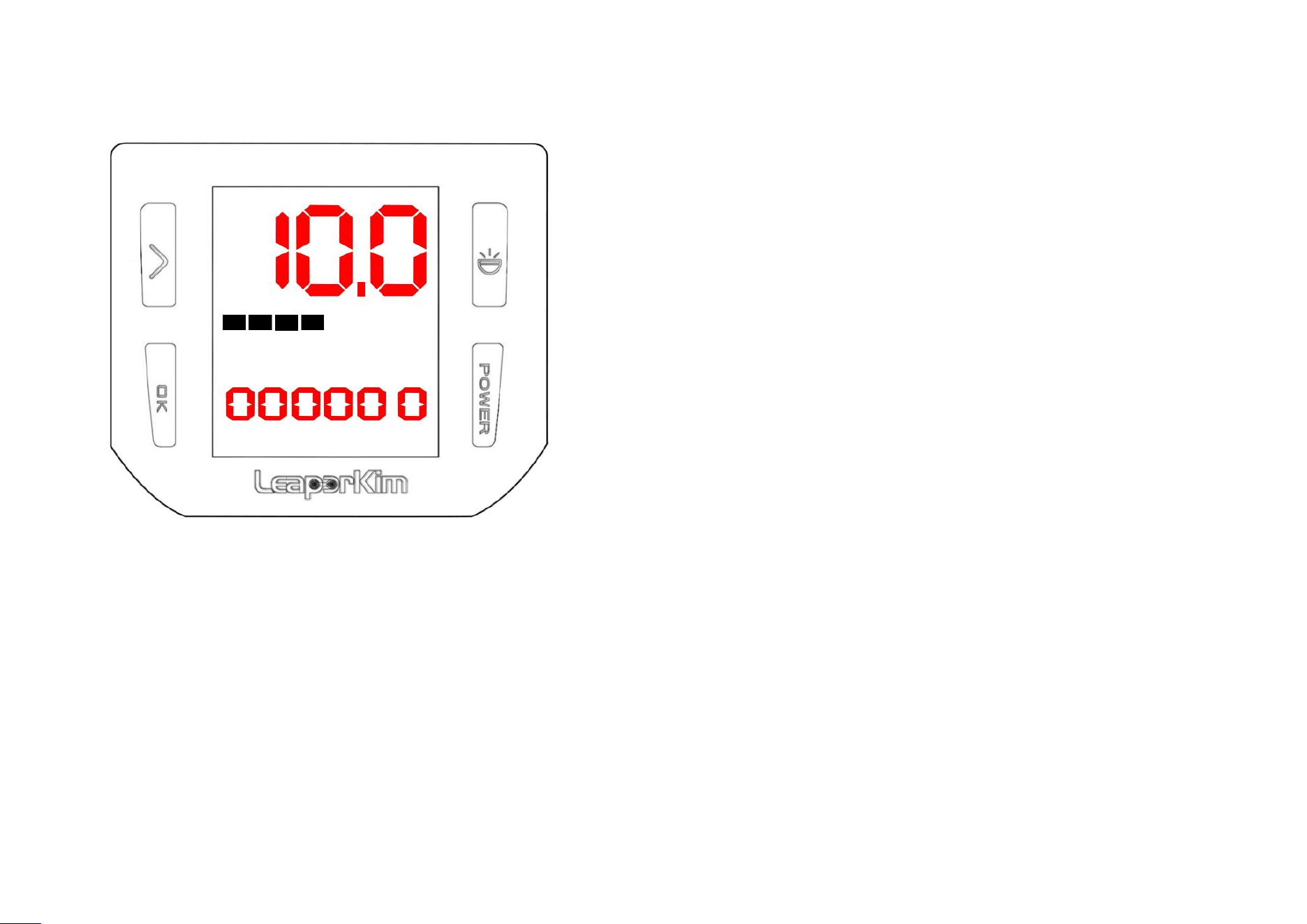
Password Setting
:
Step 1
:
Long press ‘OK’ button on the basic page to enter setting page; Short press the ‘Switch’ button to enter — — O P— —
interface.
Step 2
:
Input the old password (default: 000000). Press the ‘Switch’ button to select the digit position for modification, and
press ‘OK’ button to change the content. The system will automatically switch to the new password setup page after the old
password is verified. (Figure 1)
Step 3: Set the new password, configure the lock mode(ON: Automatic locking for each operation,OFF: Manual locking
mode). SAVE to confirm (Figure 2). Setting the password 000000 will cancel the password function.
Figure 1
Figure 2
第 23 页
5.5 Lock Mode and Unlock
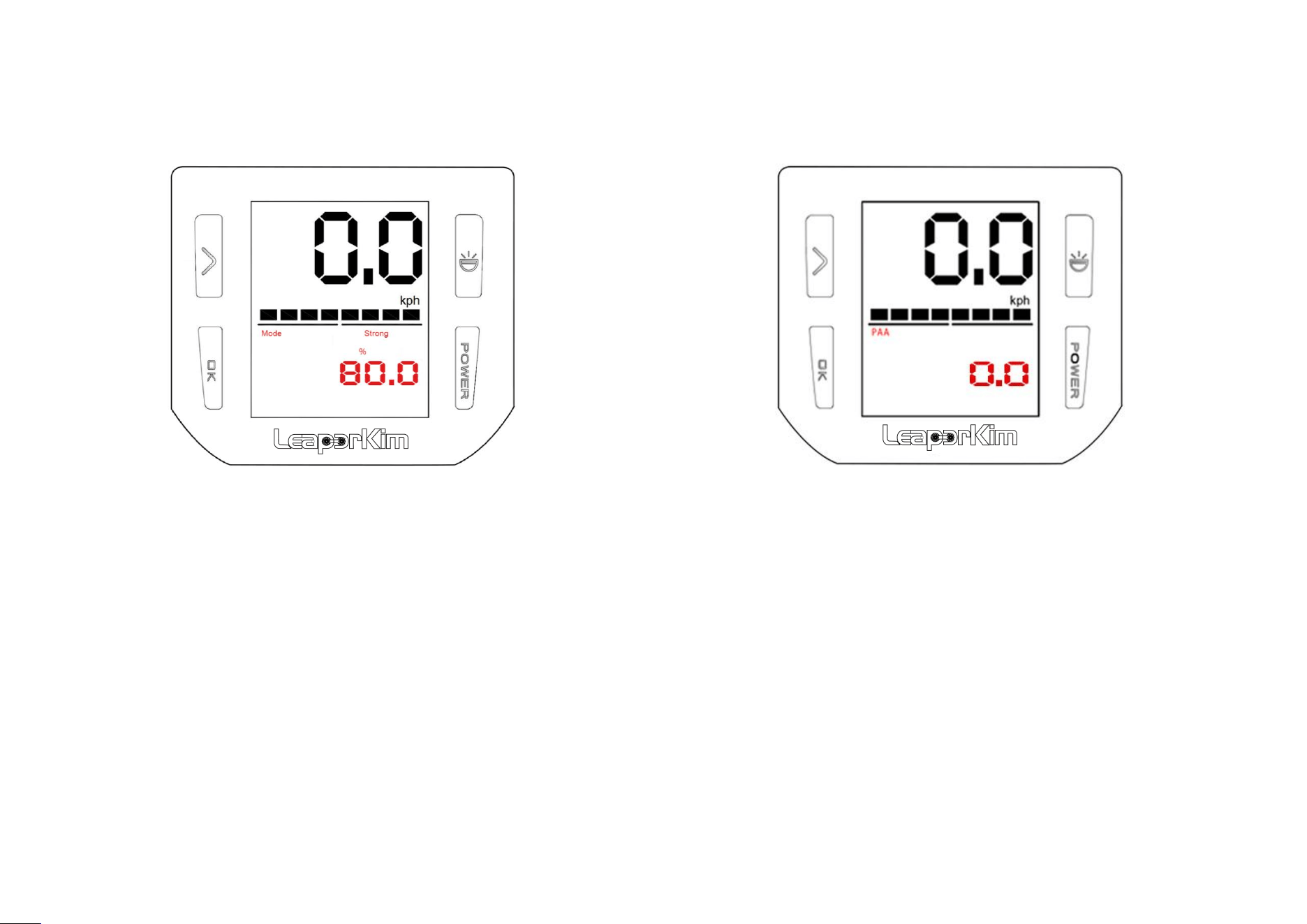
When in OFF mode, it needs to be locked manually:
Method 1:Press and hold ‘OK’ button while pressing
‘power’ button;
Method 2:Press ‘power’ button three times within 1
second, with the third press being a long press;
When in ON mode, automatic locking is enabled;
Unlocking: Enter the correct password and press the ‘ power’
button to confirm.
Restrictions in case of password error
:
If the password is entered incorrectly, the vehicle cannot be power off for 5 minutes. It can be powered on
by re-entering the correct password;
If there are more than four incorrect password attempts, the locking time will be extended;
If the vehicle stays on the locked interface for more than 20s, moving it will trigger an alarm.
第 24 页
5.6 Pedal Settings
Pedal softness settings:
Long press ‘OK’ button to enter the pedal
settings;
Short press ‘OK’ button to adjust the value;
Adjust the value from 0 to 32% as Soft; 34% to
66% as Medium; 68% to 100% as Strong;
Pedal angle adjustment:
Short press the ‘Switch’ button to enter the pedal
angle adjustment;
Short press ‘OK’ button to adjust the angle value ,
± 8 ° can be adjusted;
Foot pedal tilt angle, according to the user's
personal habits and preferences to adjust it;
第 25 页
5.7 Tilt-back Settings
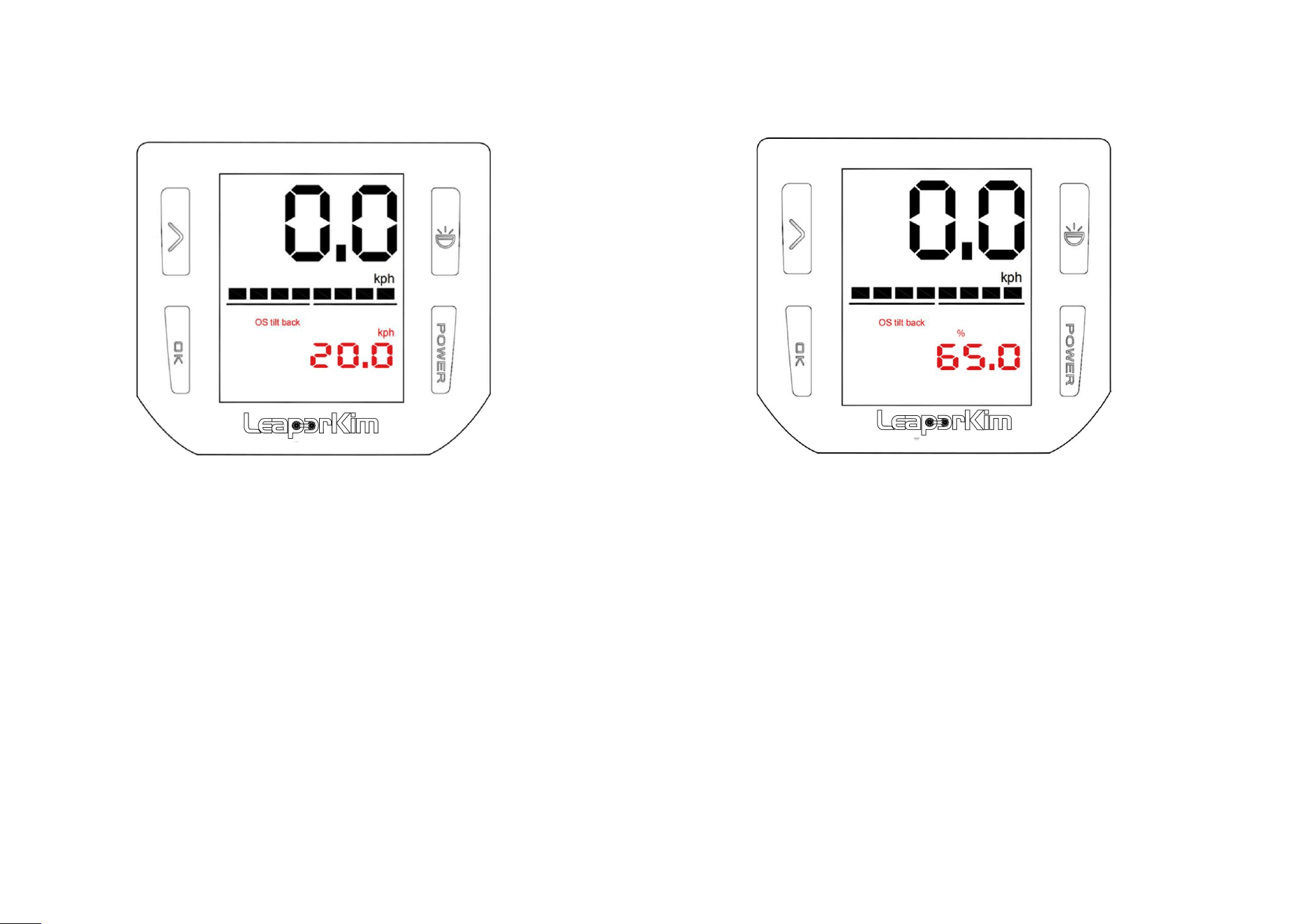
Speed tilt-back settings:
Short press the ‘Switch’ button to enter the speed tilt-back settings ;
Short press ‘OK’ button to adjust the speed value, the adjustable
range is 10kph to 200kph, the speed tilt- back will NOT activate at
200 kph;
For example:adjusting the speed value to 20kph, when vehicle's
speed reaches 20kph, pedal will be slightly tilt-back to warn user, it
has reached speed limit;
Adjust settings properly according to your riding conditions. This
feature is only an over- speed warning aid. Do not rely on it to
control your riding speed.
Power tilt-back settings:
Short press the ‘Switch’ button to enter the power
tilt-back settings;
Short press ‘OK’ button to adjust the power value, the
adjustable range is from 30% to 200%, set it to 200% is
to disable power tilt-back settings;
For example: adjust the power value to 65%, when
vehicle driving power reaches 65%, pedal will be slightly
tilt-back to warn user, it has reached power limit;
第 26 页
5.8 Over-speed Alarm Settings
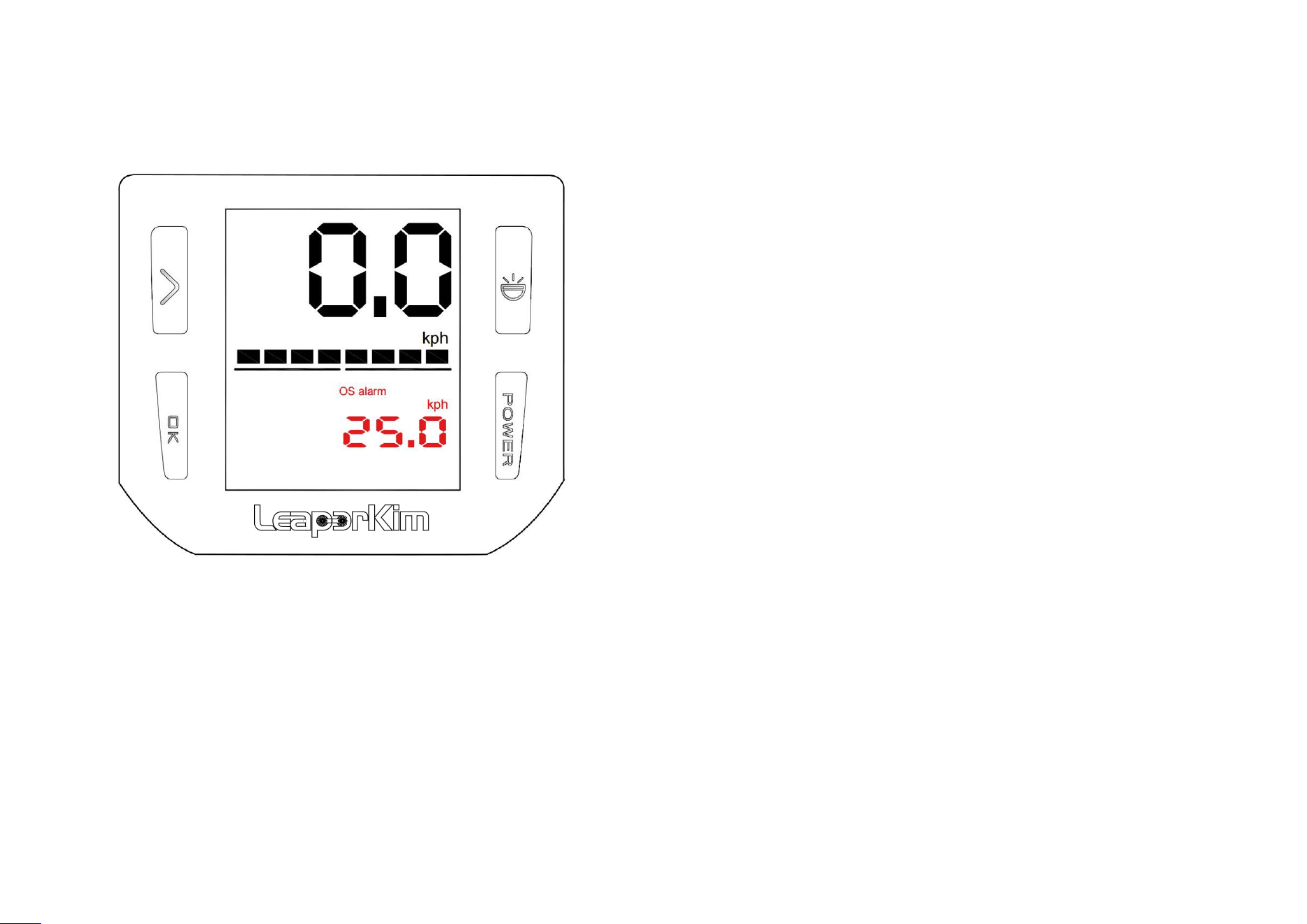
Function introduction:
Short press the ‘Switch’ button to enter the
over-speed alarm settings;
Short press ‘OK’ button to adjust the speed value,
adjustable range of 10kph ~ 200kph, the speed
alarm will not trigger when set to 200 kph;
Buzzer sound reminder, when the vehicle reaches
the speed that the user set, buzzer will beep to
warn user about the over-speed;
第 27 页
5.9 Screen Brightness Settings
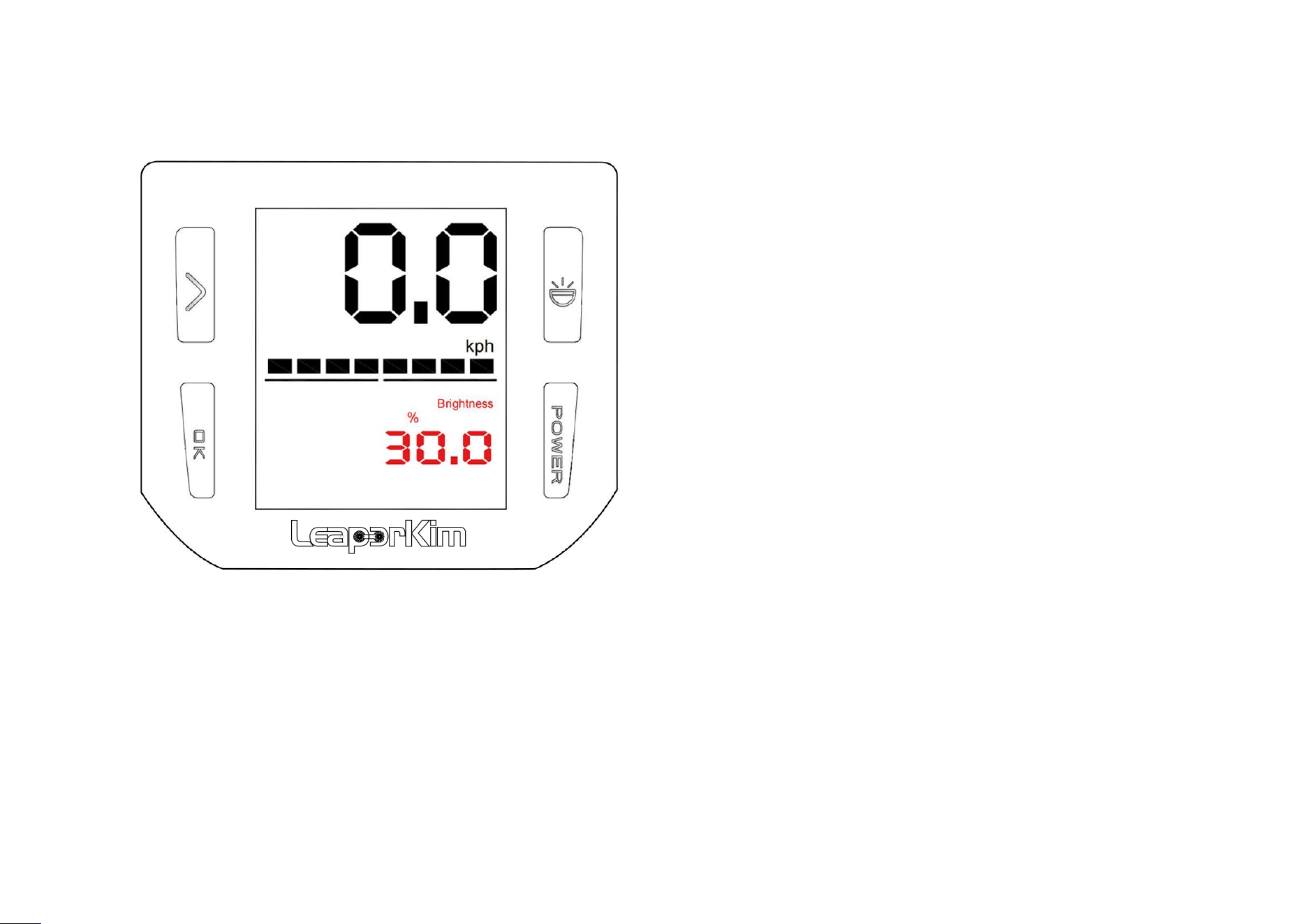
Function introduction:
Short press the ‘Switch’ button to enter
screen brightness settings;
Short press ‘OK’ button to adjust the
brightness of the screen backlight, the
adjustment range is 0-100%;
第 28 页
5.10 Vehicle Balance Calibration
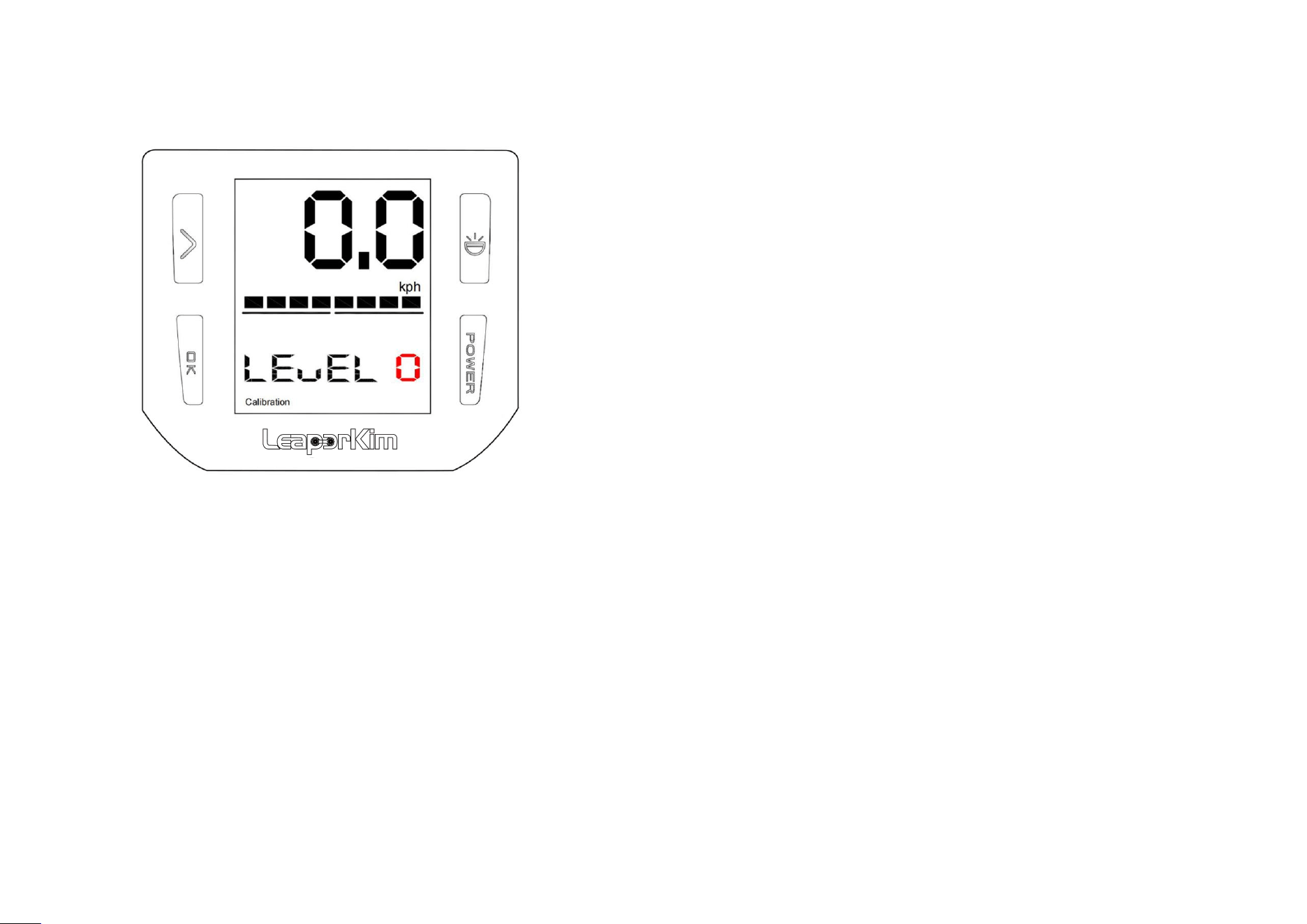
Function introduction:
Short press the ‘Switch’ button to enter the Vehicle
balance calibration;
Vehicle leveling settings;
Horizontally stand up the vehicle, when display shows ‘0’,
press ‘OK’ button, number ‘1’ will appears on display,then
vehicle power off, adjust the horizontal position of the
vehicle to complete the horizontal angle adjustment.
Keeping the vehicle stationary, press the ‘OK’ button
again, number ‘3’ will appears on display then vehicle
makes two beeps. These mean the vehicle complete the
horizontal calibration setting;
第 29 页
5.11 Sleep Mode Setting
Function introduction:
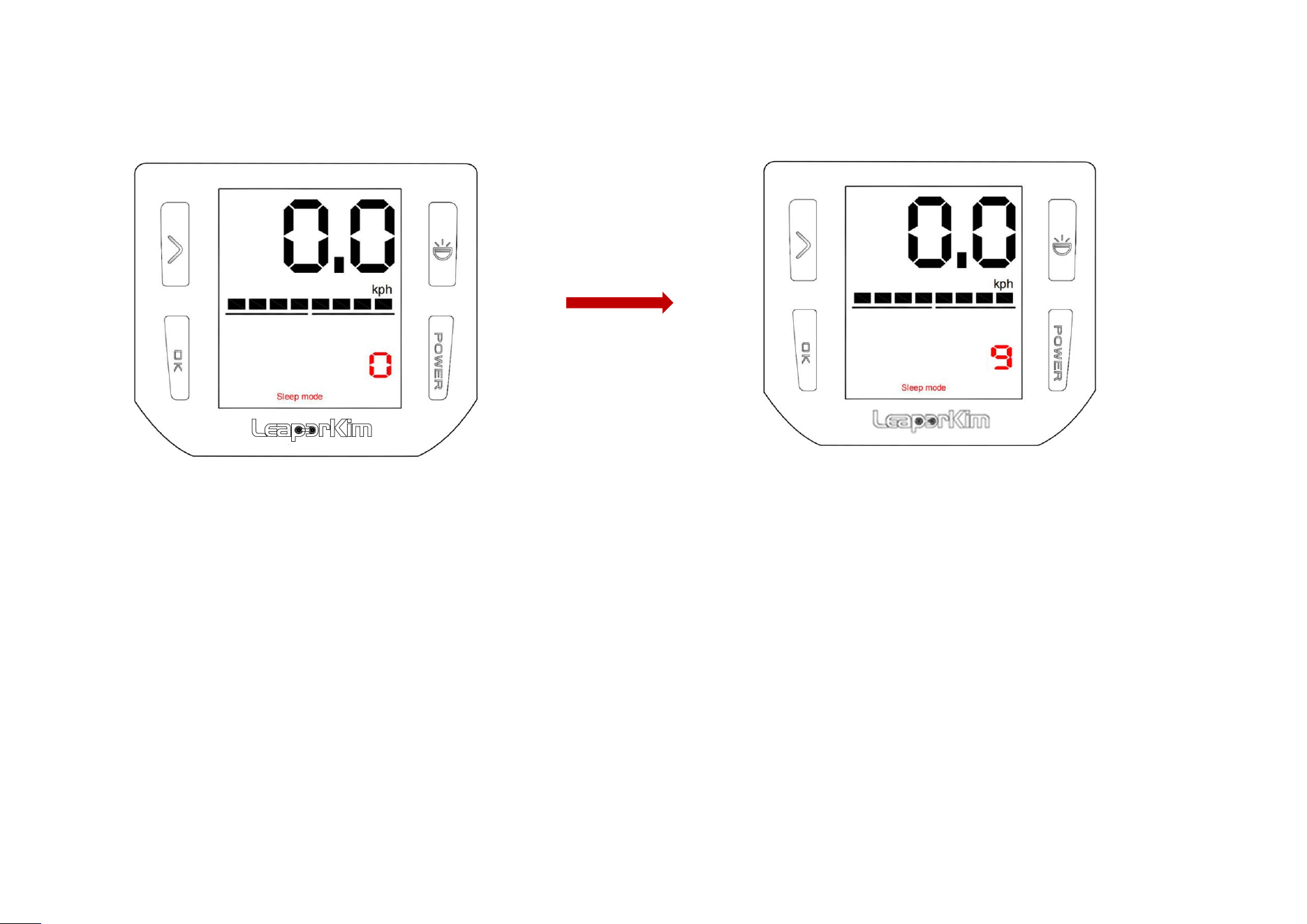
Short press the ‘Switch’ button to enter the sleep mood setting;
Short press ‘OK’ button, screen will show 0 to 9, the vehicle will make a long beep then enter the sleep mode;
Press ‘POWER’ button to power off vehicle to finish sleep mode setting;
第 30 页
5.12 Kilometers/Miles Unit Switching
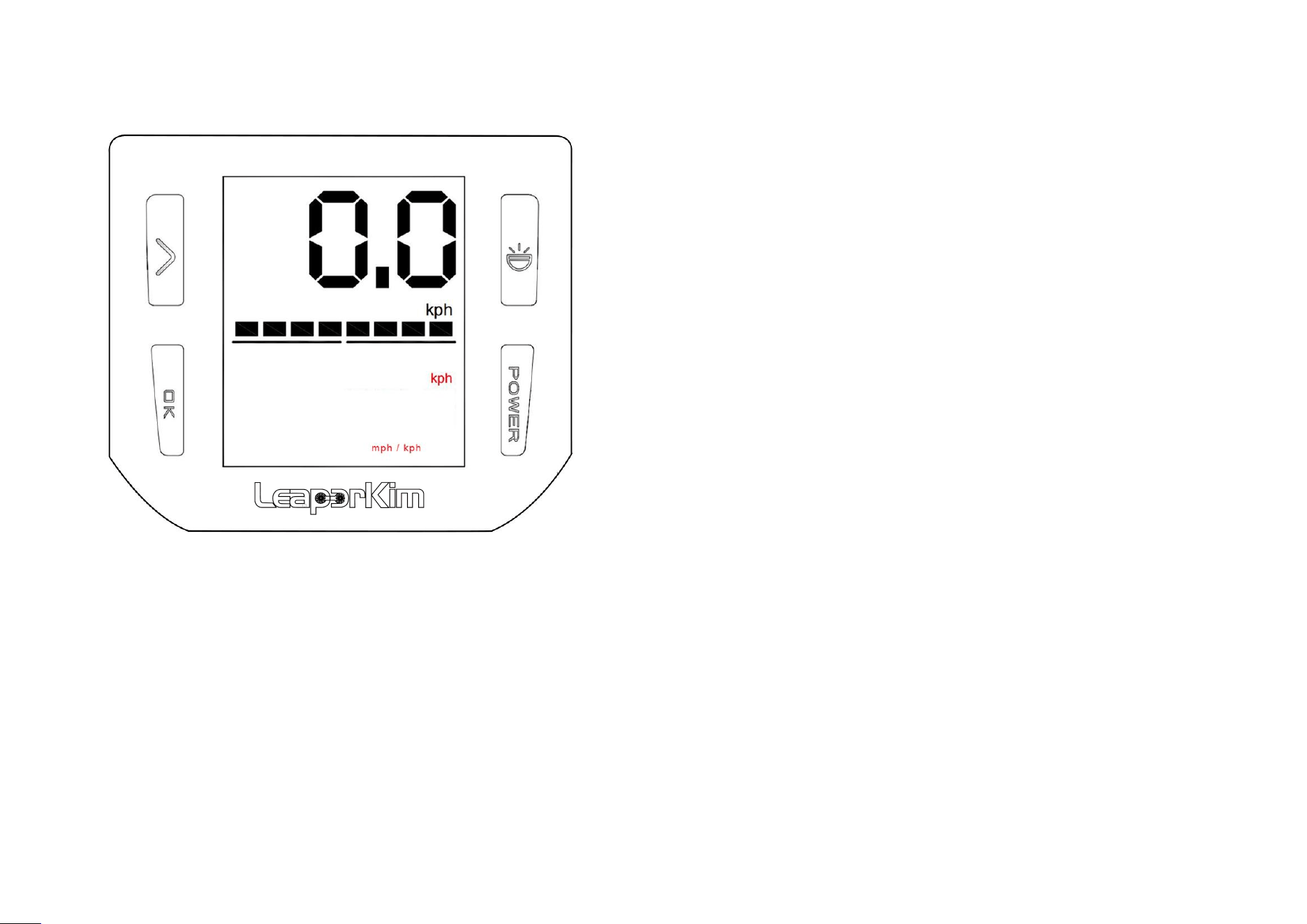
Switch speed unit:
Short press the ‘Switch’ button to enter the km/mi unit
setting;
Short press ‘OK’ button to switch the vehicle speed unit
from mph to kph;
第 31 页
5.13 Voltage Adjustment
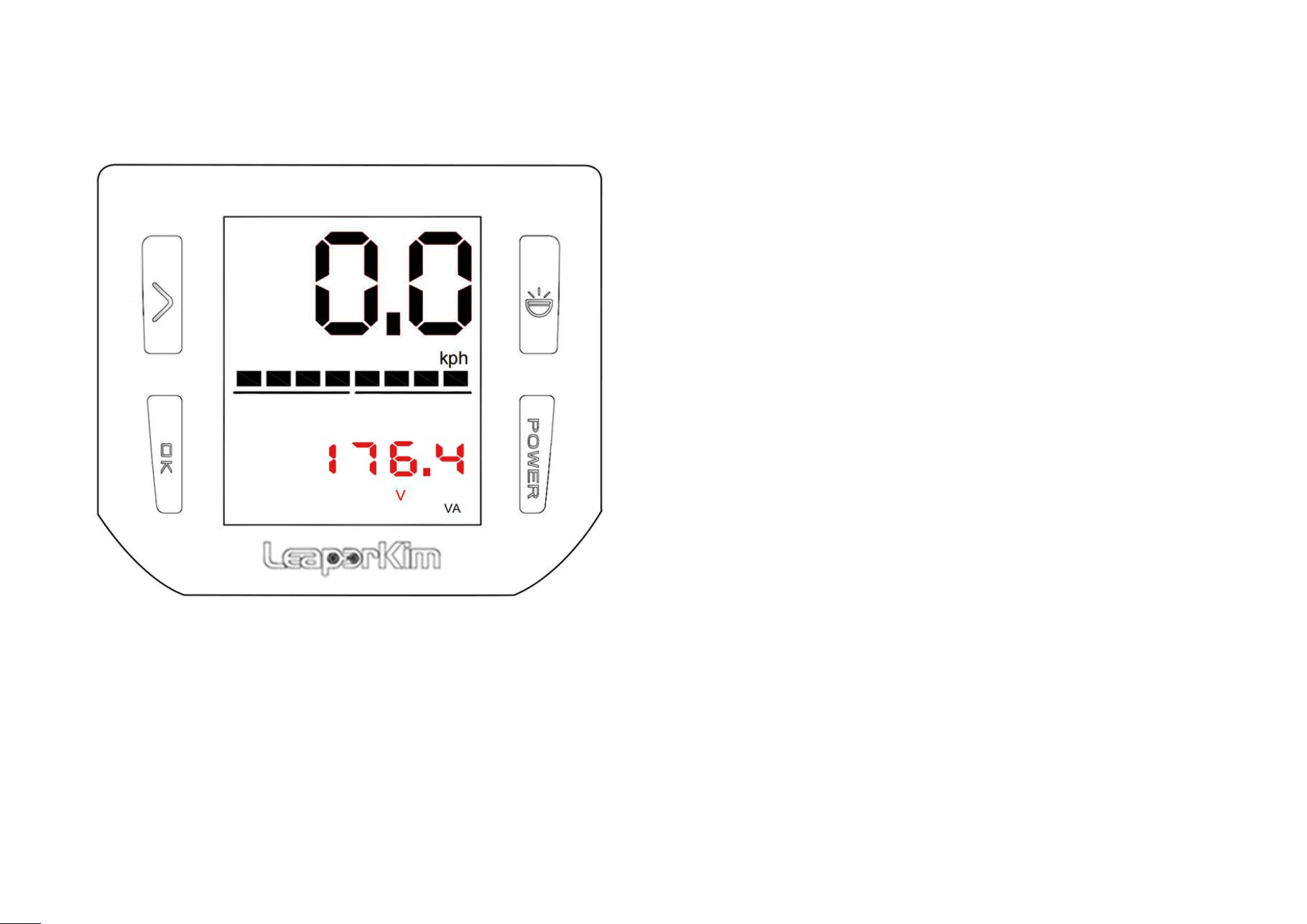
Voltage adjustment:
Short press the ‘Switch’ button to enter the
Voltage Adjustment;
Different environment temperature, and different
resistance of electronic components will make
voltage float. Users can slightly adjust voltage by
enter this page and press the ‘OK’ button to set it;
第 32 页
5.14 Low Battery Mode Setting
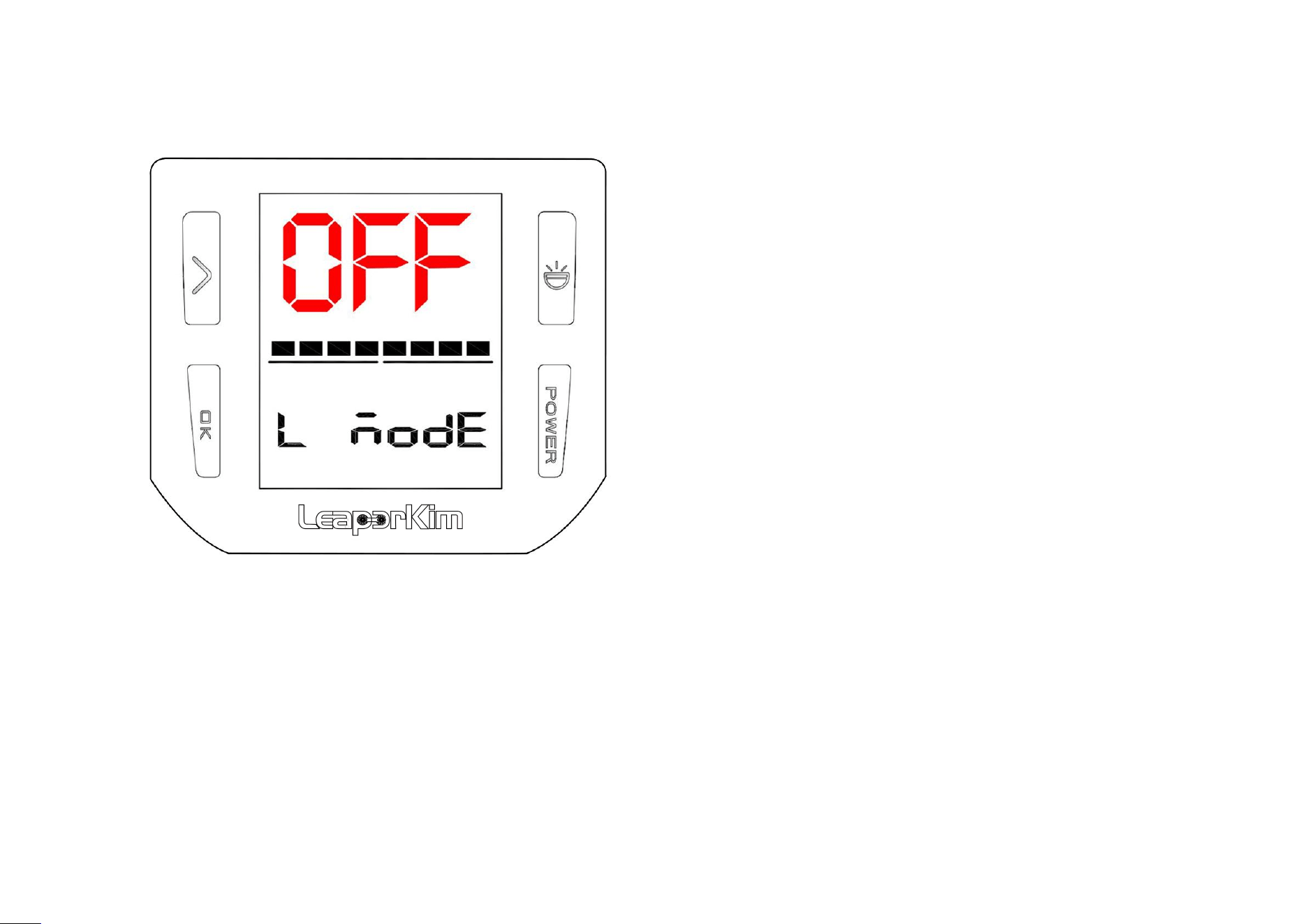
Function introduction:
Short press the ‘Switch’ button to enter the low battery
mode setting;
OFF mode: alarm when voltage is lower than 136.5V,
tilt-back when voltage is lower than 132.3V;
ON mode: alarm when voltage is lower than 128.1V,
tilt-back when voltage is lower than 123.9V;
Low battery mode is a power emergency mode, use it
too often shorten battery life, so it is not recommended to
use is at normal situation;
When the vehicle voltage lower than 136.5V and starts to
tilt-back, turn on this mode will have 5km range for
emergency;
Do not ride it too fast, and do not accelerate or
decelerate rapidly in this mode;
第 33 页
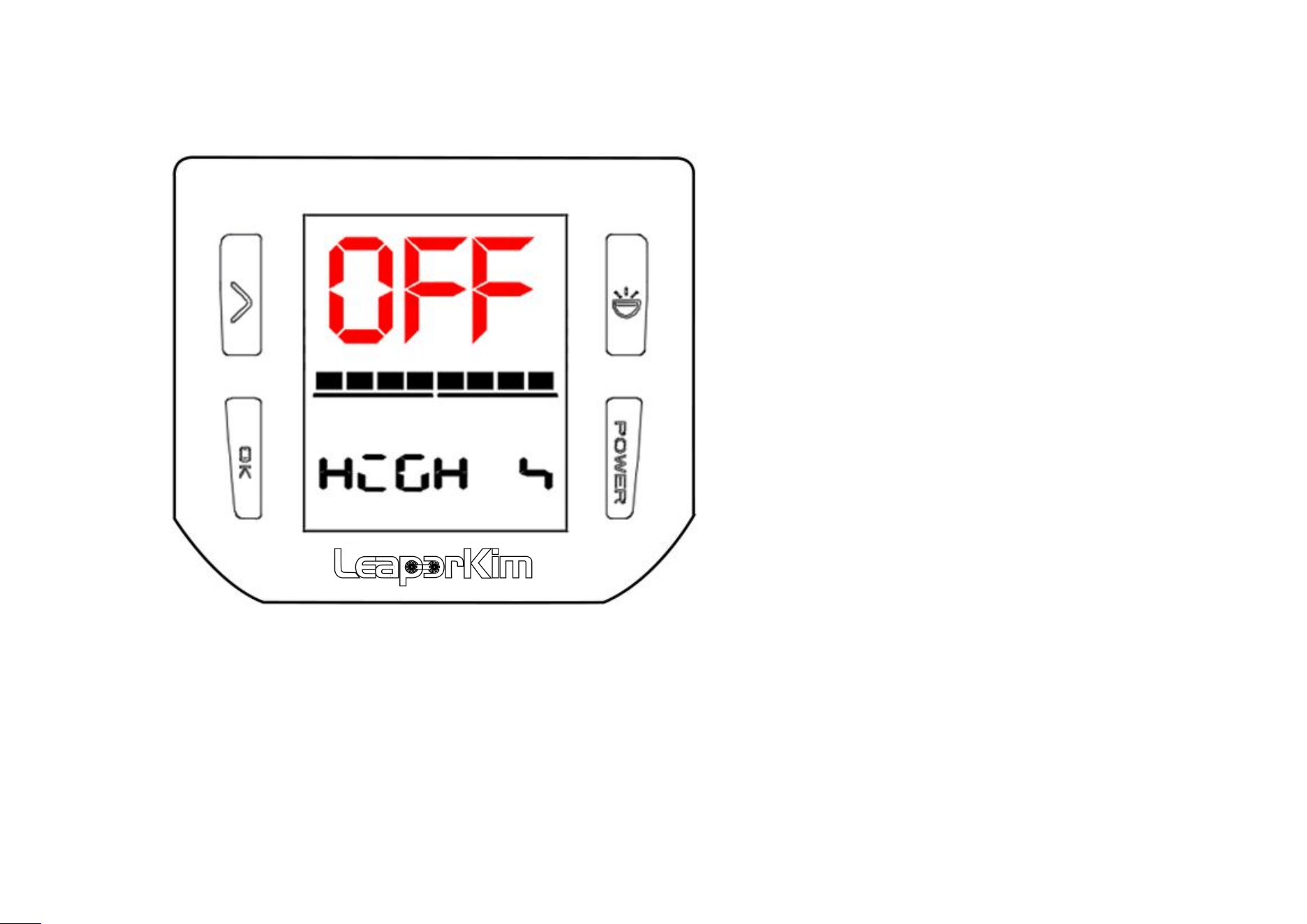
5.15 High Speed Mode
Function introduction:
Short press the ‘Switch’ button to enter the
high speed mode;
OFF mode: Max free-load speed is 150km/h;
ON mode: Max free-load speed is 170km/h;
第 34 页
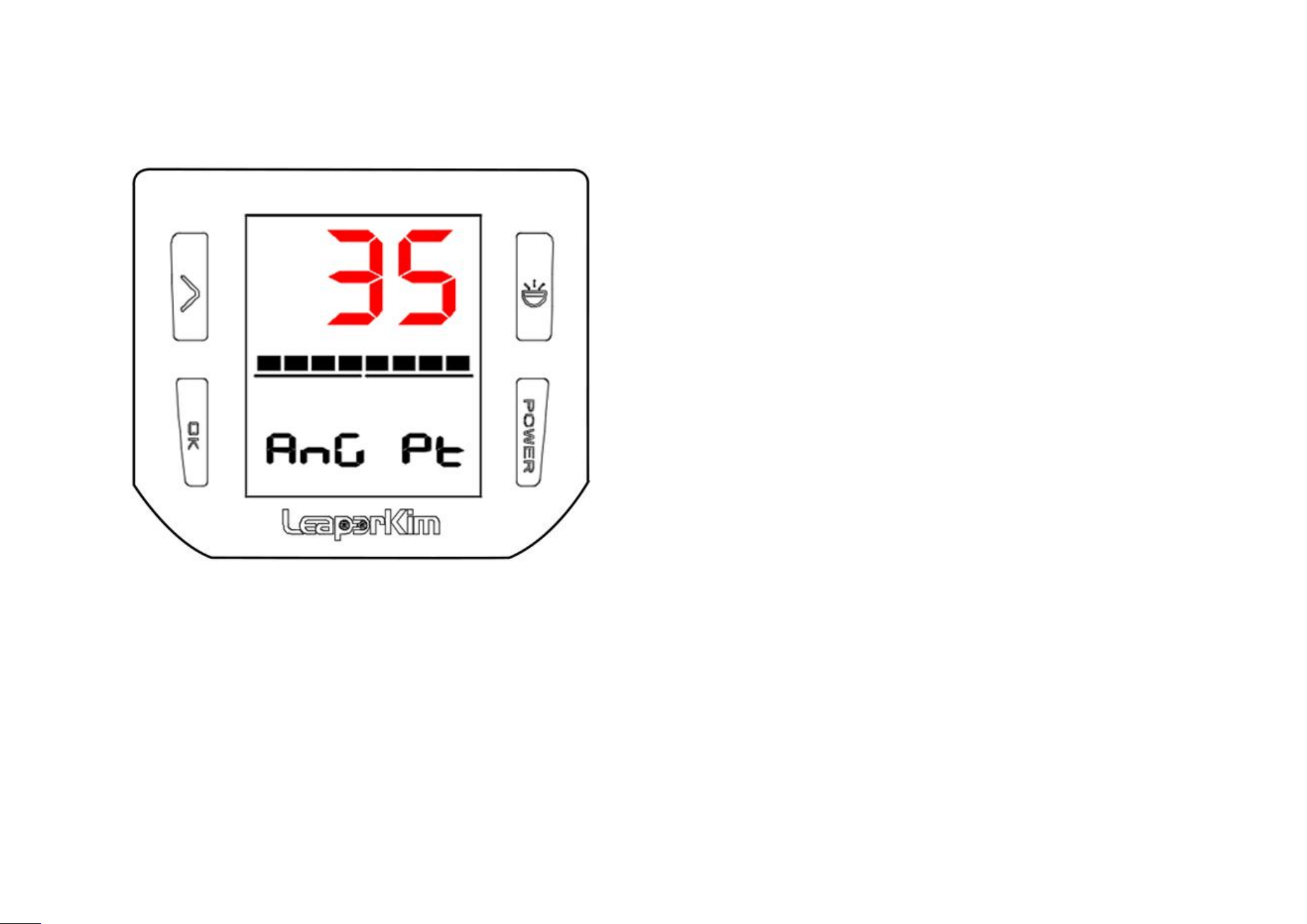
5.16 Angle Protection Settings
Angle protection settings:
Short press the ‘Switch’ button to enter the angle
protection setting;
35°~75° set-able;
The higher the value set, the greater angle can be
inclined;
When the incline angle of the vehicle is greater than
the set value, the vehicle will enter the Angle
protection mode and be power off subsequently;
第 35 页
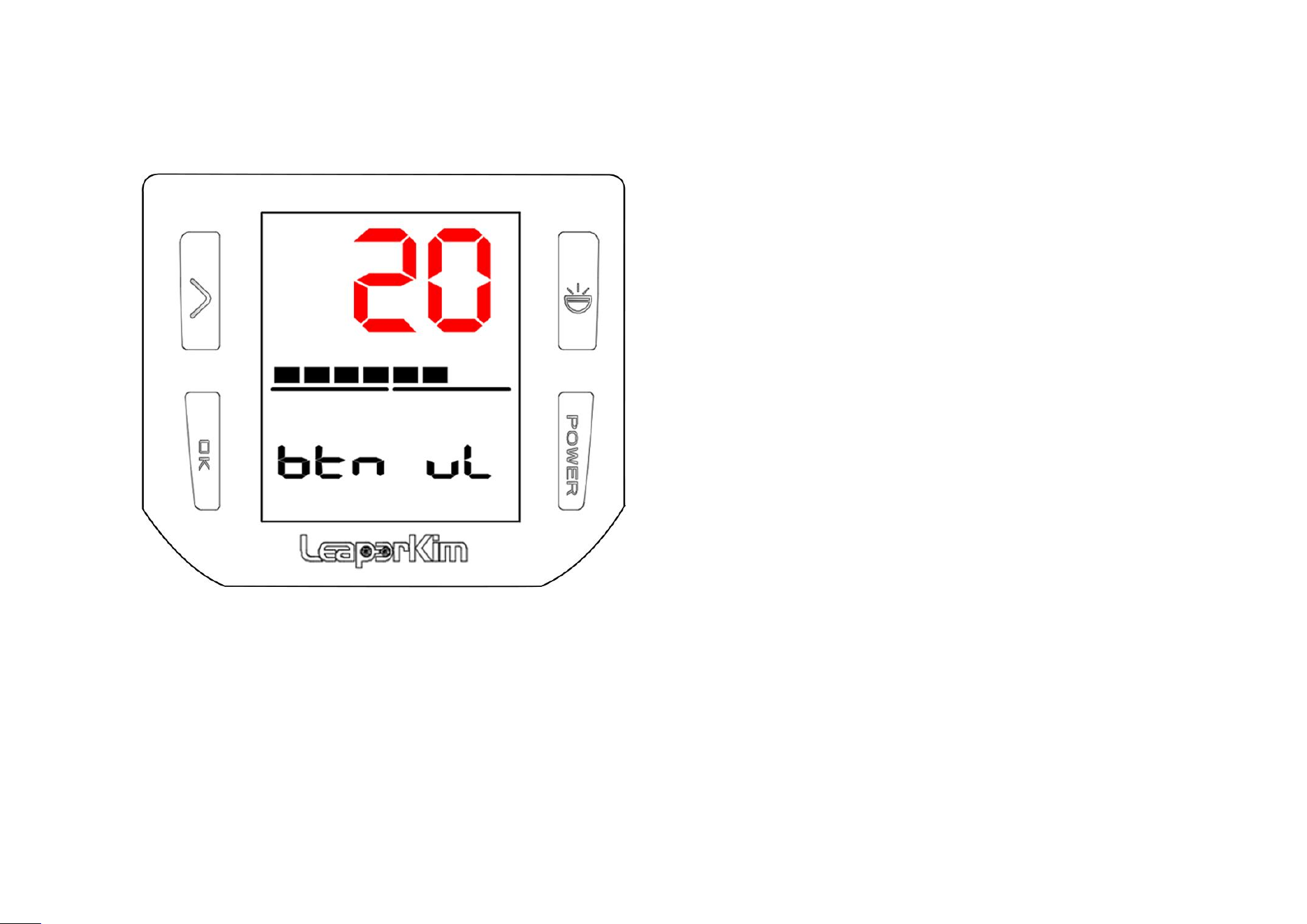
5.17 Button Volume Settings
Function introduction:
Short press the ‘Switch’ button to enter the
button volume settings;
Short press ‘OK’ button, volume can be set
between 0-100;
The lower the value, the lower the volume of
the button;
第 36 页
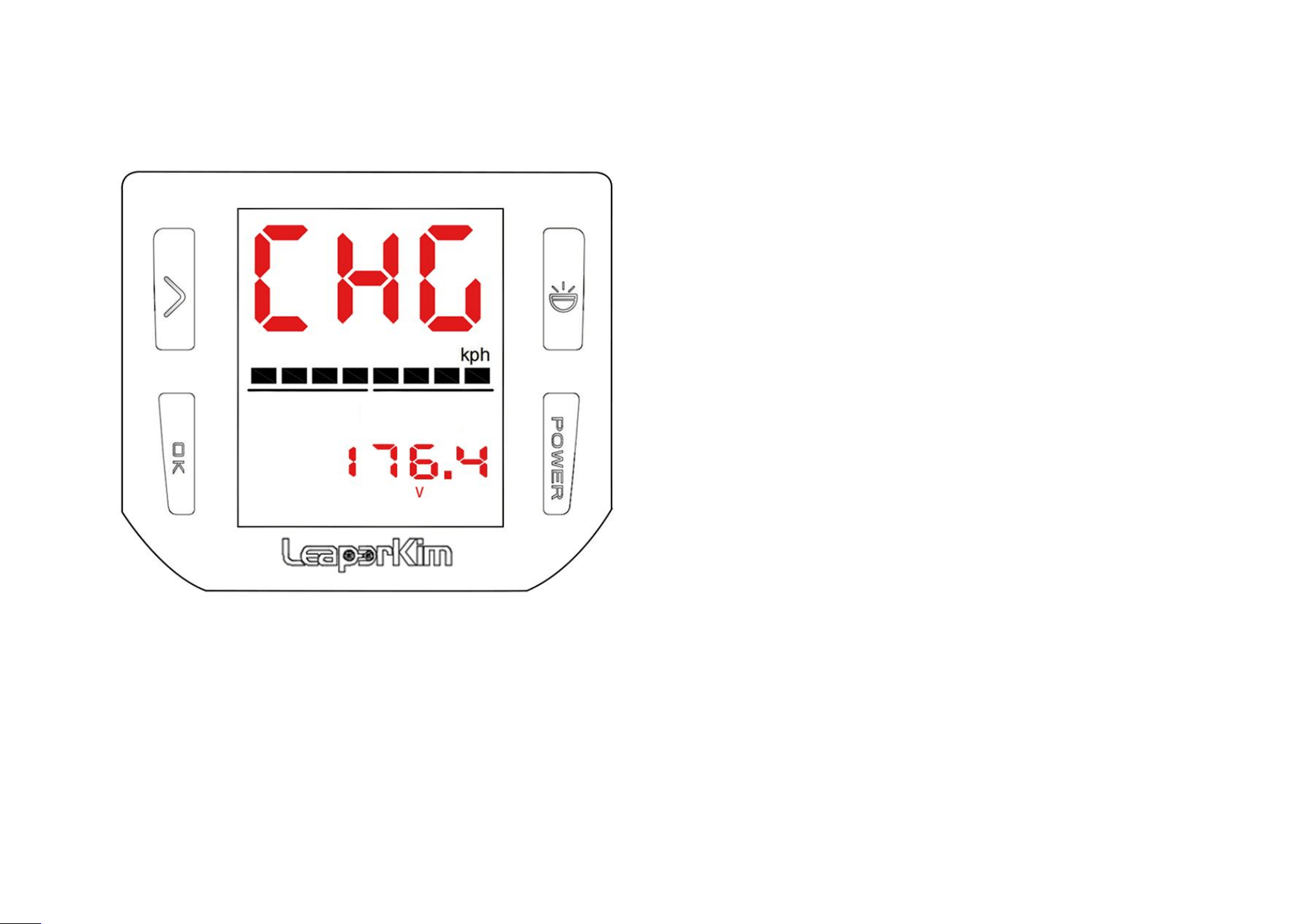
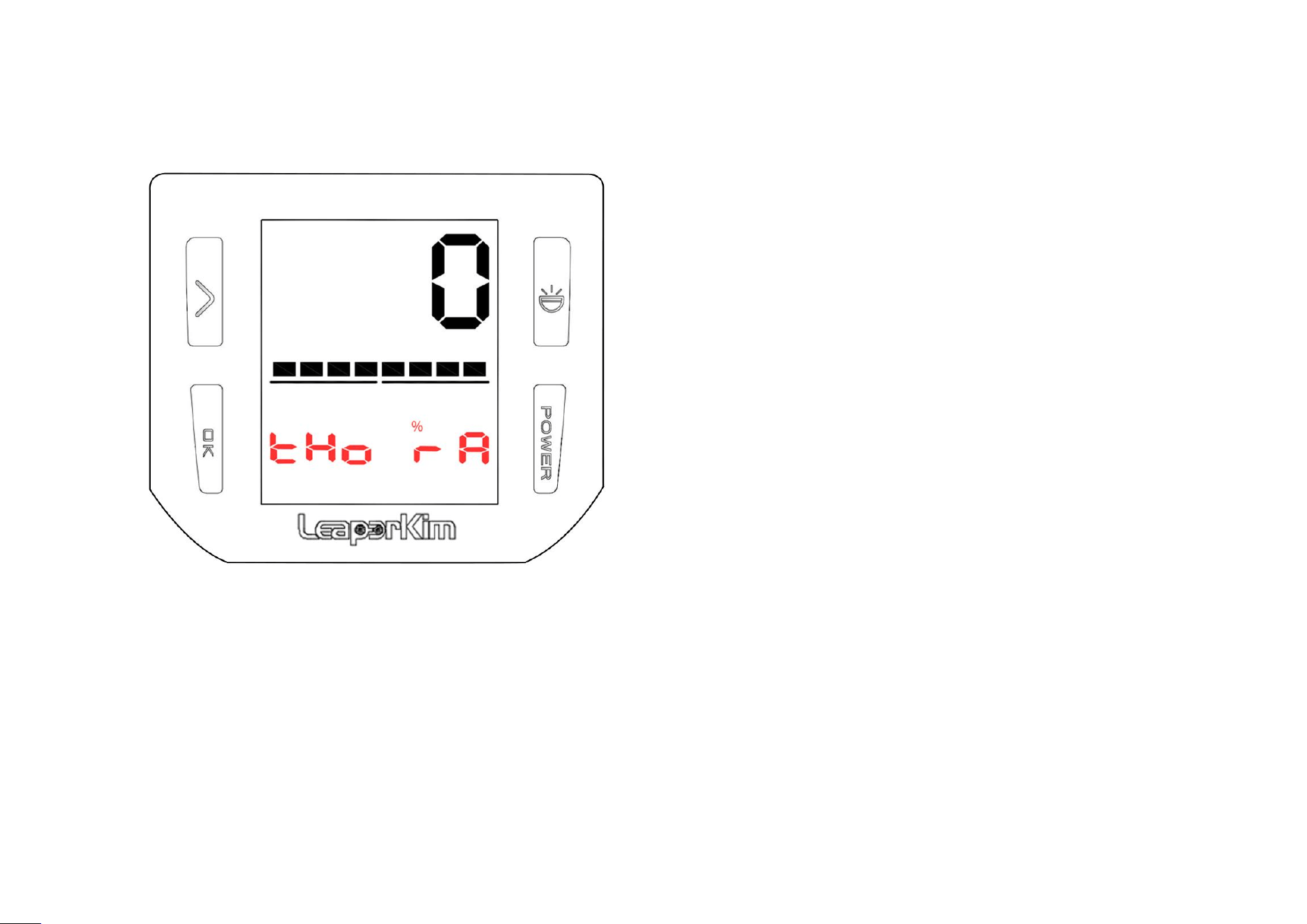
5.18 Charging Voltage Settings
Charging voltage setting:
Short press the ‘Switch’ button to enter the
charging voltage settings;
Charging limit voltage can be set;
Rated voltage of charger is 176.4V. Users can set
vehicle charging voltage down to 168V;
If limit charging voltage is set to 168V, the
maximum voltage to complete charging will be
168V;
第 37 页
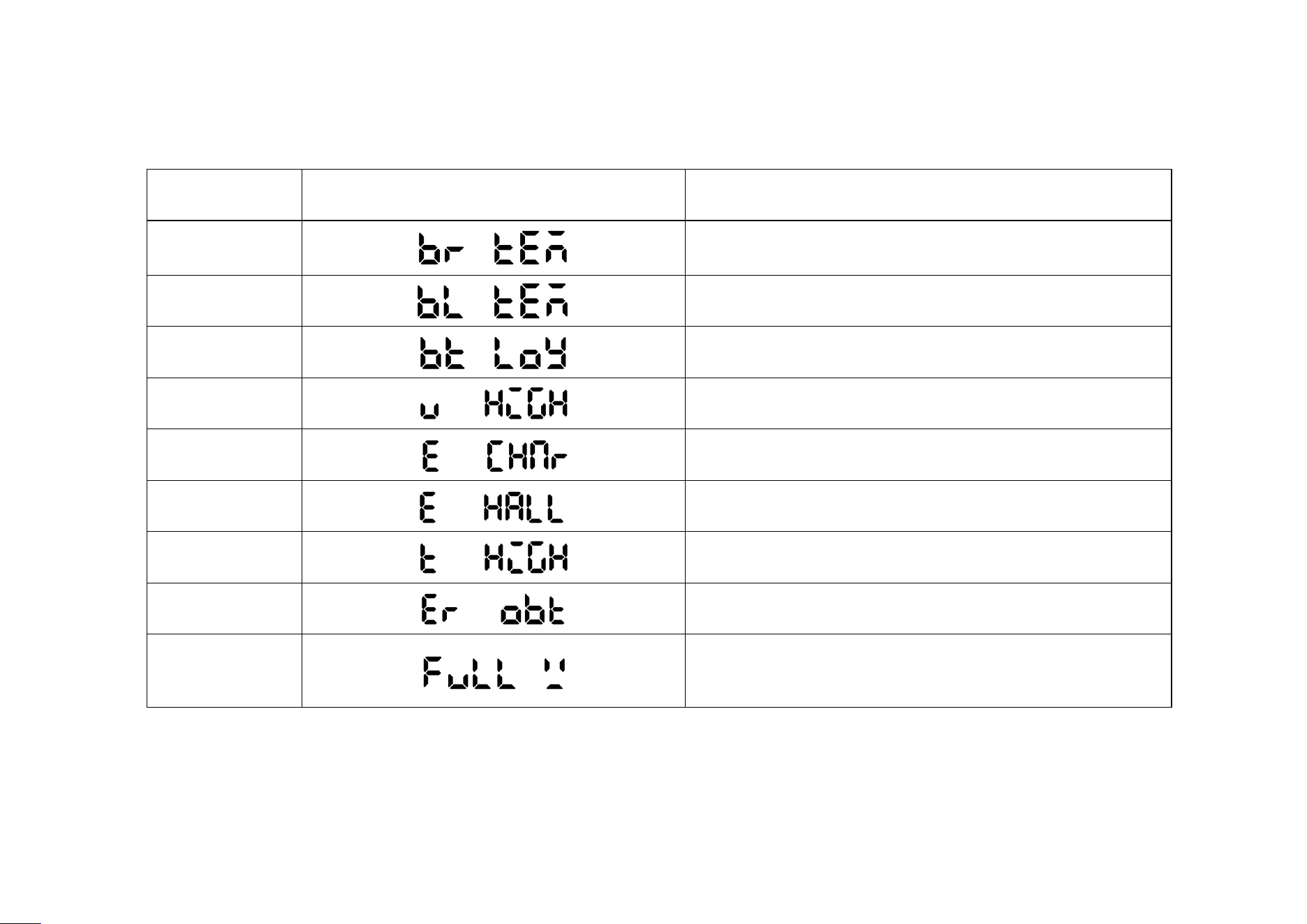
5.19 Acceleration Assist Settings
Function introduction:
Short press the ‘Switch’ button to enter the
acceleration assist settings;
Acceleration assist, enable faster accelerating,
more powerful braking;
Short press ‘OK’ button 5 times to unlock
acceleration assist settings;
Value from 0 to 100% set-able;
第 38 页
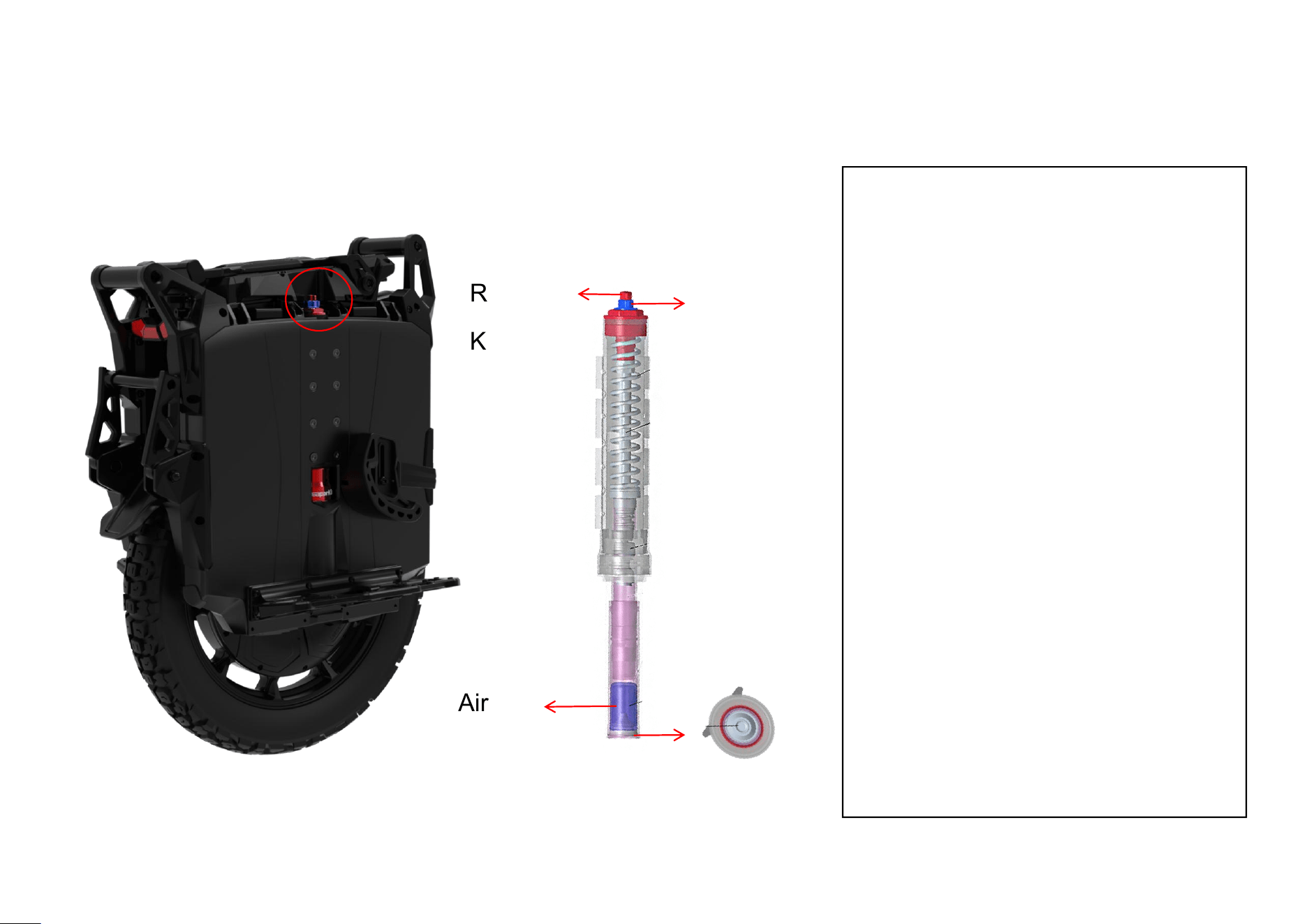
6.Error Codes and Causes
NO.
Code
Cause
1
Right battery high temperature alarm
2
Left battery high temperature alarm
3
Battery pack over-discharge alarm
4
Battery pack over-pressure alarm
5
Charging current exceeds set value alarm
6
Motor Hall error alarm
7
Controller high temperature alarm
8
Generator power failure protection
9
Over 3s downhill on full charge
第 39 页
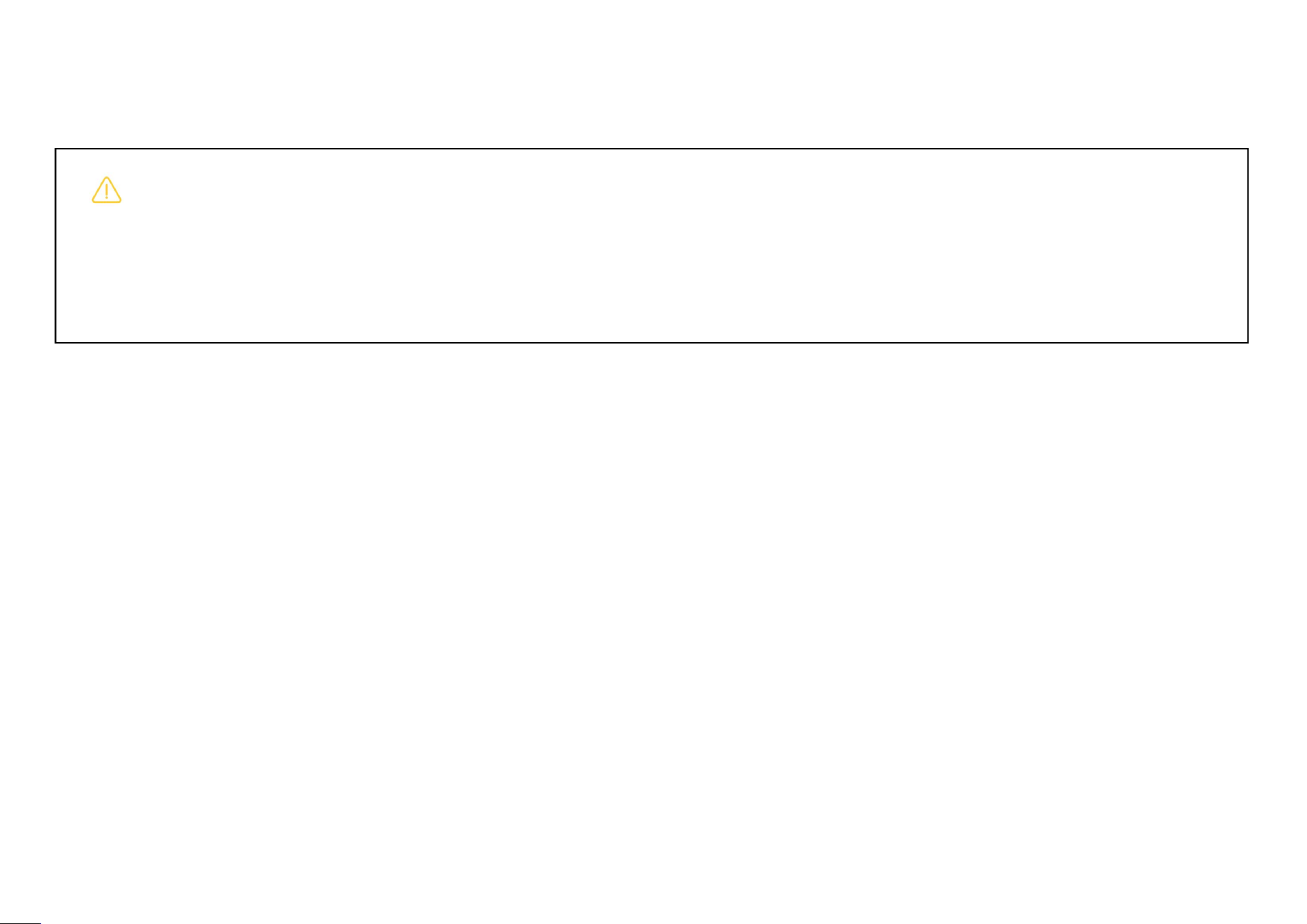
Inflation Valve
Rebound
Knob
Compression
Knob
Air Bag
7.Closed Hydraulic Suspension
1.Identify the damping knobs:
Red knob: Rebound damping
Blue knob: Compression damping
2.Adjustment:
Rotate clockwise: Increase damping
Rotate counterclockwise: Decrease
damping
3. Suspension airbag:
Airbag pressure: 2-3.5bar;
Note: Keep the red/blue knobs on
left/right suspension at the same
adjustment level to avoid uneven body
force and maintain riding balance.
第 40 页
8.Maintenance, Modification and Non- Original Accessories
Warning
Modification of the product’s battery, motor, controller, sensors, tires, pedals, suspension, housing, lights, buzzer, firmware, speed- limiting
logic or any other safety- related components is prohibited without written permission from our company. Any modification may impair the
vehicle’s balance control, braking performance, structural strength, water- resistance and battery safety. This can lead to loss of control,
falls, fire or serious personal injury.
Inspect screws for loose conditions on a regular basis with frequent use.
Check tire pressure routinely; recommended pressure: 2.5- 3.0 Bar.
Store the vehicle in dry locations whenever possible.
When the vehicle is idle, fully charge the battery at least once every two months.
Avoid draining the battery completely before recharging.
Do not expose the vehicle to environments above 50 °C or below - 20 °C.
Do not use non- included charging equipment..
Do not submerge the unit in water or clean it with a high- pressure water gun.
The user is legally responsible for vehicle damage, personal injury or property loss caused by: modifying or taking apart the unit, using
non- original parts, tampering with firmware, turning off safety protections, skipping required maintenance, or using the unit in prohibited
situations. Such damage may not be covered under warranty.

第 41 页
9.Lending, Transfer and Local Regulations
The owner must not lend the unit to anyone who has not read these safety instructions, completed beginner training,
wears no protective gear, or lacks riding competence. When lending the unit to others, provide the user manual, inform them
about unit alerts, speed- limiting, pedal tilt- back, low- battery conditions and prohibited- use scenarios. Help new riders
practice in a safe area.
When transferring, selling or reselling this product, hand over the user manual, charger, safety documents and service
records together with the unit. Inform the buyer of the unit’s condition, including any crashes, water exposure, repairs or
modifications.
Users shall learn and comply with local laws for electric unicycles and personal electric mobility devices. Follow
road- traffic rules, age limits, speed limits, helmet requirements and insurance requirements. Do not ride the unit in areas
where local laws ban or restrict such devices.
When an owner lends out the unit, it is regarded that the owner confirms the borrower is capable of safe riding and has
read these instructions. The owner and actual user shall bear corresponding legal liability for accidents caused by the
borrower failing to follow these safety instructions.

第 42 页
10.Abnormal Conditions, Accidents and After- Sales Service
NO.
Type
Items
Warranty time
1
Controller
Controller, motor
24 months
2
Battery
Battery packs
18 months
3
Charger
Charger
12 months
The following conditions are not covered by the warranty and need to pay for maintenance
:
The validity period of three guarantees has expired.
Damage caused by human factors.
Damage caused by force majeure.
All kinds of damage caused by failure to use, maintain and transform according to the requirements of the user manual.
Failure or damage caused by forced use of this product beyond normal conditions.
The product has been disassembled or maintained by personnel without authorized by our company.
Malicious damage to warranty content and vehicle body information.
Other faults or damages not caused by the design, technology, quality, manufacturing and other problems of the product itself.
Natural wear and tear that does not affect the function.

第 43 页
10.Abnormal Conditions, Accidents and After- Sales Service
If you see abnormal alerts, strange noises, overheating, power cut- off, pedal or braking faults, failed power- on/off, water
exposure, falls, crashes or other safety concerns, stop using it immediately and contact official after- sales support.
1. Constant alerts or App fault codes: Stop riding, remember the fault code and contact official after- sales support.
2. Abnormal power or unusual pedal behavior: Do not keep riding. Contact official after- sales support for inspection.
3.
Falls, crashes or water exposure: Stop use. Do not ride or charge the vehicle until it has been fully inspected.
4. Strange odors, smoke, bulging or abnormal heating from battery: Keep away from flammable materials. Stop charging
and using, then contact official after- sales support.
5.
Safety notice or recall notice received: Stop use, perform firmware updates, arrange repairs or follow official recall
instructions.
Final Disclaimer
When you power on, activate, ride or lend this unit, you confirm you have read, understood and accept all rules in this document. You
accept all risks of riding. You confirm our company has fully informed you of all safety information. You alone are responsible for any
personal injury, property damage or third- party claims caused by violating these rules. Our company accepts no liability for contract
breach, tort or joint liability.
第 44 页
11.Packing List
Packing list
No.
Description
Unit
Qty
Note
1
Unicycle
PCS
1
2
Charger
PCS
1
3
User Manual
PCS
1
4
Vehicle Information Card
PCS
1
5
buzzer
PCS
1
6
Suspension Air- Valve
Extension Nozzle
PCS
1
7
Special suspension tool
PCS
1
IOS
Android
LeaperKim APP :

Manufacturer:Guangzhou Coyote Intelligent Equipment Co., Ltd.
ADD
:
Part 1 of 3rd floor, No. 45-2, Northern Industrial Road, Xinlou
village, Baiyun District, Guangzhou, China
Tel: +86 18078846150
Email: support@leaperkim.com

FCC Warnning:
This equipment has been tested and found to comply with the limits for a Class B digital device,
pursuant to part 15 of the FCC Rules. These limits are designed to provide reasonable
protection against harmful interference in a residential installation. This equipment generates,
uses and can radiate radio frequency energy and, if not installed and used in accordance with
the instructions, may cause harmful interference to radio communications. However, there
is no guarantee that interference will not occur in a particular installation. If this
equipment does cause harmful interference to radio or television reception, which can be
determined by turning the equipment off and on, the user is encouraged to try to correct
the interference by one or more of the following measures:
• Reorient or relocate the receiving antenna.
• Increase the separation between the equipment and receiver.
• Connect the equipment into an outlet on a circuit different from that to which the receiver is
connected.
• Consult the dealer or an experienced radio/TV technician for help.
Caution: Any changes or modifications to this device not explicitly approved by manufacturer
could void your authority to operate this equipment.
This device complies with part 15 of the FCC Rules. Operation is subject to the following two
conditions:
(1)This device may not cause harmful interference, and (2) this device must accept any
interference received, including interference that may cause undesired operation.
This equipment complies with FCC radiation exposure limits set forth for an uncontrolled
environment. This equipment should be installed and operated with minimum distance 0cm
between the radiator and your body.