
Sensitivity = Internal Oce and General Customer Correspondence
Agile Workspace Limited
31 Boston Road
Grafton
Auckland 1023
New Zealand
Agile Workspace Limited – 31 Boston Road – Auckland – 1023 – New Zealand
P: +6492804521 E: [email protected] W: floorsen.se
Sensitivity = Internal Office and General Customer Correspondence
Floorsight Handset Go – Quick Start Guide
Congratulations on your purchase of the Floorsight Handset Go. The following instructions
will walk you through installing and activating your Handset Go. For the complete
documentation supplied with the product, refer to:
• 26.04_HS.Go_InstallGuide.pdf – physical installation guide (mounting, cabling,
power-up sequence).
• 26.04_HS.Go_UserGuide.pdf – end-user guide (booking flow, troubleshooting,
support).
Both files are supplied alongside this submission in the FCC-HSG-Claude attachment set.
Prerequisites
To operate the Handset Go on a managed floor you will need:
• A floorsense controller deployed on site and an active account at floorsense.com.au
(for paired operation on a managed floorplan).
• A 5 V DC USB power supply (supplied in box) and a free AC outlet or USB-A power
source within 90 cm of the mounting location.
• Optional – for wallet-pass booking – an Apple Wallet or Google Wallet pass issued
by your floorsense administrator to each end user.
If you are installing the Handset Go as part of a new floorsense deployment, please refer to
the administrator guide at
https://support.smartalock.com/support/solutions/articles/5000847692 before mounting
hardware.
Configuration
Turning on your Floorsight Handset Go:
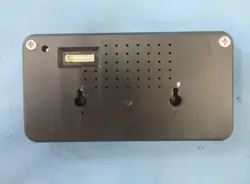
1. Unpack your Handset Go and identify the installation location at the rear of the desk.
2. Connect the 5 V USB power brick to the power connector on the Handset Go using
the supplied 90 cm power cable.
3. The LED ring will flash red and then green. After 10–30 seconds the display will show
the default welcome screen.
4. Install the Handset Go in its final location (for example a void cut into the desk or a
rear bracket). For step-by-step installation see 26.04_HS.Go_InstallGuide.pdf.
5. Navigate to the floorsense controller web portal to map the Handset Go to a floorplan
location.
Using the Handset Go
Detailed end-user instructions are provided in 26.04_HS.Go_UserGuide.pdf. In summary,
users can book the desk in three ways:
• Tap the on-screen booking controls on the LCD touchscreen.
• Present a valid 13.56 MHz building access card to the NFC reader area (centre of
the device).
• Present an Apple Wallet or Google Wallet desk-booking pass to the NFC reader area
on an unlocked phone.
FCC Compliance Statement
This device complies with Part 15 of the FCC Rules. Operation is subject to the following two
conditions:

Sensitivity = Internal Oce and General Customer Correspondence
Agile Workspace Limited
31 Boston Road
Grafton
Auckland 1023
New Zealand
Agile Workspace Limited – 31 Boston Road – Auckland – 1023 – New Zealand
P: +6492804521 E: [email protected] W: floorsen.se
Sensitivity = Internal Office and General Customer Correspondence
(1) this device may not cause harmful interference, and (2) this device must accept any
interference received, including interference that may cause undesired operation.
CAUTION: Changes or modifications to this unit not expressly approved by the party
responsible for compliance could void the user's authority to operate the equipment.
NOTE: This equipment has been tested and found to comply with the limits for a Class B
digital device, pursuant to Part 15 of the FCC Rules. These limits are designed to provide
reasonable protection against harmful interference in a residential installation. This
equipment generates, uses, and can radiate radio frequency energy and, if not installed and
used in accordance with the instructions, may cause harmful interference to radio
communications. However, there is no guarantee that interference will not occur in a
particular installation. If this equipment does cause harmful interference to radio or television
reception, which can be determined by turning the equipment off and on, the user is
encouraged to try to correct the interference by one or more of the following measures:
• Reorient or relocate the receiving antenna.
• Increase the separation between the equipment and receiver.
• Connect the equipment into an outlet on a circuit different from that to which the
receiver is connected.
• Consult the dealer or an experienced radio/TV technician for help.
This equipment complies with the FCC radiation exposure limits set forth for an uncontrolled
environment. This equipment should be installed and operated with a minimum distance of
20 cm between the radiator and all persons. This transmitter must not be co-located or
operating in conjunction with any other antenna or transmitter.
ISED (Canada) Compliance Statement
This device contains licence-exempt transmitter(s) / receiver(s) that comply with Innovation,
Science and Economic Development Canada's licence-exempt RSS(s). Operation is subject
to the following two conditions:
• This device may not cause interference.
• This device must accept any interference, including interference that may cause
undesired operation of the device.
EU / UKCA Declaration of Conformity
Hereby, Agile Workspace Limited declares that the Floorsight Handset Go is in compliance
with Directive 2014/53/EU. The full text of the EU declaration of conformity is available on
request from [email protected].