
E a s y S t e p s t o U p d a t e T S 4 0 1
Dow nload & Install M axiLinkII Softw are
1
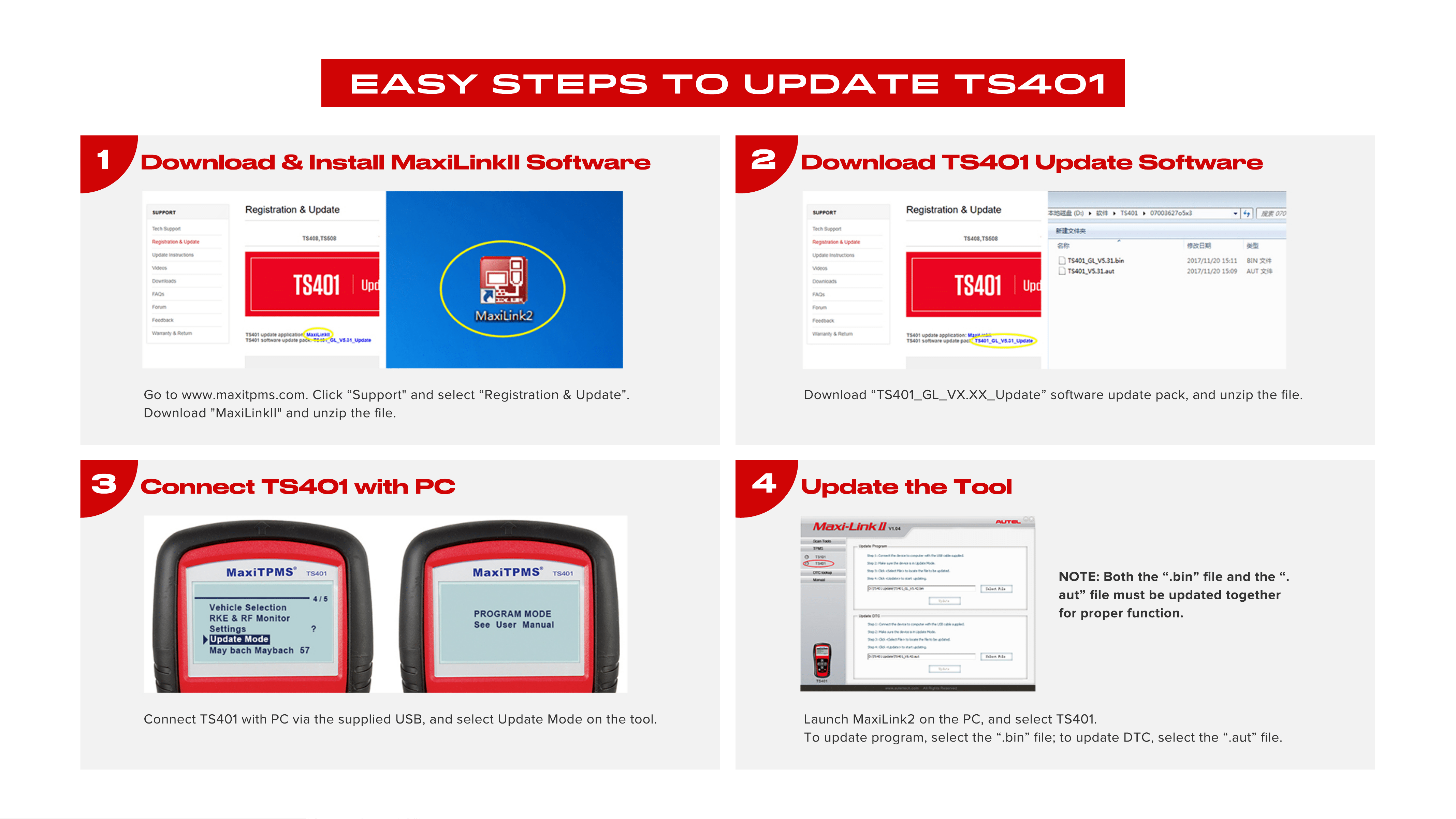
Go to www.maxitpms.com. Click “Support" and select “Registration & Update".
Download "MaxiLinkII" and unzip the file.
Dow nload TS401 Update Softw are
2
Download “TS401_GL_VX.XX_Update” software update pack, and unzip the file.
Connect TS401 w ith PC
3
Connect TS401 with PC via the supplied USB, and select Update Mode on the tool.
Update the Tool
4
Launch MaxiLink2 on the PC, and select TS401.
To update program, select the “.bin” file; to update DTC, select the “.aut” file.
NOTE: Both the “.bin” file and the “.
aut” file must be updated together
for proper function.