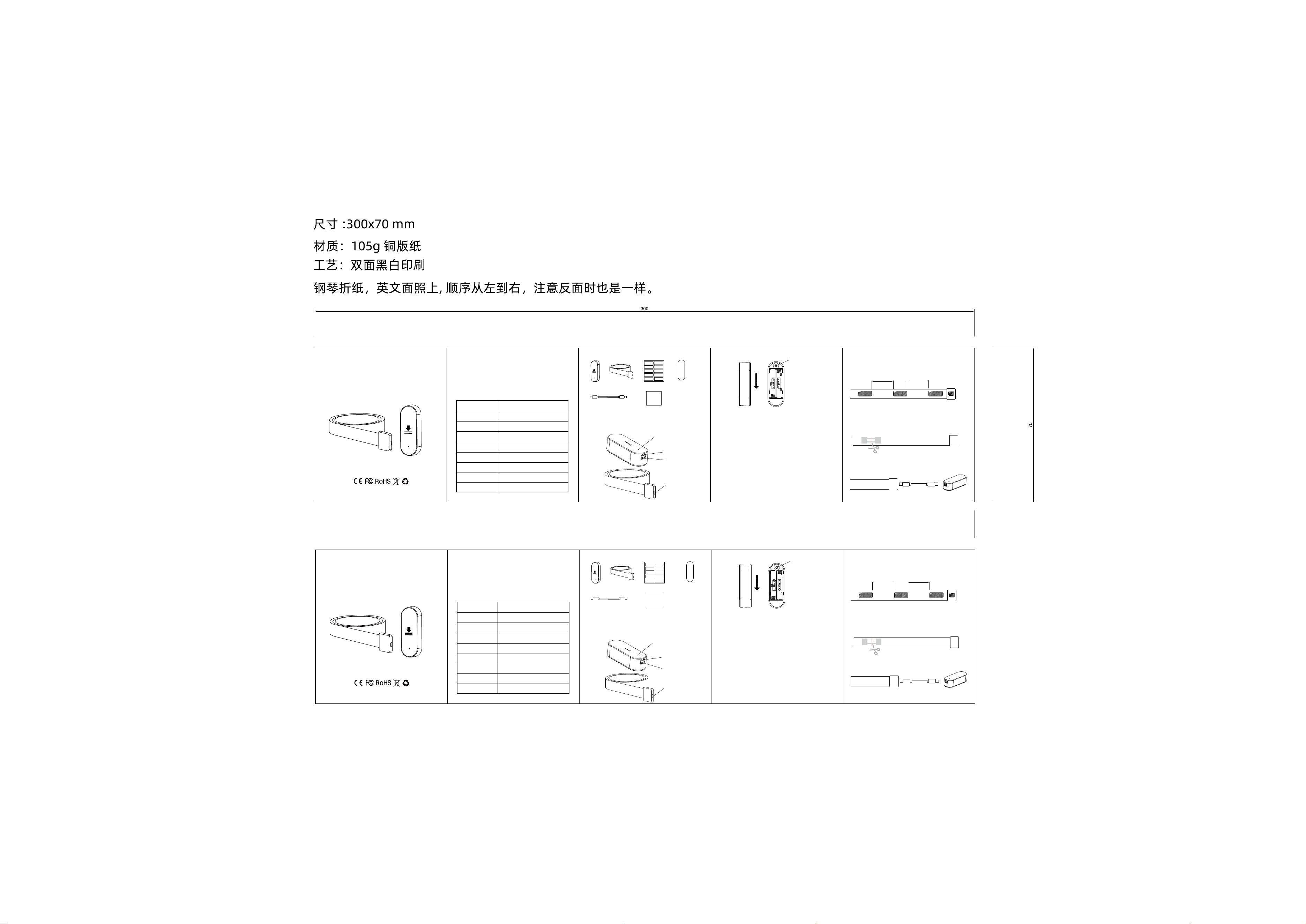
智能压力传感器
(使用说明书)
Version: V1.0
产品名称
产品型号
工作电压
Smart Pressure sensor
(User Manual)
Version: V1.0
智能压力传感器
ZG-210Z
DC 3V
电池类型 LR03 (AAA 碱性电池) x2
压力检测范围 >1kg
温/湿度检测精度 温度: ±1°C / 湿度: ±5%
通讯方式 Zigbee3.0
工作温/湿度 -10°C ~ 40°C /0~ 99%RH
压力传感器类型 电阻式
* 产品介绍
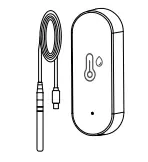
压力带连接口
温湿度传感器
指示灯
压力带连接口
将后盖向下推,打开后盖,装入2节7号电池。
* 电池安装
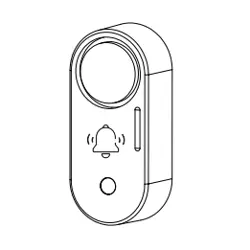
SET 配网键(长按3秒进入配网模式
指示灯快闪)
* 产品安装
压力检测传感器是一款用于座椅、床铺、地垫等特殊区域的人体及物体存在感应
的智能传感器设备, 检测阀值可调。设备同时 内置了温湿度传感器,
连接网关后可与其它设备智能联动。
* 包装清单
传感器控制器 x1 压力传感器 x1 双面胶贴 x1
控制器双面胶 x1
压力检测传感器
(使用说明书)
USB线 x1 使用说明书 x1
* 网络配置/ 工作说明
1.长按SET配网键 3秒 直到 指示灯快速闪烁,设备重置成功进入配网状态
(可发现模式),2分钟后结束,指示灯熄灭并退出配网状态。
2. 打开APP或者相应的软件,将网关进入添加设备模式,进行添加设备。
提示:不同的APP实际操作可能描述有差异,请查看网关使用说明书进行操作。
Zigbee 设备 必须 配合Zigbee网关才能联网使用!
3. 控制器内置了温/湿度传感器,温湿度传感器默认30秒采集一次数据,温度及
湿度有变化时会上传数据。
4.压力传感器 当 从无压力到压力时,会主动触发检测一次,之后 每5秒检测一次
压力信息,当有变化时会上传数据。
5.有无人检测阀值可以在APP上进行设置。
1.完成 传感器的配网,将传感器添加到对应的网关中。
2.从包盒取出压力带传感器, 在接头处贴一张双面胶,在 压力带上 间隔
10cm ~20 cm 贴一张双面胶;
10cm ~ 20cm
10cm ~ 20cm
3.将压力带粘贴到需要检测的位置。
4. 特别注意! 压力带不能折弯! 折弯后将无法检测。
5.如果压力带 太长,可以剪短,不能折弯使用。
6.裁剪时,尽量 从检测点的中间位置进行裁剪,如下图所示。
7. 将压力带通过USB线与控制器进行连接。
8.最后用双面胶固定控制器。
Model
Input Voltage
Smart Pressure sensor
ZG-210Z
DC 3V
Battery Type
LR03 (AAA) x2
Pressure Measuring
Range
>1kg
T& H Detection
Accuracy
Temperature: ±1°C / Humidity: ±5%
Wireless
Zigbee3.0
Operating
Environment
-10°C ~ 40°C /0~ 99%RH
Pressure Sensor
Type
Piezoresistive Type
* Product Introduction
Sensor Port
Temperature /
Humidity Sensor
Indicator Light
Sensor Port
Slide the back cover downward to open it, then insert 2 pieces
of LR03 AAA batteries.
* Battery Installation
SET Configuration Key
(Press and hold for 3 seconds to
enter discoverable mode,
indicator flashes rapidly)
* Product Installation
The pressure detection sensor is an intelligent sensor device for human‑
body and object presence sensing in special areas such as seats, beds
and floor mats, with adjustable detection threshold. The device also has
a built‑in temperature and humidity sensor, and supports intelligent
linkage with other devices after connecting to the gateway.
*Packing List
Controller x1 Pressure Belt x1
Double‑sided Tape x1
Controller Tape x1
压力检测传感器
(使用说明书)
USB‑C Cable x1
User Manual ×1
* Network Configuration / Operation Instructions
1.Long‑press the SET configuration key for 3 seconds until the indicator
flashes rapidly. The device resets successfully and enters network‑pairing
state (discoverable mode). This state will time out after 2 minutes; the
indicator turns off and exits the pairing mode.。
2. Open the APP or corresponding software, set the gateway to device‑
adding mode, then add the device.。
Note: Actual operation descriptions may vary for different APPs. Please
refer to the gateway user manual for operation.
The Zigbee device cannot connect to the network without a Zigbee
gateway.
3.The controller is equipped with a built‑in temperature &humidity sensor.
By default, the sensor collects data every 30 seconds and uploads data
when temperature or humidity changes.
4.For the pressure sensor: it actively triggers one detection when pressure
is applied from zero. Afterwards, it detects pressure information every 5
seconds and uploads data upon any change.
5.The human‑presence / absence detection threshold can be set via the
APP.
1.Complete the sensor network pairing and add the sensor to the
corresponding gateway.
2.Take the pressure‑sensing belt out of the package. Attach one piece of
double‑sided adhesive tape to the connector, and attach additional
pieces to the pressure‑sensing belt at intervals of 10cm‑20cm.
10cm ~ 20cm
10cm ~ 20cm
3.Paste the pressure‑sensing belt onto the position to be detected.
4. Special Attention! Do not bend the pressure‑sensing belt. Bending will
cause detection failure.
5.If the pressure‑sensing belt is too long, it may be cut short, but do not
use it in a bent state.
6.When cutting, cut preferably at the middle position between sensing
points, as shown in the figure below.
7. Connect the pressure‑sensing belt to the controller via the USB cable.
8.Finally, secure the controller with double‑sided adhesive tape.。
* Product Parameters
* 使用本产品前,请仔细阅读本产品说明书
感谢您购买和使用本产品,在使用产品前,请您认真阅读产
品说明书,并正确使用产品,以免造成设备损坏,如因非正
常操作导致的一切后果,本公司将不承担任何责任.
* 本说明书中的图片用于指导用户操作,仅供参考,具体请以
实物为准.
* 产品参数
* Thank you for purchasing and using this product. Prior to
use, please thoroughly read the product manual and
operate the product correctly to avoid equipment damage.
Our company shall not be liable for any consequences
caused by improper operation.
* llustrations in this manual are for operation guidance
only and for reference purpose. Please refer to the actual
product.
Product Name

FCC Caution.
This device complies with part 15 of the FCC Rules. Operation is subject to the following two
conditions:
(1) This device may not cause harmful interference, and
(2) this device must accept any interference received, including interference that may cause
undesired operation.
Any Changes or modifications not expressly approved by the party responsible for compliance
could void the user's authority to operate the equipment.
Note: This equipment has been tested and found to comply with the limits for a Class B digital
device, pursuant to part 15 of the FCC Rules. These limits are designed to provide reasonable
protection against harmful interference in a residential installation. This equipment generates
uses and can radiate radio frequency energy and, if not installed and used in accordance with the
instructions, may cause harmful interference to radio communications. However, there is no
guarantee that interference will not occur in a particular installation. If this equipment does
cause harmful interference to radio or television reception, which can be determined by turning
the equipment off and on, the user is encouraged to try to correct the interference by one or
more of the following measures:
-Reorient or relocate the receiving antenna.
-Increase the separation between the equipment and receiver.
-Connect the equipment into an outlet on a circuit different from that to which the receiver is
connected.
-Consult the dealer or an experienced radio/TV technician for help.
* RF warning for Portable device:
The device has been evaluated to meet general RF exposure requirement. The device can be used
in portable exposure condition without restriction.