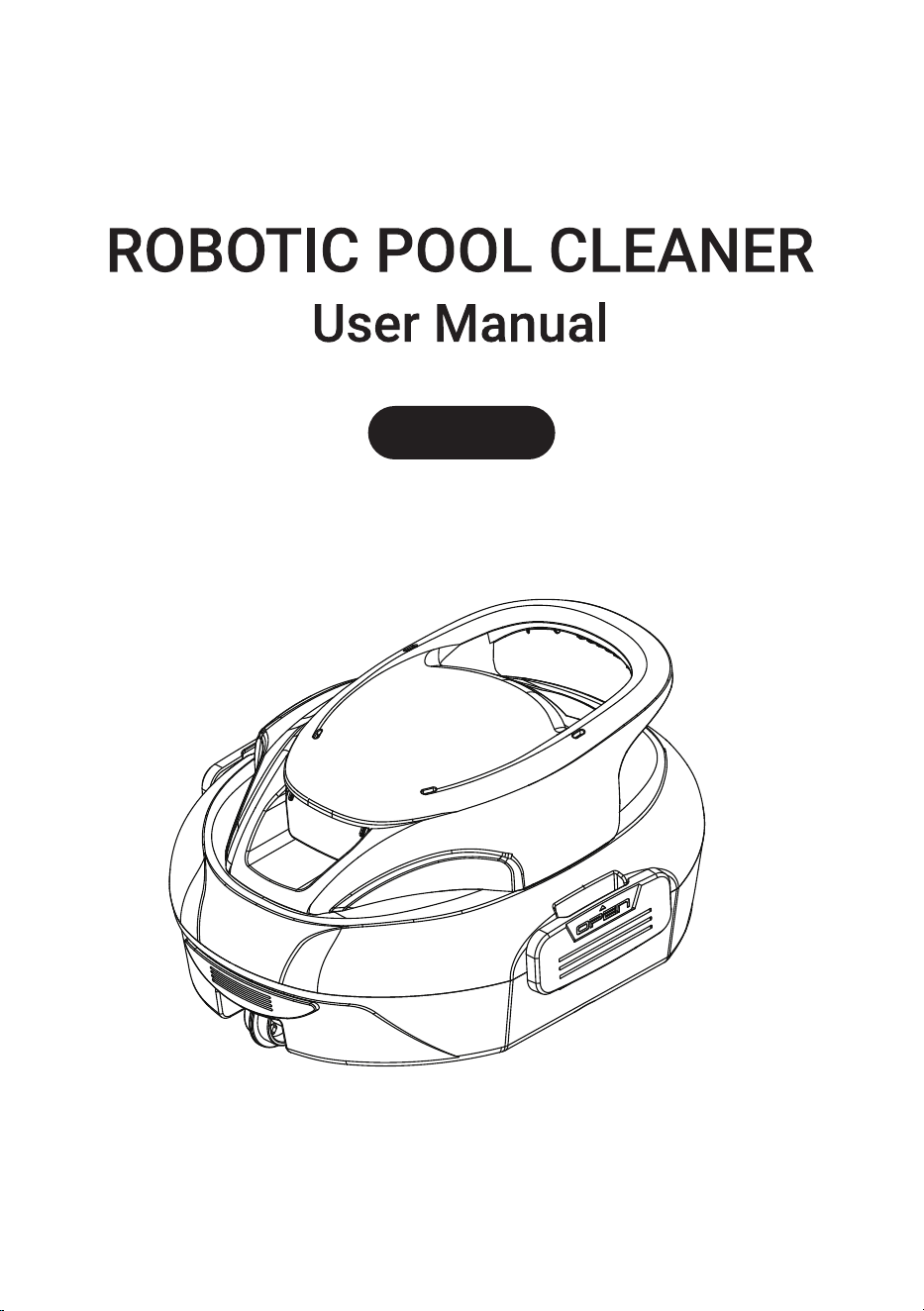
S30


Packing List .................................................................................................. 00
lmportant Safety Precautions ........................................................................ 01
1. Specifications............................................................................................ 02
2. Product Diagram........................................................................................ 03
3. Quick Start ................................................................................................ 04
4. Maintenance.............................................................................................. 09
5. Storage...................................................................................................... 09
6. FAQ and Troubleshooting........................................................................... 10
7. Conventional Warranty .............................................................................. 10
8. Customer Service ...................................................................................... 11
9. Warnings ................................................................................................... 11
CONTENT

Thank you for choosing our robotic pool cleaner.
You've now joined a family of millions who have already put their trust in us to
take care of their pools and are enjoying the convenience of a pristinely clean
pool.
This user manual will help you maintain your device and ensure it performs at its
maximum efficiency for years to come. Please take a few moments to read it
through.
If you have any questions, please contact our customer service team for assis-
tance or more information.
1
2
3
4
5
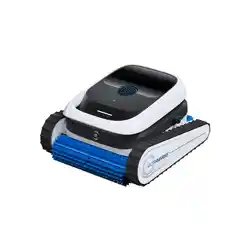
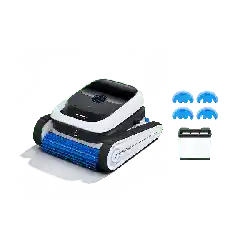
Device
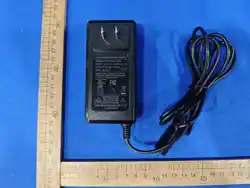
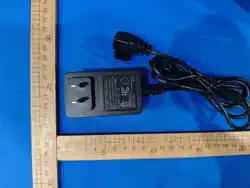
Charger
User Manual
Quick Guide
Hook
1
1
1
1
1
NO
Name
QTY(pc)
Packing List
00
lmportant Safety Precautions
Read this manual carefully and follow the instructions when using your cleaner. The
company shall not be liable for any damage or injury caused by improper use.
Operation Guide
1. Never operate the cleaner while people or animals are in the pool.
2. Turn off the cleaner when it is not in use or during maintenance.
3. Under no circumstances should children be allowed to ride on the cleaner. Ensure
constant supervision when children are around a running cleaner.
4. Use an authorized power adapter only. Charge the appliance indoors only.
5. The adapter cord should only be replaced by a qualified electrician or our customer
service center.
6. Do not use a charger with a damaged cord to avoid any risk of electric shock.
7. Before charging, ensure your cleaner is powered off and the charging port is dry.
During charging, place your cleaner in a cool place. Do not cover the cleaner while
charging, as this may cause components to overheat.
8. Do not operate the pool cleaner out of water, as this may cause the cleaner to
overheat.
9. Only certified professionals may disassemble the drive kit of the cleaner.
10. The oil seals around the motor contain grease. If the motor is damaged, minor
water contamination may occur. Stop using the cleaner immediately if you suspect a
leak.
11. Do not puncture the enclosure of the cleaner, nor throw it, or intentionally damage
the cleaner.
12. Do not drop or throw the cleaner when placing it in the water. For best results,
lower it into the pool gently.
Note: Failure to follow these precautions may result in damage to the cleaner or
personal injury.
1. Charge the cleaner before first use.
2. Do not overcharge the cleaner, as this will shorten the battery life.
3. Charge the cleaner before prolonged storage (exceeding 3 months) to maintain
optimal battery life.
4. Do not handle the cleaner while it is running.
5. Clean the filter basket and Filter Sponge after each use.
6. Store the cleaner in a cool, well-ventilated area, away from direct sunlight or any
heat sources.
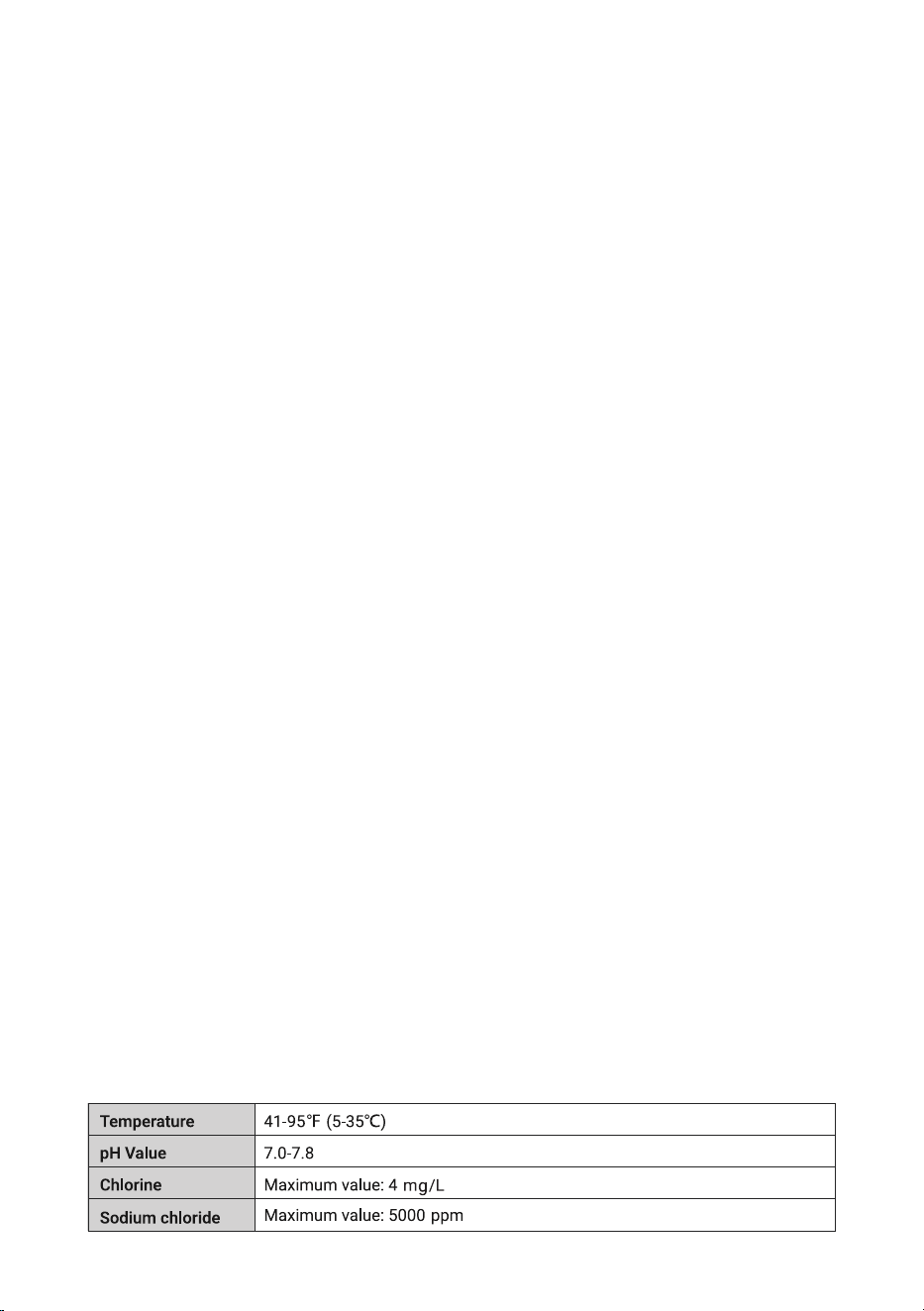
7. Use the cleaner only under the following water conditions:
01
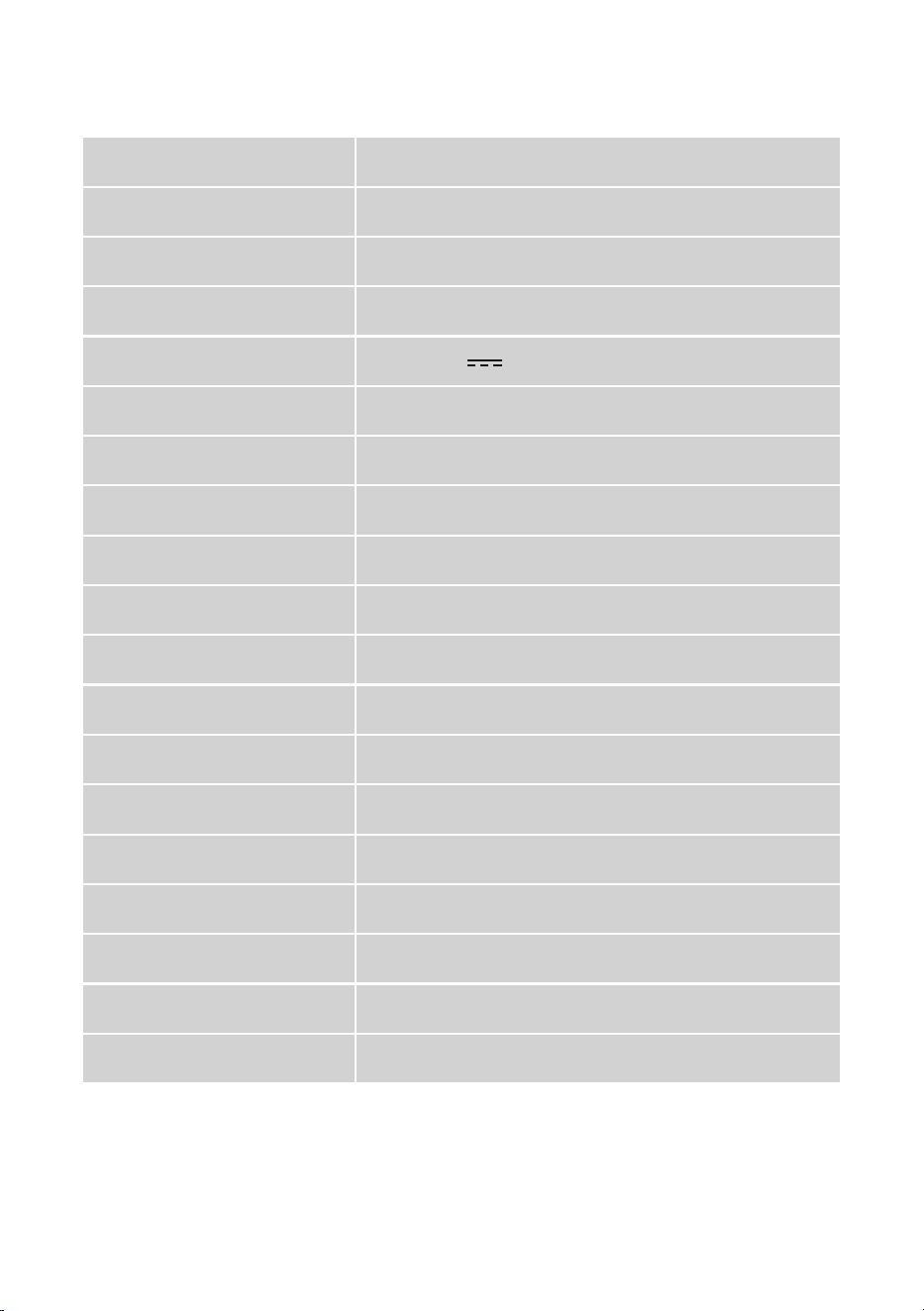
11.1 V
150 mins
100-240 V~50/60 Hz
13.0 V 2.33 A
5000 mAh
3 H
100 m²
Double-level filtration
180 μm
40 ppi
2.5 L
16 m/mins (PVC bracket swimming pool)
12 m/mins (Under ground swimming pool)
IPX8
41°F-95°F/5°C-35°C
-4°F-113°F/-20°C-45°C
0.5-2.5 m
330mm×280mm×180mm
3 kg
Working voltage
S30Model
Running time
Input of charger
Output of charger
Battery capacity
Charging time
Max. pool size
Filter type
Filter screen
Sponge
Filter capacity
Moving speed
IP grade
Pool water temperature
Storage temperature
Water depth
Product size (L*W*H)
Weight
1. Specifications
02
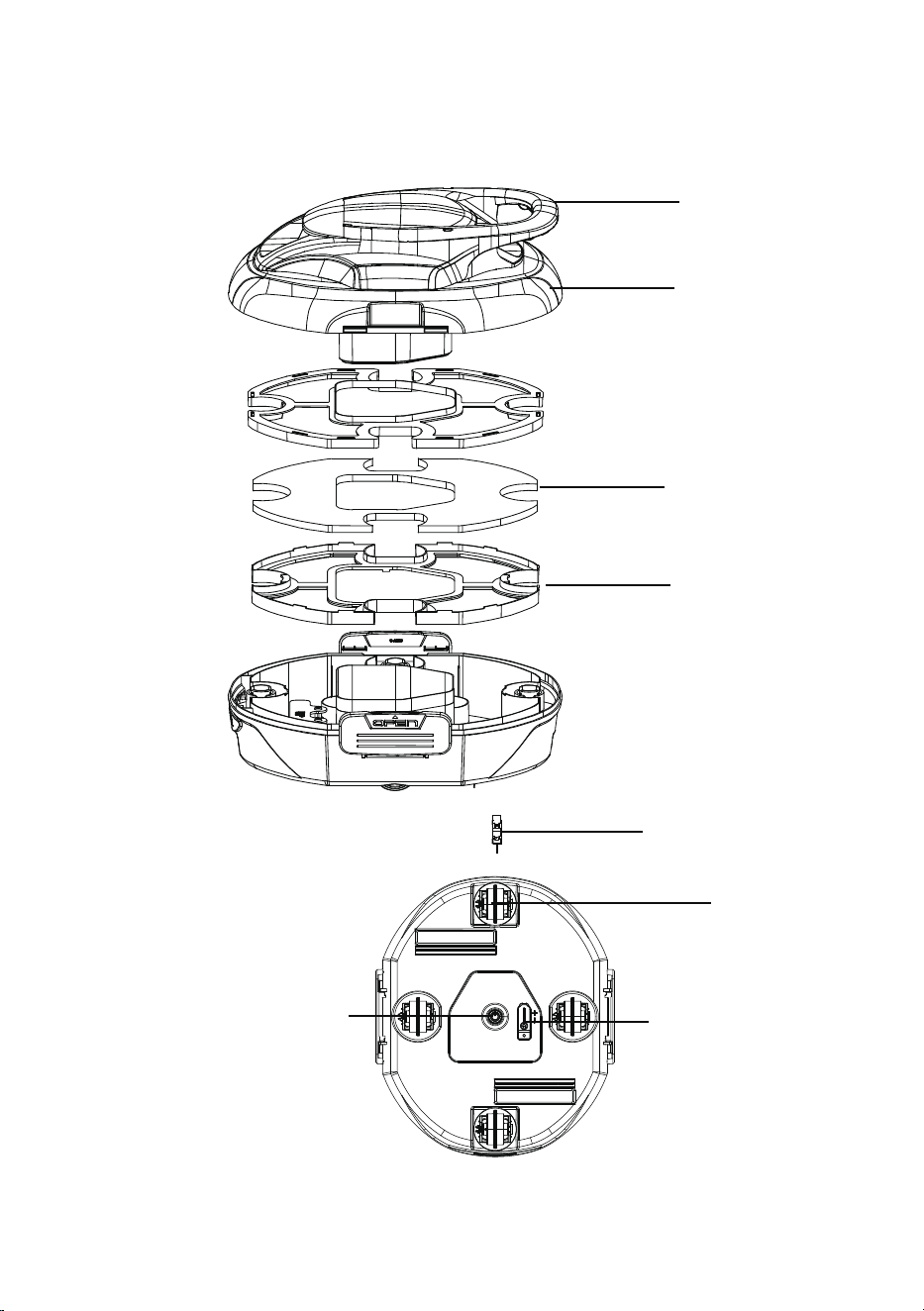
40ppi Sponge*1
Handle*1
180um Tray*1
Scraper*2
Wheels*4
Charging Port
Top Cover*1
Power Button &
indicator Light
03
2. Product Diagram
Pulsing
stay on
Stay on
Stay on
Stay on
Yellow
Yellow
Blue
Green
Blue
Battery level under 30%
Charing level between 0% and 30%
PulsingGreen Charing level between 30% and 99%
stay on
Green Fully charged
Pulsing Red When the cleaner fails
OTA upgrade
Under ground swimming pool
PVC bracket swimming pool
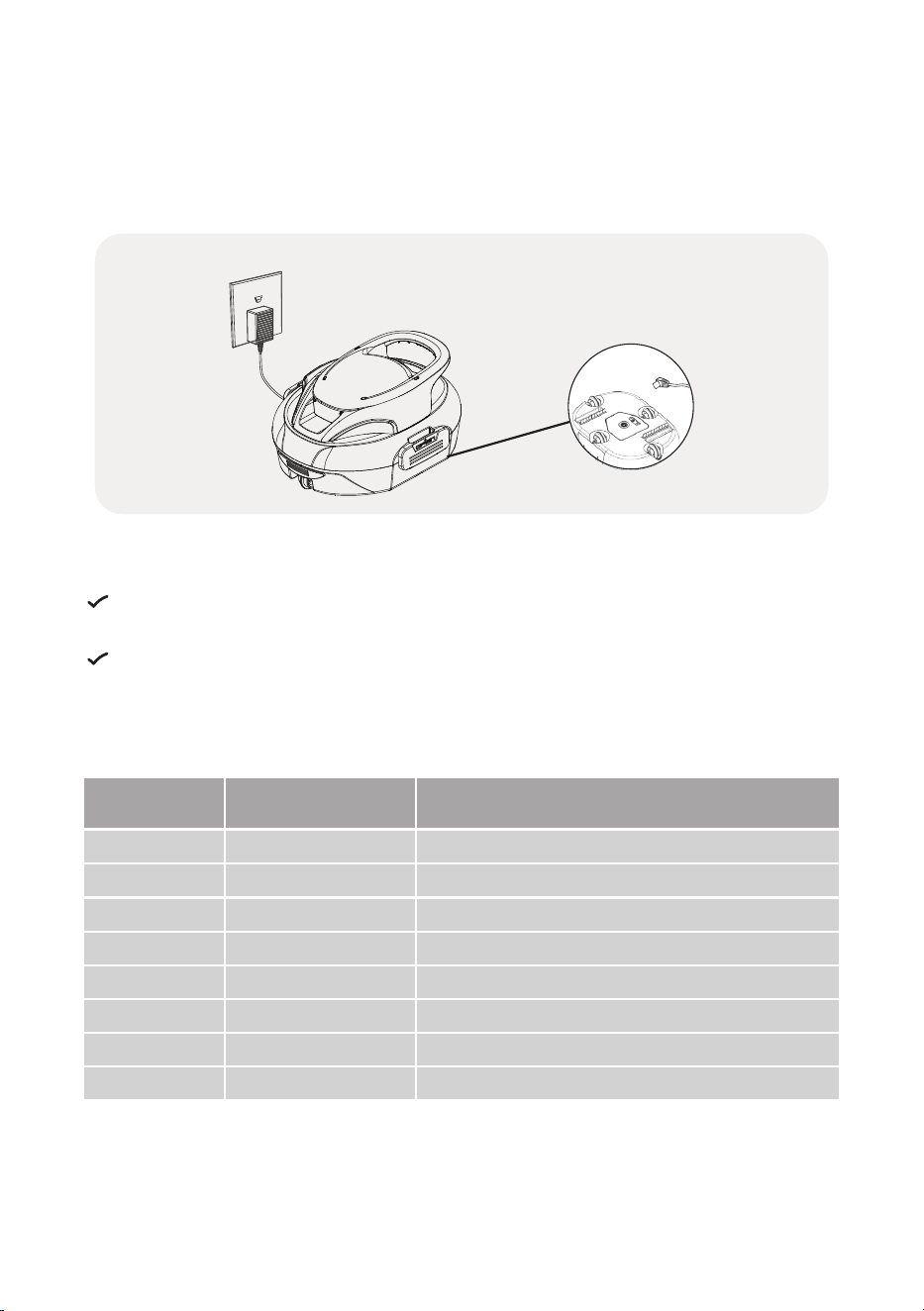
3.1 Charging
The device is equipped with a rechargeable lithium-ion battery. Charge it before first
use.
*The charging port is located at the bottom.
For safety, please ensure the device is off and the charging port is dry before
charging.
To reduce fire risk, keep the device and adapter away from direct sunlight or
water while charging.
Under the ON/OFF Button, there is an indicator that shows the battery status through
changes in three colors lights. Please refer to the following explanations:
04
3. Quick Start
Light
Display
Indication
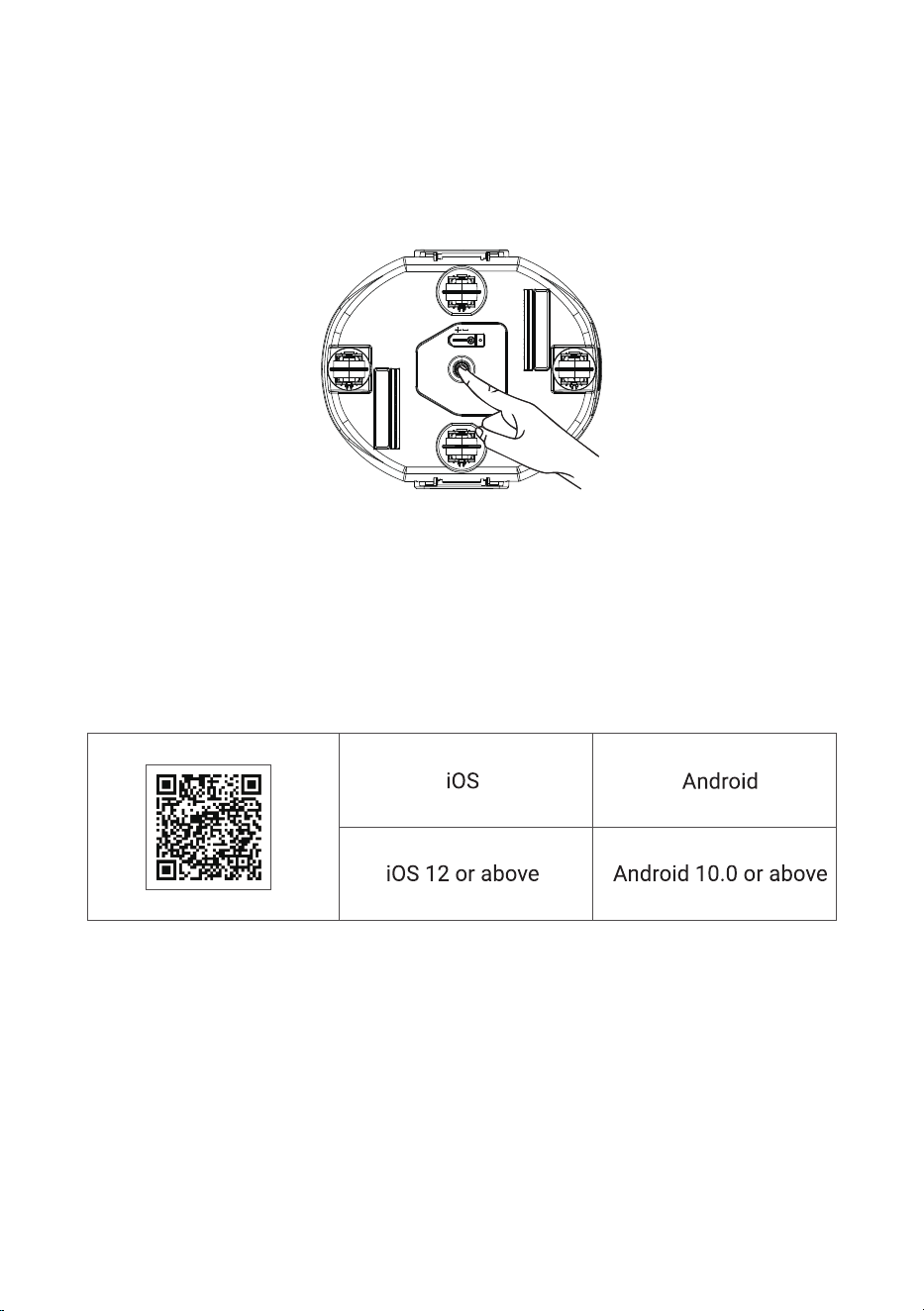
3.2 Starting Your Pool Cleaner
3.3 Connecting to Your App Account
To start your pool cleaner, press and hold the power button until you hear a series of
"di" sounds. The indicator light will first light up green to show the battery status. After
3 seconds, the first indicator light will remain solid blue, indicating that the pool robot
has started and entered the default automatically saves the last used setting.
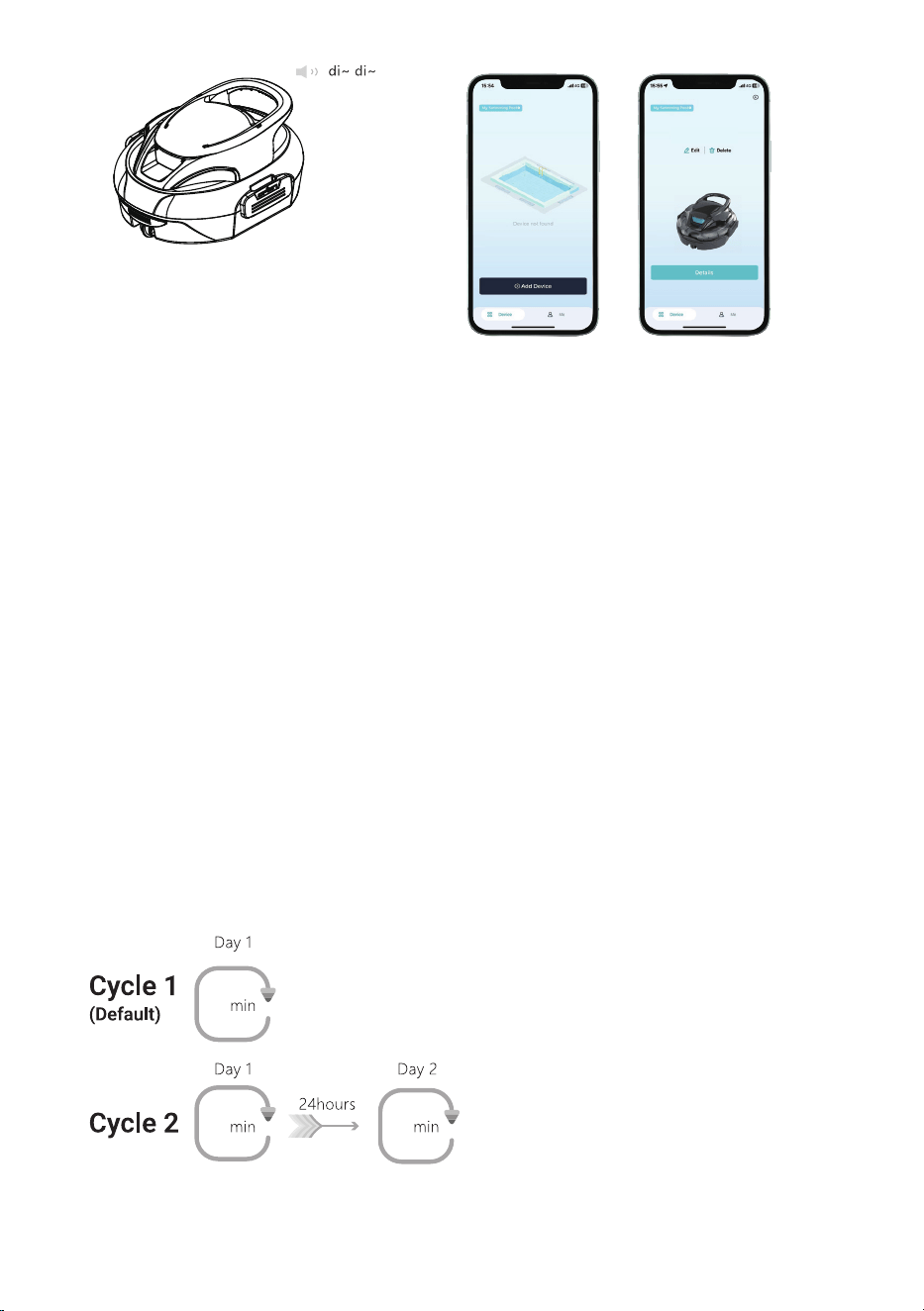
Open the app, create an account or log in, and then follow the instructions to pair your
S30. Enable Bluetooth/Wi-Fi on your phone. In the APP, select your S30 or scan the QR
code located on the bottom of the cleaner to connect. Once it is successfully connect-
ed, you will hear two consecutive "di" sounds, and the LED will be on in blue and breath-
ing mode.
You can download the app for your intelligent mobile cleaner by scanning the QR code
below or searching for it in the Google Play or App Store.
Note: After powering on, place the cleaner in the water within 3 minutes, or it will
automatically shut down. If the LED flashes red, please check the error code in the APP
and contact our after-sales service personnel.
05
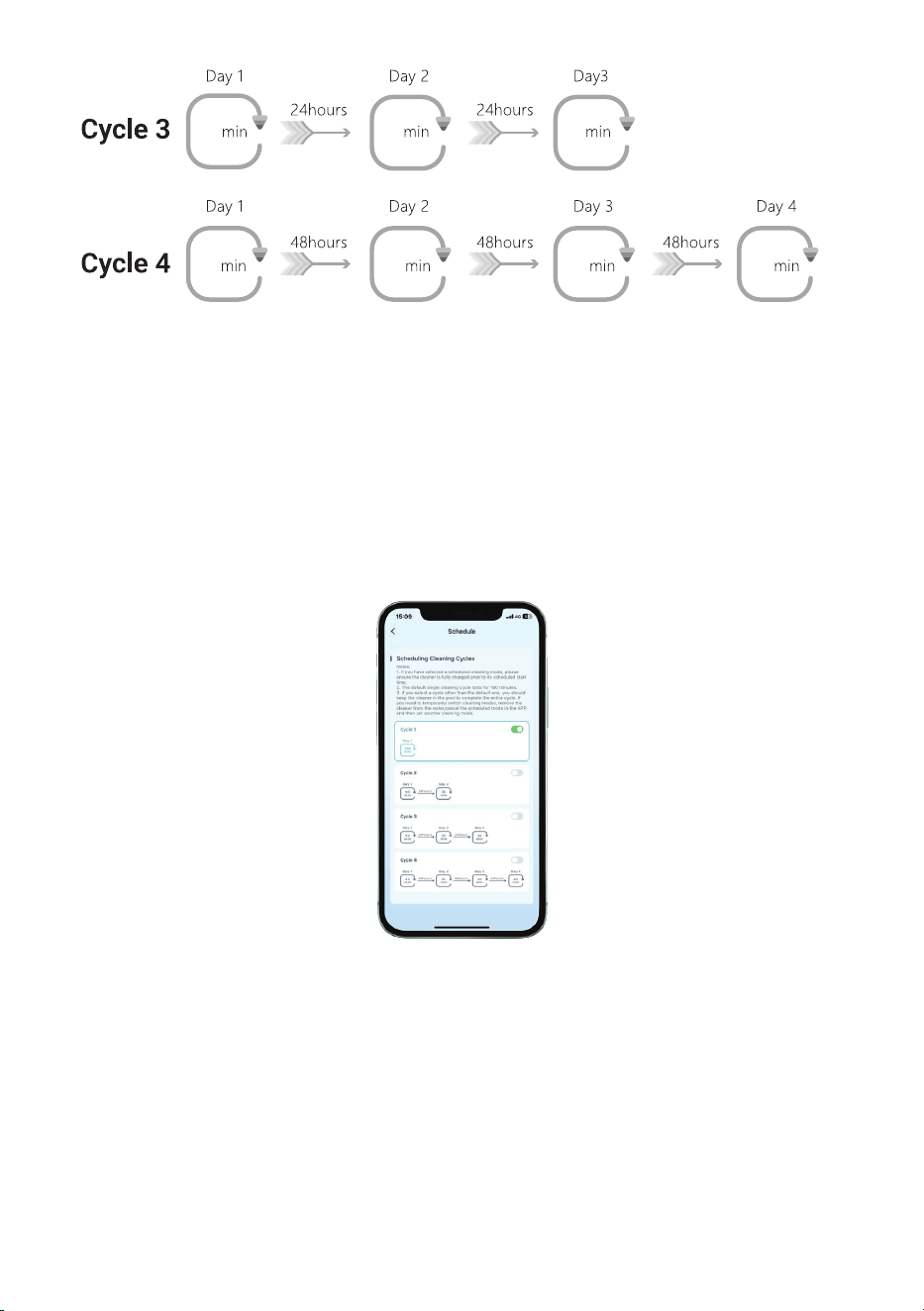
You can schedule your preferred cleaning cycle via the APP (you can refer to the
following four cycle options).
S30
150
75
75
Notes:
1. The app setup must be completed before the cleaner is placed in the water, as
Bluetooth/Wi-Fi disconnects once the device is submerged in water.
2. You can use Over-the-Air (OTA) technology to update your cleaner's software via
the app. The device will power off upon update completion (it will function normally
after restart).
3.4 Selecting Desired Cleaning Mode
You can select a cleaning mode directly on the cleaner or via the APP after connect-
ing your phone:
1. Power on: Upon first power-on, the screen will be solid blue (default PVC bracket
swimming pool).
2. Switch to under ground
swimming pool
: Press the power button again to keep the
underground pool light solid green.
3. Default save mode: Automatically saves the last used setting.
3.5 Scheduling Cleaning Cycles via the APP(Only Cleaning Pool Floor)
06
35 35 35 35
Notes:
1. If you have selected a scheduled cleaning mode, please ensure the cleaner is fully
charged prior to its scheduled start time.
2. The default single cleaning cycle lasts for 150 minutes.
3. If you select a cycle other than the default one, you should keep the cleaner in the
pool to complete the entire cycle. If you need to temporarily switch cleaning modes,
remove the cleaner from the water, cancel the scheduled mode in the APP, and then
set another cleaning mode.
07
50 50 50
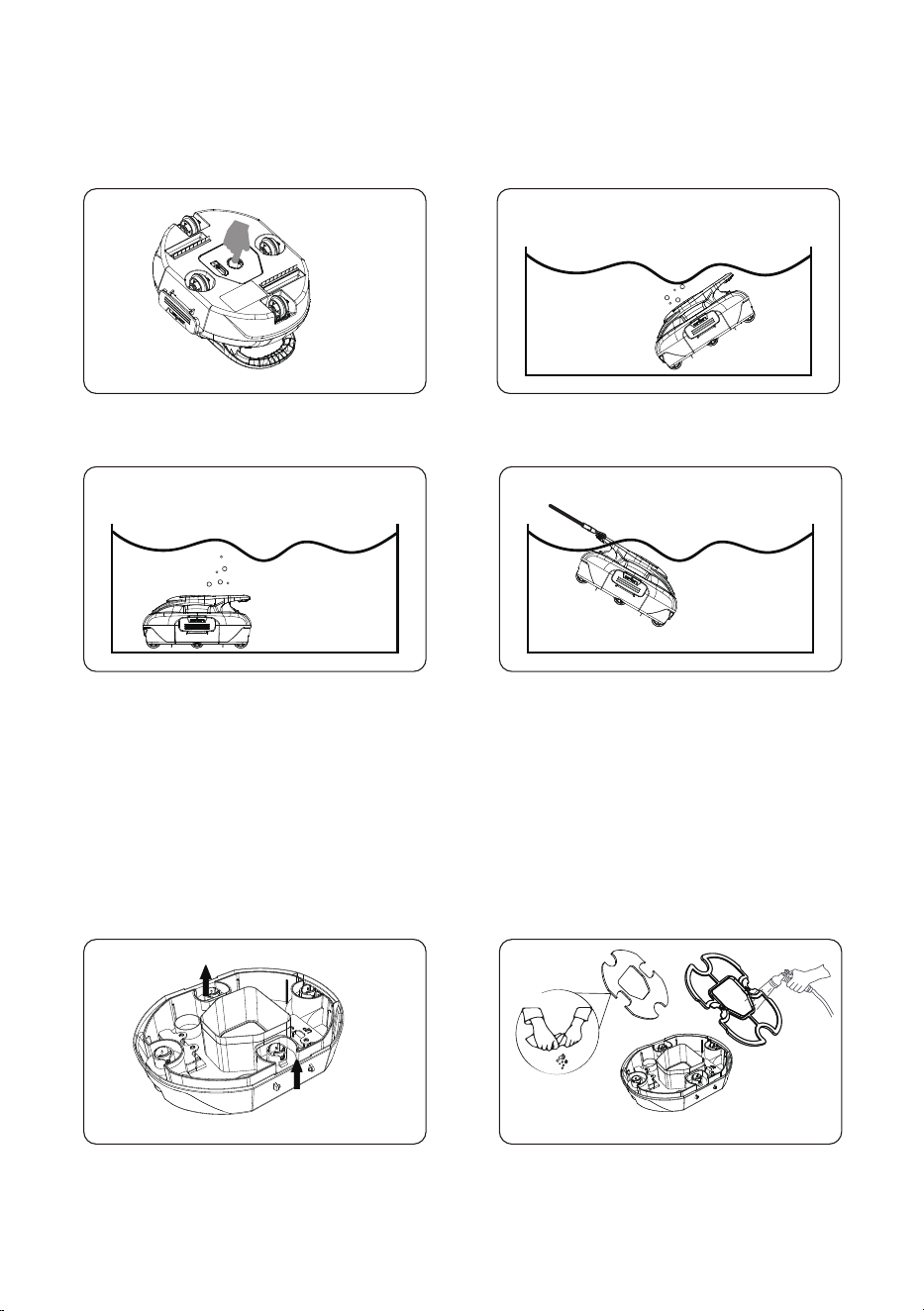
3.6 Running
3.7 Filter Cleaning
Turn on the device and put it into the pool within 1 minutes. The power button is in the
middle of the bottom of the device.
The device will automatically stop when the battery level reaches 15% or less.
Insert the included hook into a pool pole and lift the cleaner out of the pool.
*Remember to turn off the device.
Please clean the filter tray after each use. Ensure the device is powered off before
opening the top cover. Pull the left and right latches outward to remove the top cover,
then rinse the filter and base separately.
08
1. Please wash the filter tray immediately after each use. Dried debris may be
removed in a timely manner.
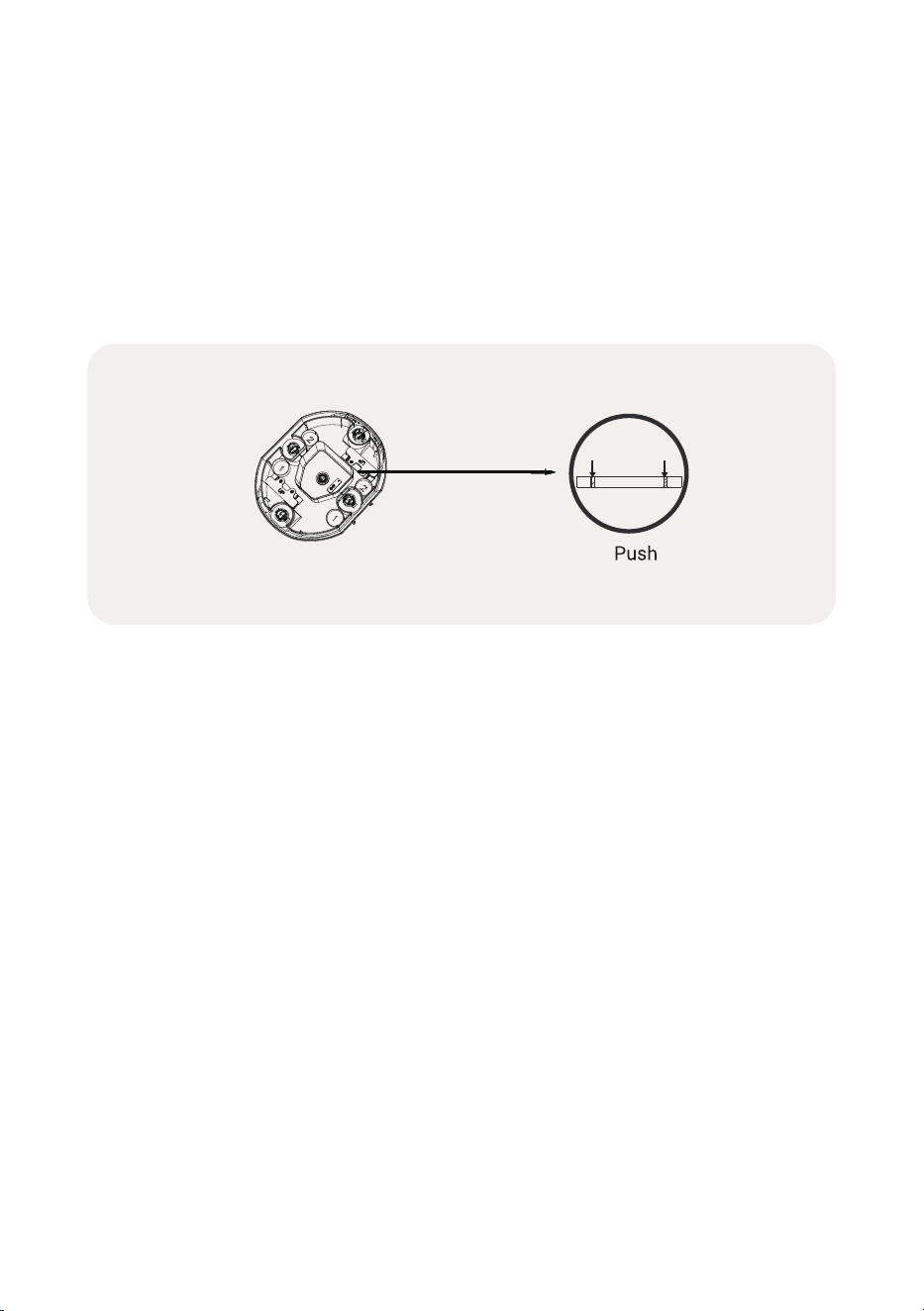
2. If the brush becomes worn out, follow the steps below to replace it:
a. Remove the top shell of your device and locate the brush position.
b. Press the locking pins down to release the brush.
c. Insert a new brush into the bottom slot of the cleaner.
The device should be stored in a cool, well-ventilated place, away from direct sunlight
or heat sources.
Charge the cleaner before long-term storage (over 3 months) to maintain optimal
battery performance, we recommend charging it every three months to between
40%-60% to maintain battery health.
If your device does not work after a long period of low battery or being turned off,
please contact our after-sales team for assistance. For your safety, do not attempt to
disassemble it without authorization.
5. Storage
09
4. Maintenance

Q: Why did the device not run for the full 150 minutes?
A: The device has a maximum runtime of 150 minutes, but when the battery
level drops below 15%, it automatically pulls over to allow for easy retrieval. If
you continue to experience poor battery performance, even after ensuring it is
fully charged before each use, please contact customer service.
Q: Why does the device only move in one direction and not reverse when it hits a
wall?
A: Check for motor issues or blockages in the water intakes. If there are no issues, it
could be a sensor or motor fault. Please contact customer service
for assistance.
Q: Why does my device stop frequently or get stuck?
A: The device is optimized for flat pool surfaces. If your pool is uneven or has bumps,
the device may not perform optimally. Ensure the water intakes and wheels are not
clogged, and that the device is not getting stuck on the pool's drain.
Q: Why is the device slowing down, and the collected debris is reduced?
A: We recommend cleaning the filter tray before use. Using a full or partially full filter
tray can cause a decrease in speed and suction. If your pool is particularly dirty,
manually clean it before using the device for regular cleaning to prevent excessive dirt
buildup.
Q: What should I do if the charging pins are corroded?
A: After each use and before charging, wipe the charging port with a tissue or cloth. If
the charging pins are corroded, you will need to contact us to replace the drive kit.
6. FAQ and Troubleshooting
7. Conventional Warranty
This product has passed quality control and safety test conducted by our
technicians.
1. This product comes with a 12-month warranty that covers your item's battery and
motor from the date of purchase.
2. This warranty is voided if the product has been altered, misused, or has been
repaired by unauthorized persons.
3. This warranty extends only to manufacturing defects and does not cover damage
resulting from the mishandling of the product by the owner.
4. The order number or record of purchase must be presented at the request of any
repair claim during the warranty period.
10

11
8. Customer Service
The Company reserves the right to make continuous improvements to its products.
Consequently, the product described in this manual may differ from the actual
product, and we reserve the right to update this document at any time without prior
notice.
If you encounter any issues during use, please contact our after-sales support team.
For more information, please visit our official website.
9. Warnings
9.1 Important Safety Instructions
When installing and using this electrical equipment, basic safety precautions should
always be followed, including the following:
a. Read and follow all instructions.
b. (For all units) WARNING - To reduce the risk of injury, do not permit children to use
this product unless they are closely supervised at all times.
9.2 Attention
a. Prevent unintentional starting. Ensure the switch is in the off-position before
connecting the battery pack, picking up or carrying the appliance. Carrying the
appliance with your finger on the switch or energizing an appliance that has the
switch on invites accidents.
b. Recharge only with the charger specified by the manufacturer. A charger that is
suitable for one type of battery pack may create a risk of fire when used with another
battery pack.
c. Use appliances only with specifically designated battery packs. Use of any other
battery packs may create a risk of injury and fire.
d. Under abusive conditions, liquid may be ejected from the battery; avoid contact.
If contact accidentally occurs, flush with water. If liquid contacts eyes, additionally
seek medical help. Liquid ejected from the battery may cause irritation or burns. (This
advice is considered correct for conven- tional NiMH, NiCd, lead acid and lithium-ion
cell types. If this advice is incorrect for a cell design that differs from these, then the
correct advice may be substituted.)
e. Do not use a battery pack or appliance that is damaged or modified. Damaged or
modified batteries may exhibit unpredictable behavior resulting in fire, explosion or
risk of injury.
f. Do not expose a battery pack or appliance to fire or excessive temperature.
Exposure to fire or temperature above 130 °C may cause explosion. 130 °C is equiva-
lent to 265 °F

9.3
This appliance can be used by children aged from 8 years and above and persons
with reduced physical, sensory or mental capabilities or lack of experience and knowl-
edge if they have been given supervision or instruction concerning use of the
appliance in a safe way and understand the hazards involved. Children shall not play
with the appliance. Cleaning and user maintenance should not be performed by
children without supervision.
9.4 This appliance contains batteries that are non-replaceable.
When the battery is at the end of its life, the appliance shall be prop-
erly disposed of.
9.5 For Underwater Use Only.
9.6
Suitable for swimming pools with a depth of less than 3 meters.
ENCLOSURE TYPE 3
Warning: To reduce the risk of electronic shock, do not use it outdoors or on wet
surfaces when charging.
The cleaner must not be used when people are in the water.
Switch off the cleaner before carrying out user maintenance such as cleaning the
filter.
Warning: Only use the charger provided with this appliance.
The instructions for battery-operated appliances shall contain the substance of the
following: do not expose the appliance or battery to excessive temperatures. Be
aware of the risk of terminals of the battery-operated appliance or battery being
short-circuited by metal objects.
12
g. Follow all charging instructions and do not charge the battery pack or appliance
outside of the temperature range specified in the instructions. Charging improperly or
at temperatures outside of the specified range may damage the battery and increase
the risk of fire.
h. Have servicing performed by a qualified repair person using only identical replace-
ment parts. This will ensure that the safety of the product is maintained.
i. Do not modify or attempt to repair the appliance or the battery pack (as applicable)
except as indicated in the instructions for use and care.

9.7 FCC Statement: (This statement is intended for use only in the
North American market)
Note:
This equipment has been tested and found to comply with the limits according to part
15 of the FCC Rules of a Class B digital device. These limits are designed to provide
reasonable protection against harmful interference in a residential installation. This
equipment generates, uses, and can radiate radio frequency energy and, if not
installed and used in accordance with the instructions, may cause harmful interfer-
ence to radio communications or persons. However, there is no guarantee that
interference will not occur in a particular installation. If this equipment does cause
harmful interference to radio or television reception, the user is encouraged to try to
correct the interference by one or more of the following measures:
· Reorientate or relocate the receiving antenna.
· Increase the separation between the equipment and receiver.
· Plug the equipment into an outlet on a circuit different from that to which the receiv-
er is connected.
· Consult the manufacturer or an experienced radio/TV technician for help.
FCC Radiation Exposure statement:
This equipment complies with FCC RF radiation exposure limits set forth for an
uncontrolled environment. This compliance to FCC radiation exposure limits for an
uncontrolled environment, and minimum of 20 cm(7 . 87 inch) distance between
antenna and body.
Warning:
Changes or modifications of this product are not expressly approved by the party
responsible for compliance, and unauthorized modifications could void the user's
authority to operate the equipment.
Compliance Declaration:
This device complies with Part 15 of the FCC Rules. Operation is subject to the
following two conditions:
(1) this device may not cause harmful interference. And (2) this device must accept
any interference received, including interference that may cause undesired operation.
9.8
The appliance is only to be used with the power supply unit type
MX36W1-1302330U provided with the appliance.
Warning:
For the purposes of recharging the battery, only use the detachable supply unit provid-
ed with this appliance.
This appliance contains batteries that are non-replaceable.
13
This symbol indicates that this product shall not be treated as household
waste. Instead, it shall be handed over to the applicable collection point
for the recycling of electrical and electronic equipment.
14