USER MANUAL
RGB LED Light with APP and RF Remote Control
RGB LED Light with APP and RF Remote Control
Input:
Important: The remote control battery is not included. Please install the required battery according to
Control: Smartphone APP / RF Remote Control
Version: V1.0
FCC ID: 2BYAI-AG01
the marking inside the battery compartment before use.
1. Product Overview
This RGB LED Light is a powered addressable RGB light bar system. It supports smartphone
APP control and handheld RF remote control. Users can adjust color, brightness, lighting modes and
power on/o according to the selected lighting eect.
The LED light bar uses a serial data input/output design. The PCB interface is marked with 5V+, GND,
DI and DO. The LED data signal enters from DI and can cascade to the next light bar from DO when
supported by the product kit.
2. Package Contents
• RGB LED light bar(s)
• Connector hub / connection accessories, depending on the kit version
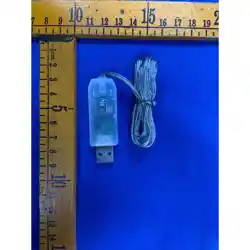
• USB power cable / controller
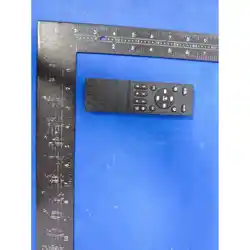
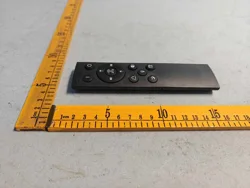
• Handheld RF remote control, battery not included
• User manual
Note: Package contents may vary by product version and sales package. Please refer to the actual
product received.
3. Product Specications
Item Specication
Product Name RGB LED Light with APP and Remote Control
Input Voltage
Power Supply power source
Control Method
Wireless Function
LED Type
PCB Interface
Main Functions
Application Environment
Battery
Smartphone APP control
2.4 GHz Bluetooth APP control
5V+, GND, DI, DO
Color selection, brightness adjustment, dynamic
modes, on/o control
Indoor dry location
Remote control battery not included
1
DC 5V-48V
DC 5V-48V
DC 5V-48V
DC 5V-48V
4. Product Structure
• Light Bar: Emits RGB lighting eects through the diusion cover.
• Connector / Hub: Connects multiple light bars according to the product design.
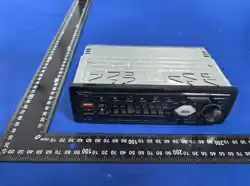
• Controller: Receives APP and remote control commands and outputs serial LED data.
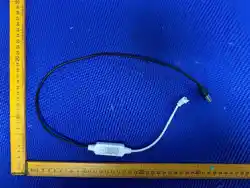
• USB Cable:
• Remote Control: Provides quick operation for on/o, color, brightness and mode selection.
5. Installation and Connection
1. Place the light bars and connectors on a clean, at surface before installation.
2. Connect each light bar rmly to the connector or hub. Make sure the connector is fully inserted.
3. Conrm the wiring direction before powering on. 5V+ must connect to 5V+, GND must connect
to GND, the controller data output must enter the LED bar through DI, and DO is used for data
cascade to the next light bar when applicable.
4.
5. After power is connected, use the APP or the remote control to turn on and operate the light.
Warning: Do not connect this product directly to AC mains power or to a power source
DC. Disconnect power before changing the connection layout.
6. APP Control Instructions
1. Scan the QR code on the package or search for the APP name provided by the supplier. Install the
APP on your smartphone.
2. Enable Bluetooth on the smartphone. Some phones may also require permission for location or
nearby devices for Bluetooth scanning.
3. Connect the RGB LED light to the power source and keep the light close to the phone
during rst connection.
4. Open the APP, search for the RGB LED device, then tap to connect.
5. Use the APP interface to select colors, adjust brightness, choose lighting modes and switch the light
on or o.
Note: APP name and pairing steps may vary by controller version. Please follow the QR code or APP
guide provided with the actual product.
7. Remote Control Instructions
Install the required battery into the remote control before use. The battery is not included. Operate the
remote control within the eective receiving range of the controller.
Button Function
ON Turn on the light
OFF Turn o the light
AUTO Run automatic lighting mode
R / G / B Select red, green or blue color quickly
Color Buttons Select preset colors
Brightness + / - Increase or decrease brightness
M+ / M- Switch to next or previous mode
S+ / S- Increase or decrease dynamic mode speed, if supported
8. Operation Notes
• Use only a power source with sucient output current for the number of connected light
bars.
• If more light bars are connected, the required current will increase. Low power output may cause
dim light, ickering or abnormal colors.
2
Provides DC 5V-48V power input.
Connect the USB cable to a suitable DC 5V-48V power source.
higher than 48V
DC 5V-48V
DC 5V-48V

• Do not bend, cut, puncture or modify the light bar unless the product is specically designed for
that purpose.
• Keep the controller and connectors dry and away from high temperature areas.
• Disconnect the USB power before cleaning or rearranging the product.
9. Troubleshooting
Problem Solution
No light after power on Check whether the USB power source is working.
Conrm the USB cable and connector are rmly
connected.
APP cannot nd the device Enable Bluetooth and required phone permissions.
Keep the phone near the controller. Power o and
power on the light, then search again.
Remote control does not work Install or replace the remote battery. Check that
the controller is powered on and within the remote
control range.
Only part of the light works Check the connection direction. Conrm DI and
DO are connected correctly and all connectors are
fully inserted.
Light ickers or color is abnormal
Reduce brightness or reduce the number of
connected light bars.
Cannot change modes Reconnect the APP or use the remote control
mode buttons. Restart the controller if needed.
10. Cleaning and Maintenance
• Turn o and unplug the product before cleaning.
• Clean the surface with a soft dry cloth.
• Do not use corrosive chemicals, solvents or abrasive tools.
• Store the product in a cool and dry place when not in use.
11. Safety Instructions
• This product is designed for input only.
• Do not expose the product to water, rain or wet environments unless a separate waterproof rating
is provided by the manufacturer.
• Do not disassemble, repair or modify the controller, cable or LED light bar by yourself.
• Keep the product away from open ames, heaters and high temperature surfaces.
• Keep small accessories and batteries away from children.
• Stop using the product immediately if the cable, connector or controller is damaged.
12. FCC Compliance Statement
3
Use a DC 5V-48V power source with sufficient current.
DC 5V-48V
This device complies with part 15 of the FCC Rules. Operation is subject to the following two conditions:
(1)This device may not cause harmful interferenc
(2)this device must accept any interference received, including interference that may cause unde operation.
Any Changes or modifications not expressly approved by the party responsible for compliance could void the user's
authority to operate the equipment.
Note: This equipment has been tested and found to comply with the limits for a Class B digital device, pursuant to part
15 of the FCC Rules. These limits are designed to provide reasonable protection against harmful interference in a
residential installation. This equipment generates uses and can radiate radio frequency energy and, if not installed and
used in accordance with the instructions, may cause harmful interference to radio communications. However, there is
no guarantee that interference will not occur in a particular installation. If this equipment does cause harmful

13. Disposal and Warranty
Dispose of the product according to local electronic waste regulations. Warranty service and return policy
should follow the seller’s after-sales terms.
14. Manufacturer Information
Manufacturer: Jiangmen Aoguang Lighting Technology Co., Ltd.
Address: 2nd Floor, Building 2, No. 12 Beiyuan Road, Jianghai
District, Jiangmen City, Guangdong Province, China
4
interference to radio or television reception, which can be determined by turning the equipment off and on, the
user is encouraged to try to correct the interference by one or more of the following measures:
-Reorient or relocate the receiving antenna.
-Increase the separation between the equipment and receiver.
-Connect the equipment into an outlet on a circuit different from that to which the receiver is connected.
-Consult the dealer or an experienced radio/TV technician for help.
FCC Radiation Exposure Statement
This device meets the FCC requirements for RF exposure.The device is designed for normal indoor use and
complieswith applicable FCC exposure limits.
This equipment should be installed and operated with minimum distance 20cm between the radiator & your body