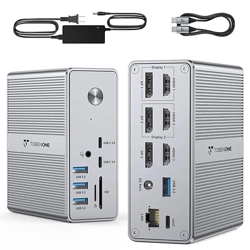
①
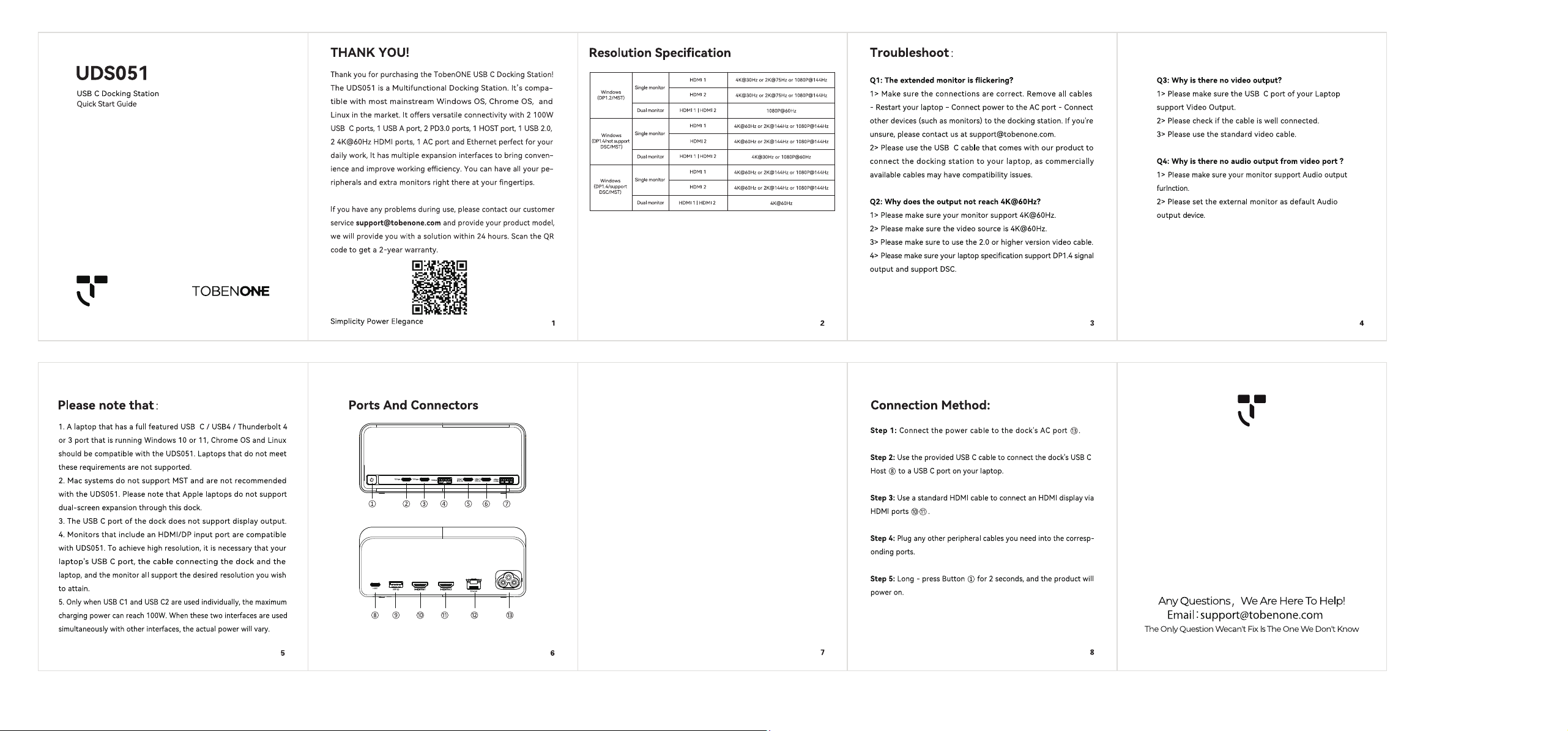
Power Button: Click this button to switch the screen display co
ntent.
Press and hold this button for 2 seconds to turn the product
on or o.
②③
USB C 3.2: Suppo 10Gbps data transfer maximum power
output 5V/0.9A.
④
USB A 3.2: Suppo 10Gbps data transfer maximum power
output 5V/0.9A.
⑤⑥
USB C Charging Po: Maximum power of 100W no data transfer.
⑦
USB A Po: Maximum power output 5V/2.4A no data transfer.
** When connecting the HOST to the laptop the actual charging
power
⑤⑥⑦
is as follows: HOST (100W) +
⑤
C1 po (30W) +
⑥
C2
po (15W) +
⑦
po (12W)**
⑧
HOST Po: Connect to the laptop.
⑨
USB A 2.0: 480Mbps data transfer maximum power output 5V/0.5A.
⑩
HMDI 1: Resolution up to 4K@60Hz for single display.
⑪
HMDI 2: Resolution up to 4K@60Hz for single display.
⑫
LAN Po: 1000M/100M/10Mbps.
⑬
AC Po: Connect the power cable.