
Remote User Manual
1. Basic Functions
Button Function Description
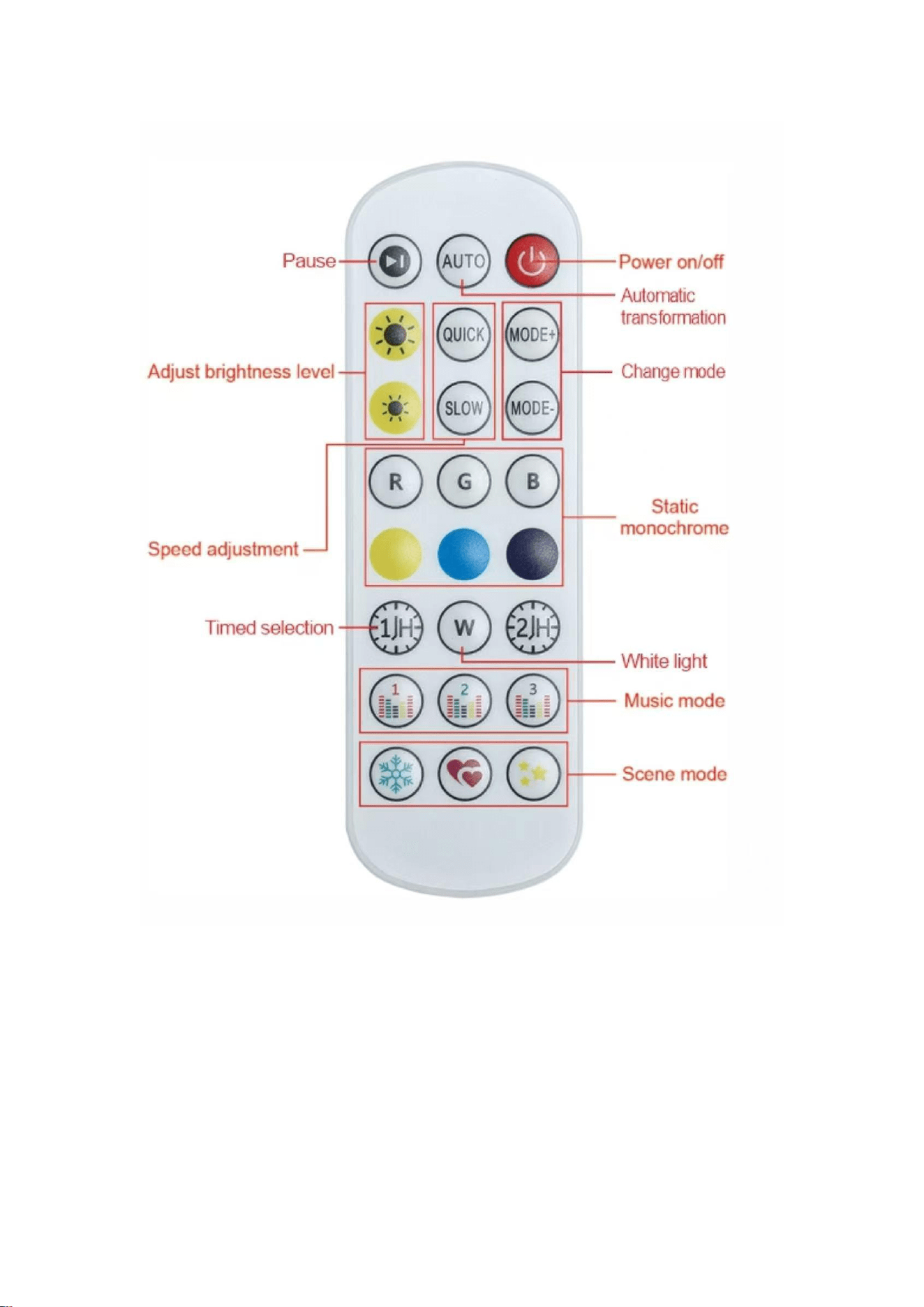
Power on/off Press to turn the LED light on or off.
Pause Pauses the current dynamic light effect, keeping the display static.
AUTO Activates automatic color and effect transformation mode.
2. Effect Adjustment
Button Function Description
MODE+ / MODE- Cycles through different dynamic light effect modes.
QUICK / SLOW Adjusts the speed of dynamic light effects (QUICK for faster changes,
SLOW for slower).
Adjust brightness level The two sun icons adjust the overall brightness (upper for
brighter, lower for dimmer).
3. Color Control
Button Function Description
R / G / B Activates static red, green, or blue monochrome light respectively.
Yellow / Blue / Dark Blue Activates static yellow, blue, or dark blue monochrome light
respectively.
White light (W) Switches to static white light mode.
4. Advanced Functions
Button Function Description
Timed selection (1H / 2H) Sets an automatic shutdown timer for 1 hour or 2 hours.
Music mode (1 / 2 / 3) Activates music sync mode, with 3 different rhythm response
effects to choose from.
Scene mode (Snowflake / Heart / Star) Switches to preset scene modes: Snowflake
(cool, soft effect), Heart (romantic effect), Star (twinkling effect).
Notes
• Ensure the remote control is pointed directly at the LED light receiver for optimal
signal reception.
• Replace the batteries when the remote response becomes slow or unresponsive.
FCC Statement