6 7 8 9 10
MUTE II
QUICK START GUIDE
Simplify your listening experience by using the Defunc
AI App. It allows your headphones to communicate
with your devices using voice interaction or features
available directly in the app.
The Defunc AI App features a companion app ecosystem,
for you to add your own preferences and needs to. Get
features such as translation services, AI Chat, and other
custom tools.
DEFUNC AI APP FEATURES INCLUDE:
• AI Chat
• Voice filters for messages
• Customer service, FAQs, and manuals
• A library of additional features and apps
APP FEATURES:
RULES AND REGULATIONS 1/2 RULES AND REGULATIONS 2/2
HOW DO I MAKE A CLAIM ON MY DEFUNC PRODUCT?
If you receive your goods and discover they are damaged
or have other defects, please contact customer service,
and provide us with your contact and purchase details.
defunc.com/support/ - Scroll down and click on the <GET
IN TOUCH> button.
COMPLIANCE WITH FCC REGULATIONS
Caution! The user is cautioned that changes or modifica-
tions not expressly approved by the party responsible for
compliance could void the user’s authority to operate the
equipment. This equipment has been tested and found to
comply with the limits for a Class B digital device, pursuant
to Part 15 of the FCC Rules. These limits are designed to
provide reasonable protection against harmful interference
in a residential installation.
This equipment generates, uses, and can radiate radio
frequency energy and, if not installed and used in accor-
dance with the instructions, may cause harmful interference
to radio communications. However, there is no guarantee
that interference will not occur in a particular installation. If
this equipment does cause harmful interference to radio or
television reception, which can be determined by turning
the equipment on and off, the user is encouraged to try
to correct the interference by one or more of the following
measures:
• Reorient or relocate the receiving antenna
• Increase the separation between the equipment and receiver.
• Connect the equipment into an outlet on a circuit that differs
from that to which the receiver is connected.
• Consult the dealer or an experienced radio/TV technician
for help.
This device complies with Part 15 of the FCC Rules. Operation
is subject to the following two conditions: (1) this device
may not cause harmful interference, and (2) this device must
accept any interference received, including interference that
may cause undesired operation.
THE SPECIFICATION AND EXTERNAL APPEARANCE
OF THE HEADPHONES MAY BE SUBJECT TO CHANGE
WITHOUT PRIOR NOTICE.
If at any time in future you should need to dispose of this
product, please note that waste electrical products should
not be disposed of with household waste. Please recycle
where facilities exist. Check with your local authority or retailer
for recycling advice.
EU DECLARATION OF CONFORMITY
The Art of Utility AB hereby declares that Defunc MUTE II
complies with Directive 2014/53/EU. The full text of the EU
Declaration of Conformity is available on:
defunc.com/documents.
AI-APP
1 2 3 4 5
AUTO-PAIR & CONNECTING
1. Turn on the headphones — pairing mode activates
automatically on first use.
2. Open Bluetooth settings on your device.
• If pairing does not start automatically, reset the headphones and try again.
BUTTON CONTROLS
1. Play / Pause
Press the power button once
2. Next Track
Press and hold the volume + button for 2 seconds
3. Previous Track
Press and hold the volume – button for 2 seconds
CALLS
1. Answer / End Call
Press the power button once
2. Reject Call
Press and hold the power button for 2 seconds
VOICE ASSISTANT
Press the play/pause button and hold for 3 seconds
NOISE CONTROL MODES
• ANC
• Transparency
• Normal
Press the ANC button once to switch between the different
listening modes. When the headphones are turned on, they
will resume the same mode that was active when they were
turned off.
RESET
1. Turn off the headphones by pressing the power button
for 3 seconds
2. Press and hold the power button for 10 seconds
3. The headphones will reset and enter pairing mode
LED INDICATOR
• Flashing Blue Light – Pairing mode
• Solid White Light – Connected
• White Light – ON: charging / OFF: fully charged
• Green Light - ANC mode is on
POWER ON
Press and hold the power button for 3 seconds until the LED
indicator lights up.
POWER OFF
Press and hold the power button for 3 seconds until the LED
indicator turns off.
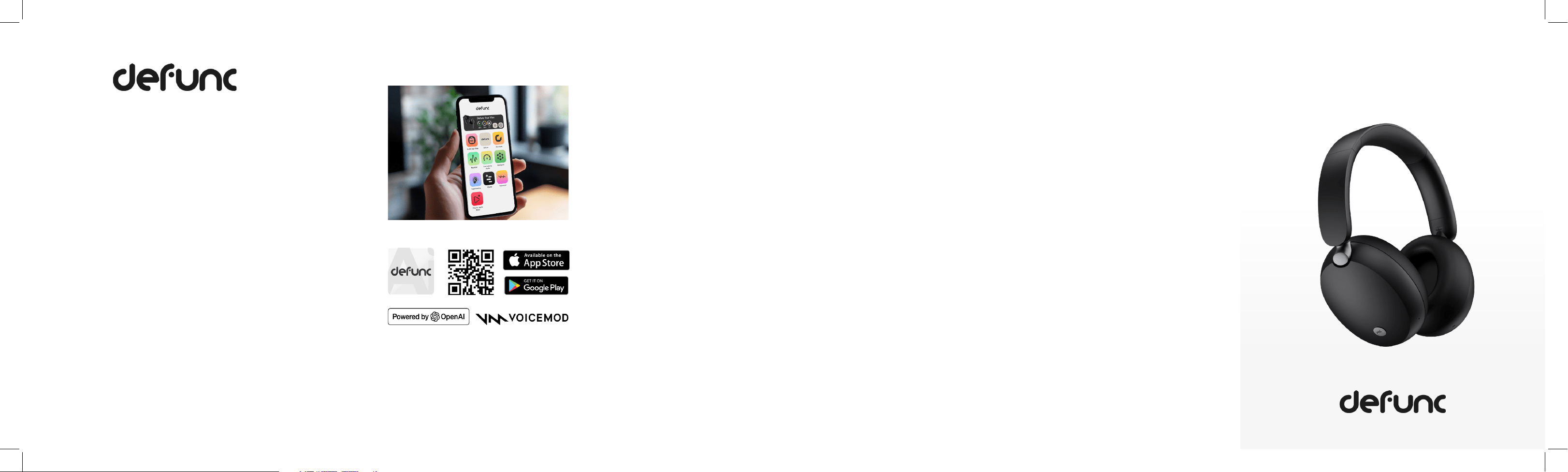
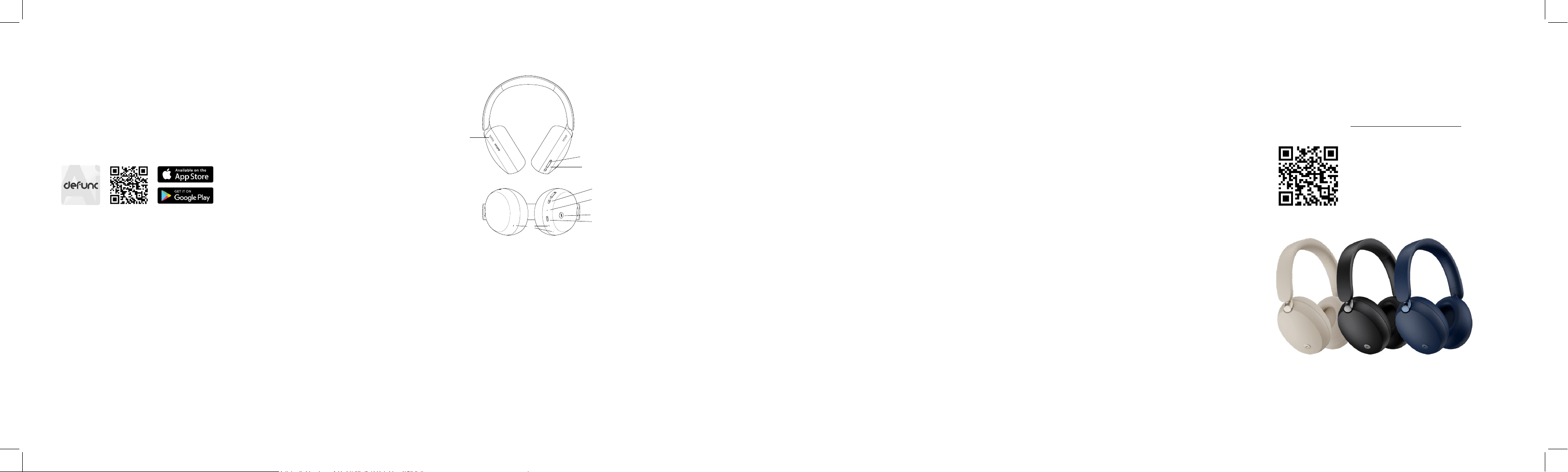
1. Power Button
2. LED Light
3. Volume +
4. Volume -
5. Charging port / Aux in
audio port
6. Ventilation
7. ANC Button
8. Microphones
PRODUCT OVERVIEW
GET STARTED
3.
4.
1.
5.
7.
6.
8.
2.
FULL MANUAL
For full instructions, and the complete user manual, download
the Manual PDF file from defunc.com.
To the full manual: https://defunc.com/support/
ENJOY YOUR NEW DEFUNC PRODUCT!
Get started by downloading the Defunc AI App
where you download your apps. Access tips and tricks
on how to optimize your Defunc MUTE II headphones,
and explore additional features for your device.
Download here:
INCLUDED IN BOX
• Defunc MUTE II Headphones
• Type USB to C charging cable
CHARGING
1. Connect the USB-C cable to the charging port on
the headphones.
2. Plug the other end into a USB power source (5 W max).
3. The LED indicator lights up while charging.
4. When fully charged, the LED light turns off.
• Caution: Use only certified charging accessories.