FCC Caution:
This device complies with part 15 of the FCC Rules. Operation is subject to the
following two conditions: (1) This device may not
cause harmful interference, and (2) this device must accept any
interference received, including interference that may cause
undesired operation.
Any changes or modifications not expressly approved by the party responsible
for compliance could void the user's authority to
operate the equipment.
NOTE: This equipment has been tested and found to comply with the limits for
a Class B digital device, pursuant to Part 15 of the
FCC Rules. These limits are designed to provide reasonable
protection against harmful interference in a residential installation. This
equipment generates, uses and can radiate radio frequency energy and, if not
installed and used in accordance with the
instructions, may cause harmful interference to radio
communications. However, there is no guarantee that interference will not
occur in a particular installation.
If this equipment does cause harmful interference to radio or
television reception,
which can be determined by turning the equipment off and on, the user is
encouraged to try to correct the interference by one or
more of the following measures:
-- Reorient or relocate the receiving antenna.
-- Increase the separation between the equipment and receiver.
-- Connect the equipment into an outlet on a circuit different from
that to which the receiver is connected.
-- Consult the dealer or an experienced radio/TV technician for
help.
The device has been evaluated to meet general RF exposure
requirement. The device can be used in portable exposure
condition without restriction.
American agent information
Company Name: GLOCERTS TECHNOLOGY INC
FRN: 0036339737
Contact Name: Huiying Fan
Address: 19784 SUNKISSED RIDGE DR, RIVERSIDE, CA 92507
Telephone No: (626) 588-8039
Email: huiying.fan@glocerts.com
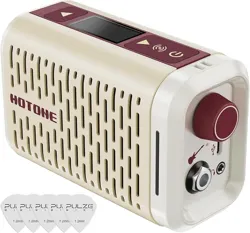
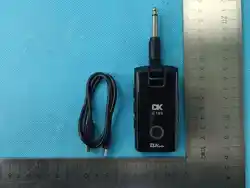
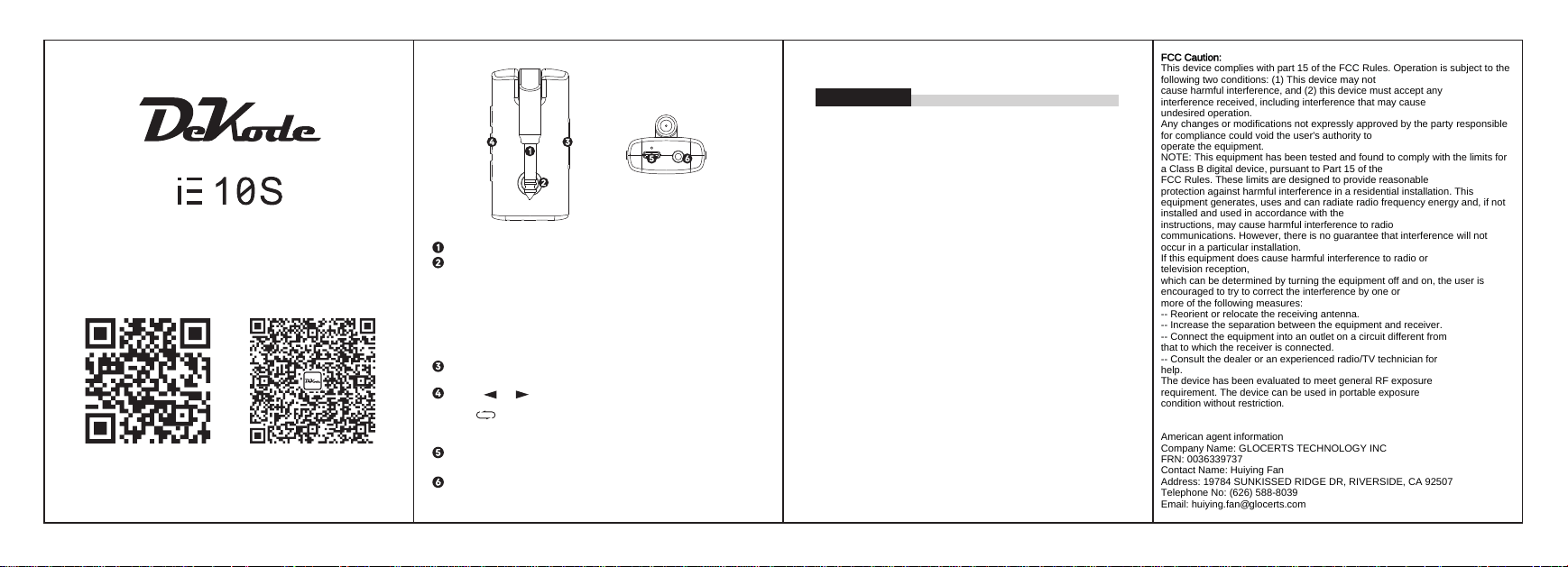
6.35 mm (1/4") mono input jack for connecting your instrument.
Press and hold the button to turn on/off; when powered on, short press to enable
Bluetooth, double-click to disable Bluetooth.
RGB LED Indicators:
Blue blinking: Bluetooth device not connected
Blue solid: Bluetooth device connected
Red solid: Low battery
Red blinking: Charging in progress
PS: Bluetooth status has the highest priority, followed by battery display,
and preset display has the lowest priority.
Press " + " / " - " to adjust the device volume;
Press " + " and " - " simultaneously to mute.
Press " " / " " to switch presets within a group. Each group has 10 preset
tones, with a total of 5 groups.
The " " button cycles through preset groups 1–5. When switching groups,
the LED blinks for 3 seconds and then displays the current preset.
Green → Sky blue → Yellow → Purple → White
Type-C USB port for charging, connecting to phones or computers for recording,
and firmware updates.
3.5mm (1/8") stereo headphone jack for connecting headphones, speakers,
or effects processors.
A/D/A Conversion: 24-bit
Sampling Rate: 44.1kHz
Signal-to-Noise Ratio: 103dB
Effect Modules: Supports up to 8 effect modules
Specifications
Preset Quantity: 50 built-in factory presets
Analog Input Connection:
Input: 6.35mm (1/4") unbalanced input (TS) jack, impedance 1MΩ
Analog Output Connection:
Stereo (Headphone) Output: 3.5mm (1/8") TRS jack,
impedance 100Ω
Digital Connection:
USB Port: USB 2.0 Type-C port
USB Recording Specifications:
Sampling Frequency: 44.1kHz
Bit Depth: 16-bit
Dimensions & Weight:
Dimensions: 84.3mm (L) × 43.7mm (W) × 32.2mm (H)
Weight: 64g
Power Supply:
Power Requirement: USB Type-C, DC 5V
Built-in Battery: 1000mAh
Quick User Guide
www.dk-music.cn
Scan the QR code for
detailed instructions
Operating Frequency: 2402MHz—2480MHz
Max. RF Power: 1dBm