
Instruction manual
1.Product Information
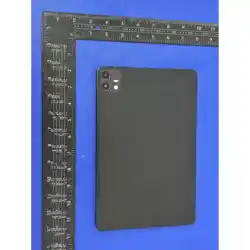
(1) Product Name:QMX Touch Display
(2) Product Model:QMX Touch Display 10.95
(3) Input: 100-240V~50/60Hz
(4) Power Adapter Output: 5V DC 2A
(5) Built-in Battery: 3.85V 7000mAh
(6) Accessories: USB-C Power Adapter, Type-C OTG Adapter
2.FCC Compliance Statement
This device complies with Part 15 of the FCC Rules. Operation is subject to the following two
conditions:
(1) This device may not cause harmful interference.
(2) This device must accept any interference received, including interference that may cause
undesired operation.
3.Modification Warning
Changes or modifications not expressly approved by the party responsible for compliance could
void the user’s authority to operate the equipment.
4.RF Exposure Information
This equipment meets FCC RF radiation exposure limits for uncontrolled environment. The
transmitter antenna cannot be placed together or work with other transmitting antennas. When
carrying on body, use accessories without metal parts.
5. Basic Operation Guide
5.1 Power On / Off
(1) Power On: Long press the power button for 3 seconds until the brand logo appears.
(2) Power Off: Long press power button, select “Power off” on screen to shut down.
(3) Force Reboot: If the device freezes, long press power button over 10 seconds to restart.
5.2 Home & System Navigation
(1) Swipe up from bottom edge: Return to home screen.
(2) Swipe up and hold: Open recent running apps.
(3) Swipe from left/right edge: Go back to previous page.
5.3 Wi-Fi Connect Wi-Fi
(1) Open Settings → Network & internet → Wi-Fi
(2) Turn on Wi-Fi, select available network name
(3) Input password and tap connect.
5.4 Pair Bluetooth
(1) Open Settings → Connected devices → Pair new device
(2) Turn on Bluetooth, select target peripheral to complete pairing.
5.5 Charging
(1) Plug the power adapter into AC wall socket.
(2) Insert Type-C plug into tablet charging port.
(3) Battery icon on status bar will show charging status.
(4) Full charging time is around 3–4 hours. Unplug charger once fully charged.
(5) Note: Only use original supplied power adapter to avoid damage to battery and device.

6.Safety Warnings
(1) Do not expose the tablet to high temperature, humid or dusty environment.
(2) Do not disassemble, squeeze or puncture the built-in battery.
(3) Stop using immediately if charger, cable or device appears abnormal heating, smoke or odor.
(4) Keep away from strong magnetic field equipment to avoid screen and signal abnormality.
(5) This product is auxiliary supporting equipment, please operate in accordance with host
device instructions.
(6) This equipment has been tested and found to comply with the limits for a Class B digital
device,pursuant to part 15 of the FCC Rules.These limits are designed to provide reasonable
protection against harmful interference in a residential installation.This equipment
generates,uses and can radiate radio frequency energy and,if not installed and used in
accordance with the instructions,may cause harmful interference to radio communications.
However,there is no guarantee that interference will not occur in a particlar installation.If
this equipment does cause harmful interference to radio or television reception,which can
be determined by turning the equipment off and on,the user is encouraged to try to correct
the interference by one or more of the following measures:
(7) -Reorient or relocate the receiving antenna.
(8) -Increase the separation between the equipment and receiver.
(9) -Connect the equipment into an outlet on a circuit different from that to which the receiver
is connected.
(10) -Consult the dealer or an experienced radio/TV technician for help.