088-7663-00
PART NO. / N.º PIEZA
MODEL NO. / N.º MODELO
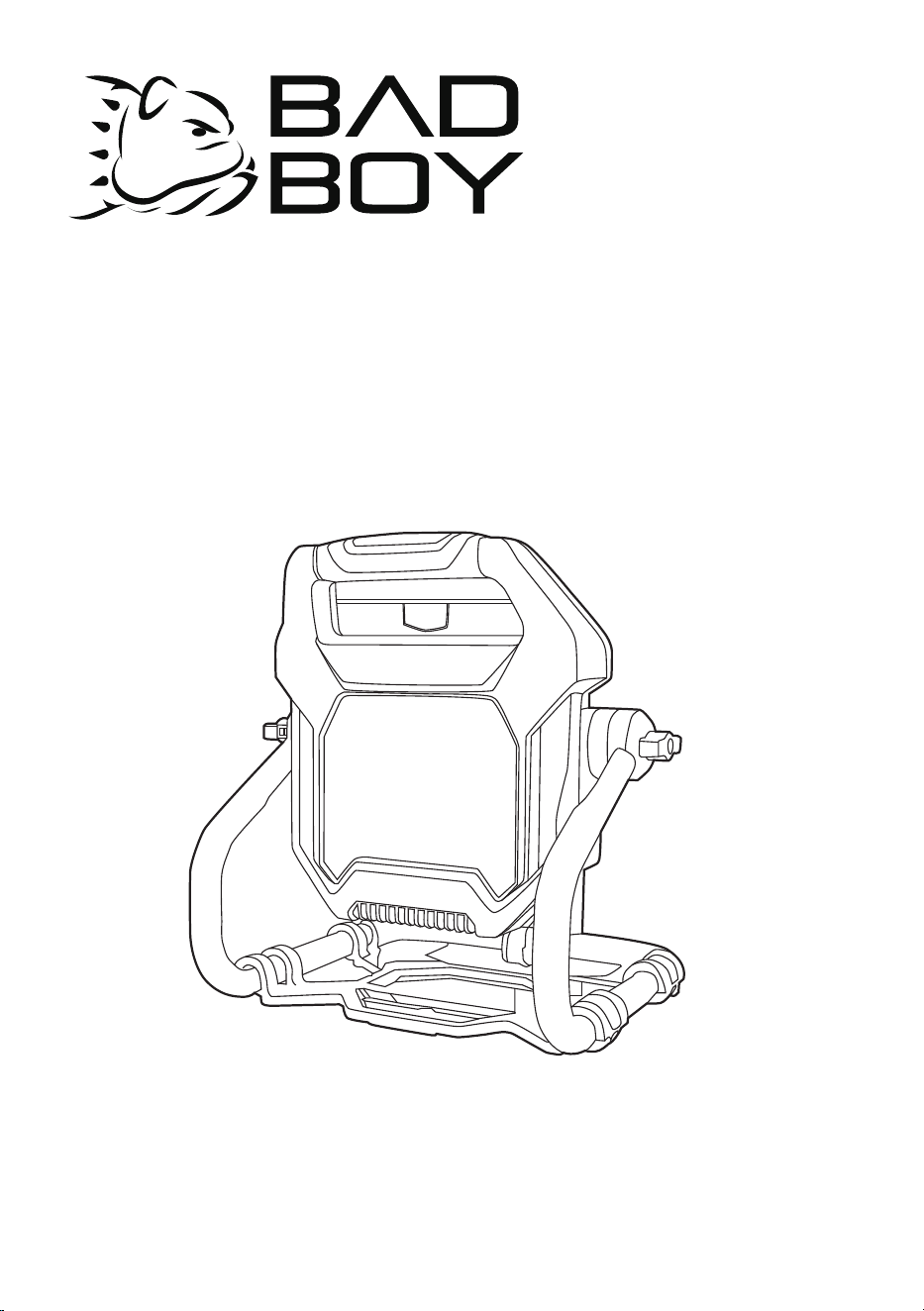
WL80BACDC
Badboycountry.com
EN OPERATOR MANUALWORK LIGHT
ES MANUAL DEL OPERADORLUZ DE TRABAJO

1 Description.................................2
1.1 Purpose................................................... 2
1.2 Overview..................................................2
2 Important safety
instructions................................2
3 Electrical safety......................... 2
4 Extension cords........................ 2
5 Product use and care................3
6 Battery tool use and care......... 3
7 FCC Requirement...................... 3
8 Symbols on the product........... 4
9 Risk levels..................................4
10 Proposition 65........................... 4
11 Environmentally safe
battery disposal.........................4
12 Installation................................. 5
12.1 Unpack the product..................................5
12.2 Swivel the light head................................5
12.3 Install the battery pack.............................5
12.4 Connect to the power source...................6
12.5 Remove the battery pack.........................6
13 Operation................................... 6
13.1 Start the machine.....................................6
14 Maintenance...............................6
14.1 Clean the machine...................................6
15 Technical data............................6
16 Limited warranty........................7
17 Exploded view........................... 7
1
English (Original Instructions)
EN
1 DESCRIPTION
1.1 PURPOSE
The machine is used to illuminate the work area.
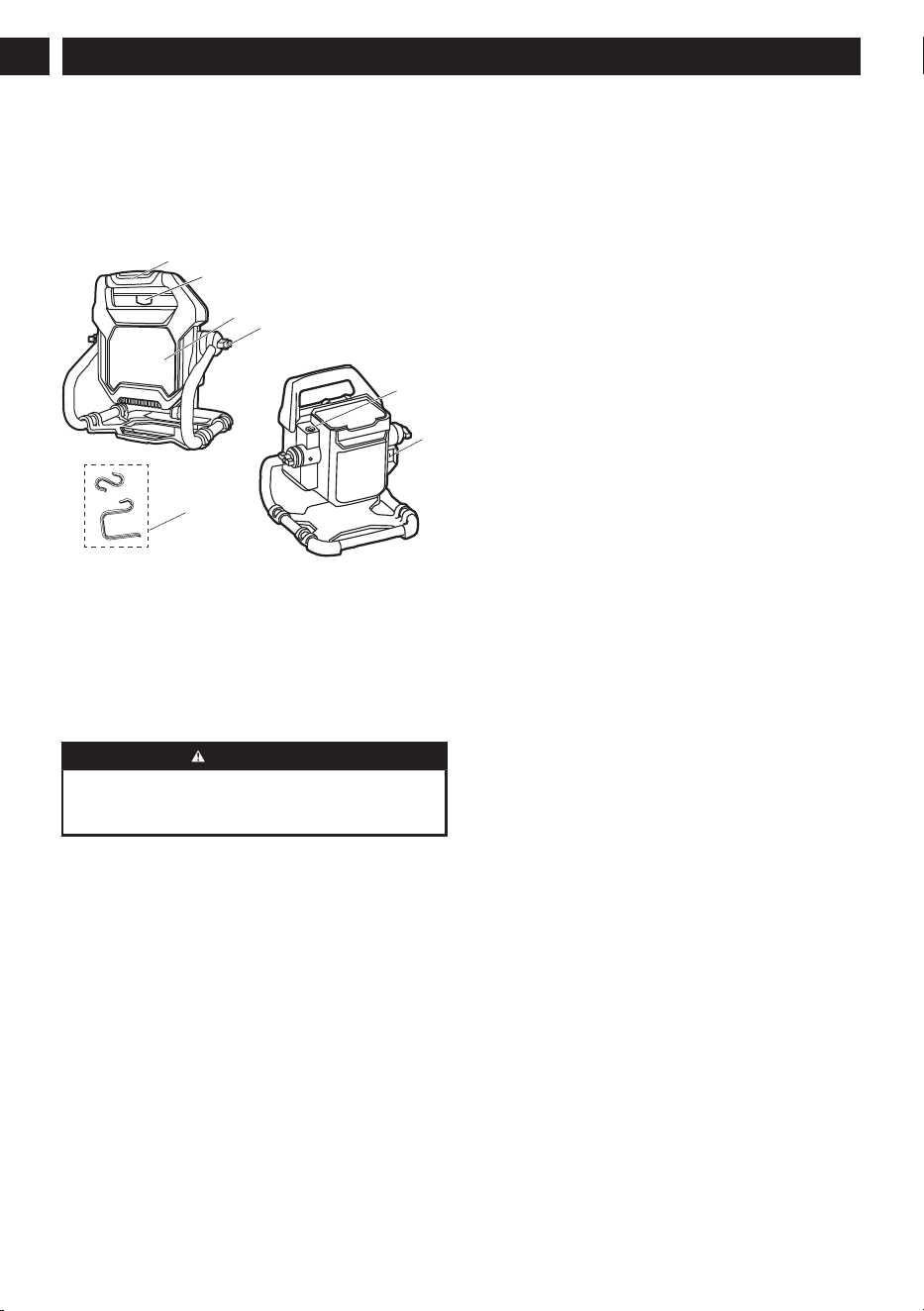
1.2 OVERVIEW
3
5
1
4
6
7
2
1
Auxiliary handle
2
Battery release
button
3
Lens
4
Knob
5
ON/OFF switch
(HIGH/ LOW/OFF)
6
AC receptacle
7
Hooks
2 IMPORTANT SAFETY
INSTRUCTIONS
WARNING
Read all safety warnings and all instructions.
Failure to follow the warnings and instructions may
result in electric shock, fire and/or serious injury.
Save all warnings and instructions for future
reference.
The term "product" in the warnings refers to your
mains-operated (corded) product or battery-operated
(cordless) product.
When using the product, additional precautions should
always be followed, including the following:
• Store the product in a dry area that will prevent
unauthorized use or damage. Keep out of the reach
of children.
• Keep handles dry, clean, and free of debris. Clean
the product after each use.
• The product is not intended for use by persons
(including children) with reduced physical, sensory
or mental capabilities, or lack of experience
and knowledge, unless they have been given
supervision or instruction concerning use of the
product by a person responsible for their safety.
Children should be supervised to ensure that they
do not play with the product.
• Have servicing performed by a qualified repair
person using only identical replacement parts.
This will ensure that the safety of the product is
maintained.
• To reduce the risk of electrical shock, do not put the
cord or battery in water or other liquids. Do not place
or store the product where it can fall or be pulled
into a tub or sink.
• All metal parts are free from burrs or sharp edges
which could damage conductor insulation.
• To reduce the risk of injury, close supervision is
necessary when a product is used near children.
• The lens gets very hot during use. To reduce the risk
of burns, do not contact hot parts.
• Do not modify or attempt to repair the product or the
battery pack (as applicable) except as indicated in
the instructions for use and care.
3 ELECTRICAL SAFETY
• To disconnect, turn all controls off, then remove the
plug from the outlet.
• Unplug from the outlet when not in use and before
servicing or cleaning.
• Do not operate any product with a damaged cord
or plug, or after the product malfunctions or is
dropped or damaged in any manner. Return the
product to the nearest authorized service facility
for examination, repair, or electrical or mechanical
adjustment.
• Don’t Abuse Cord – Never carry the product by the
cord or yank it to disconnect from the receptacle.
Keep the cord away from heat, oil, and sharp edges.
• Disconnect the product from the power supply when
not in use, before servicing, when changing bulbs
(lamp), cleaning, and similar actions.
• Do not insert foreign objects into this product.
• Be sure to use an extension cord that has the
capacity to handle the current the work light will
draw. An undersized cord will cause a drop in
line voltage, resulting in overheating and loss of
power. Use the chart to determine the minimum
wire size required in an extension cord. Only round
jacketed cords listed by Underwriter’s Laboratories
(UL) should be used.
4 EXTENSION CORDS
• Use only extension cords that have plugs and
receptacles which accept the product’s plug.
Replace damaged extension cords.
• When working outdoors with the product, use an
extension cord that is designed for outside use. This
type of cord is designated with “W-A” or “W” on
the cord’s jacket. Before using any extension cord,
2
English (Original Instructions)
EN
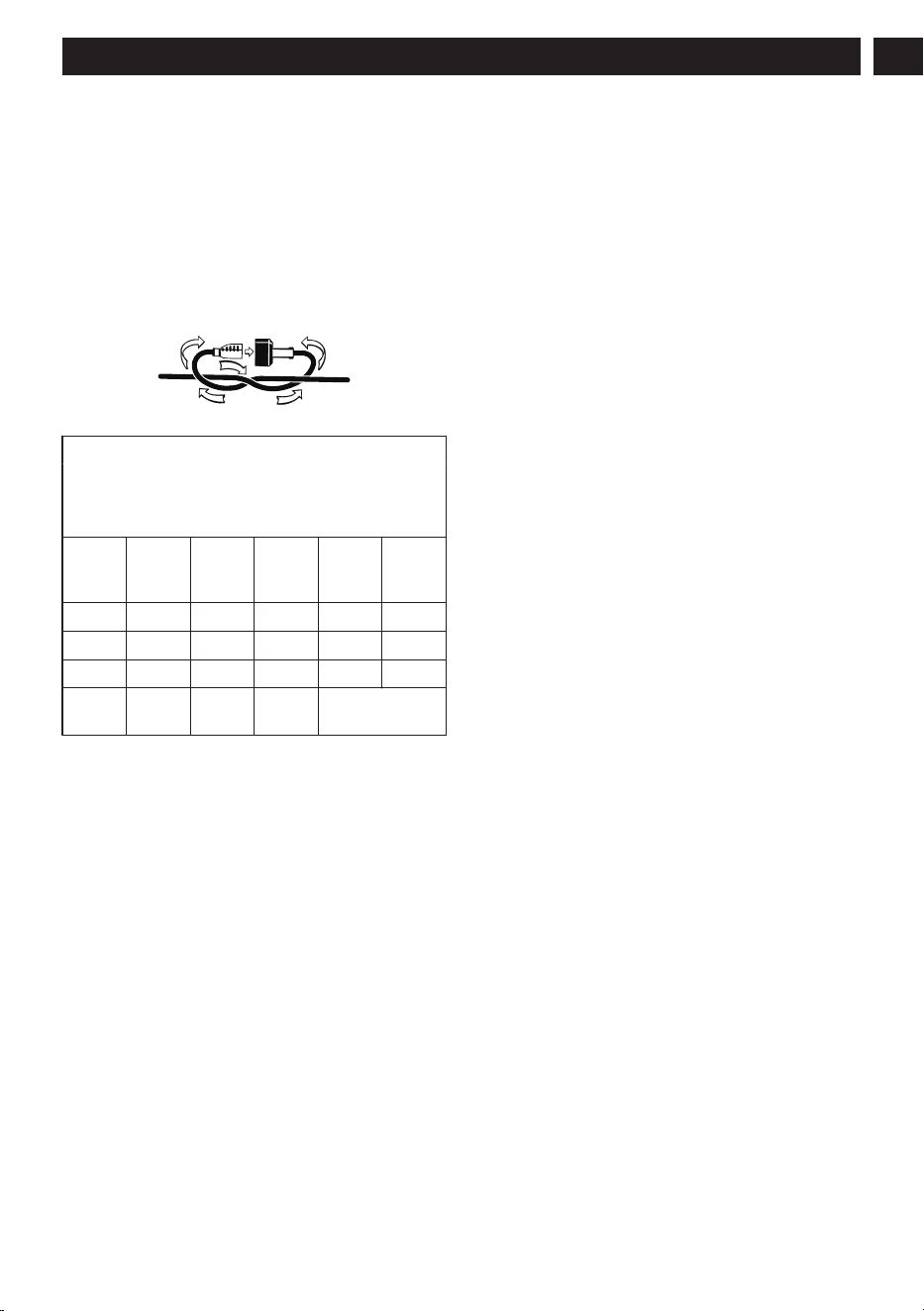
inspect it for loose or exposed wires and cut or worn
insulation.
• Make sure your extension cord is in good condition.
When using an extension cord, be sure to use one
heavy enough to carry the current your product will
draw. An undersized extension cord will cause a
drop in line voltage resulting in loss of power and
overheating. The following table shows the correct
size to use depending on cord length and nameplate
ampere rating. If in doubt, use the next heavier
gauge. The smaller the gauge number, the heavier
the cord.
Minimum Gauge for Extension Cords (AWG)
(when using 120 V only)
Amp Rating
Total Length of Cord in Feet (me-
ters)
More
Than
Not
More
Than
25' (7.6
m)
50' (15
m)
100'
(30 m)
150'
(45m)
0 6 18 16 16 14
6 10 18 16 14 12
10 12 16 16 14 12
12 16 14 12
Not Recommen-
ded
Keep the extension cord clear of the working area.
Position the cord so that it will not get caught on lumber,
tools, or other obstructions while you are working with
the product. Failure to do so can result in serious
personal injury.
This product has a polarized plug (one blade is wider
than the other) as a feature to reduce the risk of electric
shock. This plug will fit in a polarized outlet only one
way. If the plug does not fit fully in the outlet, reverse the
plug. If it still does not fit, contact a qualified electrician.
Never use an extension cord unless the plug can be
fully inserted. Do not alter the plug.
5 PRODUCT USE AND CARE
• If operating a product in a damp location is
unavoidable, then the product should only be
connected to a circuit that is protected by a ground-
fault circuit-interrupter (GFCI). Use of a GFCI
reduces the risk of electric shock.
• Keep out of reach of children.
• Avoid direct eye exposure. Do not direct the light
beam at persons or animals and do not stare into
the light beam yourself (not even from a distance).
The product can cause flash blindness.
6 BATTERY TOOL USE AND
CARE
• Disconnect the battery pack from the product before
making any adjustments, changing accessories, or
storing power tools, etc.
• Recharge only with the battery charger specified by
the manufacturer. A battery charger that is suitable
for one type of battery pack may create a risk of fire
when used with another battery pack.
• When battery pack is not in use, keep it away from
other metal objects like paper clips, coins, keys,
nails, screws, or other small metal objects, that can
make a connection from one terminal to another.
Shorting the battery terminals together may cause
burns or a fire.
• Under abusive conditions, liquid may be ejected
from the battery; avoid contact. If contact
accidentally occurs, flush with water. If liquid
contacts eyes, additionally seek medical help. Liquid
ejected from the battery may cause irritation or
burns.
• Do not use a battery pack or product that
is damaged or modified. Damaged or modified
batteries may exhibit unpredictable behavior
resulting in fire, explosion or risk of injury.
• Do not expose a battery pack or product to fire
or excessive temperature. Exposure to fire or
temperature above 265°F (130°C) may cause an
explosion.
• Follow all charging instructions and do not charge
the battery pack or product outside of the
temperature range specified in the instructions.
Charging improperly or at temperatures outside of
the specified range may damage the battery and
increase the risk of fire.
• Recharge only with the battery charger specified by
the manufacturer. A battery charger that is suitable
for one type of battery pack may create a risk of fire
when used with another battery pack.
• Use only with specifically designated battery packs.
Use of any other battery packs may create a risk of
injury and fire.
7 FCC REQUIREMENT
This device complies with Part 15 of the FCC Rules.
Operation is subject to the following two conditions:
1. this device may not cause harmful interference, and
2. this device must accept any interference received,
including interference that may cause undesired
operation.
3
English (Original Instructions)
EN
WARNING
Any changes or modifications not expressly approved
by the party responsible for compliance could void the
user’s authority to operate the equipment.
NOTE
This equipment has been tested and found to comply
with the limits for a Class B digital device, pursuant
to Part 15 of the FCC Rules. These limits are
designed to provide reasonable protection against
harmful interference in a residential installation. This
equipment generates, uses, and can radiate radio
frequency energy, and if not installed and used in
accordance with the instructions, may cause harmful
interference to radio communications. However, there
is no guarantee that interference will not occur in a
particular installation. If this equipment does cause
harmful interference to radio or television reception,
which can be determined by turning the equipment off
and on, the user is encouraged to try to correct the
interference by one or more of the following measures:
• Reorient or relocate the receiving antenna.
• Increase the separation between the equipment
and receiver.
• Connect the equipment into an outlet on a
circuit different from that to which the receiver is
connected.
• Consult the dealer or an experienced radio/TV
technician for help.
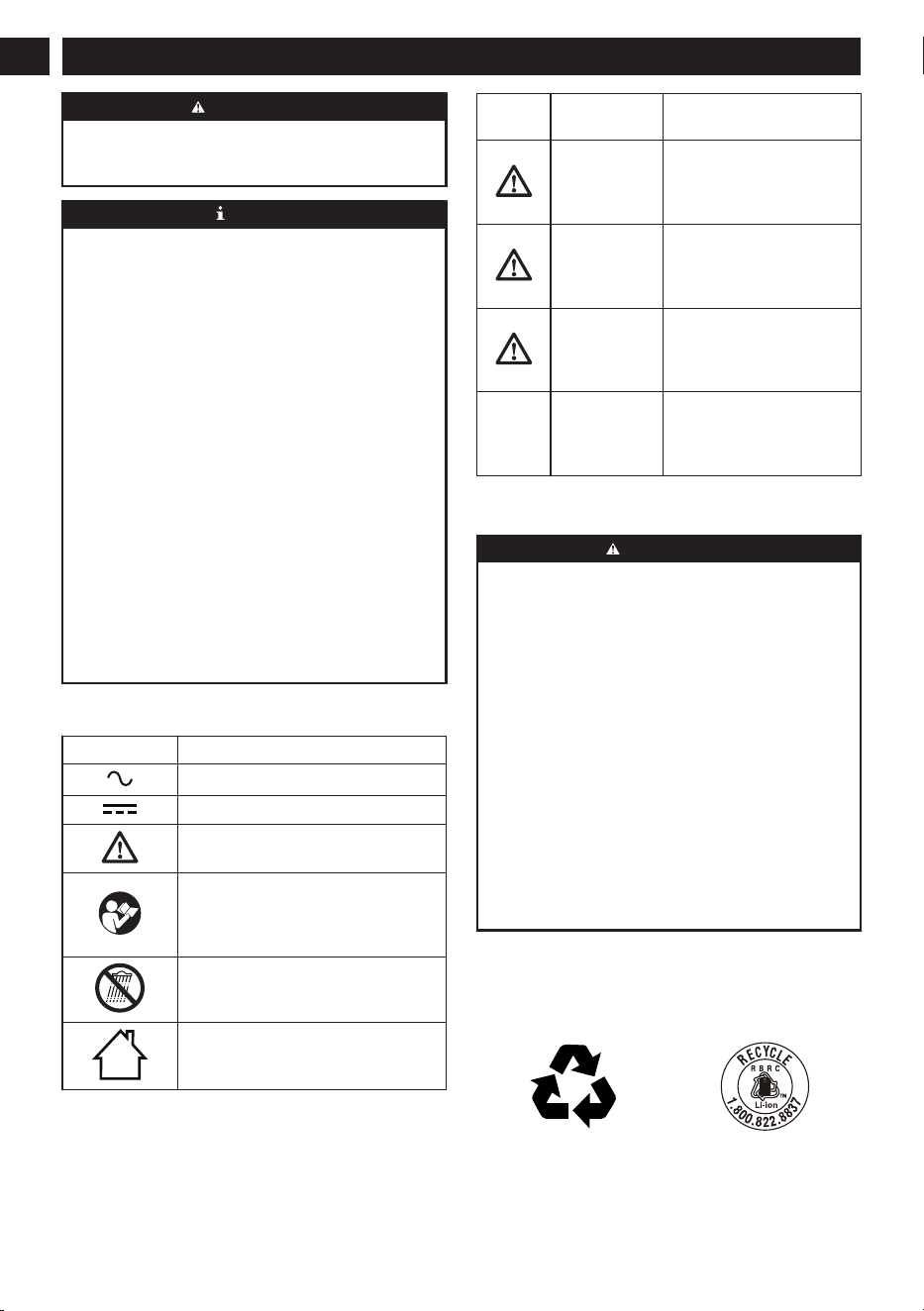
8 SYMBOLS ON THE PRODUCT
Symbol Explanation
Alternating Current
Direct current
Safety alert
Read and understand all instructions
before operating the product, and fol-
low all warnings and safety instruc-
tions.
Do not expose the product to rain or
moist conditions.
For indoor use only
9 RISK LEVELS
The following signal words and meanings are intended
to explain the levels of risk associated with this product.
SYM-
BOL
SIGNAL MEANING
DANGER Indicates an imminently
hazardous situation, which,
if not avoided, will result in
death or serious injury.
WARNING Indicates a potentially haz-
ardous situation, which, if
not avoided, could result in
death or serious injury.
CAUTION Indicates a potentially haz-
ardous situation, which, if
not avoided, may result in
minor or moderate injury.
CAUTION (Without Safety Alert Sym-
bol) Indicates a situation
that may result in property
damage.
10 PROPOSITION 65
WARNING
This product contains a chemical known to the
state of California to cause cancer, birth defects
or other reproductive harm. Some dust created by
power sanding, sawing, grinding, drilling, and other
construction activities contains chemicals known to
cause cancer, birth defects or other reproductive
harm. Some examples of these chemicals are:
• Lead from lead-based paints;
• Crystalline silica from bricks and cement and other
masonry products;
• Arsenic and chromium from chemically treated
lumber.
Your risk of exposure to these chemicals varies
depending on how often you do this type of work. To
reduce your exposure to these chemicals, work in a
well-ventilated area, and work with approved safety
equipment, such as dust masks that are specially
designed to filter out microscopic particles.
Save these instructions.
11 ENVIRONMENTALLY SAFE
BATTERY DISPOSAL
4
English (Original Instructions)
EN
The toxic and corrosive materials below are in the
batteries used in this machine: Lithium-ion, a toxic
material.
WARNING
Discard all toxic materials in a specified manner to
prevent contamination of the environment. Before
discarding damaged or worn-out Lithium-ion batteries,
contact your local waste disposal agency, or the local
Environmental Protection Agency for information and
specific instructions. Take the batteries to a local
recycling and/or disposal center, certified for Lithium-
ion disposal.
WARNING
If the battery pack cracks or breaks, with or without
leaks, do not recharge it and do not use. Discard it
and replace with a new battery pack. DO NOT TRY
TO REPAIR IT! To prevent injury and risk of fire,
explosion, or electric shock, and to avoid damage to
the environment:
• Cover the terminals of the battery with heavy-duty
adhesive tape.
• DO NOT try to remove or destroy any of the
battery pack components.
• DO NOT try to open the battery pack.
• If a leak develops, the released electrolytes are
corrosive and toxic. DO NOT get the solution in the
eyes or on skin, and do not swallow it.
• DO NOT put these batteries in your regular
household trash.
• DO NOT incinerate.
• DO NOT put them where they will become part of
any waste landfill or municipal solid waste stream.
• Take them to a certified recycling or disposal
center.
12 INSTALLATION
12.1 UNPACK THE PRODUCT
WARNING
Make sure that you correctly assemble the product
before use.
WARNING
• If parts of the product are damaged, do not use the
product.
• If parts are missing, do not operate the product.
• If parts are damaged or missing, contact the
service center.
1. Open the package.
2. Read the documentation provided in the box.
3. Remove all the unassembled parts from the box.
4. Remove the product from the box.
5. Discard the box and packing material in compliance
with local regulations.
WARNING
For your personal safety, do not insert battery before
the product is assembled completely.
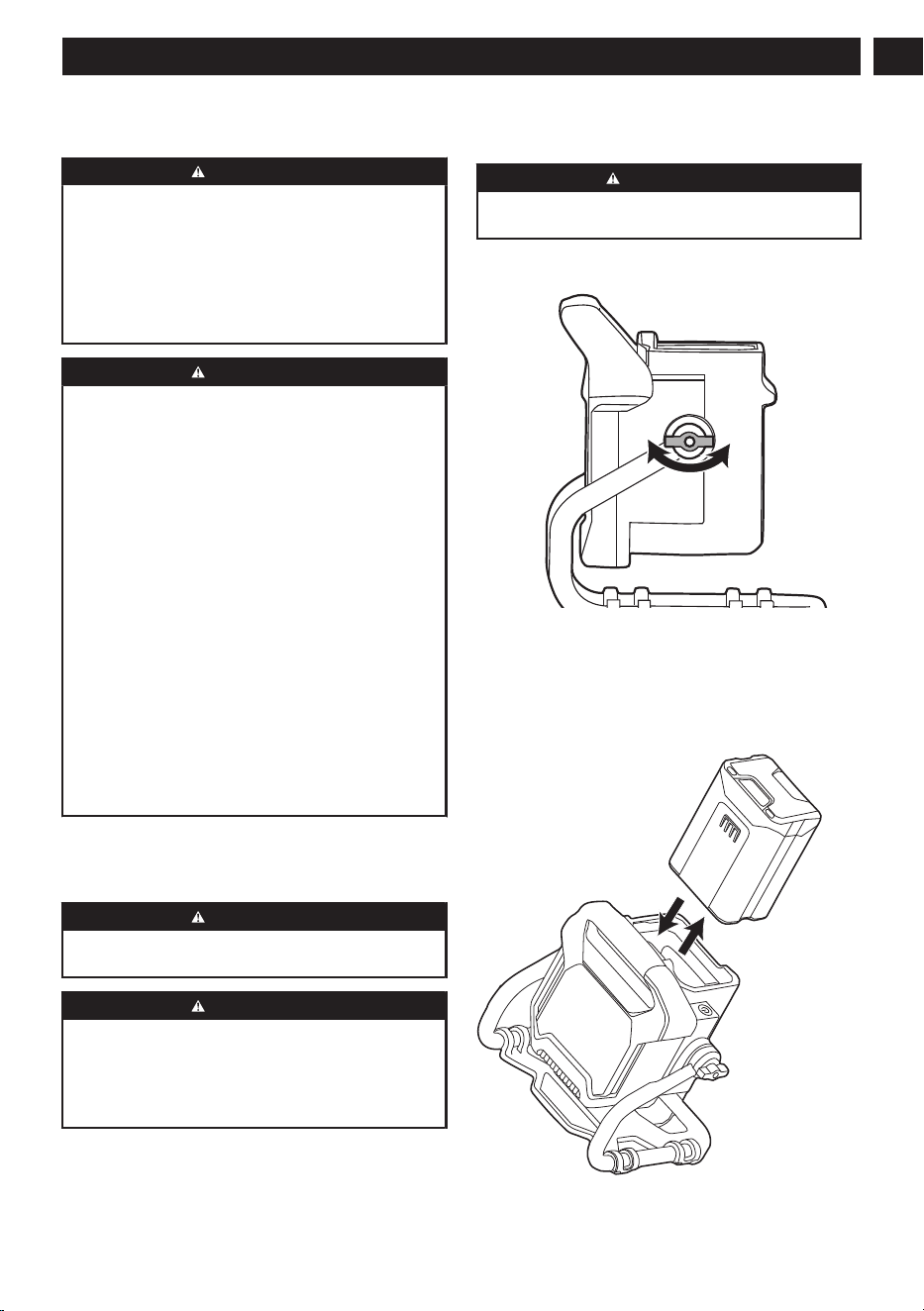
12.2 SWIVEL THE LIGHT HEAD
1. Hold the auxiliary handle and unlock the right and
left knobs.
2. Turn the light head to the necessary position.
3. Tighten the knobs.
12.3 INSTALL THE BATTERY PACK
5
English (Original Instructions)
EN
WARNING
• If the battery pack or charger is damaged, replace
the battery pack or the charger.
• Stop the machine and wait until the motor stops
before you install or remove the battery pack.
• Read, know, and do the instructions in the battery
and charger manual.
1. Align the lift ribs on the battery pack with the
grooves in the battery compartment.
2. Push the battery pack into the battery compartment
until the battery pack locks into place.
3. When you hear a click, the battery pack is installed.
12.4 CONNECT TO THE POWER
SOURCE
This product can be connected directly to a power
outlet. Insert the power cord into the product's
receptacle and connect the power cord to a compatible
wall outlet, which will automatically provide continuous
current to your product.
12.5 REMOVE THE BATTERY PACK
1. Push and hold the battery release button.
2. Remove the battery pack from the machine.
13 OPERATION
WARNING
Do not use any attachments or accessories not
recommended by the manufacturer of this product.
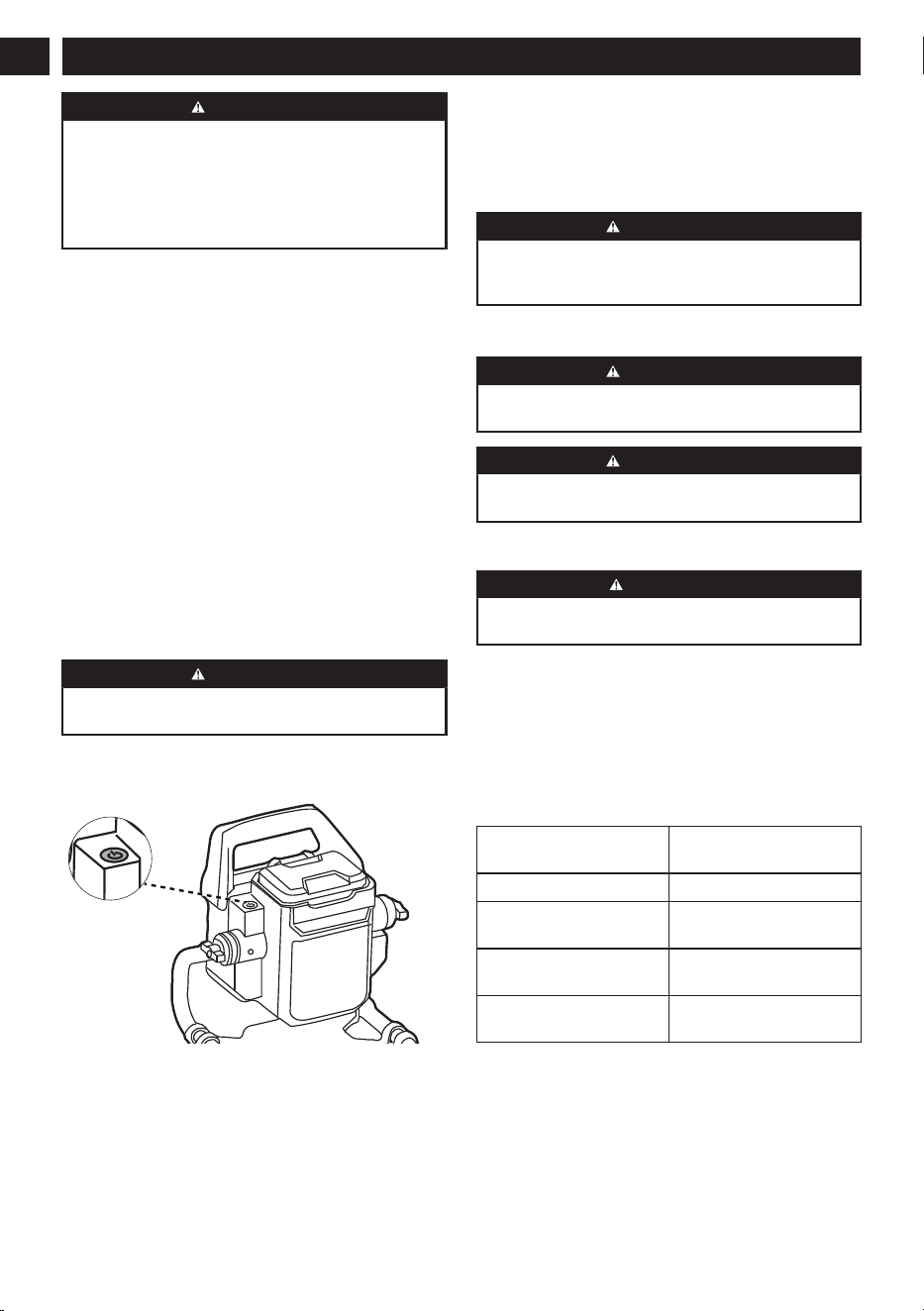
13.1 START THE MACHINE
1. Install the battery pack or connect the power source.
2. Press the ON/OFF switch to turn the machine
on. The machine will be turned on at maximum
brightness.
3. To reduce the brightness, press the ON/OFF switch
again.
4. Press the ON/OFF switch a third time to turn the
work light OFF.
Low voltage operation
When the battery pack is less than 5%, the machine will
flash three times with a brightness of 500 lumens.
WARNING
• Do not continue to press the ON/OFF switch after
the machine has automatically switched off. The
battery can be damaged.
14 MAINTENANCE
WARNING
Remove the battery pack from the machine before
maintenance.
WARNING
Do not use strong solvents or detergents on the plastic
housing or components.
14.1 CLEAN THE MACHINE
CAUTION
The machine must be dry. Humidity can cause risks of
electrical shocks.
• Clear the unwanted material out of the air vent with
a vacuum cleaner.
• Do not spray the air vent or put the air vent in
solvents.
• Clean the housing and the plastic components with
a moist and soft cloth.
15 TECHNICAL DATA
Dual power 80V or 120 Volts, 0.2 A,
20 W, 60 Hz AC
Lumens (max) 2500 lm
Weight (without battery
and charger)
4.6 lbs (2.1 kg)
Battery model BAT80V20A and other
BAT 80V series
Charger model CHA180VA4 and other
CHA 80V series
6
English (Original Instructions)
EN
The recommended ambient temperature range:
Item Temperature
Product storage tempera-
ture range
32°F (0°C) - 113°F (45°C)
Product operation temper-
ature range
32°F (0°C) - 113°F (45°C)
Battery charging tempera-
ture range
39°F (4°C) - 104°F (40°C)
Charger operation temper-
ature range
39°F (4°C) - 104°F (40°C)
Battery storage tempera-
ture range
32°F (0°C) - 113°F (45°C)
Battery discharging tem-
perature range
32°F (0°C) - 113°F (45°C)
16 LIMITED WARRANTY
BAD BOY hereby warranties this product, to the original
purchaser with proof of purchase, for a period of
four (4) years against defects in materials, parts or
workmanship. BAD BOY, at its own discretion will repair
or replace any and all parts found to be defective,
through normal use, free of charge to the customer.
This warranty is valid only for units which have been
used for personal use that have not been hired or
rented for industrial/commercial use, and that have
been maintained in accordance with the instructions in
the owners’ manual supplied with the product from new.
ITEMS NOT COVERED BY WARRANTY:
1. Any part that has become inoperative due to
misuse, commercial use, abuse, neglect, accident,
improper maintenance, or alteration; or
2. The unit, if it has not been operated and/or
maintained in accordance with the owner's manual;
or
3. Normal wear;
4. Routine maintenance items such as lubricants,
blade sharpening;
5. Normal deterioration of the exterior finish due to use
or exposure.
HELPLINE:
Warranty service is available by calling our toll-free
helpline, at 888-227-9443.
TRANSPORTATION CHARGES:
Transportation charges for the movement of any power
equipment unit or attachment are the responsibility of
the purchaser. It is the purchaser’s responsibility to
pay transportation charges for any part submitted for
replacement under this warranty unless such return is
requested in writing by BAD BOY.
Company name: Bad Boy, Inc.
Address: 102 Industrial Drive
Batesville, Arkansas 72501
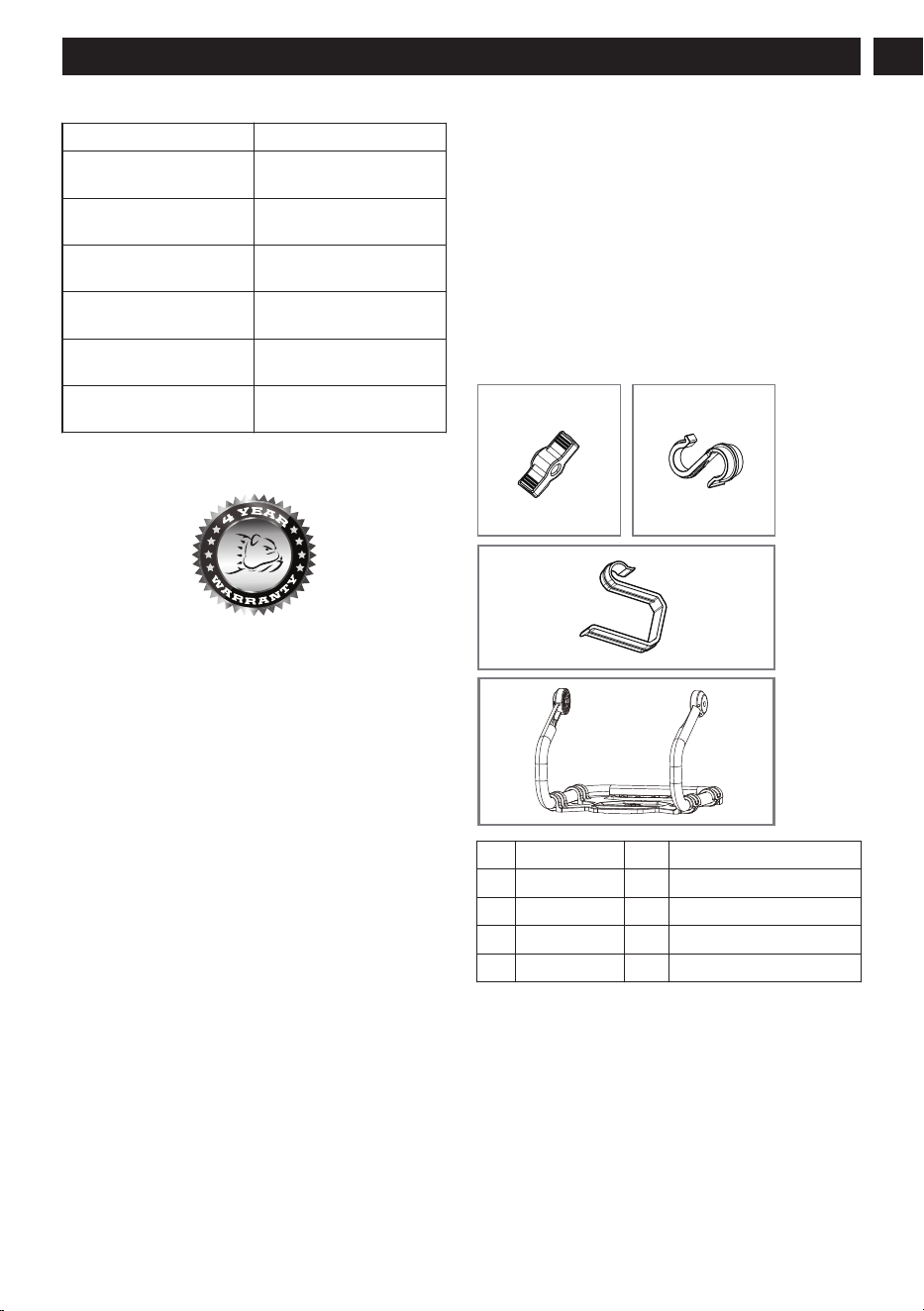
17 EXPLODED VIEW
3
1 2
4
No. Item No. QTY Description
1. R0201158-00 2 Knob
2. R0201156-00 1 S Hook
3. R0201157-00 1 Hook
4. R0201155-00 1 Bracket
7
English (Original Instructions)
EN
Badboycountry.com
P0805741-00 Rev B