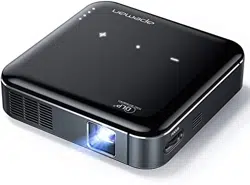
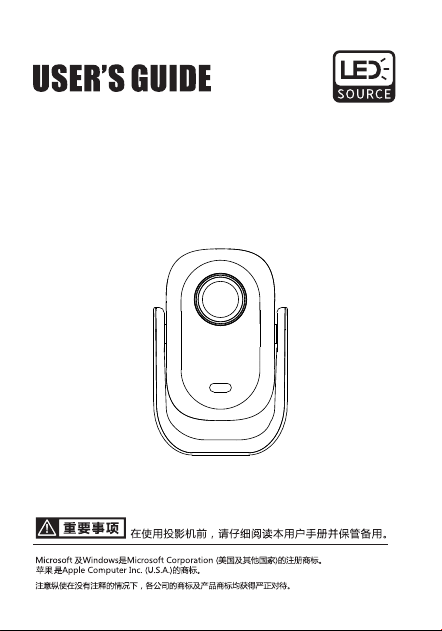
智能投影仪
用户说明书
Intelligent Projector
.01.
注意事项
1.务必使用设备标配电源适配器,如使用电源不当会对设备造成严重损坏;
2.长时间不使用设备,请保证关闭电源开关;
3.风扇口请避免有异物进入或遮挡出风口,以免影响风扇工作;
4.设备工作状态,请勿直接断电关机;
5.外接功耗较大的外置设备时,请确认功耗能否支持;
6.设备内置电源,请勿放置于高温或潮湿处,以免发生危险;
7.适用于海拔2000米及以下、非热带气候条件下安全使用;
为预防触电,请勿打开机壳。机内无顾客能够进行修理的部件。
维修事宜请委托有资格的专业维修人员来进行。
本标识警告用户机组内有未进行绝缘处理的电压,有可能引起表面磁
场造成触电。因此,接触机组内部的任何部件均非常危险。
为预防失火或触电,切勿将本机暴露于雨水或潮气之中。
此为A级产品,在生活环境中,该产品可能会造成无线电干扰。
在这种情况下,可能需要用户对其干扰采取切实可行的措施。
注意
警告
警告
警告
.02.
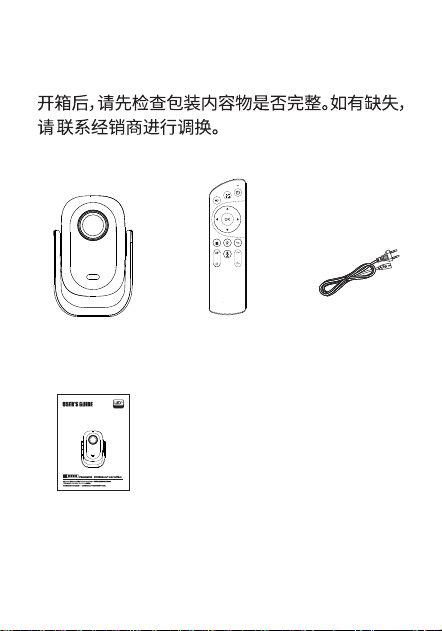
主机 遥控器 电源线
说明书
用户说明书
智能投影仪
Intelligent Projector
包装内容
.03.
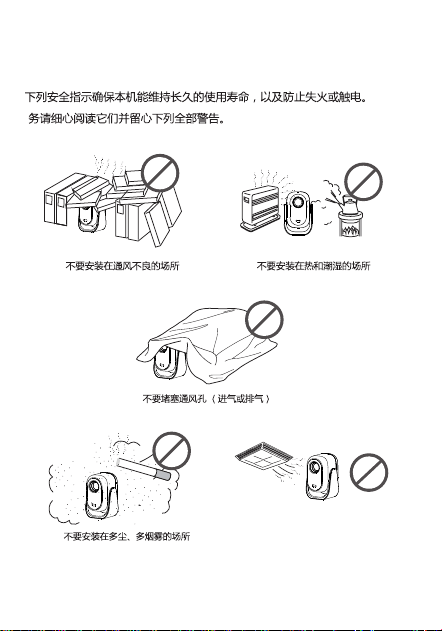
安装图示
不要安装在受空调的冷暖风直接吹
拂的场所,否则可能会由于水气凝
结或温度升高而导致机体故障
.04.
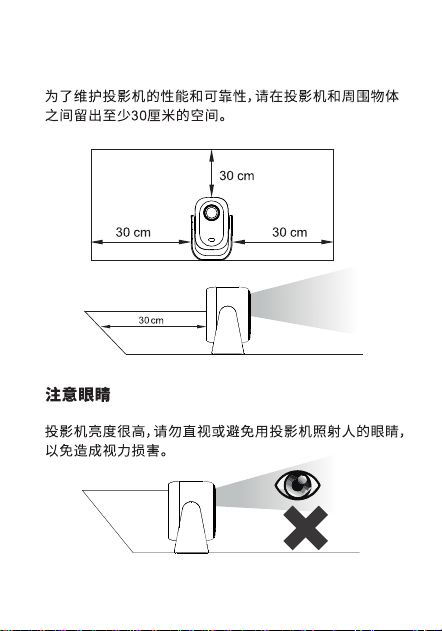
注意散热
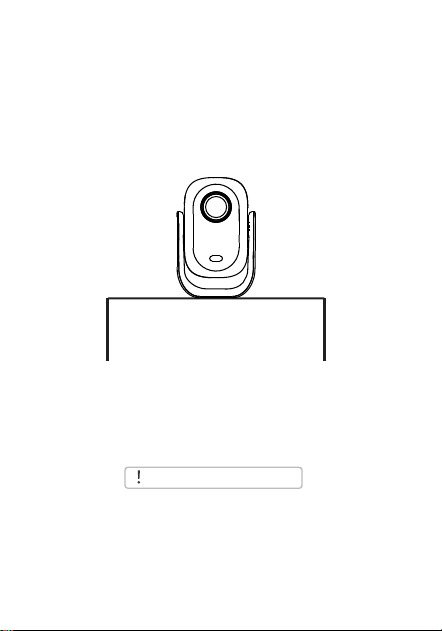
为了达到更好的观影效果,我们建议您选择以下安装方式
安装好投影机。
.05.
开始使用
安装简便,调节简单
当投影机悬挂在天花板上,或者处于
背投系统中时,请更改投影模式。
注意事项
水平放置
成像模糊
.06.
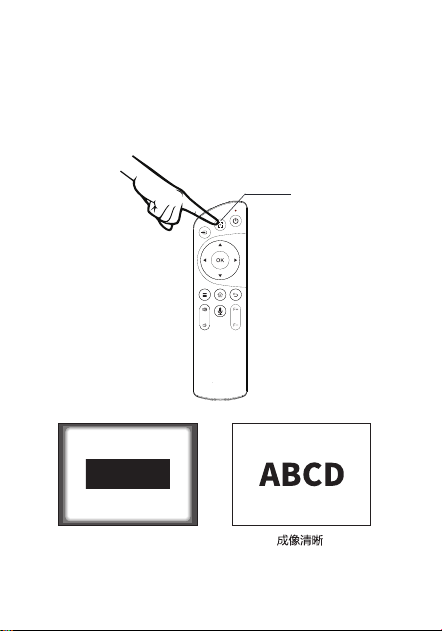
调节焦距
当画面成像模糊时,建议通过遥控器的一键对焦功能,以提升
画面清晰度,如果无法获得满意的清晰度,也可以通过F+/F-
微调再次调整。或者请将产品向前或向后酌量移动。
一键对焦
.07.
首次使用请按此方法配对:
自动配对:
1.按遥控器语音键 进入配对页面;
2.同时按住遥控器左键与右键 ;
3.直到遥控器指示灯闪烁后松开;
4.等待自动配对成功后退出配对页。
手动配对:
1.按遥控器语音键 进入配对页面;
2.再按ok键进入设置页的蓝牙设置;
3.同时按住遥控器左键与右键 ;
4.至遥控器指示灯闪烁后松开;
5.找到“语音助手”点击连接。
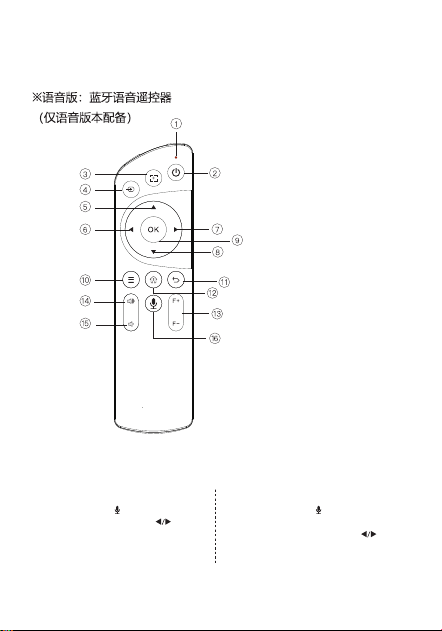
1、工作指示灯
2、电源键
3、一键对焦
4、输入信号源
5、方向选择键-向上
6、方向选择键-向左
7、方向选择键-向右
8、方向选择键-向下
9、确定/播放/暂停
10、菜单键
11、返回键
12、主页键
13、手动对焦
14、音量加
15、音量减
16、语音键
遥控器按键功能
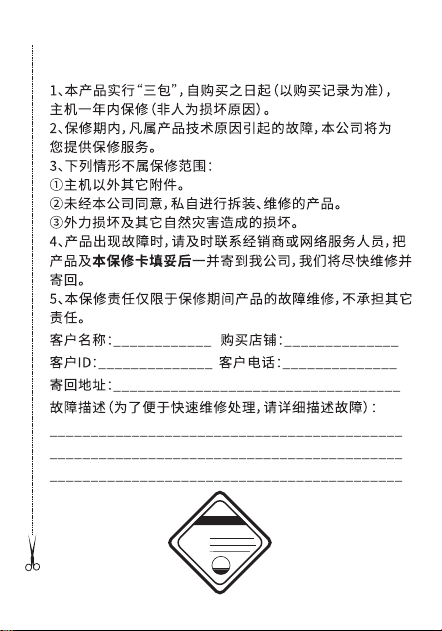
附录:投影机产品保修卡
合格证
产品编号:
出厂日期:
检 验 员:
QC
pass
01
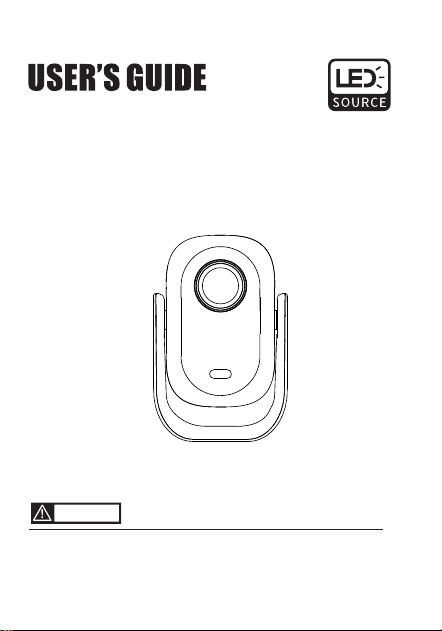
Before using the projector,please read this guidance
carefully and keep it safely
Microsoft and Windows is the registered trademark of Microsoft Corporation(US and other country).
Apple is the trademark of Apple Computer Inc.(U.S.A)
Cautious: The trademarks and product trademarks of the above company will all get stern treatment even under
the situation without annotation.
Caution
Intelligent Projector
.01.
1. It is necessary to use the standard power adapter of the device.
Improper use of the power adapter can cause serious damage to
the device;
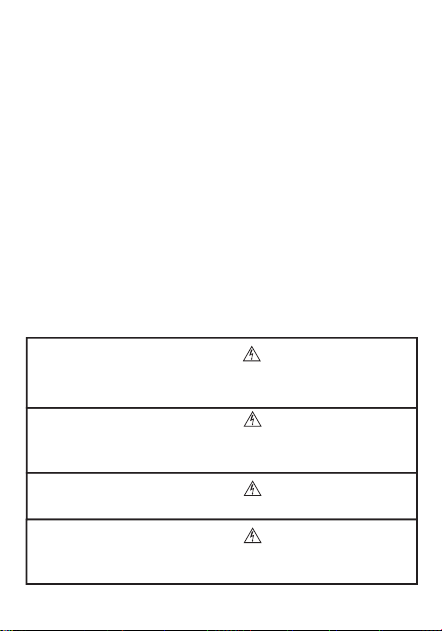
To prevent electric shock, do not open the casing. There are no components inside the
aircraft that customers can repair. Please entrust qualified professional maintenance
personnel to carry out maintenance matters.
This label warns users that there is voltage inside the unit that has not been insulated,
which may cause surface magnetic fields to cause electric shock. Therefore, it is very
dangerous to come into contact with any components inside the unit.
To prevent fire or electric shock, do not expose this machine to rainwater or moisture.
This is an A-grade product that may cause radio interference in living environments.
In this case, it may be necessary for users to take practical and feasible measures to
interfere with it.
2. If the device is not used for a long time, please ensure to turn off
the power switch;
3. Please avoid foreign objects entering or obstructing the fan outlet
to avoid affecting the fan's operation;
4. The equipment is in working condition, please do not directly power
off or shut down;
5. When connecting external devices with high power consumption,
please confirm if the power consumption can be supported;
6. The device is equipped with a built-in power supply. Please do not
place it in a high temperature or damp place to avoid danger;
7. Suitable for safe use in non tropical climate conditions with an
altitude of 2000 meters and below;
Caution
Warning
Warning
Warning
Caution
.02.
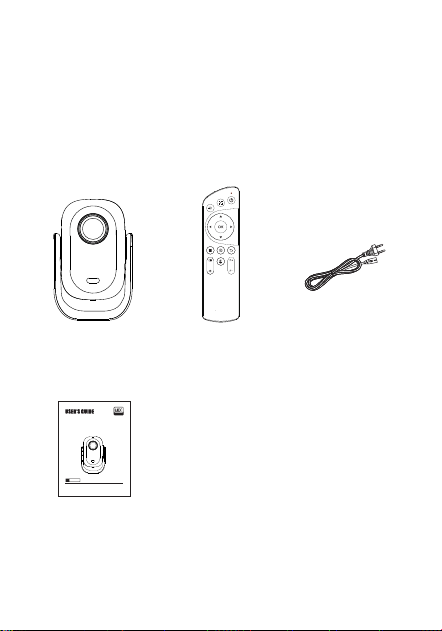
Projector Remote Power cord
Instruction
After opening the package, please check if the content inside
is in good condition. If there's any missing parts, please contact
the manufactur for replacement.
Before using the projector,please read this guidance carefully
and keep it safely
Microsoft and Windows is the registered trademark of Microsoft Corporation(US and other country).
Apple is the trademark of Apple Computer Inc.(U.S.A)
Cautious: The trademarks and product trademarks of the above company will all get stern treatment even under
the situation without annotation.
Caution
Packing
Intelligent Projector
.03.
The guidance below makes sure the long service life of the
device. To prevent fire and electronic shock, please read
the instruction carefully and be cautious about the warning
below.
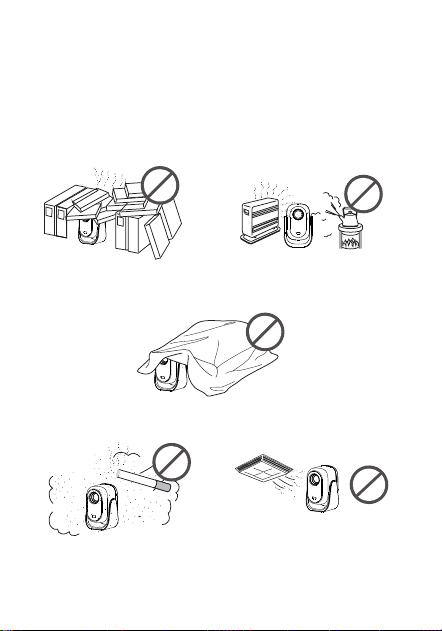
Installing
Do not install into places
with poor ventilation
Do not install into places are hot and
humid
Do not plugged the vent(Intake and exhaust)
Do not install in smoky and dusty
environment
Do not install somewhere directly blown by
the warm/cold wind of the A/C, or it may
cause the breakdown because of the water
vapor condensation
.04.
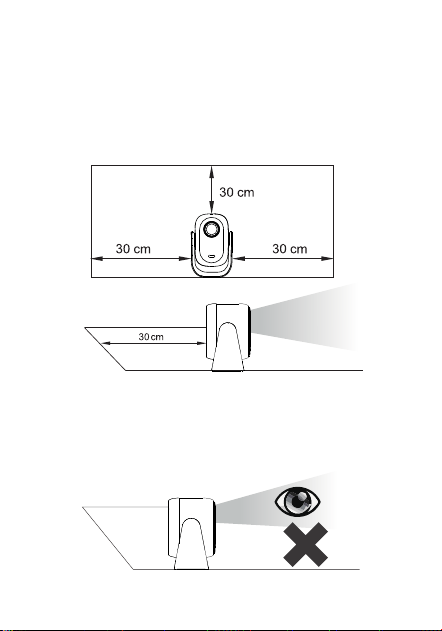
To maintain the projector's performance and reliability, please
leave at least 30cm space between the projector and the
objects around.
The projector is with high brightness, please do not directly
look into it or do not let the projector's light shine through the
eyes, to avoid eyesight damage.
Note for Heat Dissipation
Note for eyes
.05.
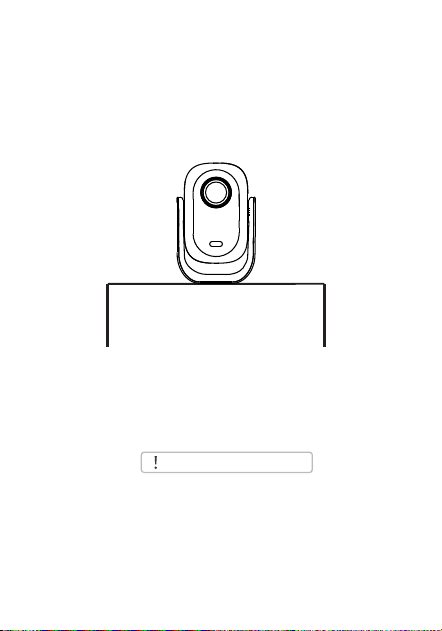
For best projection effect,we suggest you to choose the
following method to install the projector.
Start Using
Easy to install and easy to adjust
Horizontally
Precautions
When the projector is suspended
from the ceiling or in a rear
projection system, please change
the projection mode.
Fuzzy Image Clear Image
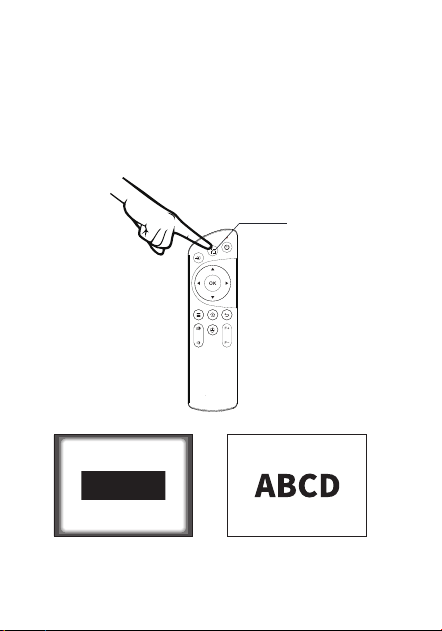
Focus Adjustment
.06.
One Click Autofocus
When the image is blurry, it is recommended to use the One Click
Autofocus function of the remote control to improve the clarity of
the image.
If satisfactory clarity cannot be achieved, it can also be adjusted
again through F+/F fine tuning. Alternatively, please move the
product forward or backward in moderation.
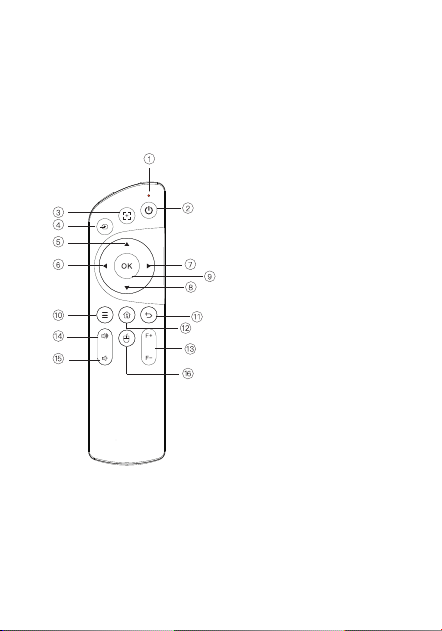
Remote Control
.07.
1. Work indicator light
2. Power button
3. One click autofocus
4. Input signal source
5. Direction selection key - up
6. Direction selection key - left
7. Direction selection key - right
8. Direction selection key - down
9. Confirm/Play/Pause
10. Menu key
11. Return key
12. Home key
13. Manual focusing
14. Volume increase
15. Volume decrease
16. Mouse
Audio version: Bluetooth voice remote
(Only for audio version)
.11.
Appendix:Warranty Card
1. This product follows the "Three Guarantee" policy since the purchasing
date(according to the record),the projector is within 1 year
warranty(nonhuman damage).
2. During the warrant period, all faults caused by technical problem of the
product, our company will offer warranty service.
3. The following conditions are not covered by the warranty.
①The accessories apart from the mainframe machine.
②The disassembled and repaired product without permission
③ External force and other damage caused by natural distater.
4. When failures occur, please contact the dealer or online service staff,
send the product and filled-in warrant card to us, we will repair and send
back as soon as possible.
5. This warrant responsiblity only limited to repairing for products within
warrant period, not responsible for any other problem.
Client's name: Shop for purchase:
Customer ID:
Return address:
Problem Description:(For quick repairing, please carefully discribe the problem):
Customer Phone:
Product Certification
Model number:
Production date:
Inspectors:
QC
pass
01

FCC Warning
This device complies with part 15 of the FCC rules. Operation is subject to the following two
conditions: (1) this device may not cause harmful interference, and (2) this device must accept
any inte rference received, including interference that may cause undesired operation.
Changes or modifications not expressly approved by the party responsible for compliance could
void the user's authority to operate the equipment.
NOTE: This equipment has been tested and found to comply with the limits for a Class B digital
device, pursuant to part 15 of the FCC Rules. These limits are designed to provide reasonable
protection against harmful interference in a residential installation. This equipment generates
uses and can radiate radio frequency energy and, if not installed and used in accordance with the
instructions, may cause harmful interference to radio communications. However, there is no
guarantee that interference will not occur in a particular installation. If this equipment does
cause harmful interferenceto radio or television reception, which can be determined by turning
the equipment off and on, the user is encouraged to try to correct the interference by one or
more of the following measures:
-Reorient or relocate the receiving antenna.
•Increase the separation between the equipment and receiver.
•Connect the equipment into an outlet on a circuit different from that to which the receiver is
connected.
•Consult the dealer or an experienced radio/TV technician for help.
Radiation Exposure Statement
This equipment complies with FCC radiation exposure limits set forth for an uncontrolled
environment. This equipment should be installed and operated with minimum distance 20cm
between the radiator and your body.