2
About The CCRadio Solar
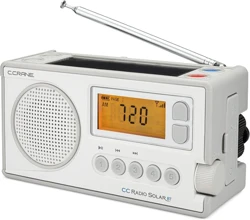
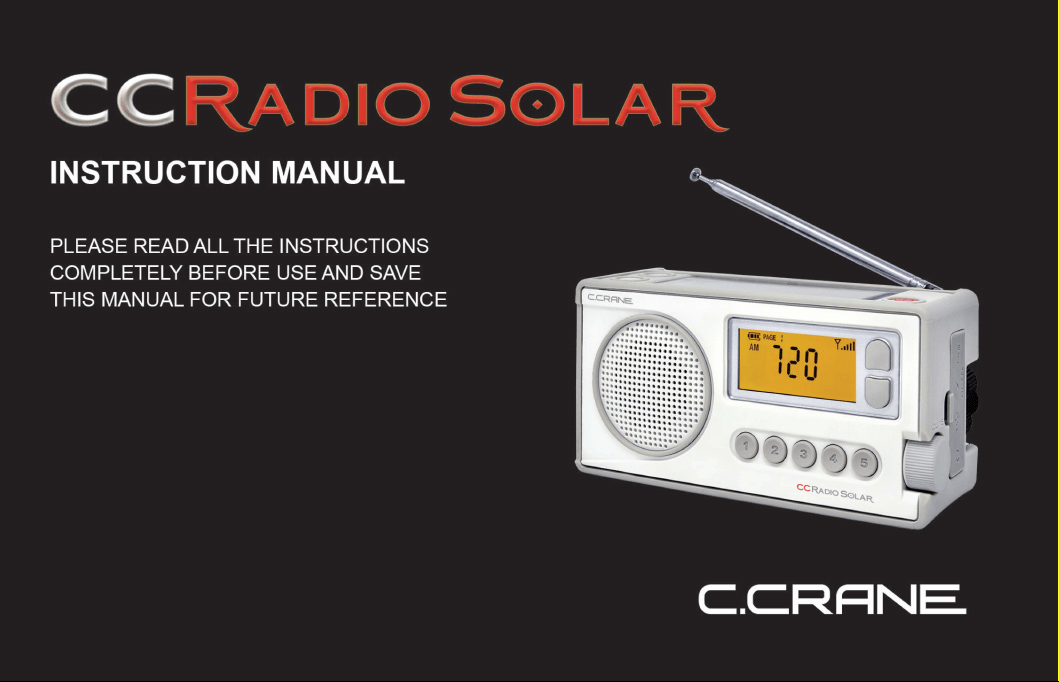
The CCRadio Solar
is
likely the first emergency radio that doesn't look like one. The idea simmered
at
C.
Crane for over five years while 10 prototypes were designed. It has an oversized AM antenna
for superior long distance reception.
FM
reception
is
good thanks to the latest chip technology. The
solar panel
is
oversized to help keep the battery charged.
It
is
simple to use if you prefer to keep it that way, but there are some hidden features listed
underneath the battery compartment cover. The radio
is
initially delivered set to "low power"
consumption to conserve the battery. While the radio
is
"ON", Press the number "1" and "5" keys
simultaneously and the radio will switch to high audio power. The special rubber shell
is
oil and
ultra-violet resistant to yellowing over time.
Please consult the manual
on
how to charge your phone. Crisis hint: If all power lines and the
phone system are down, use texting to send a message with your cell phone. It requires very little
power and a text message can often get through to your loved ones when a normal phone call will
not connect.
The heart
of
your radio
is
a lithium-ion battery which can last up to 10 years if you show it a little
exercise and sun. Please fully charge the battery with a USB cable or optional AC Adapter once or
twice a year. Please fully discharge the battery (by leaving the flashlight
on
until it goes off), one
time once a year, and then recharge for 12 hours via a USB cable or optional AC Adapter.
CCRadio Solar I
C.C.RANE
I
3
About The CCRadio Solar
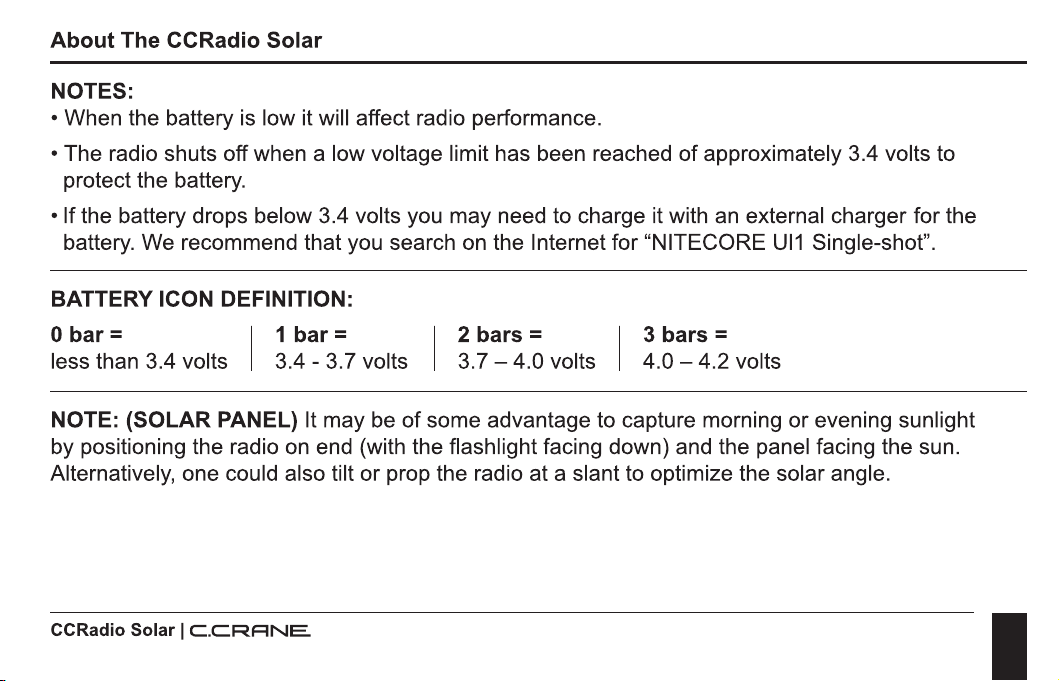
NOTES:
• When the battery is low it will affect radio performance.
• The radio shuts off when a low voltage limit has been reached of approximately 3.4 volts to
protect the battery.
• If the battery drops below 3.4 volts you may need to charge it with
an
external charger for the
battery. We recommend that you search
on
the Internet for "NITECORE
Ul1
Single-shot".
BATTERY ICON DEFINITION:
O bar = I 1 bar = I 2 bars = I 3 bars =
less than 3.4 volts 3.4 - 3.7 volts 3.7 - 4.0 volts 4.0 - 4.2 volts
NOTE: (SOLAR PANEL) It may be of some advantage to capture morning or evening sunlight
by positioning the radio
on
end (with the flashlight facing down) and the panel facing the sun.
Alternatively, one could also tilt or prop the radio at a slant to optimize the solar angle.
CCRadio Solar I
C.CRANE
I
4
CAUTION
Unpacking/Before Use
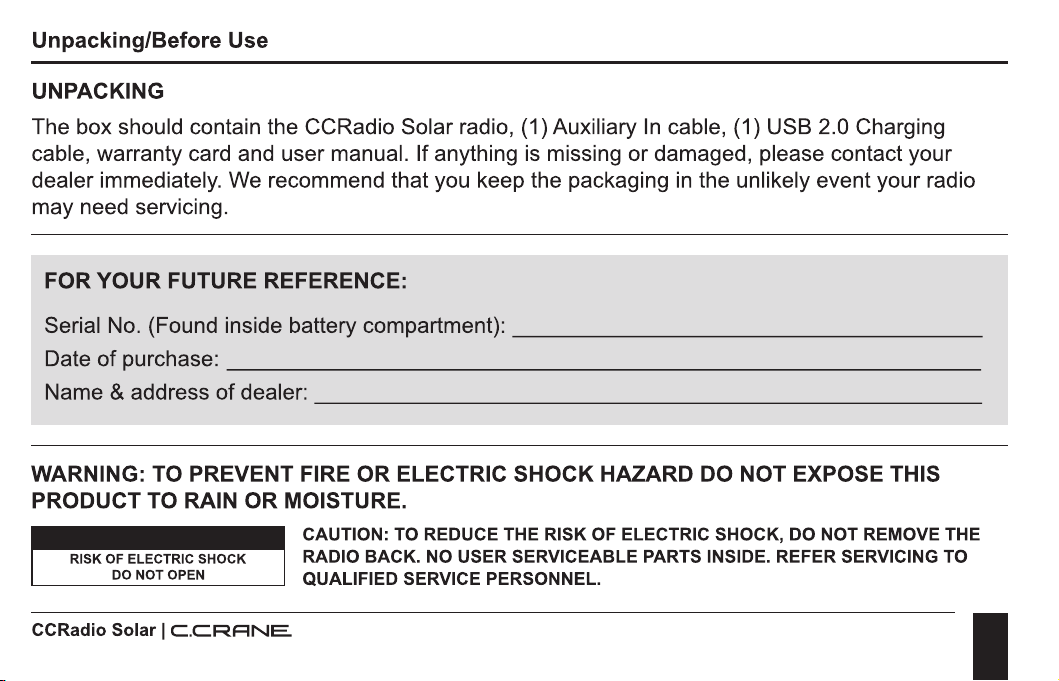
UNPACKING
The box should contain the CCRadio Solar radio, (1) Auxiliary
In
cable, (1) USB 2.0 Charging
cable, warranty card and user manual. If anything
is
missing or damaged, please contact your
dealer immediately. We recommend that you keep the packaging
in
the unlikely event your radio
may need servicing.
FOR
YOUR
FUTURE REFERENCE:
Serial No. (Found inside battery compartment):
________________
_
Date
of
purchase:
__________________________
_
Name & address
of
dealer:
_______________________
_
WARNING: TO PREVENT FIRE
OR
ELECTRIC
SHOCK
HAZARD DO NOT EXPOSE THIS
PRODUCT TO RAIN
OR
MOISTURE.
CAUTION: TO REDUCE THE RISK OF ELECTRIC SHOCK, DO NOT REMOVE THE
RISK OF ELECTRIC SHOCK
DO NOT OPEN
CCRadio Solar I
C.C.RANE
RADIO BACK. NO USER SERVICEABLE PARTS INSIDE. REFER SERVICING TO
QUALIFIED SERVICE PERSONNEL.
I
5
Safety Instructions
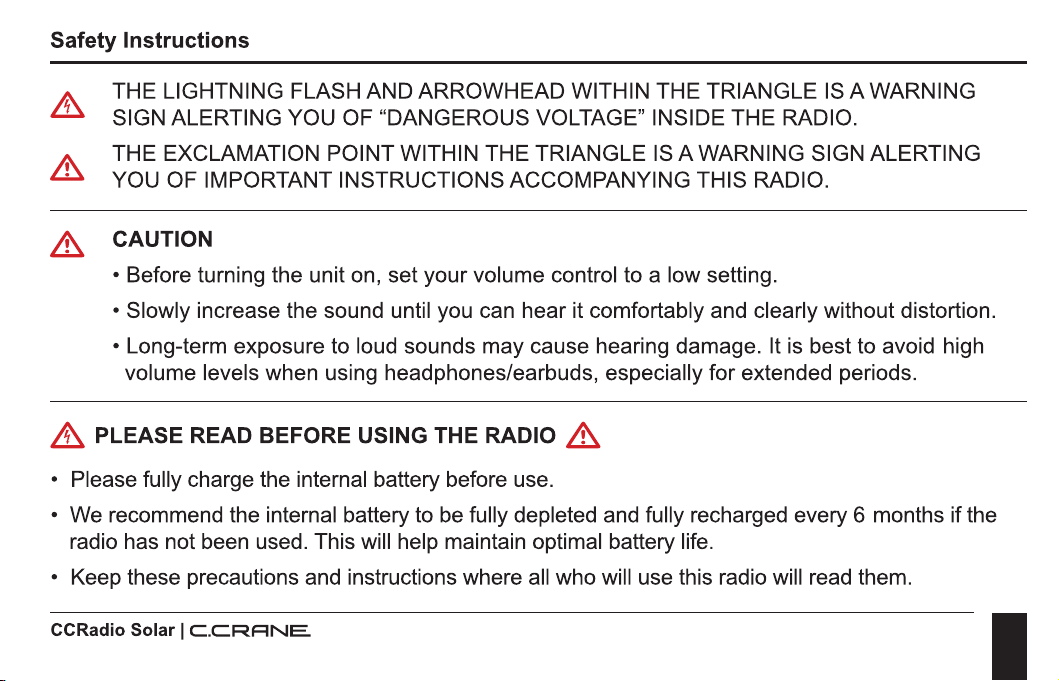
THE LIGHTNING FLASH AND ARROWHEAD WITHIN THE TRIANGLE
IS
A WARNING
SIGN ALERTING YOU OF "DANGEROUS VOLTAGE" INSIDE THE RADIO.
'i', THE EXCLAMATION POINT WITHIN THE TRIANGLE
IS
A WARNING SIGN ALERTING
Lll
YOU OF IMPORTANT INSTRUCTIONS ACCOMPANYING THIS RADIO.
& CAUTION
• Before turning the unit on, set your volume control to a low setting.
• Slowly increase the sound until you can hear it comfortably and clearly without distortion.
• Long-term exposure to loud sounds may cause hearing damage. It is best to avoid high
volume levels when using headphones/earbuds, especially for extended periods.
&,
PLEASE READ BEFORE USING THE RADIO &
• Please fully charge the internal battery before use.
• We recommend the internal battery to be fully depleted and fully recharged every 6 months if the
radio has not been used. This will help maintain optimal battery life.
• Keep these precautions and instructions where all who will use this radio will read them.
CCRadio Solar I
C.CRRNE.
I
6
Safety Instructions
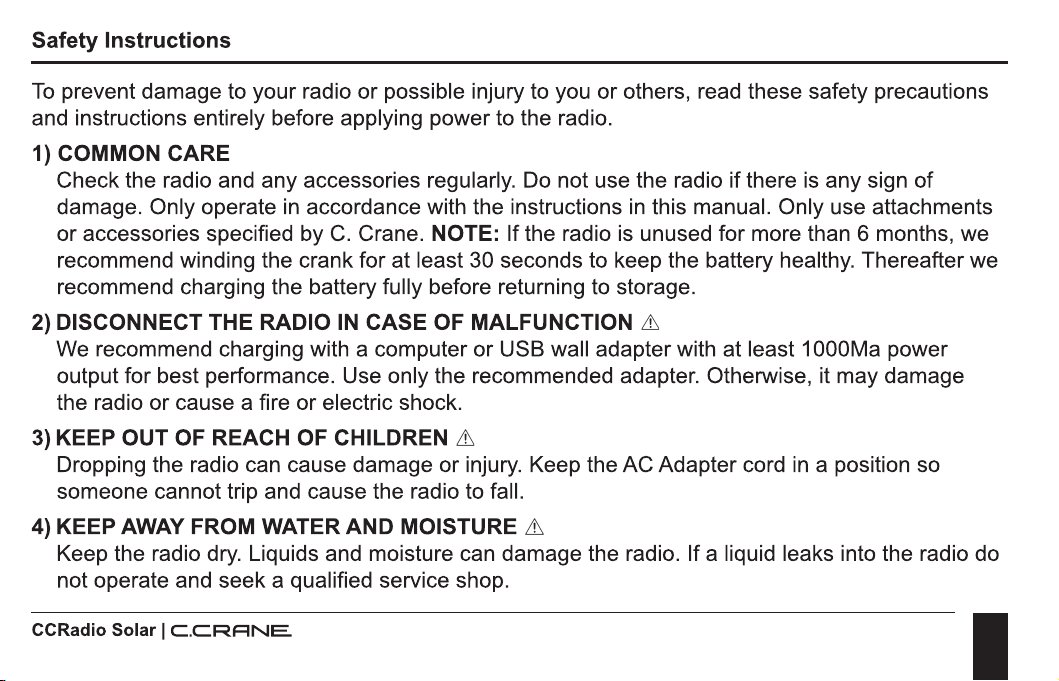
To
prevent damage to your radio or possible injury to you or others, read these safety precautions
and instructions entirely before applying power to the radio.
1) COMMON CARE
Check the radio and any accessories regularly. Do not use the radio if there
is
any sign
of
damage. Only operate
in
accordance with the instructions
in
this manual. Only use attachments
or accessories specified by
C.
Crane. NOTE: If the radio
is
unused for more than 6 months, we
recommend winding the crank for at least 30 seconds to keep the battery healthy. Thereafter we
recommend charging the battery fully before returning to storage.
2) DISCONNECT THE RADIO
IN
CASE OF MALFUNCTION &
We recommend charging with a computer or USB wall adapter with at least 1 000Ma power
output for best performance. Use only the recommended adapter. Otherwise, it may damage
the radio or cause a fire or electric shock.
3)
KEEP OUT OF REACH OF CHILDREN &
Dropping the radio can cause damage or injury. Keep the AC Adapter cord
in
a position so
someone cannot trip and cause the radio to fall.
4) KEEP AWAY FROM WATER AND MOISTURE &
Keep the radio dry. Liquids and moisture can damage the radio. If a liquid leaks into the radio do
not operate and seek a qualified service shop.
CCRadio Solar I
C.C.RANE
I
7
Safety Instructions
5) KEEP AWAY FROM EXTREME TEMPERATURES
Extreme temperatures can damage the radio. Never put the radio
in
direct sunlight
in
an
unventilated area or behind glass or the inside
of
a
car.
The appliance should be away from heat
sources such as radiators, heat registers, stoves, or other appliances that product heat.
CAUTION: Some windows may intensify the sun's effect on your radio, causing melting or a
potential fire hazard.
6) DO NOT ATTEMPT TO SERVICE RADIO &
Refer all service work to a qualified service shop when the radio does not appear to operate
normally, exhibits a change
in
performance or the radio has received damage. Never open the
radio as this may expose you to dangerous voltages and this will void all warranties.
7) OUTSIDE ANTENNAS
OR
CABLES &
Outside antennas or cables that create a potential hazard should not
be
used with this radio
unless installed by qualified personnel.
8) BATTERY CARE &
If the radio
is
left unattended and unused for long periods
of
time, remove the batteries. The
batteries may leak and damage furniture or your radio.
CCRadio Solar I
C.CRANE
I
8
Table of Contents
About The CC Radio Solar
02
Unpacking / Before Use
04
Safety Instructions
05
Power Options
Using the Solar Panel
11
Power by Winding
11
Power by AC Charging Adapter
11
Batteries
12
Radio Operation
Display Panel
14
Powering the Radio/Sleeptimer
16
Tuning Up/Down
16
Change Bands/Set Weather Alert
16
Volume Control
17
Saving a Station to Memory
17
CCRadio Solar I
C.C.RANE
I
9
Table
of
Contents
Display Light
17
Earphone Jack
18
Aux
Input Jack
19
Radio Power/Charging Jack
19
Battery Selection Switch
19
Flashlight
20
Lock Radio
20
Phone Charger Jack (USB)
21
Setting the Clock
22
Setting the Alarm
23
Disable Beep
24
Designate Frequency
or
Clock
24
Activate 9
or
1
OkHz
Tuning
25
Enable High Power Audio Mode
25
Activate 1 kHz Tuning
26
Activate Narrow Am Filters
26
CCRadio Solar I
C.CRANE
I
10
Table
of
Contents
Reset to Factory Defaults
_______________________
_
Change Memory Pages
Troubleshooting Guide
Specifications
___________________________
_
Optional Accessories
_________________________
_
CCRadio Solar I
C.C.RANE
27
27
28
33
35
I
11
Power Options
POWER USING THE SOLAR PANEL
Place the solar panel
in
direct sunlight. It
is
best to angle the solar panel so that it
is
pointed directly
at the sun. Do not charge the radio
in
a hot area like a
car.
To
charge the internal Li-ion battery
with the solar panel, it
is
best to leave the radio
OFF.
Eight hours
of
direct sunlight should provide
about 10 to 14 hours
of
playtime at medium volume, depending
on
sun intensity. Set the "Battery
Selection Switch" to Li-ion to play. (See Page 19).
POWER BY WINDING
Unfold the Dynamo Crank from the back
of
the radio and rotate
in
either direction.
Proper winding speed
is
about 2 rotations per second or greater. After 90 seconds
of
winding the
radio will play for about 8-13 minutes. This varies depending on the winding speed, volume level
and band selection. NOTE: If the Li-ion battery has been fully depleted (less than 3.3 volts) for
many days (or depleted by the flashlight) then it may take extra winding before the battery will
power the radio again (greater than 3.3 volts).
POWER BY AC CHARGING ADAPTER (OPTIONAL ACCESSORY NOT INCLUDED)
Connect the AC charging adapter to a 120VolU60Hz wall power outlet and to the Micro-USB
charging
jack~
on
the side
of
the radio beneath the rubber flap. This adapter can remain plugged
CCRadio Solar I
C.CRANE
I
12
Power Options
into the radio for continuous power but there may
be
added noise or interference while listening to
the AM radio band. We recommend listening to the AM radio band with power adapter unplugged
for best reception.
To
fully charge the included Li-ion battery, keep the AC adapter connected for
about 10 - 12 hours with the power off.
POWER USING "AA" BATTERIES
When using "AA" Alkaline batteries the radio should play at normal volume for about 40 hours.
When using nickel metal hydride (NiMH) rechargeable "AA" batteries, about 35 hours
of
play can
be
expected. This radio will not charge "AA" batteries.
NOTE: Do not use Lithium type "AA" batteries.
CCRadio Solar I
C.C.RANE
I
13
Power Options
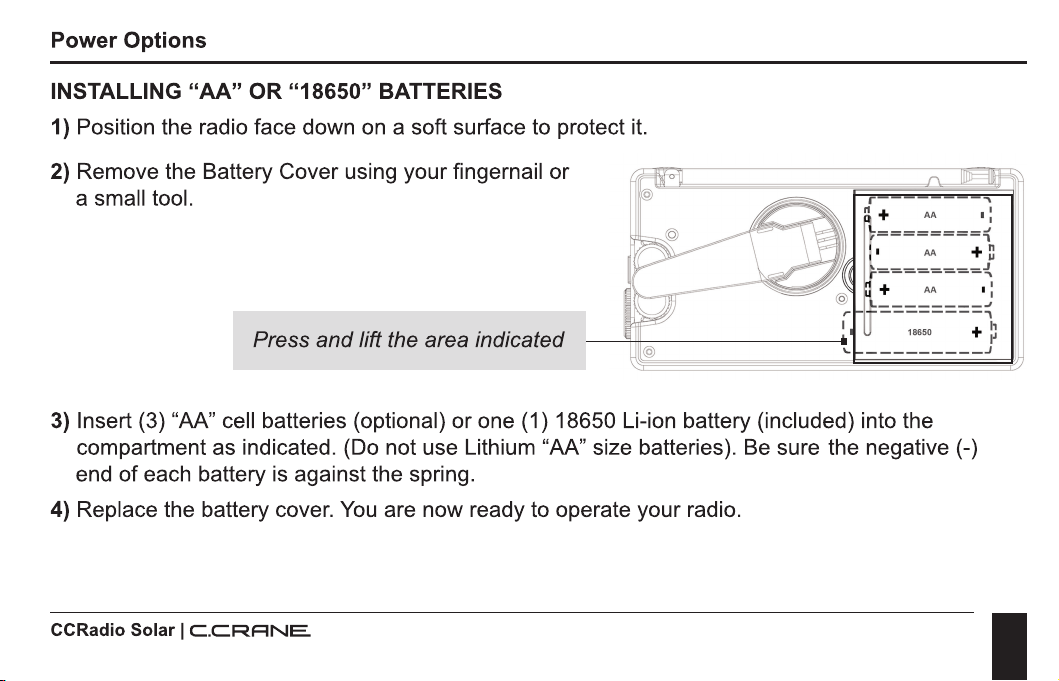
INSTALLING "AA"
OR
"18650" BATTERIES
1)
Position the radio face down
on
a soft surface to protect it.
2) Remove the Battery Cover using your fingernail or
a small tool.
Press and lift the area indicated
n +
AA
I:
t--------'{
I·
AA
+ n
~========{
+
AA
I:
.!:--------~
18650 +
~
\,.
_________
J
3) Insert (3) "AA" cell batteries (optional) or one (1) 18650 Li-ion battery (included) into the
compartment as indicated. (Do not use Lithium "AA" size batteries). Be sure the negative(-)
end
of
each battery
is
against the spring.
4) Replace the battery cover.
You
are now ready to operate your radio.
CCRadio Solar I
C.CRRNE.
I
14
Radio Operation
cp
C.CRFINE
000000000
00000000000
0000000000000
000000000000000
000000000000000
000000000000000
000000000000000
000000000000000
000000000000000
000000000000000
000000000000000
000000000000000
0000000000000
00000000000
000000000
CCRadio
Solar
I
C.C.RRNE.
6
FRONT
VIEW
0
0
CC
RADIO
S0LAR.
5
----0
I
15
Radio Operation
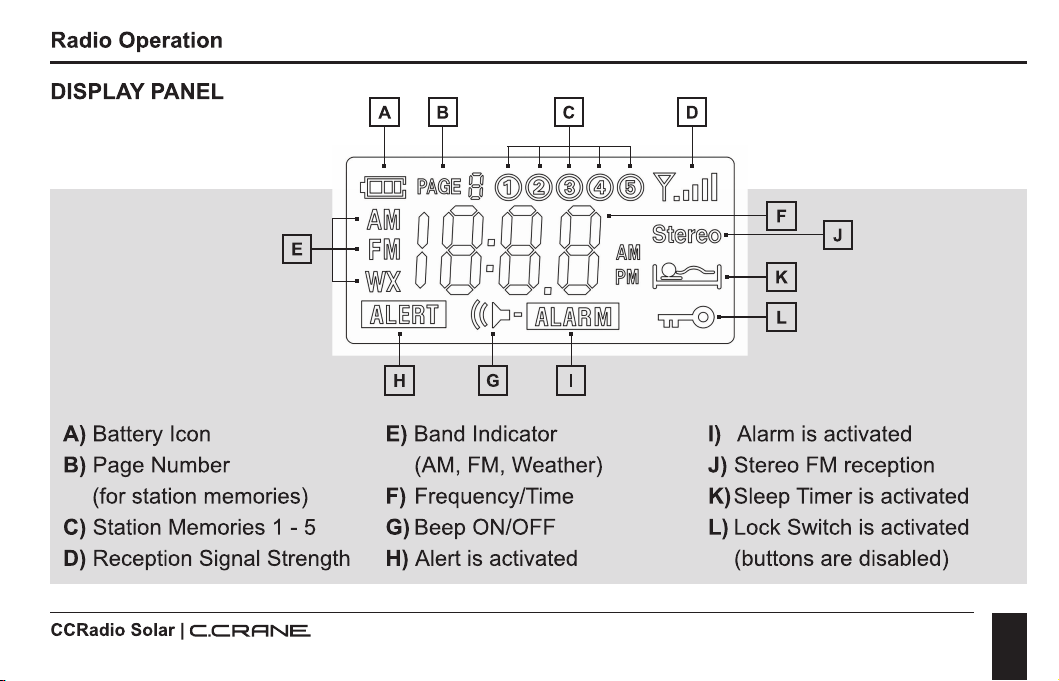
DISPLAY PANEL
A)
Battery Icon
B) Page Number
(for station memories)
C) Station Memories 1 - 5
D) Reception Signal Strength
CCRadio Solar I
C.CRRNE.
E) Band Indicator
(AM,
FM,
Weather)
F)
Frequency/Time
G) Beep ON/OFF
H) Alert is activated
I)
Alarm
is
activated
J) Stereo
FM
reception
K)Sleep Timer
is
activated
L)
Lock Switch
is
activated
(buttons are disabled)
I
16
Radio Operation
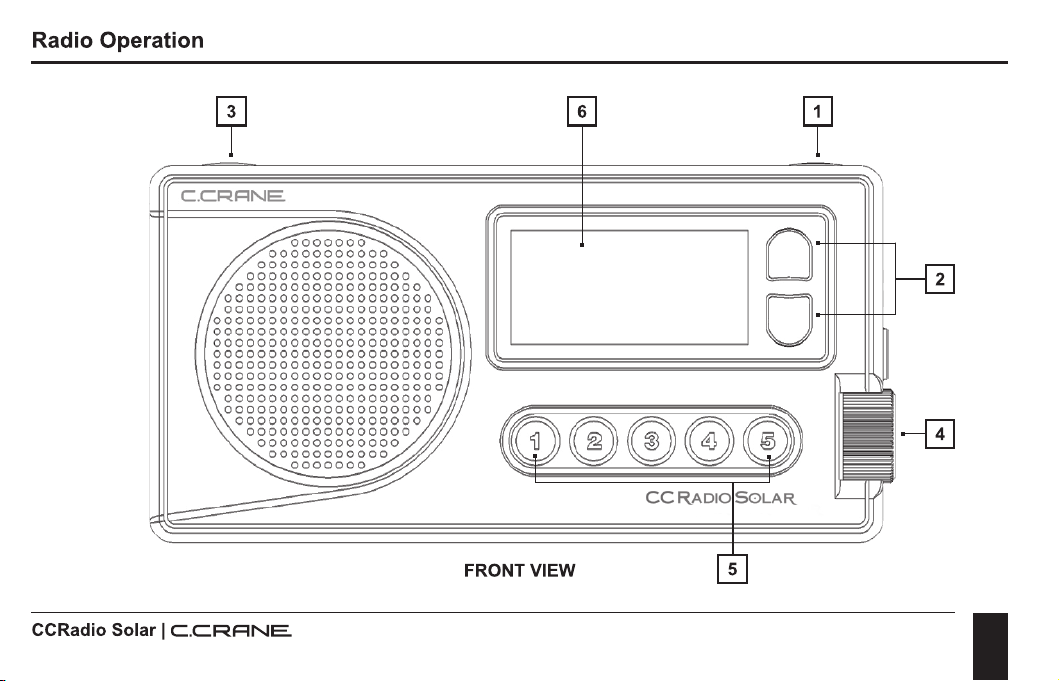
1.
POWER BUTTON / SLEEP TIMER
To
turn the radio "ON" just press and release the red button.
To
use the Sleep Timer, press and
hold the red button. The Sleep Timer will automatically shut off the radio after the set amount
of
time expires. The display will cycle through minutes 120, 90, 60, 45, 30, 15, and
OFF.
Release
the power button to activate the sleep setting you desire. The radio will remember your last Sleep
Timer setting the next time you activate
it.
2.
TUNING BUTTONS
Press once quickly to tune to the next frequency increment. Press and hold for 1-second to
automatically tune to the next strong station. Hold continuously to cycle through the whole band.
3.
CHANGE BANDS AND SET WEATHER ALERT
Press and release the BAND button to cycle between
FM,
AM, and Weather. The BAND button
can also
be
used to set the weather alert. When the weather alert
is
activated it will monitor the
selected weather channel for NOAA weather alerts. When a NOAA alert
is
issued (on the selected
weather channel) the CCRadio Solar will beep and provide important information.
To
activate the
NOAA Weather Alert, press and hold "Band" button for more than 3 seconds. Continue holding to
select how long the alert will be activated for (4hr,
8hr,
and 16hr). Release the button to make
your selection.
CCRadio Solar I
C.C.RANE
I
17
Radio Operation
The display light will flash once every few seconds to remind you that the NOAA Weather Alert
is
"ON".
To
turn the alert "OFF", hold the Band button for three seconds until "OFF"
is
displayed and
beep
is
heard, then release the button.
4. VOLUME CONTROL
Rotate to adjust volume.
5.
STATION MEMORY BUTTONS 1 - 5
Save your favorite stations to memory buttons.
To
save a station, press and hold any memory
button for 2 seconds while the station
is
playing.
To
play a saved station, press the same button
once quickly.
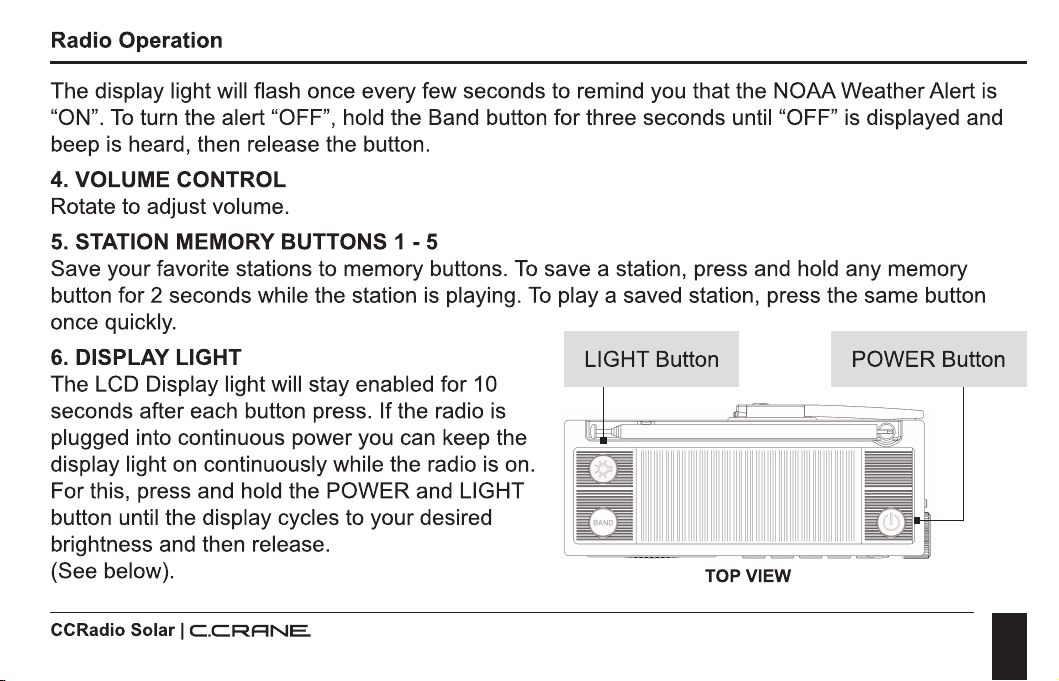
6. DISPLAY LIGHT LIGHT Button POWER Button
The LCD Display light will stay enabled for 10
seconds after each button press. If the radio
is
plugged into continuous power you can keep the
display light on continuously while the radio
is
on.
For this, press and hold the POWER and LIGHT
button until the display cycles to your desired
brightness and then release.
(See below).
CCRadio Solar I
C.CRRNE.
TOP
VIEW
I
18
Radio Operation
LEFT SIDE
VIEW
RIGHT SIDE VIEW
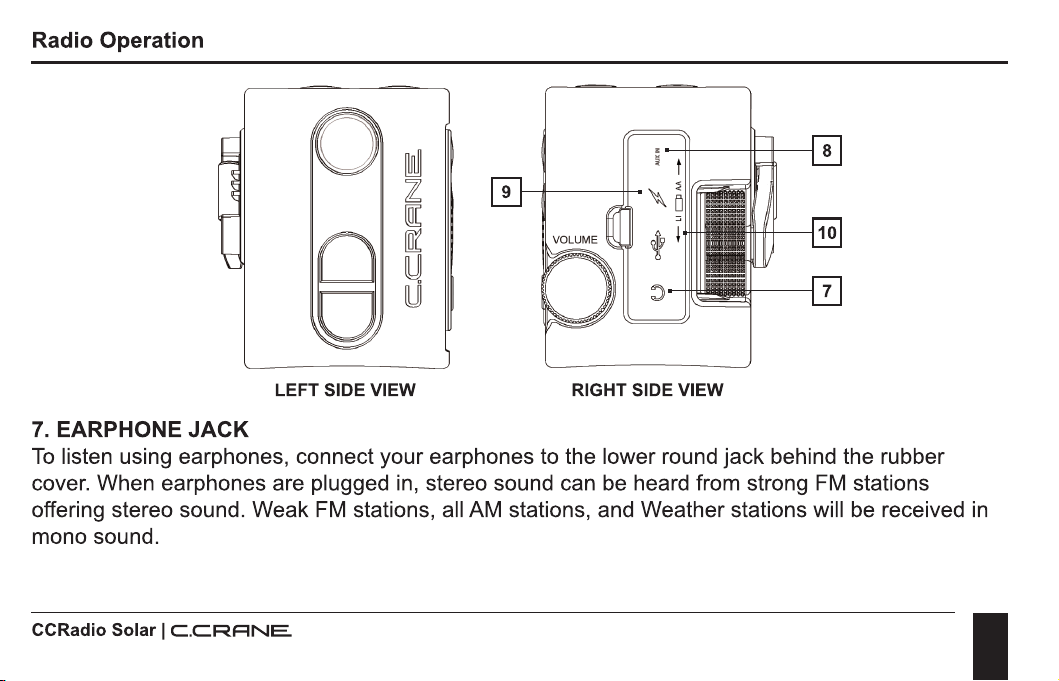
7.
EARPHONE JACK
To
listen using earphones, connect your earphones to the lower round jack behind the rubber
cover. When earphones are plugged
in,
stereo sound can
be
heard from strong
FM
stations
offering stereo sound. Weak
FM
stations, all AM stations, and Weather stations will be received
in
mono sound.
CCRadio Solar I
C.C.RRNE.
I
19
Radio Operation
8.
AUX INPUT JACK
To
use the CCRadio Solar as a speaker for your device, connect a 1/8" stereo patch cable
(included), with one end
of
the patch cable to your device's audio output jack (or a headphone jack)
and the other end to the Aux input jack (upper round jack under the rubber cover)
of
the CCRadio
Solar. The radio will automatically detect when a device
is
plugged-in and change to AUX input
mode. High power audio mode will always
be
used with AUX input for best sound quality.
9.
RADIO POWER/CHARGING JACK
Connect any Micro-USB cable for continuous power or to charge the radio battery.
You
will notice
some noisy interference while listening to the AM Radio band with power connected.
10. BATTERY SELECTION SWITCH
Please see Page 13 for opening the battery compartment and inserting batteries. The CCRadio
Solar uses one 3.7V Lithium-ion 18650 rechargeable battery (included). This battery will give you
about 300-500 full charge and discharge cycles and play the radio for about 40-50 hours
on
low
power mode. It is replaceable at ccrane.com.
You
might want to charge and keep a second battery
for backup power. Optionally three "AA" alkaline batteries can be used to power the radio as
an
alternative source
of
power. If using alkaline batteries then you will need to flip the switch "up"
under the rubber flap to
"AA".
CCRadio Solar I
C.CRRNE.
I
20
Radio Operation
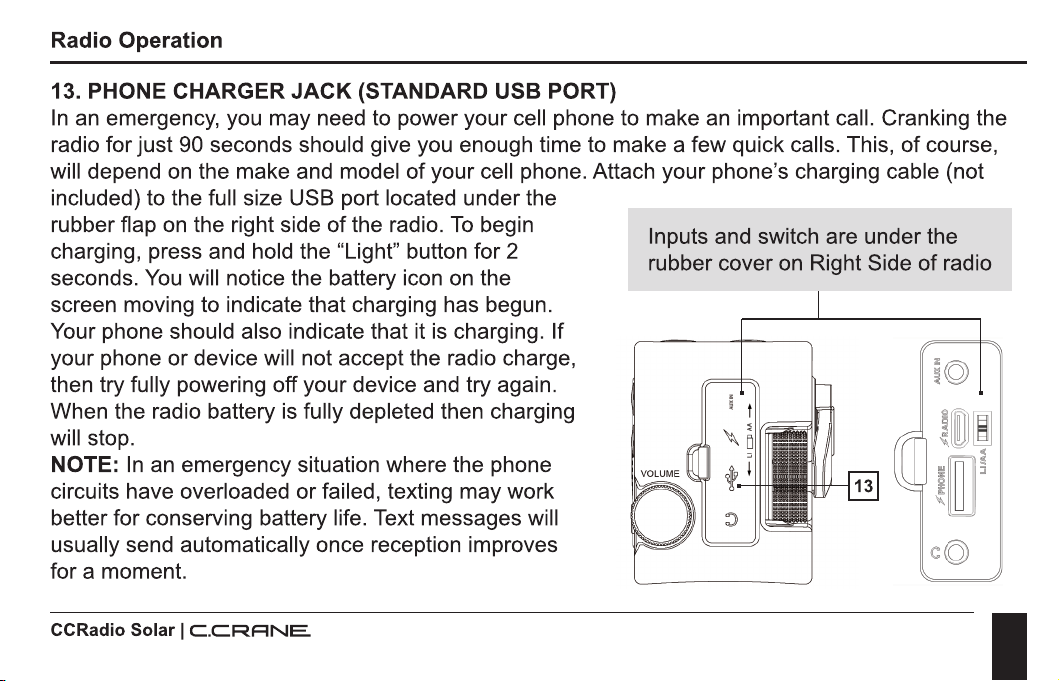
11. FLASHLIGHT
Located on the left side
of
the CCRadio Solar
is
a flashlight consisting
of
one super bright LED.
To
turn the flashlight on, press the "Light" button once and release. The "Light" button will glow
in
the dark to help you locate the radio
in
a power outage.
NOTE:
In
an emergency we recommend using the flashlight sparingly if your battery
is
low. The
flashlight
is
quite powerful using about 2 or 3 times the energy
of
playing the radio.
12. LOCK RADIO
Press and hold the BAND and POWER buttons at the same time for two seconds to disable all
buttons. Repeat to enable all buttons again. While the buttons are locked the VOLUME knob will
continue to work as normal.
TOP VIEW
CCRadio Solar I
C.C.RRNE.
Lock Radio. Press and hold
both buttons for two seconds
to lock radio.
I
21
Radio Operation
13. PHONE
CHARGER
JACK
(STANDARD USB PORT)
In
an emergency, you may need to power your cell phone to make an important call. Cranking the
radio for just 90 seconds should give you enough time to make a few quick calls. This,
of
course,
will depend on the make and model
of
your cell phone. Attach your phone's charging cable (not
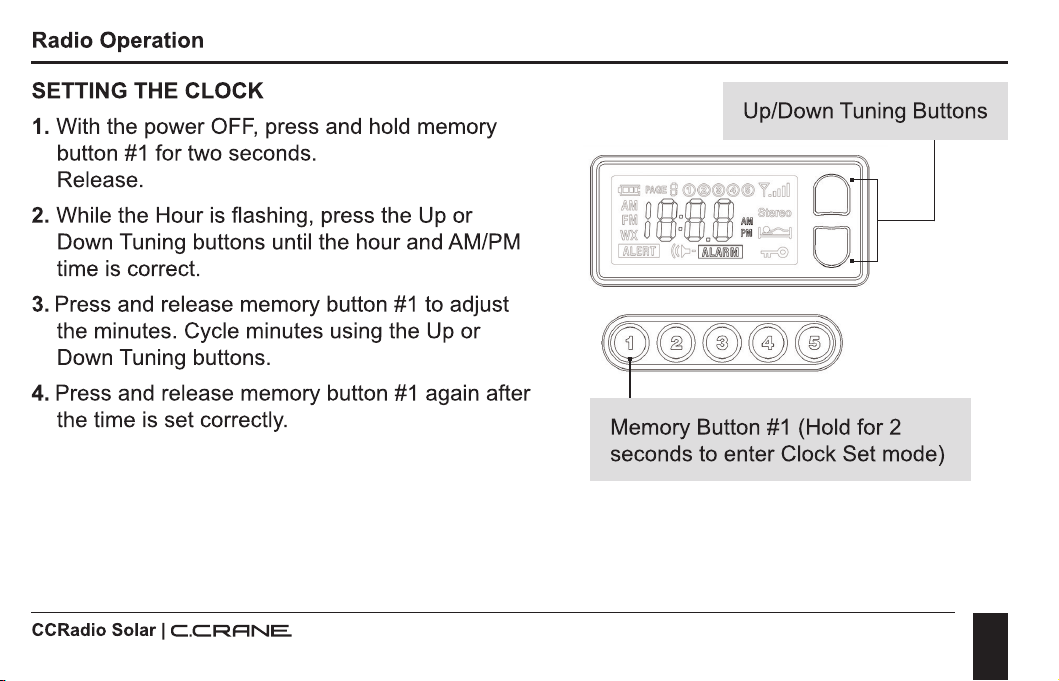
included) to the full size USB port located under the
rubber flap
on
the right side
of
the radio.
To
begin
charging, press and hold the "Light" button for 2
seconds.
You
will notice the battery icon on the
screen moving to indicate that charging has begun.
Your phone should also indicate that it
is
charging. If
your phone or device will not accept the radio charge,
then try fully powering off your device and try again.
When the radio battery is fully depleted then charging
will stop.
NOTE:
In
an
emergency situation where the phone
circuits have overloaded or failed, texting may work
better for conserving battery life. Text messages will
usually send automatically once reception improves
for a moment.
CCRadio Solar I
C.CRRNE.
Inputs and switch are under the
rubber cover on Right Side
of
radio
C
Q)
I
22
Radio Operation
SETTING THE CLOCK
1.
With the power
OFF,
press and hold memory
button
#1
for two seconds.
Release.
2. While the Hour is flashing, press the Up or
Down Tuning buttons until the hour and AM/PM
time is correct.
3.
Press and release memory button
#1
to adjust
the minutes. Cycle minutes using the Up or
Down Tuning buttons.
4. Press and release memory button
#1
again after
the time
is
set correctly.
CCRadio Solar I
C.C.RRNE.
Up/Down Tuning Buttons
Memory Button
#1
(Hold for 2
seconds to enter Clock Set mode)
I
23
Radio Operation
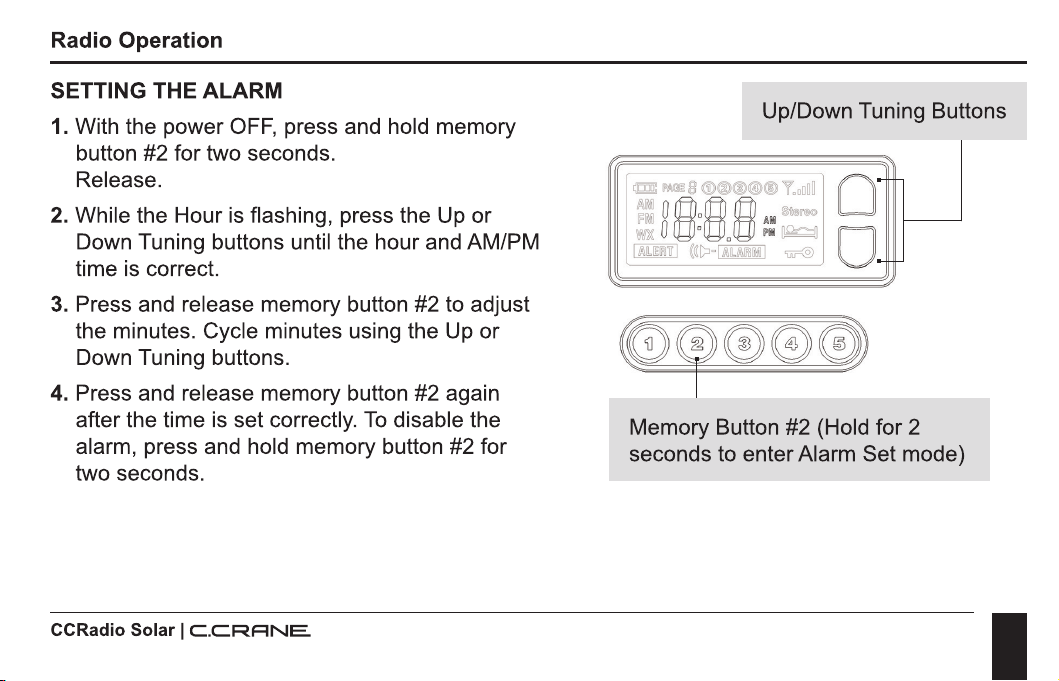
SETTING THE ALARM
1.
With the power
OFF,
press and hold memory
button #2 for two seconds.
Release.
2.
While the Hour
is
flashing, press the Up or
Down Tuning buttons until the hour and AM/PM
time
is
correct.
3. Press and release memory button #2 to adjust
the minutes. Cycle minutes using the
Up
or
Down Tuning buttons.
4. Press and release memory button #2 again
after the time is set correctly.
To
disable the
alarm, press and hold memory button #2 for
two seconds.
CCRadio Solar I
C.CRRNE.
Up/Down Tuning Buttons
..----
Memory Button #2 (Hold for 2
seconds to enter Alarm Set mode)
I
24
Radio Operation
DISABLE BEEP SOUND
1.
With the power
OFF,
press and hold memory
button #3 for two seconds. All beeps are
disabled except ALARM and
WX
ALERT.
2. Repeat sequence to enable beep again.
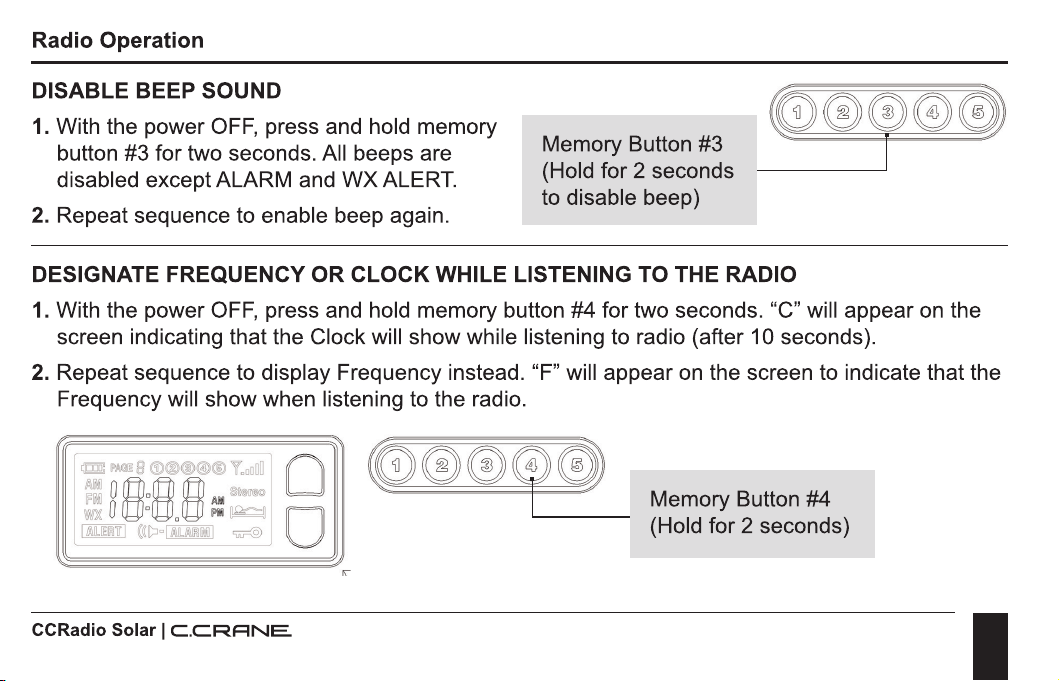
Memory Button #3
(Hold for 2 seconds
to disable beep)
DESIGNATE FREQUENCY
OR
CLOCK
WHILE LISTENING
TO
THE RADIO
1.
With the power
OFF,
press and hold memory button #4 for two seconds. "C" will appear
on
the
screen indicating that the Clock will show while listening to radio (after 10 seconds).
2. Repeat sequence to display Frequency instead. "F" will appear on the screen to indicate that the
Frequency will show when listening to the radio.
CCRadio Solar I
C.C.RRNE.
Memory Button #4
(Hold for 2 seconds)
I
25
Radio Operation
ACTIVATE 9
OR
10 KHZ AM TUNING (ALSO EXPANDS
FM
BAND)
1.
With the power
OFF,
press and hold memory button #5 for two seconds to activate 9 kHz AM
tuning mode. This will also expand the
FM
band from 76 MHz to 108 MHz.
2.
Repeat sequence to switch back to 10 kHz AM tuning and regular
FM
coverage
ENABLE HIGH POWER AUDIO MODE
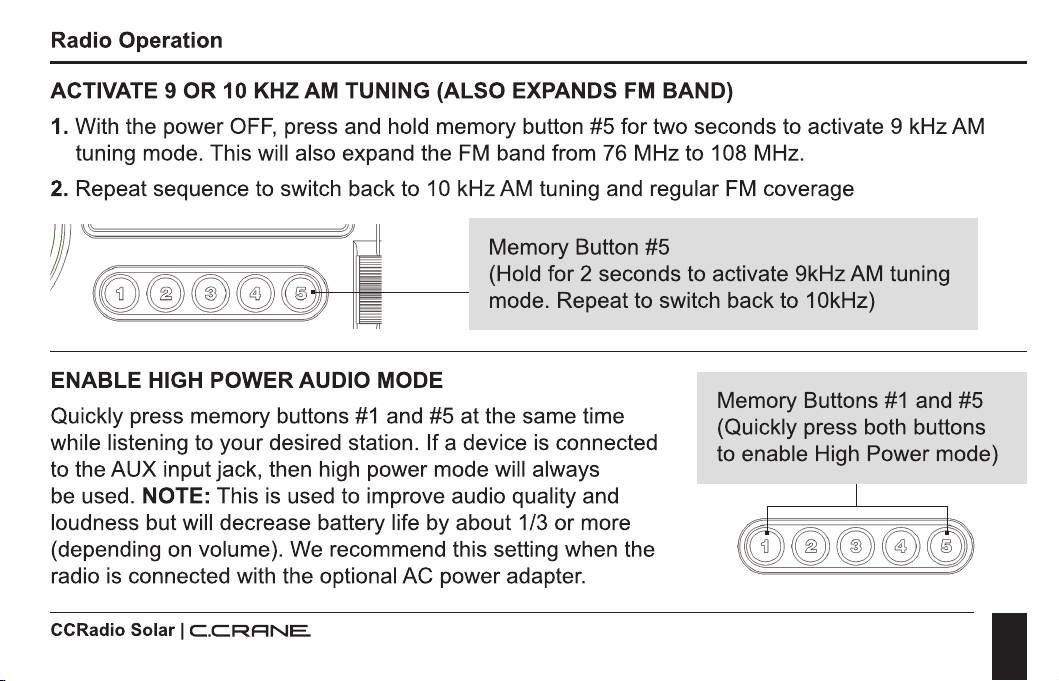
Memory Button #5
(Hold for 2 seconds to activate 9kHz AM tuning
mode. Repeat to switch back to 1 0kHz)
Quickly press memory buttons
#1
and #5 at the same time
while listening to your desired station. If a device
is
connected
to the AUX input jack, then high power mode will always
Memory Buttons
#1
and #5
(Quickly press both buttons
to enable High Power mode)
be used.
NOTE: This is used to improve audio quality and
loudness but will decrease battery life by about 1/3 or more
(depending on volume). We recommend this setting when the
radio
is
connected with the optional AC power adapter.
CCRadio Solar I
C.CRRNE.
I
26
Radio Operation
ACTIVATE 1 KHZ AM TUNING STEPS
Quickly press memory buttons
#1
and #4 at the same time while listening to your desired AM
station. Press again to return to normal (10 kHz) tuning. NOTE: This setting can tune AM stations
that are slightly off frequency for various reasons. Tuning 1 kHz higher or lower than the actual
station frequency may help improve reception.
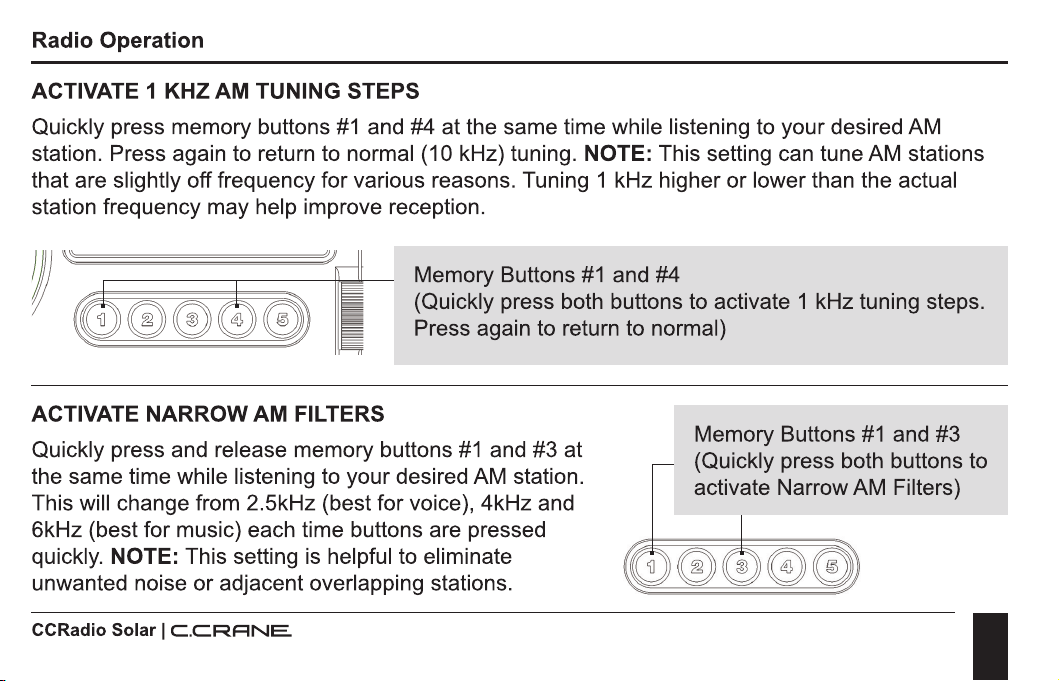
Memory Buttons
#1
and #4
(Quickly press both buttons to activate 1 kHz tuning steps.
Press again to return to normal)
ACTIVATE NARROW AM FILTERS
Quickly press and release memory buttons
#1
and #3 at
the same time while listening to your desired AM station.
This will change from 2.5kHz (best for voice), 4kHz and
6kHz (best for music) each time buttons are pressed
quickly. NOTE: This setting is helpful to eliminate
unwanted noise
or
adjacent overlapping stations.
CCRadio Solar I
C.C.RRNE.
Memory Buttons
#1
and #3
(Quickly press both buttons to
activate Narrow AM Filters)
I
27
Radio Operation
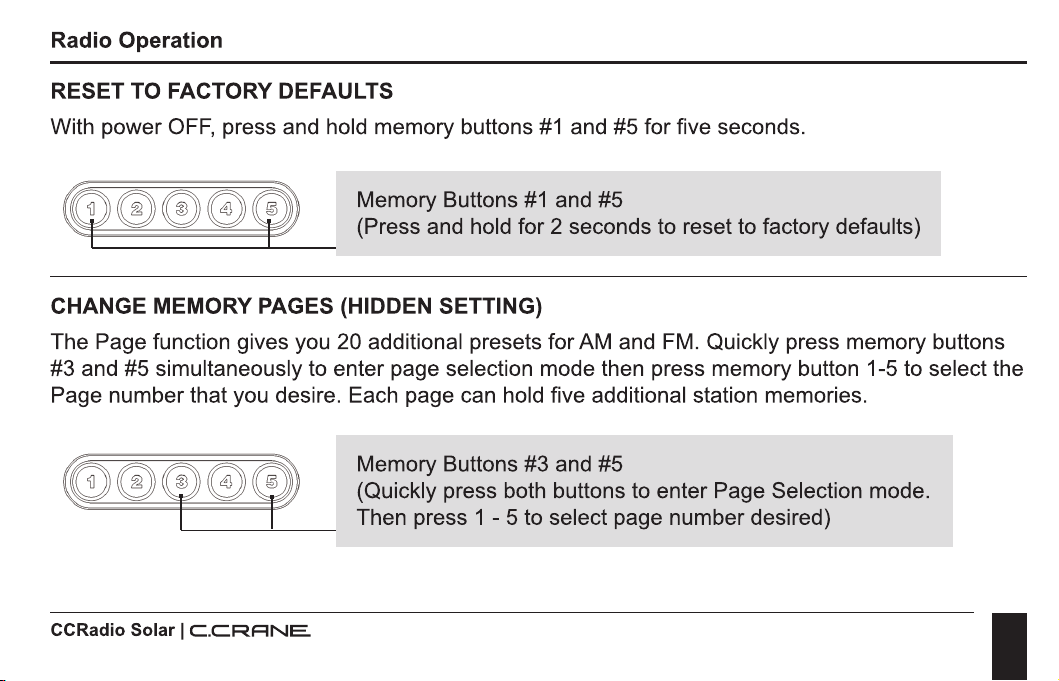
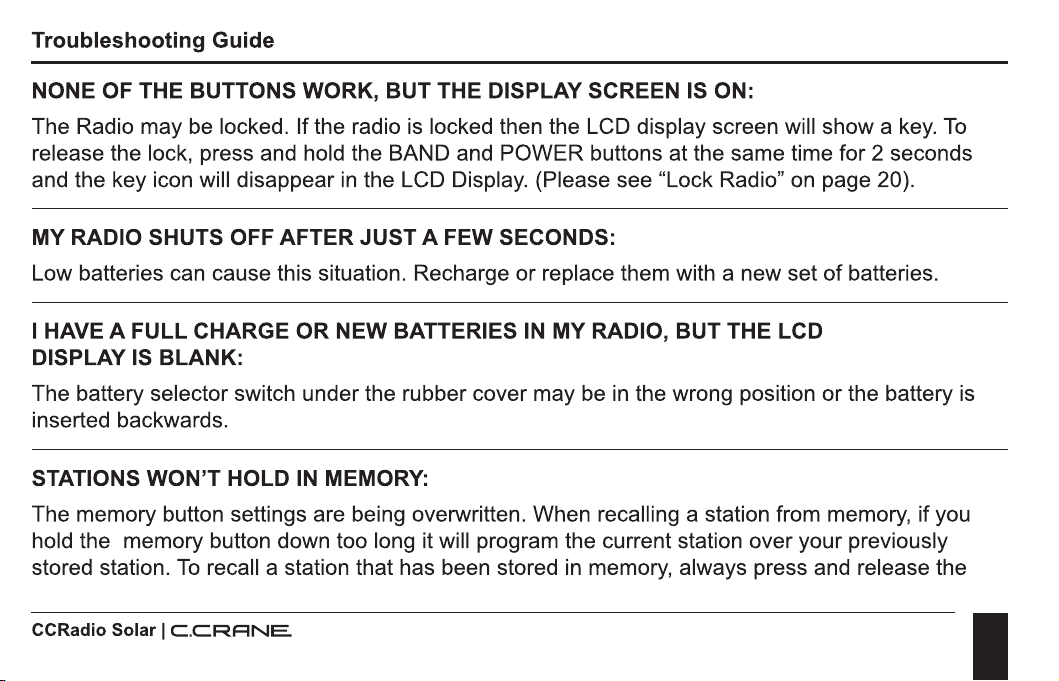
RESET TO FACTORY DEFAULTS
With power
OFF,
press and hold memory buttons
#1
and #5 for five seconds.
Memory Buttons
#1
and #5
(Press and hold for 2 seconds to reset to factory defaults)
CHANGE MEMORY PAGES (HIDDEN SETTING)
The Page function gives you 20 additional presets for AM and
FM.
Quickly press memory buttons
#3 and #5 simultaneously to enter page selection mode then press memory button 1-5 to select the
Page number that you desire. Each page can hold five additional station memories.
CCRadio Solar I
C.CRRNE.
Memory Buttons #3 and #5
(Quickly press both buttons to enter Page Selection mode.
Then press 1 - 5 to select page number desired)
I
28
Troubleshooting Guide
NONE OF THE BUTTONS WORK, BUT THE DISPLAY SCREEN IS ON:
The Radio may
be
locked. If the radio
is
locked then the LCD display screen will show a
key.
To
release the lock, press and hold the BAND and POWER buttons at the same time for 2 seconds
and the key icon will disappear
in
the LCD Display. (Please see "Lock Radio" on page 20).
MY RADIO SHUTS OFF AFTER JUST A FEW SECONDS:
Low batteries can cause this situation. Recharge or replace them with a new set
of
batteries.
I HAVE A FULL CHARGE
OR
NEW BATTERIES
IN
MY RADIO, BUT THE LCD
DISPLAY IS BLANK:
The battery selector switch under the rubber cover may be
in
the wrong position or the battery is
inserted backwards.
STATIONS WON'T HOLD
IN
MEMORY:
The memory button settings are being overwritten. When recalling a station from memory, if you
hold the memory button down too long it will program the current station over your previously
stored station.
To
recall a station that has been stored
in
memory, always press and release the
CCRadio Solar I
C.C.RANE
I
29
Troubleshooting Guide
button quickly.
To
program a new station into memory, tune to the desired station and then press
and hold the memory button for two seconds until you hear a beep, or the display shows a
memory number.
THE AM RECEPTION
IS
POOR:
You
may need to rotate your radio until the reception
is
best. Many buildings that use brick, metal,
or stucco can absorb or reflect the AM signal. Computers, cell phones, tablets, wireless chargers
and other electronic equipment, including fluorescent lights, can cause noise that interferes with
your AM reception.
Move the radio to a different place to see if that helps. Additional noise may affect a weak signal.
Lastly, if your radio is currently charging or connected to a power source then unplug it and try
using it on batteries to see if the power source
is
causing the interference.
POOR RECEPTION
ON
FM
AND WEATHER BAND:
The CCRadio Solar can use the silver whip antenna on the top
of
the radio for
FM
and Weather
bands.
To
improve reception
of
these bands, fully extend the whip antenna and try various
orientations to obtain the strongest signal.
CCRadio Solar I
C.CRANE
I
30
Troubleshooting Guide
BATTERY POWER LEVEL INDICATOR DOESN'T SHOW FULL CHARGE WHEN USING
RECHARGEABLE "AA" NIMH BATTERIES:
Rechargeable "AA" NiMH batteries will not show a full charge on your radios display. The CCRadio
Solar
is
calibrated to read the charge
of
your alkaline batteries, which is 1.5 volts at full charge.
Rechargeable NiMH type batteries are fully charged at just 1.25 volts, and so your radio will show
a partial charge even if the rechargeable batteries have been fully charged. We do not recommend
using Lithium "AA" sized batteries
in
our products.
I HAVE THE RADIO
IN
THE SUN BUT THE BATTERY ICON DOES NOT BLINK:
The icon blinks when charging by using the micro USB input and the crank. It does not blink when
charging
in
the sun.
WHY
IS IT EASY TO CRANK THE RADIO WHEN THE BATTERY IS FULLY CHARGED:
When the battery starts to get low it will accept more current and it will become harder to crank.
MY RADIO WILL NOT POWER WHEN USING THE RECHARGEABLE BATTERY SETTING
OR
WHEN PLUGGED INTO POWER:
Make sure that you have removed the small plastic pull tab between the battery and the contact.
CCRadio Solar I
C.C.RANE
I
31
Troubleshooting Guide
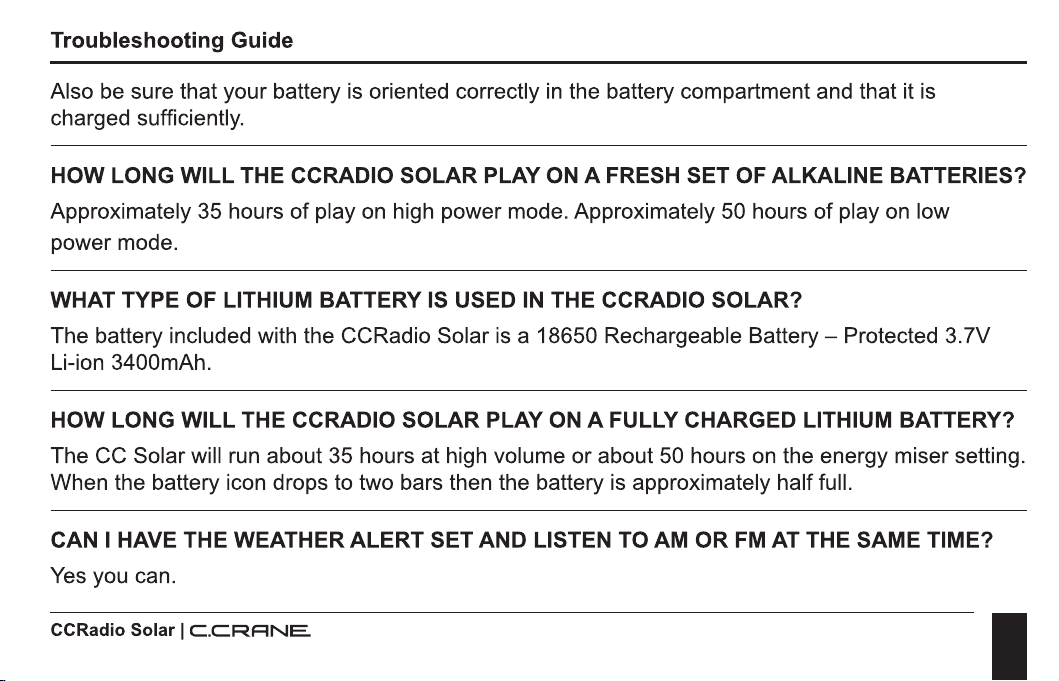
Also
be
sure that your battery
is
oriented correctly
in
the battery compartment and that it
is
charged sufficiently.
HOW LONG WILL THE CCRADIO SOLAR PLAY
ON
A FRESH SET OF ALKALINE BATTERIES?
Approximately 35 hours
of
play
on
high power mode. Approximately 50 hours
of
play
on
low
power mode.
WHAT TYPE OF LITHIUM BATTERY IS USED
IN
THE CCRADIO SOLAR?
The battery included with the CCRadio Solar
is
a 18650 Rechargeable
Battery-
Protected 3.7V
Li-ion 3400mAh.
HOW LONG WILL THE CCRADIO SOLAR PLAY ON A FULLY CHARGED LITHIUM BATTERY?
The CC Solar will run about 35 hours at high volume or about 50 hours
on
the energy miser setting.
When the battery icon drops to two bars then the battery
is
approximately half full.
CAN I HAVE THE WEATHER ALERT SET AND LISTEN TO AM OR FM AT THE SAME TIME?
Yes
you can.
CCRadio Solar I
C.CRANE
I
32
Troubleshooting Guide
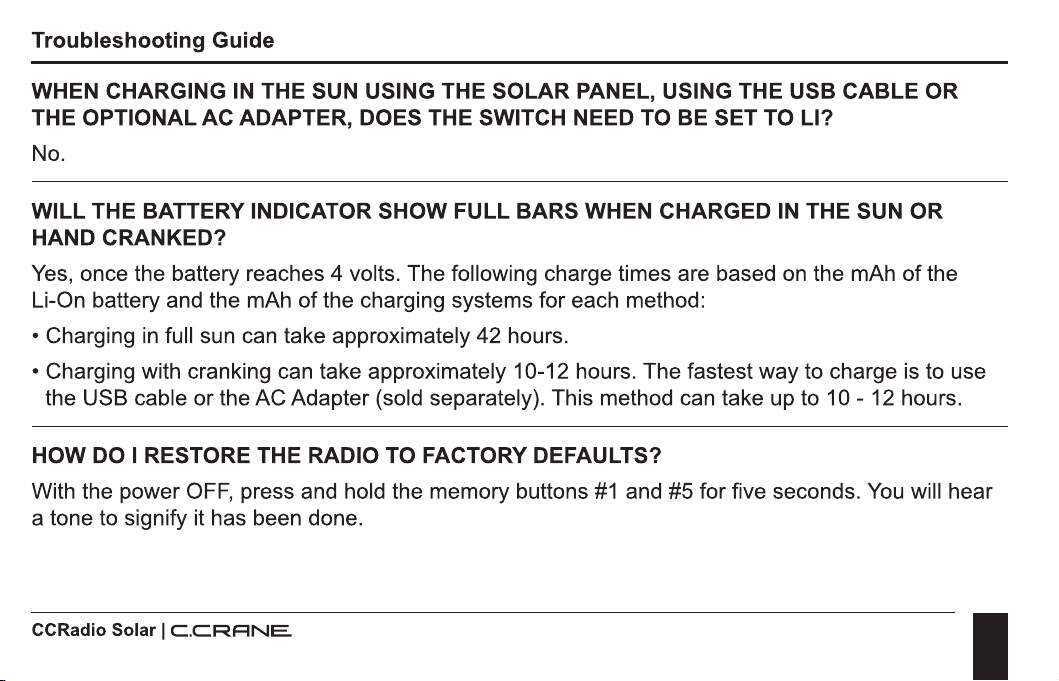
WHEN CHARGING
IN
THE SUN USING THE
SOLAR
PANEL, USING THE USB CABLE
OR
THE OPTIONAL AC ADAPTER, DOES THE SWITCH NEED TO BE
SET
TO LI?
No.
WILL THE BATTERY INDICATOR
SHOW
FULL BARS WHEN CHARGED
IN
THE SUN
OR
HAND CRANKED?
Yes, once the battery reaches 4 volts. The following charge times are based
on
the mAh
of
the
Li-On battery and the mAh
of
the charging systems for each method:
• Charging
in
full sun can take approximately 42 hours.
• Charging with cranking can take approximately 10-12 hours. The fastest way to charge is to use
the USB cable
or
the AC Adapter (sold separately). This method can take up to 10 - 12 hours.
HOW
DO I RESTORE THE RADIO TO FACTORY DEFAULTS?
With the power
OFF,
press and hold the memory buttons
#1
and #5 for five seconds.
You
will hear
a tone to signify it has been done.
CCRadio Solar I
C.C.RANE
I
33
Specifications
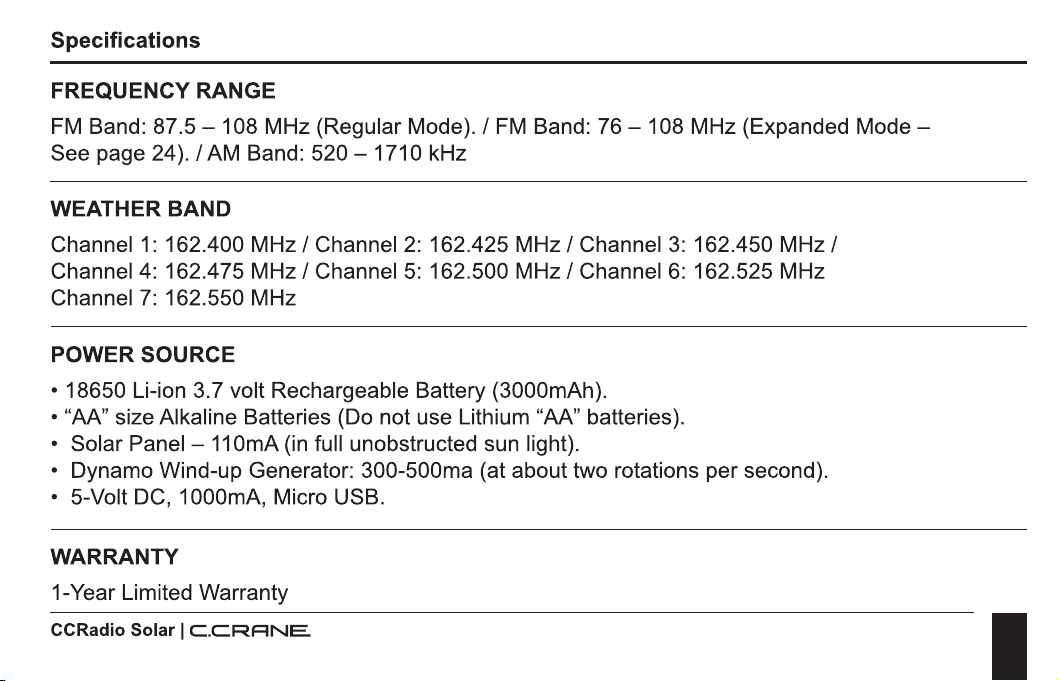
FREQUENCY RANGE
FM
Band:
87.5-
108 MHz (Regular
Mode)./
FM
Band:
76
- 108 MHz (Expanded
Mode-
See page 24). / AM Band: 520 - 1710 kHz
WEATHER BAND
Channel
1:
162.400
MHz/
Channel
2:
162.425
MHz/
Channel
3:
162.450
MHz/
Channel
4:
162.475
MHz/
Channel
5:
162.500
MHz/
Channel
6:
162.525 MHz
Channel
7:
162.550 MHz
POWER SOURCE
• 18650 Li-ion 3.7 volt Rechargeable Battery (3000mAh).
• "AA" size Alkaline Batteries (Do not use Lithium "AA" batteries).
• Solar Panel -
11
0mA
(in
full unobstructed sun light).
• Dynamo Wind-up Generator: 300-500ma (at about two rotations per second).
• 5-Volt
DC,
1000mA, Micro USB.
WARRANTY
1-Year Limited Warranty
CCRadio Solar I
C.CRANE
I
34
Specifications
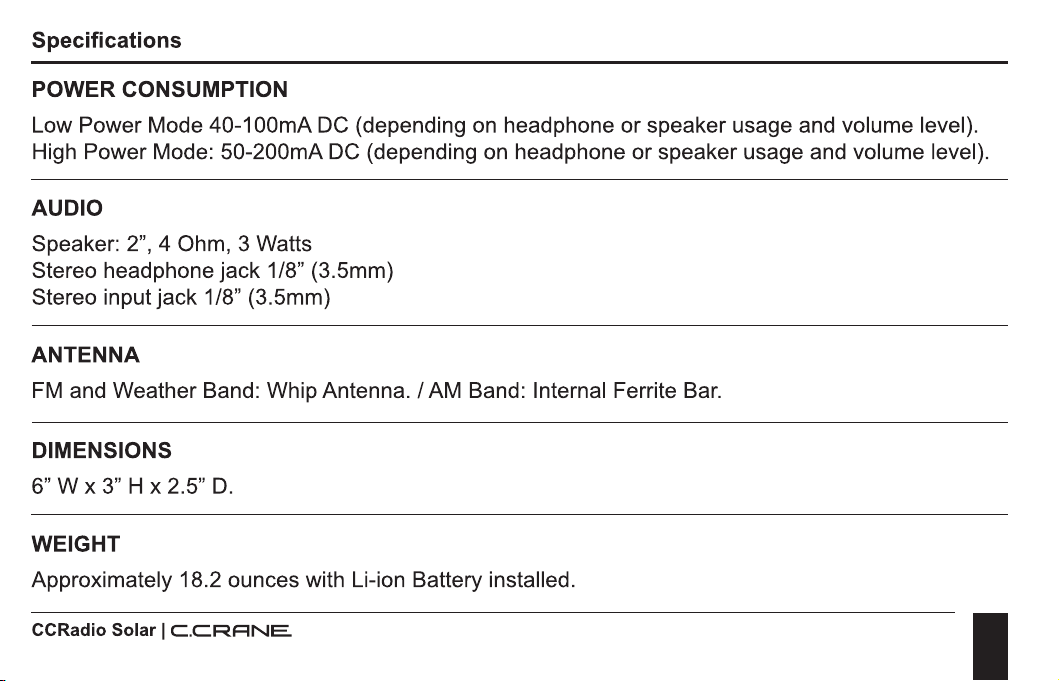
POWER CONSUMPTION
Low Power Mode 40-100mA DC {depending on headphone or speaker usage and volume level).
High Power Mode: 50-200mA DC {depending on headphone
or
speaker usage and volume level).
AUDIO
Speaker: 2", 4 Ohm, 3 Watts
Stereo headphone jack 1/8" (3.5mm)
Stereo input
jack
1/8" (3.5mm)
ANTENNA
FM
and Weather Band: Whip Antenna. / AM Band: Internal Ferrite Bar.
DIMENSIONS
6"
W x 3" H x 2.5"
D.
WEIGHT
Approximately 18.2 ounces with Li-ion Battery installed.
CCRadio Solar I
C.C.RANE
I
35
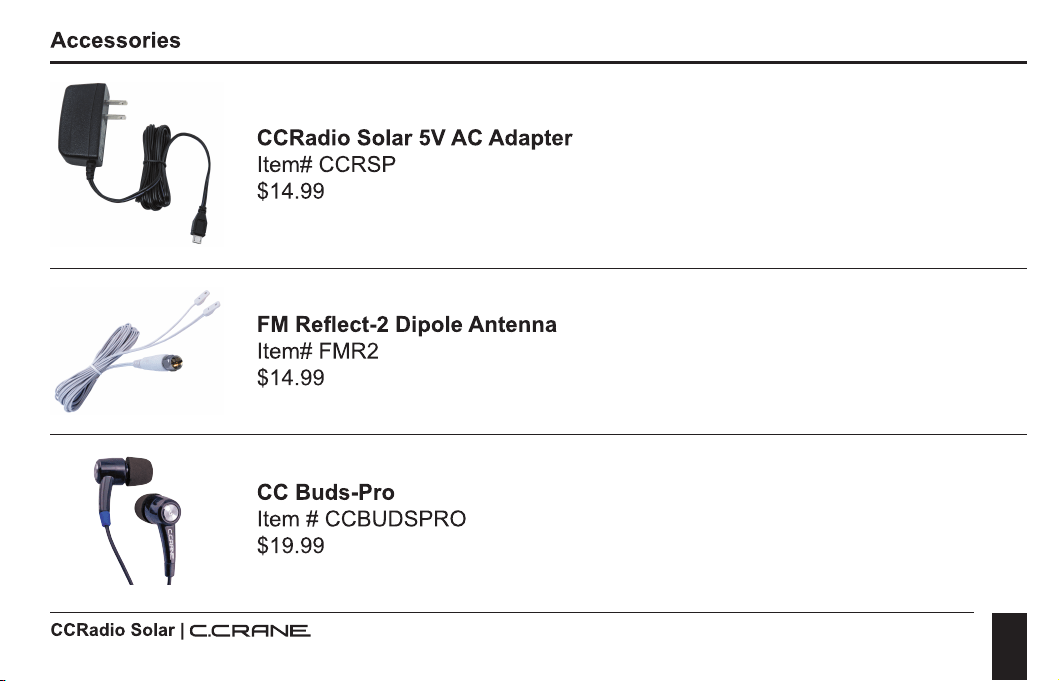
Accessories
CCRadio Solar 5V AC Adapter
ltem#CCRSP
$14.99
FM
Reflect-2 Dipole Antenna
Item# FMR2
$14.99
CC Buds-Pro
Item # CCBUDSPRO
$19.99
CCRadio Solar I
C.CRRNE.
I
THIS DEVICE COMPLIES WITH PART 15 OF THE FCC RULES. OPERATION IS SUBJECT TO
THE FOLLOWING
TWO
CONDITIONS;
1) THIS DEVICE MAY NOT CAUSE HARMFUL INTERFERENCE, AND
2) THIS DEVICE
MUST
ACCEPT
ANY
INTERFERENCE RECEIVED, INCLUDING
INTERFERENCE THAT MAY CAUSE UNDESIRED OPERATION.
NOTICE: Any changes
or
modifications not expressly approved by the party responsible for
compliance could void the user's authority to operate the equipment.
C.CRRNE
172 Main Street
Fortuna,
CA
95540-1816
Phone: 1-800-522-88631 Web: ccrane.com
Copyright©
2022 by
C.
Crane. All rights reserved. No part
of
this booklet may be reproduced,
in
any
form
or
means whatsoever, without permission
in
writing from
C.
Crane. (Ver 1)