Warranty description
Limited warranty and Technical support:
The limited warranty period is calculated from the date of purchase of the product. If your instru-
ment requires service, please Take the instrument to your local sales department and contact us
for repair. We can sell to distributors at any time Supplier or customer to provide spare parts su-
ch as calibration test plate.
In order to avoid the accuracy of the instrument being affected and more difficult maintenance,
please do not disassemble the instrument.If the instrument is damaged due to disassembly of
the machine or incorrect use, the user is responsible for it.
Prompt message
Packing boxes are required during transportation to ensure product transportation safety. It is r-
ecommended to keep at least the packing boxes from the date of receipt 30 days.
·Do not attempt to disassemble or replace the internal parts of the instrument, if you need serv-
ice,please contact the agent or official customer service
·Do not place the instrument in a heat source or expose it directly to the fire
·If any liquid accidentally enters the instrument, turn off the power supply immediately
·This product and its internal parts may cause choking and other hazards if ingested by children
Warning
1. Calibration
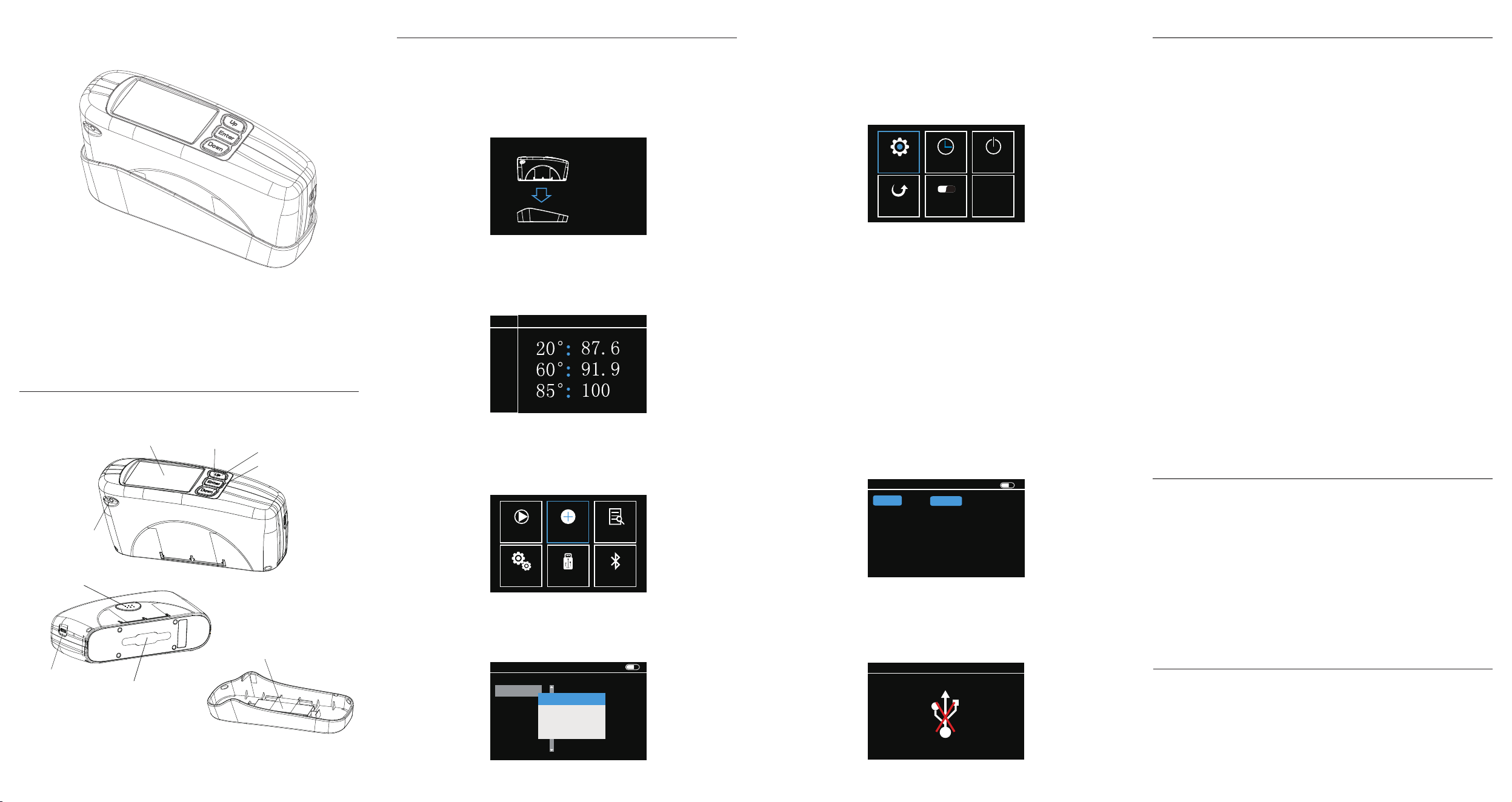
After the instrument is turned on, it will automatically enter the calibration page, p-
ress the "Test" key, and the instrument will automatically calibrate. listen.To "beep"
sound, and appear "calibration success" words, indicating successful calibration.
(Note: required before calibrationRemove protective film from calibration plate a-
nd test port).
5.Settings
On the main menu, select Settings and press Enter. The Settings page is display-
ed Noodles. Operate through the "Up" and "Down" keys: "Measurement Settings",
"Time Settings""Power Management", "Factory Recovery", "Language selection",
"Version information" and other options,Press Enter to confirm.
6.Measurement setting
Mode selection: Users can choose between simple mode and statistical mode. S-
imple mode refers to a single measurement Count mode refers to the difference
between a comparable sample and a standard sample.
Average times: Users can choose to measure multiple points or average multiple
times.
Tolerance: Users can set the allowable deviation between the sample and the
standard sample to determine whether it is qualified or not. acquiesce If the differ-
ence is less than or equal to 2.0, it is judged as qualified. If the difference is great-
erthan 2.0, it is judged as qualified Not qualified.
Auto save: Users can set to turn this function on or off. If it is turned on, the data
will be saved for each measurement Save the file to View on the home screen.
Unit selection: Users can choose GU or REF two gloss units.
Measurement Angle: Users can choose the Angle displayed in the measurement
interface.
Revise Cal.: The user can modify the calibration value to ensure the accu-
racy of the instrument. (Assuming the calibration board is used Long time, reduc-
ed luster, need to re-calibrate)
7.USB communication
The user can connect the instrument to the computer software through the USB
cable to realize the computer side operation, data storage and reporting The rep-
ort is derived. (The instrument must maintain this interface when connected to th-
e computer).
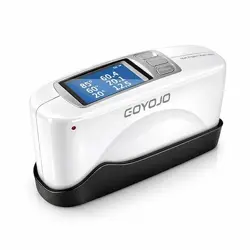
Gloss meter
Instruction manual
Product introduction
Quick Start
Please read this manual carefully before using the product
2. Standard sample measurement
After calibration, automatically enter the measurement interface, attach the instru-
ment Test port to the sample surface, and press "test" Key, can be measured.
3. Main menu
Switch operation by "Up" and "Down" keys, you can perform "measurement", "ca-
libration",Select View, Settings, USB, and Bluetooth, and press Enter.Press the T-
est key to return to the previous step.
4. Data viewing
Users can browse the historical data in View on the main screen and select a his-
torical data As a standard sample, compare and measure with the sample.
USB
[Test]-Cal
[Enter]-Exit
Put Base
Start Cal
T002
Sample
Save
Print
Exit
TARGET
Txxx GU Single
Settings USB B.Tooth
Cal
Data.V
Measure
T-Name S-Number
Details
Data.V
60°
2024/01/01 08:31:53
T001
T002
T003
T004
0
0
0
0
T000 1
View Sample
Delete
Edit Name
Import Target
Type-C
Measuring port
Calibration plate
Calibration base
Up select key
Down select key
Confirm key
Screen
Pilot lamp
Test key/Return key
SKU:23AGCP0380SE
Technical parameter
Measuring Angle:
Measurement spot (mm):
Measuring range:
Index value:
Measurement repetition
accuracy:
Measurement mode:
Measurement accuracy:
Measuring time:
Data storage:
Volume:
Weight:
Languages:
Battery power:
Endurance :
Interface:
Screen size:
Computer Software:
Working temperature:
Humidity:
Purpose:
20°, 60°, 85°
20°:10*10; 60°:9*15; 85 ° : 5 * 38
20°:0-200GU; 60°:0-200GU; 85°:0-100GU
0-100:0.1 GU; > 100:1GU
0-100GU:0.2GU; 100-200GU, 0.2%GU
Simple mode and statistical mode
Meet the requirements of
JJG 696-2015 gloss meter
Less than 1.5s
5000 pieces
165*51*77mm(L * W * H)
About 400g
Simplified Chinese and English
3000mAh lithium battery
It can be used 60,000 times on a full charge
Type-C
2.4 inch (resolution 320*240)
support
0 to 40 ℃
Less than 85%, no condensation
Paint, ink, coatings, electroplating, plastic
electronics, hardware and other fields
※ Before the instrument leaves the factory, the color spectrum standard laboratory measurement data
Parameters are subject to change without prior notice
※
Mode Simple
Storage ON
Unit GU
1
Average
Tolerance 2.0
Meas.S
Mode
Storage
Unit
Angle
Revise Cal.
20°
93.4
60° 85°
GU
ON
2.0
1
Simple
Average
Tolerance
中
En
V
Meas.S Power
F.Reset
Language
Version
Time.S