1. Connect your bass shakers to the speakers output of BSA-600. If you just
want to connect one bass shaker, please connect it to the correct jacks
directly according to the mark shows on the back panel.
2. Connect the audio source device to the RCA input of BSA-600 via
high-quality cable.
3. Connect the power cord to the AC 100-240V in and then plug the power
cable to the wall socket, and turn on the power switch on the back panel,
the power indicator will be steady on and the display screen will show the
volume value, that means BSA-600 has been turned on.
4. If the power indicator is flashing, please short press the VOL knob to turn it
on and the power indicator will be steady on and the display screen will
also show the volume value, and then rotate the knob to adjust the
volume, the cutoff frequency and the balance knobs also can be
adjusted according to your requirements.
5. Connect the wired remote to the BSA-600, and the cable is 5m long
enough for you to control power on/off and mute/volume adjustment
from the distance.
6. BSA-600 is designed with USB 5V charging output, convenient to provide
power supply for your other device such as phone, tablet etc.
How to Use
4
2. Please check the power output mode is correctly selected and the
speaker jacks are correctly connected.
3. If all is fine, please check whether the audio source is muted, paused
or the volume is too small.
Q: Why is the sound distorted?
A: Maybe the amplitude of input signal is too large. If the volume of audio
source and the BSA-600 both are turned to maximum, it is easy to cause
distortion. Please turn down the volume of audio source or BSA-600.
Q: Why there is no sound or very lttle sound after the amplifier is connected
to the speaker?
A: 1. Please check the audio source has been turned on and the volume is
not at the minimum.
2. Please confirm whether the speaker and amplifier match ( For example,
the speaker is fixed resistance or fixed voltage, the power of speaker is
too much over the power of the amplifier etc).
Q: What are the reasons and troubleshooting methods for the unbalanced
volume between the left and right speakers?
A: 1. For a normal power amplifier, the volume on the left and right sides
should be consistent. If there is an imbalance, please check it from
the sound source, input cable, volume potentiometer, speaker cables,
speakers (whether the placement of the speakers is symmetrical) etc.
2. BSA-600 with balance adjustment, please adjust the knob until you feel
both channel is balanced.
Q: Why can’t the BSA-600 turn on automatically again even if there is a signal
after it is shut down manually in AUTO mode?
FAQ
5
BSA-600
1. Please do not open the shell without permission, improper operation
may cause a risk of electric shock.
2. Please don't operate BSA-600 in a high temperature or humidity
environment.
Website: www.doukaudio.com
Email: nobsound@doukaudio.com
WeChat/Whatsapp: +86-17704028602
Address: Room 1329, Wang Cheng Building, Long Guan East Road,
Long Hua District, Shen Zhen, Guang Dong, China, 518000
Contact Information
Warning
7
1
1
Introduction
Bass Shaker Wiring Guide
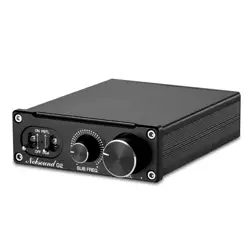
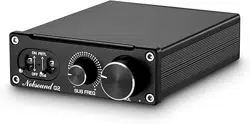
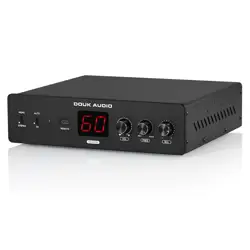
BSA-600 bass shaker and subwoofer amplifier is designed by Douk Audio,
specifically to power tactile transducers but works equally as well as a
dedicated subwoofer amplifier. BSA-600 adopts TPA3255 chip, the max.
output power reaches 115WPC(4Ω/stereoand 230WPC(2Ω/ mono), also
with a group of RCA output to connect other amplifiers or speakers and
USB 5V charging output to power your other devices. With cutoff
frequency and balance knobs, let you freely adjust the desired
crossover point and output, making it easy to control over your set-up.
BSA-600 also comes with a wired remote, convenient to adjust the
volume externally from the amp.
Warm Tips
1. If the power indicator is flashing after press the power switch on the
back panel, please short press the VOL knob to turn it on and the
power indicator will be steady on and the display screen will also
show the volume value, that means the BSA-600 has been turned on.
2. The RCA input can be full-frequency signal or low frequency signal,
the kind of RCA output signal depends on what the RCA input.
3. The banana speaker jacks only output low frequency and drive
subwoofers or bass shakers, cannot power full-frequency speakers.
4. The RCA input and RCA output is in parallel, the RCA output without any.
Introduction
2
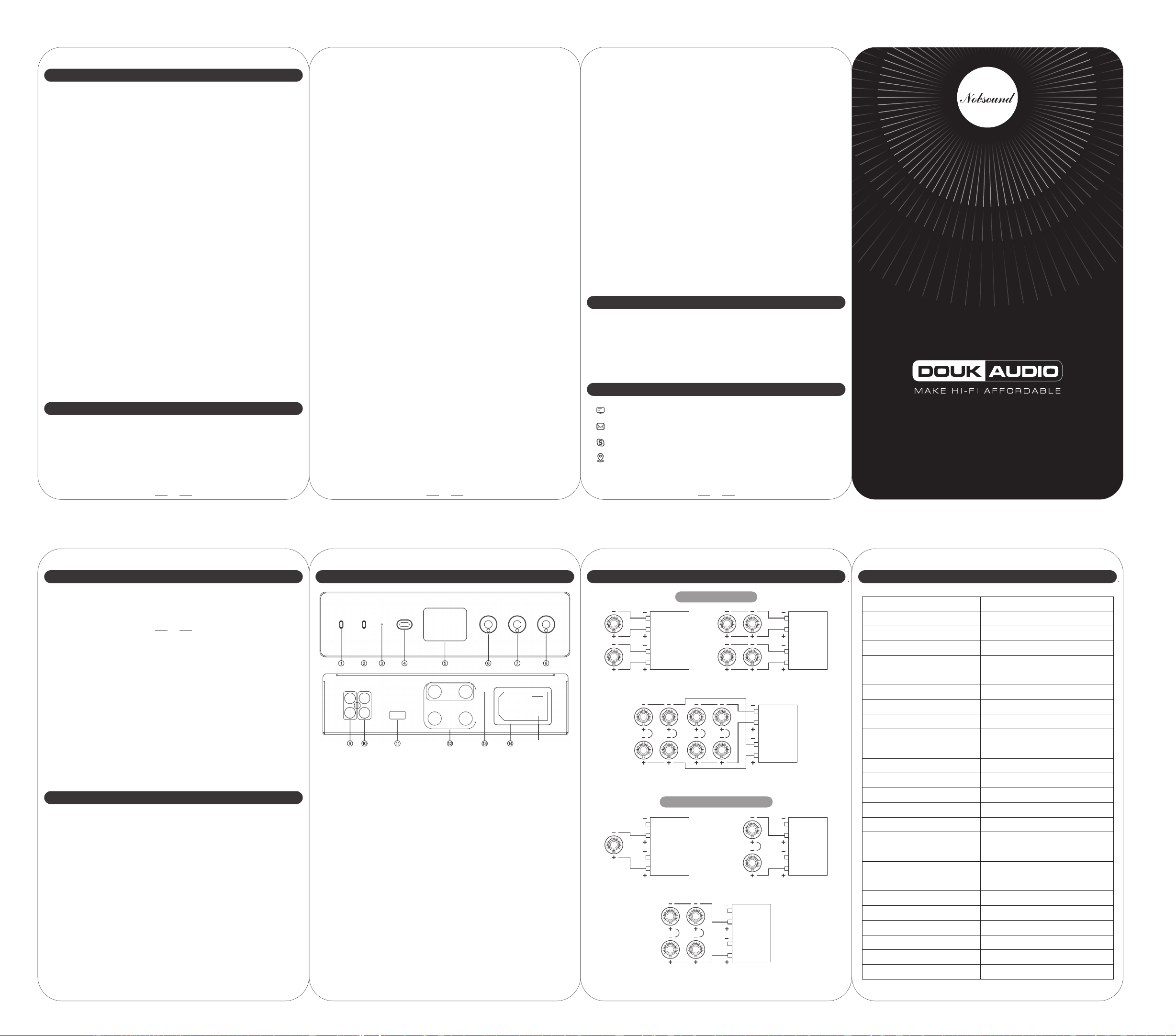
Introduction of Front/Back Panel
① Mono/Stereo Switch
② Auto standby on/off if no signal input (AUTO: auto standby ON,
ON: auto power on when connected to power supply
③ Power indicator (Standby / Mute: flash Power on: steady on)
④ Wired remote interface (Short press: turn on / mute
Long press: turn off Rotate: adjust the volume
⑤ Display screen
⑥ Function knob ( Short press: turn on / mute
Long press: turn off Rotate: adjust the volume)
⑦ Cutoff frequency adjustment knob
⑧ Balance adjustment knob
⑨ RCA input (White: left channel Red: right channel)
⑩ RCA output
⑪ USB 5V output
⑫ Banana speaker jacks (Red: positive Black: negative)
⑬ Speaker jacks (in mono mode)
⑭ Power interface (AC 100-240V)
⑮ Power switch
3
6
A: When the BSA-600 is in AUTO mode, it will automatically enter standby
mode when there is no signal for 10 minutes. The signal detection circuit
will continue to work, it will trigger automatic startup once there is a
signal input. Manual shutdown will close all circuits and the BSA-600 will
enter low power consumption mode. Even if there is a signal, BSA-600
cannot be turned on automatically, it can only be turned on manually.
Q: Why is there a thumping sound when switching on/off?
A: Please confirm the on-off sequence is correct, normally it follows the
order of signal transmission when turn on: audio source→preamp / DAC→
amplifier→speaker. (The sequence is reversed when switching off. As the
internal capacitors will be discharged for a while atfter shutdown. If turn
off the preamp firstly and then turn off amplifier, impact sound will be
easily caused which may damage the amplifier or speaker in severe
cases).
Brand
Model
Audio input
Audio output
Matched speaker impedance
Range of cutoff frequency
Input sensitivity
The time of entering standby
if no signal input
The lowest drive level to power on
Gain
Distortion
S/N Ratio
Output voltage of USB
Working voltage
External wired remote
Net weight
Package weight
Dimensions(W*D*H)
Package dimensions(W*D*H)
Douk Audio
BSA-600
Stereo RCA
Banana speaker jacks / Stereo RCA
Stereo: 115W*2 (4Ω)
Mono: 230W*1 (2Ω)
2-8Ω
50-200Hz
0.22mV@50Hz
≥15mV at 1KHz
40db
0.1%
≥105dB
DC5V/1A
Display OL -- Overheat is relieved
and it will recover after 10 seconds
Display OC -- Overcurrent is relieved
and it will recover after 10 seconds
AC 100-240V
Supported (5m / 16.4 ft)
2.34kg/5.16lb
3.0kg/6.61lb
242*214*65mm / 9.53*8.43*2.56in
345*265*90mm / 13.58*10.43*3.54in
Parameters
Overheat protection
Overcurrent protection
Max. output power
After 10 minutes
⑮
(Bridged)Mono installation
Stereo installation
2 Bass shakers
4 Bass shakers(series/parallel)
R
BSA-600
4 Bass shakers
L
R
BSA-600
L
2 Bass shakers(series)
R
BSA-600
L
1 Bass shakers
R
BSA-600
L
R
BSA-600
L
8 Bass shakers(series/parallel)
R
BSA-600
L
Q: Why are all cables connected but there is no sound?
A: 1. Please check the power switch is ON and the power indicator and
display screen are on or not. If the power indicator is flashing, please
short press the VOL knob to turn it on.