2.
10
1
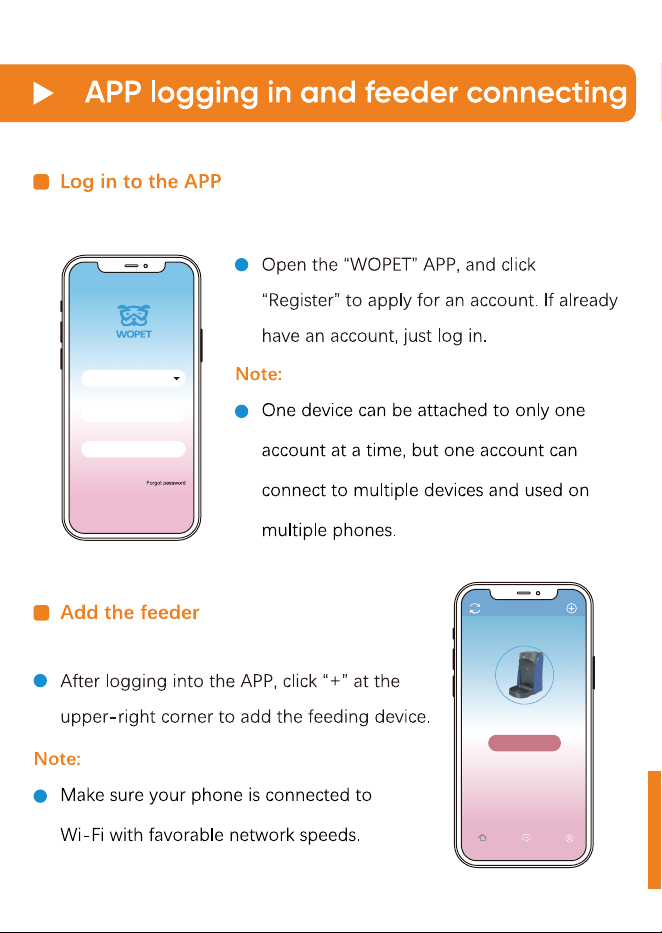
Enter your email
Enter your password
Login
Register
Add a decice
Device
MeHelpDevice
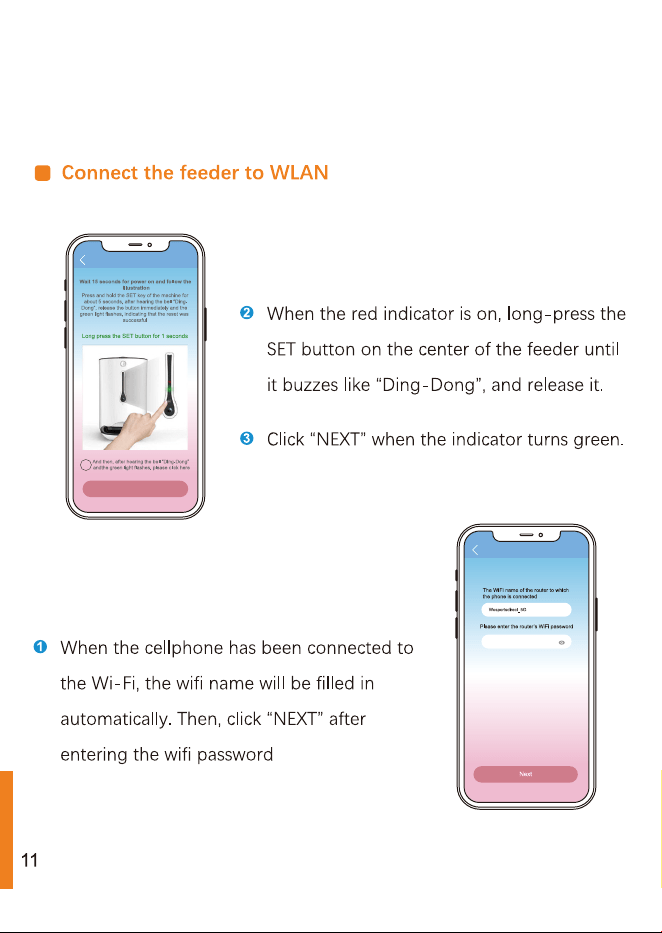
Next
Please enter the router’s Wi...
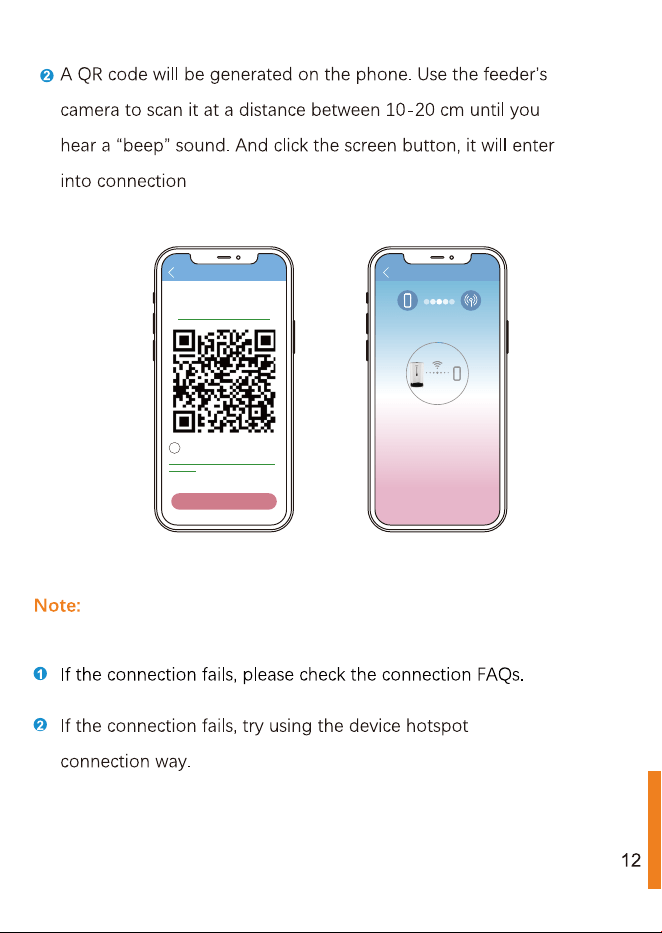
Please face down the QR code directly to the camera of the
feeder, and keep the distance between 10-20 cm (about the
length of a mobile phone). After the scan is successful,you w...
Take another look at the procedure.
Next
And then, after hearing the bell “Ding-Dong”
andthe green light flashes, please click here
Operation completed, but no prompt tone
was heard
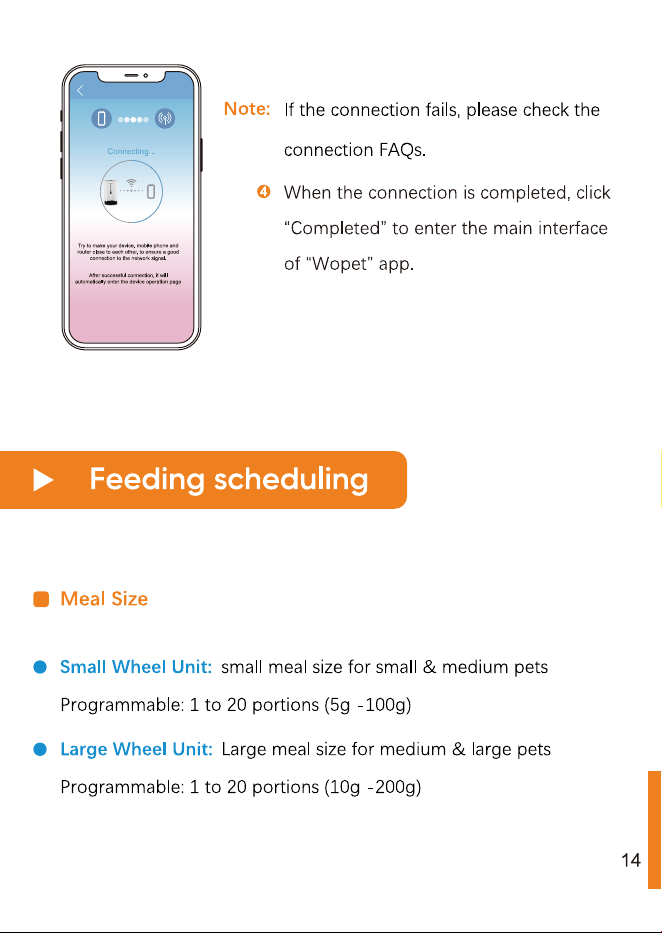
Connecting...
Try to make your device, mobile phone and
router close to each other, to ensure a good
connection to the network signal.
After successful connection, it will
automatically enter the device operation page
3%
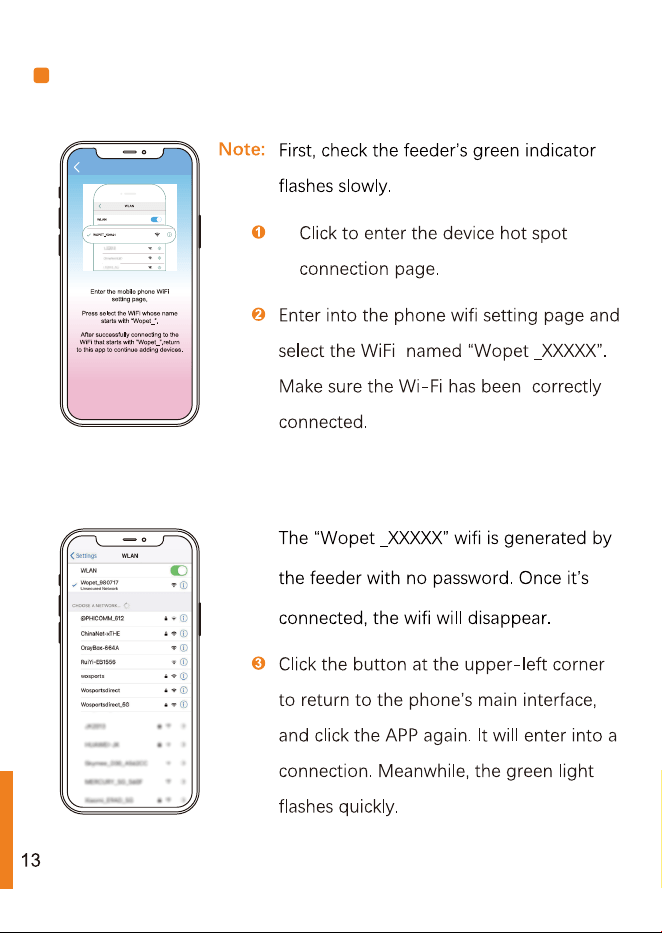
Device hot spot connection
Note:
55%
12:00
18:00
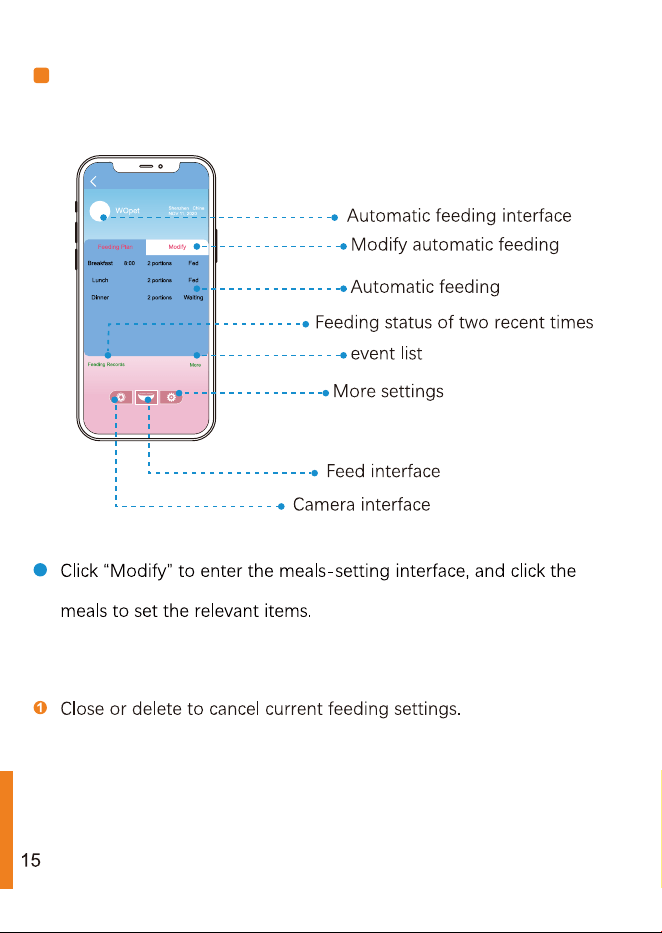
Automatic feeding interface
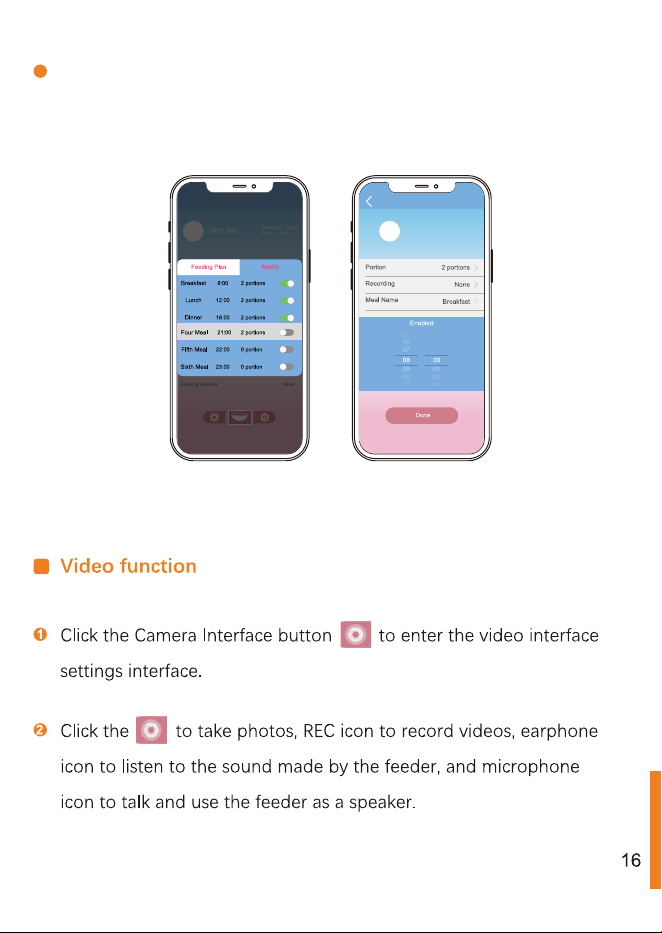
Meal's time and portion, as well as record playback, can be set up
in the feeding setting interface.
2
07
06
05
09
01
10
02
11
03
:
(Not set)
Shenzhen China
NOV 11, 2020
More
Feeding Records
17
2
WO pet
1 year, 1.0kg
Other
1.
b
9.
7.
8.
Product specification
Product specification
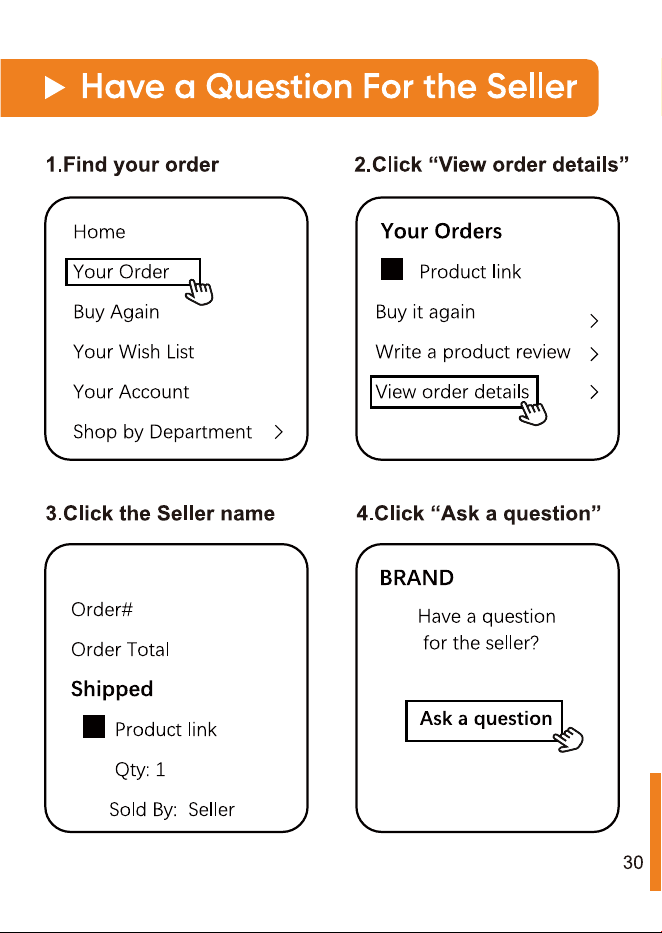
View order details