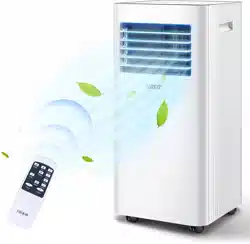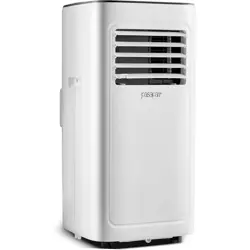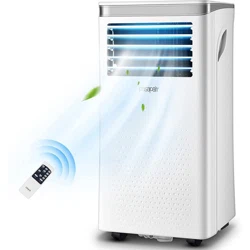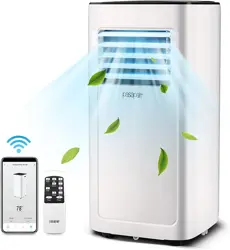
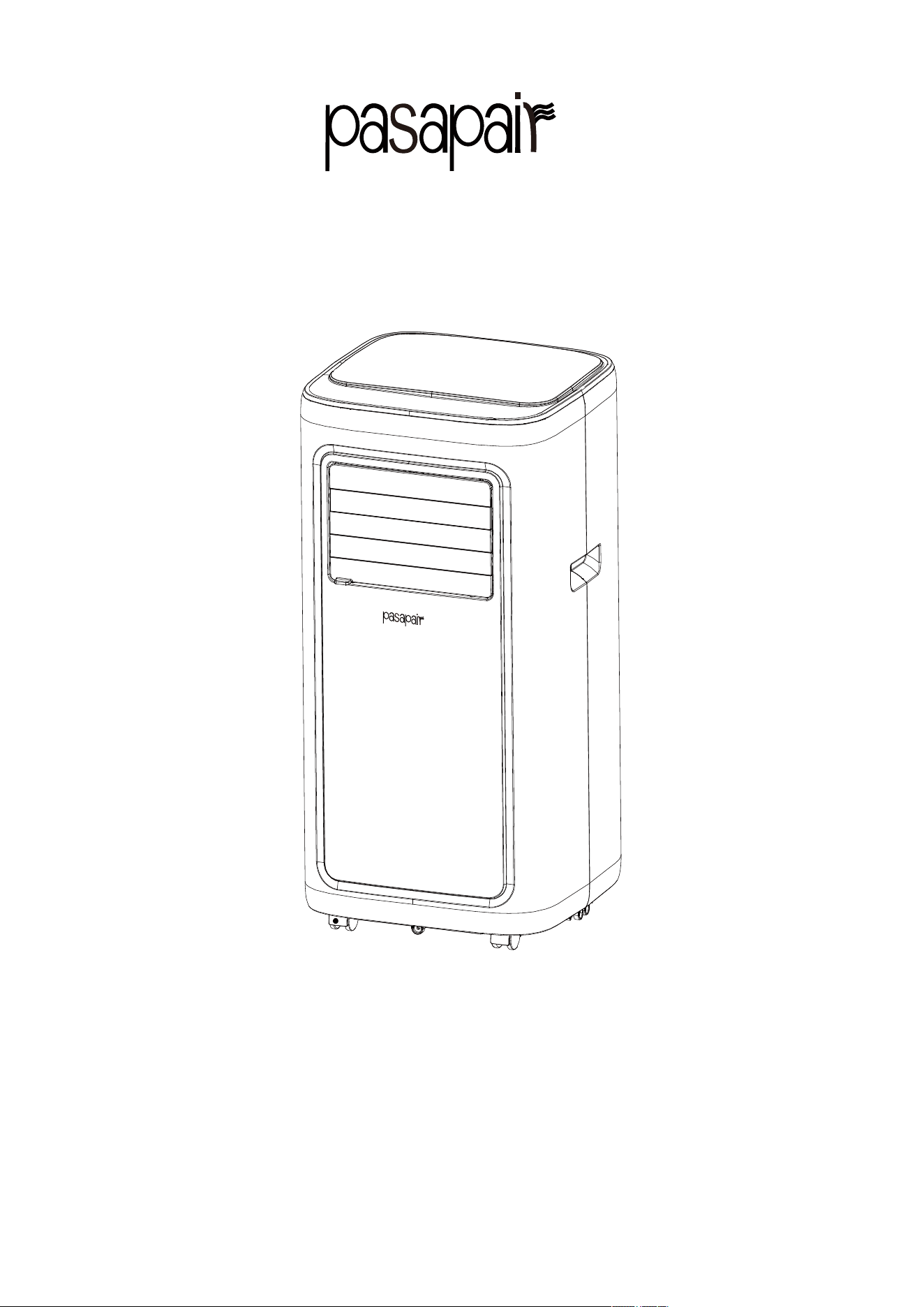
PORTABLE AIR CONDITIONER
Instruction Manual
BRAND:pasapair
MODEL:A019F-05KR/A019F-06KR
PLEASE READ INSTRUCTIONS CAREFULLY BEFORE ASSEMBLYRETAIN
THIS MANUAL FOR FUTURE REFERENCE
1

Content
I. Notes………………………………………………...….............................3
II. Features and Components....................................................................... 5
III. Control Setting........................................................................................ 7
V. Protection function.......................................................................…........14
VI. Installation and adjustment...................................................................15
VII. Drainage Instructions………………………..........……………….....17
VIII. Maintenance ....................................................................................…18
IX.Troubleshooting.…………….........…………………….….........……...19
IV. APP Connection...................................................................................... 9
2
X.Warranty.…………….........…………………….….........……...............20

Thank you for choosing the luxurious and elegant mobile air conditioning.
Please keep the manual for later review, and read the manual carefully before
use.
I. Notes
Notes:
*
The air conditioning is only suitable for indoor use, and is not suitable for other applications.
*Follow local grid interconnection rules while installing the air conditioning and ensure that it is
properly grounded. If you have any question on electrical installation, follow the instructions of
the manufacturer, and if necessary, ask a professional electrician to install it.
*Place the machine in a flat and dry place and keep a distance of above 50cm between the
machine and the surrounding objects or walls.
*
After the air conditioning is installed, ensure that the power plug is intact and firmly plugged
into the power outlet, and place the power cord orderly to prevent someone from being tripped or
pulling out the plug.
*Do not put any object into the air inlet and outlet of the air conditioning. Keep the air inlet and
outlet free from obstructions.
*When drainage pipes are installed, ensure that the drainage pipes are properly connected, and
are not distorted or bended.
* While adjusting the upper and lower wind-guide strips of the air outlet, pluck it with hands
gently to avoid damaging wind-guide strips.
*
When moving the machine, make sure that it is in an upright position.
*The machine should stay away from gasoline, flammable gas, stoves and other heat sources.
* Don't disassemble, overhaul and modify the machine arbitrarily, otherwise it will cause a
machine malfunction or even bring harm to persons and properties. To avoid danger, if a machine
failure occurs, ask the manufacturer or professionals to repair it.
3
*
Do not install and use the air conditioning in the bathroom or other humid environments.
* Do not pull the plug to turn off the machine.
* Do not place cups or other objects on the body to prevent water or other liquids from spilling
into the air conditioning.
*
Do not use insecticide sprays or other flammable substances near the air conditioning.
* Do not wipe or wash the air conditioning with chemical solvents such as gasoline and alcohol.
When you need to clean the air conditioning, you must disconnect the power supply, and clean it
with a half-wet soft cloth. If the machine is really dirty, scrub with a mild detergent.
*
The appliance can be used by children aged from 8 years and above and persons with reduced
physical, sensory or mental capabilities if they have been given supervision or instruction
concerning use of the appliance in a safe way and understand the hazards involved. Children
shall not play with the appliance. Cleaning and maintenance shall not be made by children
without supervision.
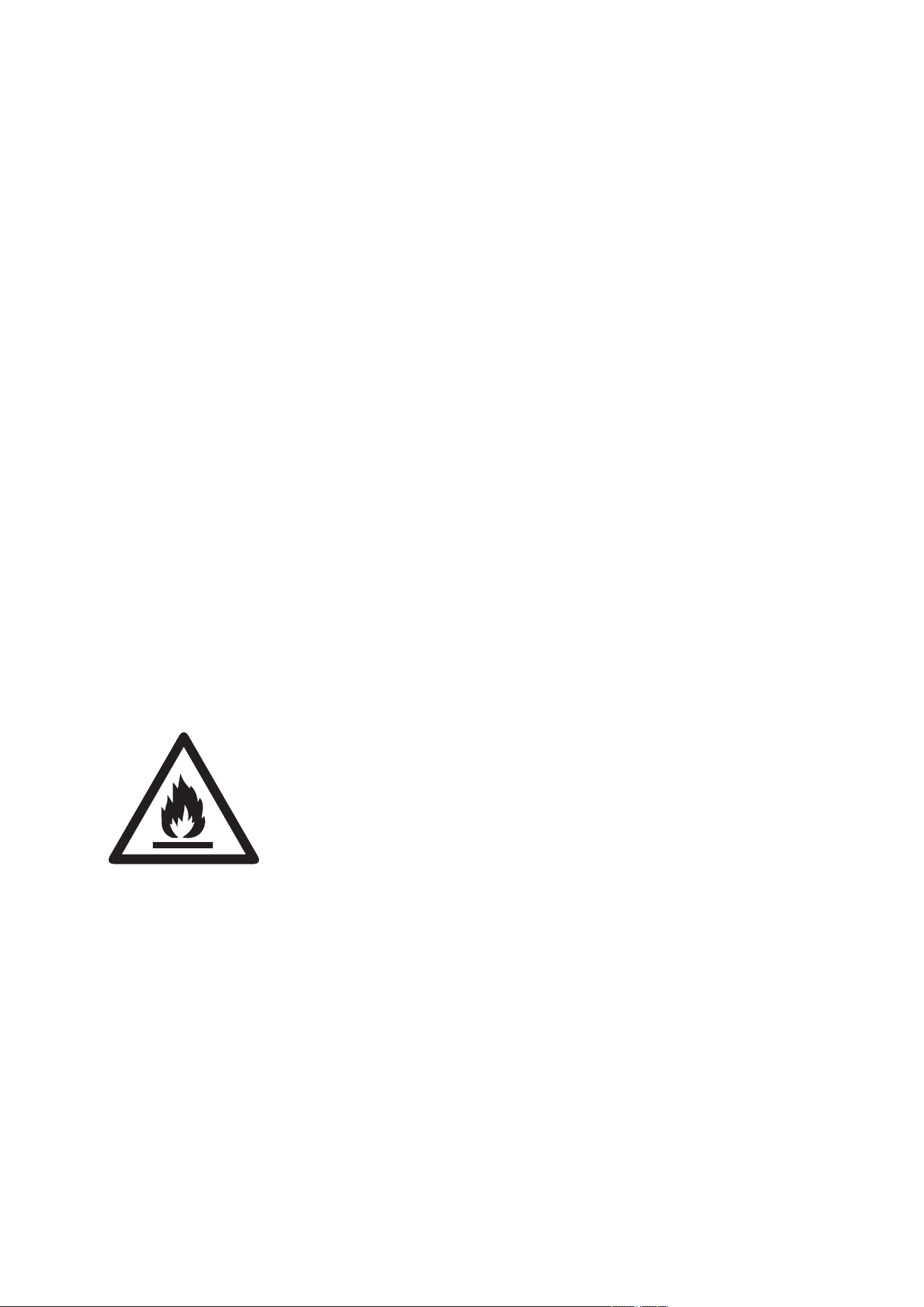
Risk Of Fire Or Explosion. Flammable Refrigerant Used. To Be Repaired On
ly By Trained
Service Personnel. Do Not Puncture Refrigerant Tubing.
Risk Of Fire Or Explosion. Dispose Of Properly In Accordance With Federal Or Local
Regulations. Flammable Refrigerant Used.
•
•
4
II. Features and Components
1. Features
New look, compact structure, streamlined machine, aristocratic atmosphere.
With cooling, heating (single cold without heating function), dehumidification and fan function,
Continuously Water Drainage Functions.
Automatic swing leaf in the outlet has automatic air swing function, and the outlet can be
covered when the machine is turned off to prevent dust from entering the body.
LCD displays the control panel. (LCD display control panel.) machine is beautiful and elegant.
High-quality LCD remote control is equipped to facilitate operation.
Handles on both sides adopt dividing point design, so that it is easier to carry it and the body
design is more humane.
The structure of wrapping the power cord on the back facilitates users to hang the power cord
without hanging it down to the ground and staining and damaging the power cord.
Outdoor interface is set high to facility assembly and keep the smooth flow of the heat pipe.
Air filtration capability.
Timing switch function.
Protection function of automatically restarting the compressor after three minutes, with a variety
of other protection functions.
MODEL A019F-05KR A019F-06KR
Rated Voltage 115V/60Hz 115V/60Hz
Cooling Rated Input Power 771W 950W
Cooling Rated Input Current 7.5A 8.5A
Cooling Capacity
8000 Btu/h 10000 Btu/h
Refrigerant Charge R32 R32
Net weight 45lb/20.4kg 46lb/20.9kg
Dehumidification Capacity 45 Pints/day 50 Pints/day
Air Circulation CFM 176 153
Noise 53/52 53/52
5
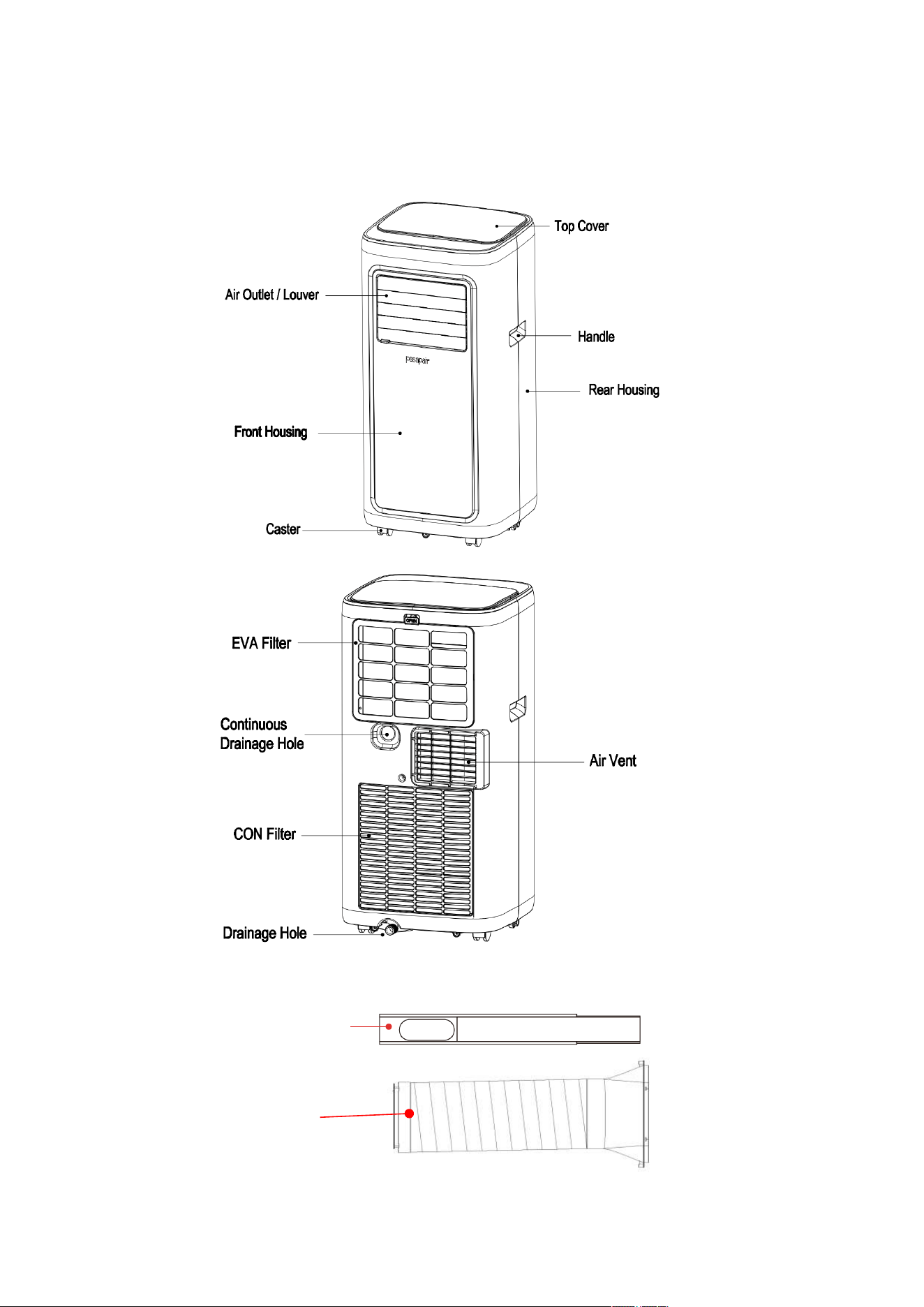
2.Components:
Exhaust Pipe Assembly
Window Sealing
Plate Assembly
6
III. Control Setting
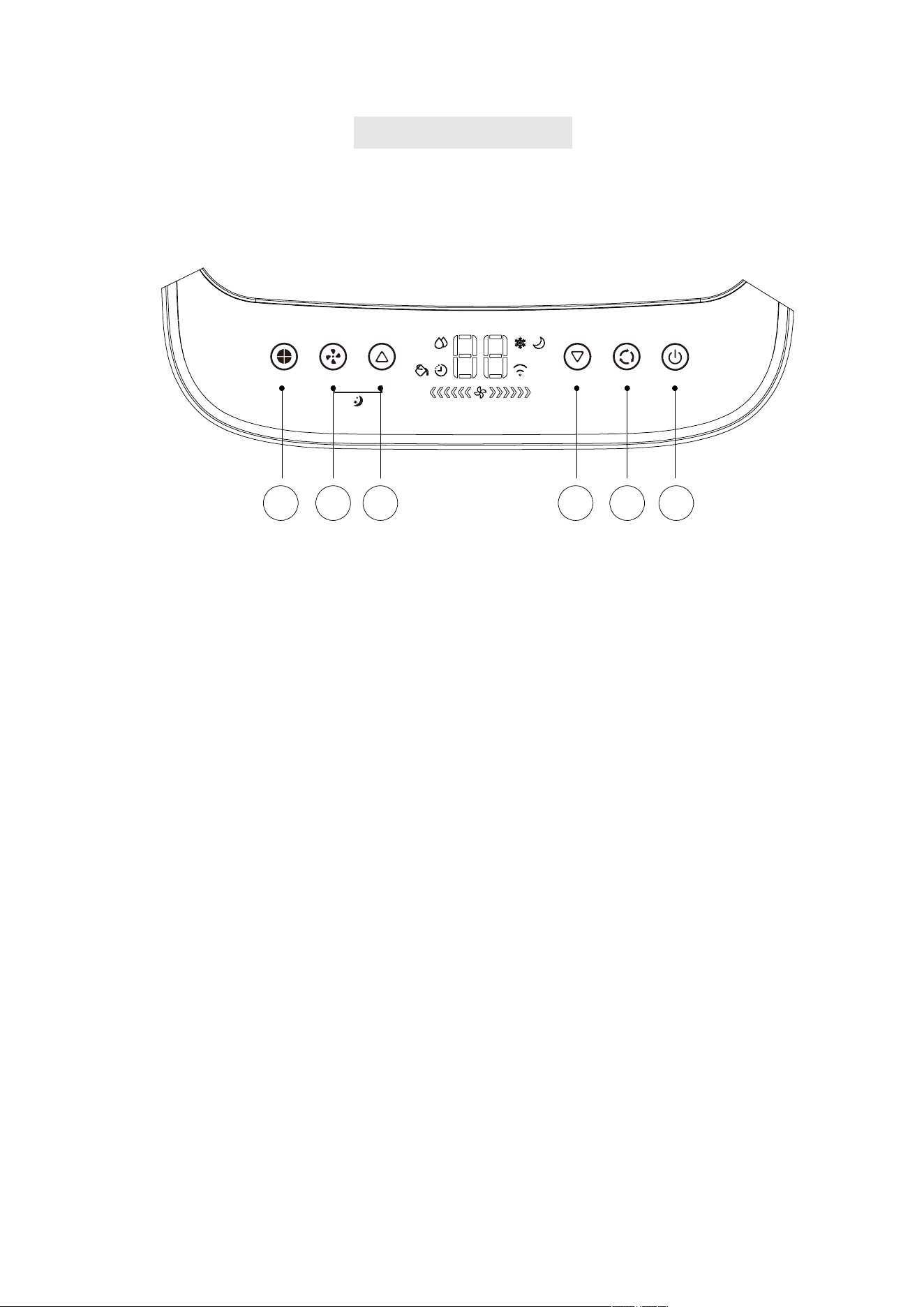
1.Control panel operation instructions
1
)
operation interface
:
2.
Mode Selection Button Fan
4. Increase Button
1.Power Button: Pressing the button to turn on and turn off the unit.
7.Sleep Mode: Simultaneously press increase and SPEED button to turn on Sleep mode,then the unit
will work on Energy-Saving and quiet mode.
2.
Mode Selection Button: In the case of power on, press this key to switch between cooling
→ fan → dry mode.
3.
DOWN: Pressing this button to decrease the temperature setting or set down the timer to
the required timer setting. This function is not available under FAN mode and
DEHUMIDIFYING mode.
4.
UP: Pressing this button to increase the temperature setting or set up the timer to the required
timer setting. This function is not available under FAN mode and DEHUMIDIFYING mode.
5.
Wind Speed Selection Button
1.Power Button
3.Decrease Button
5.
Fan Speed Selection Button
6.
Timer Button
:
1)In cooling mode and fan mode, pressing the button to select high, low wind speed
operation.
2)In dehumidifying mode, pressing the button is unavailable.
6.
TIMER: Pressing TIMER button to set the unit automatically turn ON or OFF. Use the + and -
buttons to adjust the time in hours.
TIMER SPEED
UP DOWN MODE
POWER
SLEEP
6 5 4
3 2 1
7
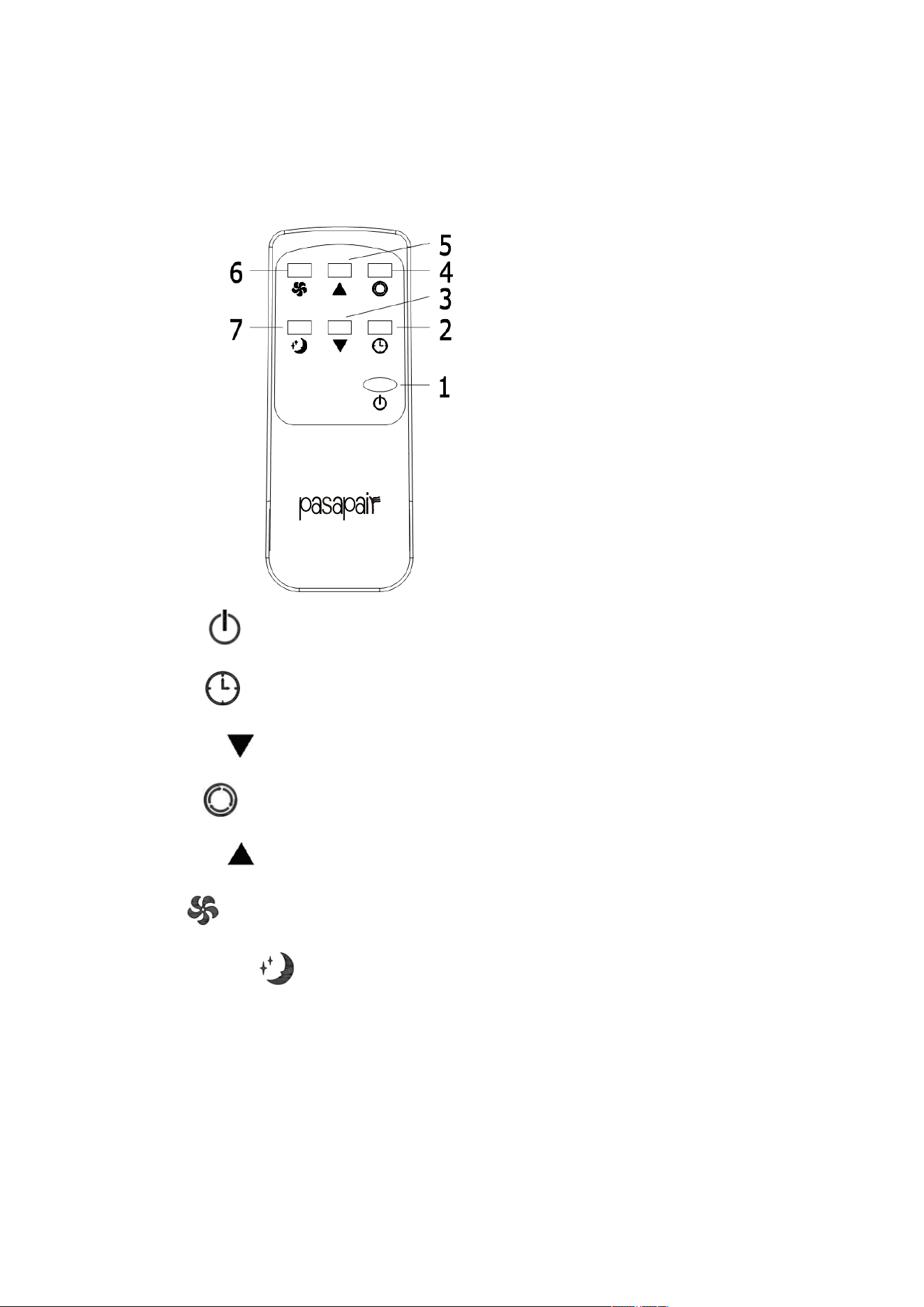
2.operation instructions of re
mote control
1)The remote controller is as follows:
1. Power: Press the Button to turn on or turn off the machine.
2. Timer: press the Button to set timing value.
3. Decrease: press the Button to reduce temperature and timing set value.
4. Mode: press the Button to switch between cooling, air supply, Dehumidify mode.
5. Increase: press the Button to increase temperature and timing set value.
6. Fan: press the Button to select high, low wind speed.
7. Sleep Mode: Press the Button to turn on the sleep mode.
*NOTE: AAA 1.5VDC battery ( not included )
8
IV. APP Connection
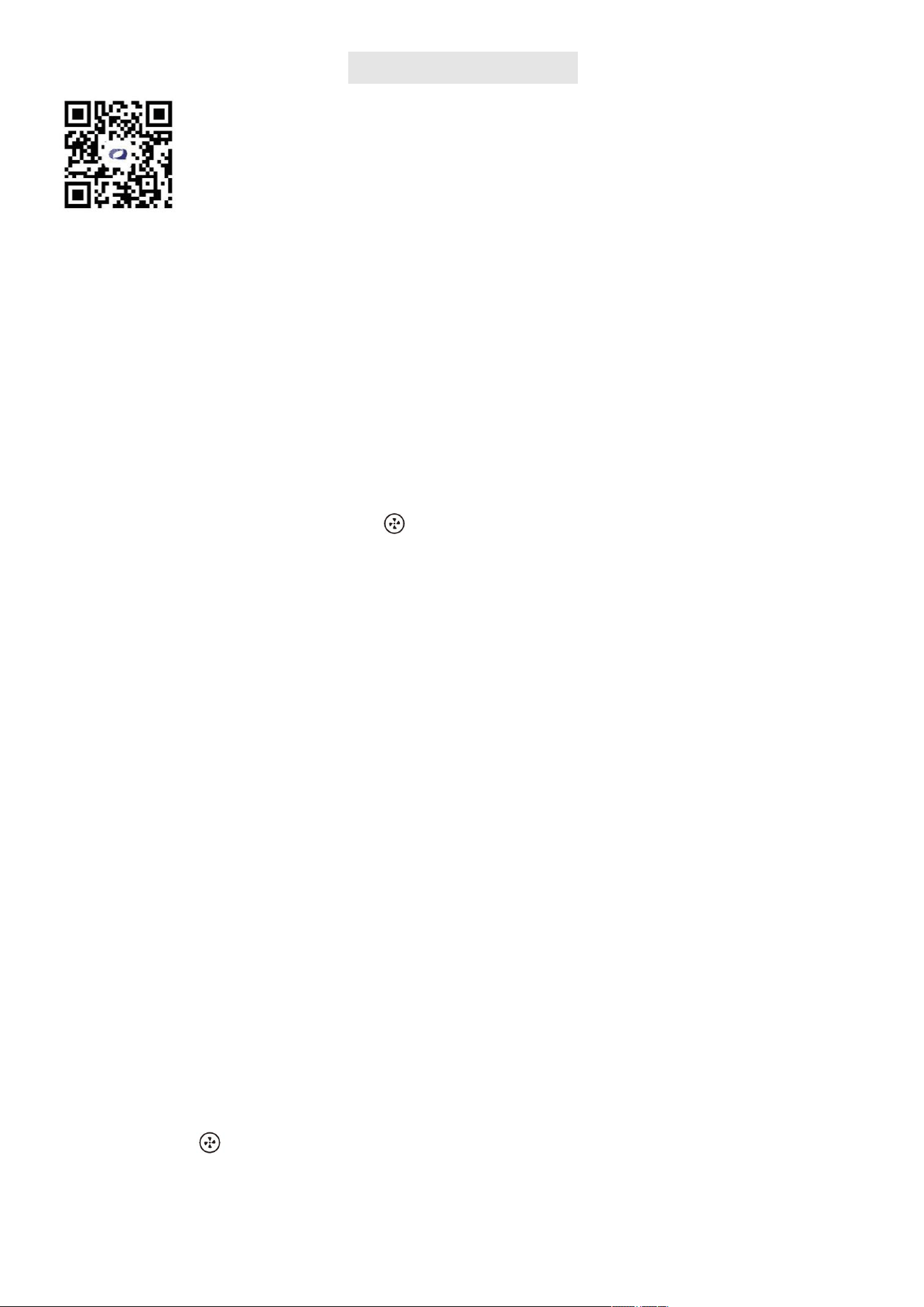
Scan the QR Code with your smartphone or search it in the APP Store or Google Play to
download the "QZsmart" app.There are two ways to connect the APP: WiFi mode and
Bluetooth mode.
1. Make sure your air conditioner is on and ensure that your smartphone is connected to 2.4 GHz Wi-Fi
network. Note:This device only supports 2.4GHz Wi-Fi@ network, not 5GHz Wi-Fi@ network.
2. Ensure that the Bluetooth function of the mobile phone is enabled at the same time;otherwise, the device
cannot be automatically searched.
3. Download the QZsmart app from the App Store or Google PlayTM. NOTE: Authorize the app to access
network and location services.
4. If you are using the app for the first time, click the "Sign up" button and register. If you already have an
account, click the "Log in" button.
5. For better WIFI connection, please reset the product WIFI before using it for the first time.Insert the
power plug to keep the unit on. Touch the "
" button on the control panel of the portable ac for 5 seconds
until the LED indicator continues to blink.
Add Device
1. From the Home Page, press "Add Device" or press "+"in the top right corner of the screen. (If you
already have a device added to your account, the "Add Device" button will not appear.)
2. Connecting
Auto-connect: (Featured First)
The app will automatically search when Wi-Fi and Bluetooth are switched on, so you can add the
corresponding product directly from the automatic search.
Step 1: Press "Add Device" or press "+".
Step 2:When the device is found, press Add. The Bluetooth function must be enabled during this process.
Step 3:Select your Wi-Fi network. (Be sure to use a 2.4G network)
Step 4: Enter your router password.
Step 5:Wait for connection and click "NEXT".
Step 6:Once the device is added, you can use the menu to change the name and location of the device.
Step 7:When you are finished, click "Done".
Manual connection: Select your model from the device menu.
Step 1: Press "Add Device" or press "+.
Step 2:Select a product type (mobile air conditioner), and click the product figure of the corresponding
model (A019F).
Step 3:Select your Wi-Fi network. (Be sure to use a 2.4G network)
Step 4:Enter your router password.
Step 5:Touch the "
" button on the control panel of the portable ac for 5 seconds until the LED indicator
continues to blink, Press "Next".
Step 6:Click "Next." Your smartphone will automatically connect.
Step 7:Once the device is added, you can use the menu of the app to change the name of the device.
WIFI MODE:
Preparation Before Use:
9
Step 8:When you are finished, press "Done."
Follow the APP interface, there are detailed operation reminders in the APP interface, you need to follow the
steps one by one;
NOTE: Connection may take up to 60 seconds.
*Once the device is added, you can use the menu of the app to change the name of the device.
*When you finished, press "Done".
NOTE: Your mobile device is connected to a 2.4GHz Wi-Fi network when pairing with the app.Please
select the 2.4GHz network when selecting a Wi-Fi network on the app during setup.
BLUETOOTH MODE:
Bluetooth function can be used in non-wifi environment.
Preparation Before Use:
Please be sure to connect WIFI successfully for the first time. (Again, you must connect to WIFI first,
otherwise you will not be able to use Bluetooth in non-wifi environments.)
NOTE: After the WiFi connection is disconnected, wait about 2-3 minutes before you can directly use the
Bluetooth control.
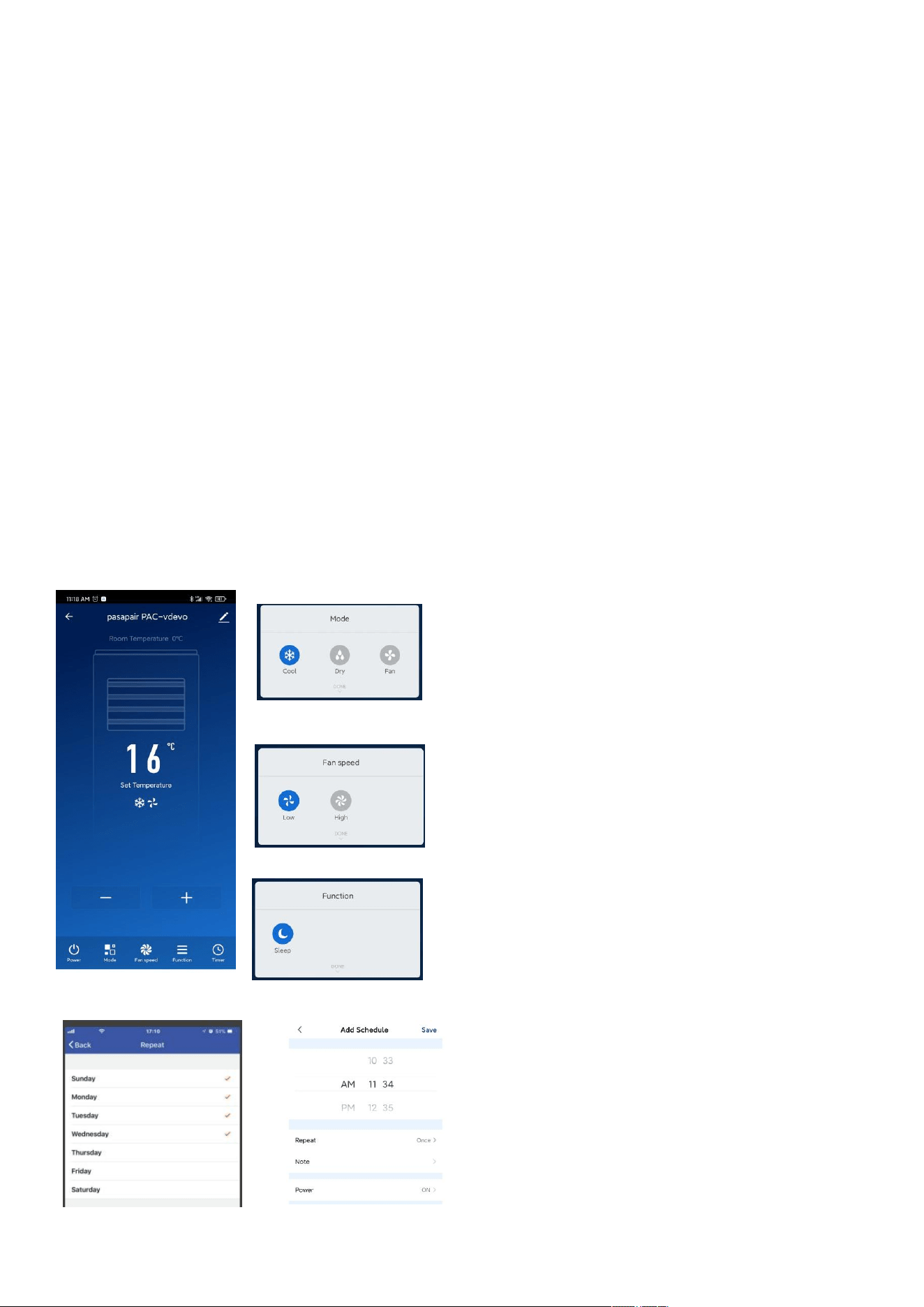
Using the My App
Now you can control the unit to set your room temperature whether you are driving on road or at the office.
The main interface can control the switch and set the temperature
Set schedules to programme a customized timer.
Change working modes
Set fan speeds for
comfort and energy
comfort and energy
savings.
Sleep mode: The unit will
work in energy saving
and silent mode.
10
How to unbind
A air conditioner can only be connected to one mobile phone.
First method :Touch the " " button on the control panel of the portable ac for 5 seconds until the LED
indicator continues to blink.
Second method : Removing connection with the app: Open the app and go to the device page. Click "
"in the upper right corner, and then click "Remove Device" at the bottom.
Cautions
*There will be a delay in operating the machine on the mobile phone, about 1-3 minutes, please be patient.
*The language of the APP automatically switches with the language of the mobile system.
*You can lock or unlock the control panel on the air conditioner by operating the APP lock icon. Please note
that if you want to lock the air conditionerr, please control it through the APP, the operation panel of the air
conditioner does not have the function of locking and unlocking.
LINK TO AMAZON "ALEXA"
Preparation before use:
Stable Wi-Fi network which could access to Amazon server. (For mainland China users)
An Echo device, including Echo, Echo Tap, or Echo Dot.
An Amazon account. (If you don't have one, sign up first).
Make sure there's at least one device under your "QZsmart " account, and the device's name could be easily
recognized by Echo.
Connection method 1
You can connect your mobile air conditioner to Amazon Alexa using the "QZsmart "app:
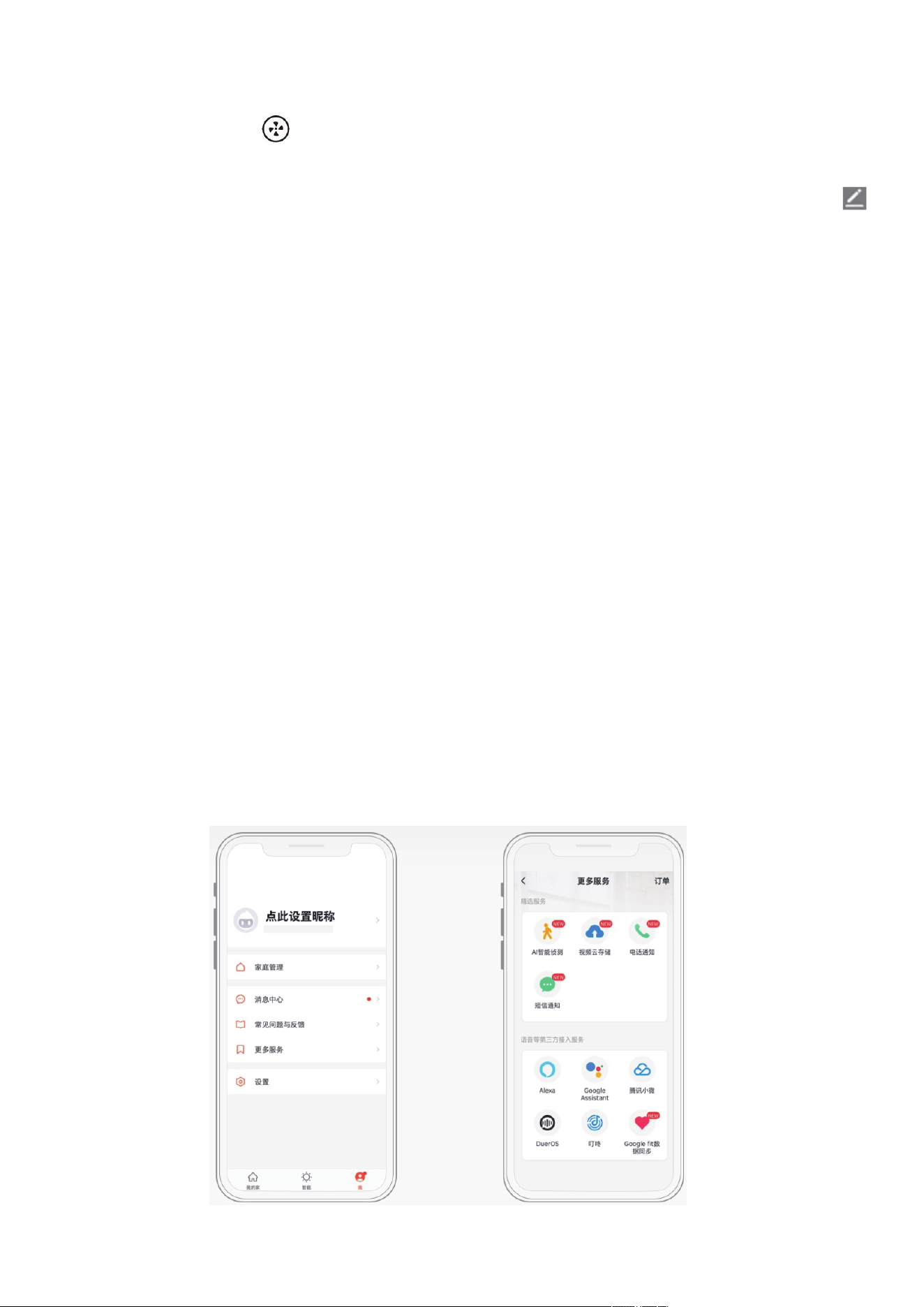
1.In the "Me" in the lower right corner of "QZsmart", select "More Services" and then "Alexa".
2.Sign in With Amazon.
3.Confirm the link to complete the skill binding.
4.Click “Back”.
11
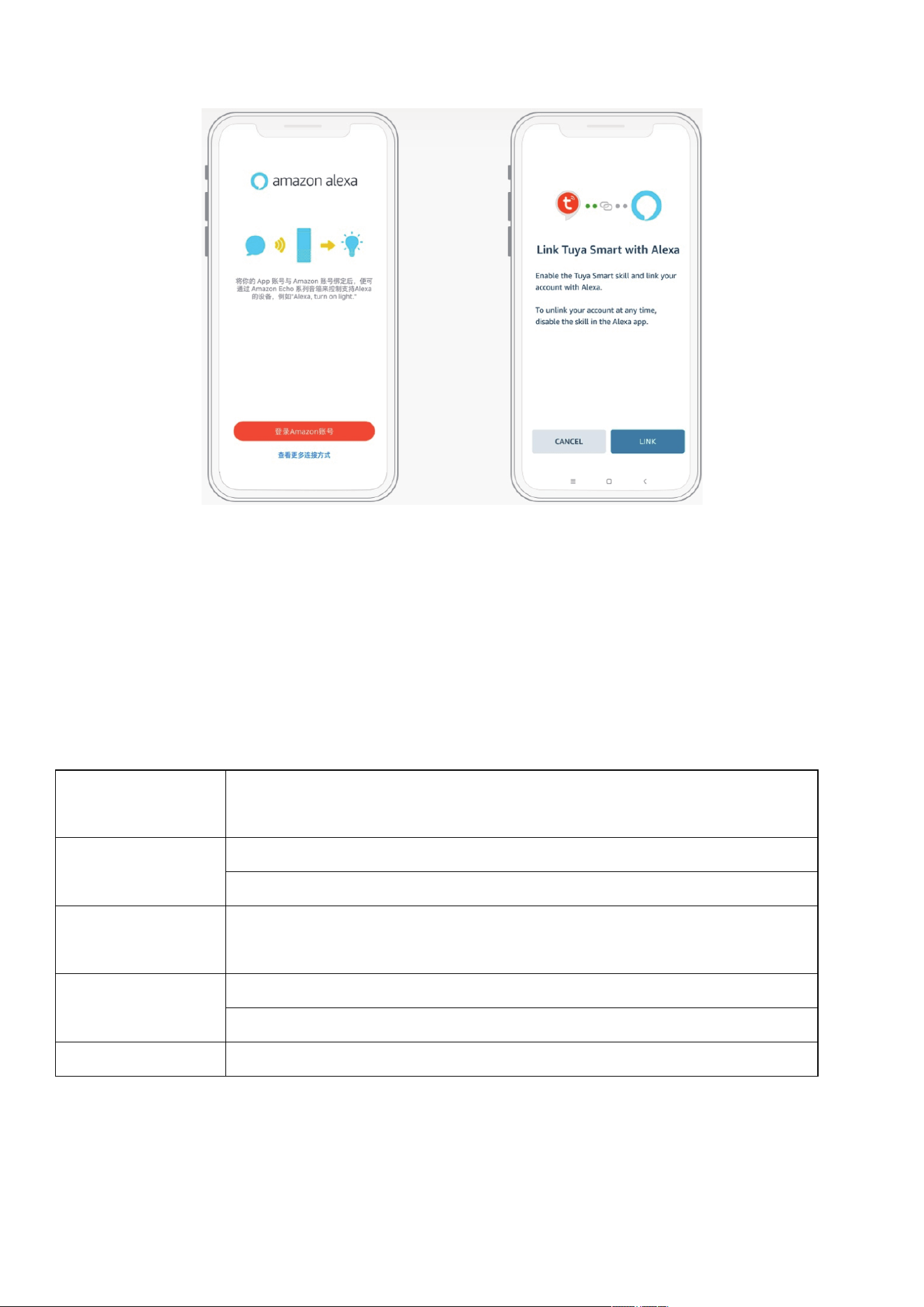
Connection method 2
1.Open "Alexa" and search for the "QZsmart" application.Click”ENABLE TO USE”.
2.Click "Agree and link".
3.Click "CLOSE" to complete the skill binding.
Control devices by voice commands
Now you can control your smart devices through Alexa.
You can use the following commands to control your devices :
Querying the
a
mbient temperature
"Alexa, what is the temperature of <device name>."
Power switch "Alexa, turn on <device name>"
"Alexa, turn off <device name>"
Adjust
the
temperature
"Alexa, set <device name> to N"
sleep "Alexa, turn on sleep on the <device name>."
"Alexa, turn off sleep on the <device name)"
Wind speed "Alexa, set Fan Speed to med/High/Low on (device name)"
NOTE: Every time you change the device's name on “QZsmart” app, Alexa must re-discover before
you control them.
12

LINK TO AMAZON "GOOGLE HOME"
What you need to get started
Before using Google Home to control your devices, make sure you meet the following conditions.
・A Google Home device, or Android phone with Google Assistant.
・Latest Google Home App.
・Latest Google App (Android only)
・A Google account.
・The device display language must be set to English Us.
・QZsmart App and a related account.
・Smart devices.
Set up Google Home and configure in Home Control
Configuration needs Google Home App. Search "Google Home" in App Store or Google Play to install
the App.
Connection
1.On the homepage of Google Assistant App, click the button in the upper left corner, select "+", select
"Set up device", and then click the "Works with Google".
2. Find "TUYA SMART" in the list. In the new window, select your QZsmart account's region, type your
QZsmart (Please fill in all spaces between words)account and password, then tap "Link Now".
3.Control your smart devices through Google Assitant Now you can control your smart devices through
Google Assitant.
13

V.
Protection function
4.1 Frost Protection Function:
In cooling, dehumidification or economic power saving mode, if the temperature
of the exhaust pipe is too low, the machine will automatically enter protection
status; if the temperature of the exhaust pipe rises to a certain temperature, it can
automatically revert to normal operation.
4.2 Overflow Protection Function:
When water in the water pan exceeds the warning level, the machine will
automatically sound an alarm, and the LDC temperature display area will show
"FL". At this point, you need to move the drainage pipe connecting the machine
or the water outlet to sewer or other drainage area to empty the water (details
see Drainage Instructions at the end of this chapter). After the water is emptied,
the machine will automatically return to the original state.
4.3 Automatic Defrosting (heating and cooling models have this function):
The machine has automatic defrosting function: during defrosting, heating symbol
on the display screen will flash.
4.4 Automatic Thermal Protection:
To protect the service life of the machine, the machine has automatic thermal
protection in heating mode. During the protection period, the compressor and the
lower motor will stop operation and will automatically return to normal heating state
after the temperature of the machine recovers.
4.5 Protection Function of the Compressor
To increase the service life of the compressor, it has a 3-minute delay booting
protection function after the compressor is turned off.
14
VI.Installation and adjustment
1.Installation
:
Warning: before using the mobile air conditioning, keep it upright for at least two hours.
The air conditioning can be easily moved in the room. In the moving process, ensure that the
air conditioning is in the upright position and the air conditioning should be placed on a flat
surface. Do not install and use the air conditioning in the bathroom or other humid
environments.
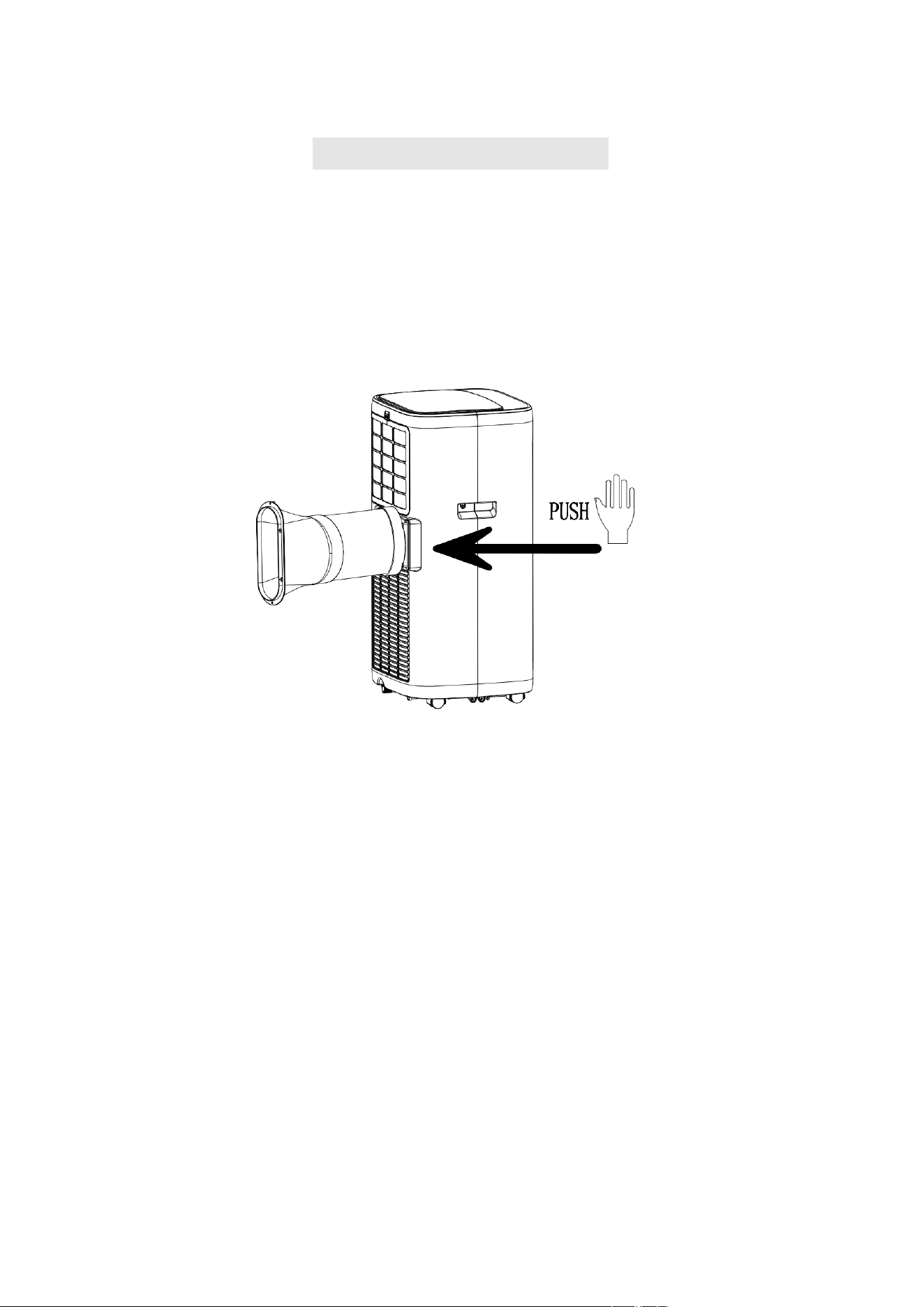
1.1 Install the heat pipe assembly (as shown in Fig.1)
Figure 1
1)take out the outer connector assembly and the exhaust pipe assembly, and remove the plastic
bags;
2)insert the heat pipe assembly (the end of the exhaust joint) into the back panel vent slot
(push to the left) and complete the assembly (as shown in figure 1).
1.2 Installation of window sealing plate components
1)Half open the window
,
and mount the window sealing plate assembly to the window (as
shown in Fig.2 and Fig.3).Components can be placed in horizontal and vertical direction.
2)Pull various components of the window sealing plate assembly open, adjust their opening
distance to bring both ends of the assembly into contact with the window frame, and fix various
components of the assembly.
1.2 Install the window sealing plate assembly.
Notes: 1)the flat end of the exhaust pipe joints must be snapped into place.
2)the pipe cannot be distorted nor has substantial turning (greater than 45 °). Keep the
ventilation of the exhaust pipe not blocked.
15
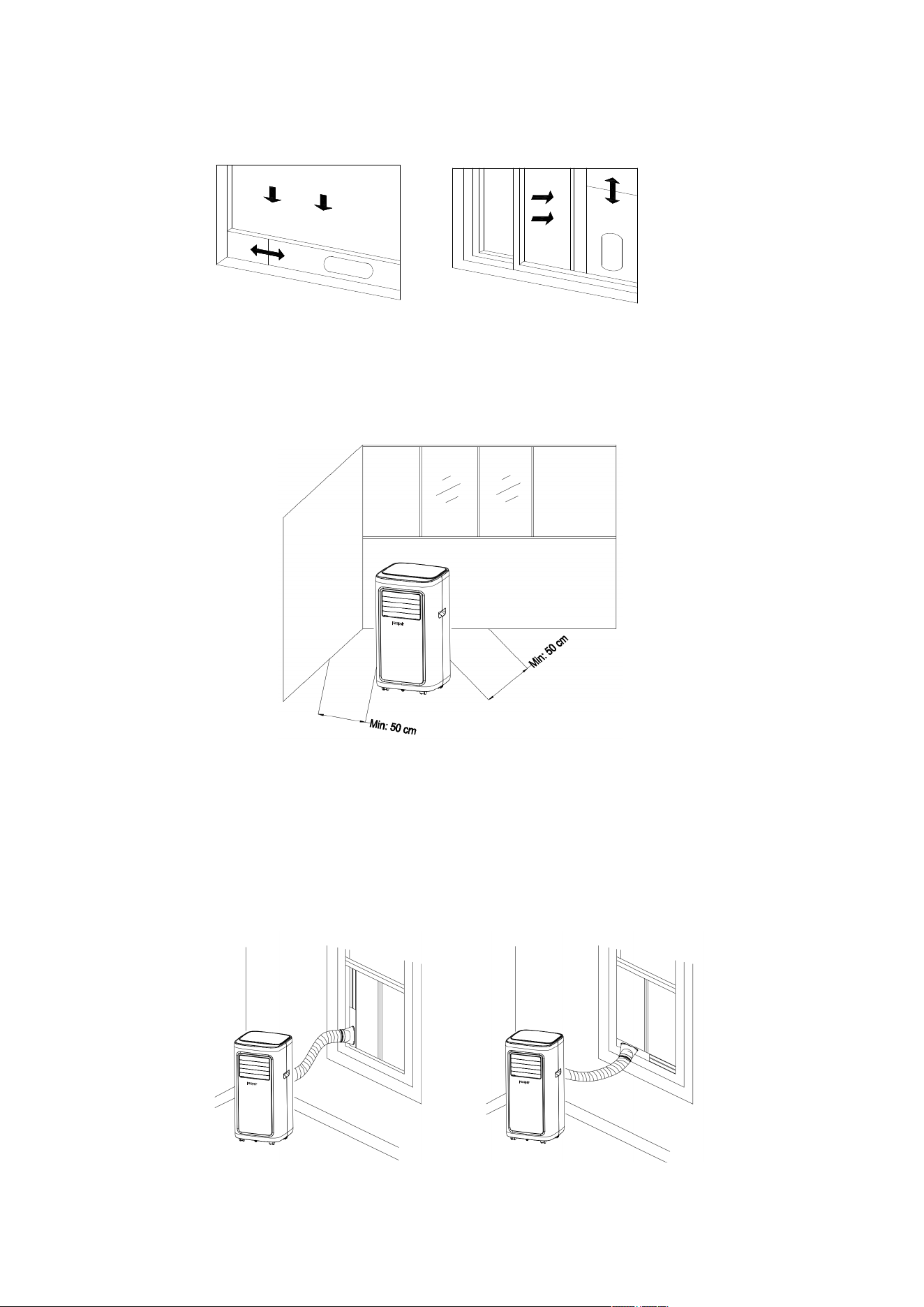
Figure 2 Figure 3
1.3 Install the unit.
1
)
Move the machine with installed heat pipe and fittings before the window, and the
distance between the body and walls or other objects shall be least 50 cm (as shown in Fig.4).
Figure4
1
)
Elongate the exhaust pipe and snap the flat end of the exhaust pipe joints into the hole of
the window sealing plate assembly (as shown in Fig.5 and Fig.6) .
Notes
:
1.the flat end of the exhaust pipe joints must be snapped into place.
2.The pipe cannot be distorted nor has substantial turning (greater than 45 °).
Keep the ventilation of the exhaust pipe not blocked.
Figure 5 Figure 6
16
VII. Drainage Instructions
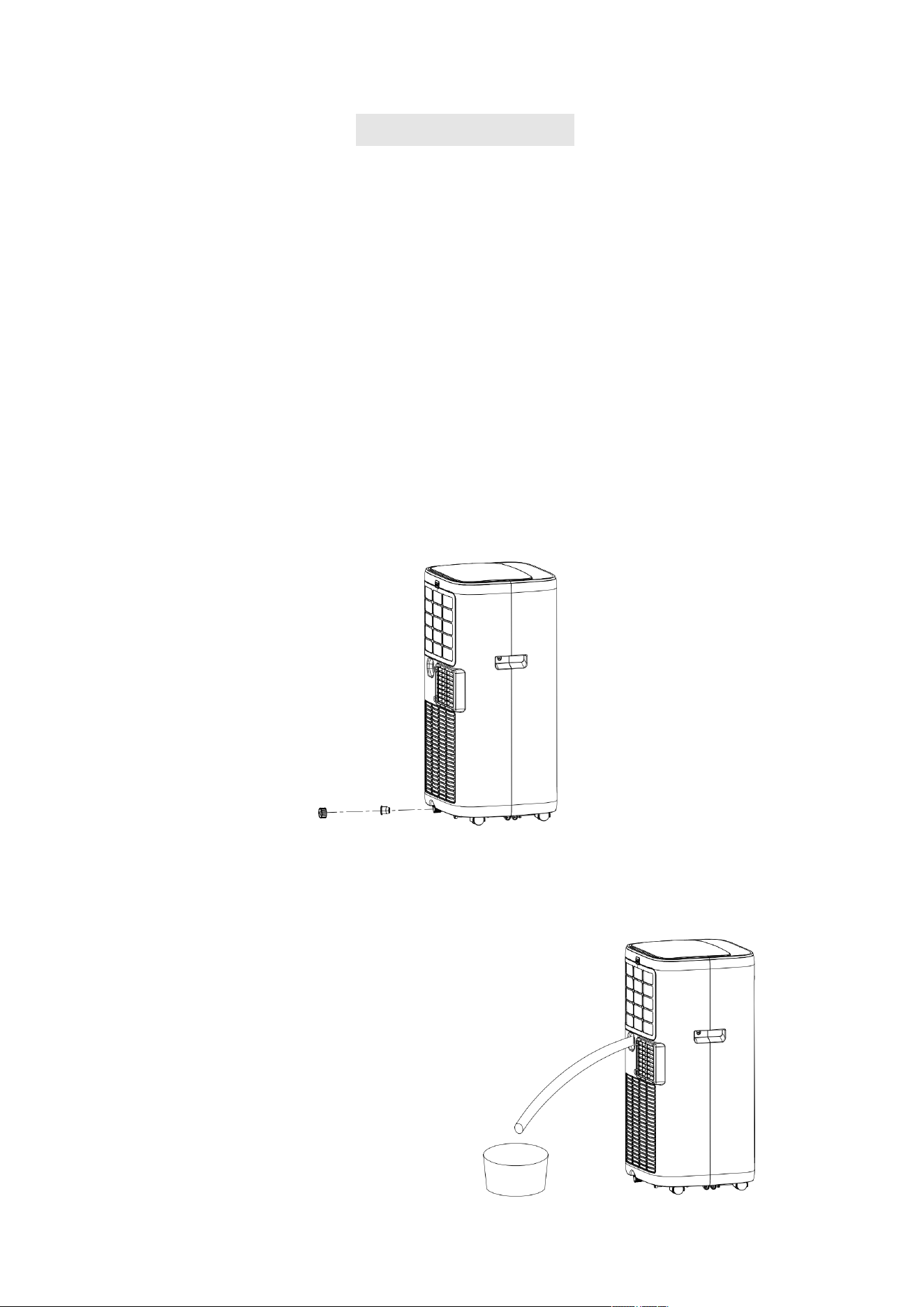
1. Manual drainage:
1
)
When the machine stops after the water is full, turn off the machine power and unplug the
unit from the power source.
Notes: Please move the machine carefully, so as not to spill the water in the water pan at the
bottom of the body.
2
)
Place the water container below the side water outlet behind the body.
3)Unscrew the rotary knob and unplug rubber stopper, the water will automatically flow into
the water container.
Notes: 1. Keep the rotary knob and rubber stopper properly.
2. During drainage, the body can be tilted slightly backwards.
3. If the water container cannot hold all the water, before the water container is full,
stuff the water outlet with rubber stopper as soon as possible to prevent water from
flowing to the floor or the carpet.
4
)
When the water is discharged, stuff rubber stopper, and tighten the rotary knob.
Notes: 1. Restart the machine after rubber stopper and rotary knob are installed, otherwise
condensate water of the machine will flow to the floor or the carpet.
2. Continuous drainage (only applicable to cooling and dehumidification mode), as shown
infigure:
1) Unscrew the rotary knob, and unplug rubber stopper.
2) Set the drainage pipe into the water outlet.
3)Connect the drainage pipe to the bucket.
17
VIII.
Maintenance
Cleaning: before cleaning and maintenance, turn off the machine and unplug the unit
from the power source.
1.Clean the surface
Clean with surface of machine with a wet soft cloth. Don't use chemicals, such as benzene,
alcohol, gasoline, etc; otherwise, the surface of the air conditioning will be damaged or
even the whole machine will bedamaged.
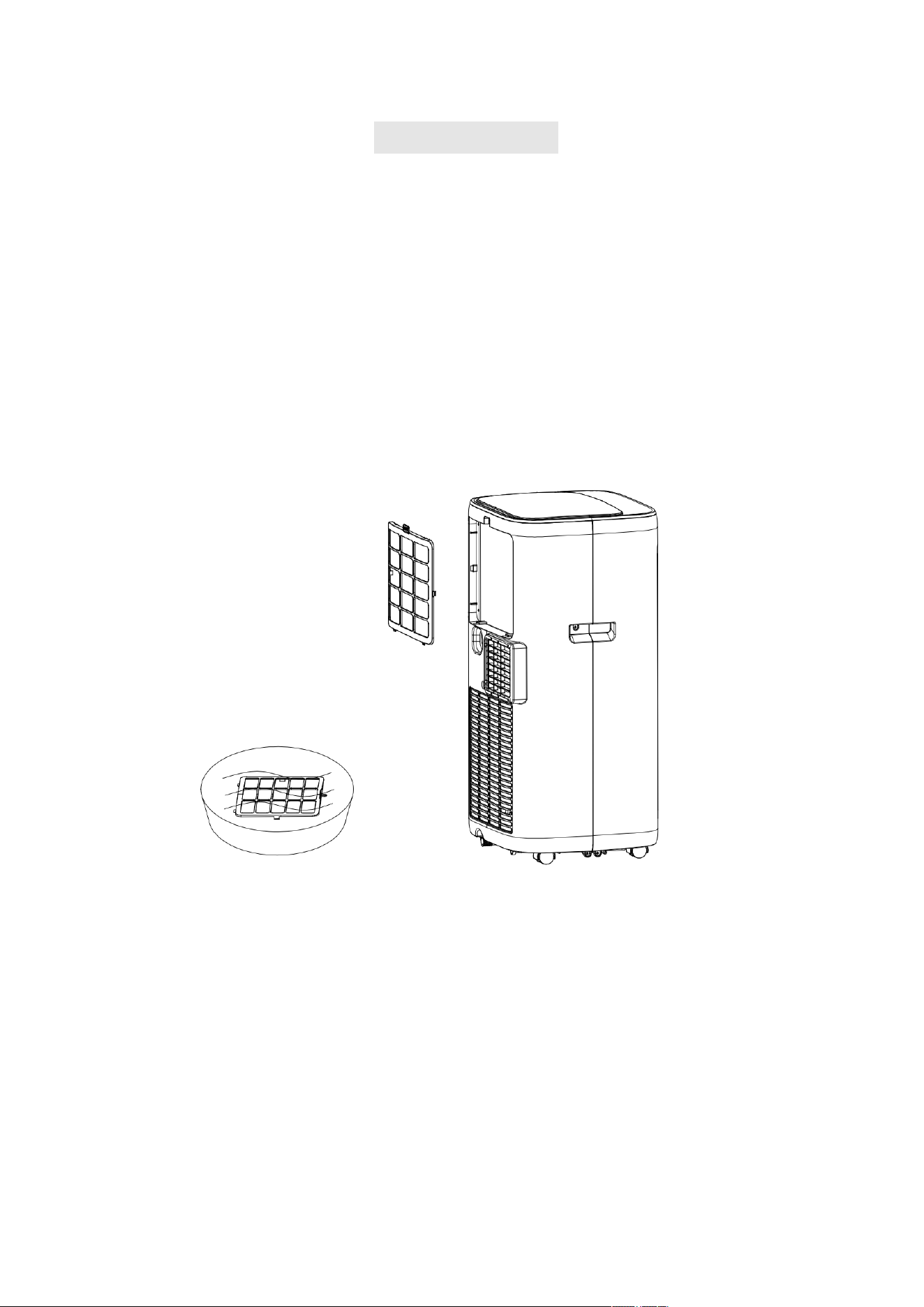
2.Clean the filter screen
If the filter screen is clogged with dust, and the effectiveness of the air conditioning is reduced,
be sure to clean the filter screen once every two weeks.
3.Clean the upper filter screen frame
1)Unscrew one screw fixed by EVA filter net and back shell with screwdriver, and take out
EVA filter net.
2)Put the EVA filter screen into warm water with neutral detergent (about 40℃ / 104℉) and
dry it in the shade after rinsing clean.
18
IX. Troubleshooting
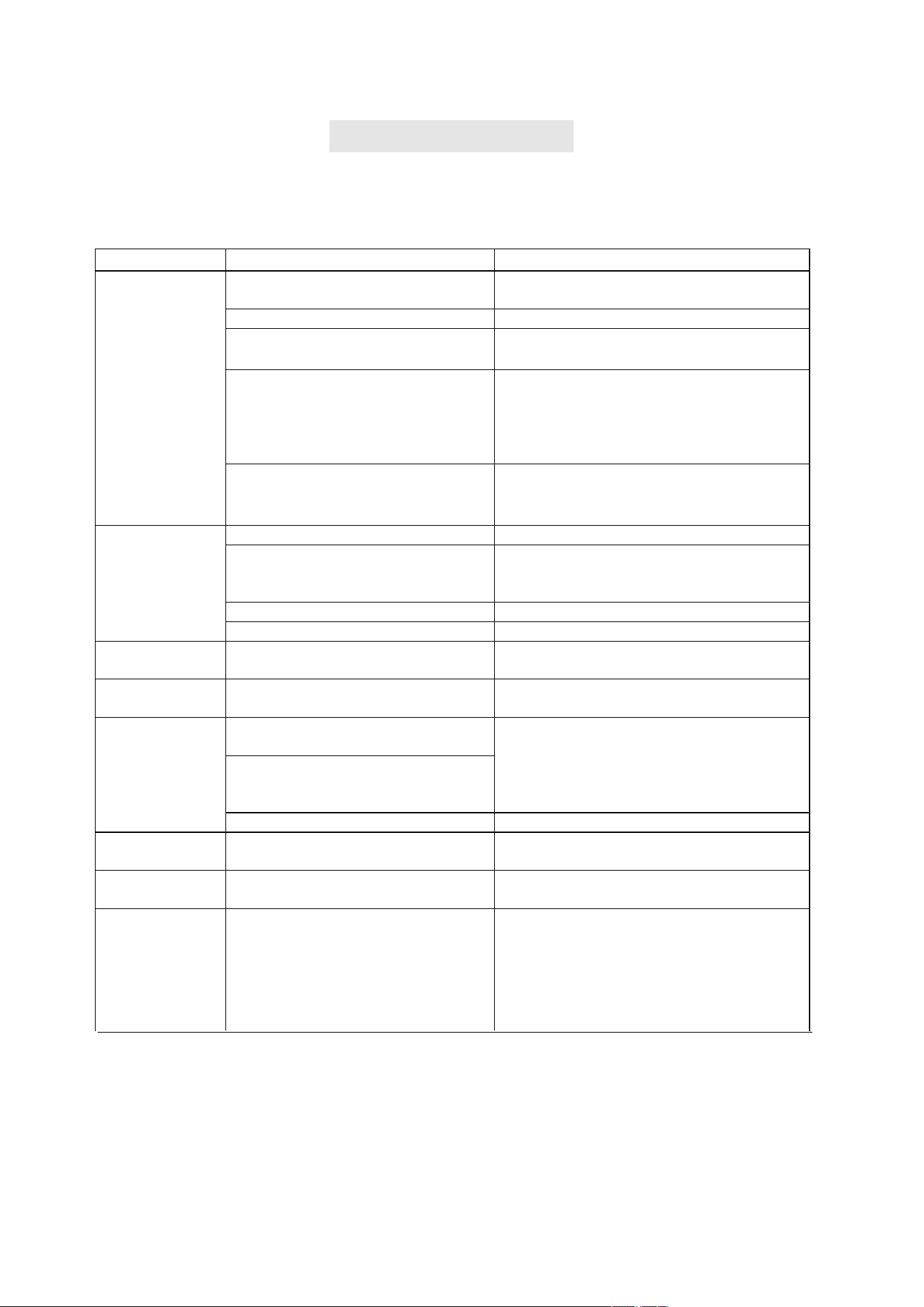
Do not repair or disassemble the air conditioning by yourself. Unqualified repair will lead
to failure of the warranty card, and may cause damage to users or their properties.
Problems Reasons Solutions
The air
conditioning
does not work.
There is no electricity.
Turn it on after connecting it to a socket with
electricity.
The overflow indicator displays "FL". Discharge the water inside.
The ambient temperature is too low or
too high
Recommend to use the machine in at the
temperature of 7-35 ℃ (44-95 ℉).
In cooling mode, the room
temperature is lower than the set
temperature; in heating mode, the
room temperature is higher than the
set temperature.
Change the set temperature.
In dehumidification mode, the
ambient temperature is low.
The machine is placed in a room with an
ambient temperature of greater than 17 ℃
(62 ℉).
The cooling or
heating effect is
not good
There is direct sunlight. Pull the Curtain.
Doors or windows are open; there are
a lot of people; or in cooling mode,
there are other sources of heat.
Close doors and windows, and add new air
conditioning.
The filter screen is dirty. Clean or replace the filter screen.
The air inlet or outlet is blocked. Clear obstructions.
Big Noise
The air conditioning is not placed on a
flat surface.
Put the air conditioning on a flat and hard
place (to reduce noise).
compressor does
not work.
Overheat protection starts.
Wait for 3 minutes until the temperature is
lowered, and then restart the machine.
The remote
control does not
work.
The distance between the machine and
the remote control is too far.
Let the remote control get close to the air
conditioning, and make sure that the remote
control directly faces to the direction of the
remote control receiver.
The remote control is not aligned with
the direction of the remote control
receiver.
Batteries are dead. Replace batteries.
Displays 'E1'. The room temperature sensor is
abnormal.
Check the room temperature sensor and
related circuitry.
Displays 'E2' The pipe temperature sensor is
abnormal.
Check the pipe temperature sensor and
related circuitry.
If problems not listed in the table occur or recommended solutions do not work,
please contact the professional service organization or contact Customer Service
for additional support.
Bluetooth
connection
unavailable
The connection is not correct.
1.When using Bluetooth mode for the first
time, it can only be used after the 2.4G WiFi
network is connected successfully.
2.After the WiFi connection is disconnected,
wait about 2-3 minutes before you can directly
use the Bluetooth control.
19
X. Warranty
Thank you for choosing PASAPAIR product. We sincerely hope that you are satisfied with it.
The manufacturer's warranty covers the product for a period of 12 months from the date of purchase
against manufacturing faults. All warranties are automatically kept track of
in our system, so there is
no need to register your product.
Agent/Distributor is welcome to contact us. Email:[email protected].
Any help or questions during use, please contact us via website
www.pasapairhome.com, send email
to
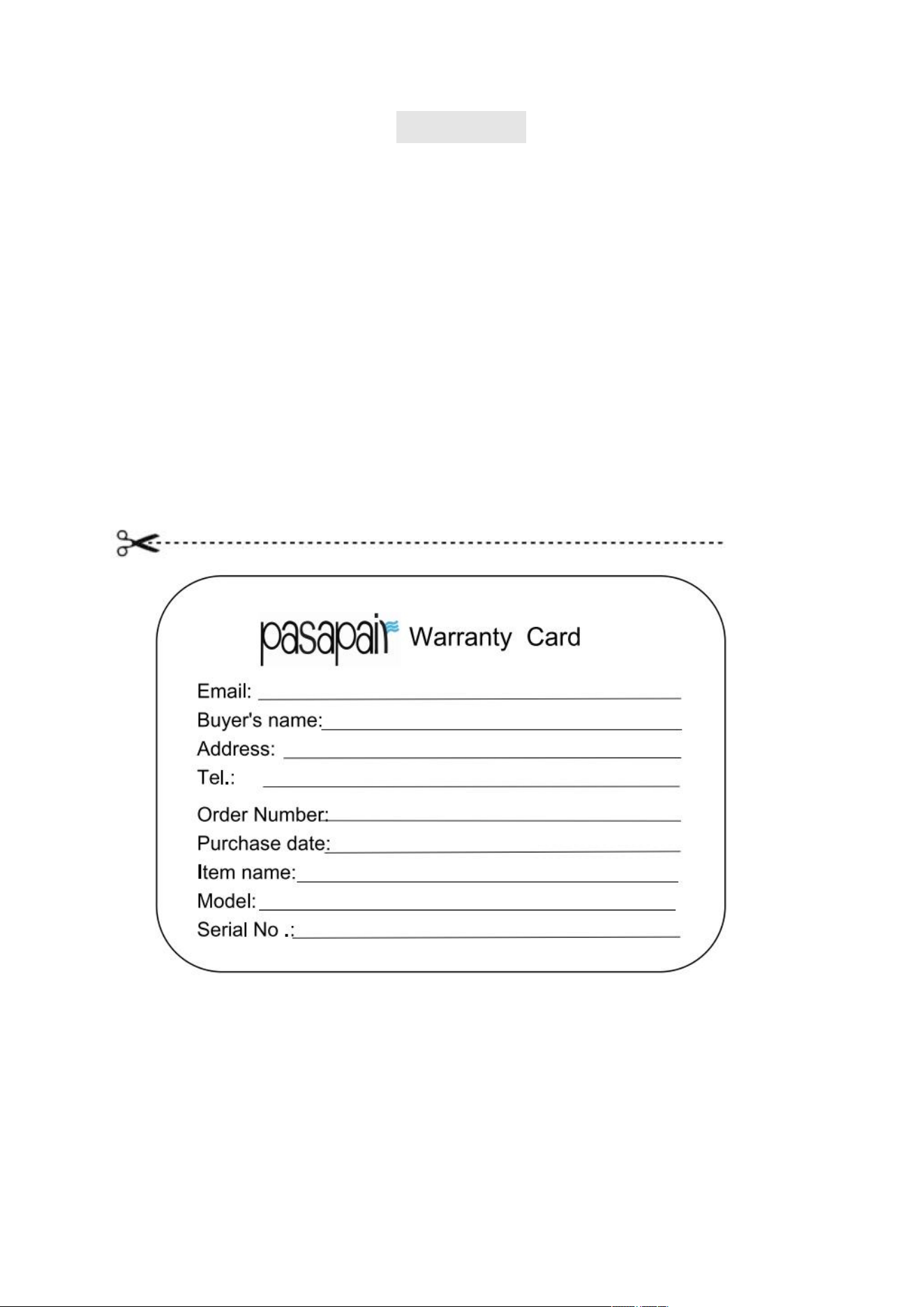
card, a photo or a video if there’s broken spare part or not working machine so
that we can be much
more clear about your problems and offer you the best solution.
Please fill in the table and email it within 10 days from the date of purchase.
20