FormNo.3424-589RevA
PUCHourMeter
ModelNo.99982
InstallationInstructions
Installation
InstallingthePUC
2x2x1x
Note:Toensurethattheadhesivewillstick,installthePUCintemperaturesof10°C(50°F)orhigher.
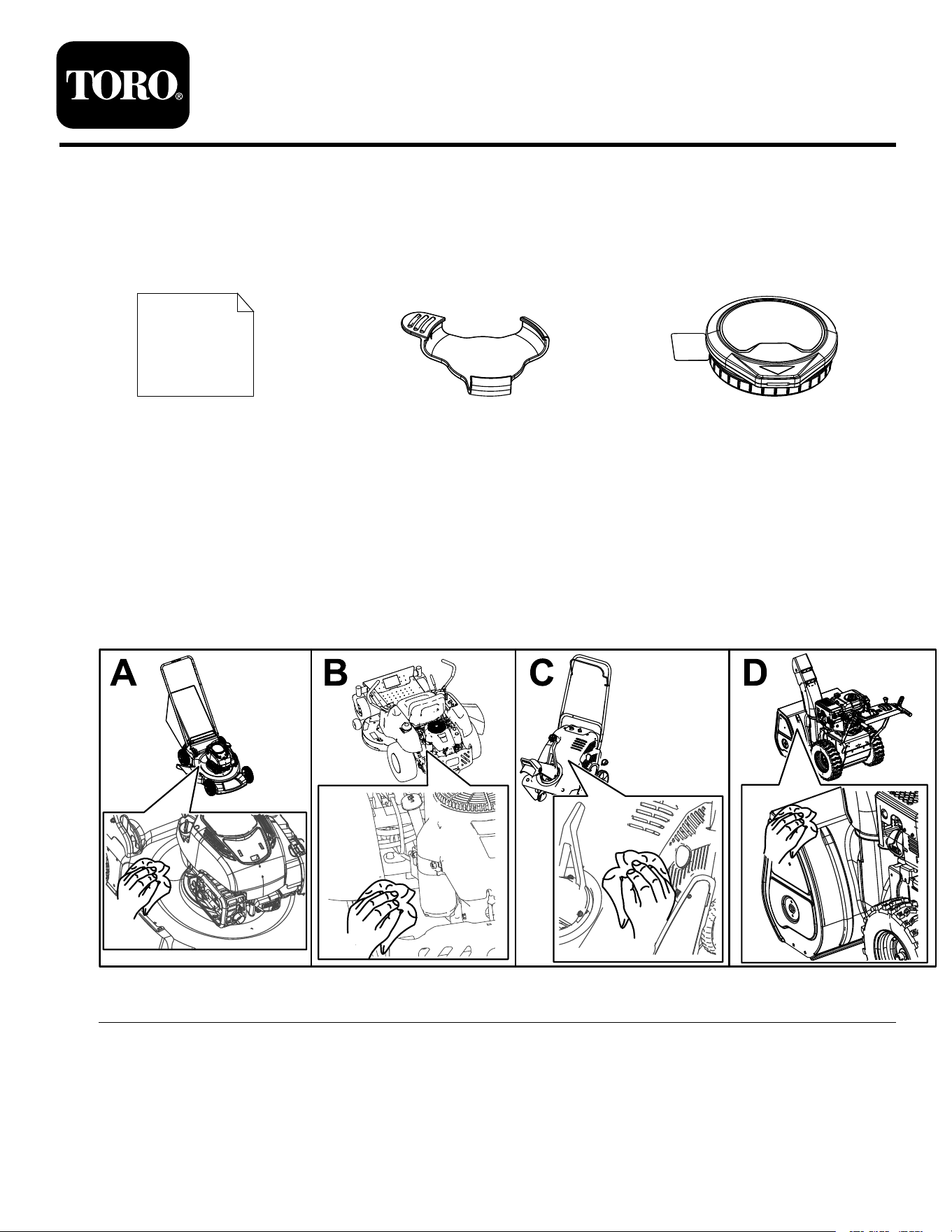
1.LocationofPUCinstallation:
•ZeroTurnMower:ontheleftsideoftheenginemountingplate.
•PushMower:onthedeckontheoppositesideofthefuelcap.
•SingleStageSnowthrower:ontheplastichousingontheoppositesideofthefuelcap.
•TwoStageSnowthrower:onthemetalhousing.
2.Cleanthelocationwiththecleaningwipes.
g259359
Figure1
©2018—TheToro®Company
8111LyndaleAvenueSouth
Bloomington,MN55420
Registeratwww.T oro.com.
OriginalInstructions(EN)
PrintedintheUSA
AllRightsReserved
*3424-589*A
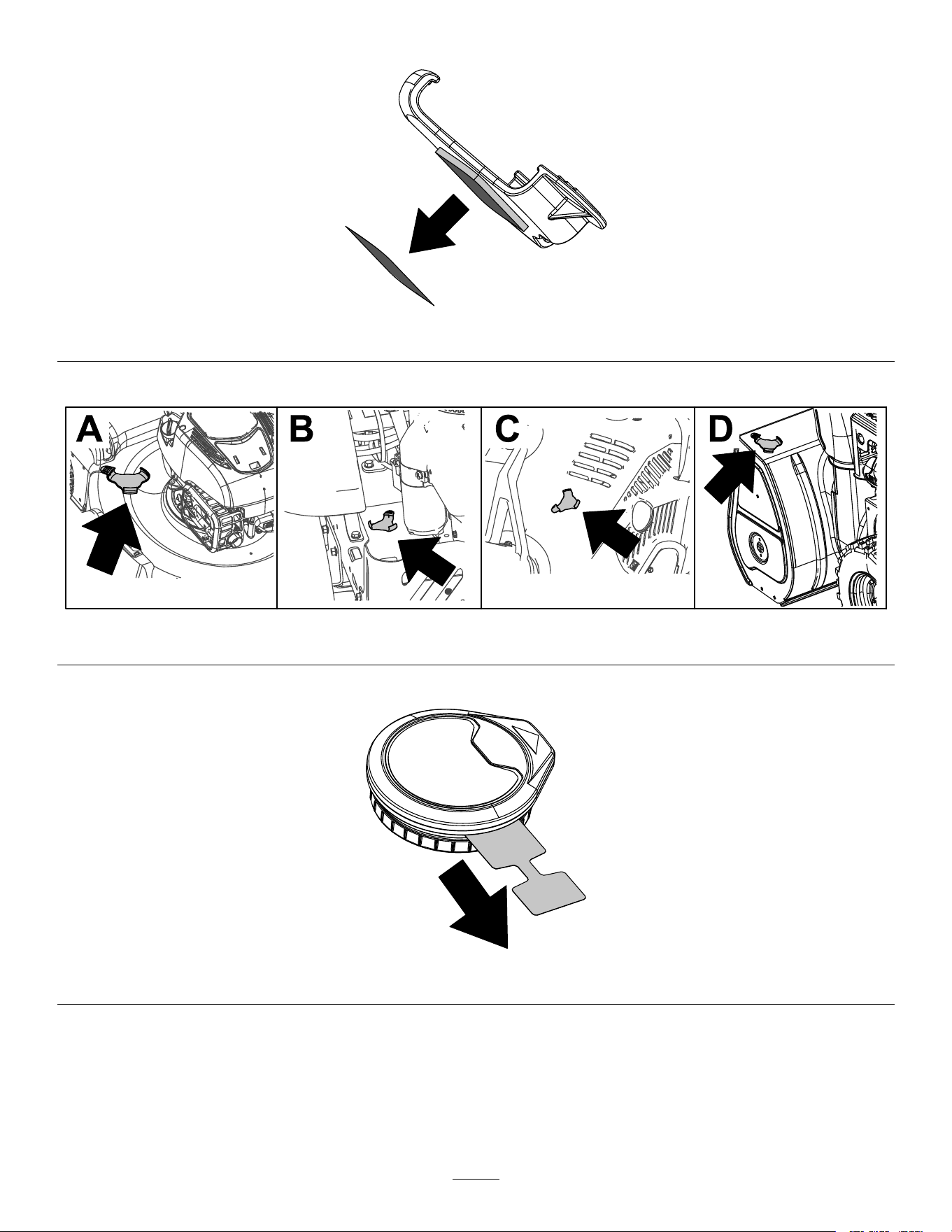
3.Removetheplasticcoverfromthemounting-clipadhesive.
g259356
Figure2
4.Installthemountingclip.
g259360
Figure3
5.RemovethebatterytabfromthePUCassembly.
g259355
Figure4
2
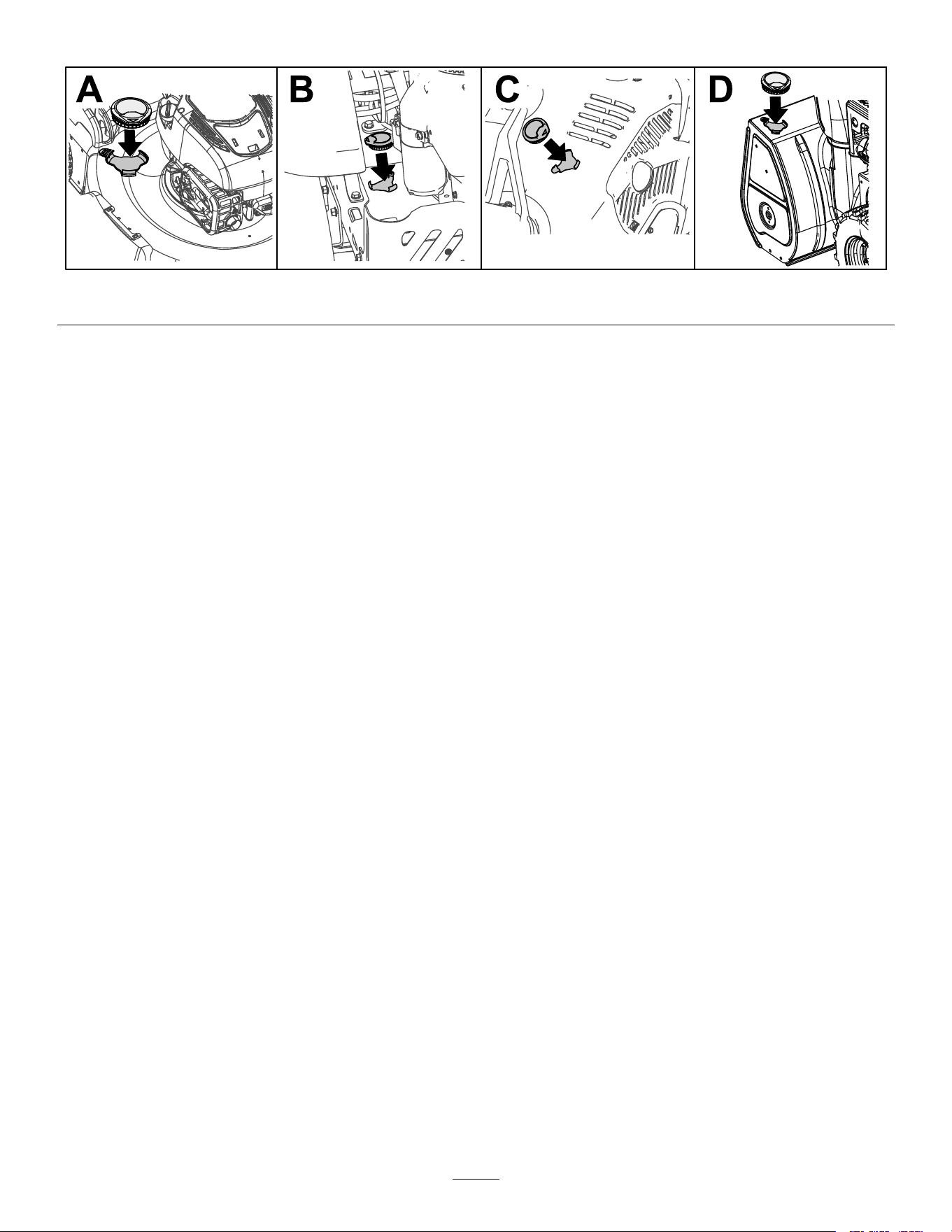
6.InstallthePUC.
g259361
Figure5
7.InstalltheMyToroapp.
8.PairyourPUCwithyourToroproduct.
A.OpentheMyToroapp.
B.SelecttheMENUicon
C.SelectthePUCMANAGEMENToption.
D.SelectSCAN.
E.SelectASSIGNandselectthemachinethatyouwanttopairwiththePUC.
Operation
RemovethePUCbeforewashingyourmachine.
SyncingthePUCData
Note:Tosavebatterylife,thePUCdoesnotautomaticallysyncwithyoursmartphone.
1.OpentheMyToroapp.
2.SelectMYEQUIPMENTANDACTIVITY.
3.SelectthemachinethatthePUCismountedon.
4.SelectSYNC.
MovingthePUCtoaDifferentMachine
1.OpentheMyToroapp.
2.SelecttheMENUicon.
3.SelectPUCMANAGEMENT.
4.SelectASSIGNonthemachineyouwanttomonitor.
5.MovethePUCtothemachine.
3
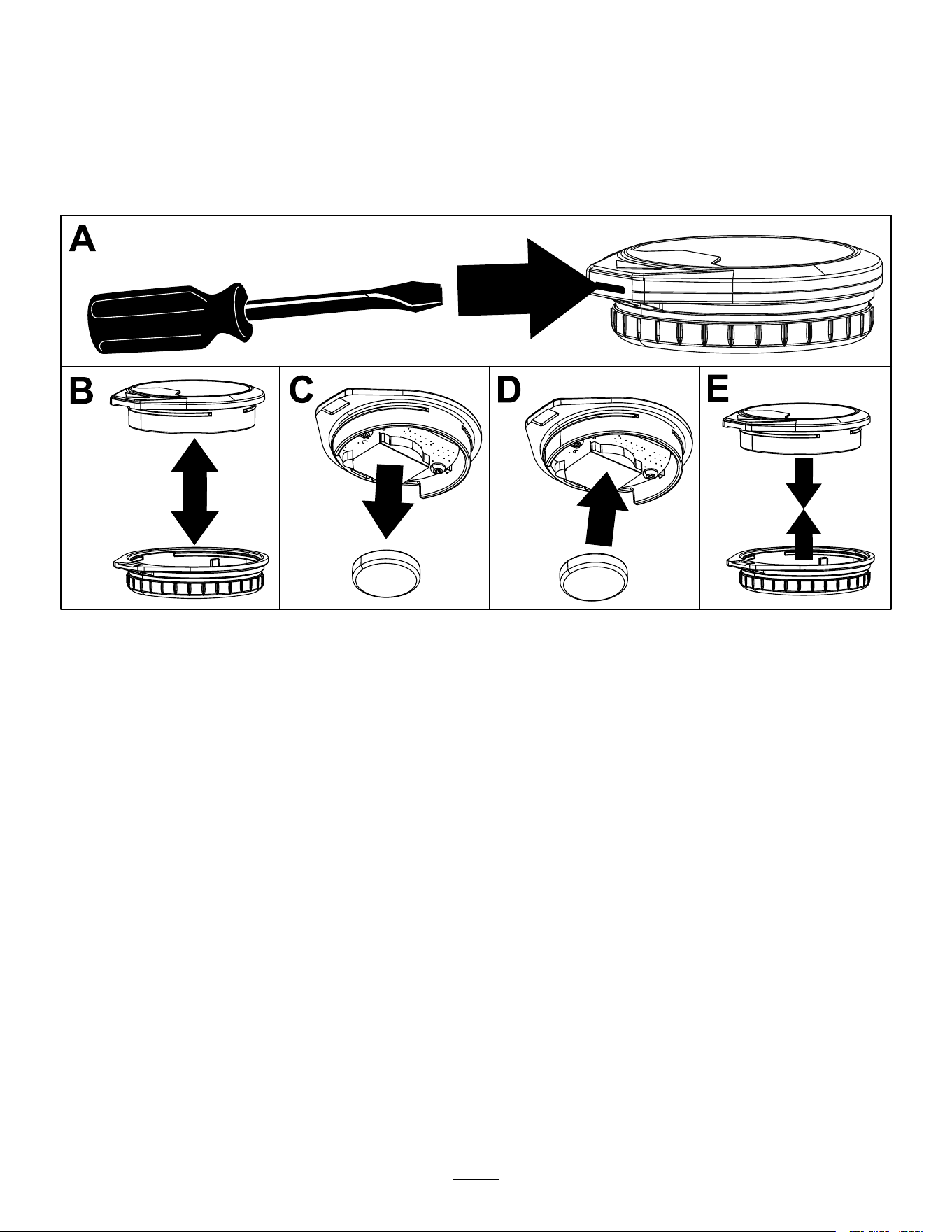
ChangingtheBattery
Battery:CR2450
Note:TheMyToroappwillshowthebatterylife.SyncthePUCwithyoursmartphonetogetthemostcurrent
information;refertoSyncingthePUCData(page3).
1.RemovethePUCfromthemountingclip.
2.Insertaslotheadedscrewdriverintotheslotandpryapartthe2piecesofthePUCassembly.
g259398
Figure6
3.RemovethebatteryfromthetopofthePUCassembly.
4.PlacethenewbatteryintothePUCassembly.
5.Snapthe2piecesoftheassemblytogether.
4