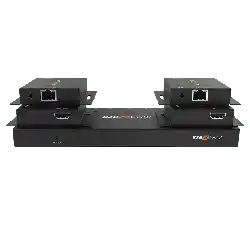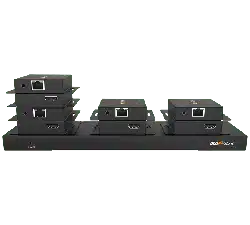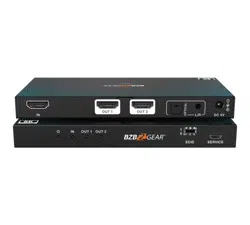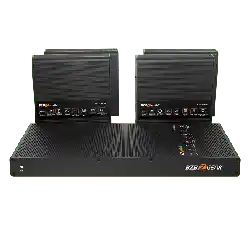
BG-UHD-DA1X24
1X24 4K 18Gbps UHD HDMI Splitter with Downscaling/Audio
Extraction /RS-232 and Active Optical Cable Support
User Manual

BZBGEAR BG-UHD-DA1X24 PRODUCT MANUAL
Address: 830 National Drive #140, Sacramento, CA 95834, USA · Tel: +1(888)499-9906 · Email: support@bzbgear.com 2

BZBGEAR BG-UHD-DA1X24 PRODUCT MANUAL
TABLE OF CONTENTS
Statement 4
Safety Precaution 4
Introduction 5
Features 5
Packing List 5
Specifications 6
Operation Controls and Functions 7
DIP Switch Operation 8
RS232 Control 9
Video Resolution Down-scaling 11
Firmware Upgrade 12
Application Example 12
Tech Support 13
Limited Product Warranty Terms 14
Mission Statement 15
Copyright 16
Address: 830 National Drive #140, Sacramento, CA 95834, USA · Tel: +1(888)499-9906 · Email: support@bzbgear.com 3

BZBGEAR BG-UHD-DA1X24 PRODUCT MANUAL
Statement
Please read these instructions carefully before connecting, operating, or configuring this
product. Please save this manual for future reference.
Safety Precaution
● Unpack the equipment carefully and save the original box and packing material for
possible future shipment.
● Follow basic safety precautions to reduce the risk of fire, electrical shock and injury to
persons.
● To prevent damaging this product, avoid heavy pressure, strong vibration, or immersion
during transportation, storage, and installation.
● Do not dismantle the housing or modify the module.
● Using supplies or parts not meeting the products’ specifications may cause damage,
deterioration or malfunction.
● Do not put any heavy items on the extension cable in case of extrusion.
● Install the device in a place with fine ventilation to avoid damage caused by overheat.
● Do not twist or pull by force ends of the optical cable. It can cause malfunction.
● The housing of this product is made of organic materials. Do not expose to any liquid,
gas, or solids which may corrode the shell.
● Unplug this device during lightning storms.
● Do not use liquid or aerosol cleaners to clean this unit. Clean only with a soft dry
microfiber cloth.
● Always unplug the power to the device before cleaning.
● If an object or liquid falls or spills on to the housing, unplug the module immediately.
● To prevent the risk of electric shock, do not open the case. Installation and maintenance
should only be carried out by qualified technicians.
● Do not use the product beyond the specified temperature, humidity, or power supply
specifications.
● This product does not contain parts that can be maintained or repaired by users.
Damage caused by dismantling the product without authorization from BZBGEAR is not
covered under the warranty policy.
● Installation and use of this product must strictly comply with local electrical safety
standards.
● Only use accessories specified by the manufacturer.
● Product specifications may be subject to technical upgrades without further notice.
● Unplug the power cord when left unused for a long period of time.
Address: 830 National Drive #140, Sacramento, CA 95834, USA · Tel: +1(888)499-9906 · Email: support@bzbgear.com 4
BZBGEAR BG-UHD-DA1X24 PRODUCT MANUAL
Introduction
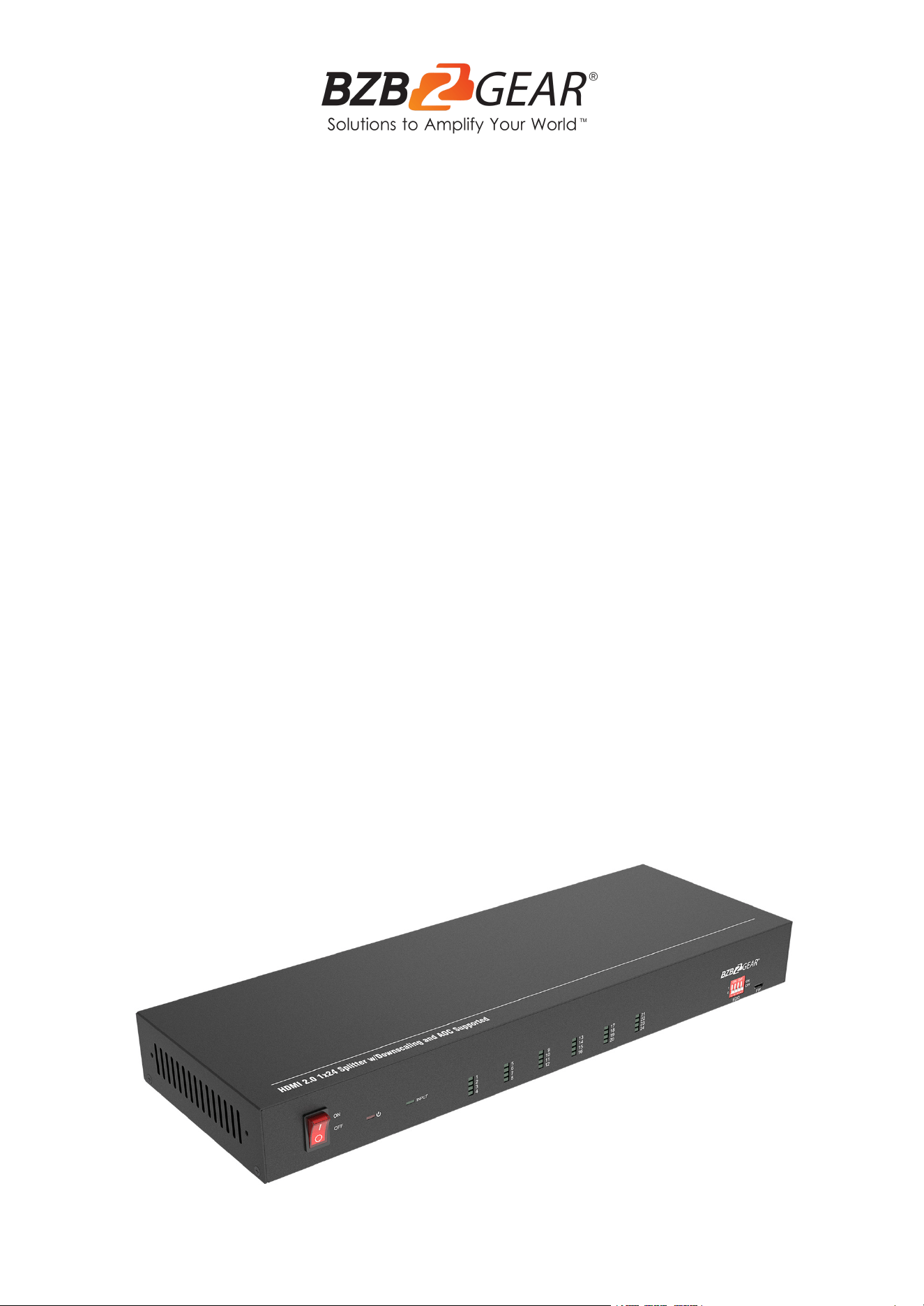
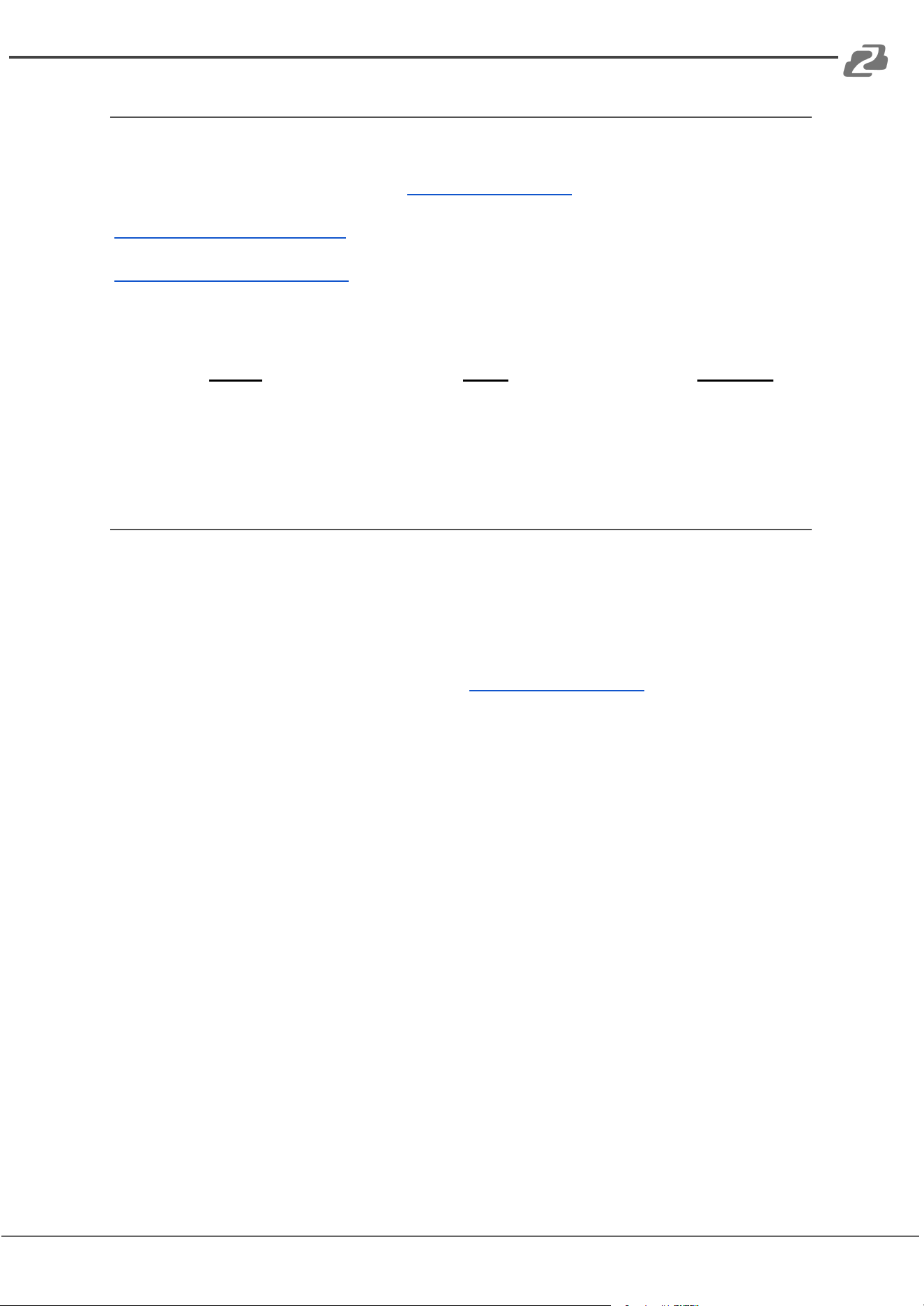
The BG-UHD-DA1X24 is a 1x24 splitter that can distribute one HDMI input to twenty-four
HDMI outputs. This distribution amp supports HDMI 2.0, 4K signals up to 4K@60Hz 4:4:4,
HDR 10, Dolby Vision, and features an advanced EDID management system using a 4-pin
DIP switch on the front panel of the unit. The BG-UHD-DA1X24 offers downscaling so a 4K
video input can automatically be downscaled to a 1080p output when connecting a legacy
display. Stereo analog L/R audio output is provided for audio de-embedding from the HDMI
input and the splitter also supports CEC and RS232 control.
Features
● HDMI V2.0, 4K@60Hz 4:4:4 8bit, HDR 10 and Dolby Vision.
● HDCP 2.2 compliant.
● Compatible with HDMI active optical cables (AOC) and provides up to 5V100mA
power on each output.
● Auto 4K to 1080p downscaling.
● Stereo analog L/R audio output for audio de-embedding from HDMI input.
● Smart EDID management and HDCP management.
● CEC and RS232 control.
Packing List
● 1x 24 Splitter
● 2x Mounting Ears with 4 Screws
● 4x Plastic Cushions
● 1x RS232 Cable (Female DB9 to Male
DB9)
● 1x Power Adapter (24V DC, 1.25A)
● 1x User Manual
● 1х Quick Start Guide
Address: 830 National Drive #140, Sacramento, CA 95834, USA · Tel: +1(888)499-9906 · Email: support@bzbgear.com 5
BZBGEAR BG-UHD-DA1X24 PRODUCT MANUAL
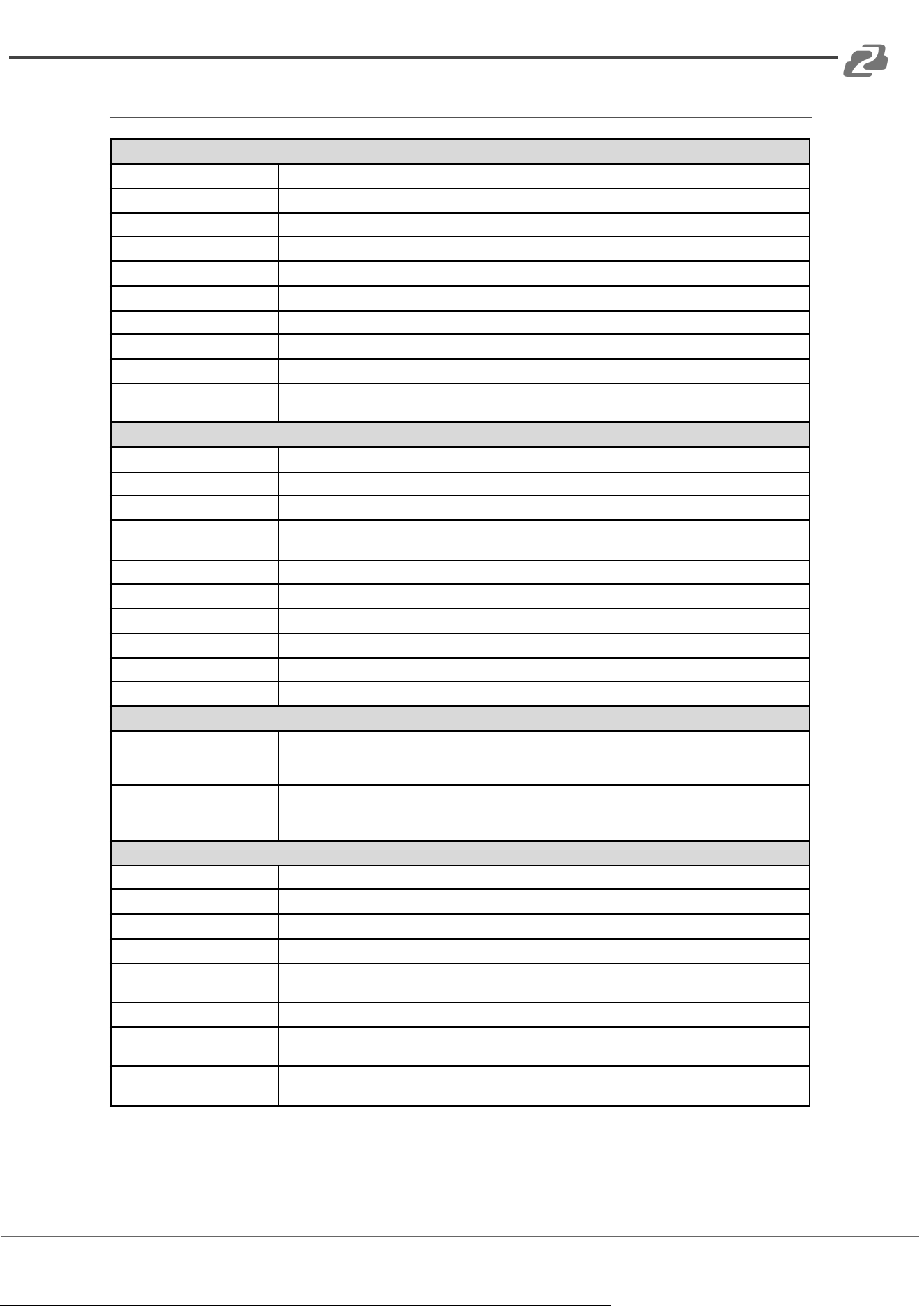
Specifications
Video
Input
(1) HDMI
Input Connector
(1) Type-A female HDMI
Input Video Resolution
Up to 4K@60Hz 4:4:4 8bit, HDR10, Dolby Vision
Output
(24) HDMI
Output Connector
(24) Type-A female HDMI
Output Video Resolution
Up to 4K@60Hz 4:4:4 8bit, HDR10, Dolby Vision, supports 4K to 1080p down-scaling
HDMI Output
Supports up to 5V100mA power for AOC cable
HDMI Standard
V2.0
HDCP Version
2.2
HDMI Audio Signal
LPCM 7.1 audio, Dolby Atmos®, Dolby® TrueHD, Dolby Digital® Plus, DTS:X™, and
DTS-HD® Master Audio™ pass-through.
Analog Audio Output
Output
(1) AUDIO
Output Connector
(1) RCA (L+R)
Frequency Response
20Hz~20kHz, ±1dB
Max output level
2.0Vrms ± 0.5dB. 2V=16dB headroom above-10dBV (316mV) nominal consumer line level
signal
THD+N
< 0.05%, 20Hz~20kHz bandwidth, 1kHz sine at 0dBFS level (or max level)
SNR
> 80dB, 20Hz~20kHz bandwidth
Crosstalk isolation
< -80dB, 10kHz sine at 0dBFS level (or max level before clipping)
L-R level deviation
< 0.05dB, 1kHz sine at 0dBFS level (or max level before clipping)
Output load capability
1Kohm and higher (supports 10x paralleled 10k Ohm loads)
Noise Level
- 80dB
Control Part
Control Port
(1) EDID Switch,
(1) FW,
(1) RS232
Control Connector
(1) 4-pin DIP switch,
(1) Micro-USB,
(1) Female DB9
General
Bandwidth
18Gbps
Operation Temperature
23°F ~ 131°F / -5°C ~ +55°C
Storage Temperature
-13°F ~ 158°F / -25°C ~ +70°C
Relative Humidity
10%-90%
External Power Supply
Input: AC 100~240V, 50/60Hz;
Output: 24V DC 1.25A
Power Consumption
29W (Max)
Dimension (W*H*D)
14.2” x 1.6” x 4.9"
[360mm x 40mm x 125mm]
Net Weight
3.2lbs
[1.44Kg]
Address: 830 National Drive #140, Sacramento, CA 95834, USA · Tel: +1(888)499-9906 · Email: support@bzbgear.com 6
BZBGEAR BG-UHD-DA1X24 PRODUCT MANUAL
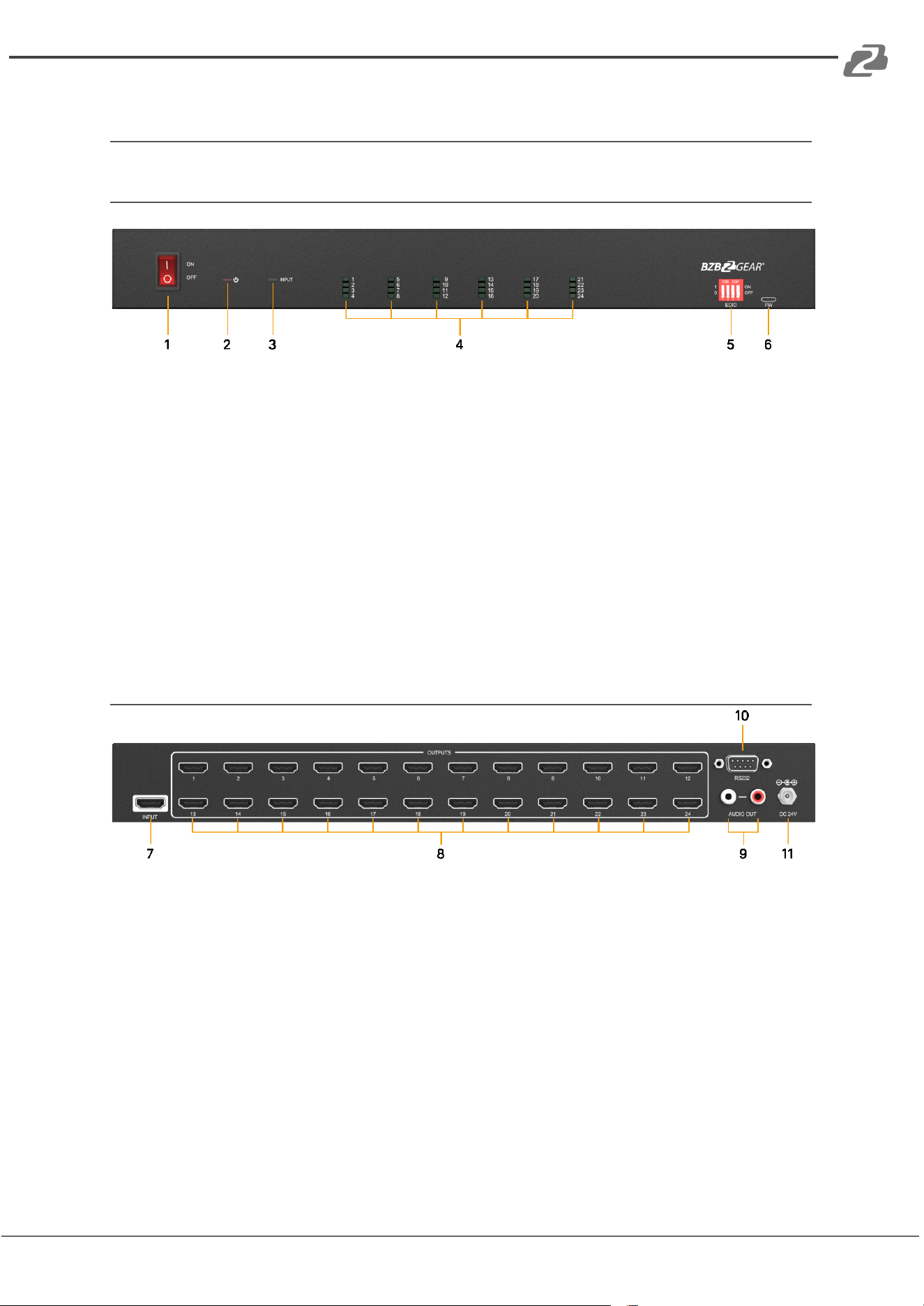
Operation Controls and Functions
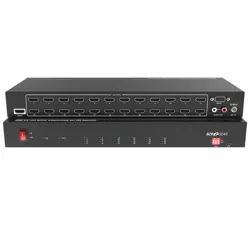
Front Panel
1. POWER SWITCH: Power on/off the splitter.
2. POWER LED: Illuminates red when the device is powered on.
3. INPUT LED: Illuminates green when an HDMI input is detected.
4. OUTPUT LEDs (1-24): Illuminates green when an HDMI output on the corresponding
channel is detected.
5. EDID: 4-pin DIP switch for EDID setting and HDCP mode selection.
6. FW: Micro-USB port for firmware upgrade.
Rear Panel
7. INPUT: Connect to an HDMI source.
8. OUTPUTS: Connect up to twenty four HDMI outputs to HDMI displays.
9. AUDIO OUT: Connect an audio device (e.g. amplifier) for audio de-embedding from
HDMI input.
10. RS232: Connect a control device (e.g. PC) to control the splitter by sending RS232
commands.
11. DC 24V: DC connector for the power adapter connection.
Address: 830 National Drive #140, Sacramento, CA 95834, USA · Tel: +1(888)499-9906 · Email: support@bzbgear.com 7
BZBGEAR BG-UHD-DA1X24 PRODUCT MANUAL
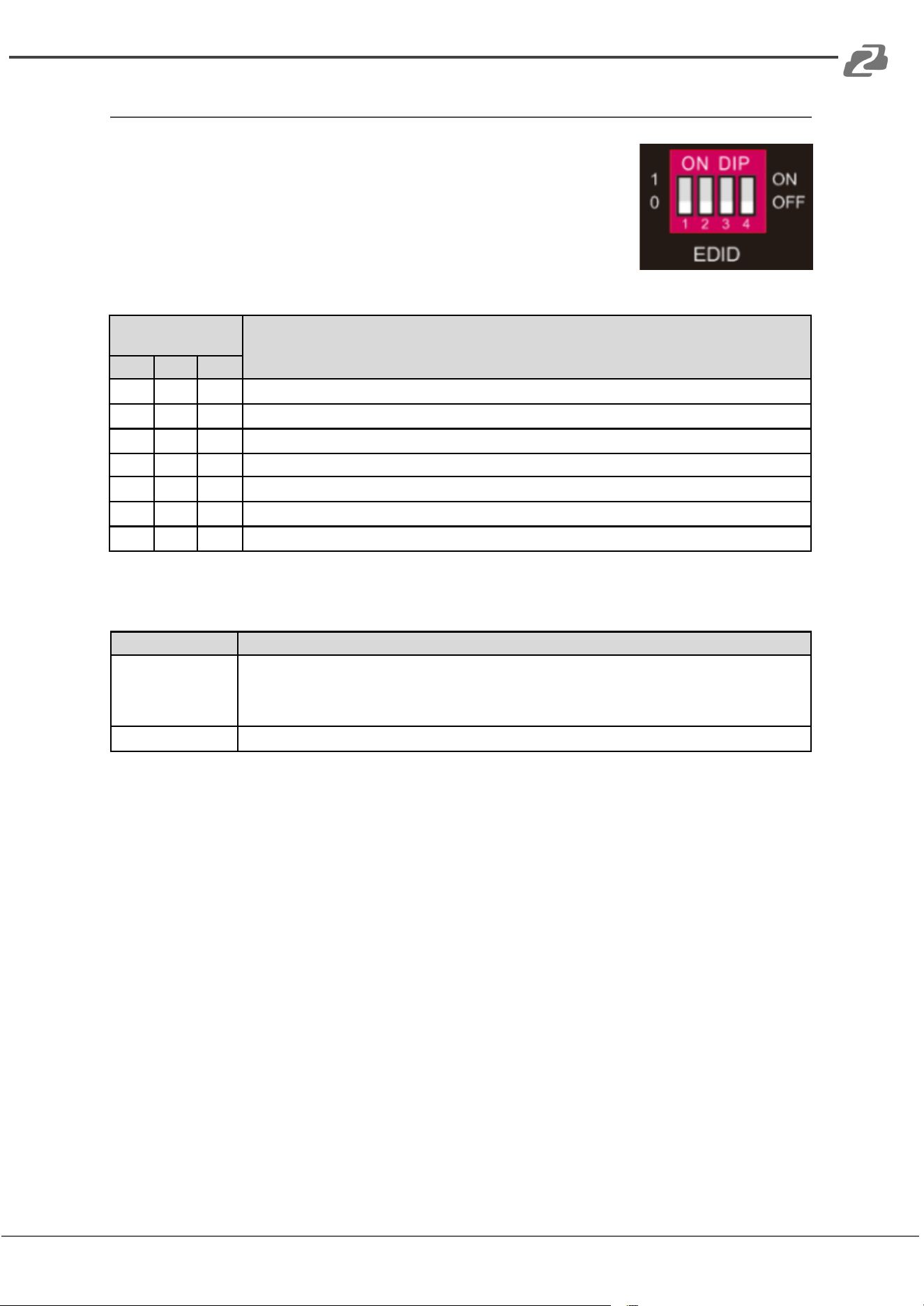
DIP Switch Operation
The 4-pin DIP switch on the front panel of the unit is used for EDID
management and HDCP management. “0” is when a switch is in
the lower (OFF) position, and “1” while the switch is in the up (ON)
position.
Switches 1~3 are used for EDID settings. The switch status and its
corresponding setting are shown in the chart below.
Switch Status
(PIN 1~3)
EDID Value
1
2
3
0
0
0
Obtains EDID from the first detected display starting at HDMI OUT1>OUT2>.........>OUT24.
0
0
1
1920x1080@60Hz 8bit Stereo
0
1
0
1920x1080@60Hz 8bit High Definition Audio
0
1
1
3840x2160@30Hz 8bit Stereo Audio
1
0
0
3840x2160@30Hz Deep Color High Definition Audio
1
0
1
3840x2160@60Hz Deep Color Stereo
1
1
0
3840x2160@60Hz Deep Color HDR LPCM 6CH
Switch 4 is used for HDCP settings. The switch status and its corresponding setting are
shown at the below chart.
Switch 4 Status
HDCP
OFF (0)
Automatically follows the HDCP version of the display device.
When display device has no HDCP, if source device have no HDCP content, the video output has no
HDCP content;
if the source device has HDCP content, there is no video output.
ON (1)
Automatically follows the HDCP version of source device
Note: The factory default for the switch is “0000.” To enable RS232 control to set EDID and
HDCP, set the switches to “1111” .
Address: 830 National Drive #140, Sacramento, CA 95834, USA · Tel: +1(888)499-9906 · Email: support@bzbgear.com 8
BZBGEAR BG-UHD-DA1X24 PRODUCT MANUAL
RS232 Control
Connect the RS232 port to control device (e.g. PC) with RS232 cable. The splitter can be
controlled by sending RS232 commands. Set the dip switches to “1111” to control EDID
and HDCP settings.
RS232 Commands
The command lists below are used to control the splitter. The RS232 control software (e.g.
docklight) needs to be installed on the control PC to send RS232 commands.
After installing the RS232 control software, please set the parameters of COM number,
bound rate, data bit, stop bit, and parity bit correctly to be able to send commands.
Baud rate: 9600
Data bit: 8
Stop bit: 1
Parity bit: none
Note:
● All commands need to end with “<CR><LF>” (in docklite “r” and “n” are the shortcut
keys for the ending commands for ASCII or “0D 0A” for HEX)
● In the commands, “[”and “]” are symbols for easy reading and do not need to be
typed in actual operation.
● Type the command carefully, it is case-sensitive.
System Commands
Command
Description
Command Example and Feedback
>GetFirewareVersion
Get a firmware version.
<V1.0.0
>SetFactoryReset
Reset to factory default.
<FactoryReset_True
>SetReboot
System reboot.
<Reboot_EN
>SetHelp [Param]
Get the command details.
[Param]= Any command.
>SetHelp
SetHdcpActiveMode
<Set the HDCP bypass from
SRC or SINK
>SetHdcpActiveMode
Param
Param = Src,Sink
Src - Active by src
Sink - Active by Sink
Address: 830 National Drive #140, Sacramento, CA 95834, USA · Tel: +1(888)499-9906 · Email: support@bzbgear.com 9
BZBGEAR BG-UHD-DA1X24 PRODUCT MANUAL
Setting Commands
Command
Description
Command Example and Feedback
>SetUpdateEdid
Upload user-defined EDID. The EDID DIP switch must
be set as “1111”.
<User edid ready,Please send edid data
in 10s. <SetUpdateEdid_True/False
/
<Time out to send edid
>SetlnPortEdid [Param]
Set the EDID to [Param].
[Param]=0~7.
0 - BYPASS
1 - 1920x1080@60 8bit Stereo
2 - 1920x1080@60 8bit High Definition Audio
3 - 3840x2160@30Hz 8bit Stereo Audio
4 - 3840x2160@30Hz Deep Color High Definition
Audio
5 - 3840x2160@60Hz Deep Color Stereo Audio
6 - 3840x2160@60Hz Deep Color HDR LPCM 6CH
7- USER EDID
The EDID DIP switch should be set as “1111”.
>SetlnPortEdid 0
<lnPortEdid 0
>GetlnPortEdid
Get the EDID.
<lnPortEdid 0
>SetHdcpActiveMode
[Param]
Set the HDCP active mode.
[Param]= Src, Sink
Src - Active by Src. Follow source.
Sink - Active by Sink. Follow the display.
Note: The EDID switch must be
switched to “1111 ” before sending the
command.
>SetHdcpActiveMode Src
<HdcpActiveMode Src
>GetHdcpActiveMode
Get the HDCP active mode.
<HdcpActiveMode Src
>SetVideoOutput
[Param1],[Param2]
Enable or disable video output.
[Param1]=1~24. Output port.
[Param2]= EN, Dis
Dis - Disable
En - Enable
>SetVideoOutput 1 ,EN
<VideoOutput 1 True
>GetVideoOutput
Get video output status.
>GetVideoOutput 1
[Param]
[Param]=1~24.Output port.
<VideoOutput 1 True
>SetAutoDownScaler
[Param]
Enable/disable 4K to 1080p down- scaling function.
[Param]= EN, Dis
Dis - Disable
En - Enable
>SetAutoDownScaler EN
<AutoDownScaler True
>GetAutoDownScaler
Get the on-off status of the down-scaling function.
<AutoDownScaler True
>SetRS232Baudrate
[Param]
Set the baud rate to [Param].
[Param]=1~7
1 - 115200
2 - 57600
3 - 38400
4 - 19200
5 - 9600
6 - 4800
7 - 2400
>SetRS232Baudrate 1
<RS232Baudrate 1
>GetRS232Baudrate
Get the RS232 baud rate.
<RS232Baudrate 1
Address: 830 National Drive #140, Sacramento, CA 95834, USA · Tel: +1(888)499-9906 · Email: support@bzbgear.com 10
BZBGEAR BG-UHD-DA1X24 PRODUCT MANUAL
Video Resolution Down-scaling
This product supports video resolution downscaling. A 4K input can be automatically
degraded to a 1080P output to support legacy displays as shown in the chart below.
Input
Output
#
Resolution
Refresh
Color Space
Downscale
1080P Specs
1
3840x2160
60Hz
4:04:04
Support
1080p@60Hz 4:4:4
2
3840x2160
50Hz
4:04:04
Support
1080p@50Hz 4:4:4
3
3840x2160
30Hz
4:04:04
Support
1080p@30Hz 4:4:4
4
3840x2160
25Hz
4:04:04
Support
1080p@25Hz 4:4:4
5
3840x2160
24Hz
4:04:04
Support
1080p@24Hz 4:4:4
6
3840x2160
23Hz
4:04:04
Support
1080p@23Hz 4:4:4
7
3840x2160
60Hz
4:02:00
Support
1080p@60Hz 4:4:4
8
3840x2160
50Hz
4:02:00
Support
1080p@50Hz 4:4:4
9
3840x2160
30Hz
4:02:00
Support
1080p@30Hz 4:4:4
10
3840x2160
25Hz
4:02:00
Support
1080p@25Hz 4:4:4
11
3840x2160
24Hz
4:02:00
Support
1080p@24Hz 4:4:4
12
3840x2160
23Hz
4:02:00
Support
1080p@23Hz 4:4:4
Address: 830 National Drive #140, Sacramento, CA 95834, USA · Tel: +1(888)499-9906 · Email: support@bzbgear.com 11
BZBGEAR BG-UHD-DA1X24 PRODUCT MANUAL
Firmware Upgrade
Please follow the steps below to upgrade firmware via the Micro-USB port:
1. Prepare the latest upgrade file (.bin) and ensure it is named “FW_MV.bin” on the PC.
2. Power off the splitter and connect the Micro-USB (FW) port of the splitter to the PC
with a USB cable.
3. Power on the splitter and the PC will automatically detect a U-disk named
“BOOTDISK”.
4. Double-click to open the U-disk and a file named of “READY.TXT” will be shown.
5. Copy the latest upgrade file (.bin) to the “BOOTDISK” U-disk.
6. Reopen the U-disk to check if there is a filename “SUCCESS.TXT”, if yes, the
firmware was updated successfully, otherwise, the firmware update failed. Check the
name of the upgrade file (.bin), and then follow the steps above to reattempt the
upgrade.
7. Once complete remove the USB cable and reboot the splitter.
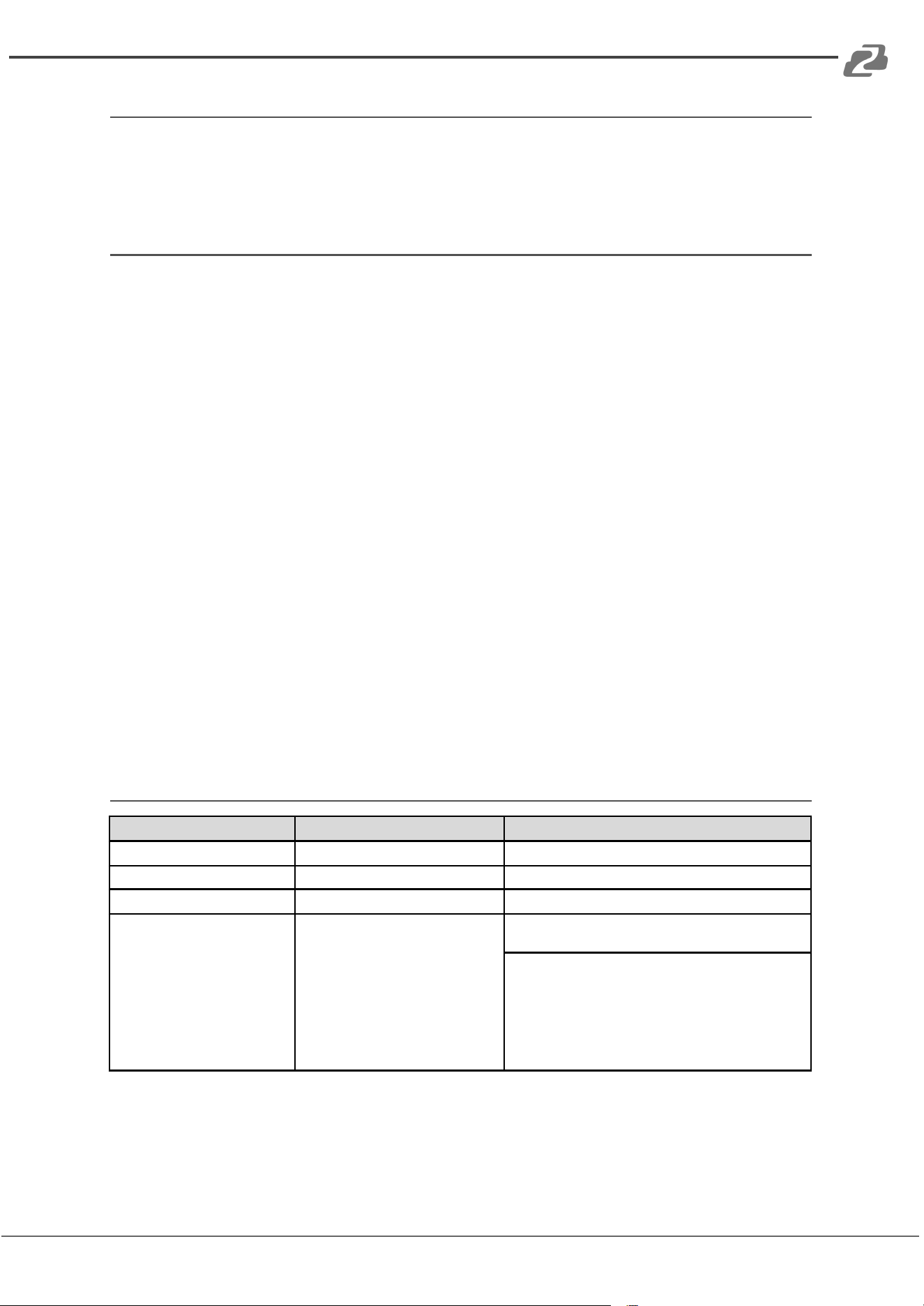
Application Example
The following diagram illustrates the typical input and output connection of the splitter:
Address: 830 National Drive #140, Sacramento, CA 95834, USA · Tel: +1(888)499-9906 · Email: support@bzbgear.com 12
BZBGEAR BG-UHD-DA1X24 PRODUCT MANUAL
Tech Support
Have technical questions? We may have answered them already!
Please visit BZBGEAR’s support page (bzbgear.com/support) for helpful information and
tips regarding our products. Here you will find our Knowledge Base
(bzbgear.com/knowledge-base) with detailed tutorials, quick start guides, and step-by-step
troubleshooting instructions. Or explore our YouTube channel, BZB TV
(youtube.com/c/BZBTVchannel), for help setting up, configuring, and other helpful how-to
videos about our gear.
Need more in-depth support? Connect with one of our technical specialists directly:
Phone
1.888.499.9906
Email
support@bzbgear.com
Live Chat
bzbgear.com
Limited Product Warranty Terms
Pro Line: 5-year warranty from the date of purchase for AV/Broadcasting products bought
on or after August 1, 2024.
Essential Line: 3-year warranty from the date of purchase for AV/Broadcasting products
bought on or after August 1, 2024.
Cables: Lifetime Limited Product Warranty.
For complete warranty information, please visit bzbgear.com/warranty.
For questions, please call 1.888.499.9906 or email support@bzbgear.com.
Address: 830 National Drive #140, Sacramento, CA 95834, USA · Tel: +1(888)499-9906 · Email: support@bzbgear.com 13

BZBGEAR BG-UHD-DA1X24 PRODUCT MANUAL
Mission Statement
BZBGEAR is a breakthrough manufacturer of high-quality, innovative audiovisual equipment
ranging from AVoIP, professional broadcasting, conferencing, home theater, to live streaming
solutions. We pride ourselves on unparalleled customer support and services. Our team
offers system design consultation, and highly reviewed technical support for all the products
in our catalog. BZBGEAR delivers quality products designed with users in mind.
Copyright
All the contents in this manual and its copyright are owned by BZBGEAR. No one is allowed
to imitate, copy, or translate this manual without BZBGEAR’s permission. This manual
contains no guarantee, standpoint expression or other implies in any form. Product
specification and information in this manual is for reference only and subject to change
without notice.
All rights reserved. No reproducing is allowed without acknowledgement.
Address: 830 National Drive #140, Sacramento, CA 95834, USA · Tel: +1(888)499-9906 · Email: support@bzbgear.com 14