叩MiMENT
部
0”
跻
4
-
g
翌
g
User Manual
Please read this manual carefully before using
the product and keep it r future reference.
Customer Support: [email protected]
肘��目I�讨似心沁
Read all instructions bere use and keep them r future
reference.
1. For indoor use only.
2. Operating temperature: 040
°
C (32-104
°
F).
3. Keep away fm water, moisture, and heat sources.
4. Keep away fm open flames.
5. Place the pdu on a stable, flat suace.
6. Keep the ventilation openings unobstructed. Do not cover the product
during operation and leave at least 10 cm (4 in) of clearance aund it.
7. Use only the supplied power adapter and cable.
8. Do not use the product, adapter, or cable if it is damaged.
9. Disnnect the power bere cleaning. Clean with a dry or lightly damp
cloth; do not use solvents or abrasives.
10. Unplug the product when it will not be used r an eended period.
11. Do not disassemble, modi, or repair the pduct.
12. Do not look directly into the light source or lens while the product is
operating.
13. This pduct is not a toy. Adult setup and supeision are requid;
keep packaging and small parts away fm childn.
It� 对付沁玑讨I
D Galaxy Pjector
@
`
殴
/
@@HO-
叩MIMENT
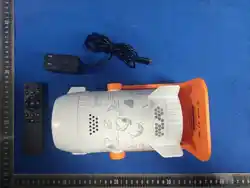
回 Remote
因 User Manual
2
日 Power Cable
-
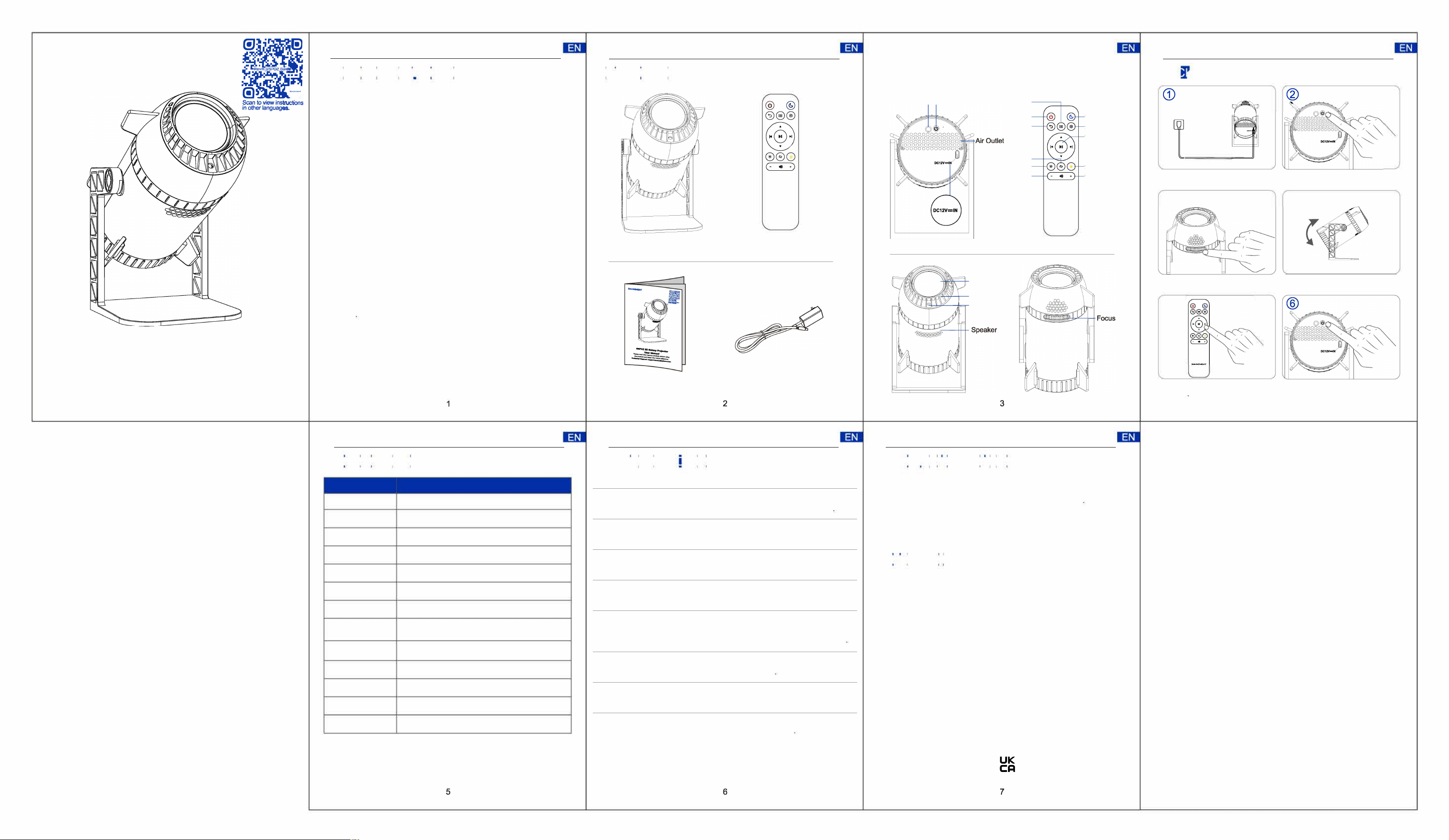
IR Receiver Power Button
Home
Power
Back
Loop
Bright
Volume-
M;MENT
Sleep
Settings
OK
Favorite
Volume+
Lens
Air Inlet
IR Receiver
3
Wheel
问可呻
@
团
_
一二勹
Connect the power adapter to the
projeor, then plug it into a wall outlet.
®
Rotate the Focus Wheel until the
image is sharp and clear.
@
Use the 「emote to sele and play
content
@
旯
Press the power buon to tum on
the Galaxy Pjeor.
@
Adjust the stand angle as needed.
Press and hold the power button to
turn it o.
4
ll阿�,�问 ��� 刊,�J汛*旧:�IM 嘈�,�ri�1�1��ri� �c
N6英文说明
书
风情折页95*133
175G双铜彩
印
mm
,
Item
Specitions
Brand Rovmiment
Model Name
GSP02
Dimensions
220 x 116 x 116 mm
Voltage
AC 100240V, 50/60Hz
Material
ABS+PC
Speaker Built-in 5W
Light Source
LED
Projection Area
100"-300" diagonal (scales with distance);
-250" at 2.5 m
Projection Distance
1-3 m (3.3-9 8 ); best at ~2 5 m (8 2 )
Timer
30/60/90 min
Resolution
720P
Remote IR remote (included)
Connectivity
Wi-Fi 2.4 GHz
Problem Possible Cause
Solution
Image is blur
Focus is not adjusted
ly
Slly tum the Focus Wheel until the
image appea clear and sha
Pjeion is too dim
即ghtness level is set too
low
Incase the brightness using the
mote ntl.
No sound Volume is too low or muted
Increase the volume using the mo
ntl.
Remote ntl
does not work
Bae is depleted or signal Repla the baeries and point the
is blocked
remote directly at the IR Reiver.
Devi turns o
aumatilly
Timer nion is enabled
Cause Sleep / auto-o timer is enabled
/ Solution Open Seings and tum o the
Sleep timer or auto-o if not needed
Light icke Per nneion is loose
Ensu the power adapter is seculy
nneed
Devi bemes hot
Ventilation is blocked
Keep ventilation openings clear and
allow adequate aiow.
Buns do not spond Tempo system err
Disnne power r 30 sends and
res the devi
1. Clean the projection lens gently with a so, lint-free cloth.
2. Do not touch the lens directly with your fingers.
3. Keep the ventilation openings free from dust and obstruction
4. Disconnect the power supply bere cleaning.
5. Do not use water, alcohol, or chemical cleaners on the product.
6. Store the product in a cool, dry place when not in use.
1ti,I咐I叫`
`
"
FCC Compliance
This device complies with Part 15 of the FCC Rules. Operation is subject
to the following two conditions:
(1) This device may not cause harmful interference, and (2) this device
must accept any interference received, inclu ding interference that may
cause undesired operation.NOTE 1: This equipment has been tested
and found to comply with the limits for a Class B digital device,
pursuant to part 15 of the FCC Rules. These limits are designed to
provide reasonable protection against harmful interference in a
residential installation. This equipment generates, uses and can radiate
radio frequency energy and, if not installed and used in accordance
with the instructions, may cause harmful interference to radio
communications.
KA
uc
MADE IN CHINA
芯
C 旦冗凸
5
6
7
1ti,I咐I叫`
`
"
However, there is no guarantee that interference will not occur in a
particular installation. If this equipment does cau se harmful
interference to radio or television reception, which can be determined
by turning the equipment off and on, the user is encouraged to try to
correct the interference by one or more of the following measures: -
Reorient or relocate the receiving antenna.
- Increase the separation between the equipment and
receiver.
- Connect the equipment into an outlet on a circuit different
from that to which the receiver is connected.
- Consult the dealer or an experienced radio/TV technician for
help.
NOTE 2: Any changes or modifications to this unit not expressly
approved by the party responsible for compliance could void the user's
authority to operate the equipment.
RF Exposure Statement
To maintain compliance with FCC'S RF Exposure guidelines, This
equipment should be installed and operated with minimum 20cm
between the radiator and your body. This device and its antenna(s)
must not be co-located or operation in conjunction with any other
antenna or transmitter.