TABSCAN J2534 Software Installation Guide
Note: To ensure a smooth installation, it is recommended to temporarily disable
your antivirus software. TABSCAN Platform is the driver management platform for
OEM software. It may be incorrectly flagged as a threat by some antivirus
programs.
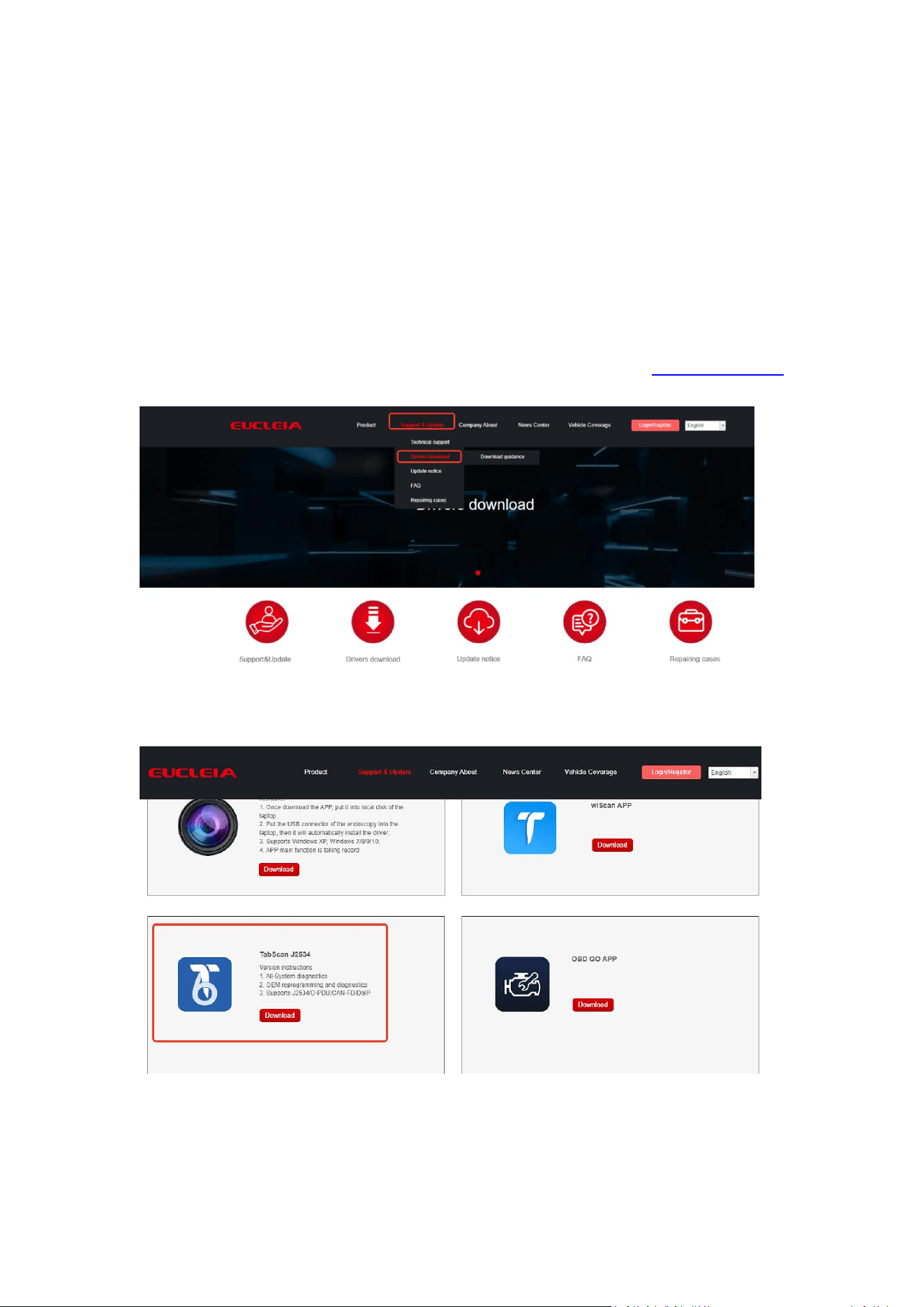
1. Download “TabScan J2534” software on our official website www.eucleia.net,
click “Support & Update” , choose “Drivers download”.
2. Find “TabScan J2534”, click”Download”
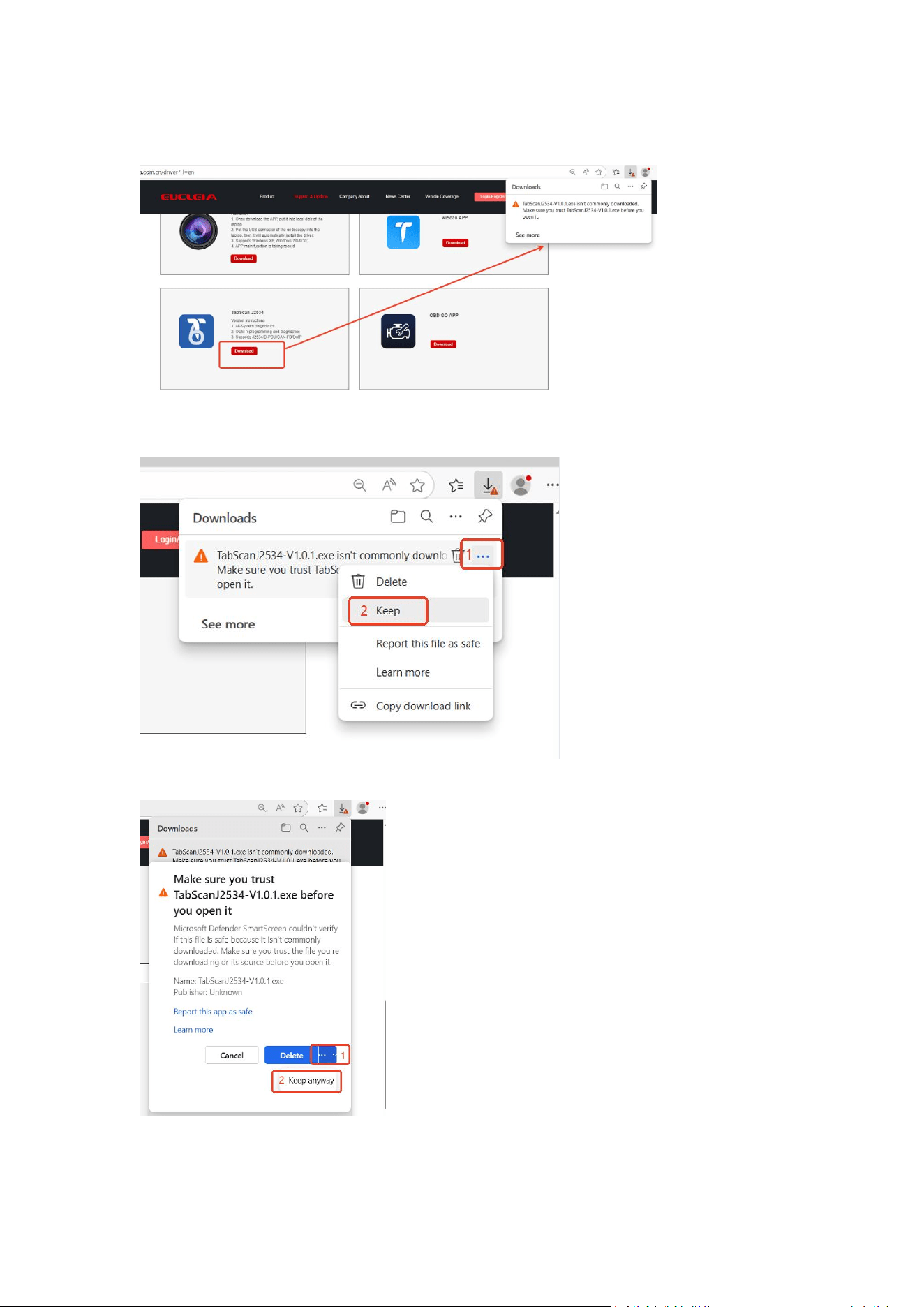
3. If the trust notice appears on the top right corner, click it to proceed.
4. Click “...”, then choose “Keep”.
5. Click “...” next to the Delete button, then choose “Keep anyway”.
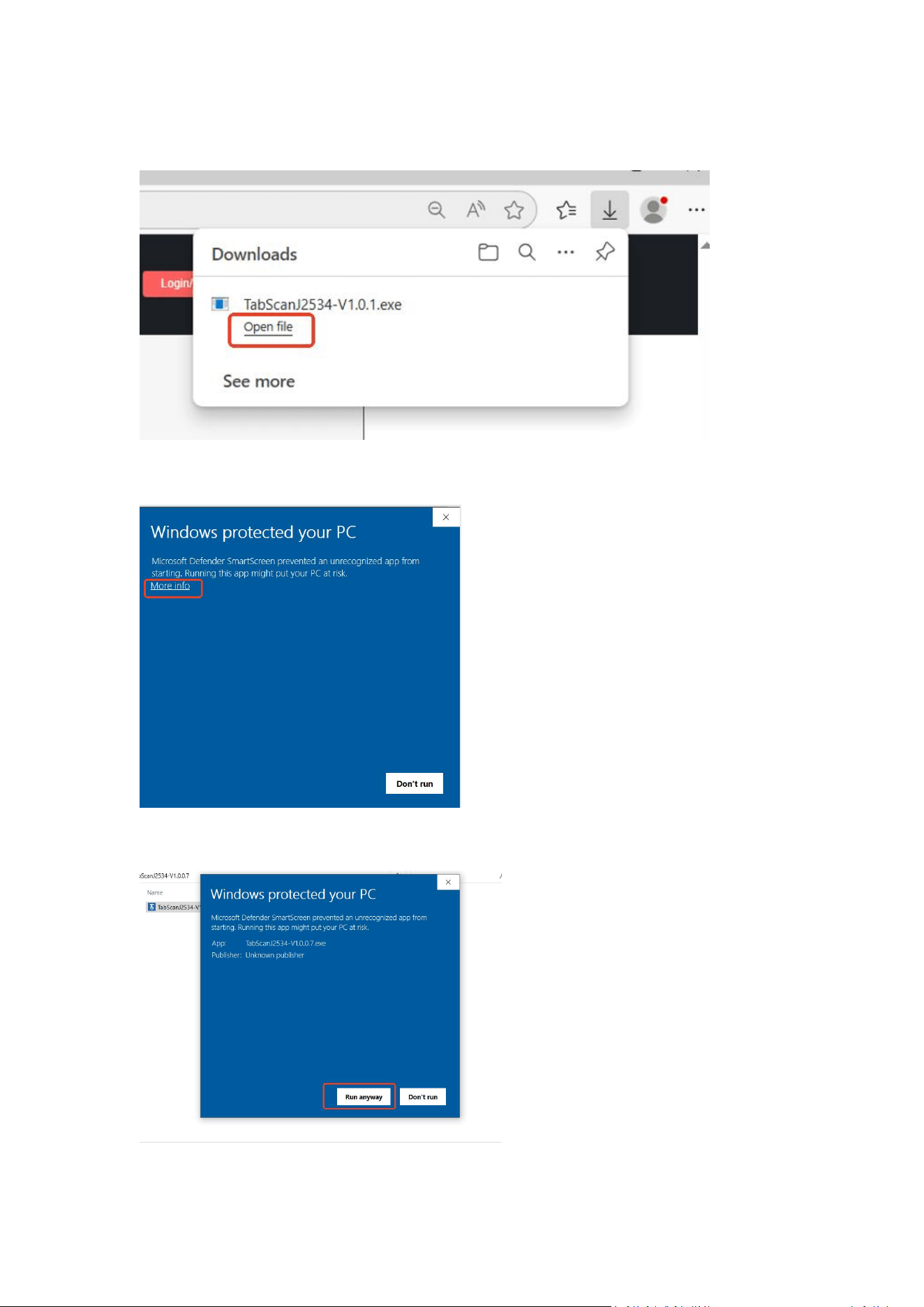
6. Download the software successfully. Click “Open file” to install.
7. Click “More info” to run the installation processes.
8. Click “ Run anyway”.
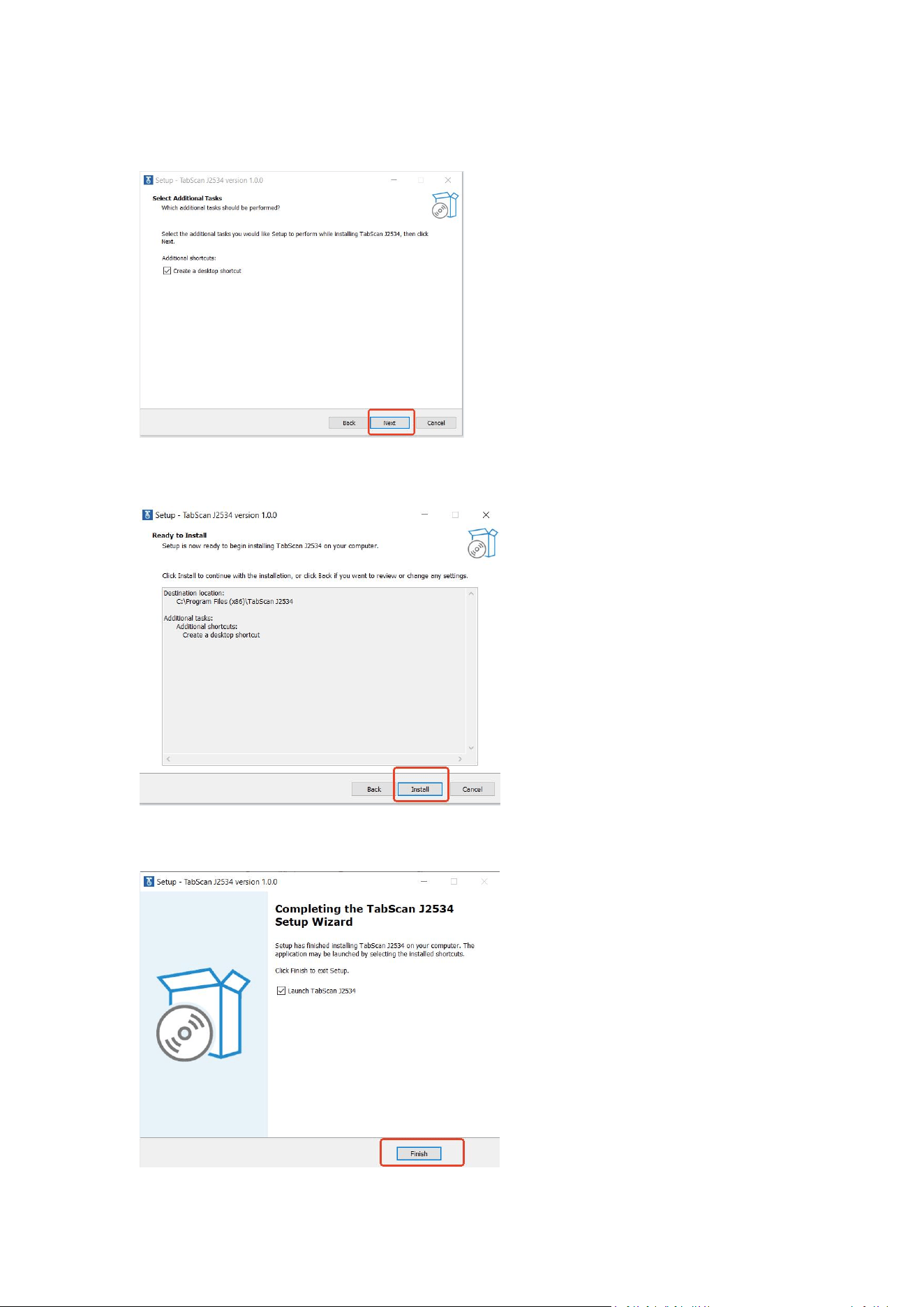
9. Click “Next”.
10. Click “Install”.
11. Installation is complete when you click “Finish”.