EN
Original Instructions
Version 1: July 2024
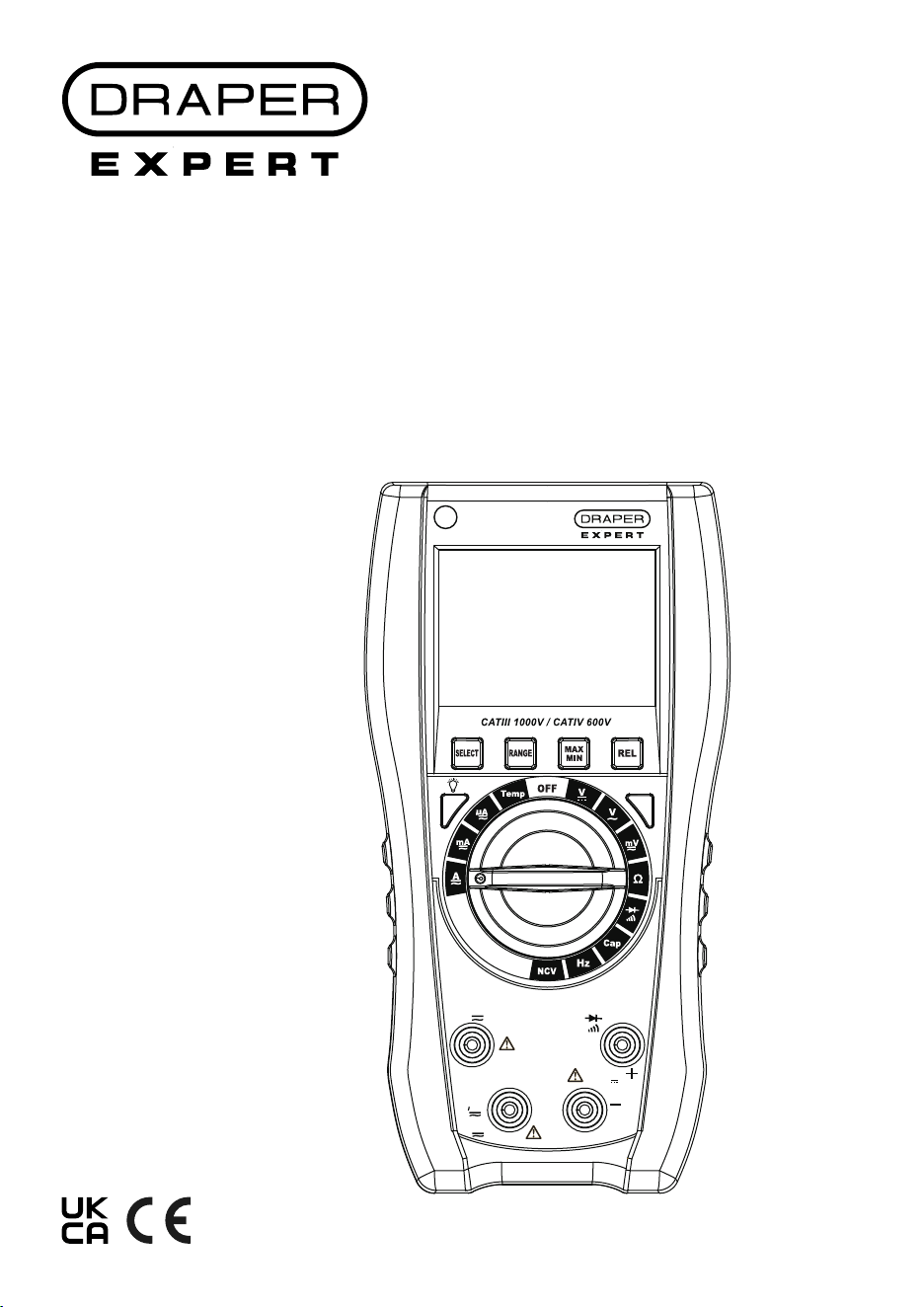
30629
D I G I TA L
MULTIMETER
H
Hz
MAX
600mA
MAX
10A
MAX
750V~
1000V
A
uA
mA
COM
V
Ω
Cap
Temp
Hz
V
T-Rms
1.1 Product Reference
User Manual for: Digital Multimeter
Stock No: 30629
Part No: DMM-RAC
1.2 Revisions
Version 1: July 2024
First release
As our manuals are continually updated, always ensure
that the latest version is used.
Please visit drapertools.com/manuals for the latest
version of this manual.
1.3 Understanding the Safety Content of
This Manual
WARNING! – Situations or actions that may result
in personal injury or death.
CAUTION! – Situations or actions that may result
in damage to the product or surroundings.
Important: – Information or instructions of particular
importance.
1.4 Copyright © Notice
Copyright © Draper Tools Limited.
Permission is granted to reproduce this manual for
personal and educational use ONLY. Commercial
copying, redistribution, hiring or lending is strictly
prohibited.
No part of this manual may be stored in a retrieval system
or transmitted in any other form or means without written
permission from Draper Tools Limited.
In all cases, this copyright notice must remain intact.
1. Preface
– 2 –
These are the original product instructions. This
document is part of the product; retain it for the life
of the product, passing it on to subsequent holders.
Read this manual in full before attempting to
assemble, operate or maintain this product.
This Draper Tools manual describes the purpose
of the product and contains all the necessary
information to ensure its correct and safe use.
Following all the instructions and guidance in
this manual will ensure the safety of both the
product and the operator and increase the
lifespan of the product.
All photographs and drawings within this manual are
supplied by Draper Tools to help illustrate correct
operation of the product.
Every eort has been made to ensure the
information contained in this manual is accurate.
However, Draper Tools reserves the right to amend
this document without prior warning. Always use the
latest version of the product manual.

2. Contents
– 3 –
EN
1. Preface 2
1.1 Product Reference 2
1.2 Revisions 2
1.3 Understanding the Safety Content of
This Manual 2
1.4 Copyright © Notice 2
2. Contents 3
3. Product Introduction 4-5
3.1 Intended Use 4
3.2 Specication 4
4. Health and Safety Information 6
5. Identication and Unpacking 7-8
5.1 Product Overview 7
5.2 Accessories 8
5.3 Packaging 8
6. Installing/Replacing the Battery 9
6.1 Fitting the Battery 9
7. Operating Instructions 10-16
7.1 LCD Display Explained 10
7.2 Auto Shut Down Function 10
7.3 The Function buttons (2), (3) & (9) 11
7.4 Using the Test leads and Probe Sets. 12
7.5 Measurements 13-16
8. Maintenance 17
8.1 General Maintenance and Storage 17
8.2 Replacing the Fuse 17
9. Disposal 18
10. Warranty 18
11. Explanation of Symbols 19

3. Product Introduction
– 4 –
3.1 Intended Use
This meter is designed to measure voltage, current and
resistance across AC and DC circuits. It can also measure
capacitance, frequency, diode, continuity, temperature
and for carrying out non-contact voltage sensing.
Any other application beyond the conditions established
for use will be considered misuse. Draper Tools accepts
no responsibility for improper use of this product.
Read this manual in full before attempting to assemble,
operate or maintain the product, and retain it for later use.
3.2 Specication
Stock No. 30629
Part No. DMM-RAC
Multimeter rating: CAT III, 1,000V /CAT IV 600V
Battery Type Required: 1 x 9V /Type PP3 (not supplied)
Fuse Type Required: 1 X 10A/250V & 1 X 1A/250V
Sample Rate: 3 times/second
Operating conditions:
Ambient temperature: 0–50°C
Storage temperature: - 10 - 60°C
Humidity: <80% RH
3. Product Introduction
– 5 –
EN
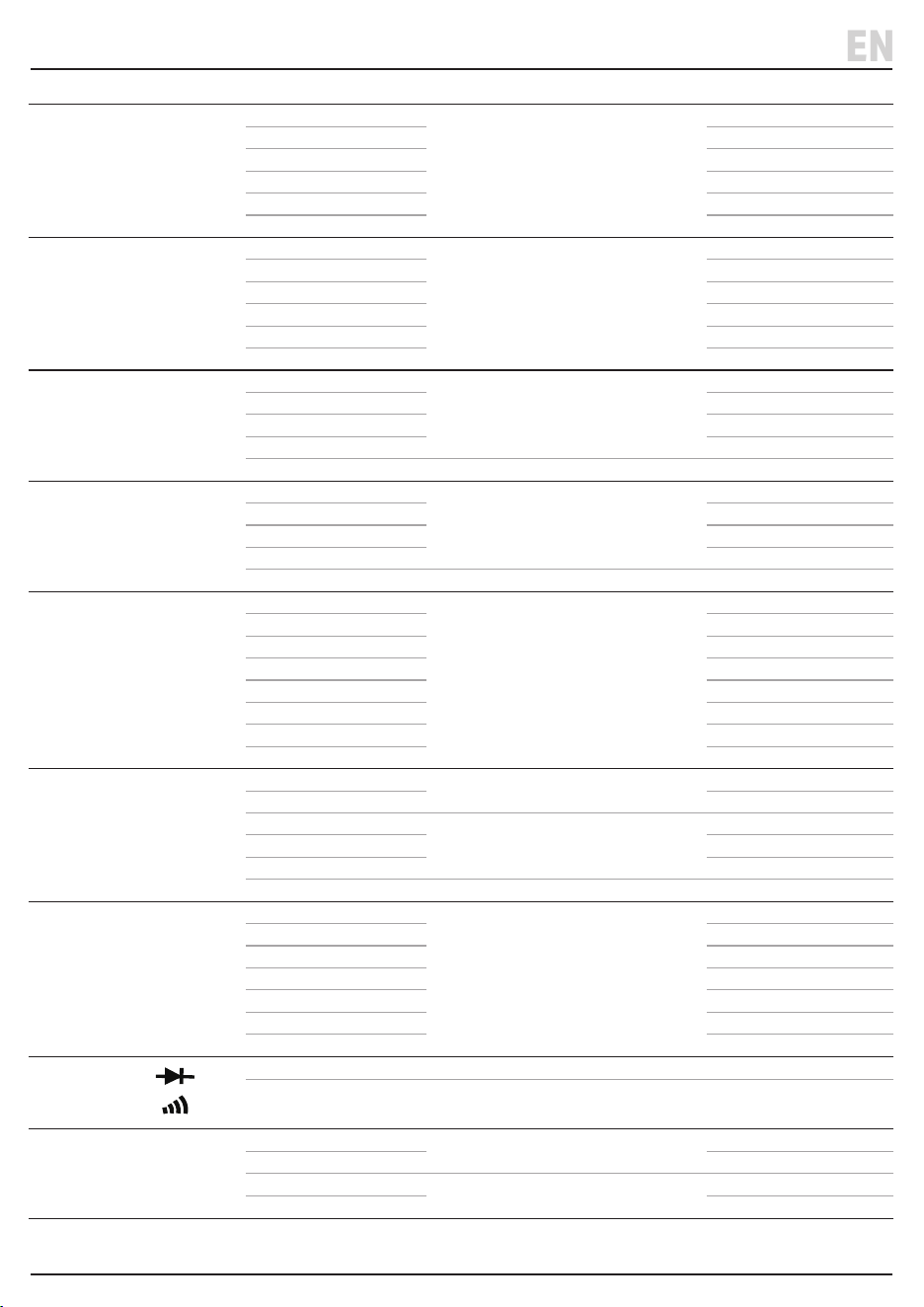
Measurement Range Accuracy Resolution
DC Voltage
60.00mV
±1% reading, ±2digits
0.01mV
600.0mV 0.1mV
6.000V 0.001V
60.00V 0.01V
600.0V 0.1V
1000V 1V
AC Voltage /True RMS
60.00mV
±1% reading, ±2digits
0.01mV
600.0mV 0.1mV
6.000V 0.001V
60.00V 0.01V
600.0V 0.1V
750V 1V
DC Current
600.0uA
±1.5% reading, ±6digits
0.1uA
6000uA 1uA
60.00mA 0.01mA
600.0mA 0.1mA
10A ±2% reading, ±10digits 0.01A
AC Current
600.0uA
±1%±6digits
0.1uA
6000uA 1uA
60.00mA 0.01mA
600.0mA 0.1mA
10A ±2%±6digits 0.01A
Capacitance (F)
6.000nF
±3% reading, ±10digits
0.001nF
60.00nF 0.01nF
600.0nF 0.1nF
6.000uF 0.001uF
60.00uF 0.01uF
600.0uF 0.1uF
6.000mF 0.001mF
60.00mF 0.01mF
Resistance (Ω)
600.0Ω
±1%±3digits
0.1Ω
6.000kΩ 0.001kΩ
60.00kΩ
±1%±1digits
0.01kΩ
600.0kΩ 0.1kΩ
6.000MΩ 0.001MΩ
60.00MΩ ±2%±3digits 0.01MΩ
Frequency (HZ)
9.999Hz
±1% reading, ±2digits
0.001Hz
99.99Hz 0.01Hz
999.9Hz 0.1Hz
9.999KHz 0.001KHz
99.99KHz 0.01KHz
999.9KHz 0.1KHz
9.999MKz 0.001MHz
Diode and
Continuity
Diode forward voltage drop: 0 – 3.3V
Buzzer beeps when resistance between two probes <50Ω.
‘OL’ on screen when resistance between two probes >600Ω.
Temperature
-55°C - 400°C
±2% reading, ±3digits
1°C
-67°F - 750°F 1°F
400°C - 1300°C
±2% reading, ±5digits
1°C
752°F - 2372°F 1°F
4. Health and Safety Information
– 6 –
EN
Important: Read all the Health and Safety instructions
before attempting to use this product. Failure to follow
these instructions may result in serious injury or death.
WARNING! Contact with live circuits can result
in severe electrical shock. When measuring
voltage above 40V/AC and 60V/DC, current
above 10mA or AC power with an inductive load,
take care not to touch the exposed contacts as
they may give a serious electric shock.
• DO NOT measure voltages above 1000V DC or
750V AC (RMS).
− DO NOT apply voltages to the probes whilst
measuring current, diodes, continuity or
capacitors.
− Discharge all high-voltage capacitors before
measuring capacitance.
− DO NOT measure maximum current 10A for more
than 10seconds.
• ONLY trained and competent personnel may operate
this device.
• Use this product ONLY as instructed in this manual.
• Use ONLY accessories and spare parts supplied by
Draper Tools.
− DO NOT use any other leads with this product
than those supplied. Contact Draper Tools for
replacement options if the leads become
damaged.
− If the fuses must be replaced, use an identical
item with the same specication.
− If the battery must be replaced, use one with the
same specication.
• Observe all standard precautions and good practice
when working with live electrical currents.
• Inspect the product for damage before every use,
particularly the contact tips.
− DO NOT use this product if the device or probe
leads are damaged in any way or if there is
evidence of battery leakage.
− If battery acid comes into contact with your skin,
wash it o immediately with plenty of clean water.
− If battery acid comes into contact with your eyes,
ush them with plenty of clean water and seek
immediate medical attention.
• Ensure that the device is clean, dry and free from
grease before use.
• DO NOT use this product if it exhibits abnormal
behaviour and have it checked by a qualied and
authorised technician before next use.
• DO NOT exceed the maximum rated capacity per
function for this device as it may expose you to a
shock hazard.
• DO NOT measure resistors, capacitors and diodes
whilst they are charged. Discharge fully before
carrying out a measurement.
• Ensure that the probe contacts are disconnected from
the load or test circuit before moving the function dial.
• Assess any specic additional risks to the operator
before each use.
• DO NOT expose this product to excessive ambient
temperature, high humidity, ammable substances or
environments that produce a strong magnetic eld.
• DO NOT use this this product around explosive gases,
vapours or dust.
• DO NOT immerse this device in water or expose it to
wet conditions.
• ALWAYS wear protective insulated gloves while using
this product.
• ALWAYS keep your ngers behind the guards on the
test probes during use.
• Ensure the selector dial is in the correct function
mode before taking any measurements.
• ALWAYS turn the function dial to the ‘OFF’ position
and remove the probe leads from the device before
opening the battery compartment cover.
• DO NOT operate this device with the rear housing
open or missing and DO NOT use it if the rear housing
cannot be closed properly.
• NEVER insert the probe contacts into the device
terminals.
• DO NOT abuse, mutilate or burn the battery.
• Remove the batteries when the product is stored for
extended periods.
• DO NOT attempt to repair this device; it contains no
user-serviceable parts.
• Keep this product out of reach of children.
WARNING! ALWAYS ensure that the operator is
not in contact with the ground while taking
measurements, using insulating materials to
prevent the current from earthing.
5. Identication and Unpacking
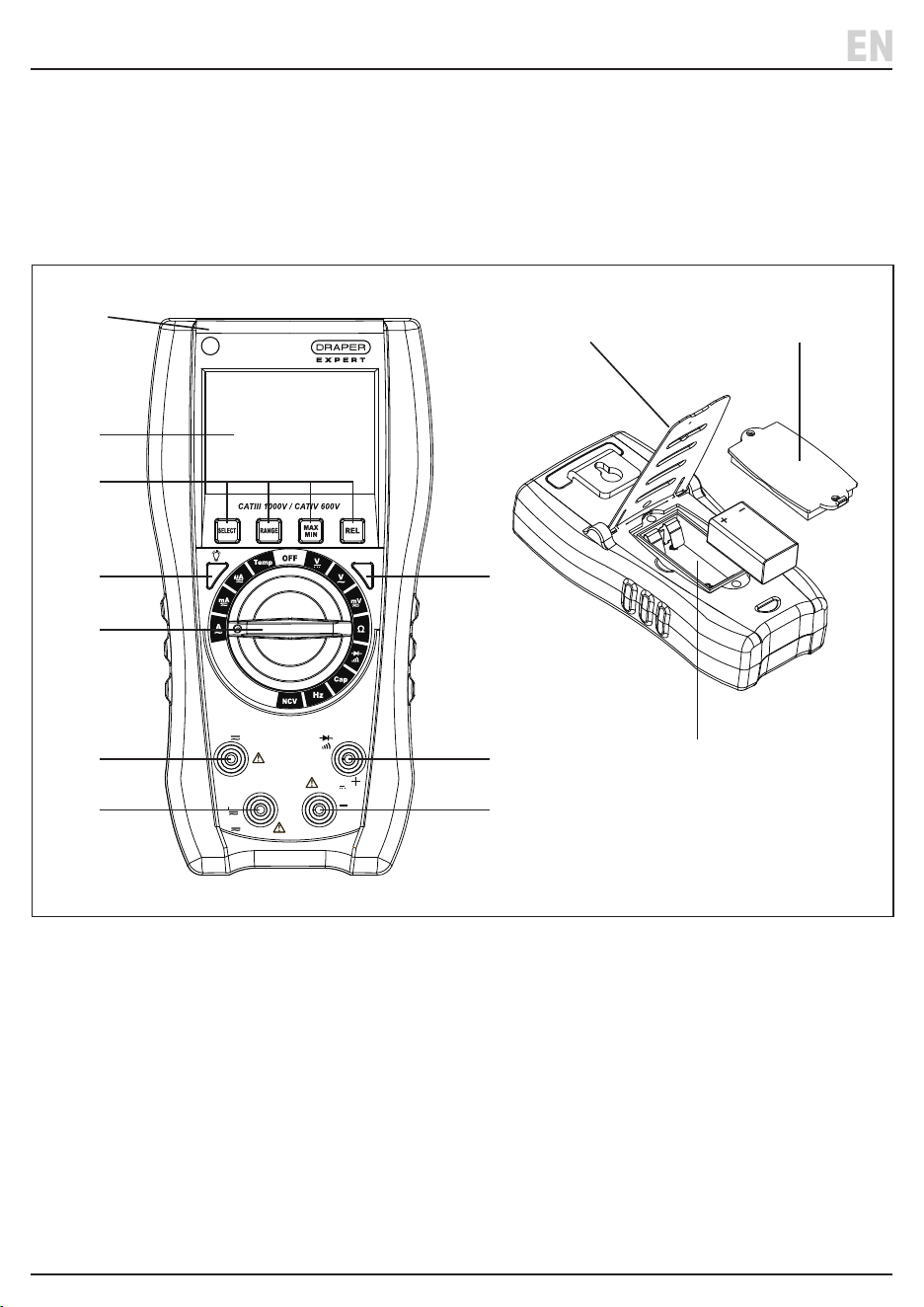
5.1 Product Overview
(1) LCD display
(2) Function buttons (Select, Range, Max/Min, REL).
(3) (H) Value hold/Back light
(4) Measurement selector dial
(5) 10A current terminal
(6) <600mA current terminal
(7) (COM) Common earth probe (-) terminal
(8) Voltage/Resistance/Capacitance/Frequency/
Temperature/Continuity/Diode (+) terminal
(9) Hertz (Hz) button
(10) NCV Sensor
(11) Back cover/stand
(12) Battery compartment
(13) Battery compartment cover
EN
Carefully remove the product from the packaging and
examine it for any signs of damage that may have
occurred during shipment.
If any part is damaged or missing, do not attempt to use
the product. Please contact the Draper Helpline; contact
details can be found at the back of this manual.
– 7 –
H
Hz
MAX
600mA
MAX
10A
MAX
750V~
1000V
A
uA
mA
COM
V
Ω
Cap
Temp
Hz
V
T-Rms
(1)
(10)
(2)
(3) (9)
(12)
(13)(11)
(8)
(7)
(5)
(6)
(4)
H
Hz
MAX
600mA
MAX
10A
MAX
750V~
1000V
A
uA
mA
COM
V
Cap
Temp
Hz
V
T- Rms
H
Hz
MAX
600mA
MAX
10A
MAX
750V~
1000V
A
uA
mA
COM
V
Cap
Temp
Hz
V
T-Rms
K-TYPE
5. Identication and Unpacking
EN
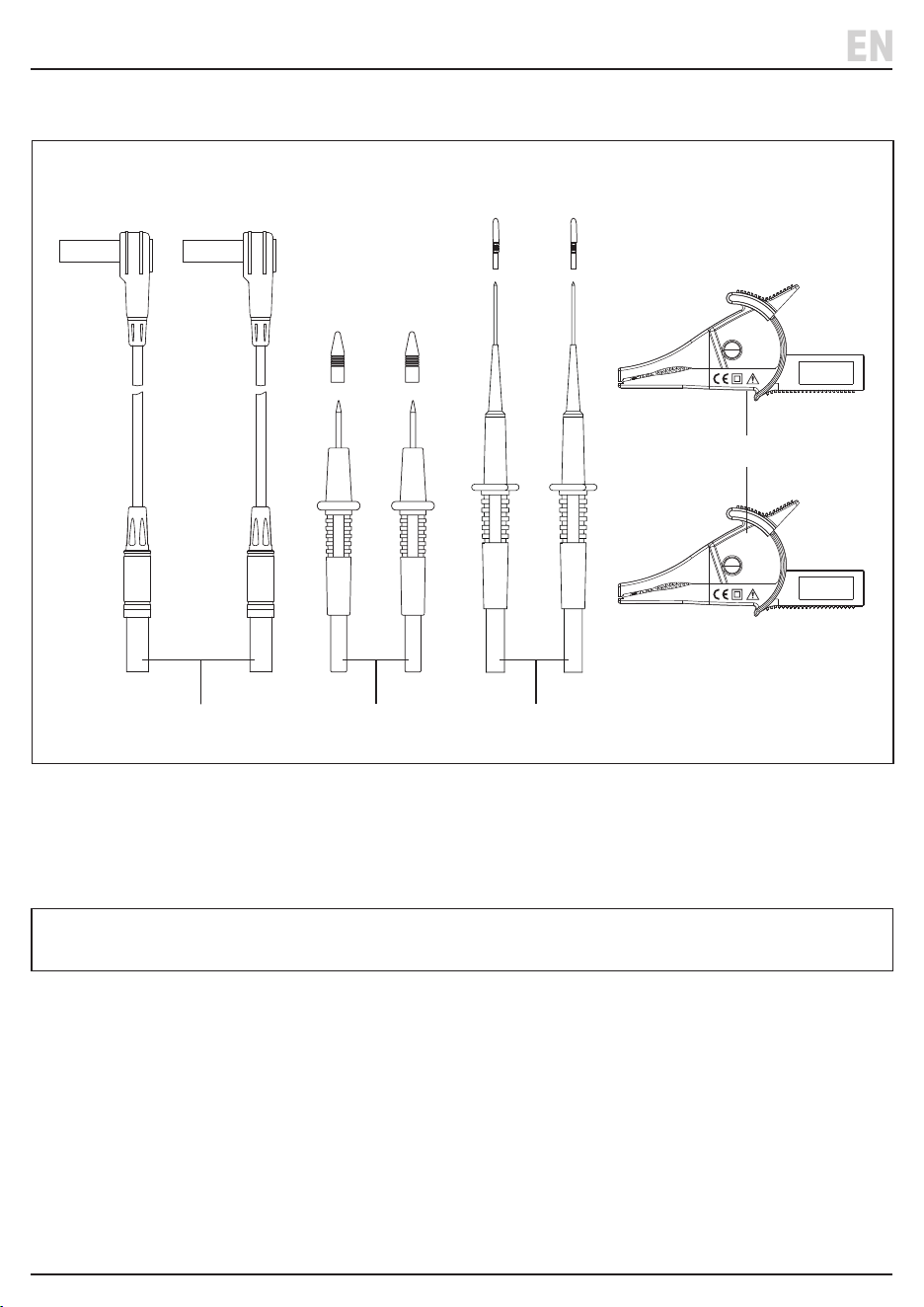
5.2 Accessories
(14) 1 X Test lead set (30677)
(15) 1 X Test probe set (30643)
(16) 1 X Needle probe set (30675)
(17) 1 X Crocodile clip set (30676)
(18) Storage case (not shown)
5.3 Packaging
Keep the product packaging for the duration of the
warranty period in case the product needs to be
returned for repair.
WARNING! Keep packaging materials out of reach of
children. Dispose of packaging correctly and
responsibly and in accordance with local regulations.
Please visit drapertools.com for our full range of accessories and consumables.
– 8 –
(+)
Red
(+)
Red
(+)
Red
(–)
Black
(+)
Red
(–)
Black
(–)
Black
(–)
Black
(14) (15) (16)
(17)
– 9 –
6. Installing/Replacing the Battery
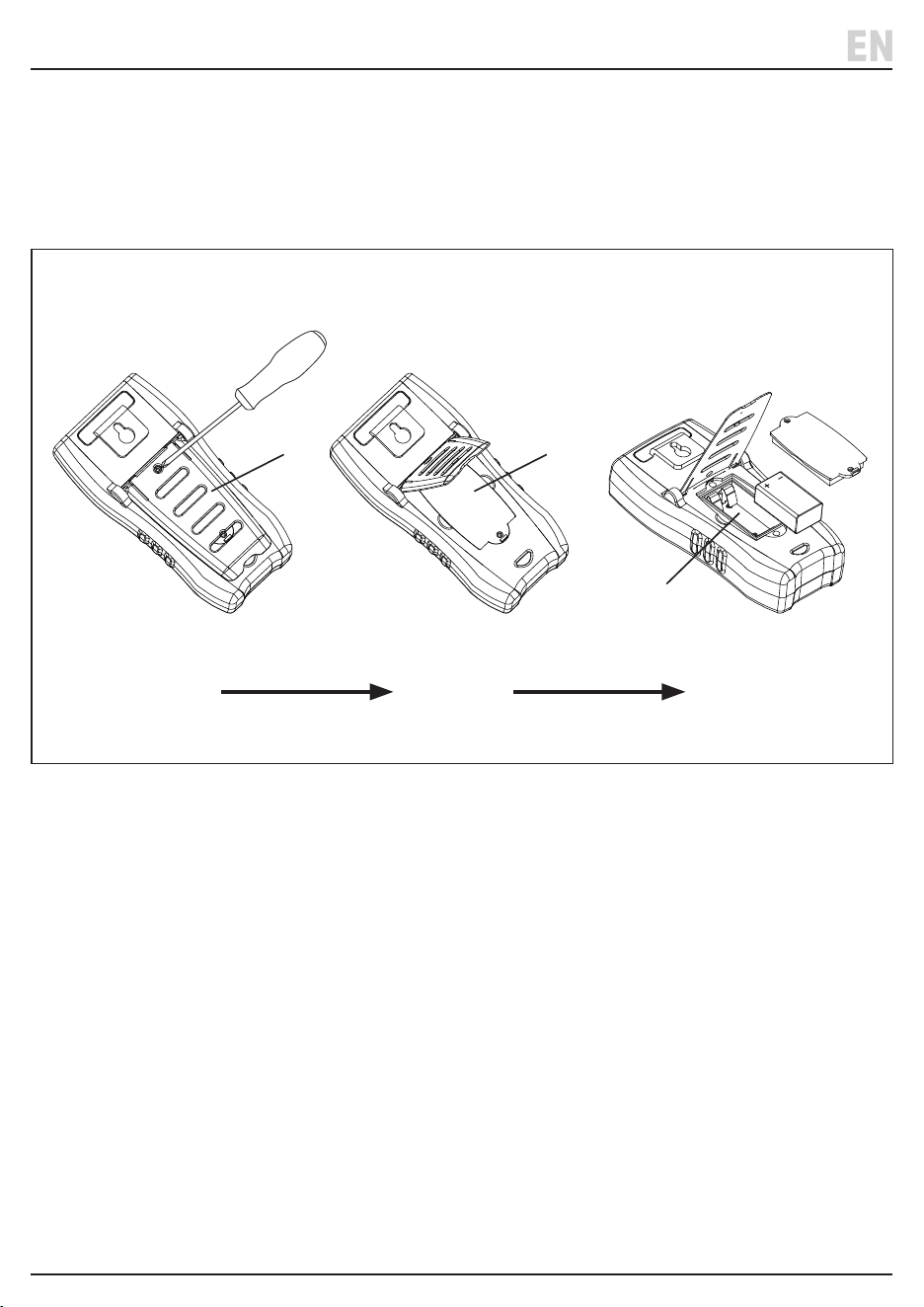
6.1 Fitting the Battery - Fig. 1
EN
Important: Use ONLY a 9V (Type PP3) battery (not supplied).
Replace the battery when the low battery icon appears on the display screen.
1. Disconnect the test probes and ensure the selector
dial (4) is in the ‘OFF position’ before installing or
removing the battery.
2. Undo the top screw in the back cover (11) rst. Then
lift the back cover up and undo the screw in the
battery compartment cover (13). Remove the cover.
Fit the battery in the compartment (12), check that it
is in the correct +/- orientation when installed.
3. Ret the compartment cover and screw the
compartment and back covers back on.
Fig. 1
(1) (2) (3)
H
Hz
MAX
600mA
MAX
10A
MAX
750V~
1000V
A
uA
mA
COM
V
Cap
Temp
Hz
V
T-Rms
H
Hz
MAX
600mA
MAX
10A
MAX
750V~
1000V
A
uA
mA
COM
V
Cap
Temp
Hz
V
T-Rms
K-TYPE
(11) (13)
(12)
7. Operating Instructions
– 10 –
7.2 Auto Shut Down Function
1. The device will shut down and automatically go into
sleep mode after 15 minutes without any operation.
Press any button to restart the device.
2. To switch o the auto-shut down function, press and
hold then ‘SELECT’ button, then turn on the power.
“ “ will not show on LCD if the function is switched o.
Important: Before operating this product, read and
understand all the safety instructions listed in this
manual.
Important: Inspect the device for signs of damage,
particularly the probes and insulated leads. Replace
faulty leads immediately.
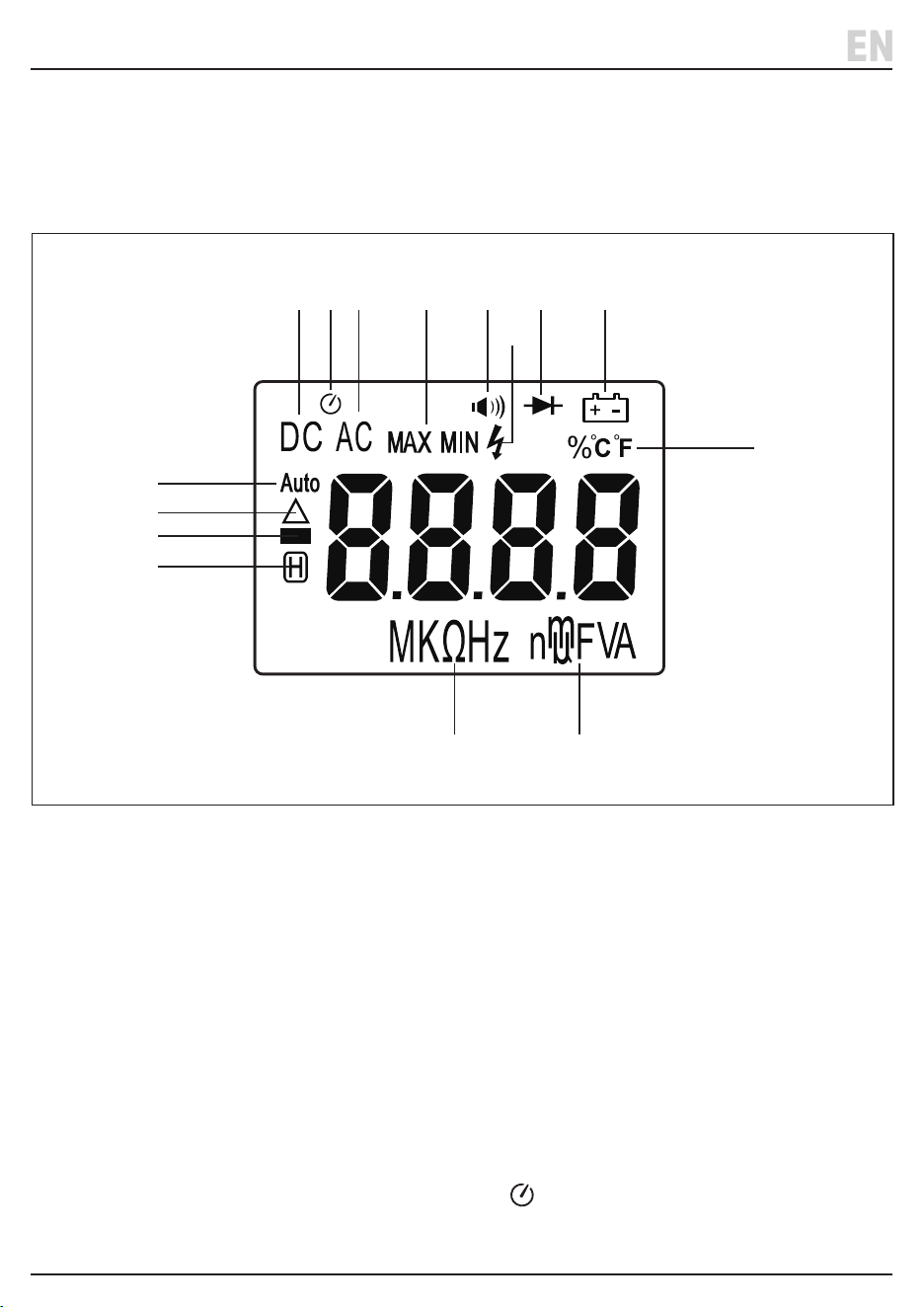
7.1 LCD Display Explained
(a) DC power source
(b) Auto shut down function
(c) AC power source
(d) MAX/Min indicators
(e) Continuity
(f) High voltage warning
(g) Diode
(h) Low battery indicator
(i) Auto unit mode
(j) REL indicator
(k) DC polarity
(l) Value hold indicator
(m) Temperature unit/duty cycle units
(n) Resistance/Frequency unit
(o) Voltage, current, capacitance unit
EN
H
Hz
MAX
600mA
MAX
10A
MAX
750V~
1000V
A
uA
mA
COM
V
Cap
Temp
Hz
V
T-Rms
H
Hz
MAX
600mA
MAX
10A
MAX
750V~
1000V
A
uA
mA
COM
V
Cap
Temp
Hz
V
T-Rms
K-TYPE
(l)
(k)
(j)
(i)
(m)
(n)
(a) (b) (c) (d) (e) (g) (h)
(f)
(o)
7. Operating Instructions
– 11 –
Note: The selector dial (4) needs to be turned to the required position before pressing a function button.
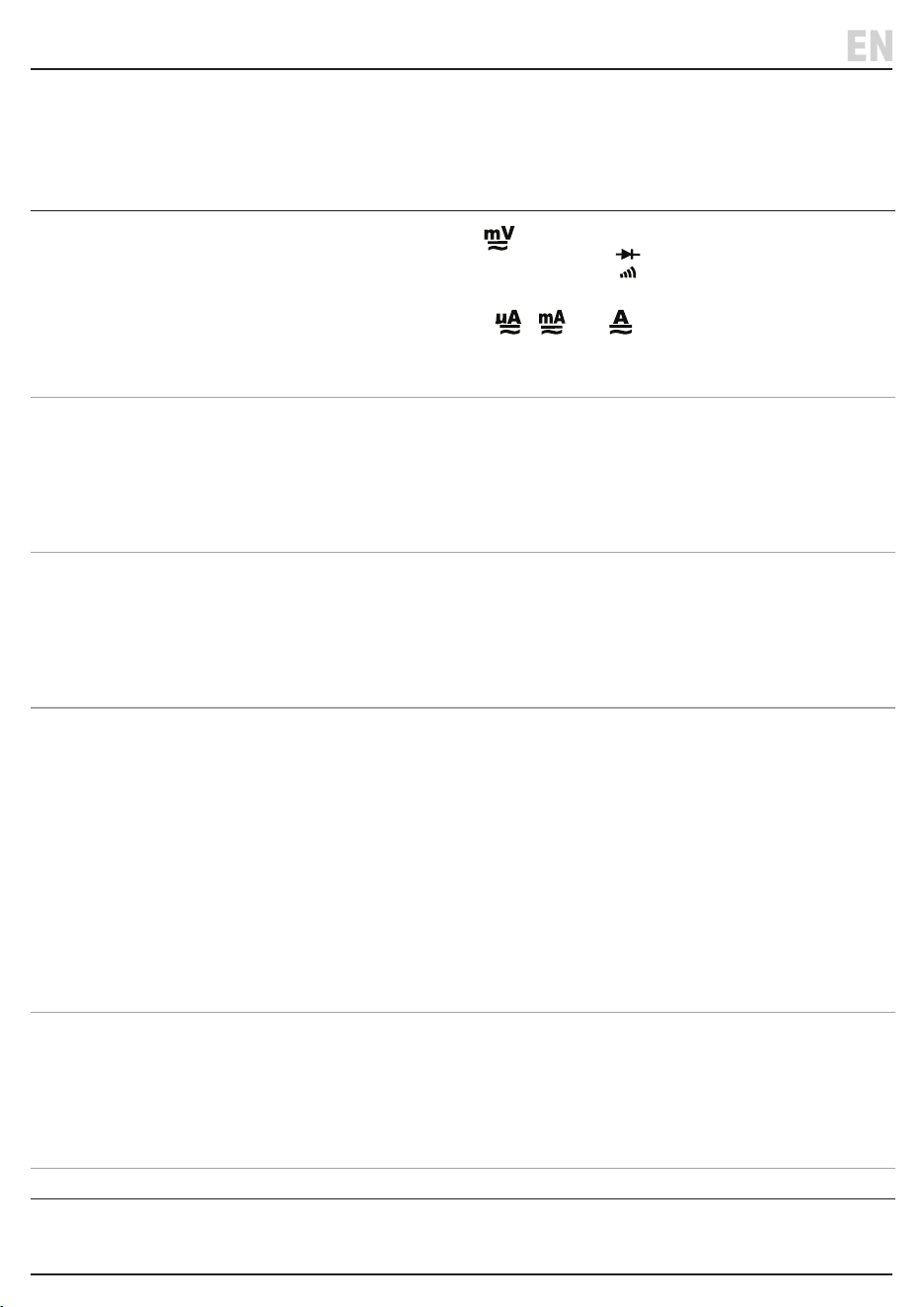
7.3 The Function buttons (2), (3) & (9)
Button Function
‘SELECT’
• Switch between DCmV / ACmV at measurement.
• Switch between diode / continuity measurement at measurement.
• Change the temperature unit during temperature measurement.
• Switch between DC / AC current at , and measurement.
• Cancel ‘Auto Shut Down’ function by pressing and hold this button, then turn on the
power; the buzzer shall beep.
‘RANGE’
• Switch between ‘AUTO’ and ‘MANUAL’ range. The default is ‘AUTO’ mode.
• This button only operates for uA, mA, A, mV, both direct and alternating voltage and
resistance measurements.
• Press the button to change to ‘MANUAL’ mode to select the range manually.
• To return to ‘AUTO’ press and hold the button for more than 2seconds.
‘MAX/MIN’
• Press once for ‘MAX’ mode and the maximum value measured will remain on the screen.
• Press twice for ‘MIN’ mode and the minimum value measured will remain on the screen.
• ‘REL’, ‘HOLD’ and ’SELECT’ will not operate if ‘MAX/MIN’ mode is selected.
• Press the ‘RANGE’ button or hold and press the ‘MAX/MIN’ button for more than 2
seconds to cancel ‘MAX/MIN’ mode.
‘REL’
Relative Value Measurement Function
• This function can be used when measuring voltage, current, temperature, resistance, and
capacitance. When this function is selected the current measured value will be the
reference value. The next value measurement displayed will be the dierence between the
measurement and reference value.
• The ‘REL’ function only work with ‘MANUAL’ range.
• To cancel the ‘REL’ function press the button again.
• Pressing the ‘REL’ button whilst ‘HOLD’ mode is selected will cancel ‘HOLD’ and the value
on the screen will become the reference value.
• Press the ‘REL’ button again or turn the selector dial to cancel the ‘REL’ measurement
(‘REL’ will disappear from the screen).
(3) ‘H’ Hold/Light
• Press to hold the value shown on the screen.
• To cancel press the button again or turn the selector dial.
Backlight
• To switch on the backlight – press and hold the ‘H’ button for more than 2seconds.
• The light will switch o automatically after 30seconds.
(9) ‘Hz’ Frequency • Press to switch measurements between frequency and duty cycle.
EN
7. Operating Instructions
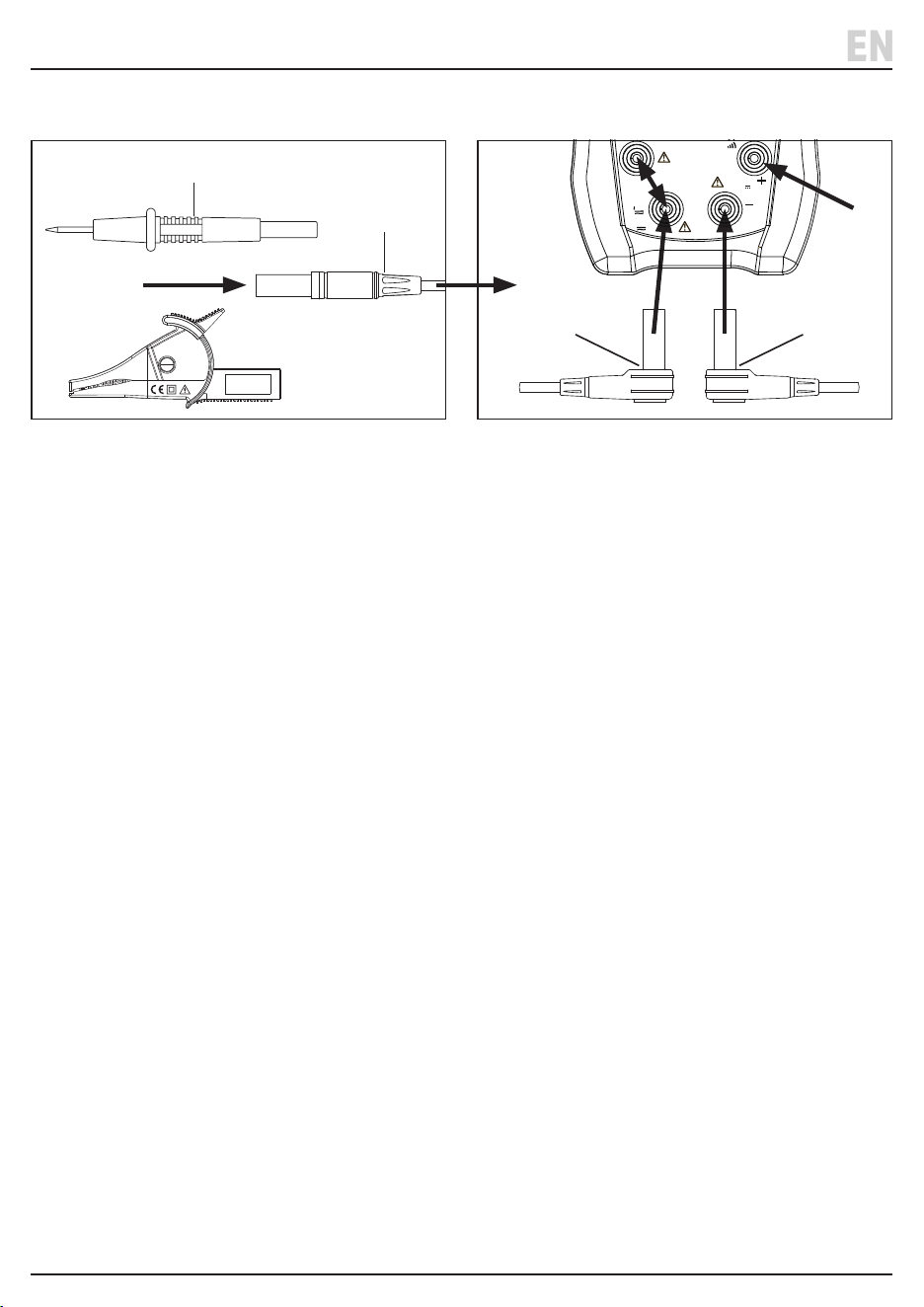
7.4 Using the Test leads and Probe Sets. - Fig. 2, Fig. 3
– 12 –
1. Remove the protective covers from both ends of the
test leads (14).
2. Fit the required probe or clip sets over the end of the
test leads - ensuring the correct polarity (+) red and
(-) black matches the lead and the terminals (5), (6),
(7) & (8).
3. Remove the protective covers from the test end of the
probes before measuring. Always replace after use.
EN
Fig. 2 Fig. 3
H
Hz
MAX
600mA
MAX
10A
MAX
750V~
1000V
A
uA
mA
COM
V
Ω
Cap
Temp
Hz
V
T-Rms
(14)
(–) Black
(14)
(+) Red
(14)
(+) Red
(14)
(15), (16) or (17)
7.5 Measurements
• For each measurement type, connect the positive (+)
red probe to the voltage, resistance and temperature
probe terminal (8) or ‘A’ current terminals (5) or (6),
and connect the negative probe (-) black to the
common earth probe terminal (7).
• If a negative value is shown on the display, check the
polarity of the probes at the component contacts and
the device terminals.
• Turn the measuring selector dial (4) to select the
required measurement mode. Always return the dial
to the ‘OFF’ position once measuring is complete.
7. Operating Instructions
Measurement
Measuring Selector
Dial Position
Action
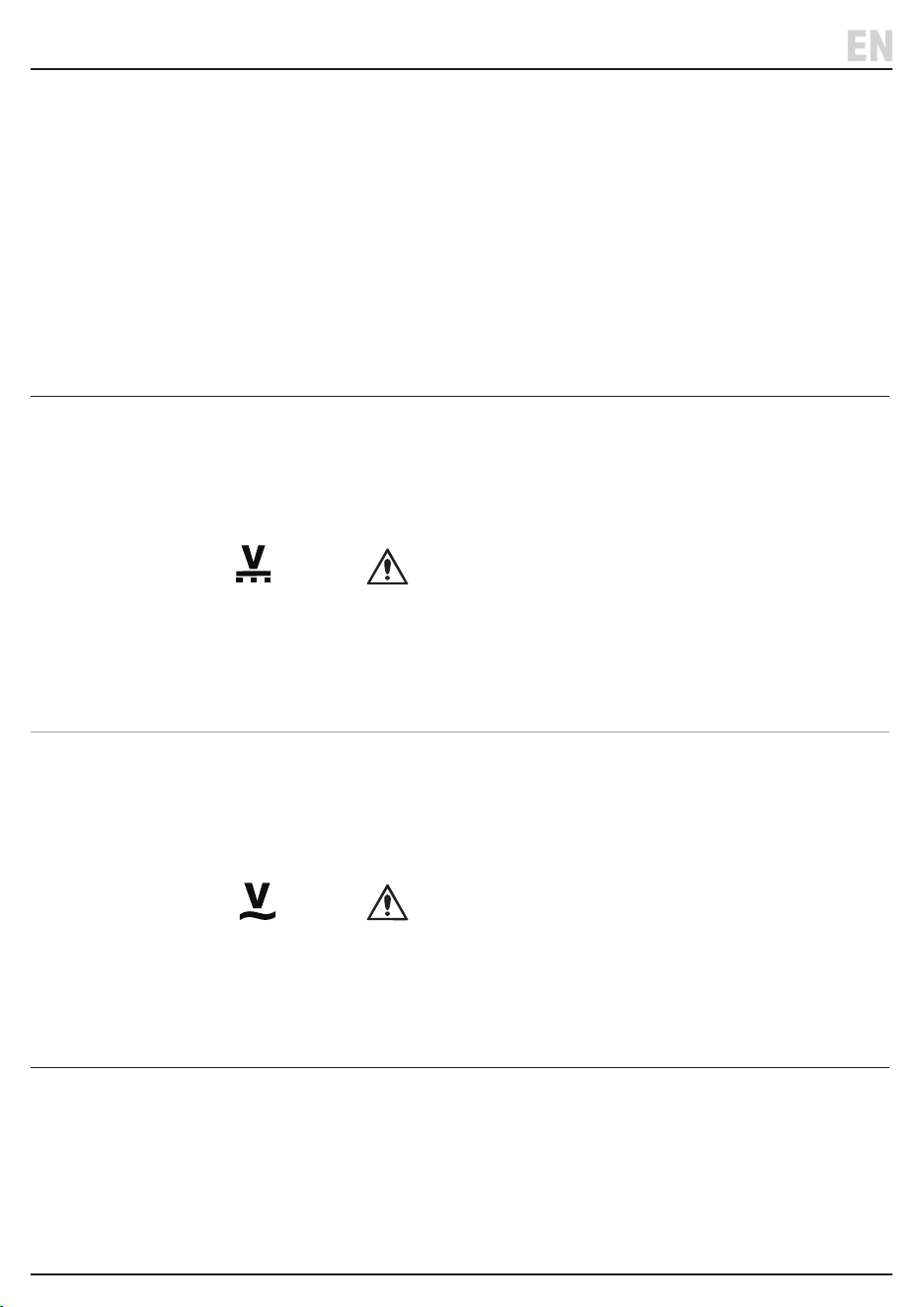
DC Voltage
1. ‘AUTO’ and ‘DC’ will be displayed.
2. Press the ‘RANGE’ button to change manually between 6V, 60V,
600V and 1000V.
3. Contact the probes with the testing point. The voltage value and
polarity will be displayed on the LCD screen (1).
CAUTION!
• If ‘OL’ is displayed during manual range, the measured value is
higher than the current range selected. Increase the range.
• Do not measure voltage higher than 1000V.
• Avoid direct contact with body during the high voltage
measurement.
AC Voltage
1. ‘AUTO’ and ‘AC’ will be displayed.
2. Press the ‘RANGE’ button to change manually between 6V, 60V,
600V and 750V.
3. Contact the probes with the testing point. The voltage value will be
displayed on the LCD screen (1).
CAUTION!
• If ‘OL’ is displayed during manual range, the measured value is
higher than the current range selected. Increase the range.
• Do not measure voltage higher than 750V.
• Avoid direct contact with body during the high voltage
measurement.
– 13 –
EN
7. Operating Instructions
EN
Measurement
Measuring Selector
Dial Position
Action
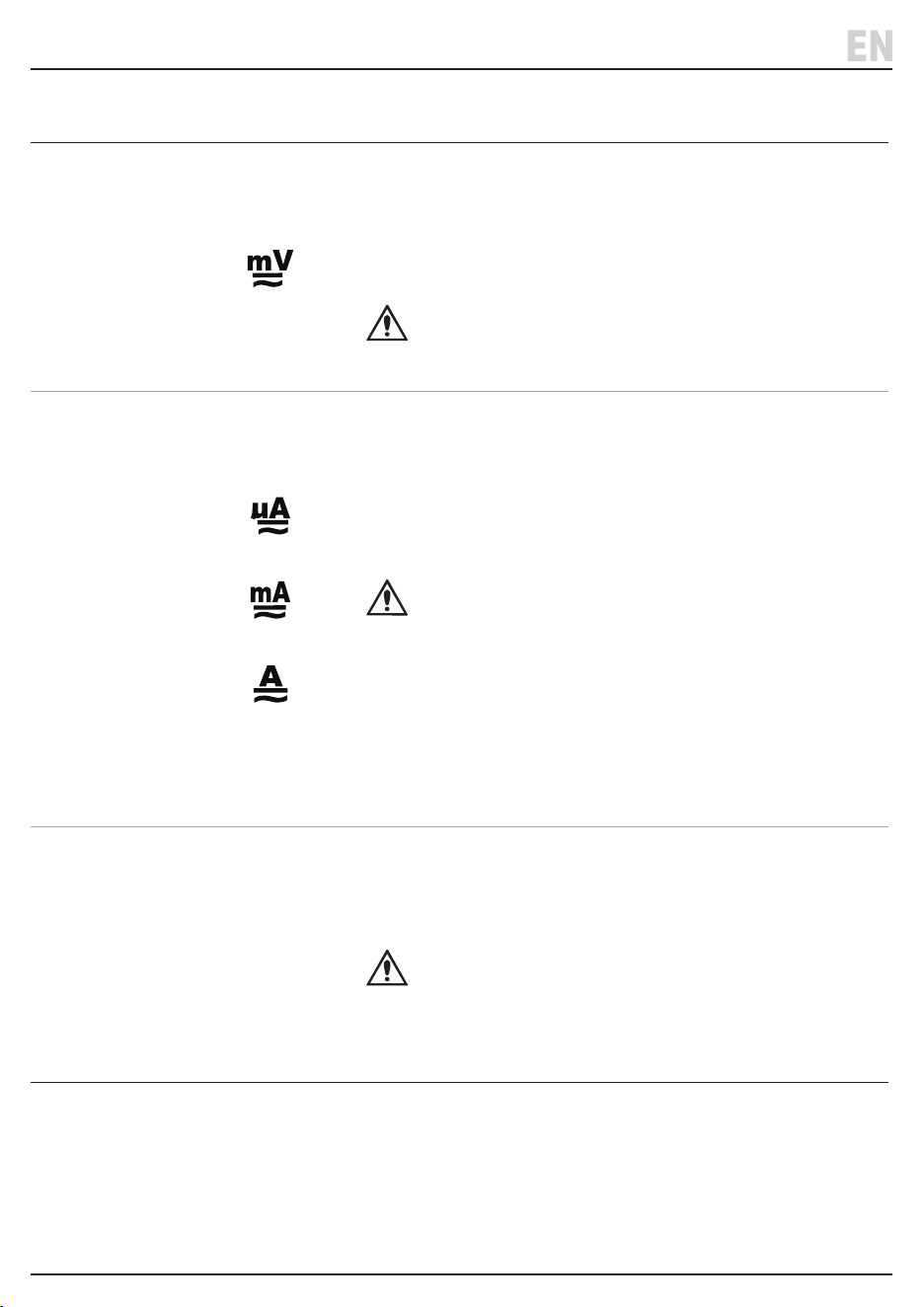
AC/DC Milli-Voltage
1. ‘AUTO’ and ‘DC’ will be displayed.
2. Press ‘SELECT’ to switch between DC and AC voltage.
3. Press ‘RANGE’ to manually change between 60mV and 600mV.
4. Contact the probes with the testing point. The voltage value and
polarity will be displayed on the LCD screen (1).
CAUTION!
• Do not measure voltage higher than 1V.
Current DC/ AC
True RMS
1. Connect the red positive probe to either the 10A (5) or uA/mA (6)
terminal.
• The maximum current is 6000uA for uA, 600mA for mA, and 10A for A.
2. Press the ‘SELECT’ button to switch between DC or AC true RMS.
3. Connect the two probes to the testing points in series. The current
value and polarity will be shown on the display.
CAUTION!
• If unsure of the measured current range, start from 10A.
• If ‘OL’ is displayed the measured value is higher than the current
range. Increase the range.
• Maximum input current is 600mA or 10A (depending on terminal
selected). Over current will damage the device.
• Do not measure maximum current 10A for longer than 10 seconds.
• Do not apply any voltage to the probe during the current measurement.
Capacitance ‘CAP’
1. Contact the capacitor with the probes; It will take a few seconds for
the device to measure the capacitor and shown a stable reading.
• 60.00mf capacitors will take about 30 seconds to obtain a stable
reading.
CAUTION!
• Discharge the capacitor before taking the measurement.
• Do not apply any voltage to the probes during the capacitor
measurement.
– 14 –
7. Operating Instructions
EN
Measurement
Measuring Selector
Dial Position
Action
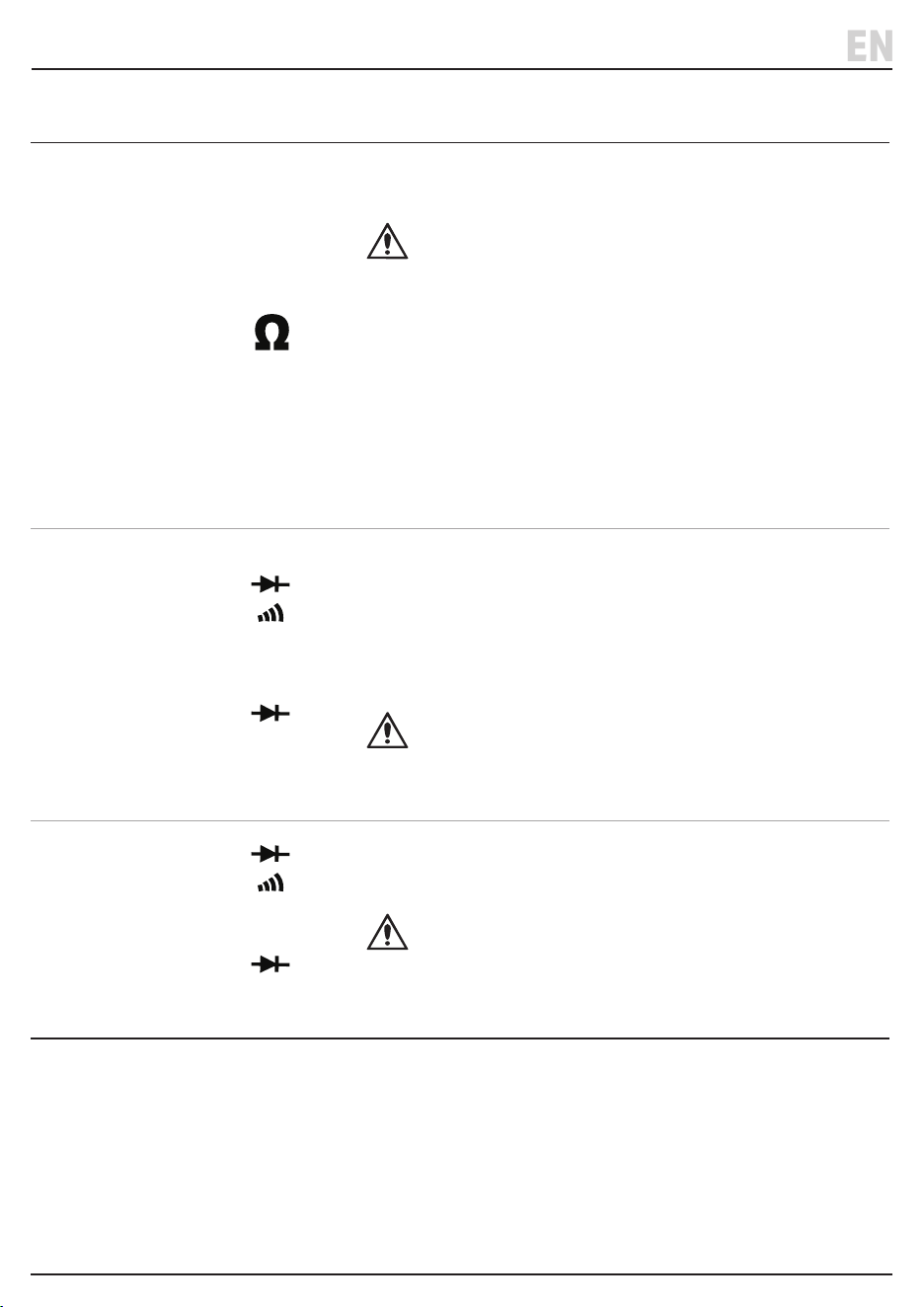
Resistance
1. Press the ‘RANGE’ button to select either AUTO or manual.
2. Contact the probes to the resistor.
CAUTION!
• If unsure of measured resistance, start from the highest range.
• If ‘OL’ is displayed during manual range, the measured value is
higher than the current range. Increase the range. The reading will
take a few seconds to stabilise when measured resistance higher
than 1M ohm.
• If there is an open circuit, ‘OL’ will be displayed.
• Ensure all voltage sources are powered o and all capacitors have
discharged before taking the measurement.
• Do not apply any voltage to the probes during the resistance
measurement.
Diode
+ press
‘SELECT’
on LCD
1. Contact the probes with the testing points.
• Forward Measurement: Contact the red probe with anode, and
black probe with cathode; LCD will show the voltage.
• Reverse measurement: Contact the red probe with cathode, and
black probe with anode; LCD will show “OL”.
• Diode forward voltage drop: 0 ~ 3.3V.
CAUTION!
• Do not apply any voltage to the probes during the diode
measurement.
Continuity
+ Press
‘SELECT’ until
on LCD
• Connect the probes with two sides of the circuit, if the resistance is
<50Ω or >600Ω, the buzzer will sound.
CAUTION!
• Do not apply any voltage to the probes during the continuity
measurement.
– 15 –
7. Operating Instructions
EN
Measurement
Measuring Selector
Dial Position
Action
Frequency ’Hz’
• Press ‘Hz’ button (9) to switch between frequency and duty cycle
measurements.
• Peak Voltage for frequency measurement is ±600mV.
CAUTION!
• There is only “AUTO” range for frequency measurement.
• Use shielded wires for frequency measurement in noisy
environment.
• Do not measure voltage greater than 220VAC.
Temperature ‘TEMP’
1. Connect K- type thermocouple (not supplied) to the ‘COM’ (7) and
temperature terminal (8).
2. Change the temperature unit by pressing ‘SELECT’.
Non Contact
Voltage Sensing
‘NCV’
1. Move the sensor (10) towards the test area.
2 If voltage is detected the device will buzz and ‘-‘ will be displayed on
the screen. The number of bars will vary depending on the strength
of the voltage detected.
‘EF’ will be displayed on the screen if no AC voltage detected.
– 16 –
8. Maintenance
Important: Disconnect the probe leads from the
terminals and any other source of voltage before
performing any maintenance on this product.
8.1 General Maintenance and Storage
• Keep the product clean and free from dust, debris and
grease.
• Use a dry cloth ONLY to clean the housing of this device.
CAUTION! DO NOT use abrasives, solvents or
other aggressive chemicals as these may
damage plastic or insulated parts.
• Replace the probe leads IMMEDIATELY if they are
damaged in any way or the conductors are exposed;
contact Draper Tools for replacement options.
• Important: Replacement leads and test probes must
be rated:
• Leads: CAT IV 600V/ 10A
• Probes: CATII 1000V
• Needle probes: 600Vdc/Max 1A
• Crocodile Clips: CAT III 1000V, CAT IV 600V, 10A .
• If the low battery indicator is shown on the
display, replace the battery as soon as possible;
see 6 Installing/Replacing the Battery.
• Remove the battery when storing the device for
extended periods.
• Store the device in the case supplied in a cool, clean
and dry environment, out of direct sunlight and out of
reach of children.
– 17 –
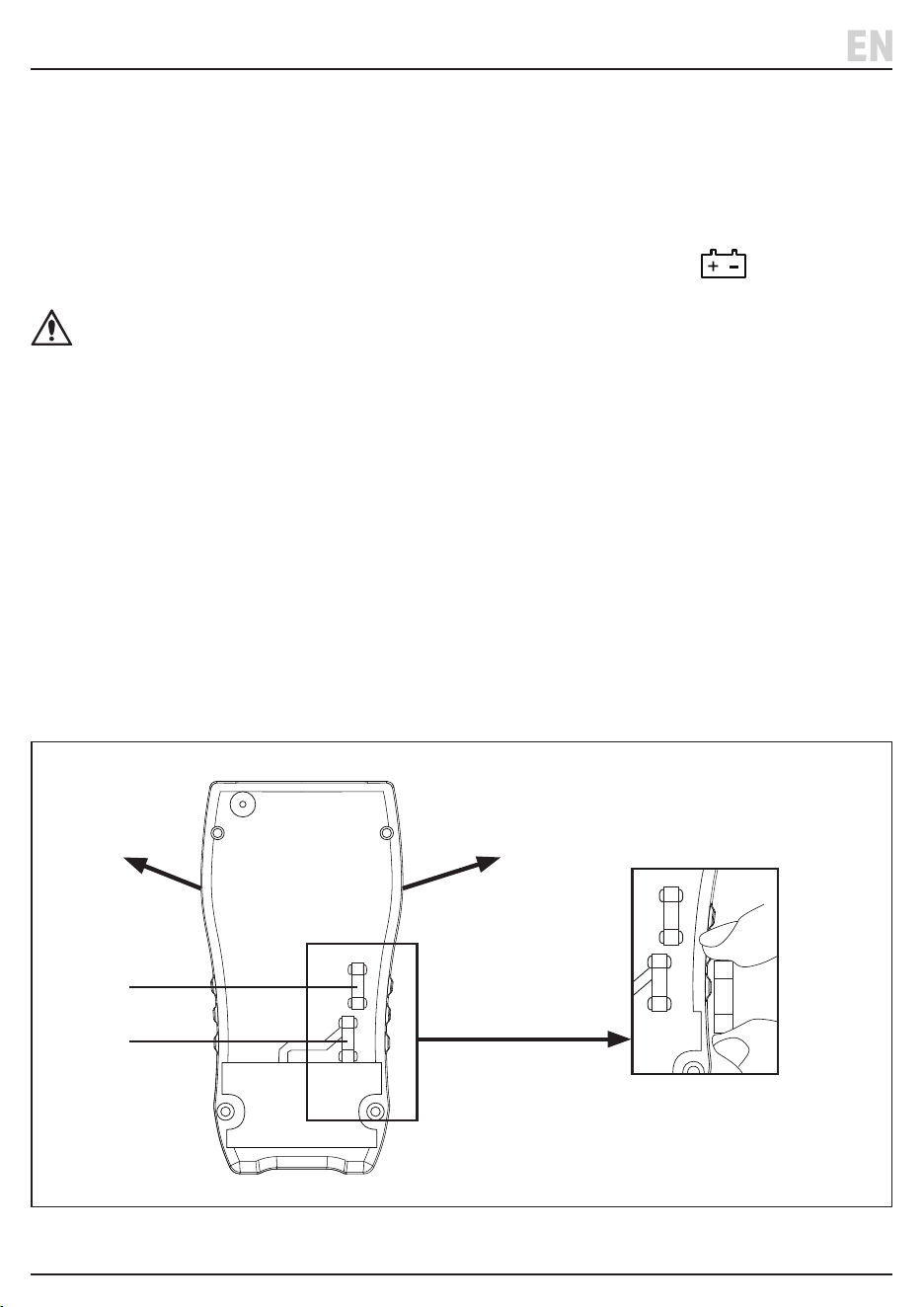
8.2 Replacing the Fuse - Fig. 4
If the fuse must be replaced install an equivalent fuse in
its place.
Important: This product requires two fuses - 1X
10A/250V and 1 X 1A/250V.
To replace the fuse
1. Turn the measuring selector dial to the ‘OFF’ position
and disconnect the probes.
2. Remove the protective casing from both sides and
undo the four screws on the rear housing.
3. Replace the fuse and screw the housing back on
completely and ret the protective side casing.
EN
Fig. 4
H
Hz
MAX
600mA
MAX
10A
MAX
750V~
1000V
A
uA
mA
COM
V
Cap
Temp
Hz
V
T-Rms
H
Hz
MAX
600mA
MAX
10A
MAX
750V~
1000V
A
uA
mA
COM
V
Cap
Temp
Hz
V
T-Rms
K-TYPE
H
Hz
MAX
600mA
MAX
10A
MAX
750V~
1000V
A
uA
mA
COM
V
Cap
Temp
Hz
V
T-Rms
H
Hz
MAX
600mA
MAX
10A
MAX
750V~
1000V
A
uA
mA
COM
V
Cap
Temp
Hz
V
T-Rms
K-TYPE
Replaceable Fuse
1A/250V
10A/250V
H
Hz
MAX
600mA
MAX
10A
MAX
750V~
1000V
A
uA
mA
COM
V
Cap
Temp
Hz
V
T-Rms
H
Hz
MAX
600mA
MAX
10A
MAX
750V~
1000V
A
uA
mA
COM
V
Cap
Temp
Hz
V
T-Rms
K-TYPE

9. Disposal
– 18 –
10. Warranty
Warranty is 12 months from date of purchase. Visit
drapertools.com/warranty for more information.
EN
EN
Any servicing or repairs carried out by unauthorised
personnel or installation of spare parts not supplied by
Draper Tools will invalidate your warranty.
At the end of its working life, dispose of the product
responsibly and in line with local regulations. Recycle
where possible.
• DO NOT dispose of this product with domestic waste;
most local authorities provide appropriate recycling
facilities.
• DO NOT burn or mutilate batteries; this may release
toxic or corrosive substances.
• Dispose of batteries separately and in accordance
with local regulations.
– 19 –
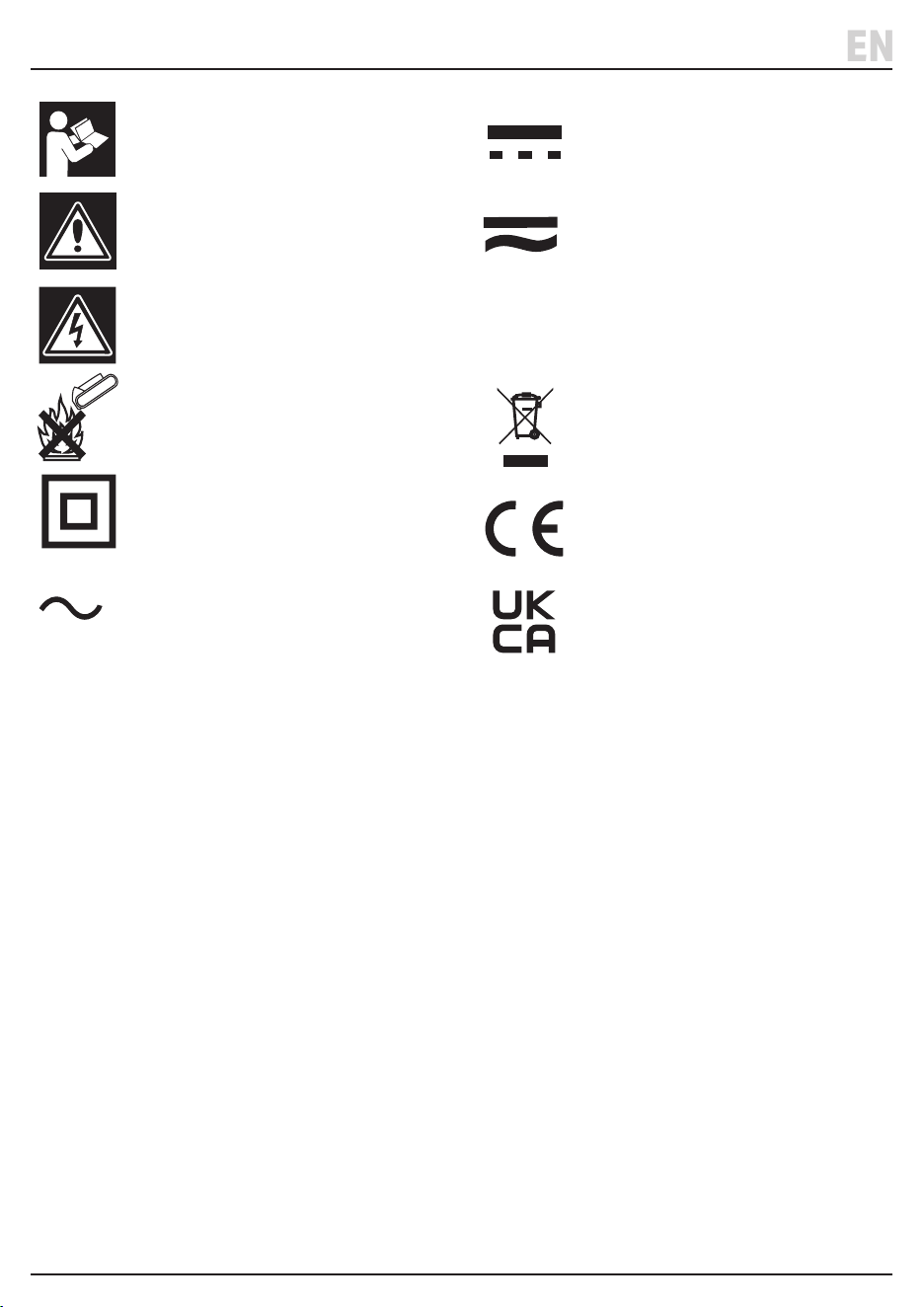
11. Explanation of Symbols
EN
Read the instruction manual
Warning!
Warning! risk of shock
Do not incinerate or throw onto re
Class II construction
(Double insulated)
Alternating current
Direct current
Both direct & alternating current
Ω
Resistance in OHMS
WEEE –
Waste Electrical & Electronic Equipment
Do not dispose of Waste Electrical & Electronic Equipment
in with domestic rubbish
European conformity
UK Conformity Assessed

© Published by Draper Tools Limited© Published by Draper Tools Limited
Delta International
Delta International BV
Oude Graaf 8
6002 NL
Weert
Netherlands
Contact Details
Draper Tools
Draper Tools Limited
Hursley Road
Chandler’s Ford
Eastleigh
Hampshire
SO53 1YF
UK
Website: drapertools.com
Email: [email protected]
Product Helpline: +44 (0) 23 8049 4344
Telephone Sales Desk: +44 (0) 23 8049 4333
General Enquiries: +44 (0) 23 8026 6355
Please contact the Draper Tools Product Helpline for repair and servicing enquiries.