Cast one
3
3
白燈熄滅
無線傳輸範圍10米
鋰電池
約1.5小時
約10小時
機械按鍵+觸摸
骨傳導揚聲器
溫度
Cast one
白燈熄滅
滑動-由後往前
滑動-由前往後
觸控三下
觸控二下
紅燈每30秒亮一次
綠燈呼吸閃/綠燈熄滅
二
橘燈閃3次
Auracast廣播源切換
短按開關機鍵二次
白燈呼吸閃
藍燈呼吸閃
藍燈呼吸閃 Broadcast scan
三
經典藍牙/Auracast
廣播模式切換
束口袋
Cast one
V5.3
30
-26
Cast one
3
3
三
白灯熄灭
白灯熄灭
二
滑动-由后往前
触控三下
绿灯呼吸闪/绿灯熄灭
触控二下
橘灯闪3次
白灯呼吸闪
蓝灯呼吸闪
“Bluetooth mode”
“Broadcast mode”
红灯每30秒亮一次
滑动-由前往后
经典蓝牙/Auracast
广播模式切换
Auracast广播源切换 短按开关机键二次 蓝灯呼吸闪 “Broadcast scan”
“Bluetooth mode”
“Broadcast mode”
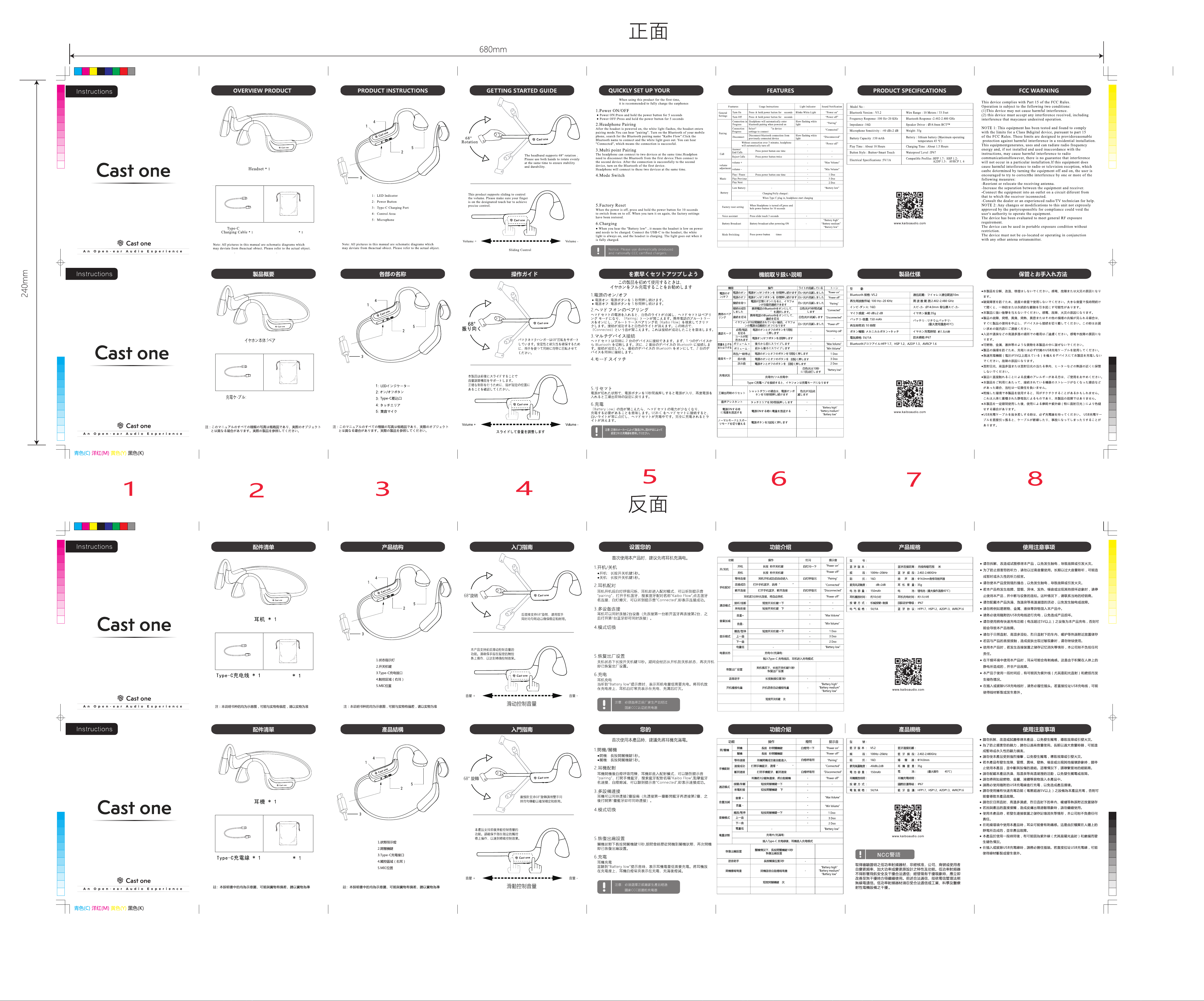
設置
本產品可以進行經典藍牙模式和Auracast廣播模式的切換。開機默認
為經典藍牙模式。開關機鍵按3次即可切換到Auracast廣播模式;再
按下開關鍵3次,便再次切換回經典藍牙模式。進入Auracast廣播模
式後,可以按下開關鍵2次,做廣播源的切換。
本产品可以进行经典蓝牙模式和Auracast广播模式的切换。开机默认
为经典蓝牙模式。开关机键按3次即可切换到Auracast广播模式;再
按下开关键3次,便再次切换回经典蓝牙模式。进入Auracast广播模
式后,可以按下开关键2次,做广播源的切换。
This product allows switching between classic Bluetooth mode and Auracast
broadcast mode. It defaults to classic Bluetooth mode upon power-on.
Press the power button three times to switch to Auracast broadcast mode;
press the power button three times again to switch back to classic Bluetooth mode.
Once in Auracast broadcast mode, you can press the power button twice to
switch the broadcast source.
束口袋
Castone
本製品は、クラシック Bluetooth モードと Auracast ブロードキャストモードを切り替える
ことができます。電源投入時は、クラシック Bluetooth モードがデフォルトです。電源ボタ
ンを 3 回押すと Auracast ブロードキャストモードに 切り替 わります。電源ボタンをもう一
度 3 回 押 すと、クラシック Bluetooth モードに戻ります。Auracast ブロードキャストモー
ドでは、電源ボタンを 2 回押 すとブロードキャストソースが切り替わります。
3
3
緑
Castone
赤色のライトが30秒ごとに点滅します
緑色光/綠色光消灯
“Poweron”
“Pairing”
“Poweroff”
“2Doo”
“Bluetoothmode”
“Broadcastmode”
ゆっくり 点 滅 する
白色光/ゆっくり
点滅する青色光
チャンネル切り替え 電源ボタンを2回 押す
ゆっくり 点 滅 する
青色光
Broadcastscan
“Power on”
“Pairing”
“Power off”
“2 Doo”
“Power on”
“Pairing”
“Power off”
“2 Doo”
3 回タッチ
3
2 回タッチ
2
巾着袋:1本
1本