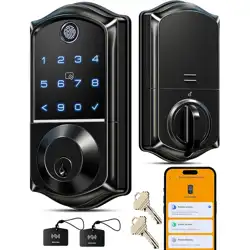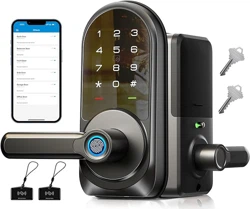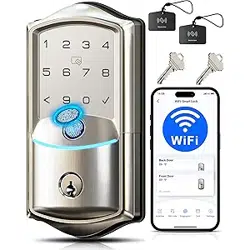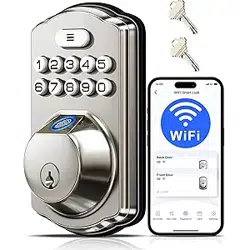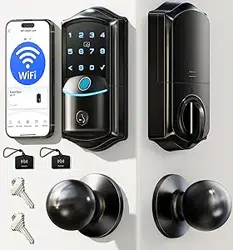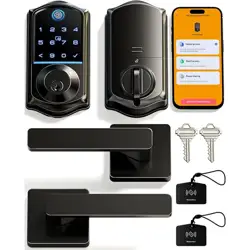
VE017
Model No.
Need Help? Contact Us!
Call us at +1(855)400-3853 ( Monday-Friday 9:00am-5:00pm PST ),
if you have any questions.
iveise.com
Installation Manual
Scan the QR code and search VE017
to get the video.
Tutorial Video

01
Parts List
02
Installation Guide
02
Step 1: Prepare the Door & Check Dimensions
05
Step 2: Install the Latch & Strike
08
Step 3: Install Exterior Assembly
10
Step 4: Install Interior Assembly
13
Troubleshooting
12
How to Reset
Content
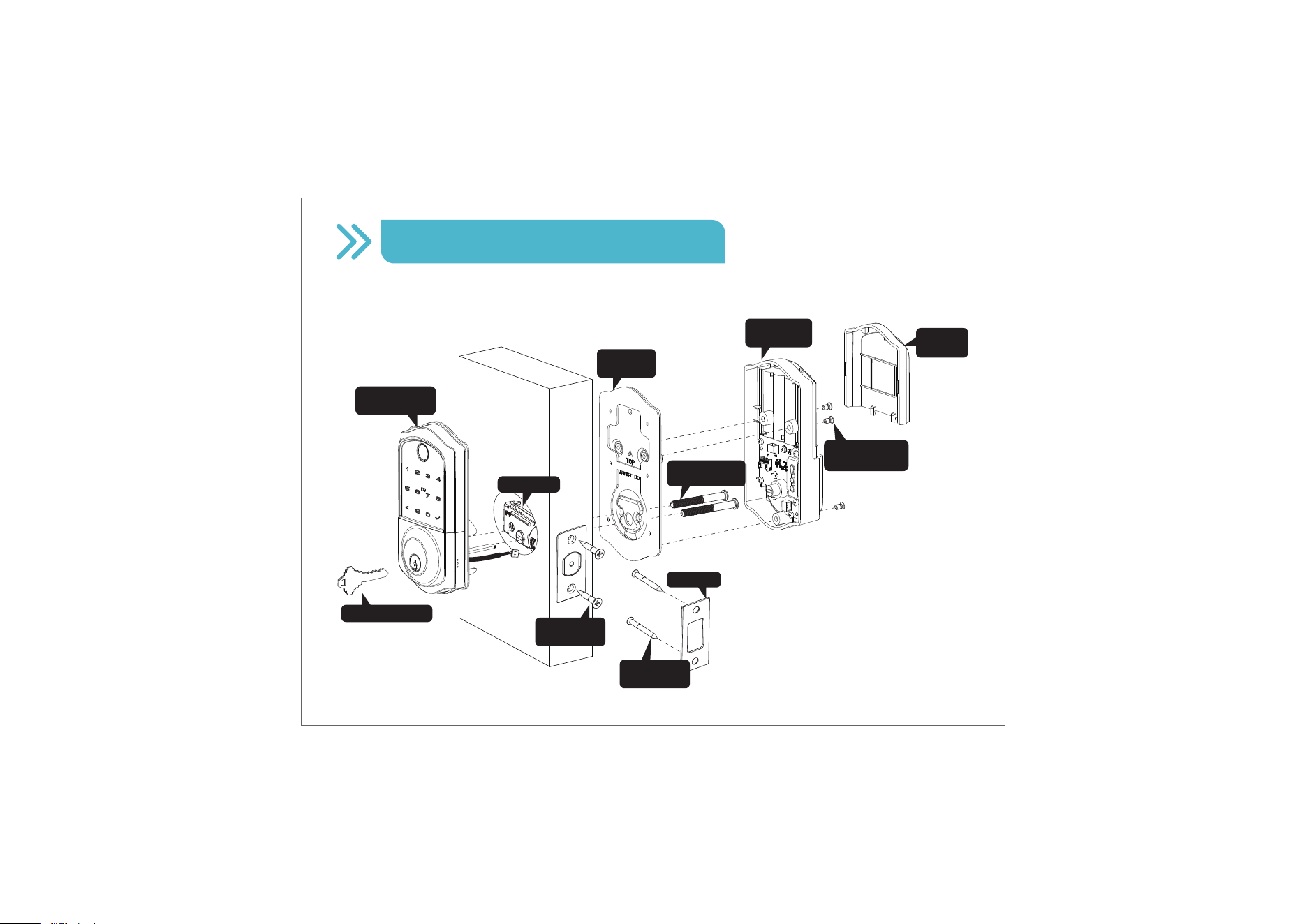
Installation Overview
Interior Assembly
Screws (K)
Strike (D)
Mounting
Plate Screws (J)
Mounting
Plate (E)
Mechanical Key (A)
Exterior Assembly
(B)
Latch (C)
Interior
Assembly (F)
Battery
Cover (G)
Strike Screws
(H)
Latch Screws
(I)
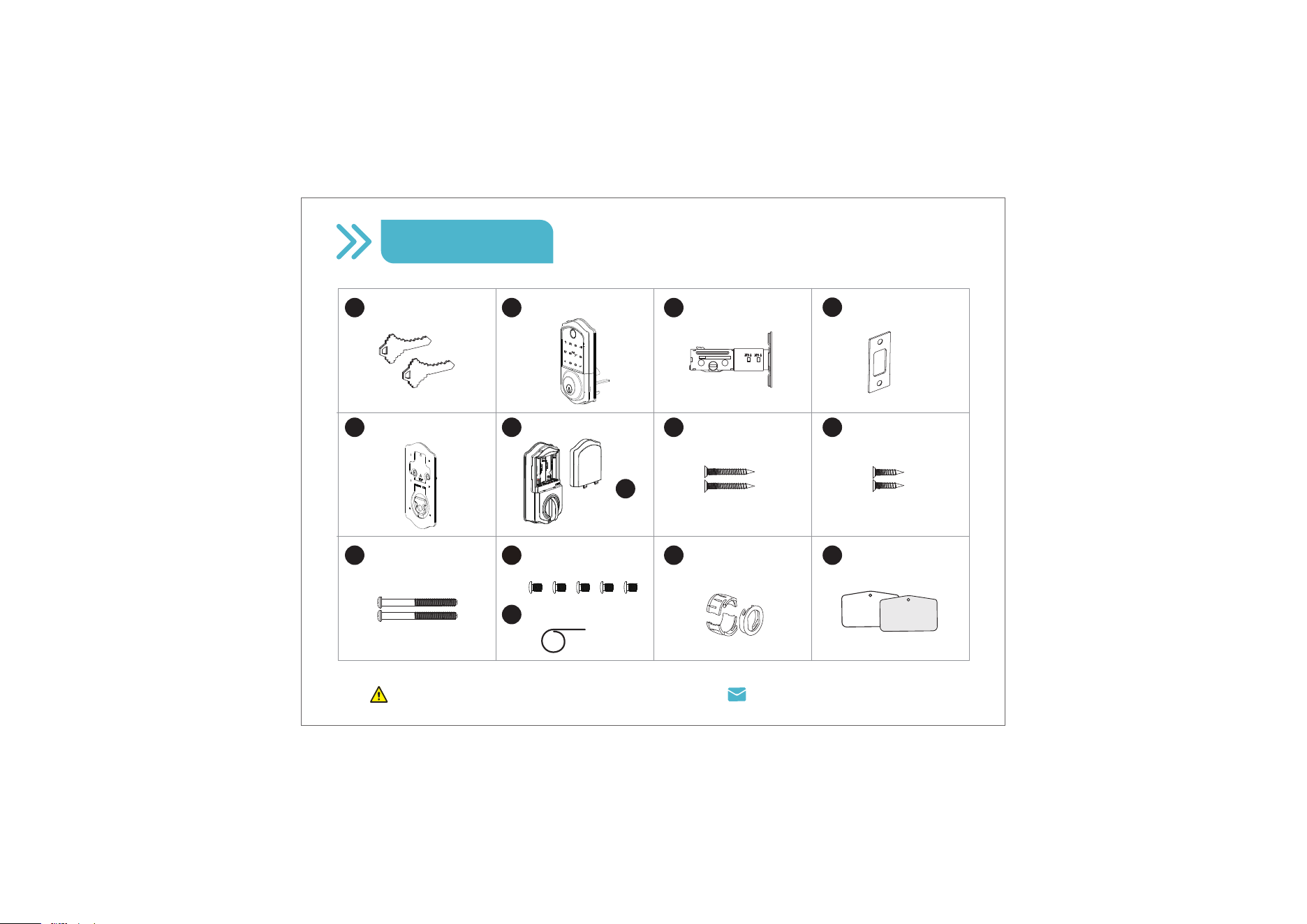
Parts List
Missing any parts? Call us at +1(855)400-3853.
01
Latch x1
Strike x1
Exterior Assembly x1
Mounting Plate x1 Strike Screws x2
Mounting Plate
Screws x2
Latch Screws x2
A B C
E F
I
J
D
Mechanical Key x2
Interior Assembly x1
Battery Cover
x1
H
G
User Card x2
N
K
L
Reset Tool x1
Drive-In Collar
(Optional)
M
Interior Assembly
Screws x5 (2 Spare)
Step 1: Prepare the Door & Check Dimensions
Installation Guide
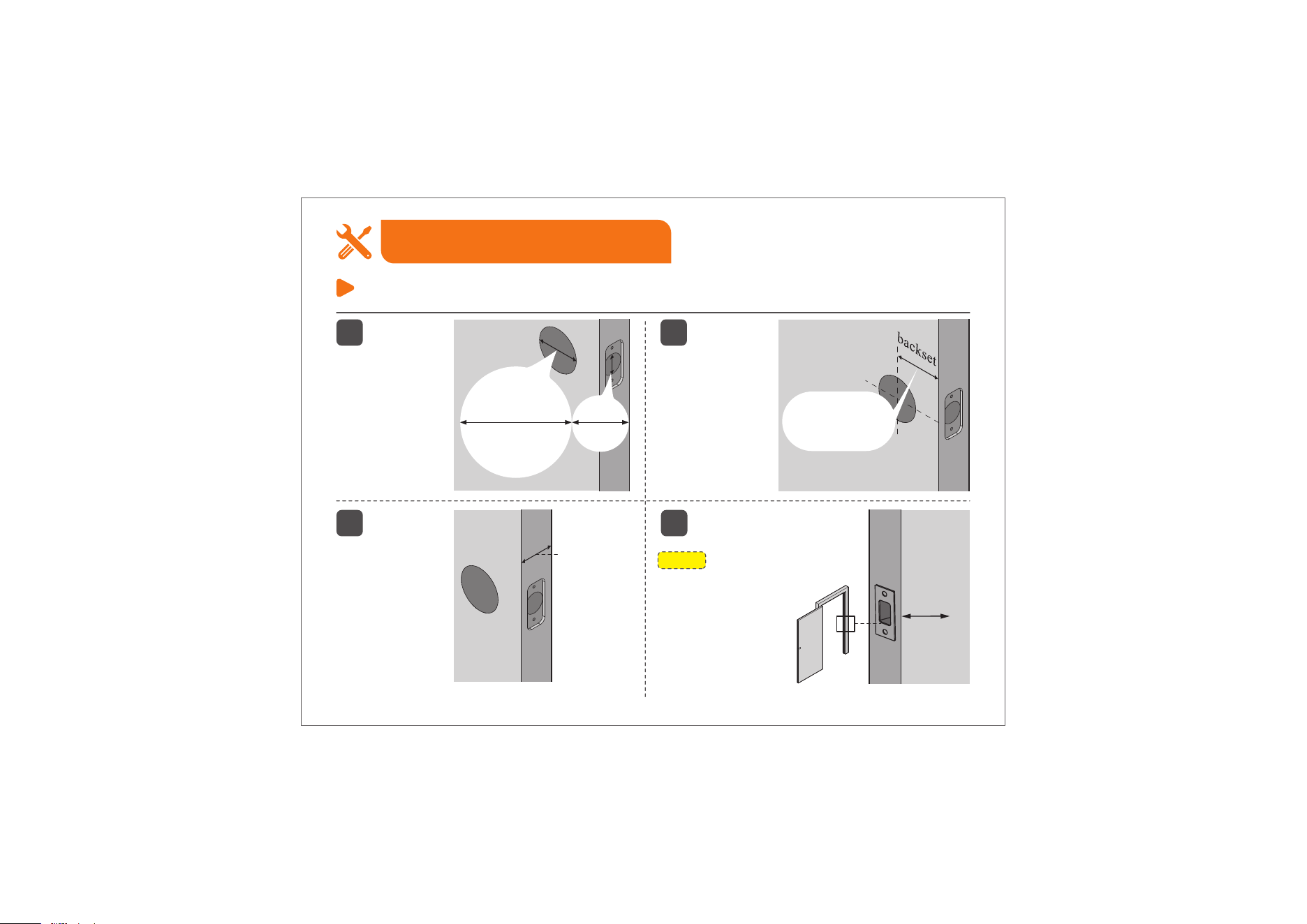
1
The door
thickness is 1-3/8"
to 2" (35mm to
50mm).
3
The backset
is either
2-3/8" or
2-3/4" (60mm
or 70mm).
2
2-3/8" or 2-3/4"
(60mm or 70mm)
1-3/8" to 2"
(35mm to
50mm)
1"
(25mm)
4
NOTE:
Make sure the door frame
is aligned with the door.
There are no
obstructions stuck
in the door frame.
02
1-1/2" or 2-1/8"
(38mm or 54mm)
1"
25mm
The hole in the
door is 1-1/2" or
2-1/8" (38mm or
54mm).
The hole in the
door edge is 1"
(25mm).
Step 1: Prepare the Door & Check Dimensions
Installation Guide
03
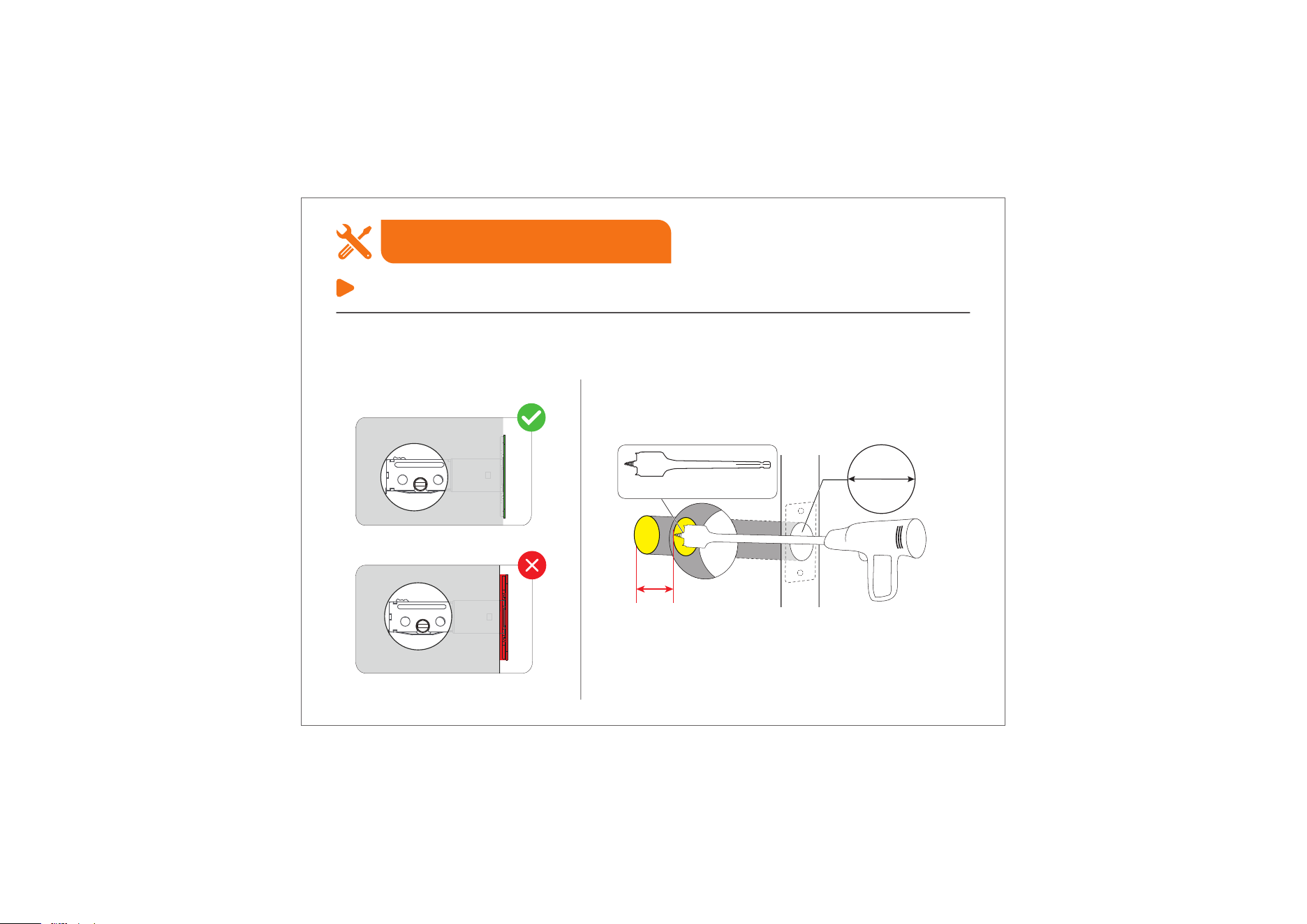
Optional: Instructions for doors with 1-1/2'' (38mm) holes
1. Test whether you need to extend the Latch hole.
Temporarily install the Latch bolt.
Fit properly
Fit improperly
If the Latch bolt is stuck, you need to extend
the Latch hole.
Extend the Latch hole at least 13/64" (5mm) deep
by using a 1" (25.4mm) Drill Bit.
1"
25.4mm
At Least 13/64"
(5mm) Deep
1" Drill Bit for Wood
Step 1: Prepare the Door & Check Dimensions
Installation Guide
04
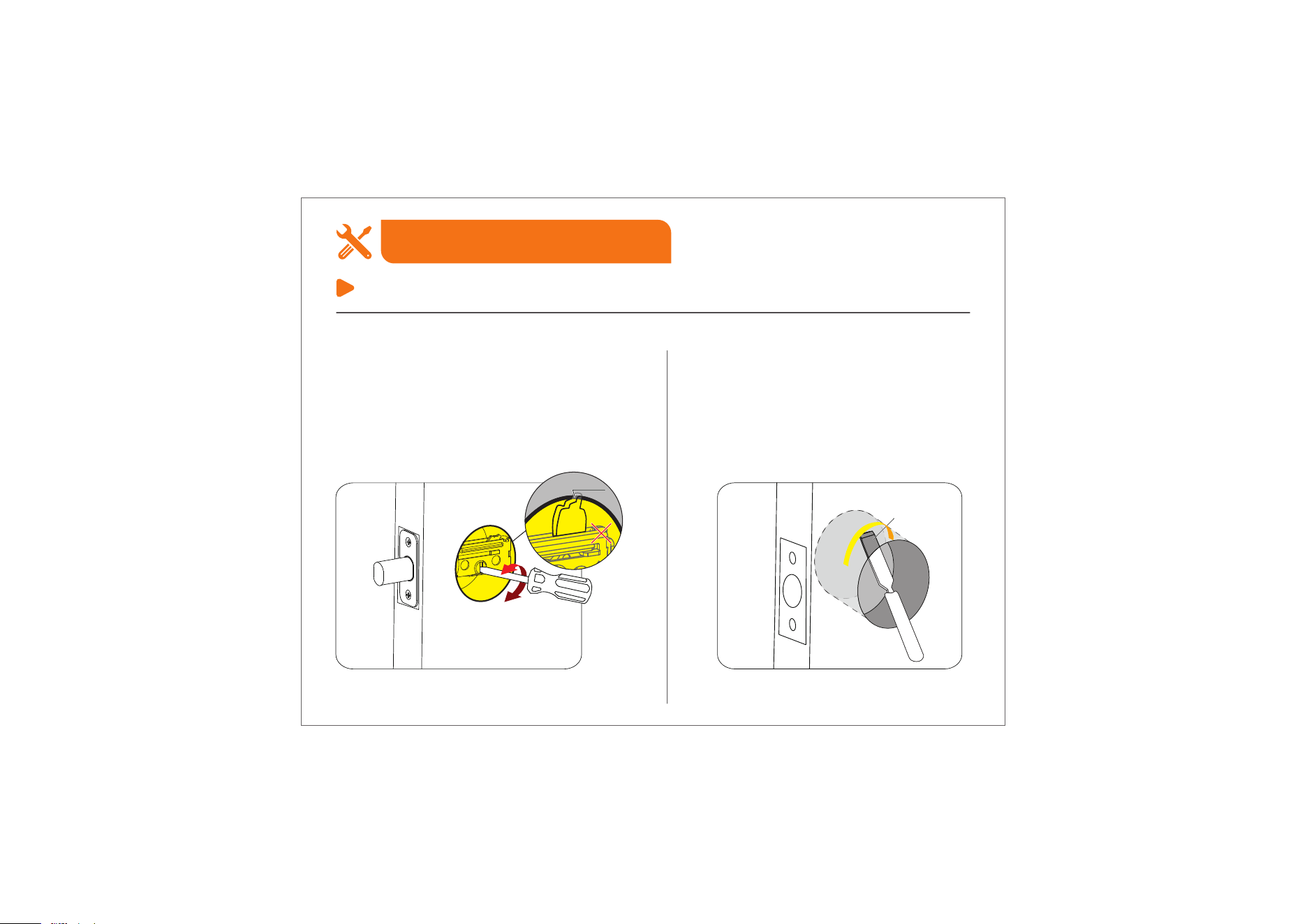
Chisel
Temporarily install the Latch bolt, rotate it with a
screwdriver to test if it extends and retracts
properly.
If the Latch bolt is stuck, remove the
Latch bolt and chisel out a small channel
at the top of the hole to give the Cam
room to rotate.
(Refer to the following image)
2. Test the extended Latch hole.
Cam
1
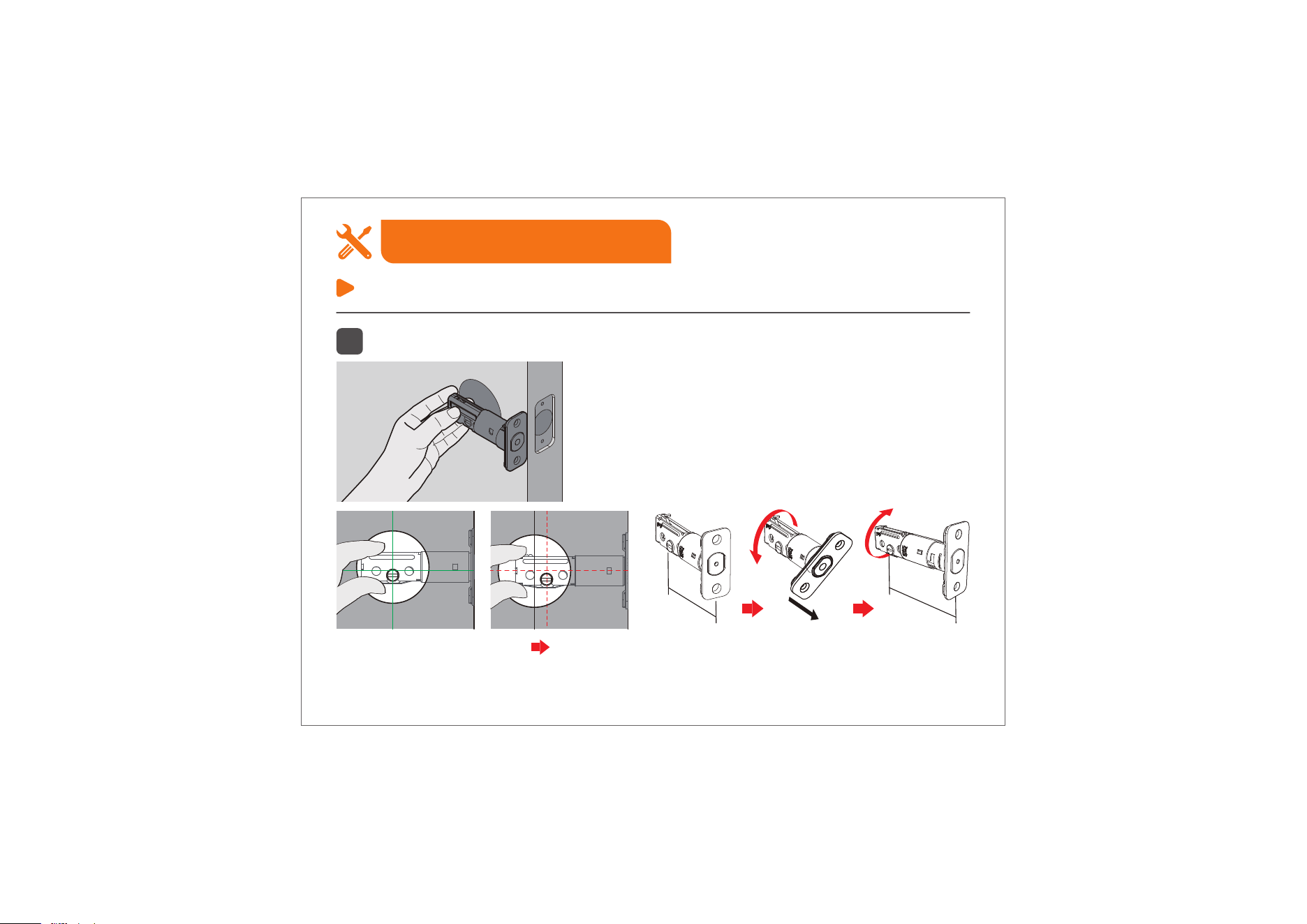
Confirm the backset and adjust the Latch.
Step 2: Install the Latch & Strike
Installation Guide
05
Hold the Latch in front of the door hole,
flush the Latch against the door edge.
Is the slotted hole centred in the door hole?
YES NO
Rotate and pull the Latch as shown to extend the
Latch.
Slotted hole is NOT
centred.
No need to adjust.
2-3/8"
(60mm)
2-3/4"
(70mm)
Pull
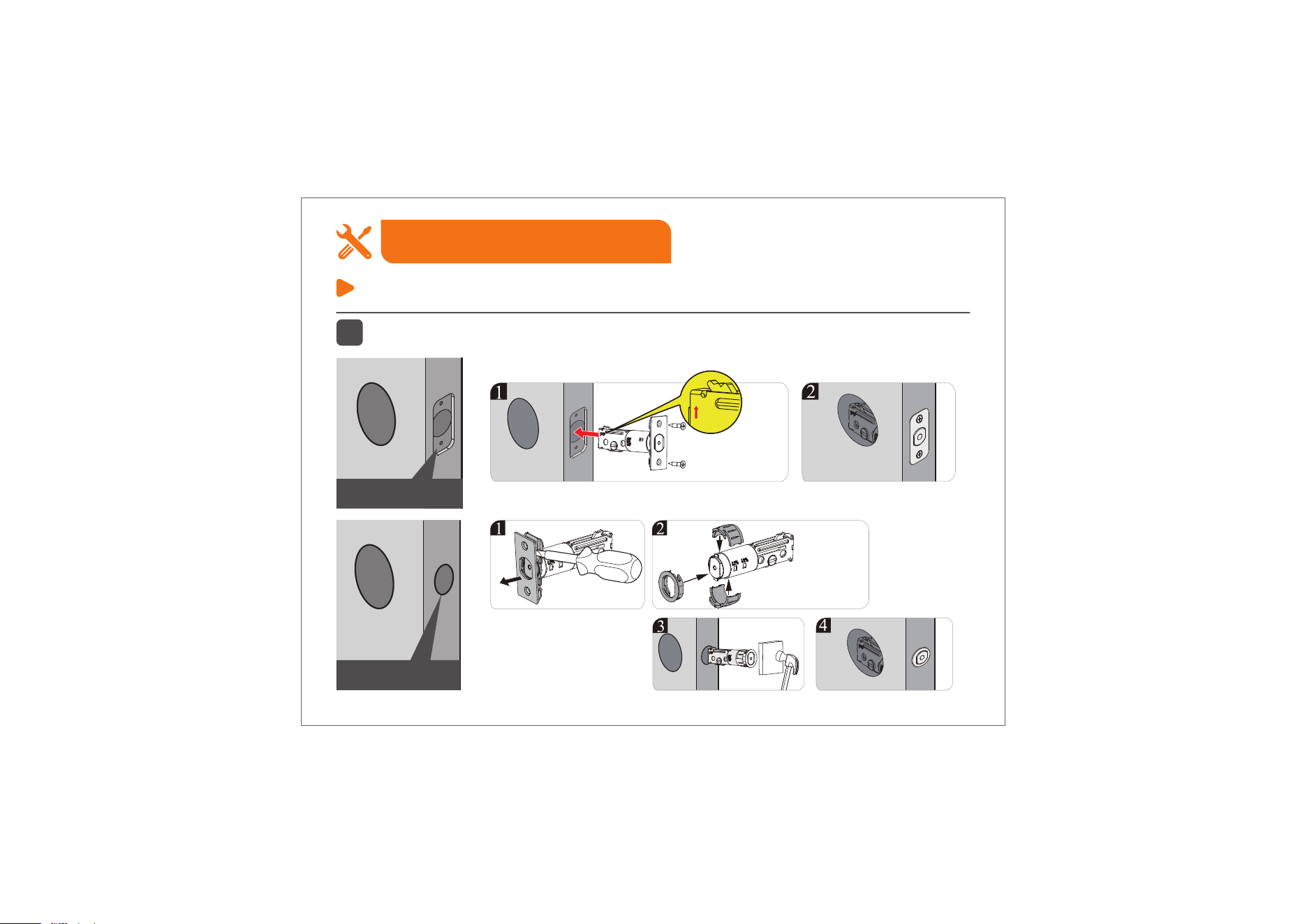
2
Install the Latch.
Step 2: Install the Latch & Strike
Installation Guide
06
Chiseled
Not Chiseled
Drive-In Collar
(M)
Latch Screws(I)
up
Before installation, the Latch bolt should be retracted
completely (in the unlocked position).
Important:
Make sure the hole in door frame is
drilled a minimum of 1" (25mm) deep.
Important:
Strike Screws(H)
Strike(D)
3
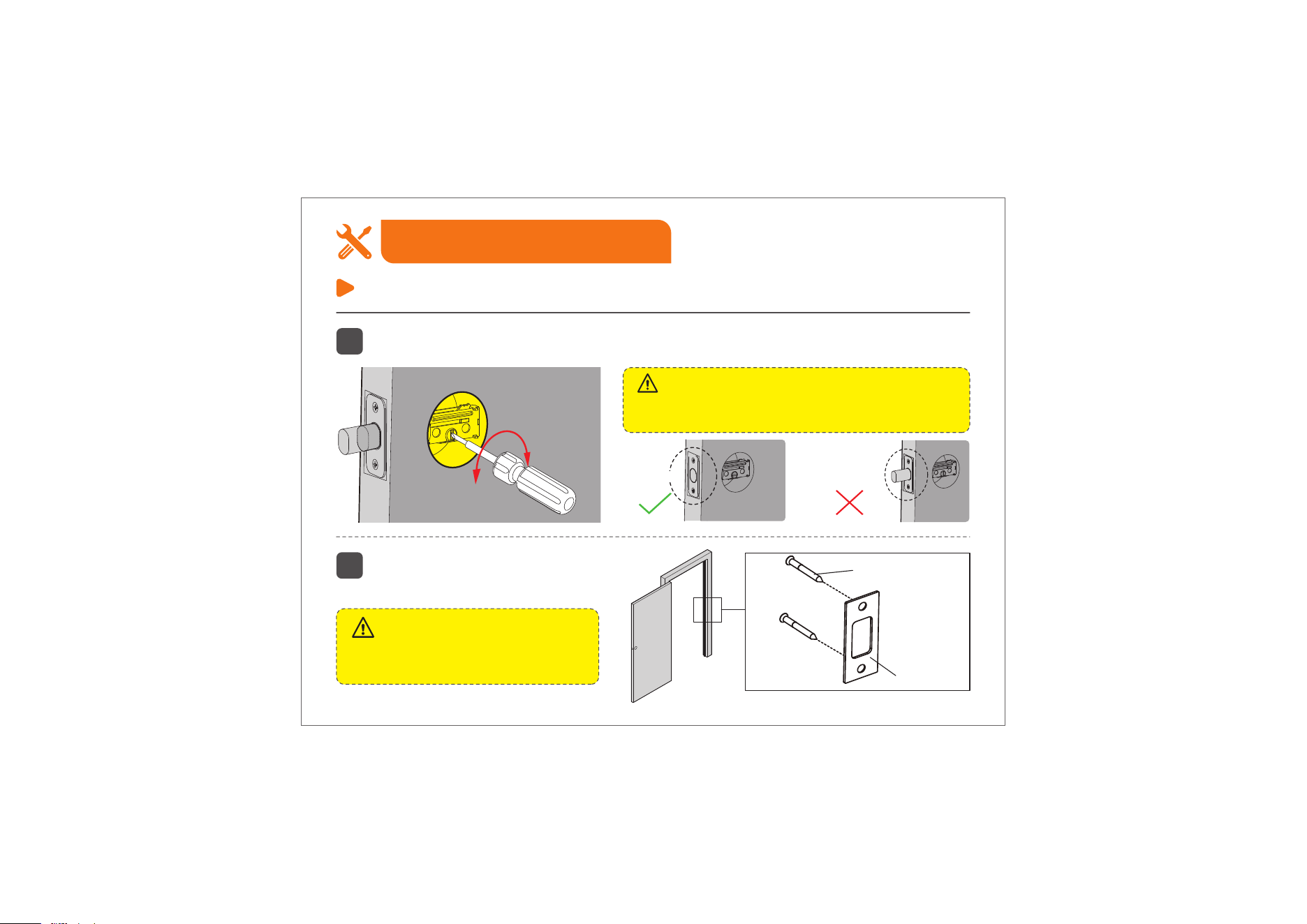
Test if the Latch bolt extends and retracts properly by using a screwdriver.
4
Step 2: Install the Latch & Strike
Installation Guide
07
Unlocked
Locked
Install the provided Strike on the door
f
rame to ensure smooth Latch operation.
Step 3: Install Exterior Assembly
Installation Guide
08
1-1/2" (38mm)
2-1/8" (54mm)
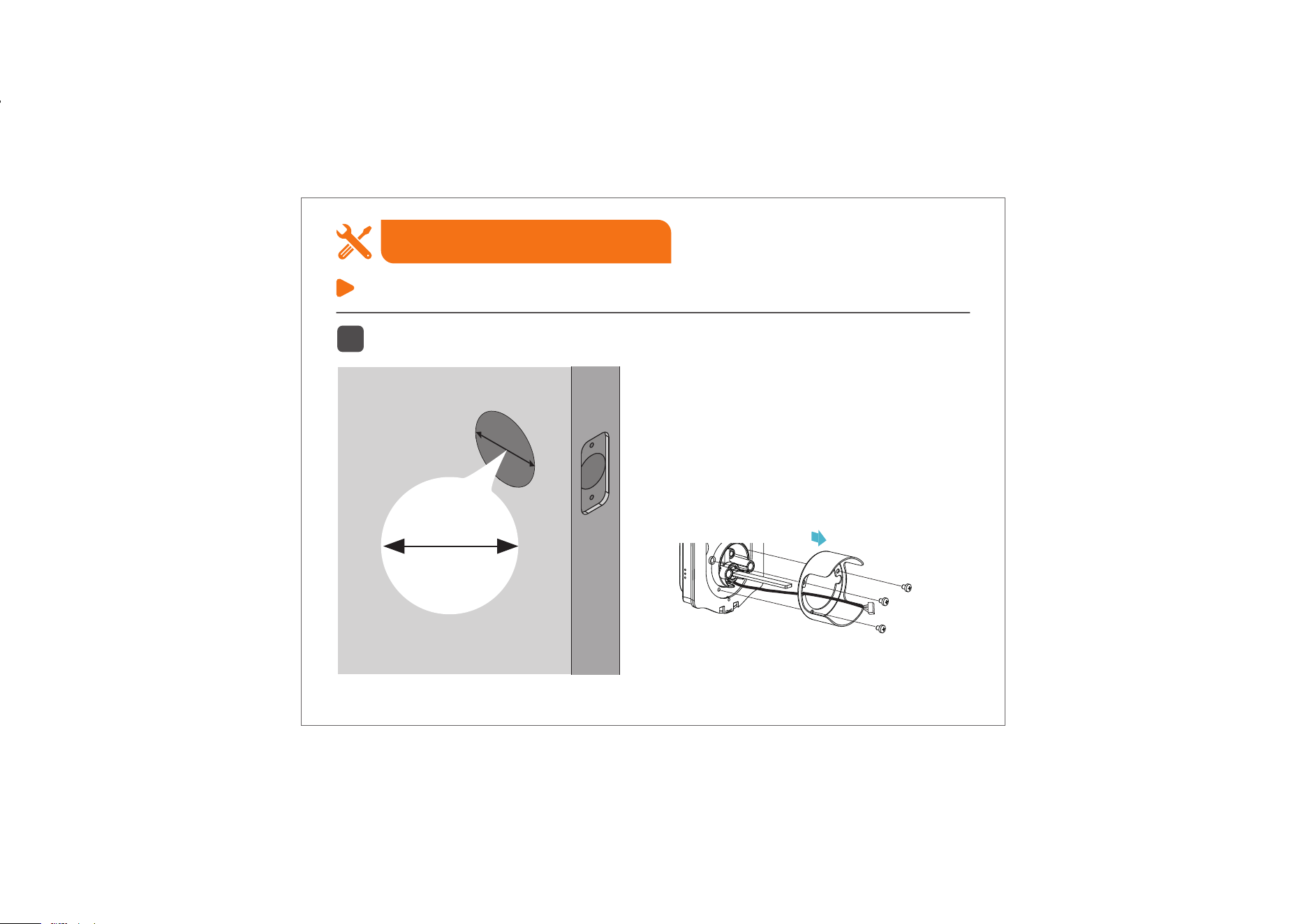
Measure the diameter of the hole in the door.
1-1/2" or 2-1/8"
(38mm or 54mm)
Go to next step directly.
Remove the spacer on the exterior assembly.
1
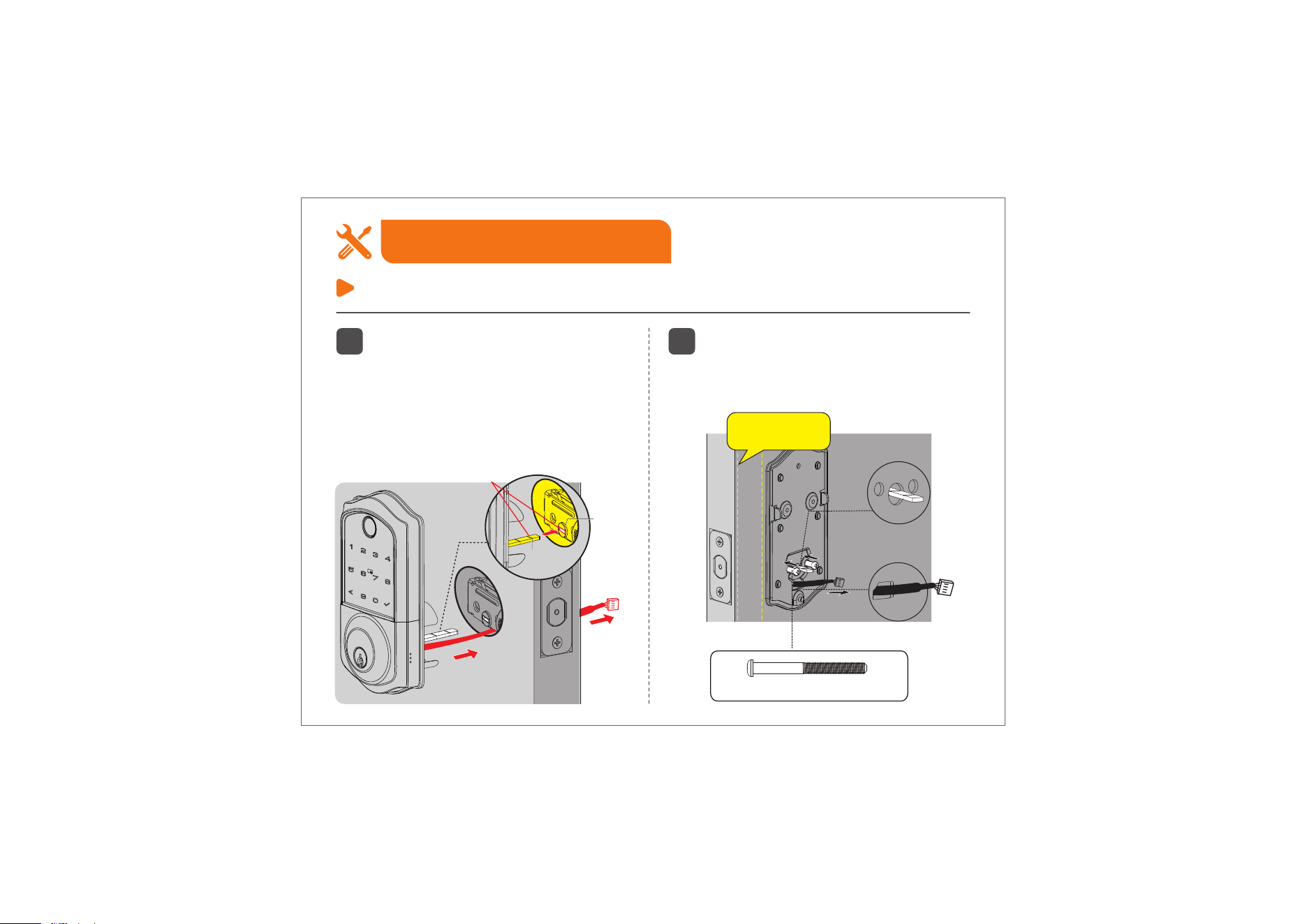
2
Route the cable below the Latch and
insert the Torque Blade horizontally
into the Latch slot, ensuring both the
blade and slot are level.
Do not insert the Mechanical Key into
the cylinder during the installation.
Mounting Plate Screws (J)
3
Install the Mounting Plate with the
Mounting Plate Screws.
Do not overtighten screws.
Step 3: Install Exterior Assembly
Installation Guide
09
Torque
blade
Keep parallel
to door edge.
Horizontal
Latch
Slot
Torque
Blade
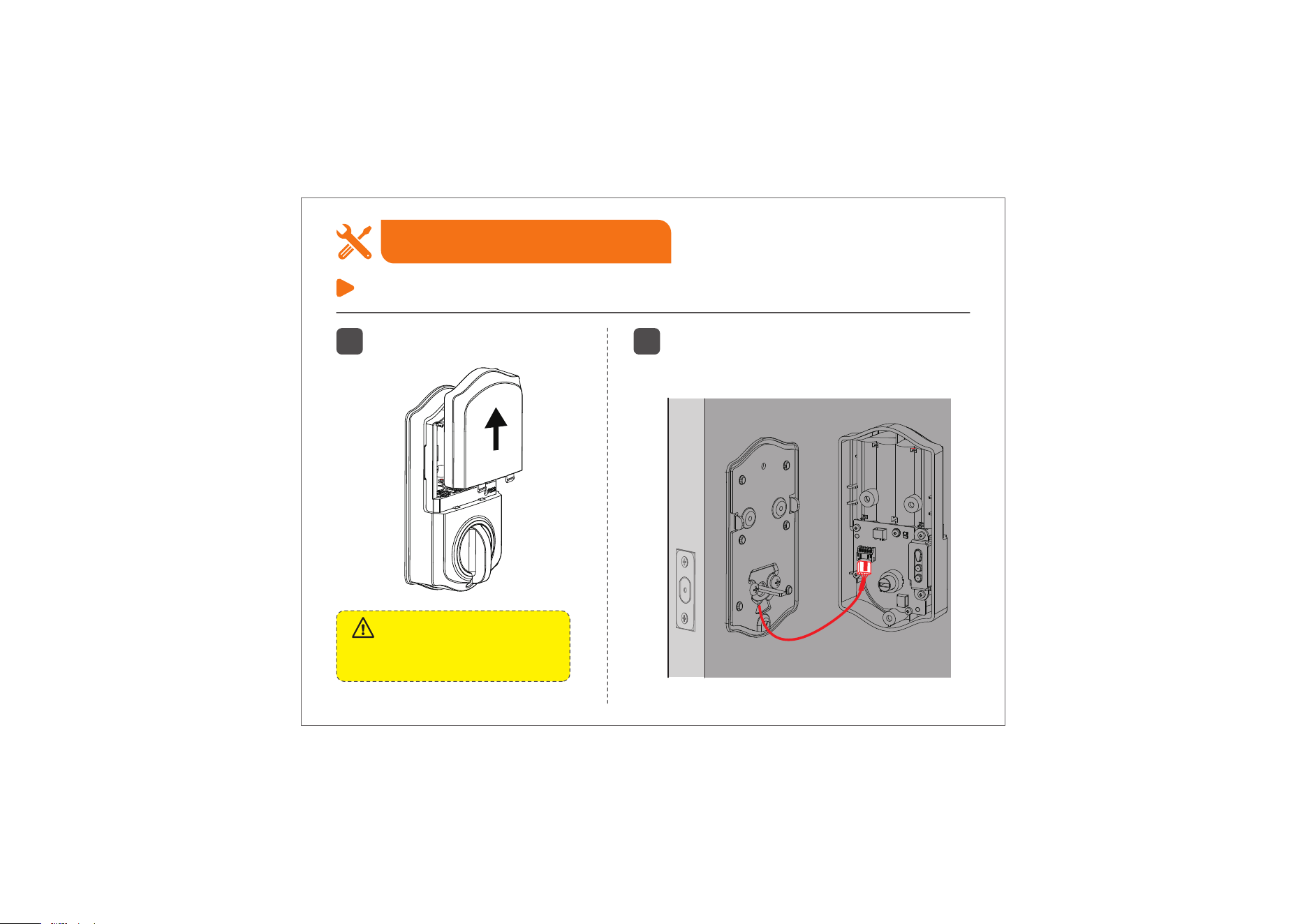
1
Disassemble the Battery Cover.
2
Insert the cable connector into the socket.
Push the connector in firmly until it is
completely attached.
Do not load batteries until the lock
is completely installed.
Important:
Step 4: Install Interior Assembly
Installation Guide
10
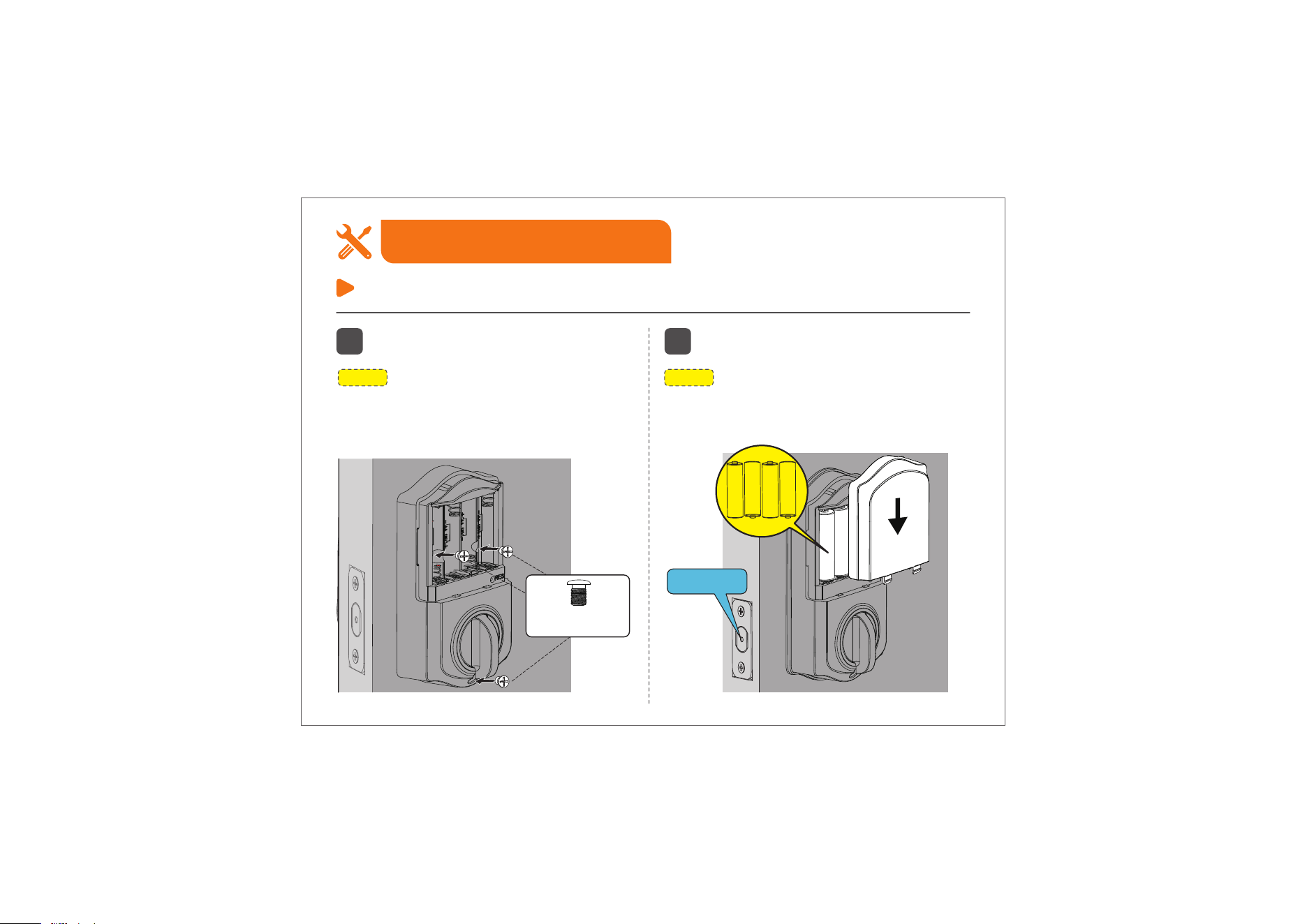
NOTE:
Be sure not to use the wrong screws, or it
may lead to short-circuit and other problems.
NOTE:
Use only new, non-rechargeable alkaline
batteries. Do not mix old and new batteries or
different brands.
Step 4: Install Interior Assembly
Installation Guide
3
Attach Interior Assembly to Mounting
Plate and tighten 3 screws.
4
Insert 4 AA Alkaline batteries and put
on the Battery Cover.
11
Unlocked
Interior Assembly
Screws (K)
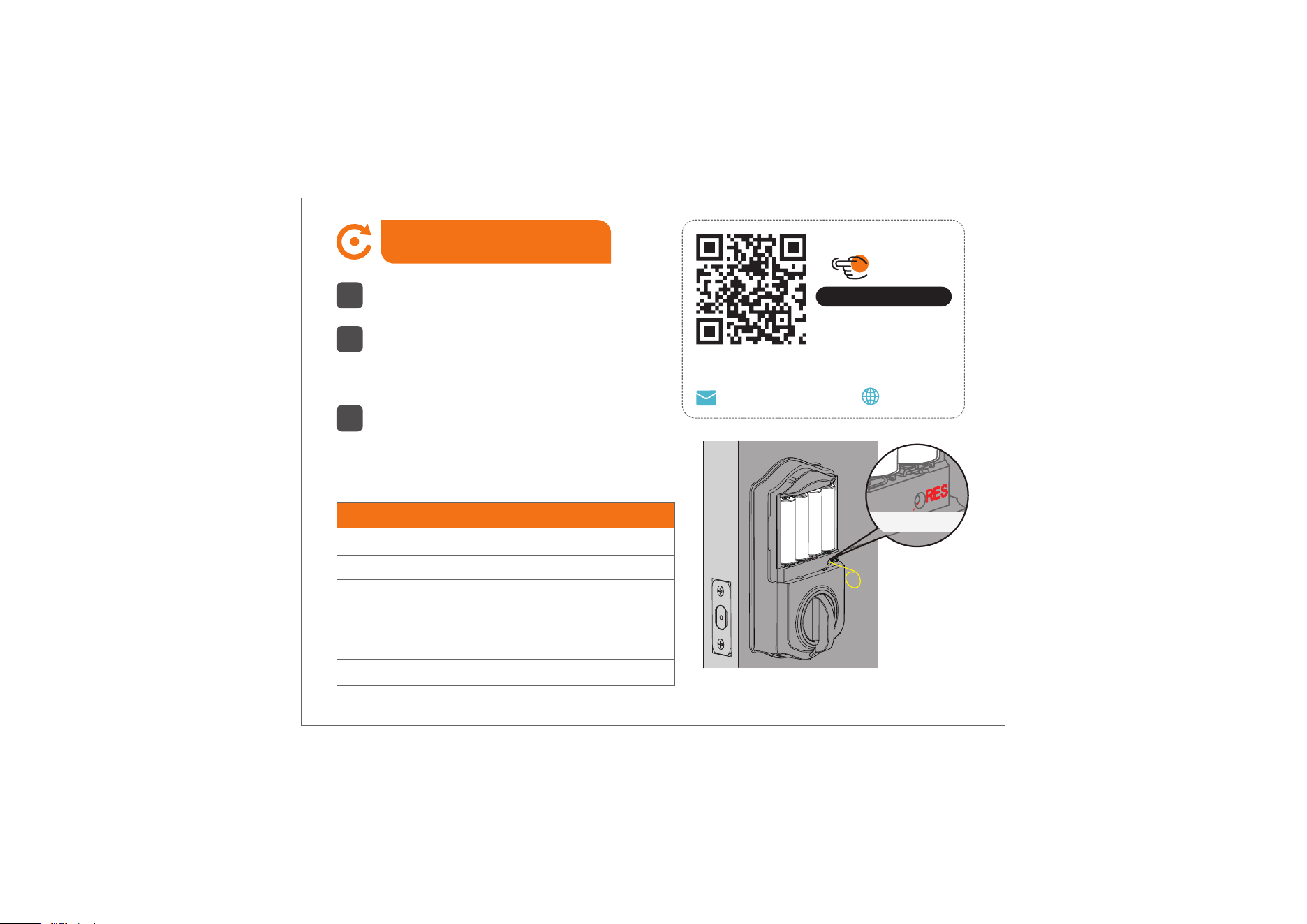
How to Reset
1
Keep the door open and unlocked.
2
Press and hold the Reset Button for 5
seconds by using the Reset Tool.
3
Keep holding the Reset Button until you
hear the voice prompt "Restored to factory
settings", and the Latch bolt extends out
automatically.
Settings
Master Code
Auto Lock
Silent Mode
Wrong Entry Limit
Shutdown Time
Vacation Mode
Factory Default
12345678
Disabled
Disabled
10 times
3 mins
Disabled
Call us at +1(855)400-3853,
if you have any questions.
Scan the QR code
Search
VE017
iveise.com
12
Reset Button

Troubleshooting
The Latch bolt keeps going in and out.
Disassemble and reinstall the lock by following the installation tips.
1. Please don't insert the Mechanical Key into the lock cylinder before or during installation.
2. Keep the Latch fully retracted and the Torque Blade horizontal.
3. Please make sure to route the cable below the Latch.
4. The Exterior and Interior Assembly should be installed parallel to the door edge.
I cannot remove my key unless it is in the locked position.
Uninstall the Interior and Exterior Assemblies. Before re-installation, please follow these guidelines:
1. Make sure the Latch bolt is in the retracted position.
2. Do not insert the Mechanical Key into the lock cylinder before or during installation.
3. Make sure the Torque Blade is inserted horizontally.
Fail to reset.
1. The battery is low if the battery indicator light keeps flashing. Please replace it with 4 new batteries.
(Alkaline batteries only)
2. Please refer to “How to Reset” section and perform a resetting again.
13

How to lock manually on the Keypad from outside?
1. Touch once.
2. Press and hold any button for 2 seconds.
3. Use your Fingerprint.
The Latch bolt won’t be extended out completely after installation.
Please review if the Exterior Assembly is aligned parallel to the door edge. The Exterior Assembly
should not be at a crooked angle.
If you have any questions, please contact us at +1(855)400-3853.
Troubleshooting
14

This device complies with part 15 of the FCC Rules. Operation is subject to the following two conditions:
(1) This device may not cause harmful interference.
(2) this device must accept any interference received, including interference that may cause undesired
operation.
Any Changes or modifications not expressly approved by the party responsible for compliance could void the
user's authority to operate the equipment.
Note: This equipment has been tested and found to comply with the limits for a Class B digital device, pursuant
to part 15 of the FCC Rules. These limits are designed to provide reasonable protection against harmful
interference in a residential installation. This equipment generates uses and can radiate radio frequency
energy and, if not installed and used in accordance with the instructions, may cause harmful interference to
radio communications. However, there is no guarantee that interference will not occur in a particular installa-
tion. If this equipment does cause harmful interference to radio or television reception, which can be
determined by turning the equipment off and on, the user is encouraged to try to correct the interference by
one or more of the following measures:
-Reorient or relocate the receiving antenna.
-Increase the separation between the equipment and receiver.
-Connect the equipment into an outlet on a circuit different from that to which the receiver is connected.
-Consult the dealer or an experienced radio/TV technician for help.
FCC Radiation Exposure Statement
This equipment complies with FCC radiation exposure limits set forth for an uncontrolled environment. This
equipment should be installed and operated with minimum distance 20cm between the radiator & your body.
15
FCC Caution

This device complies with Industry Canada’s licence-exempt RSSs.
Operation is subject to the following two conditions:
(1) This device may not cause interference.
(2) This device must accept any interference, including interference that may cause undesired operation of the
device.
This equipment complies with IC radiation exposure limits set forth for an uncontrolled environment. This
equipment should be installed and operated with minimum distance 20cm between the radiator & your body.
Cet appareil est conforme aux CNR exemptes de licence d'Industrie Canada .
Son fonctionnement est soumis aux deux conditions suivantes :
( 1 ) Ce dispositif ne peut causer d'interférences ; et
( 2 ) Ce dispositif doit accepter toute interférence , y compris les interférences qui peuvent causer un mauvais
fonctionnement de l'appareil.
Ce matériel est complété par une exposition de rayonnements IC pour un environnement naturel. Ce matériel
doit être installé et se faire avec une distance minimale de 20cm entre les radiateurs et les autresYour body
shop.
16
IC Warning

• Protect your User Codes and Master Code.
• Restrict access to your lock’s Interior Assembly and routinely check your settings to ensure they have
not been altered without your knowledge.
• Do not use an electric screwdriver during installation.
• This manufacturer advises that no lock can provide complete security by itself.
• This lock may be defeated by forcible or technical means, or evaded by entry elsewhere on the
property.
• No lock can substitute for caution, awareness of your environment, and common sense.
• Take care to ensure a long-lasting finish. Please use soft and damp cloth to clean the lockset if you
need. Using lacquer thinner, caustic soaps, abrasive cleaners or polishes could damage the coating
and result in tarnishing.
• The lock is water-resistant. It can withstand water splashes; however, do not let water and liquids get
into the lock.
• Avoid exposure to direct sunlight. Long-term exposure to direct sunlight may damage the lock.
17
Information & Safety Warnings
If you have your order ID, videos or images of your problem
(if necessary) ready before contacting Customer Support,
we will solve your problem faster and better.
Need Help? Contact Us!
If you have any questions, please contact us at
iveise.com
(Monday-Friday 9:00am-5:00pm PST)
+1(855)400-3853
V9.0