
EN
1
English
MULTI PRODUCT USER MANUAL
•
This is manual for website and might miss essential contact information which is available in manual provided
with TV in the carton box.
REPORTING SAFETY ISSUES
If you identify a safety defect or have concerns about product safety:
Contact the TCL Customer Support team via the form at our website click Support then contact us for TV and
home appliances
Email: [email protected]
Website:
www.tcl.com
USER MANUAL
EN
2
English
Important information and manual
Safety
Ensure that your domestic mains supply voltage matches
the voltage indicated on the identication sticker located
at the back of your set. Where the mains plug, AC inlet or
an appliance coupler is used as disconnect device, it shall
remain readily operable.
On certain models, the light indicator is located at the side
of the TV set. The absence of a light indication at the front
does not mean that the TV set is fully disconnected from the
mains. To disconnect the TV set completely, the mains plug
must be pulled out.
The TV set’s components are sensitive to heat. The
maximum ambient temperature should not exceed 35º
Celsius. Do not cover the vents at the back or sides of the
TV set. Leave sucient space around it to allow adequate
ventilation. Install the appliance away from any source of
heat (replace, etc.) or appliances creating strong magnetic
or electric elds.
Moisture in rooms where the set is installed should not
exceed 75% humidity. Moving the set from a cold place to
a warm one can cause condensation on the screen (and on
some components inside the TV set). Let the condensation
evaporate before switching the TV set on again.
The
or POWER/ button on the TV set or the button
on the remote control can be used to switch it on and put it
into standby mode. If you are not going to be watching the
TV for a lengthy period of time, switch it o completely by
removing the plug from the mains power socket.
During thunderstorms, we recommend that you disconnect
the TV set from the mains and aerial so that it is not aected
by electrical or electromagnetic surges that could damage
it. For this reason, keep the mains and aerial sockets
accessible so they can be disconnected, if necessary.
Unplug the TV set immediately if you notice it giving o a
smell of burning or smoke. You must never, under any
circumstances, open the TV set yourself, as you run the risk
of an electric shock in doing so.
WARNINGS
This appliance is intended for domestic household use only
and should not be used for any other application, such as for
non-domestic use or in a commercial environment.
If the external exible cable or cord of this product is
damaged, it shall be replaced by the manufacturer or his
service agent or a similar qualied person in order to avoid a
hazard.
Leave more than 10cm clearance around the television to
allow adequate ventilation. The ventilation should not be
impeded by covering the ventilation openings with items,
such as newspapers, table-cloths, curtains, etc.
The apparatus shall not be exposed to dripping or splashing
and no objects lled with liquids, such as vases shall be
placed on the apparatus.
Batteries (battery pack or batteries installed) shall not be
exposed to excessive heat such as sunshine, re or the like.
To reduce the risk of re or electric shock, do not expose this
apparatus to rain or moisture.
A television set may fall, causing serious personal injury or
death. Many injuries, particularly to children, can be avoided
by taking simple precautions such as:
•
ALWAYS use cabinets or stands or mounting methods
recommended by the manufacturer of the television set.
•
ALWAYS use furniture that can safely support the television
set.
•
ALWAYS ensure the television set is not overhanging the
edge of the supporting furniture.
•
ALWAYS educate children about the dangers of climbing
on furniture to reach the television set or its controls.
•
ALWAYS route cords and cables connected to your
television so they cannot be tripped over, pulled or grabbed.
•
NEVER place a television set in an unstable location.
•
NEVER place the television set on tall furniture (for
example, cupboards or bookcases) without anchoring both
the furniture and the television set to a suitable support.
•
NEVER place the television set on cloth or other materials
that may be located between the television set and
supporting furniture.
•
NEVER place items that might tempt children to climb, such
as toys and remote controls, on the top of the television or
furniture on which the television is placed.
If the existing television set is being retained and relocated,
the same considerations as above should be applied.
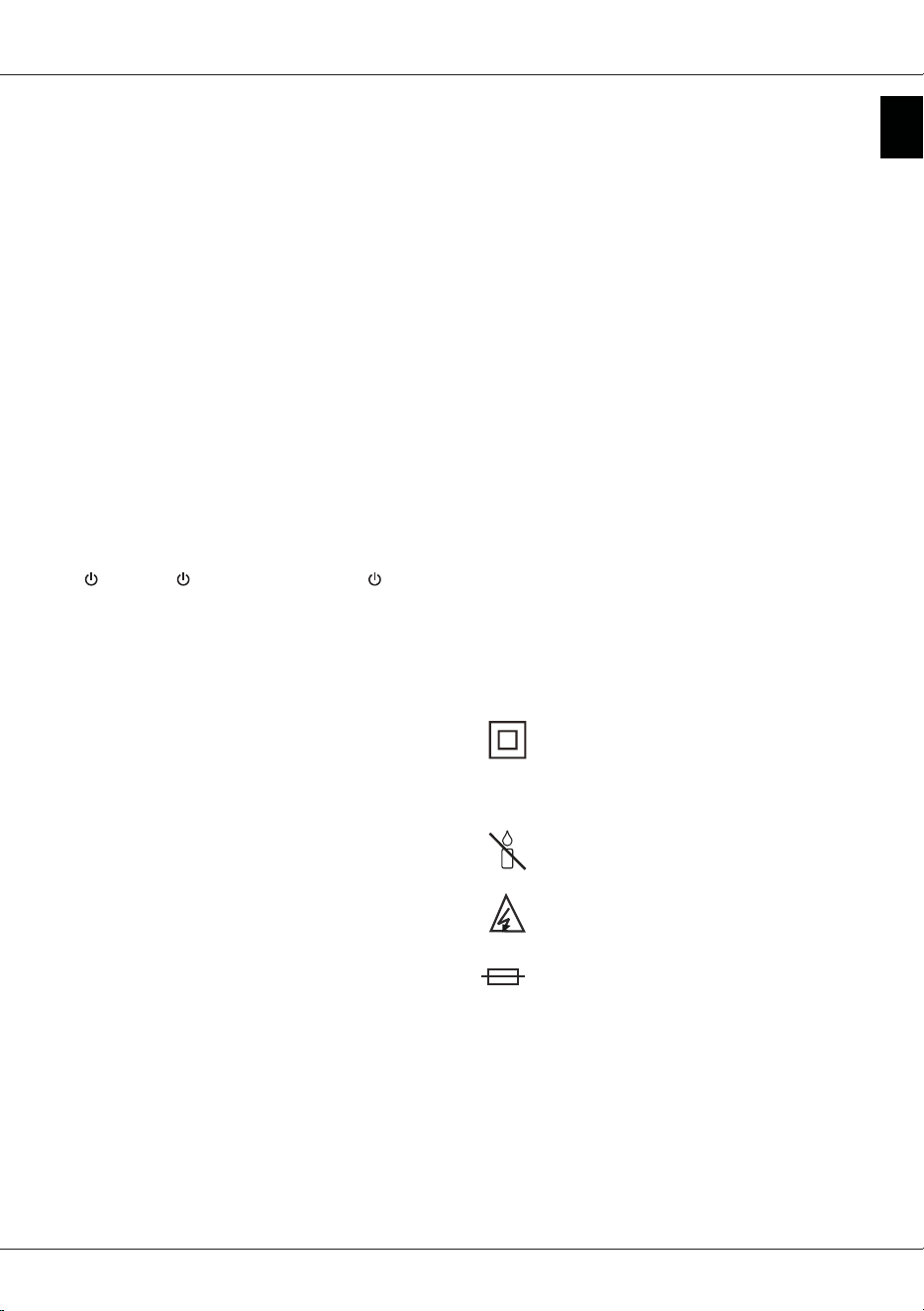
Equipment with this symbol is a Class II or double
insulated electrical appliance. It has been designed
in such a way that it does not require a safety
connection to electrical earth.
Equipment without this symbol is a Class I
electrical appliance. It shall be connected to a
mains socket outlet with a protective earthing
connection.
To prevent the spread of re, keep candles or other
open ames away from this product at all times.
This symbol indicates that high voltage is present
inside. It is dangerous to make any kind of contact
with any internal part of this product.
N
This symbol indicates that the fuse may be in the
neutral, and that the mains shall be disconnected
to de-energize the phase conductors.
Do not remove the TV's cover (or back). There are no user-
serviceable parts inside. All servicing must be performed by
qualied service personnel.
To prevent injury, this apparatus must be securely attached to
the oor/wall in accordance with the installation instructions.
To reduce the risk of RF exposure, the use distance of this
apparatus should be at least 100cm.
If an outside antenna or cable system is connected to the
EN
3
English
product, be sure the antenna or cable system is grounded
by a skilled person so as to provide some protection against
voltage surges and built-up static charges.
TV screen
The TV screen used in this product is made of glass.
Therefore, it can break when the product is dropped or
impacted upon by other objects.
The TV screen is a very high technology product, giving you
nely detailed pictures. Occasionally, a few nonactive pixels
may appear on the screen as a xed point of blue, green or
red. This does not aect the performance of your product.
Care
Use a glass-cleaning product to clean the screen and a soft
cloth and mild detergent to clean the rest of the set.
Important: Using strong detergents, alcohol-based and
abrasive products may damage the screen.
Dust the vents at the back and sides regularly. Using
solvents, abrasive or alcohol-based products could damage
the TV set. If an object or liquid enters the appliance, unplug
it immediately and have it checked by an authorized engineer.
Never open the appliance yourself since this may put you at
risk or damage the appliance.
ESD regulation
This apparatus meets ESD performance criteria. In
case the apparatus does not recover in Ethernet connection
mode or USB playing mode due to electrostatic discharge,
user intervention is required.
Bluetooth function notice
Bluetooth
®
technology (if available in your TV) uses 2.4GHz
frequency thus close proximity to Wi-Fi access points, routers
or microwave ovens might interfere with Bluetooth audio
streaming. If you face interruptions in audio reception, you
should restart your Bluetooth device to nd frequency with
less interferences and if you continue to face issues you
should move closer to TV or increase space between TV and
source of interferences.
Hanging the TV set on the wall
Warning: This operation requires at least two people
depending on your TV dimension.
To ensure a safe installation, observe the following safety
notes:
•
Check that the wall can support the weight of the TV set
and wall mount assembly.
•
Follow the mounting instructions provided with the wall
mount. For certain models, make sure to screw the
hexagonal VESA wall mounting screw bosses (and screws)
provided with the set into the nuts for the wall mount at the
back of your set before your wall mounting.
•
The TV set must be installed on a vertical wall.
• Make sure to use only screws suitable for the material of
Important information and manual
the wall.
•
Make sure that the TV set cables are placed so that there
is no danger of tripping over them.
All other safety instructions about our TV sets are also
applicable here.
Multi product user manual
The features described in this manual are common to most
models. Some features may not be available on your TV and/
or your TV may include features that are not described in this
user manual. The illustrations in this manual may dier from
the actual product. Please refer to the actual product.
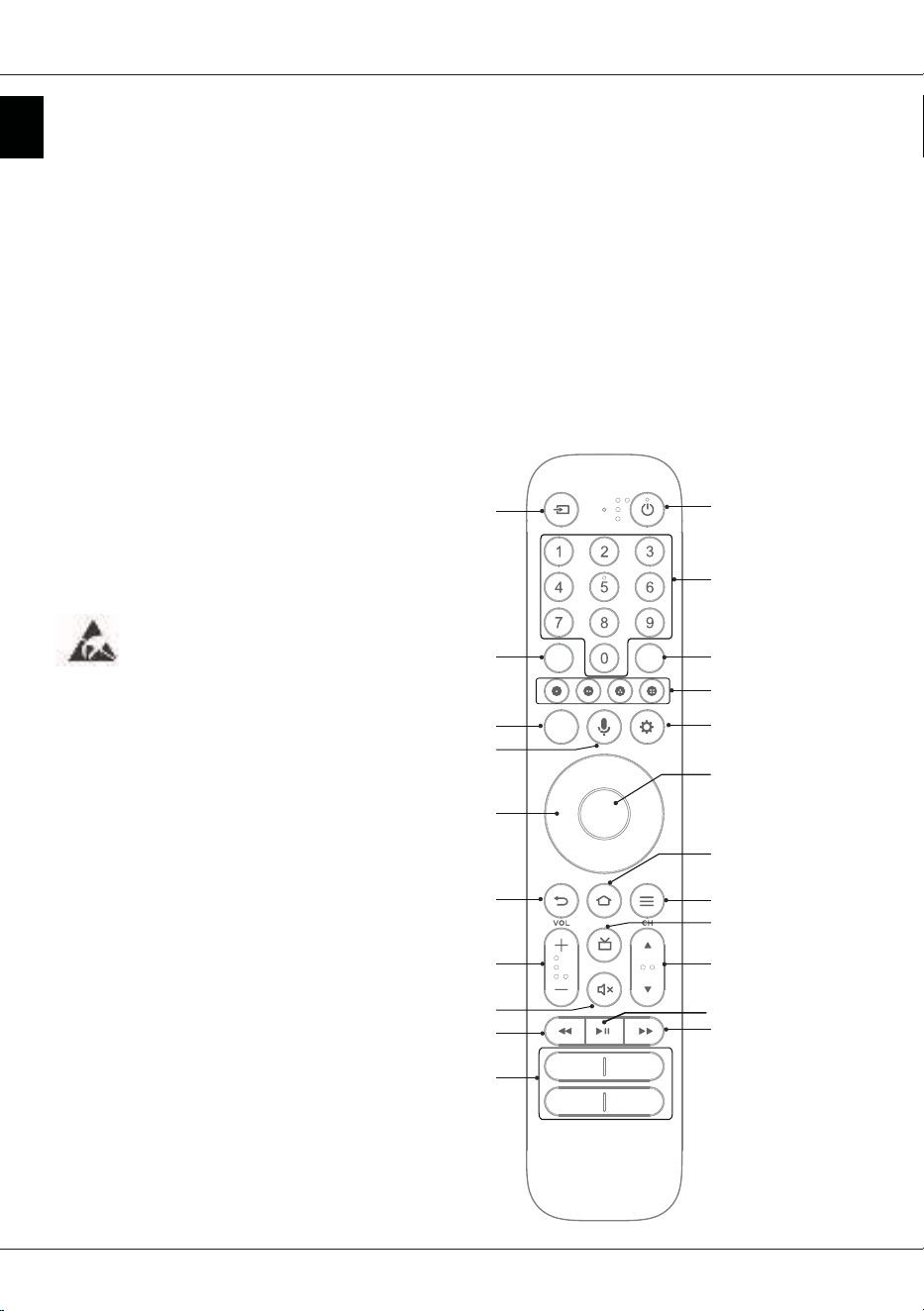
Remote control buttons
Note: Remote control availability may vary by model.
Your TV may have dierent remote controls or
congurations than those illustrated here.
TXT SUBT
LIVE
1
2
5
6
7
8
11
14
13
16
17
21
22
3
4
9
10
12
18
15
19
20
EN
4
English
1. To select input source.
2. Standby: Standby / On.
3. Numeric buttons: Switches the channel in Live TV mode,
enters a number or a letter in the text box on the screen.
4. TXT: Opens and closes teletext (where available in Live TV
mode).
5. Subtitle: Displays audio and subtitle options, where you
can change the language, size and style preference (where
available).
6. Coloured buttons: Follow the on-screen instructions for
coloured button functions.
7. Live: Opens Fire TV Live TV menu.
8. To display the TV Settings menu.
9. Voice button: Activates the microphone on the remote.
10. Select: Conrms selections, enters sub-menu.
11. Direction: Navigate up/down or left/right through content.
Navigates menus, setting options, moves the focus or cursor
etc. Follow the on-screen instructions.
12. Home: Opens the Home screen. Press and hold to
display quick settings menu.
13. Back/Return: Returns to previous menu screen, goes one
step back, closes open windows, returns to main screen or
Home tab.
14. Options: Displays setting options (where available).
15. To access Electronic Programme Guide. (only available
for digital channels.)
16. Volume +/-: Increases/Decreases the volume level.
17. Programme
: Increases/Decreases channel number in
Live TV mode.
18. Mute: Completely turns o the volume of the TV.
19. Rewind: Moves frames backwards in media such as
movies, scrolls back a day in the channel guide.
20. Pause/Play: Pauses/Plays the selected media.
21. Fast forward: Moves frames forward in media such as
movies, scrolls forward a day in the channel guide.
22. Featured channel shortcut: lets you directly access
featured channels.
Note: Apps are subject to the actual remote control.
* To pair remote with the TV
When TV is turned on for the rst time, a pairing process for
your remote will be performed during the initial setup.
Your remote control should automatically pair with your TV
at this point, but if it didn't, follow the on-screen instructions
to pair it. If you experience diculities in pairing your remote
with your TV, you can turn o other wireless devices and try
again.
Radio Information
•
Bluetooth
®
transmitter frequency range: 2400–2483.5MHz
• Bluetooth
®
transmitter power: 6dBm (+/-4dB)
• 2.4G Wi-Fi transmitter frequency range: 2400–2483.5MHz
•
2.4G Wi-Fi transmitter power: 14dBm (+/-2dB)
•
5G Wi-Fi transmitter frequency range:
- Band 1: 5150 – 5250MHz
- Band 2: 5250 – 5350MHz
- Band 3: 5470 – 5725MHz
- Band 4: 5725 – 5850MHz
• 5G Wi-Fi transmitter power: 14dBm (+/-2dB)
•
DVB-T/T2/C tuner frequency range: 50.5–858MHz
•
DVB-S/S2 tuner frequency range: 950–2150MHz
*
Operation of 5150–5350MHz is restricted to indoor use
only.
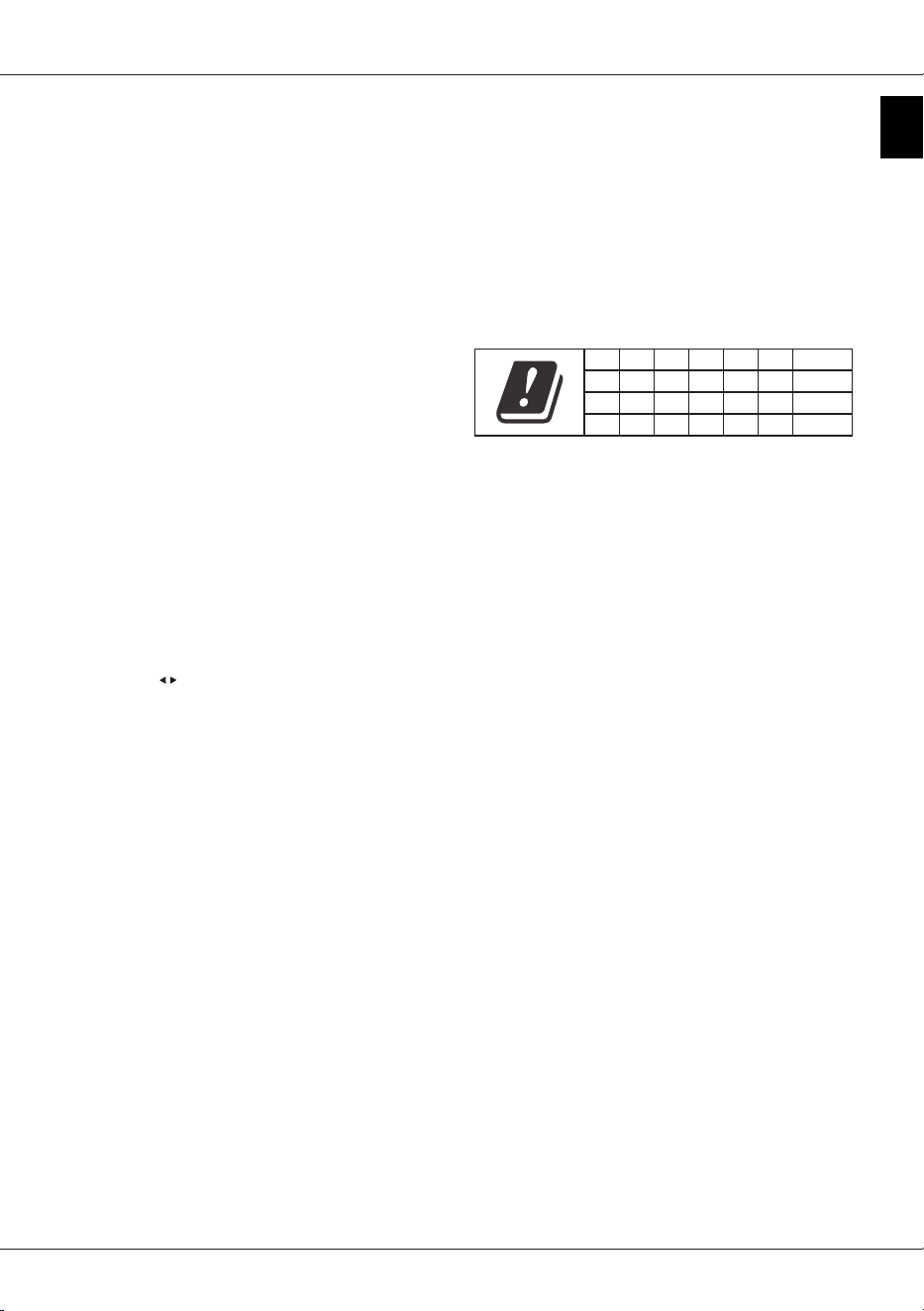
BE BG CZ DK DE EE IE
EL ES FR HR IT CY LV
LT LU HU MT NL AT PL
PT RO SI SK FI SE UK (NI)
OSS Notice
This product contains software that is licensed under
free or open-source licenses. You may obtain a copy
of the complete corresponding source code for a
period of three years after the last shipment of this
product by visiting: www.tcl.com/opensource.
This product uses the GPL (Version 2 and 3) and LGPL
(version 2.1) and MPL (version 1.1).
To send inquiries and requests for questions regarding open
source, contact nearest TCL oce.
This product uses some software programs which are
distributed under the Independent JPEG Group.
This product uses some software programs which are
distributed under the libpng Project.
This product uses some software programs which are
distributed under the Freetype Project.
This product uses some software programs which are
distributed under the zlib Project.
This product uses some software programs (libxml2, curl,
expat, c-areas) which are distributed under the MIT.
This product uses CyberLink for C which is distributed under
the Open Source Project.
This product uses opensl, xerces which is distributed under
the Apach License Project.
GPL software: Linux Kernel, glib, libiconv, gcc libgcc, gcc
libstdc++, u-Boot loader, mepg, util-linux-ng, e2fsprogs,
wget, iptables
LGPL software: DFB (DirectFB), gstreamer, gst-plugins-
base, gst-plugins-good, gst-plugins-bad, gst-plugins-ugly, gst-
mpeg, glibc, wpa_supplicant
BSD software: webp, mng, uriparser
GNU software: dosfstools
[Legal Statement] of TCL - manufacturer of this TV set
Due to the various capabilities of products featuring the
SmartTV - Services, as well as limitations in the available
content, certain features, applications, and services may not
Important information and manual

EN
5
English
be available on all devices or in all territories. Some features
on SmartTV may also require additional peripheral devices
or membership fees that are sold separately. Please visit our
website for more information on specic device information
and content availability. The services and availability of content
through SmartTV are subject to change from time to time
without prior notice.
All content and services accessible through this device belong
to third parties and are protected by copyright, patent, trademark
and/or other intellectual property laws. Such content and
services are provided solely for your personal noncommercial
use. You may not use any content or services in a manner
that has not been authorized by the content owner or service
provider. Without limiting the foregoing, unless expressly
authorized by the applicable content owner or service provider,
you may not modify, copy, republish, upload, post, transmit,
translate, sell, create derivative works, exploit, or distribute
in any manner or medium any content or services displayed
through this device.
YOU EXPRESSLY ACKNOWLEDGE AND AGREE THAT
USE OF THE DEVICE IS AT YOUR SOLE RISK AND THAT
THE ENTIRE RISK AS TO SATISFACTORY QUALITY,
PERFORMANCE AND ACCURACY IS WITH YOU. THE
DEVICE AND ALL THIRD PARTY CONTENT AND SERVICES
ARE PROVIDED “AS IS” WITHOUT WARRANTY OF ANY
KIND, EITHER EXPRESS OR IMPLIED. TCL EXPRESSLY
DISCLAIMS ALL WARRANTIES AND CONDITIONS
WITH RESPECT TO THE DEVICE AND ANY CONTENT
AND SERVICES, EITHER EXPRESS OR, IMPLIED,
INCLUDING BUT NOT LIMITED TO, WARRANTIES OF
MERCHANTABILITY, OF SATISFACTORY QUALITY,
FITNESS FOR A PARTICULAR PURPOSE, OF ACCURACY,
OF QUIET ENJOYMENT, AND NON-INFRINGEMENT OF
THIRD PARTY RIGHTS. TCL DOES NOT GUARANTEE
THE ACCURACY, VALIDITY, TIMELINESS, LEGALITY, OR
COMPLETENESS OF ANY CONTENT OR SERVICE MADE
AVAILABLE THROUGH THIS DEVICE AND DOES NOT
WARRANT THAT THE DEVICE, CONTENT OR SERVICES
WILL MEET YOUR REQUIREMENTS, OR THAT OPERATION
OF THE DEVICE OR SERVICES WILL BE UNINTERRUPTED
OR ERROR-FREE. UNDER NO CIRCUMSTANCES,
INCLUDING NEGLIGENCE, SHALL TCL BE LIABLE,
WHETHER IN CONTRACT OR TORT, FOR ANY DIRECT,
INDIRECT, INCIDENTAL, SPECIAL OR CONSEQUENTIAL
DAMAGES, ATTORNEY FEES, EXPENSES, OR ANY OTHER
DAMAGES ARISING OUT OF, OR IN CONNECTION WITH,
ANY INFORMATION CONTAINED IN, OR AS A RESULT OF
THE USE OF THE DEVICE, OR ANY CONTENT OR SERVICE
ACCESSED BY YOU OR ANY THIRD PARTY, EVEN IF
ADVISED OF THE POSSIBILITY OF SUCH DAMAGES.
Third party services may be changed, suspended, removed,
terminated or interrupted, or access may be disabled at any
time, without notice, and TCL makes no representation or
warranty that any content or service will remain available for
any period of time. Content and services are transmitted by
third parties by means of networks and transmission facilities
over which TCL has no control. Without limiting the generality
of this disclaimer, TCL expressly disclaims any responsibility
or liability for any change, interruption, disabling, removal of or
suspension of any content or service made available through
this device. TCL may impose limits on the use of or access
to certain services or content, in any case and without notice
or liability. TCL is neither responsible nor liable for customer
service related to the content and services. Any question or
request for service relating to the content or services should be
made directly to the respective content and service providers.
Device update
Typically, some devices are updated quarterly, but not always
so specic. Some devices, especially those that went on sale
more than three years ago, will only be updated if a critical
vulnerability is found and xed.
Cyber security requirement
To protect your personal data, this radio equipment
requires you to create a strong and unique password
upon rst startup to access system settings and/or
user accounts.
Your password must meet the following requirements:
•
minimum of 8 characters,
•
at least one uppercase letter,
•
at least one lowercase letter,
•
at least one number,
•
at least one special character (e.g. !, @, #).
Avoid using obvious or reused passwords. Do not
share your password with others.This step helps
protect your radio equipment against unauthorized
access and ensures compliance with the cybersecurity
requirements introduced by EU Regulation 2022/30
under the Radio Equipment Directive 2014/53/EU.
Battery safety information
• Use only the recommended AAA batteries for the
remote control.
•
Replace batteries with the same or equivalent type to
avoid explosion risks.
•
Do not expose batteries to excessive heat such as
sunlight or re.
•
Remove batteries if the remote will not be used for an
extended period.
•
Dispose of used batteries responsibly at local recycling
facilities in accordance with EU regulations.
•
Open the battery cover.
• Insert two AAA batteries, ensuring correct polarity (+/-).
•
Close the cover securely.
Examples that shall be considered include:
•
Disposal of a battery into re or a hot oven, or
mechanically crushing or cutting of a battery, that can
result in an explosion.
•
Leaving a battery in an extremely high temperature
Important information and manual

EN
6
English
surrounding environment that can result in an explosion
or the leakage of ammable liquid or gas and a battery
subjected to extremely low air pressure that can result
in an explosion or the leakage of ammable liquid or
gas.
Environmental and safety compliance
This product complies with EU Directives for product
safety, including CE marking.
Follow all safety and installation instructions to ensure
compliance with:
•
EN 62368-1: Audio/video equipment safety standards.
•
General Product Safety Regulation (GPSR)
requirements.
Disclaimer
This product is CE marked and conforms to European
safety standards. Failure to follow these safety guidelines
may result in injury, damage to the product, or voided
warranties.
Important information and manual
EN
7
English
Important information and manual
Information for Users on Disposal of Old Equipment and Batteries
[European Union]
These symbols indicate that the electrical and electronic equipment and the battery with this
symbol should not be disposed of as general household waste at their end-of-life. Instead, the
products should be handed over to the applicable collection points for the recycling of electrical
and electronic equipment as well as batteries for proper treatment, recovery and recycling in
accordance with your national legislation and the Directive 2012/19/EU, 2006/66/EC and 2008/12/
EC.
By disposing of these products correctly, you will help to conserve natural resources and will help
to prevent potential negative eects on the environment and human health which could otherwise
be caused by inappropriate waste handling of these products.
For more information about collection points and recycling of these products, please contact your
local municipal oce, your household waste disposal service or the shop where you purchased
the product.
Penalties may be applicable for incorrect disposal of this waste, in accordance with national
legislation.
[Business users]
If you wish to dispose of this product, please contact your supplier and check the terms and
conditions of the purchase contract.
[Other Countries outside the European Union]
These symbols are only valid in the European Union. If you wish to dispose of these items, please
do so in accordance with applicable national legislation or other rules in your country for the
treatment of old electrical equipment and batteries.
Statement of Compliance:
2023 No. 1007 The Product Security and Telecommunications Infrastructure (Security
Requirements for Relevant Connectable Products) Regulations 2023
The product is in compliance with the following standard(s) or normative document(s):
ETSI EN 303 645 V2.1.1:2020-06
Provision 5.1-1
Provision 5.1-2
Provision 5.2-1
Provision 5.3-13
The full text of the UK declaration of conformity is available at the following internet address: www.
tcl.com.
Choose the model name and go to DOWNLOADS.
Notice:
The sign Pb
below the
symbol for
batteries
indicates that
this battery
contains lead.
Products
Battery
Declaration of Conformity
Hereby, TCL declares that the radio equipment type TV is in compliance with Directive 2014/53/EU. The full text
of the EU declaration of conformity is available at the following internet address: www.tcl.com. Choose the model
name and go to DOWNLOADS.
Applies to products intended for the UK market.
Hereby, TCL declares that the radio equipment type TV is in compliance with the relevant UK statutory
requirements. The full text of the UK declaration of conformity is available at the following internet address: www.
tcl.com. Choose the model name and go to DOWNLOADS.

EN
8
English
Amazon, Fire and all related marks are trademarks of
Amazon.com, Inc. or its aliates.
This television is a product of TCL,which is not aliated
with Amazon.com, Inc. or any Amazon aliate.
Certain services are subject to change or withdrawal at
any time, may not be available in all areas, or in HDR/
HLG, Dolby Audio and DTS and may require separate
subscriptions.
You need to be signed in to an Amazon account in order to
use online services.
Because the Fire TV operating system is periodically
updated, the images, navigation instructions, titles and
location of menu options shown in this manual may be
dierent from what you see on the screen.Restricts access
to videos, purchasing and certain types of content within
Amazon services. For third party apps, please refer to the
parental control settings of the relevant app.
Figures and illustrations in this User Manual are provided for reference only and may dier from actual product appearance. Product
design and specications may be changed without notice.