Introduction to the Luan Niao Series Functions Introduction to the Luan Niao Series Functions
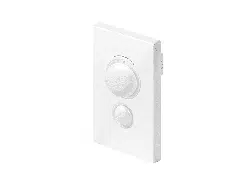
Wireless touch-sensitive switch:
Lightly touch the touch area to turn the light on/
off; press and hold the touch area when the light is on to adjust brightness;
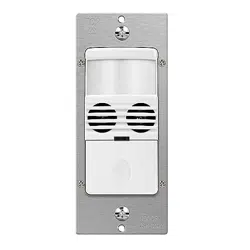
Wireless Homo sapiens body induction switch:
When a homo sapiens passes through the sensing area, the light turns on,
and it automatically turns off approximately 30 seconds after the homo
sapiens leaves the sensing area; during the illuminated state, long-press
the code-matching button to adjust the brightness from 100% to 6%.
Wireless Hand-Sweep Induction Switch:
Wave your hand once within the sensing range to turn the light on/off. When
the light is on, keeping your hand within the sensing area for 2 seconds will
dim the light from 100% to 6%.
Wireless Door Control Induction Switch:
Single-door control induction mode: When both induction holes on the sensor
are simultaneously blocked within the induction range (3–15 cm), the switch
remains normally closed (NC), and the light stays off. When the object moves
out of the induction range, the switch becomes normally open (NO), and the
light turns on.
Dual-door control induction mode: Install the sensor at the center position of
the double doors. Door 1 blocks induction hole 1, and Door 2 blocks induction
hole 2. When both induction holes are simultaneously blocked within the Note: This induction switch is a centralized control port and must be used with a transformer equipped with a 3P socket.
induction range (3–15 cm), the switch remains normally closed (NC). When
either door is opened, the switch becomes normally open (NO), and the light
turns on.
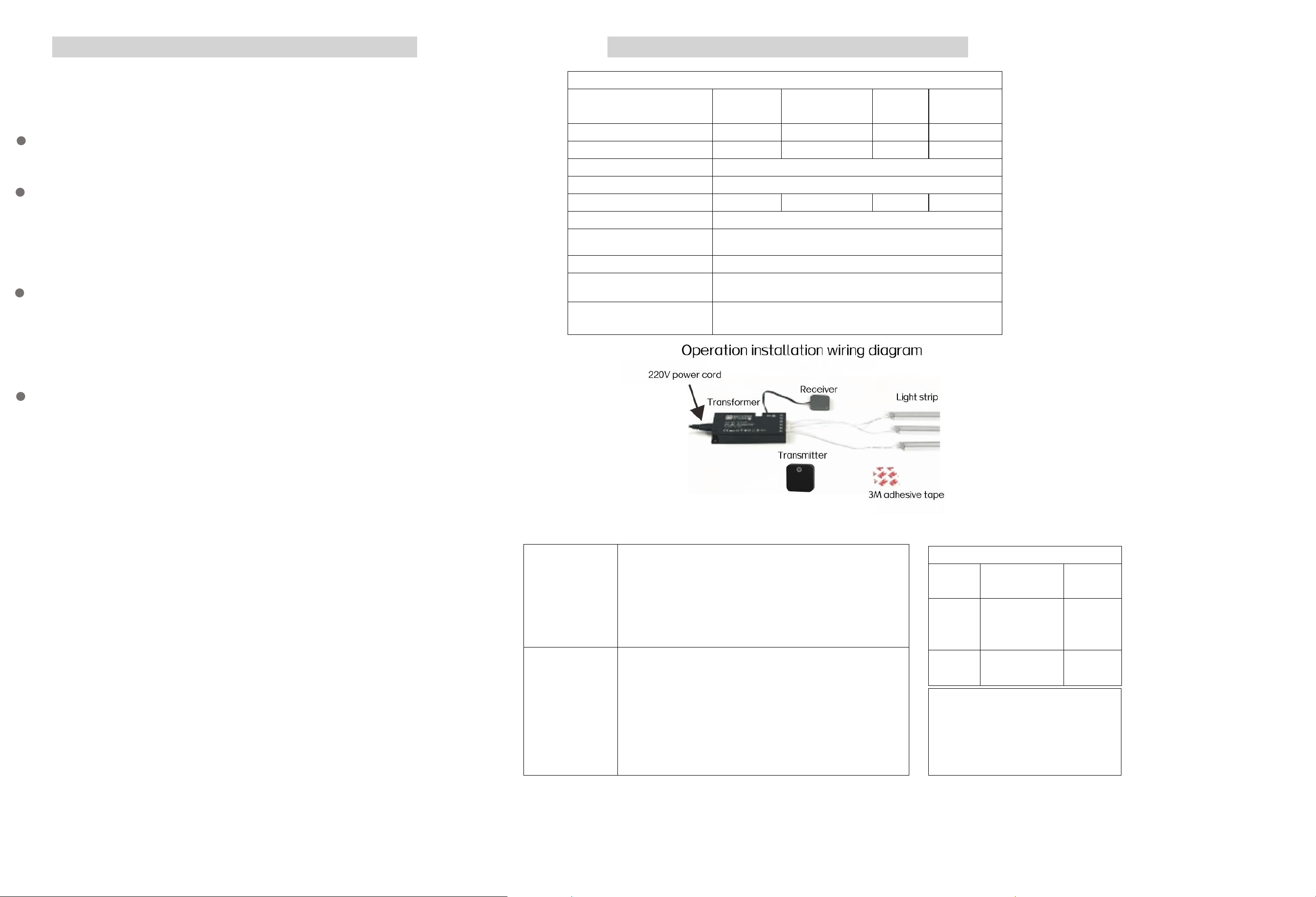
Specification Parameters
Induction type
Touch-sensitiv
e switch
homo sapiens body
induction switch
Hand-sensi
ng switch
Gated induction
switch
model, model number, version
FDCM
FDRT
FDSS
FDMK
Sensing distance
3 meters
3-15 cm
3-15 cm
Remote control distance
15 meters
Adjust brightness
yes
Delay time
30 seconds
Lighting method
on-off mode
Power supply method
AAA battery 1.5V * 2 pieces, size 7
Receiver operating power supply
c12 24v
Installation method
Open clothing
Operating temperature range
-10°C-40°C
Code matching
method
Within 10 seconds after the receiver is powered on, the
receiver will enter the code matching state. Then press and
hold the code matching button on the back of the wireless
sensor switch (for about 5 seconds) without releasing it until
the LED strip flashes once. The pairing is completed and it is
ready for use.
Decoding
methodDecoding
method
When the receiver is powered on within 10 seconds, it will
enter the code-matching state. Then press and hold the
code-matching button on the back of the wireless sensor
switch (for approximately 5 seconds) without releasing it until
the LED light strip flashes three times, indicating the
completion of decoding.
Packaging Accessories List
Serial
Number
Name
Quantity
1
Double-sided
self-adhesive
tape
1 unit
2
Screw
2
Certificate of Conformity
This product has passed the inspection
and is approved for shipment.
Inspector: QC01

FCC Warnning:
This equipment has been tested and found to comply with the limits for a Class B digital device,
pursuant to part 15 of the FCC Rules. These limits are designed to provide
reasonable
protection against harmful interference in a residential installation. This equipment generates,
uses and can radiate radio
frequency
energy
and,
if
not
installed
and
used
in
accordance
with
the
instructions,
may cause
harmful
interference
to
radio
communications.
However,
there
is
no
guarantee
that interference
will
not
occur
in
a
particular
installation.
If
this
equipment
does
cause
harmful interference to radio or television reception, which can be
determined by turning the equipment off
and
on,
the
user
is
encouraged
to
try
to
correct
the interference
by
one
or
more
of
the following measures:
•
Reorient or relocate the receiving antenna.
•
Increase the separation between the equipment and receiver.
•
Connect the equipment into an outlet on a circuit different from that to which the receiver is
connected.
• Consult the dealer or an experienced radio/TV technician for help.
Caution:
Any
changes
or
modifications
to
this
device
not
explicitly
approved
by
manufacturer
could void your authority to operate this equipment.
This
device
complies
with
part
15
of
the
FCC
Rules.
Operation
is
subject
to
the
following
two
conditions:
(1)This
device
may
not
cause
harmful
interference,
and
(2)
this
device
must
accept
any
interference received, including interference that may cause undesired operation.
This
equipment
complies
with
FCC
radiation
exposure
limits
set
forth
for
an
uncontrolled
environment.
This
equipment
should
be
installed
and
operated
with
minimum
distance
0cm
between the radiator and your body.