www.silverstonetek.com
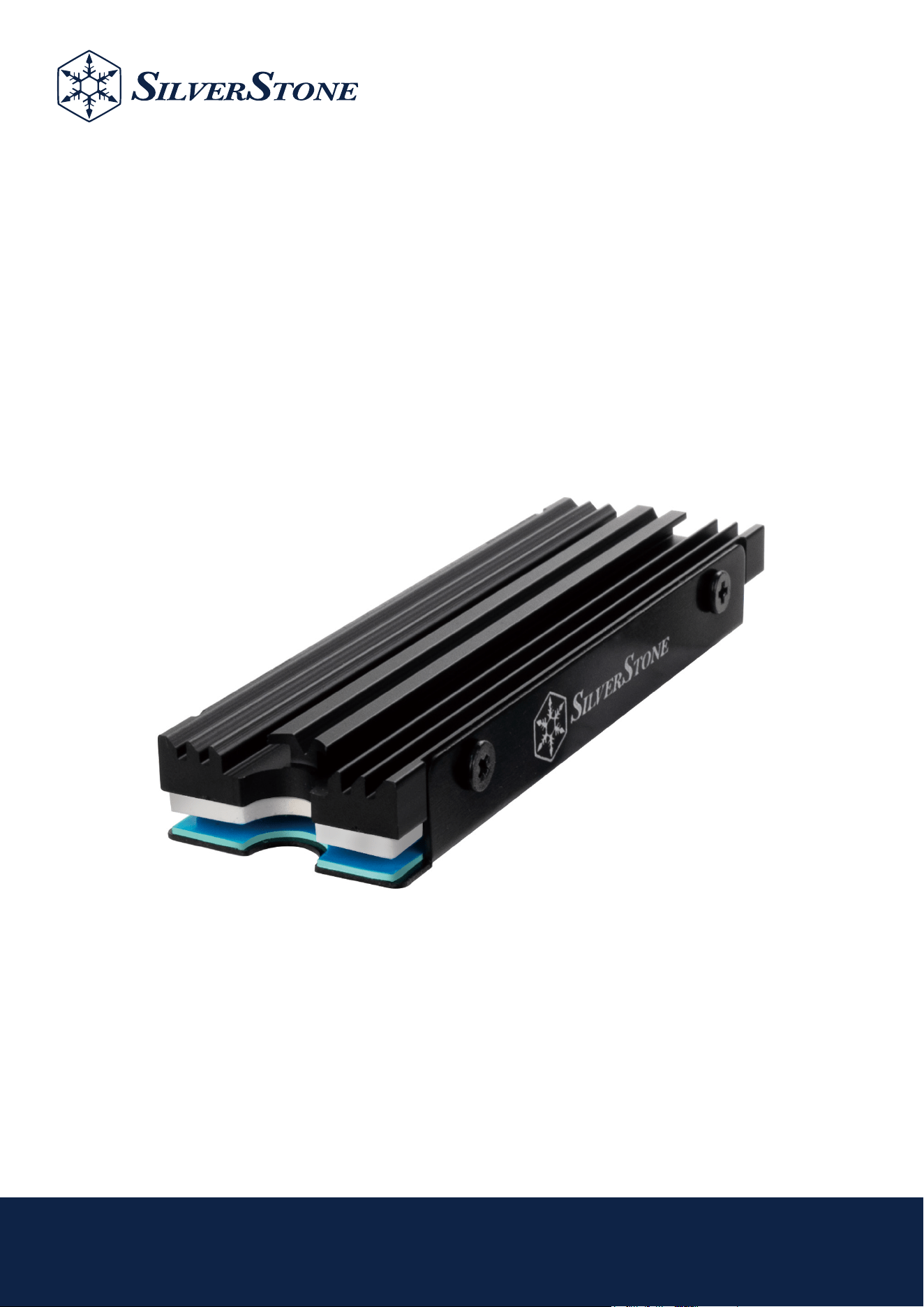
TP07
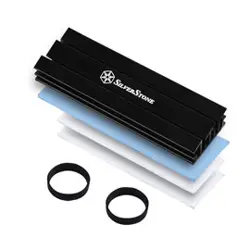
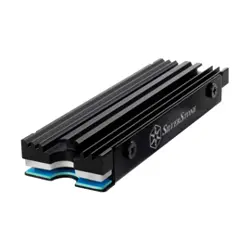
Ultra slim-profile aluminum alloy
M.2 SSD cooling kit
• Slim-profile design
• Compatible with PS5 SSD specifications
• Aluminum alloy heatsink increases M.2 SSD cooling area
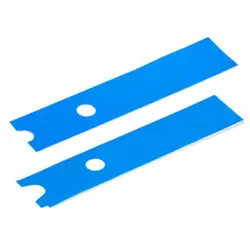
• Efficient heat conduction pad for reducing temperature
• Double layer design enhances SSD cooling for stability and efficiency
• Supports 2280 length M.2 SSD

Installation Guide / Installationsanleitung / Guide d'installation
Guía de instalación / Guida all'installazione / Руководство по установке
インストールガイド / 설치 가이드 / คู่มือการติดตั้ง / 安裝說明 / 安装说明
Warranty terms & conditions / Garantiebedingungen
Términos y condiciones de la garantía /Termes et conditions de la garantie /
Termini e Condizioni della garanzia / Условия гарантии / 保証条件 / 보증 조건
ข้อกำหนดและเงื่อนไขการรับประกัน / 有限責任保固說明 / 有限责任保固说明
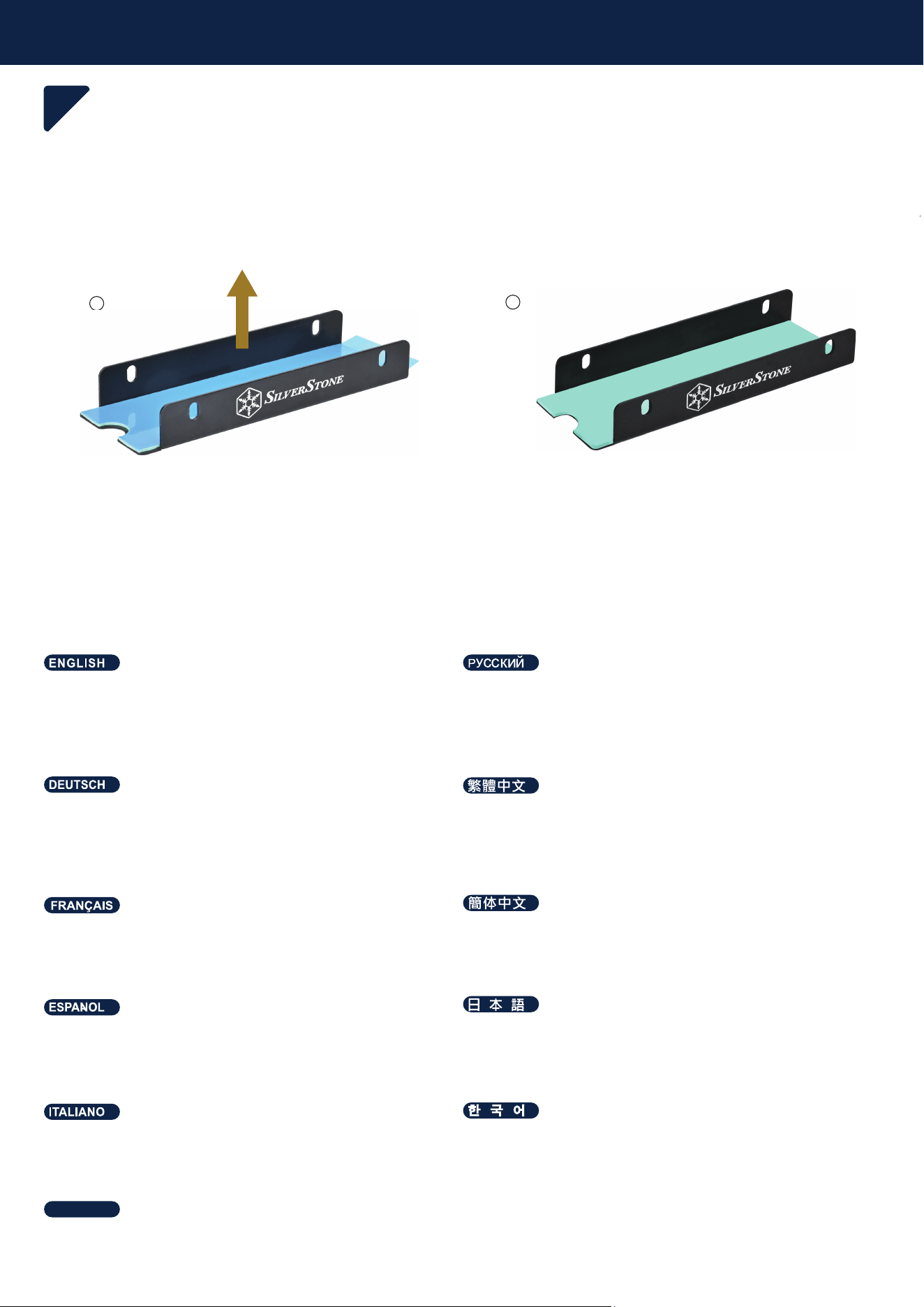
1
Preparation
1
remove the film
снимите плёнку
entfernen Sie die Folie
移除膠膜
retire la película.
フィルムを剥がして
retirez le film
移除胶膜
rimuovi la pellicola
필름을 제거합니다.
ลอกฟิล์มออก
ไทย
2
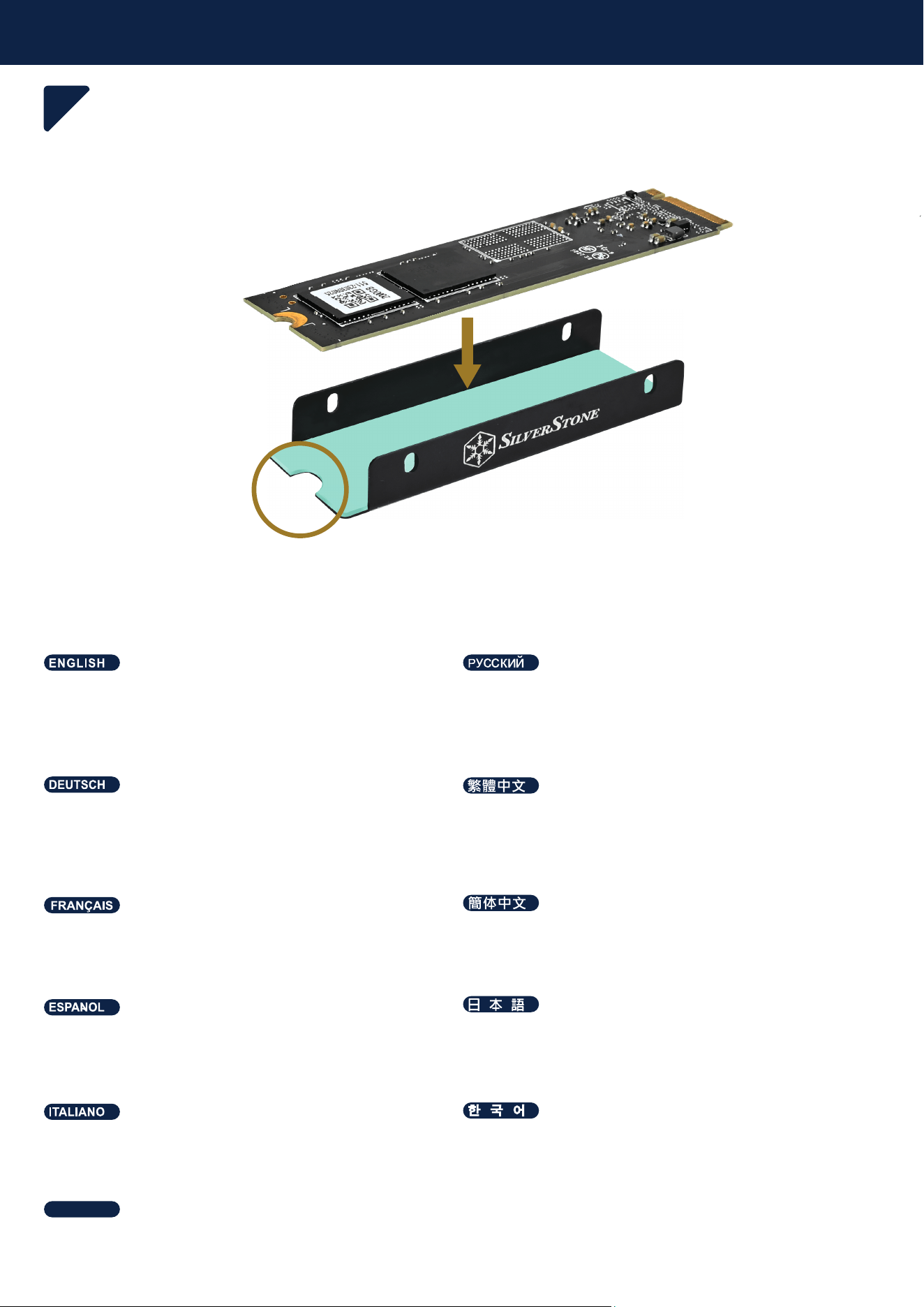
Preparation
2
Insert M.2 SSD and align the mounting holes.
Вставьте M.2 SSD и совместите монтажные отверстия
Setzen Sie die M.2-SSD ein und richten Sie die Montagelöcher aus
放入M.2 SSD,並對齊鎖孔
Inserte el SSD M.2 y alinee los agujeros de montaje
M.2 SSDを装着して取り付け孔に合わせます
Insérez le SSD M.2 et alignez les trous de montage
放入M.2 SSD,并对齐锁孔
Inserisci M.2 SSD a allinea i fori di montaggio
M.2 SSD를 넣고 장착 홀을 맞춰 주십시오
ใส่ M.2 SSD ลงไปและจัดแนวเข้ากับรูติดยึด
ไทย
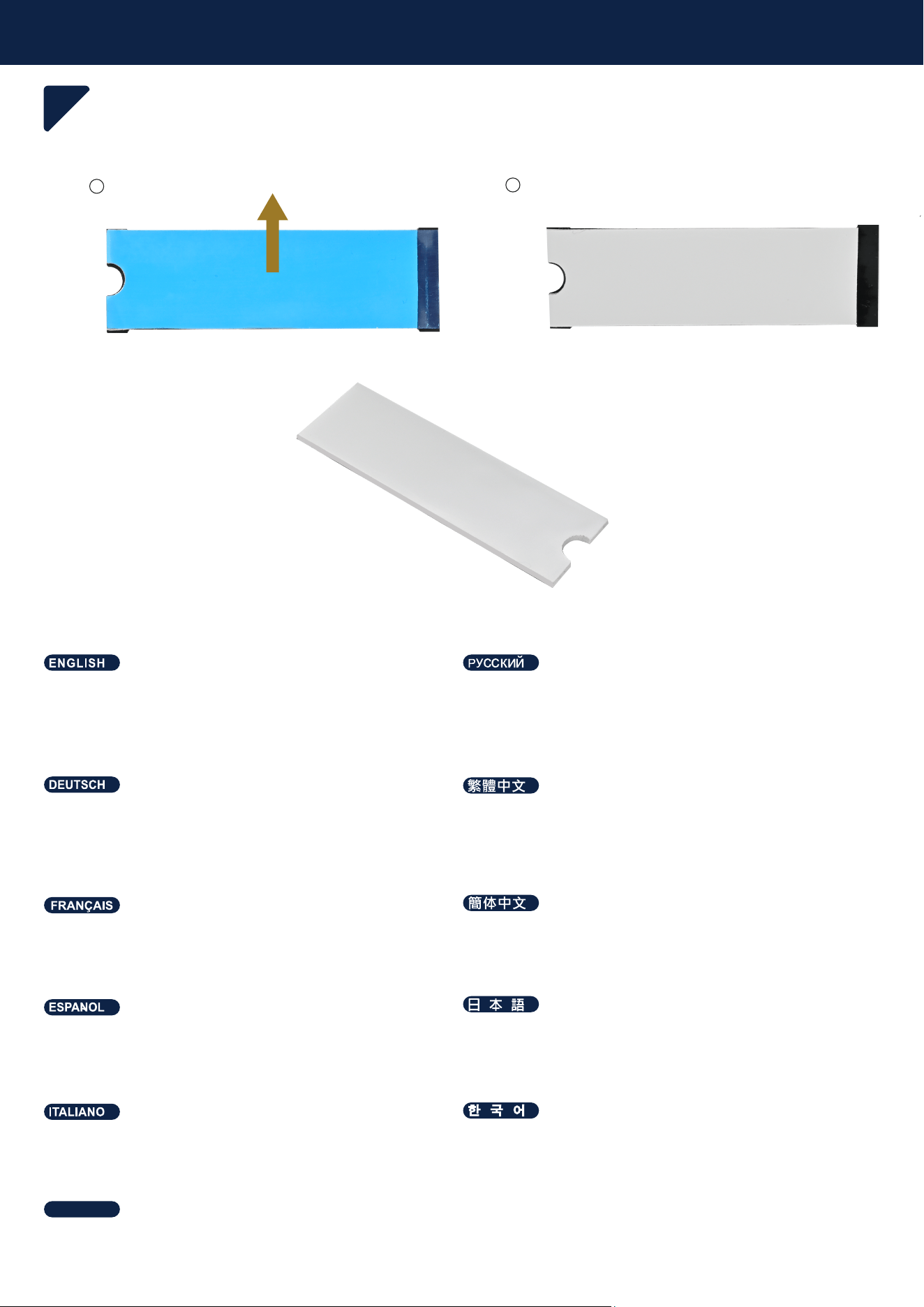
1
Preparation
3
remove the film
*For single-sided particle M.2 SSD (flat back without components), please
use 1.75mm pad; For double-sided particle (both sides with components)
снимите плёнку
* Для одностороннего твердотельного накопителя M.2 (плоская
задняя часть без компонентов) используйте прокладку 1,75 мм
entfernen Sie die Folie
*Bitte verwenden Sie bei einseitigen Partikel-M.2-SSDs (glatte Rückwand
ohne Komponenten) das 1,75-mm-Polster
移除膠膜
*單面顆粒的M.2 SSD (背面平整無元件),請使用1.75mm的貼片
retire la película.
*Para un SSD M.2 de un solo lado (parte trasera plana sin componentes),
por favor use la almohadilla de 1,75mm
フィルムを剥がして
*片面パーティクルM.2 SSD (背面にコンポーネントがなく平坦)には1.75mm
パッドを使用します。
retirez le film
* Pour les SSD M.2 simple face (dos plat sans composant), veuillez
utiliser la plaquette de 1,75 mm
移除胶膜
*单面颗粒的M.2 SSD (背面平整无元件),请使用1.75mm的贴片
rimuovi la pellicola
*Per SSD M.2 a lato singolo (parte posteriore piatta senza componenti),
utilizzare un tappetino da 1,75mm
필름을 제거합니다.
*단면 M.2 SSD (뒷면에 부품이 없는 평평한 경우)를 위해, 1.75mm
패드를 사용하여 주십시오
ลอกฟิล์มออก
*สำหรับ M.2 SSD ด้านเดียว (ด้านหลังเรียบ ไม่มีส่วนประกอบ) โปรดใช้แผ่นที่
หนา 1.75 มม
ไทย
2
1.75mm pad
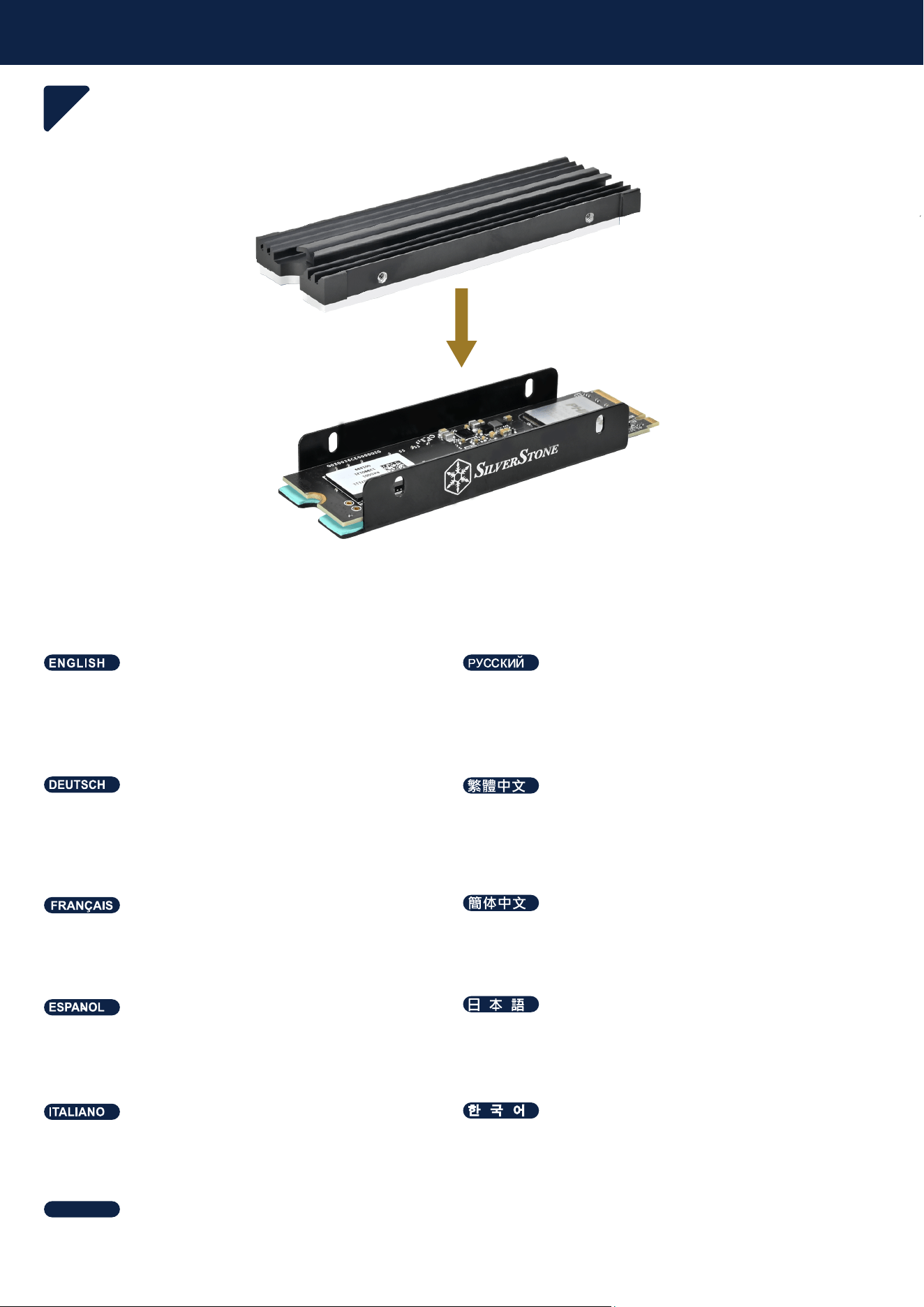
Preparation
4
Align the mounting holes with the top cover of the heat sink. Apply some
pressure to ensure a tight fit
Совместите монтажные отверстия с верхней крышкой радиатора.
Приложите немного давления, чтобы обеспечить плотное
прилегание
Richten Sie die Montagelöcher an der oberen Abdeckung des
Kühlkörpers aus. Wenden Sie für eine feste Passung etwas Druck an
對齊鎖孔裝入散熱片上蓋,並稍微施壓確保密合
Alinee los agujeros de montaje con la cubierta superior del disipador.
Aplique algo de presión para asegurar un buen ajuste
ヒートシンクの上部カバーの取り付け孔に合わせます。多少押してしっか
りフィットさせます。
Alignez les trous de montage avec le couvercle supérieur du dissipateur
thermique. Appliquez une certaine pression pour assurer un bon collage
对齐锁孔装入散热片上盖,并稍微施压确保密合
Allinea i fori di montaggio con la copertura superiore del dissipatore di
calore. Premi leggermente per garantire una buona adesione
히트 싱크의 상단 커버에 장착 홀을 맞춥니다. 밀착될 수 있도록 약간의
압력을 가해주십시오
จัดรูติดยึดให้ตรงกับฝาครอบด้านบนของฮีทซิงค์ ใช้แรงกดระดับหนึ่งเพื่อให้แน่ใจ
ว่าประกอบเข้าแน่นสนิท
ไทย
Preparation
5
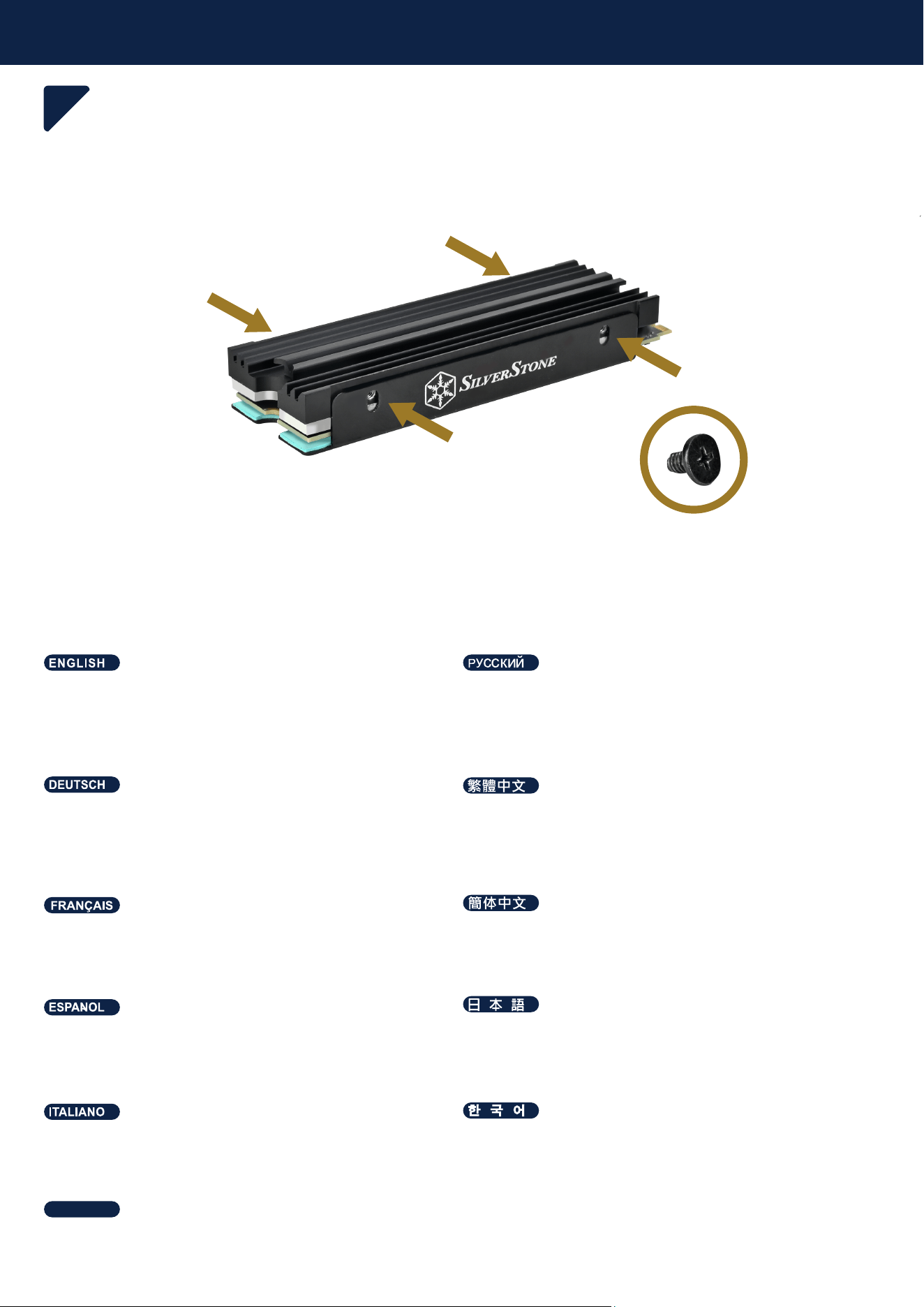
Fasten a total of four screws on both sides
Закрепите в общей сложности четыре винта с обеих сторон
Bringen Sie insgesamt vier Schrauben an beiden Seiten an
鎖上側面共四顆螺絲
Atornille un total de cuatro tornillos a ambos lados
両側で合計4本のネジを締めます。
Fixez les quatre vis des deux côtés
锁上侧面共四颗螺丝
Serra le quattro viti su entrambi i lati
히트 싱크의 상단 커버에 장착 홀을 맞춥니다. 밀착될 수 있도록 약간의
압력을 가해주십시오
ยึดด้วยสกรูรวมสี่ตัวทั้งสองด้าน
ไทย
Preparation
6
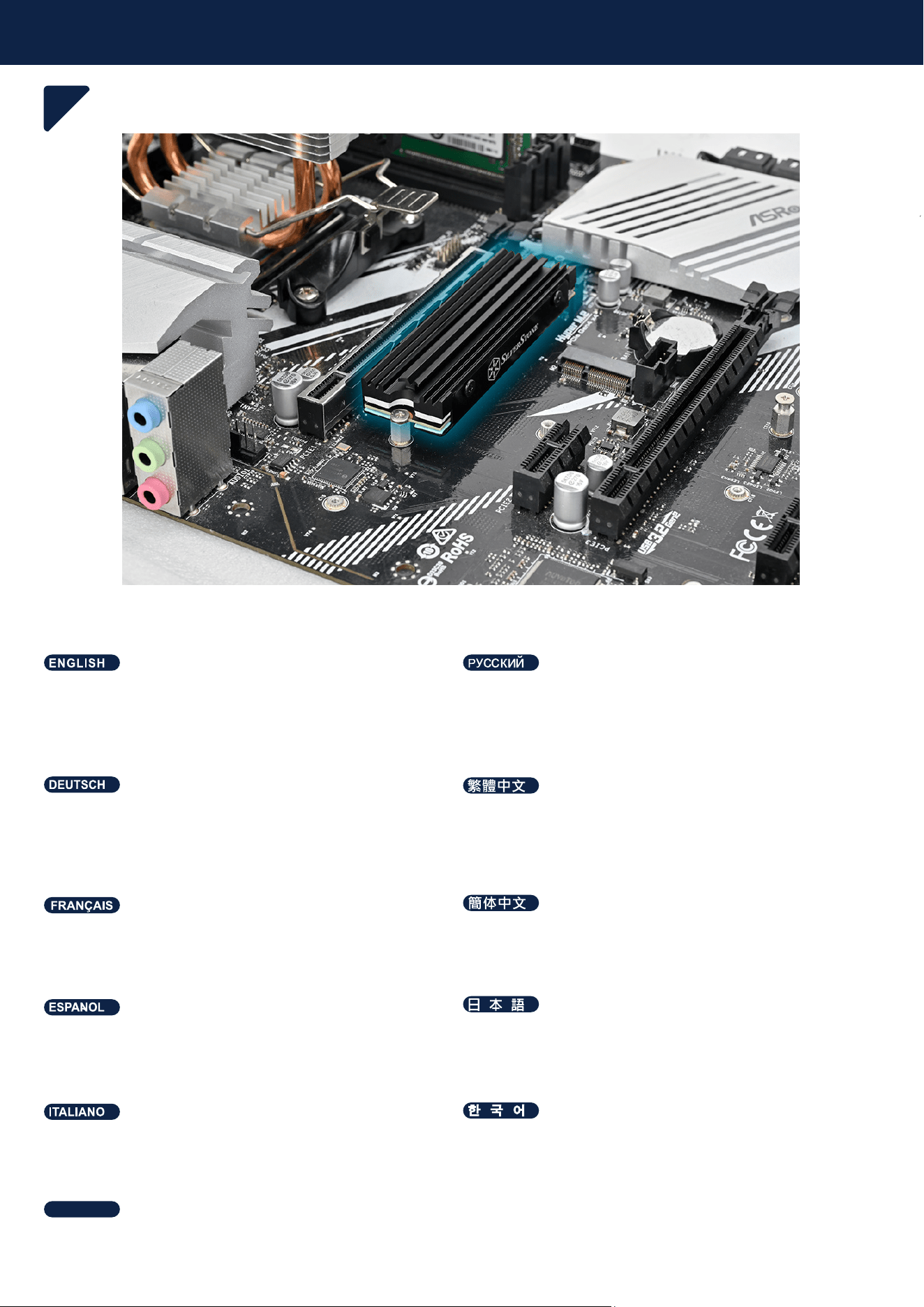
Install onto motherboard
Установите на материнскую плату.
Am Motherboard installieren
安裝至主機板
Instálelo en la placa base.
マザーボード上にインストールします。
Installez sur la carte mère
安装至主机板
Montalo sulla scheda madre
마더보드에 장착합니다.
ติดตั้งลงบนเมนบอร์ด
ไทย
Warranty terms & conditions
For North America ([email protected])
SilverStone Technology in North America may repair or replace defective product with refurbished product that is not new but has been functionally tested.
Replacement product will be warranted for remainder of the warranty period or thirty days, whichever is longer. All products should be sent
back to the place of purchase if it is within 30 days of purchase, after 30 days, customers need to initiate RMA procedure with SilverStone Technology
in USA by first downloading the “USA RMA form for end-users” form from the below link and follow its instructions.
http://silverstonetek.com/contactus.php
For Australia only ([email protected])
Our goods come with guarantees that cannot be excluded under the Australian Consumer Law.
You are entitled to a replacement or refund for a major failure and for compensation for any other reasonably foreseeable loss or damage.
You are also entitled to have the goods repaired or replaced if the goods fail to be of acceptable quality and the failure does not amount to a major failure.
Please refer to above “Warranty terms & conditions” for further warranty details.
SilverStone Technology Co., Ltd. 12F No. 168 Jiankang Rd., Zhonghe Dist., New Taipei City 235 Taiwan R.O.C. + 886-2-8228-1238
(standard international call charges apply)
For Europe ([email protected])
For China ([email protected])
For all other regions ([email protected])
Additional info & contacts
This product has a limited 1 year warranty in North America and Australia.
For information on warranty periods in other regions, please contact your reseller or SilverStone authorized distributor.
本产品自购买之日起,于中国地区(不包含澳门,香港特别行政区)享有一年有限责任保固(部分产品为二年,三年或五年)。
详细保固年限请参照官方网站
https://silverstonetek.com.cn/
公布之产品型号为依据。
Warranty Information
Warranty terms & conditions
1. Product component defects or damages resulted from defective production is covered under warranty.
Defects or damages with the following conditions will be fixed or replaced under SilverStone Technology’s jurisdiction.
a) Usage in accordance with instructions provided in this manual, with no misuse, overuse, or other inappropriate actions.
b) Damage not caused by natural disaster (thunder, fire, earthquake, flood, salt, wind, insect, animals, etc…)
c) Product is not disassembled, modified, or fixed. Components not disassembled or replaced.
d) Warranty mark/stickers are not removed or broken.
Loss or damages resulted from conditions other than ones listed above are not covered under warranty.
2. Under warranty, SilverStone Technology’s maximum liability is limited to the current market value for the product (depreciated
value, excluding
shipping, handling, and other fees). SilverStone Technology is not responsible for other damages or loss associated with the use
of product.
3. Under warranty, SilverStone Technology is obligated to repair or replace its defective products. Under no circumstances will
SilverStone
Technology be liable for damages in connection with the sale, purchase, or use including but not limited to loss of data, loss of
business, loss of
profits, loss of use of the product or incidental or consequential damage whether or not foreseeable and whether or not based on
breach of warranty,
contract or negligence, even if SilverStone Technology has been advised of the possibility of such damages.
4. Warranty covers only the original purchaser through authorized SilverStone distributors and resellers and is not transferable to a
second hand
purchaser.
5. You must provide sales receipt or invoice with clear indication of purchase date to determine warranty eligibility.
6. If a problem develops during the warranty period, please contact your retailer/reseller/SilverStone authorized distributors or
SilverStone
http://www.silverstonetek.com.
Please note that: (i) You must provide proof of original purchase of the product by a dated itemized receipt; (ii) You shall bear the
cost of shipping
(or otherwise transporting) the product to SilverStone authorized distributors. SilverStone authorized distributors will bear the cost
of shipping
(or otherwise transporting) the product back to you after completing the warranty service; (iii) Before you send the product, you
must be issued a
Return Merchandise Authorization (“RMA”) number from SilverStone. Updated warranty information will be posted on Silver-
Stone’s official website.
Please visit http://www.silverstonetek.com for the latest updates.
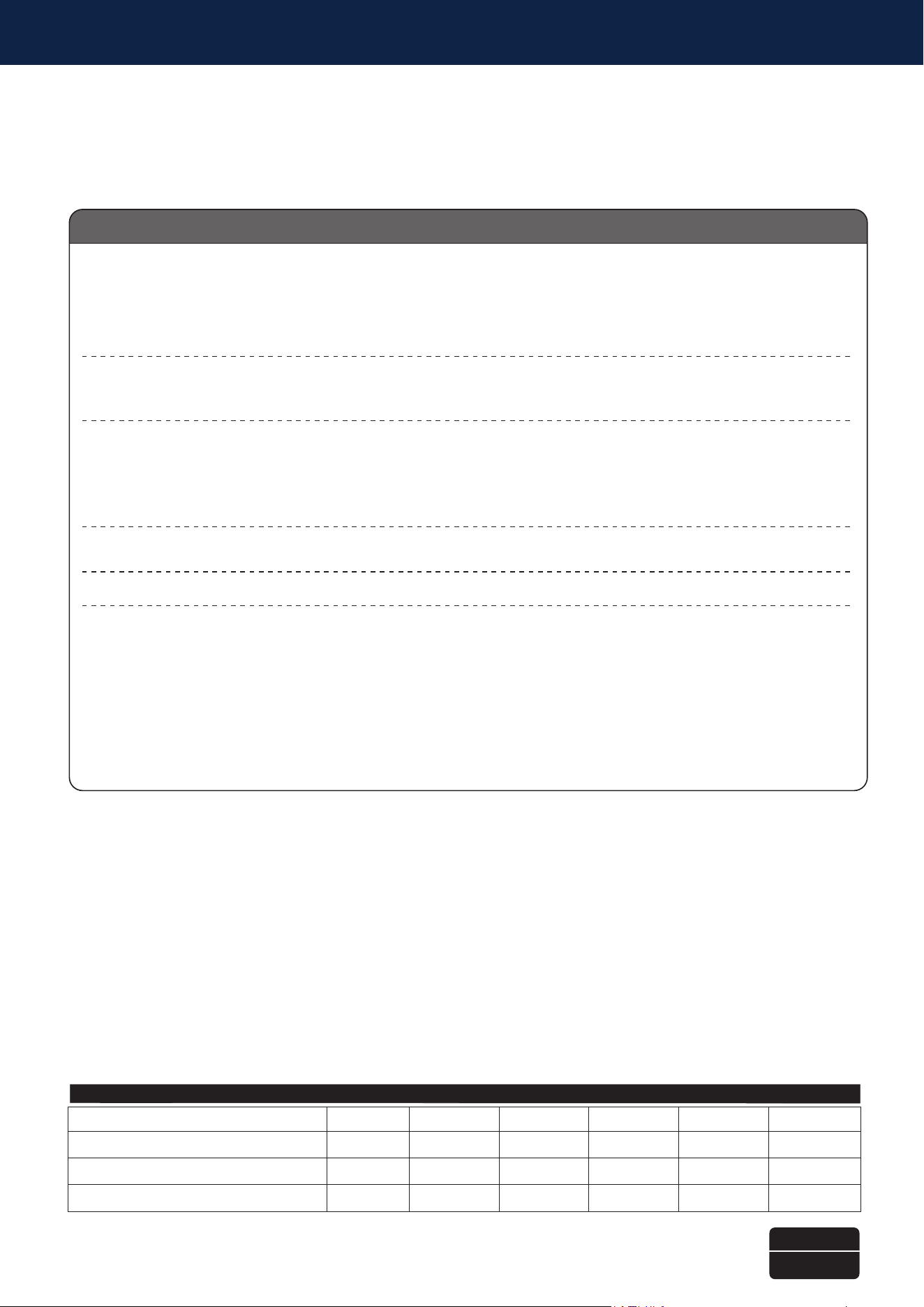
有毒有害物质/元素及其化学含量表
本表格依据 SJ/T 11364 的规定编制。
○ : 表示该有害物质在该部件所有均质材料中的含量均在 GB/T 26572 规定的限量要求以下。
— : 表示该有害物质至少在该部件的某一均质材料中的含量超出 GB/T 26572 规定的限量要求。且該限用物質為排除項目
辅助材:是指使用在产品上的涂料,润滑脂、焊接材料、接着剂等,以及与产品包装,作为施工材料使用的粘接胶带、密封材料、接着剂等
产品合格证
检验员:检01
生产日期:见产品条码
部件名称 (周边产品)
汞
(Hg)
镉
(Cd)
六价铬
(Cr(VI))
多溴联苯
(PBB)
多溴二苯醚
(PBDE)
铅
(Pb)
○○ ○○ ○○
○○ ○○ ○○
○○ ○○ ○○
金属物件
导热贴片
包材