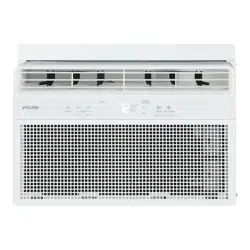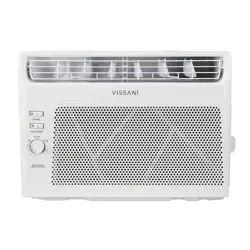
THANK YOU
We appreciate the trust and condence you have placed in Vissani through the purchase of this air conditioner. We strive to continually create
quality products designed to enhance your home. Visit us online to see our full line of products available for your home improvement needs.
Thank you for choosing Vissani!
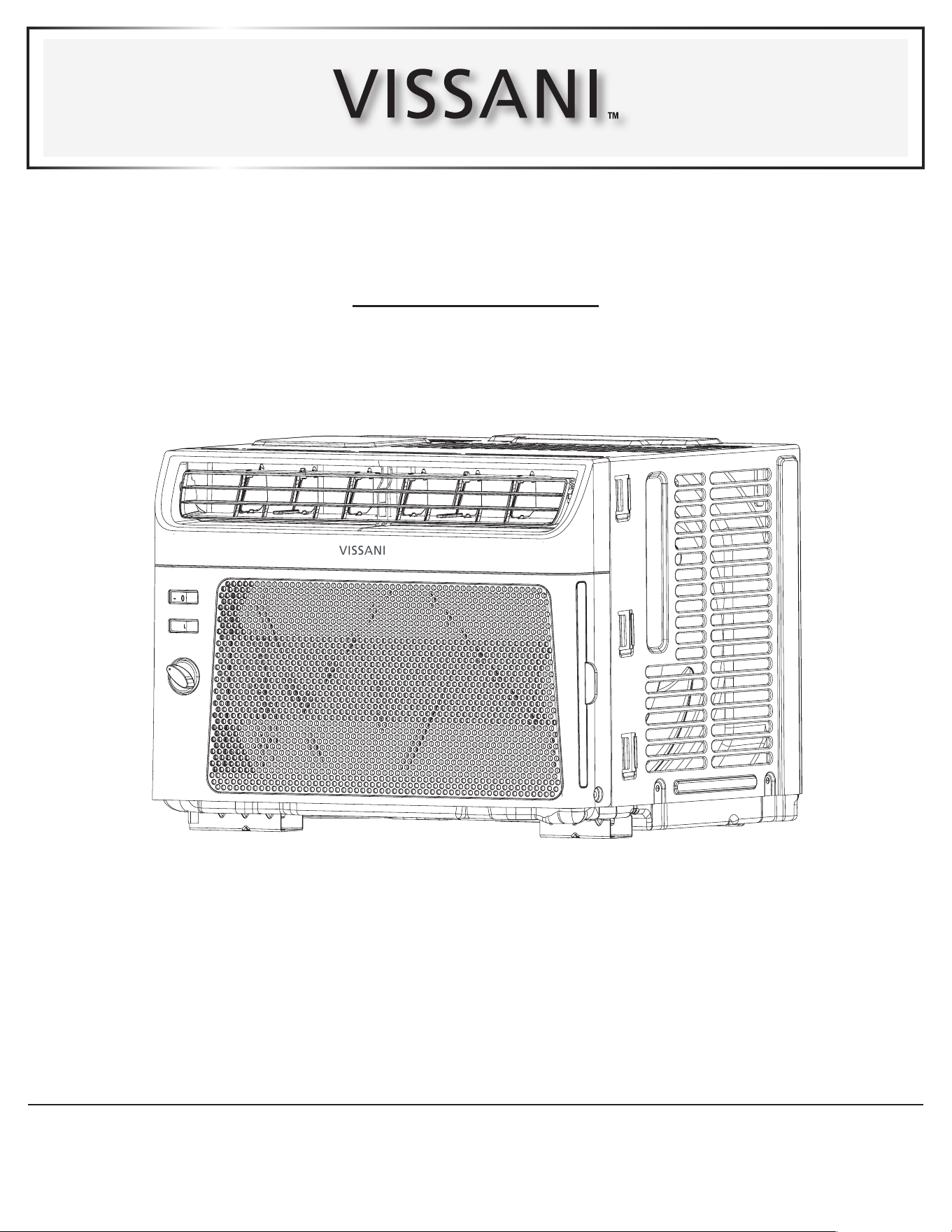
USE AND CARE GUIDE
WINDOW AIR CONDITIONER
Questions, problems, missing parts? Before returning to the store,
call Vissani Customer Service
8 a.m. - 7 p.m., EST, Monday - Friday, 9 a.m. - 6 p.m., EST, Saturday
1-877-527-0313
HOMEDEPOT.COM
SKU #1007086606
Model #VWA05
2
Table of Contents
Table of Contents ...................................2
Safety Information ..................................3
Important Safety Instructions ........................3
Disposing of the Unit ...............................3
Installation Requirements ...........................4
Recommended Grounding Method ....................4
Wiring requirement ................................4
Power Supply Cord ................................4
Pre-Installation .....................................4
Planning Installation ...............................5
Hardware Included .................................6
Unpack the Air Conditioner ..........................7
Location Requirements .............................7
Window Installation ................................9
If AC is Blocked by Storm Window .....................9
Installation .......................................10
Operation. . . . . . . . . . . . . . . . . . . . . . . . . . . . . . . . . . . . . . . . . 13
Care and Cleaning .................................15
Cleaning the Air Filter .............................15
Cleaning the Front Panel ...........................15
Repairing Paint Damage ...........................15
Annual Maintenance ..............................15
Troubleshooting ...................................16
3 HOMEDEPOT.COM
Please contact 1-877-527-0313 for further assistance.
Safety Information
We have provided many important safety messages in this manual
and on your appliance. Always read and obey all safety messages.
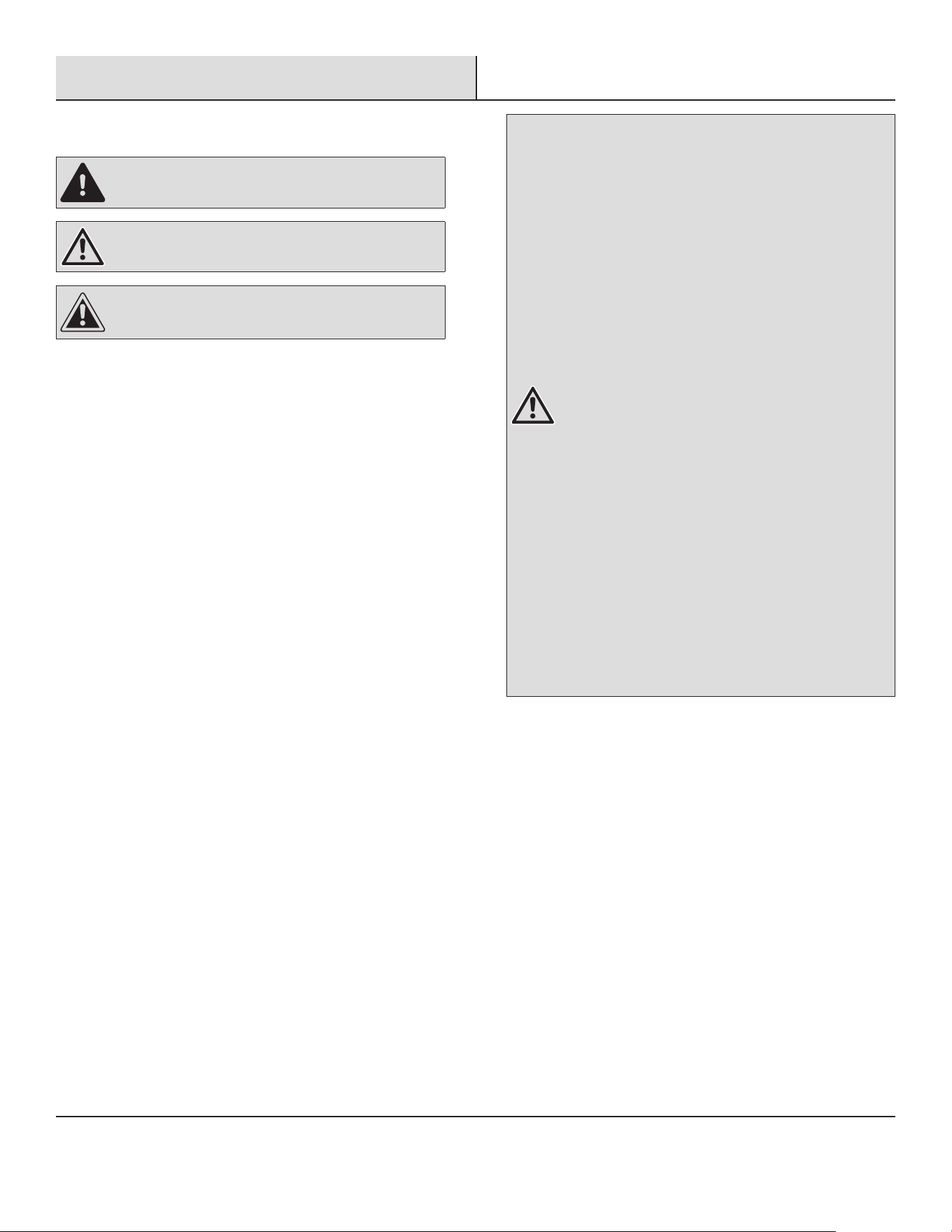
DANGER: This symbol alerts you to a potential hazard,
that if not avoided, will result In death or serious injury.
WARNING:This symbol alerts you to a potential hazard,
that if not avoided, could result In death or serious Injury.
CAUTION: This symbol alerts you to a potential hazard,
that if not avoided, may result in minor or moderate injury.
IMPORTANT SAFETY INSTRUCTIONS
To reduce the risk of re, electrical shock or injury when using your
air conditioner, follow these basic precautions:
□ Plug into a grounded 3-prong outlet.
□ Do not remove ground prong.
□ Do not use an adapter.
□ Do not use an extension cord.
□ Unplug air conditioner before servicing.
□ Use two or more people to move and install air conditioner.
DISPOSING OF THE UNIT
□ Before throwing out the device, it is necessary to remove the
battery cells and dispose or recycle them properly.
□ When you need disposal of the unit consult our dealer. If pipes
are removed incorrectly, refrigerant may blow out and come into
contact with your skin, causing injury. Releasing refrigerant into
the atmosphere also damages the environments.
□ Please recycle or dispose of the product packaging material in
an environmentally responsible manner.
□ Never store or ship the air conditioner upside down or sideways
to avoid damage to the compressor.
□ This appliance is not intended for use by persons (including
children) with reduced physical, sensory or mental capabilities,
or lack of experience and knowledge, unless they have been
given supervision or instruction concerning use of the appliance
by a person responsible for their safety. Children should be
supervised to ensure that they do not play with the appliance.
□ The wiring diagram is shown on nameplate on the air
conditioner.
WARNING: Risk of Fire or Explosion. This unit contains
ammable refrigerant.
Additional safety precautions must be followed.
□ Do not use means to accelerate the defrosting process
or to clean, other than those recommended by the
manufacturer.
□ The appliance shall be stored in a room without
continuously operating ignition sources (for example:
open ames, an operating gas appliance or an operating
electric heater).
□ Do not pierce or burn refrigerant tubing. Be aware that
refrigerants may not contain an odor.
□ Keep ventilation openings clear of obstruction.
□ The maximum refrigerant charge amount is shown on
nameplate on the air conditioner.
□ When handling, installing, and operating the appliance,
care should be taken to avoid damage to the refrigerant
tubing.
□ Do not drill holes in the unit.
□ Maintenance, cleaning, and service should only be
performed by technicians properly trained and qualied
in the use of ammable refrigerants.
□ Dispose of air conditioner in accordance with Federal
and Local Regulations. Flammable refrigerants require
special disposal procedures. Contact your local
authorities for the environmentally safe disposal of your
air conditioner.
□ The appliance shall be stored so as to prevent
mechanical damage from occurring.
4
Pre-Installation
INSTALLATION REQUIREMENTS
WARNING: Electrical Shock Hazard
□ Plug into a grounded 3-prong outlet.
□ Do not remove ground prong.
□ Do not use an adapter.
□ Do not use an extension cord.
□ Failure to follow these instructions can result in death, re, or electrical shock.
RECOMMENDED GROUNDING METHOD
This air conditioner must be grounded. This air conditioner is equipped with a power supply cord with a three-prong grounding plug. The
cord must be plugged into a three-prong outlet, grounded in accordance with all local codes and ordinances. If a grounded outlet is not
available, it is the customer’s responsibility to have a properly grounded three-prong outlet installed by a qualied electrical installer.
It is the customer’s responsibility:
□ To contact a qualied electrical installer.
□ To assure that the electrical installation is adequate and conforms to the Nation Electrical Code, ANSI/NFPA 70-last edition, and all local
codes and ordinances.
Copies of the standards listed may be obtained from:
National Fire Protection Association
1 Batterymarch Park
Quincy, Ma 02169-7471
www.nfpa.org
WIRING REQUIREMENT
115 V (103.5 V min. to 126.5 V max.)
10 A time-delay fuse or circuit breaker
POWER SUPPLY CORD
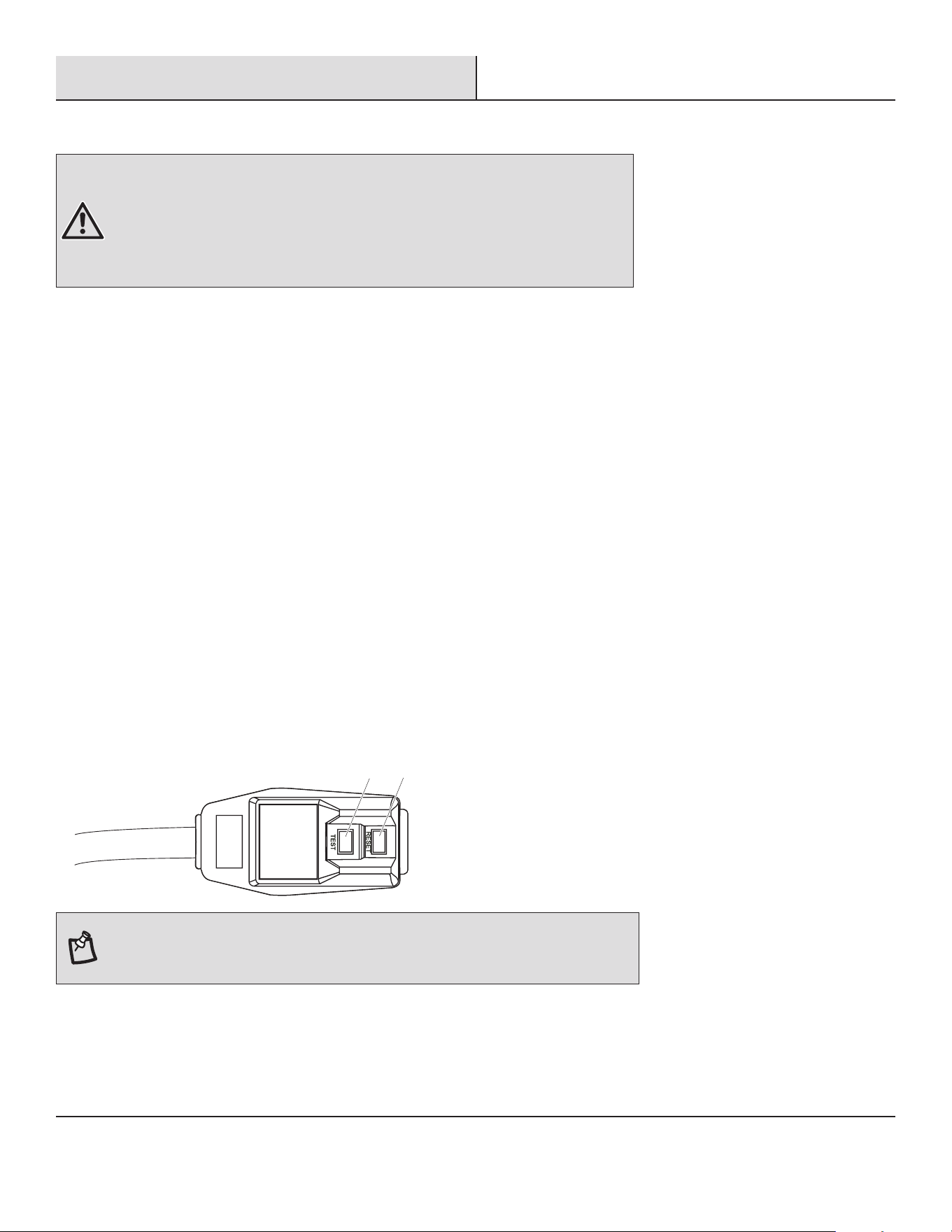
1
2
NOTE: Your air conditioner’s device may differ from the one shown. This room air conditioner
is equipped with a power supply cord required by UL. This power supply cord contains state-
of-the-art electronics that sense leakage current. If the cord is crushed, the electronics detect
leakage current and power will be disconnected in a fraction of a second.
5 HOMEDEPOT.COM
Please contact 1-877-527-0313 for further assistance.
Pre-Installation
To test your power supply cord:
1. Plug power supply cord into a grounded 3-prong outlet.
2. Press RESET (2) (on some devices, a green light will turn on).
3. Press TEST (1) and listen for click. The RESET button will trip and on some devices, a green light will turn off.
4. Press and release RESET (2) and listen for click. The RESET button will latch, and on some devices, a green light will turn on. The
power supply cord is ready for operation.
NOTE: The RESET button must be pushed in for proper operation.
□ The power supply cord must be replaced if it fails to trip when the test button is pressed or fails to reset.
□ Do not use the power supply cord as an off/on switch. The power supply cord is designed as a protective device.
□ A damaged power supply cord must be replaced with a new power supply cord obtained from the product manufacturer and must not be
repaired.
□ The power supply cord contains no user serviceable parts. Opening the tamper-resistant case voids all warranty and performance claims.
PLANNING INSTALLATION
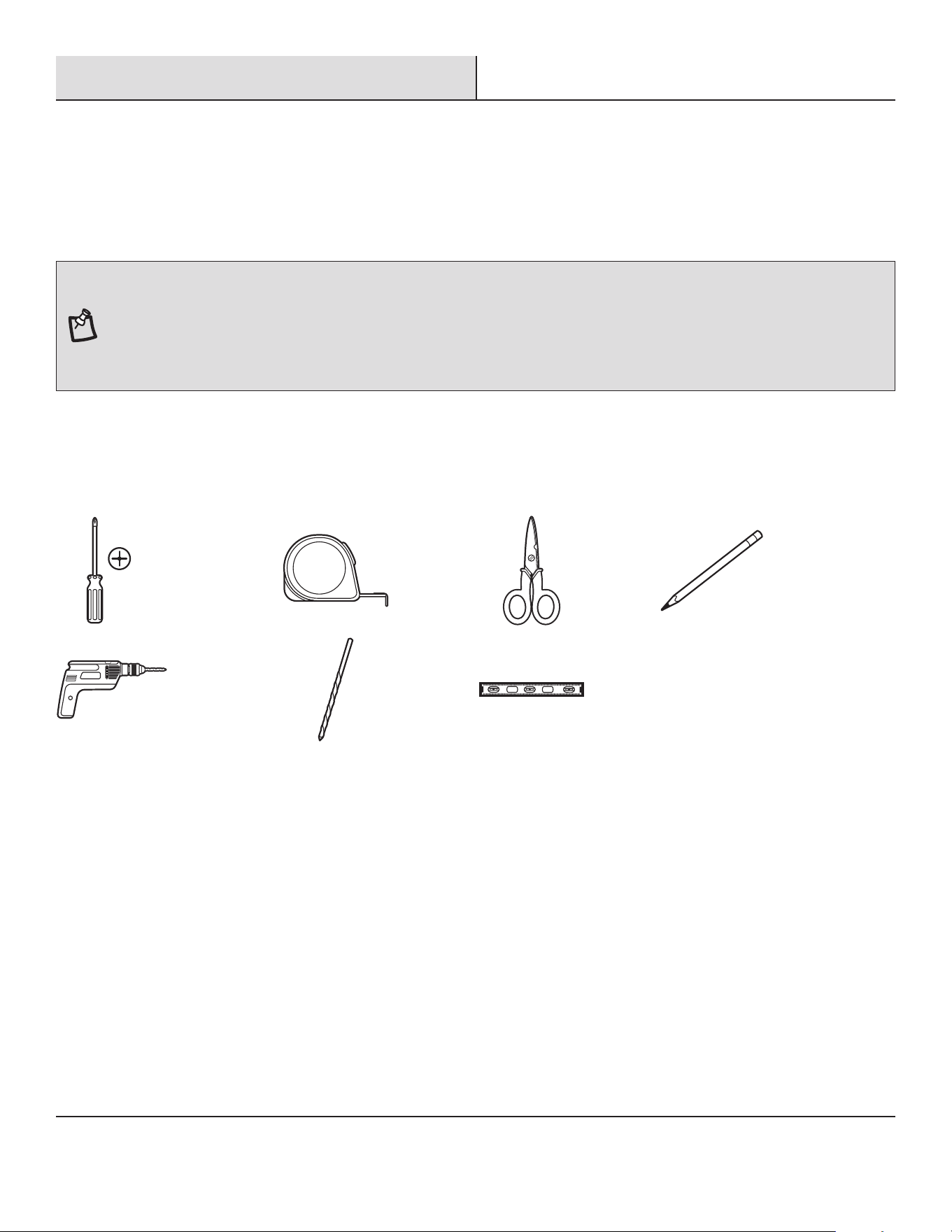
Gather the required tools and parts before starting installation. Read and follow the instructions provided with any tools listed here
TOOLS REQUIRED
Phillips
screwdriver
Tape
measure
Scissors Pencil
Cordless drill 1/8 in. bit Level
6
Pre-Installation
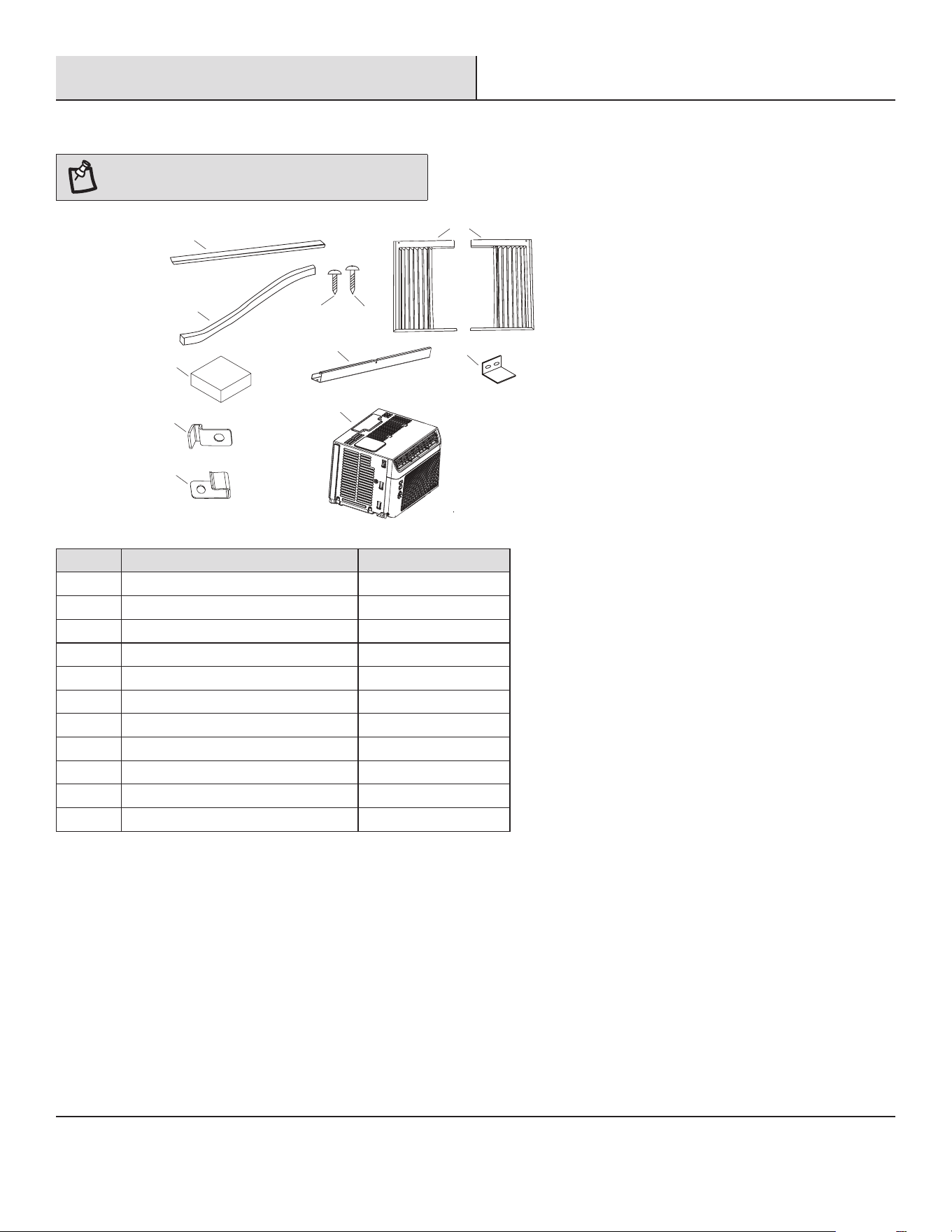
HARDWARE INCLUDED
NOTE: Check that all parts are included in parts
package.
AA
AA
HH
HH
BB
BB
CCCC
DDDD
EE
EE
FF
FF
IIII
KK
KK
JJ
JJ
GGGG
Part Description Quantity
AA Adhesive seal 2
BB Foam seal 1
CC Sealing sponge 1
DD Lock frame (for wooden windows) 2
EE Lock frame (for vinyl-Clad windows) 2
FF 3/8 inch screws 4
GG 3/4 inch screws 7
HH Side curtains 2
II Top rail 1
JJ Sash lock 1
KK Air conditioner 1
7 HOMEDEPOT.COM
Please contact 1-877-527-0313 for further assistance.
Pre-Installation (continued)
UNPACK THE AIR CONDITIONER
WARNING: Excessive Weight Hazard
Use two or more people to move and install air conditioner.
Failure to do so can result in back or other injury.
Remove packaging materials
□ Remove and dispose of/recycle packaging materials. Remove tape and glue residue from surfaces before turning on the air
conditioner. Rub a small amount of liquid dish soap over the adhesive with your ngers. Wipe with warm water and dry.
□ Do not use sharp instruments, rubbing alcohol, ammable uids, or abrasive cleaners to remove tape or glue. These products can
damage the surface of your air conditioner.
□ Handle the air conditioner gently.
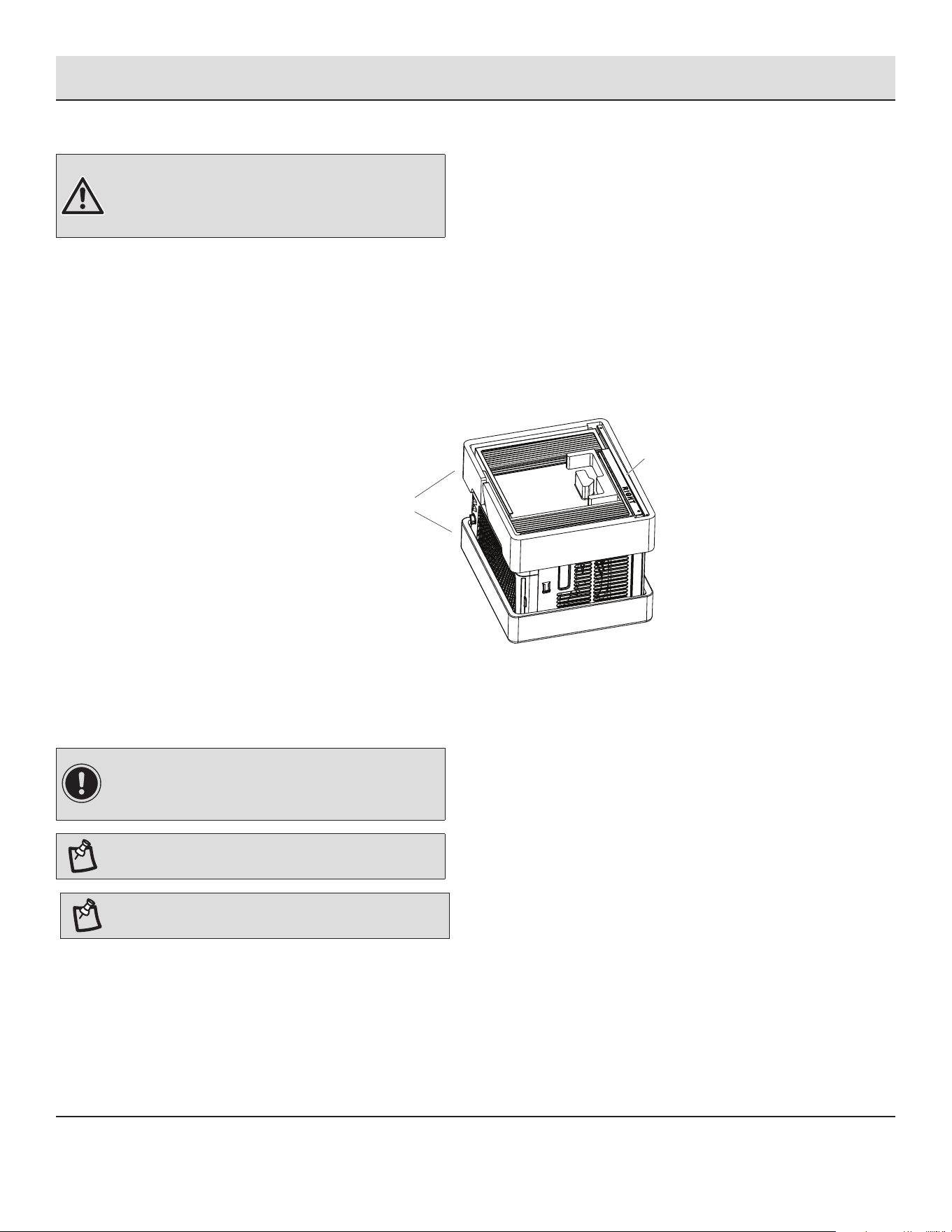
□ Remove top rail (II) from the packaging material.
II
II
II
Packaging Material
Packaging Material
Packaging Material
LOCATION REQUIREMENTS
Before you Begin
Read these instructions completely and carefully.
IMPORTANT:
□ Save these instructions for local inspector’s use.
□ Observe all governing codes and ordinances.
NOTE: Installer, be sure to leave these instructions with
the Consumer.
NOTE: Consumer, keep these instructions for future
reference.
□ Skill level: Installation of this appliance requires basic mechanical skills.
□ Completion time: Approximately 1 hour.
□ We recommend that two people install this product.
8
Pre-Installation (continued)
□ Proper installation is the responsibility of the installer.
□ Product failure due to improper installation is not covered under the warranty.
□ You MUST use all supplied parts and use proper installation procedures as described in these instructions when installing this air
conditioner.
IMPORTANT: Observe all governing codes and
ordinances.
Check the location where air conditioner will be installed. Proper installation is your responsibility. Make sure you have everything
necessary for correct installation.
The location should provide:
□ Do not use an extension cord. The appliance shall be installed in accordance with national wiring regulations.
□ Free movement of air in room to be cooled.
□ A large enough opening for the air conditioner.
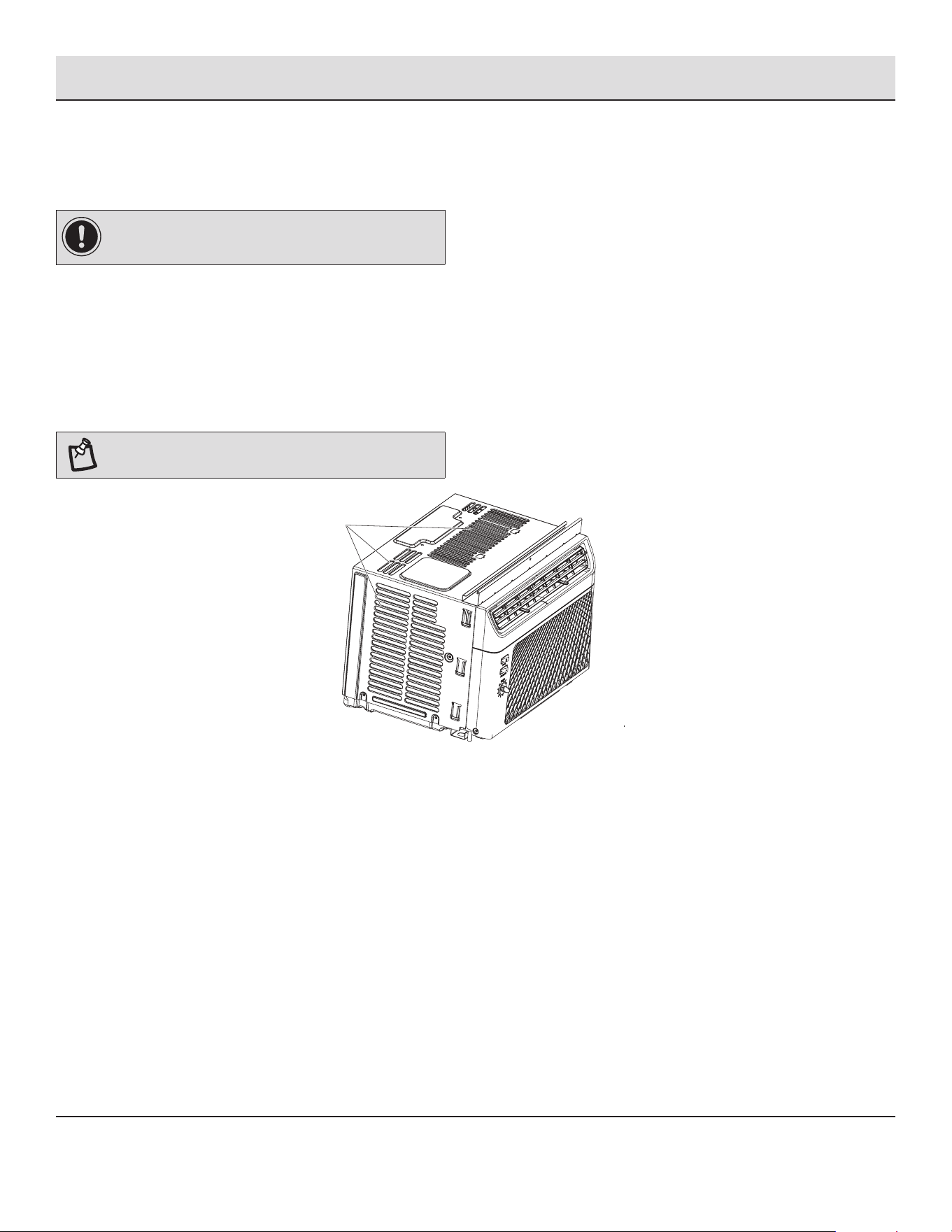
NOTE: Cabinet louvers (A) must not be obstructed. Air
must be able to pass freely through the cabinet louvers.
AA
A
9 HOMEDEPOT.COM
Please contact 1-877-527-0313 for further assistance.
Pre-Installation (continued)
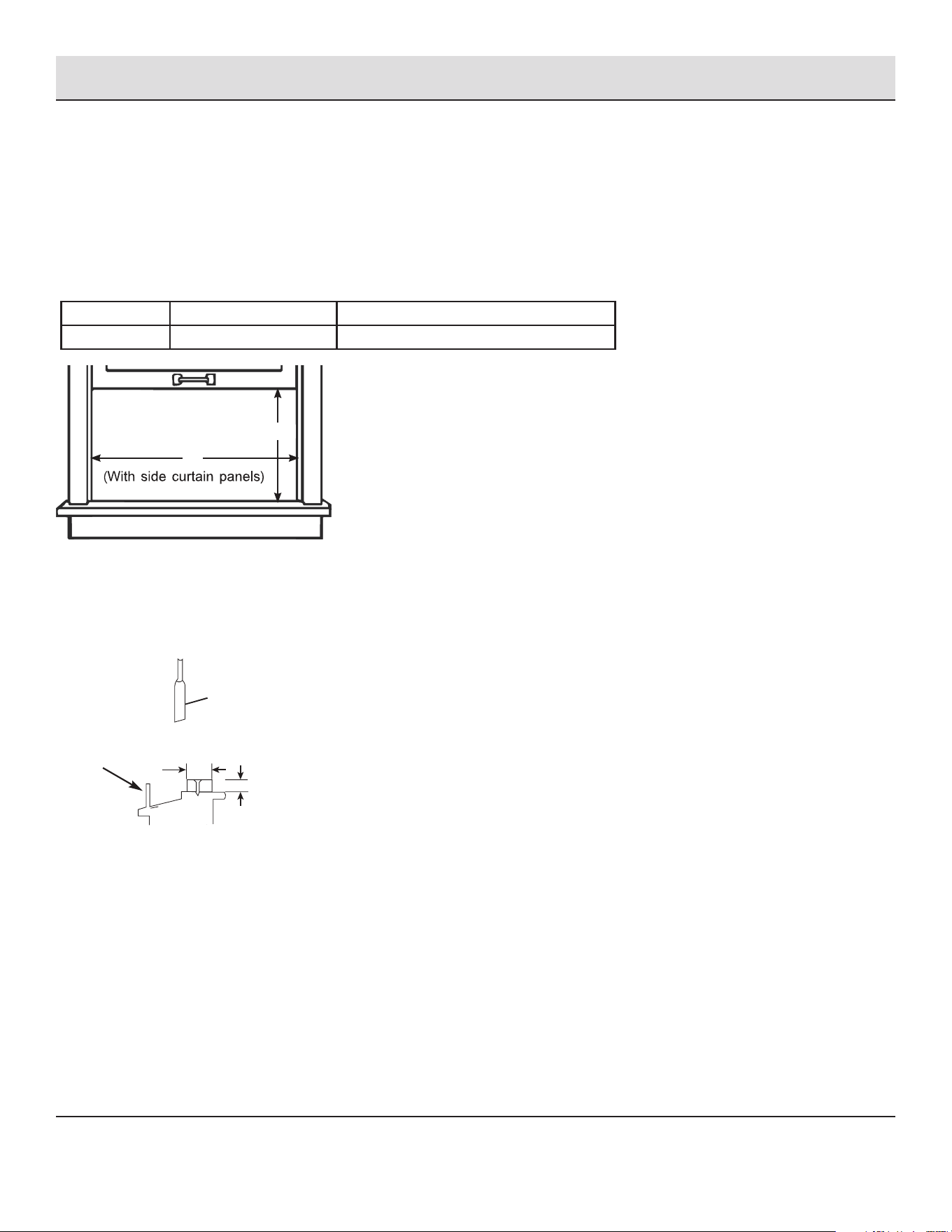
WINDOW OPENING MEASUREMENTS
□ These instructions are for a standard double-hung window. You will need to modify them for other types of windows.
□ The air conditioner can be installed without the side curtain panels if needed to t in a narrow window. See the window opening
dimensions.
□ All supporting parts must be secured to rm wood, masonry or metal.
□ The electrical outlet must be within reach of the power cord.
□ Follow the dimensions in the table and illustration for your model.
Models A B
5KBTU 12 2/5 inch (315 mm) min 22 inch (559 mm) - 37 4/5 inch (960 mm)
A
B
IF AC IS BLOCKED BY STORM WINDOW
Add wood as shown, or remove storm window before air conditioner is installed.
If storm window frame must remain, be sure the drain holes or slots are not caulked or painted shut. Accumulated rain water or
condensation must be allowed to drain out.
Storm window
frame or other
obstruction.
Sash
1 - 1/2 in. min
(38 mm)
Board thickness as
required, for proper
pitch to rear, along
entire sill. Fasten
with nails or screws.
10
Installation
1
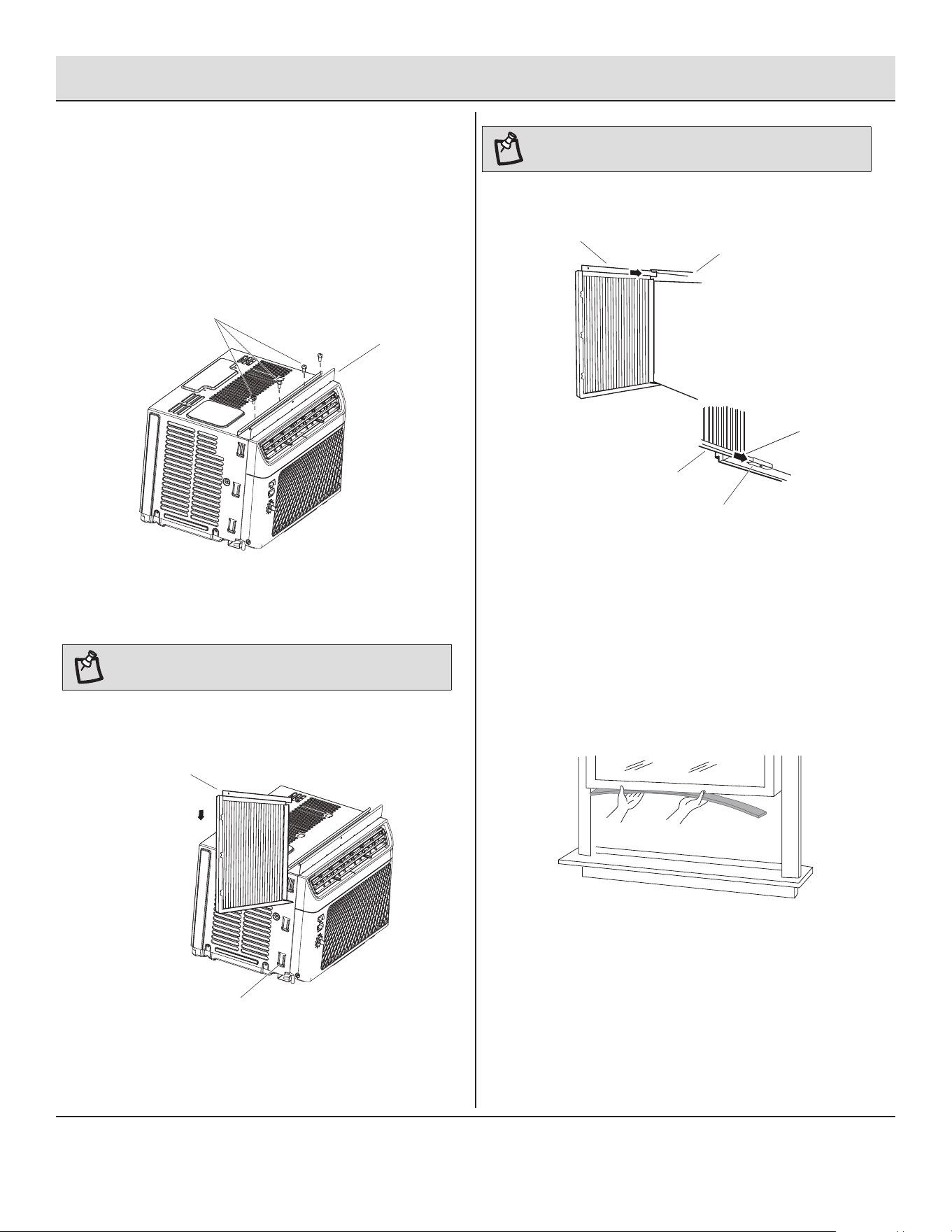
Attaching the Top Rail
□ Locate the bag of screws provided.
□ Place the top rail (B) on top of the air conditioner cabinet,
lining up the 4 holes in the top rail (B) with the 4 holes on
top of the air conditioner cabinet.
□ Using four 3/8 inch (10 mm) screws (A), attach the top rail
(B) to the air conditioner cabinet.
A
A
B
NOTE: Attach side curtains to the air conditioner before
placing the air conditioner in window.
□ Insert top and then bottom of right-hand curtain housing
(A) in top and bottom curtain rails (B) on air conditioner.
BB
B
A
A
A
A
A
A
B
B
B
□ Slide the curtain housing into the channels as far as it will
go.
□ Repeat above steps for the left-hand curtain.
2
Installing the Side Curtains
NOTE: Attach curtains to the air conditioner before placing
the air conditioner in window.
□ Slide the side curtain (HH) directly into the cabinet (B).
□ Slide the side curtain (HH) down.
B
HH
3
Attaching the Adhesive Seal
□ Cut the adhesive seal to the width of the lower window sash.
□ Remove the backing from the seal and attach the seal to the
bottom of the lower window sash.
11 HOMEDEPOT.COM
Please contact 1-877-527-0313 for further assistance.
Installation (continued)
4
Placing Air Conditioner in Window
WARNING: Excessive Weight Hazard
□ Use two or more people to move and install air conditioner.
□ Failure to do so can result in back or other injury.
NOTES:
□ Handle air conditioner gently.
□ Be sure your air conditioner does not fall out of the opening
during installation or removal.
□ Do not block the louvers in the front panel.
□ Do not block the louvers on the outside of the air conditioner.
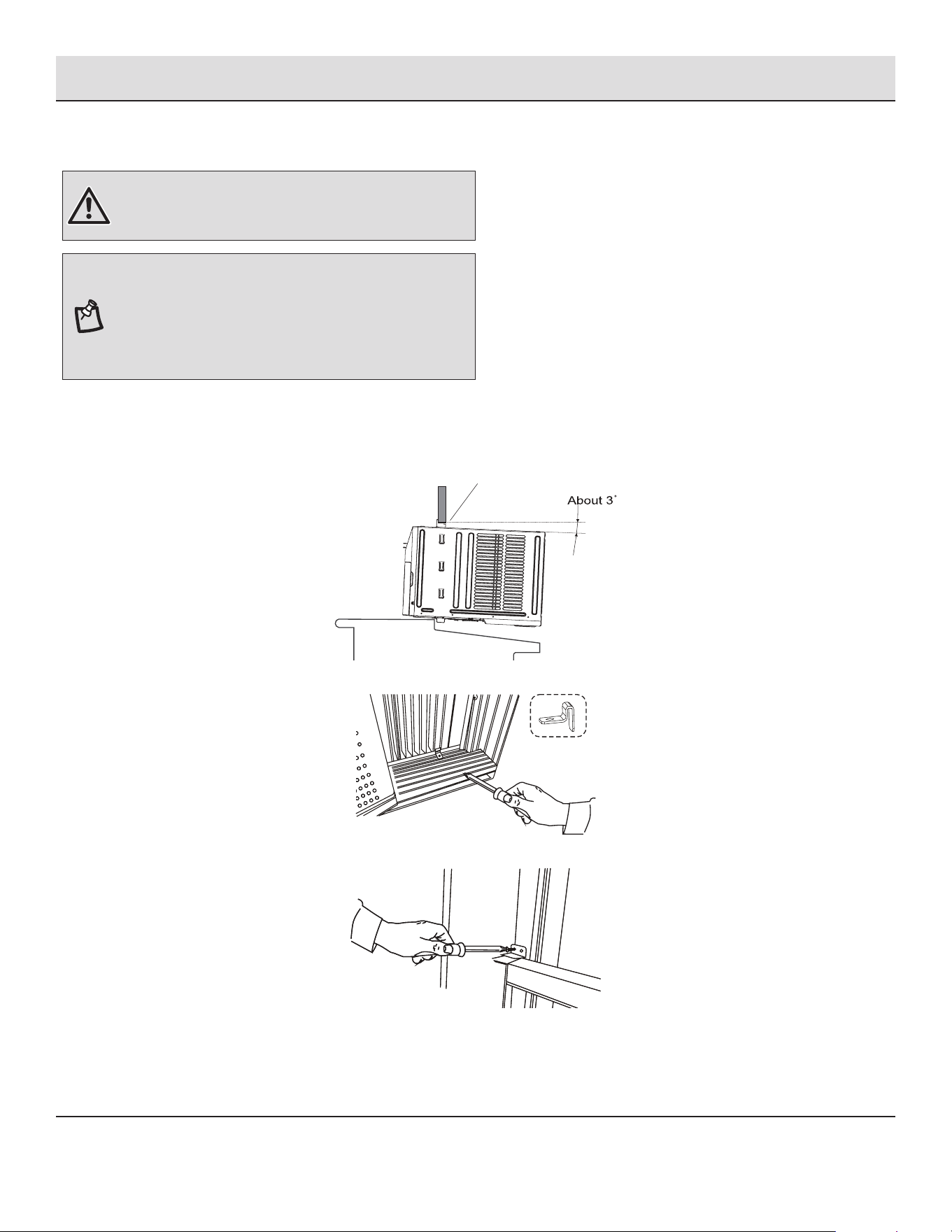
□ Center air conditioner in window. Lower the window sash (A) behind the top rail to hold cabinet in place.
□ Keep a rm grip on the air conditioner, carefully place the unit into the window opening so the bottom of the air conditioner frame
is against the window sill and make sure the unit is staying center of the window.
□ Carefully close the window behind the top rail of the unit.
A
□ Place the frame lock between the frame extensions and the window sill with 3/4 inch (19 mm) screw as shown.
□ To secure lower sash in place, attach right angle sash lock with 3/4 inch (19 mm) screw as shown.
12
Installation (continued)
5
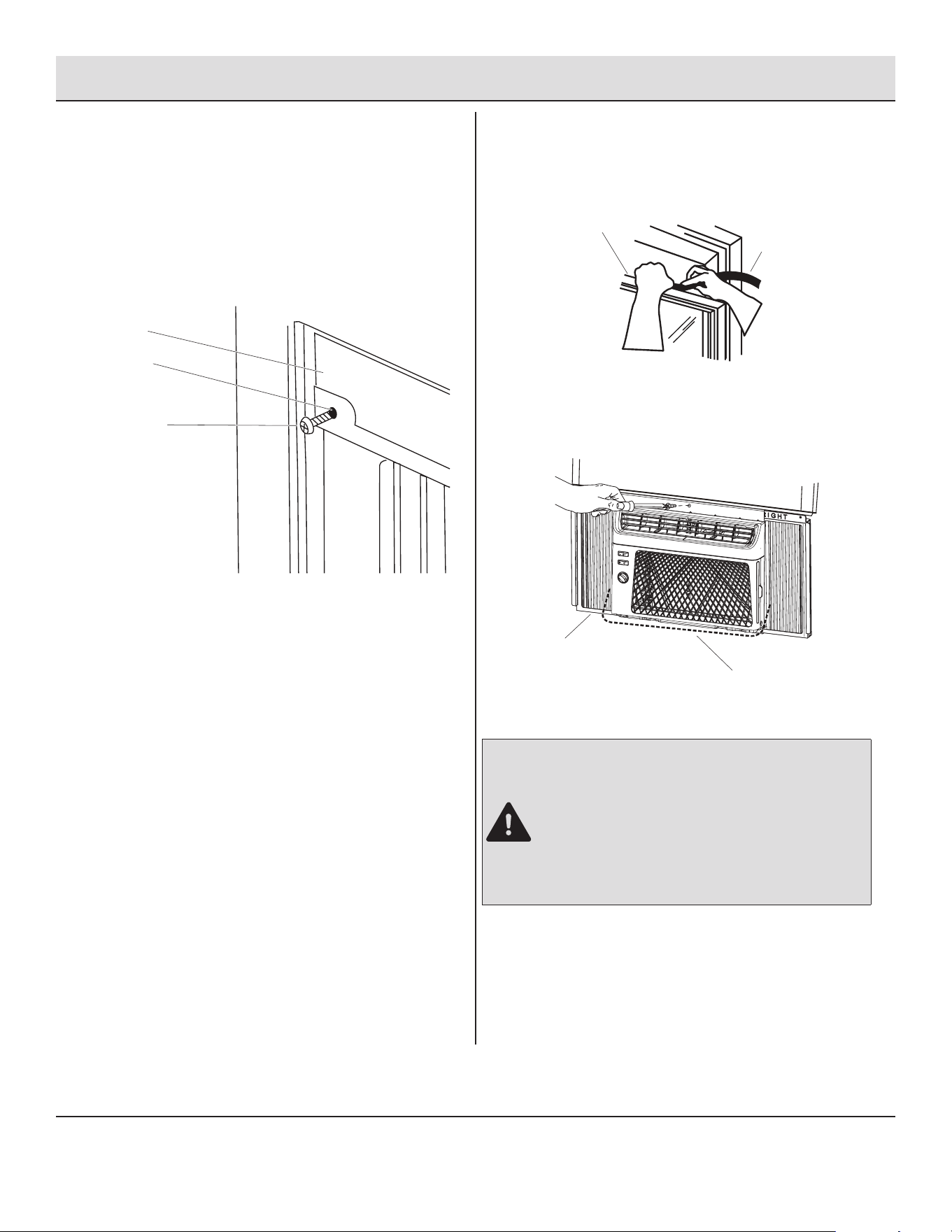
Attaching Side Curtains to Window
□ Pull the left-hand curtain out until it ts into the window
channel.
□ Use a 1/8 inch (3 mm) drill bit to drill a starter hole through
the hole in the top rail.
□ Insert one of the 3/4 inch (19 mm) screws (C) through the
left-hand curtain (B) and into the window sash (A).
C
C
B
B
A
A
6
Completing Installation
□ Insert foam seal (B) behind the top of the lower window
sash (A) and against the glass of the upper window.
A
B
□ Use a 1 /8 inch (3 mm) drill bit to drill a starter hole through
the hole in the top rail.
□ Attach top channel to window sash with one 3/4 inch (19
mm) screw to secure window in place.
C
D
□ Check the gap (D) around the unit (C) and seal it with the
adhesive seal attached.
DANGER: ELECTRICAL SHOCK HAZARD
□ Plug into a grounded 3-prong outlet.
□ Do not remove ground prong.
□ Do not use an adapter.
□ Do not use an extension cord.
□ Failure to follow these instructions can result in death,
re, or electrical shock.
□ Plug into a grounded 3-prong outlet.
□ Press RESET on the power supply cord. See “Electrical
Requirements”.
13 HOMEDEPOT.COM
Please contact 1-877-527-0313 for further assistance.
Operation
AIR CONDITIONER USE
IMPORTANT:
□ If you turn off the air conditioner, wait at least 3 minutes before turning it back on. This prevents the air conditioner from
blowing a fuse or tripping a circuit breaker.
□ Air conditioner in the Cool mode operation the better limits: Outdoor 64.4-109.4°F (18-43 °C), 80% RH; indoor 62.6-89.6°F
(17-32°C), 80% RH.
□ Operating your air conditioner properly helps you to obtain the best possible results.
□ This section explains proper air conditioner operation.
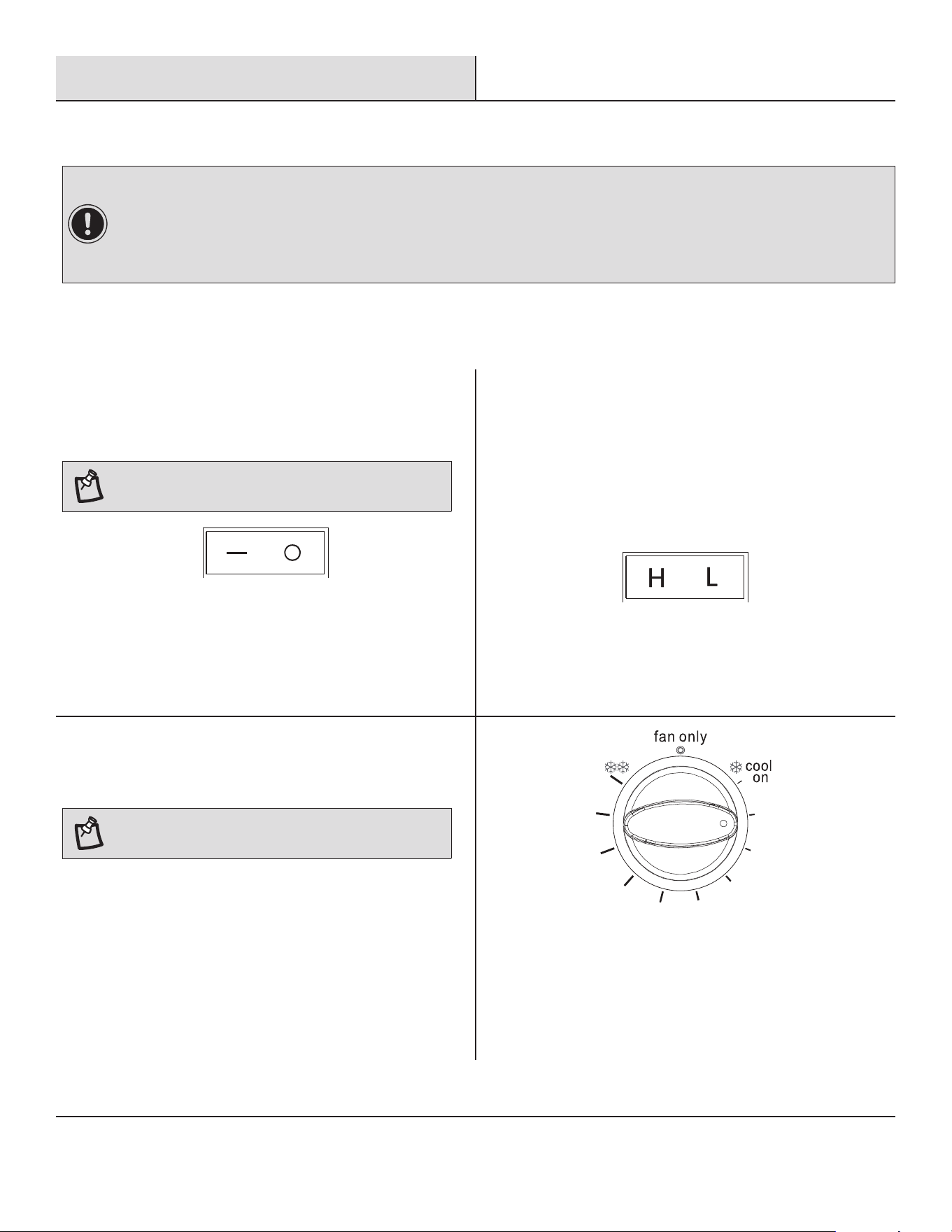
1
Power
□ Press the power button to turn on the air conditioner.
NOTE: Wait 3 minutes before restarting the appliance to
prevent damaging the compressor.
2
Fan Speed
□ Use the Fan Speed button to select your choice of fan
speeds for air circulation.
□ Choose High or Low.
□ High - for maximum cooling
□ Low - for quieter cooling
3
Fan Only
□ Fan Only mode. Press Fan Speed to select High or Low.
NOTE: In Fan Only mode, the compressor will not run.
14
Operation (continued)
4
Thermostat
□ The thermostat is used to set the desired room temperature
when the unit is being operated in the COOL MODE.
□ To set the desired room temperature, rotate the thermostat
switch to the desired setting. After the set temperature is
achieved the thermostat will automatically start and stop the
compressor in order to maintain the desired set temperature.
□ Rotate the thermostat selector clockwise for higher cool
settings.
□ Higher cool settings will provide lower room temperature.
Rotate the thermostat selector counterclockwise for lower
cool settings. Lower cool settings will provide higher room
temperature.
NOTE: The controls featured in this manual are
representative of many available models. Your model may
offer slightly different features.
5
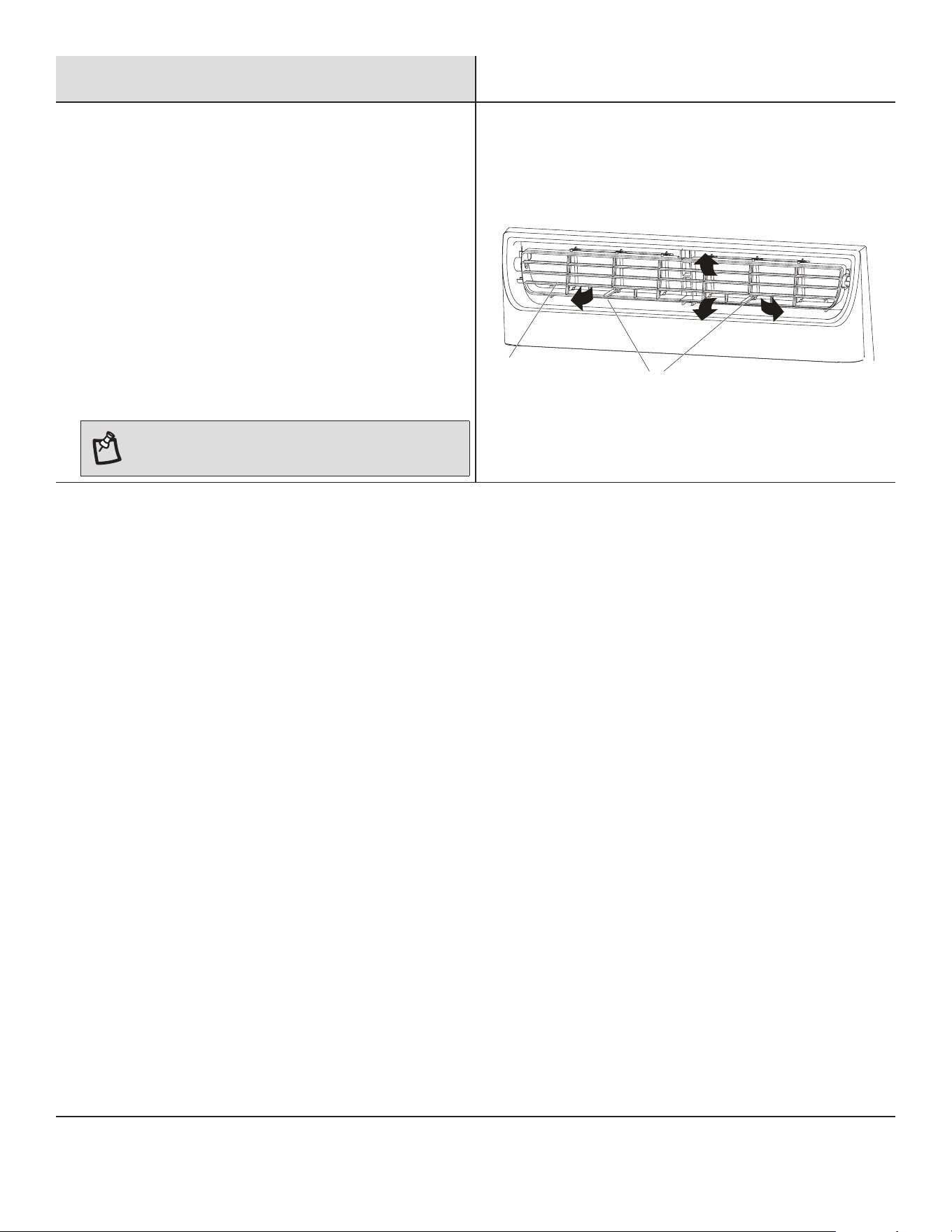
Changing Air Direction
□ Use the Vertical Level Vane (A) to direct the air right or left.
Use the whole cartridge (B) to direct air up, down or straight
ahead.
B
A
6
Normal Sounds
When your air conditioner is operating normally, you may hear sounds such as:
□ Droplets of water hitting the condenser, causing a pinging or clicking sound. The water droplets help cool the condenser.
□ Air movement from the fan.
□ Clicks from the thermostat cycle.
□ Vibrations or noise due to poor wall or window construction.
□ A high-pitched hum or pulsating noise caused by the modern high-efciency compressor cycling on and off.
15 HOMEDEPOT.COM
Please contact 1-877-527-0313 for further assistance.
Care and Cleaning
Your new air conditioner is designed to give you many years of dependable service. This section tells you how to clean and care for your air
conditioner properly. Call your local authorized dealer for an annual checkup. Remember the cost of this service call is your responsibility.
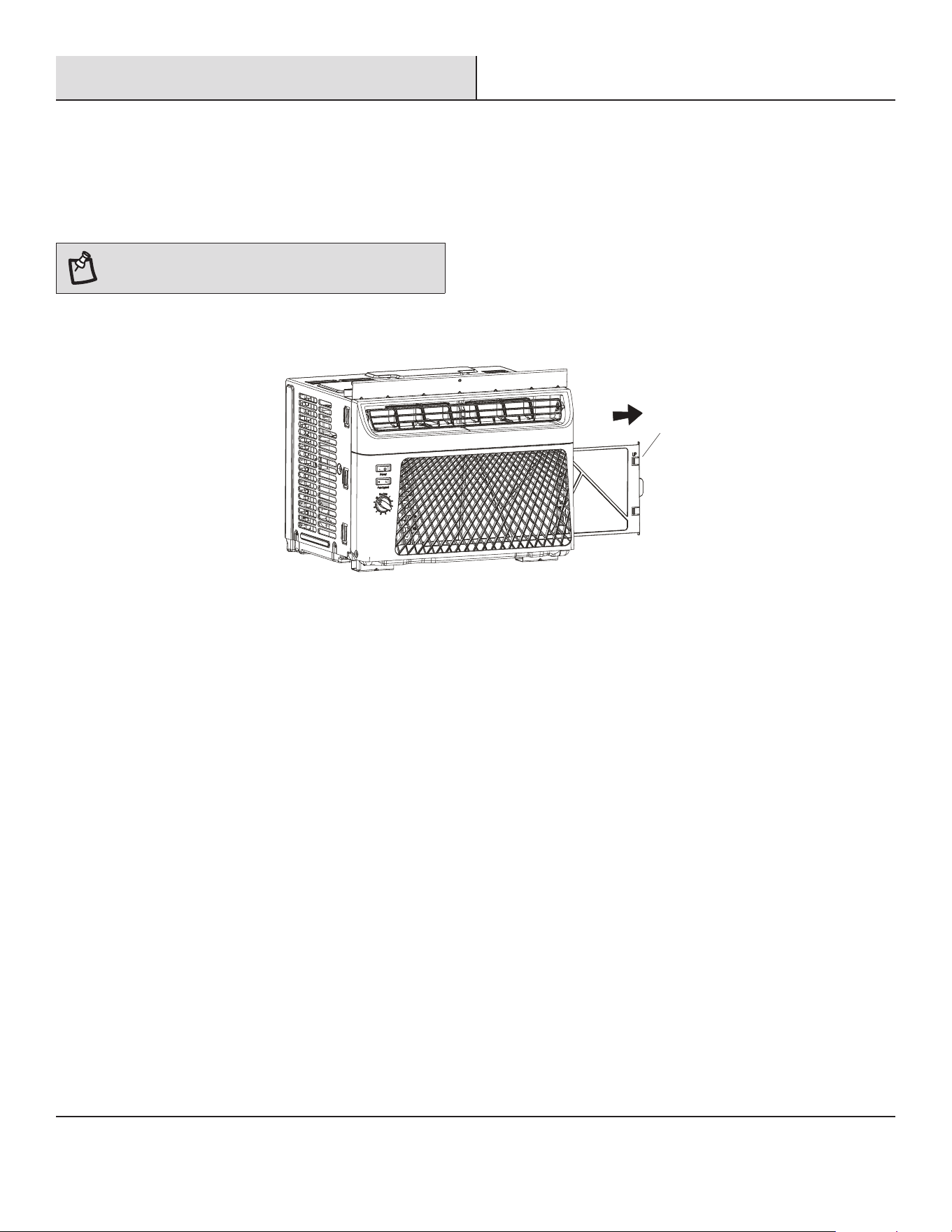
CLEANING THE AIR FILTER
The air lter is removable for easy cleaning. A clean lter helps remove dust, lint, and other particles from the air and is important for best
cooling and operating efciency. Check the lter every 2 weeks to see whether it needs cleaning.
NOTE: Do not operate the air conditioner without the lter
in place.
□ Turn off the air conditioner.
□ Remove the air lter (A) by sliding the lter out from the right-hand side of the front panel.
A
□ Use a vacuum cleaner to clean the air lter (A). If the air lter is very dirty, wash it in warm water with a mild detergent. Do not
wash the air lter in the dishwasher or use any chemical cleaners. Air dry the lter completely before replacing to ensure maximum
efciency.
□ Replace the air lter back into the air conditioner.
CLEANING THE FRONT PANEL
□ Turn off the air conditioner.
□ Clean the front panel with a soft, damp cloth.
□ Air dry the front panel completely.
REPAIRING PAINT DAMAGE
Check once or twice a year for paint damage. This is very important, especially in areas near oceans or where rust is a problem. If needed,
touch up with a good grade enamel paint.
ANNUAL MAINTENANCE
Your air conditioner needs annual maintenance to help ensure steady, top performance throughout the year. Call your local authorized
dealer to schedule an annual checkup. The expense of an annual inspection is your responsibility.
16
Troubleshooting
Problem Solution
Air conditioner will not operate
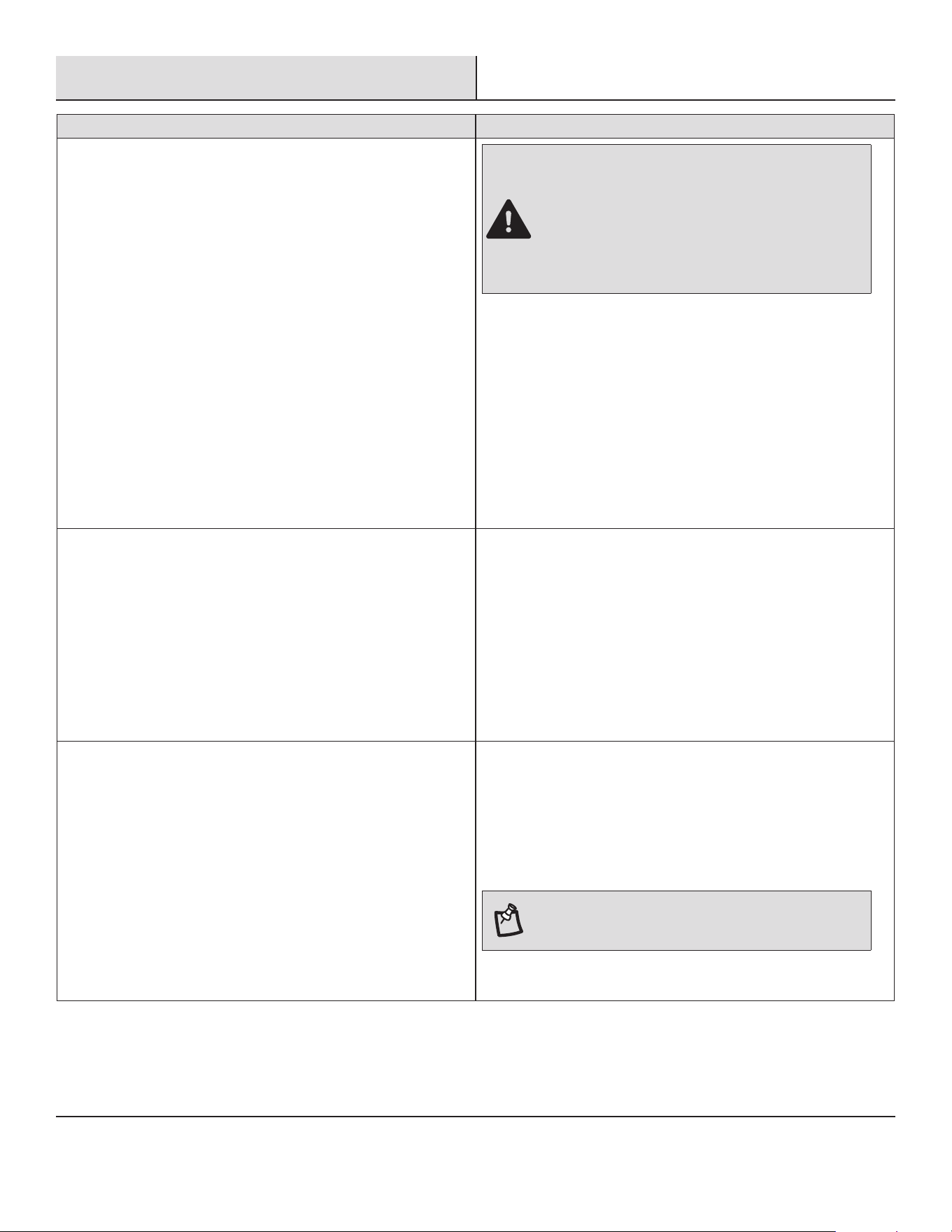
DANGER: ELECTRICAL SHOCK HAZARD
□ Plug into a grounded 3-prong outlet.
□ Do not remove ground prong.
□ Do not use an adapter.
□ Do not use an extension cord.
□ Failure to follow these instructions can result in death,
re, or electrical shock.
□ The power supply cord is unplugged. Plug into grounded
3-prong outlet. See “Electrical Requirements”.
□ The power supply cord has tripped (RESET button has popped
out). Press and release RESET to resume operation.
□ A household fuse has blown, or circuit breaker has tripped.
Replace the fuse or reset the circuit breaker. If the problem
continues, call an electrician. See “Electrical Requirements”.
□ The Power button has not been pressed. Press the Power but-
ton.
□ The local power has failed. Wait for power to be restored.
Air conditioner blows fuses or trips circuit breakers □ Too many appliances are being used on the same circuit. Unplug
or relocate appliances that share the same circuit.
□ Time-delay fuse or circuit breaker of the wrong capacity is be-
ing used. Replace with a time-delay fuse or circuit breaker of
the correct capacity. See “Electrical Requirements”.
□ An extension cord is being used. Do not use an extension cord
with this or any other appliance.
□ You are trying to restart the air conditioner too soon after turn-
ing off the air conditioner. Wait at least 3 minutes after turning
off the air conditioner before trying to restart the air conditioner.
Air conditioner power supply cord trips (Reset button pops out) □ Disturbances in your electrical current can trip (RESET button
will pop out) the power supply cord. Press and release RESET to
resume operation.
□ Electrical overloading, overheating, cord pinching or aging can
trip (RESET button will pop out) the power supply cord. After
correcting the problem, press and release RESET to resume
operation.
NOTE: A damaged power supply cord must be
replaced with a new power supply cord obtained from
the product manufacturer and must not be repaired.
17 HOMEDEPOT.COM
Please contact 1-877-527-0313 for further assistance.
Troubleshooting (continued)
Problem Solution
Air conditioner seems to run too much □ The current air conditioner replaced an older model. The use of
more efcient components may cause the air conditioner to run
longer than an older model, but the total energy consumption
will be less. Newer air conditioners do not emit the “blast” of
cold air you may be accustomed to from older air conditioners,
but this is not an indication of lesser cooling capacity or ef-
ciency. Refer to the efciency rating (EER) and capacity rating
(in Btu/h) marked on the air conditioner.
□ The air conditioner is in a heavily occupied room, or heat
producing appliances are in use in the room. Use exhaust vent
fans while cooking or bathing and try not to use heat producing
appliances during the hottest part of the day. A higher capacity
air conditioner may be required, depending on the size of the
room being cooled.
Air conditioner cycles on and off too much or does not cool □ The air conditioner is not properly sized for your room. Check
the cooling capabilities of your room air conditioner. Room air
conditioners are not designed to cool multiple rooms.
□ The lter is dirty or obstructed by debris. Clean the lter.
□ The inside evaporator and outside condenser coils are dirty or
obstructed by debris. See Annual Maintenance.
□ There is excessive heat or moisture (open container cooking,
showers, etc.) in the room. Use a fan to exhaust heat or mois-
ture from the room. Try not to use heat producing appliances
during the hottest part of the day.
□ The louvers are blocked. Install the air conditioner in a location
where the louvers are free from curtains, blinds, furniture, etc.
□ The temperature of the room you are trying to cool is extremely
hot. Allow extra time for the air conditioner to cool off a very hot
room.
□ Windows or doors to the outside are open. Close all windows
and doors.
□ The Temp control is not at a cool enough setting. Adjust the
Temp control to a cooler setting by pressing the minus button to
reduce the temperature. Set the Fan Speed control to the high-
est setting.
Water drips from cabinet into your house □ The air conditioner is not properly leveled. The air conditioner
should slope slightly downward toward the outside. Level the air
conditioner to provide a downward slope toward the outside to
ensure proper drainage. See the Installation Instructions.
NOTE: Do not drill a hole in the bottom of the metal
base and condensate pan.

Questions, problems, missing parts? Before returning to the store,
call Vissani Customer Service
8 a.m. - 7 p.m., EST, Monday - Friday, 9 a.m. - 6 p.m., EST, Saturday
1-877-527-0313
HOMEDEPOT.COM
Retain this manual for future use.
4237460-01