Quiet Quiet Plus Engage Engage Plus
Experience Experience Plus Switch
How to
insert YOUR
EARPLUGS
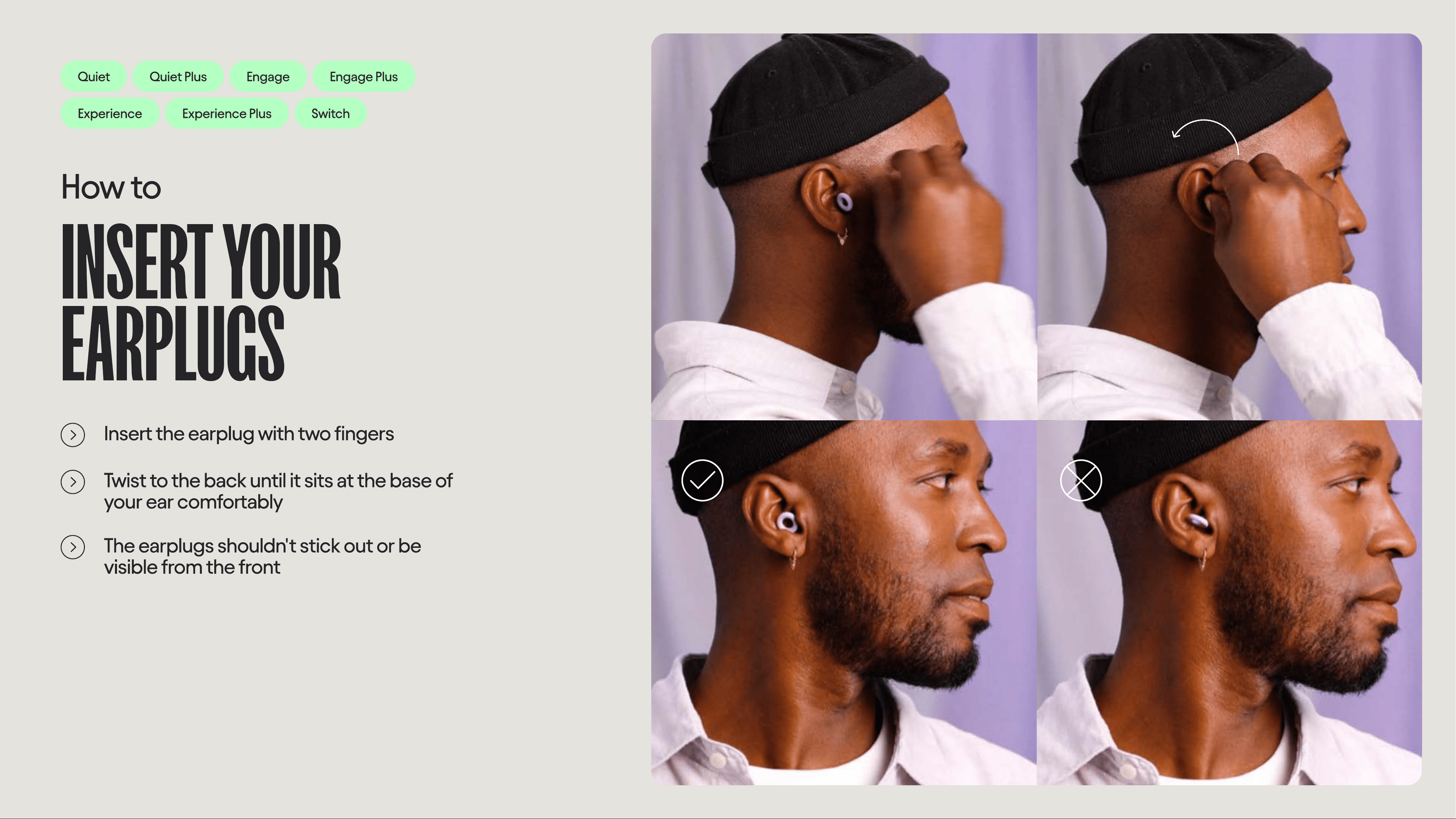
Insert the earplug with two fingers
Twist to the back until it sits at the base of
your ear comfortably
The earplugs shouldn't stick out or be
visible from the front
Dream
How to
INSERT LOO
DREAM
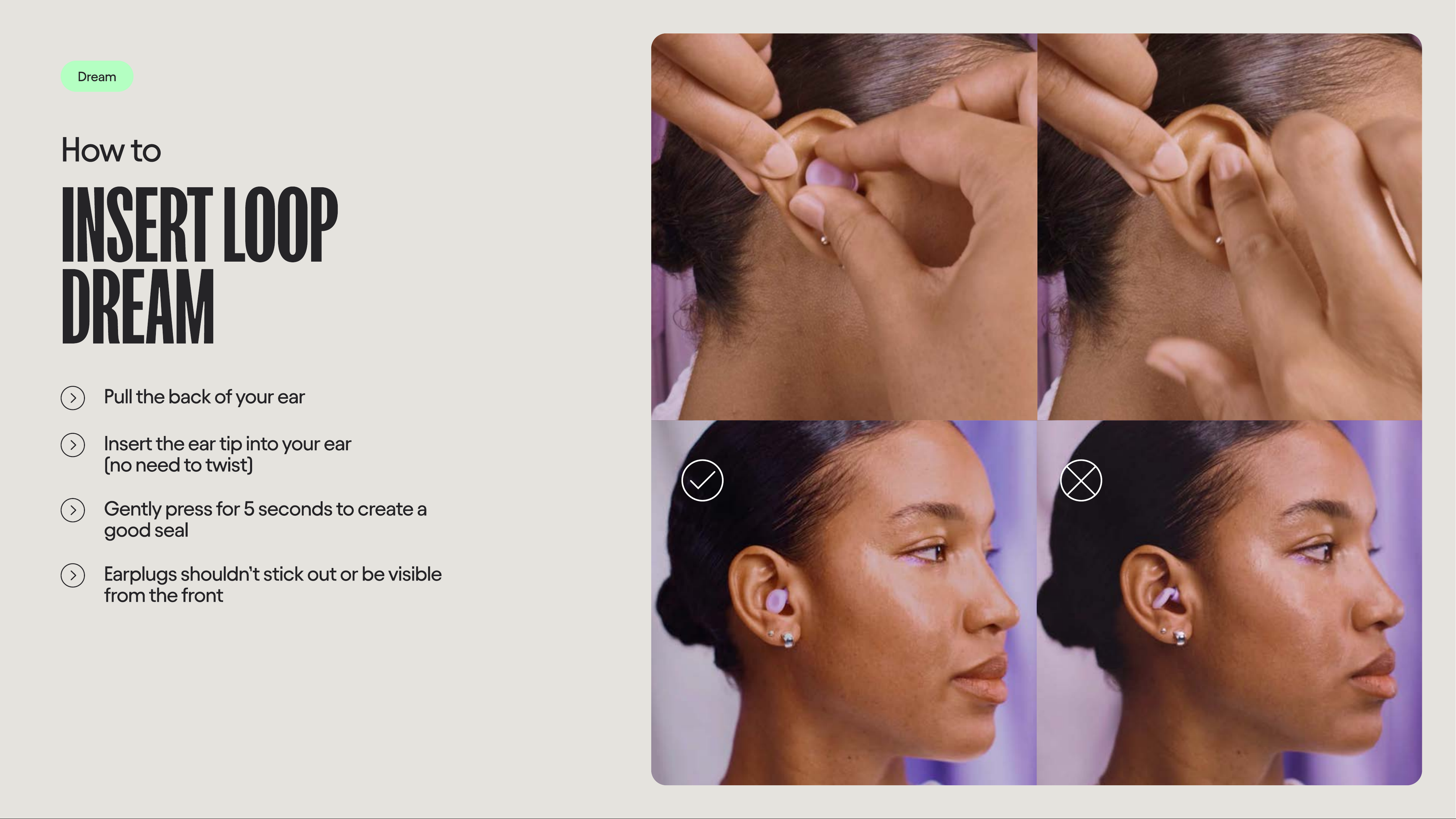
Pull the back of your ear
Insert the ear tip into your ear
(no need to twist)
Gently press for 5 seconds to create a
good seal
Earplugs shouldn’t stick out or be visible
from the front
Engage 2 Kids
How to
INSERT KIDS EARPLUGS
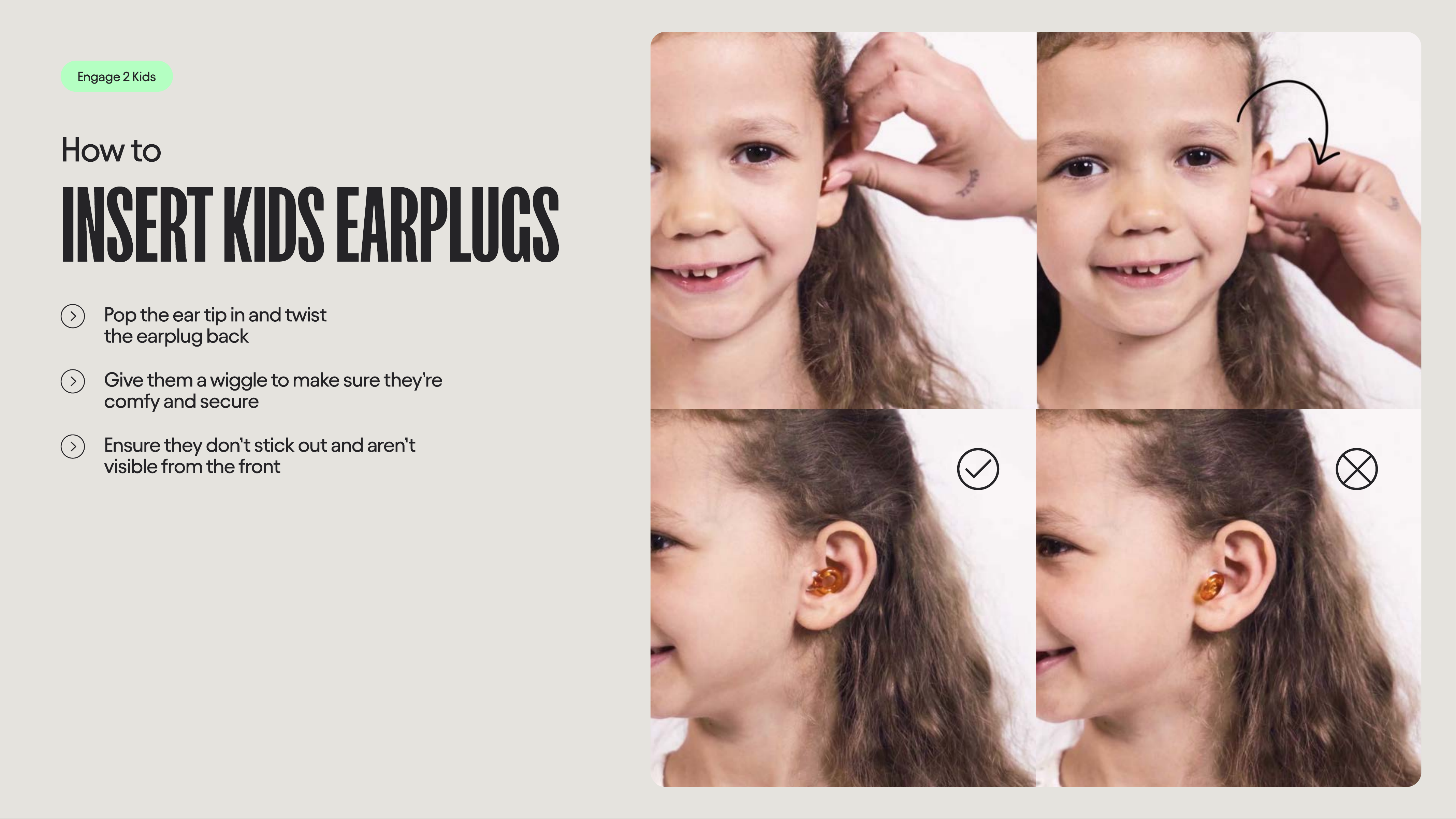
Pop the ear tip in and twis
the earplug back
Give them a wiggle to make sure they’re
comfy and secure
Ensure they don’t stick out and aren’t
visible from the front
All earplugs
How to
FIND your
perfect size
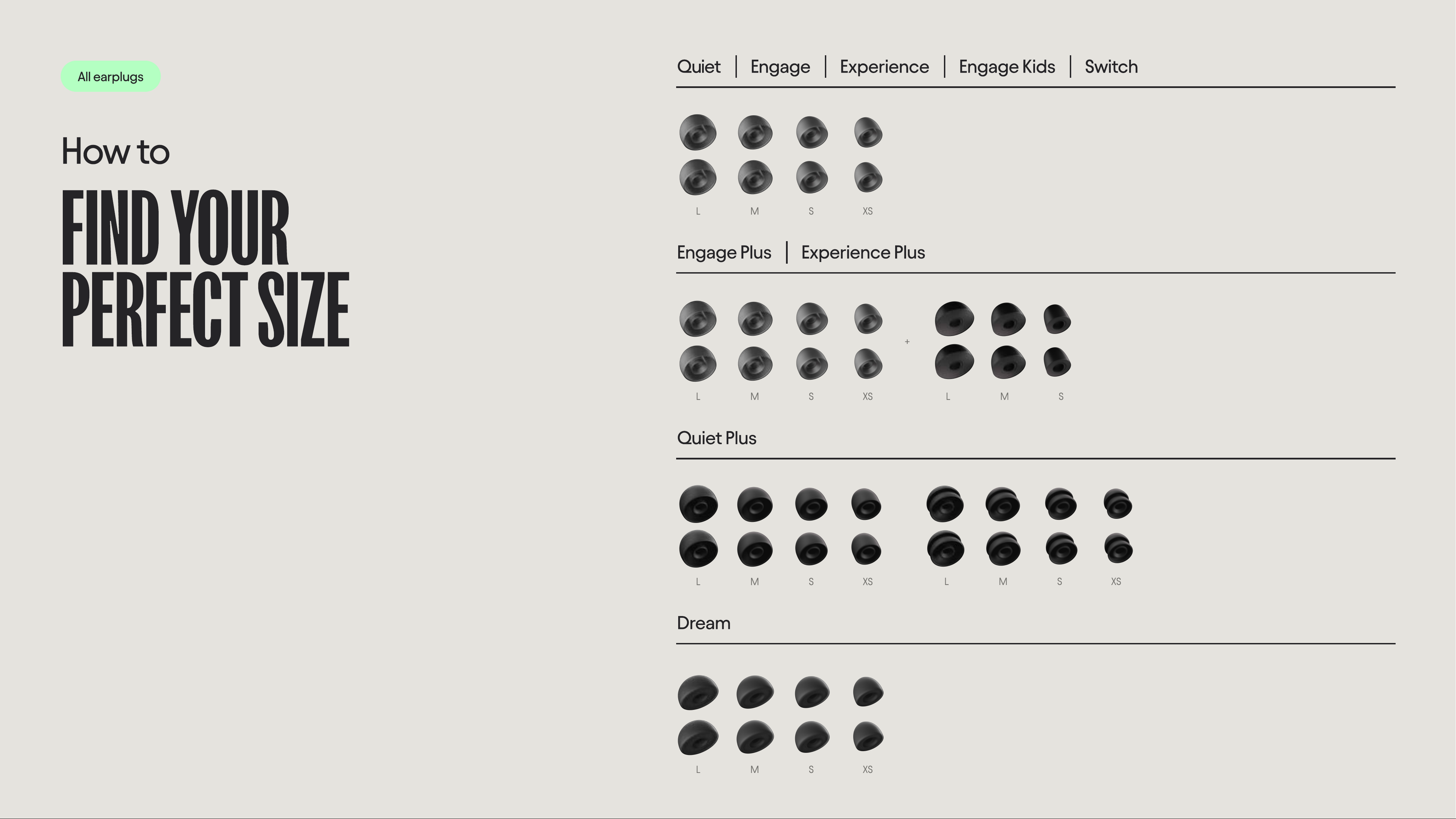
L M S XS
L M S XS
L M S XS
L M S XS
L M S XS
L M S
+
Quiet Engage Experience Engage Kids Switch
Quiet Plus
Engage Plus Experience Plus
Dream
All earplugs
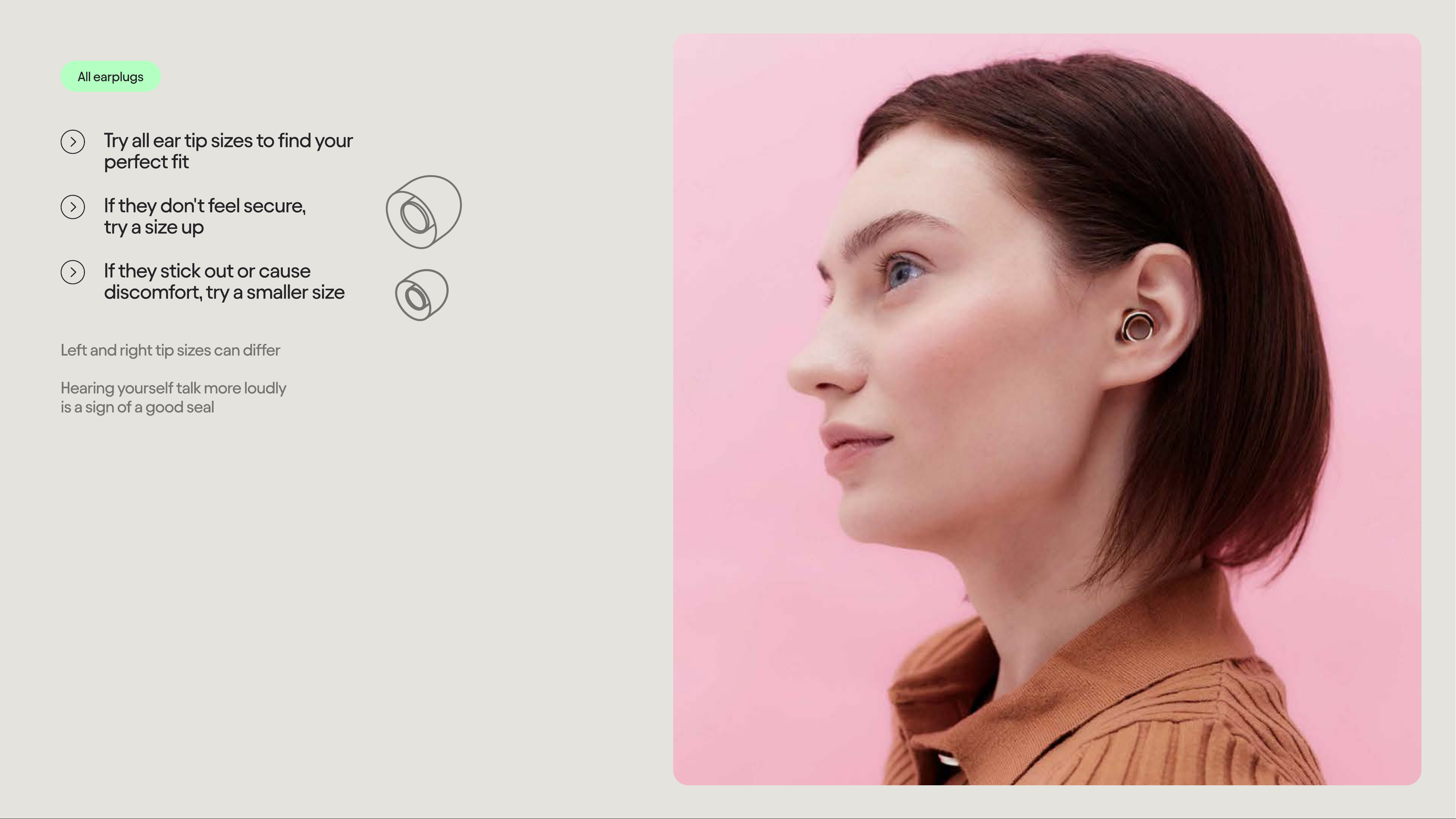
Try all ear tip sizes to find your
perfect fit
If they don't feel secure,
try a size up
If they stick out or cause
discomfort, try a smaller size
Left and right tip sizes can diffe
Hearing yourself talk more loudly
is a sign of a good seal
Dream
How to
CHANGE LoO
DREAM EAR TIPS
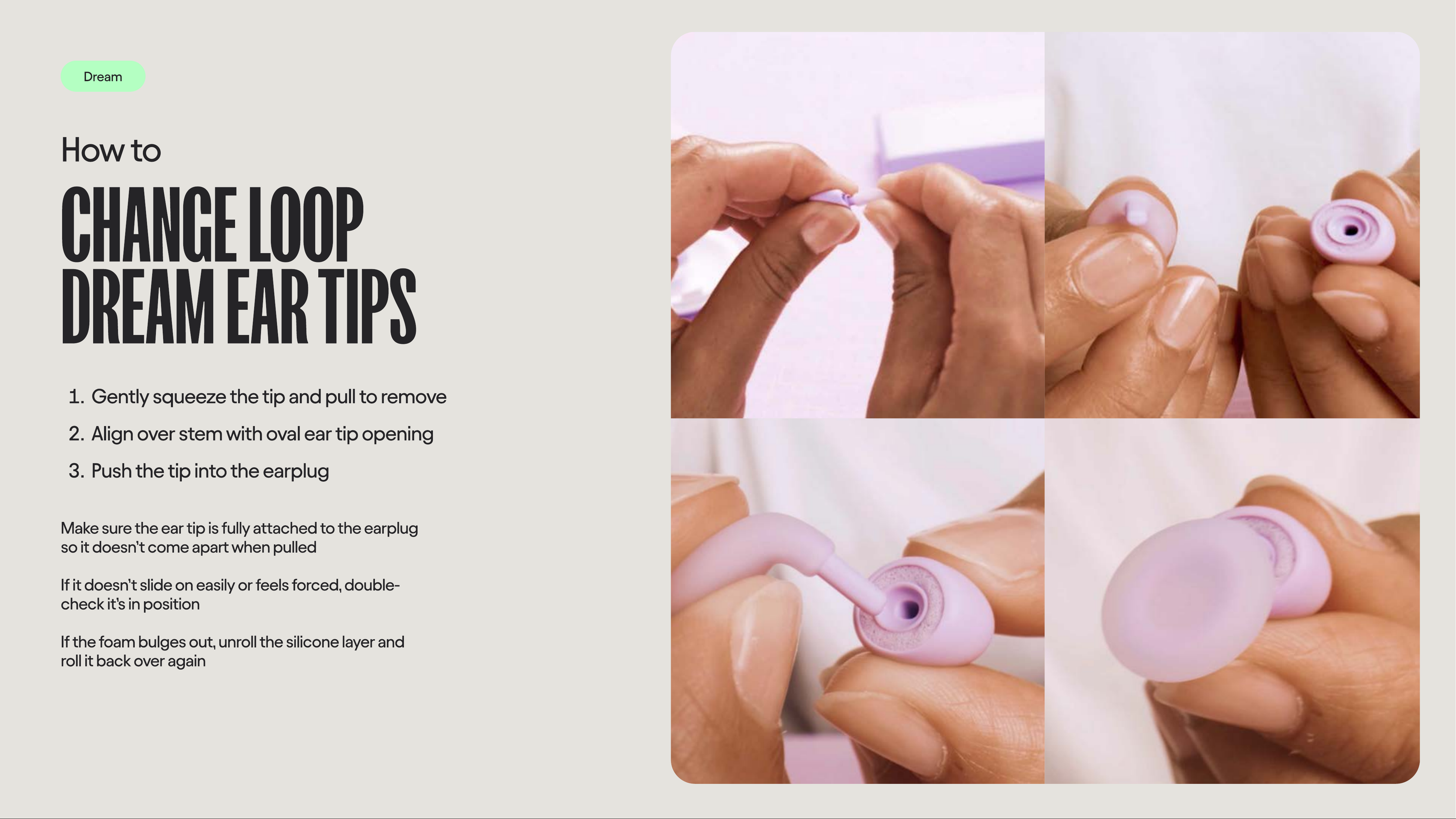
Gently squeeze the tip and pull to remov
Align over stem with oval ear tip openin
Push the tip into the earplug
Make sure the ear tip is fully attached to the earplug
so it doesn’t come apart when pulle
If it doesn’t slide on easily or feels forced, double-
check it’s in positio
If the foam bulges out, unroll the silicone layer and
roll it back over again
Quiet Quiet Plus Engage Engage Plus
Experience Experience Plus Switch
How to
Clean YOU
EARPLUGS
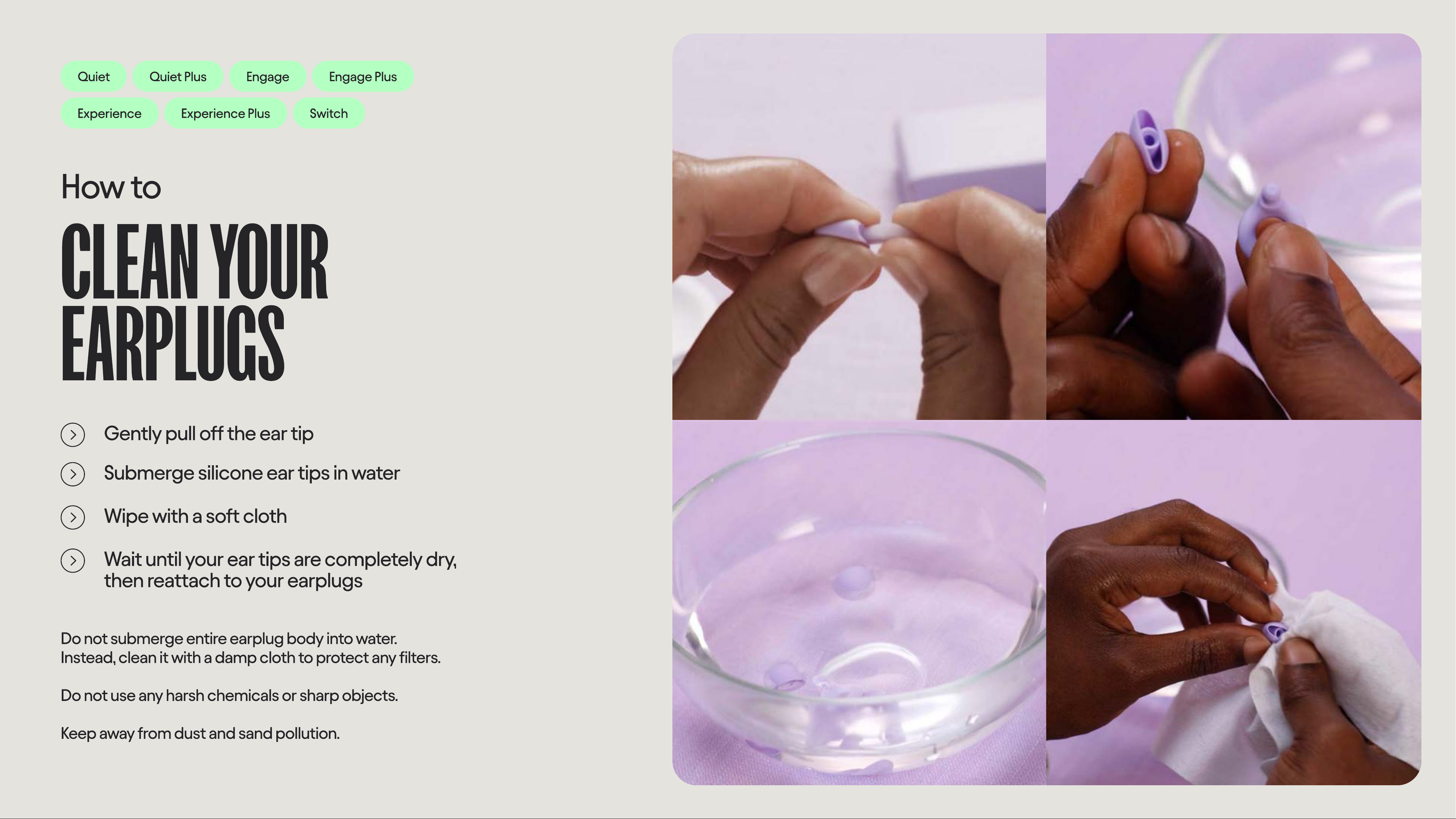
Gently pull off the ear tip
Submerge silicone ear tips in water
Wipe with a soft cloth
Wait until your ear tips are completely dry,
then reattach to your earplugs
Do not submerge entire earplug body into water.
Instead, clean it with a damp cloth to protect any filters
Do not use any harsh chemicals or sharp objects
Keep away from dust and sand pollution.
Dream
How to
Clean LOO
DREAM
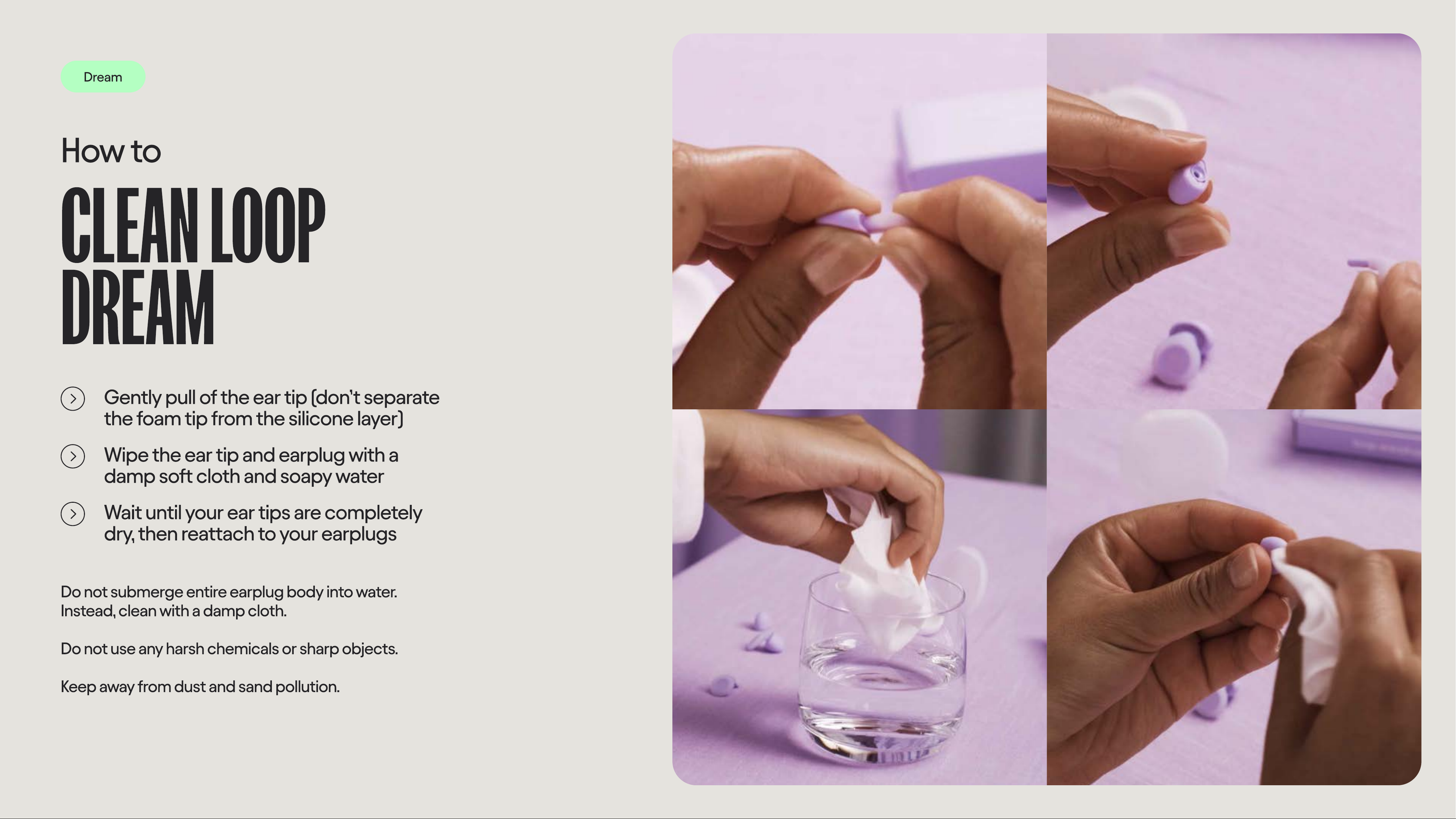
Gently pull of the ear tip (don’t separate
the foam tip from the silicone layer)
Wipe the ear tip and earplug with a
damp soft cloth and soapy water
Wait until your ear tips are completely
dry, then reattach to your earplugs
Do not submerge entire earplug body into water.
Instead, clean with a damp cloth
Do not use any harsh chemicals or sharp objects
Keep away from dust and sand pollution.
Loop Engage Plus Loop Experience Plus
How to
Insert
loop Mute
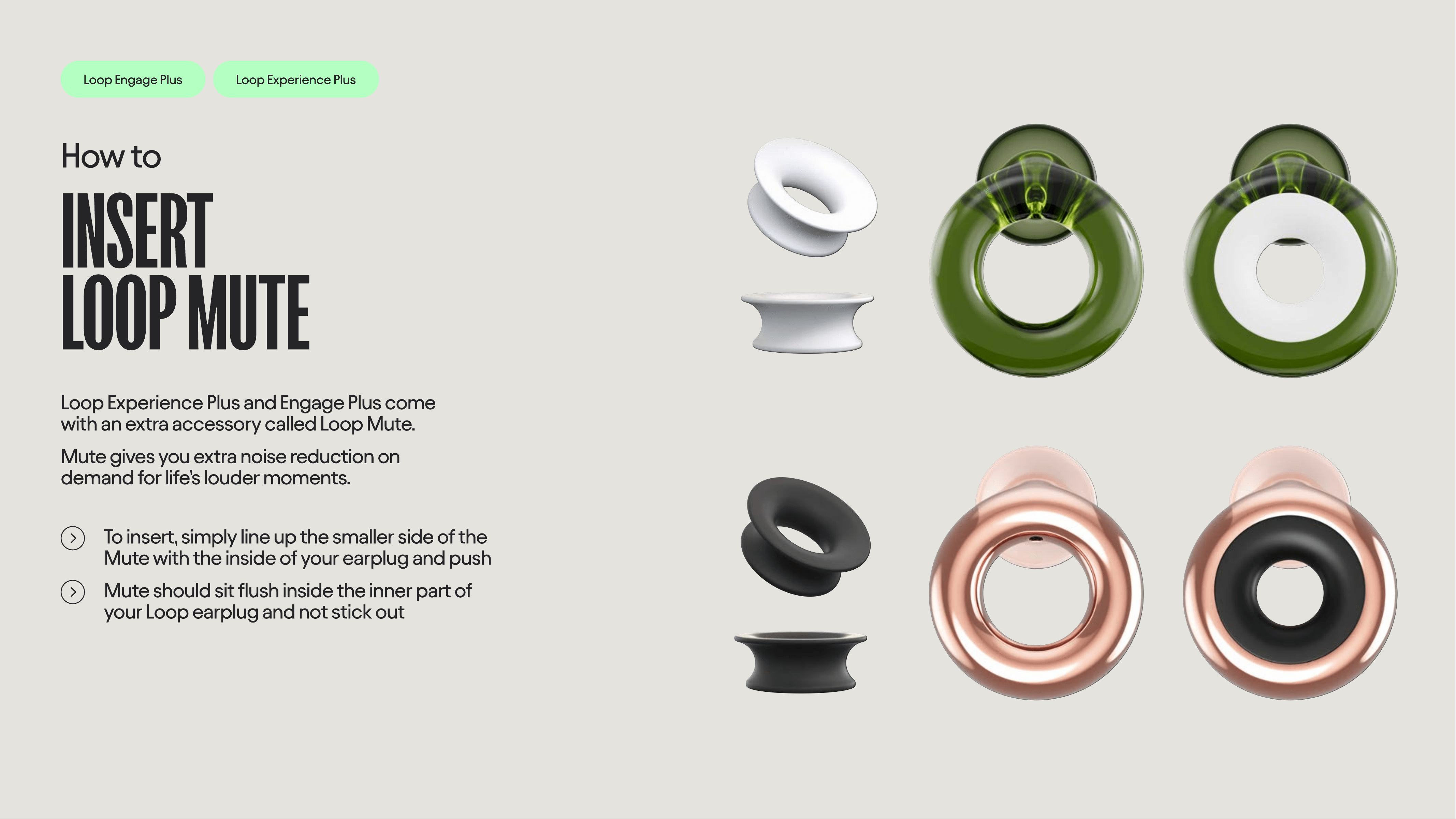
Loop Experience Plus and Engage Plus come
with an extra accessory called Loop Mute.
Mute gives you extra noise reduction on
demand for life’s louder moments.
To insert, simply line up the smaller side of the
Mute with the inside of your earplug and push
Mute should sit flush inside the inner part of
your Loop earplug and not stick out
Loop Switch
How to
SWITC
MODES
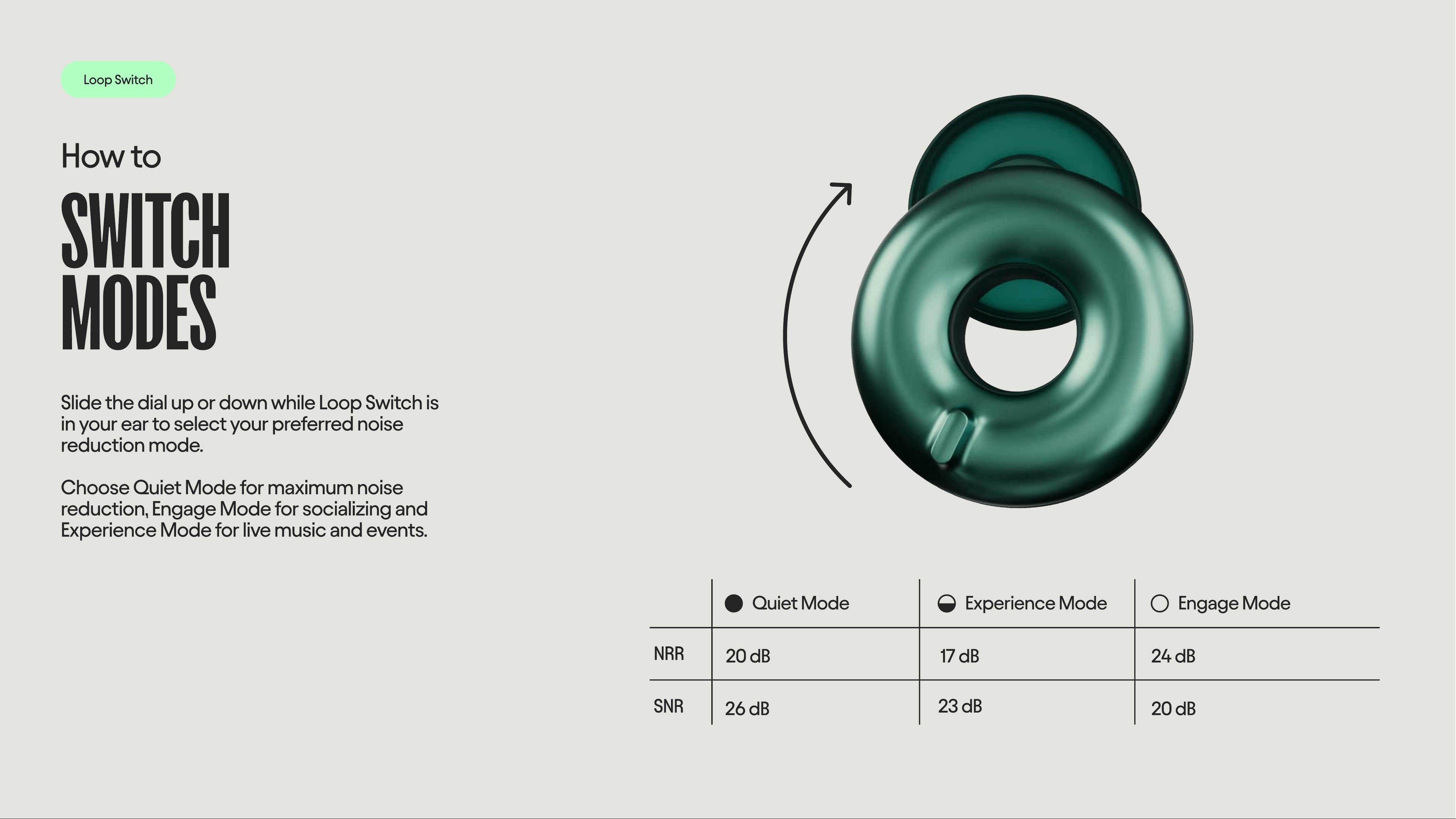
Slide the dial up or down while Loop Switch is
in your ear to select your preferred noise
reduction mode.
Choose Quiet Mode for maximum noise
reduction, Engage Mode for socializing and
Experience Mode for live music and events.
20 dB
26 dB
17 dB
23 dB
24 dB
20 dB
NRR
SNR
Quiet Mode Experience Mode Engage Mode
All earplugs
How to
STORE YOU
EARPLUGS
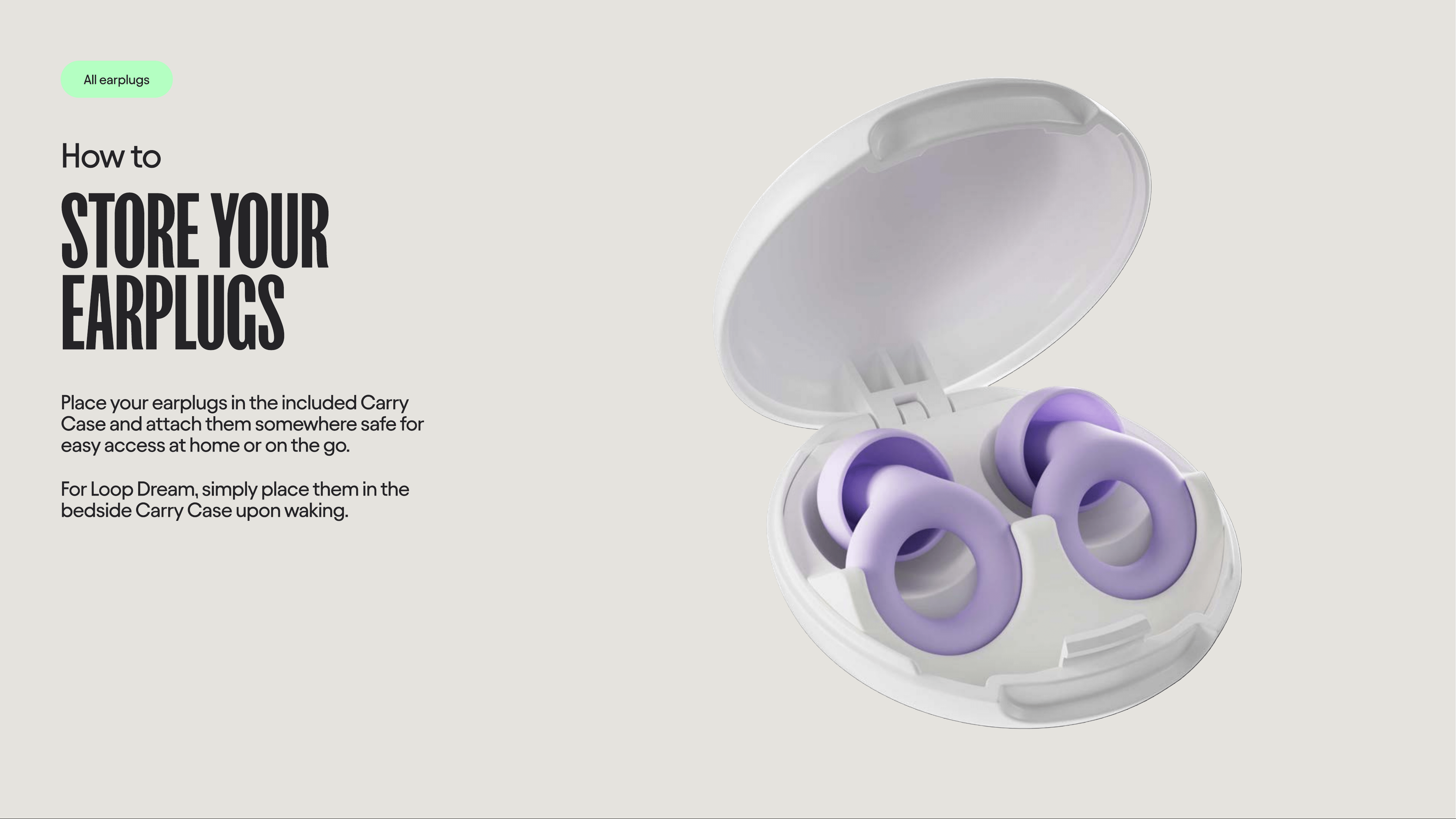
Place your earplugs in the included Carry
Case and attach them somewhere safe for
easy access at home or on the go.
For Loop Dream, simply place them in the
bedside Carry Case upon waking.