Smart Alarm Clock
User Manual
Please read this manual thoroughly before use and retain it for future reference.(V1.0)
Smart Alarm Clock
User Manual
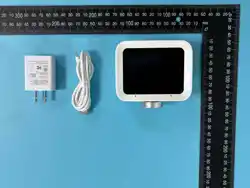
USB-A Adapter
Charger Plug
Thank you for choosing Hotmind.This advanced alarm clock
combines simplicity with smart functionality, designed to help you manage
your time, sleep, and surroundings.
Enjoy a seamless experience, with customizable alarm, sleep assistance
features, and environmental monitoring capabilities, as well as task to-do
recording, AI chat, and direct voice control functions. All of these are
integrated into this stylish and user-friendly device.
For Home Use: Suitable for residential settings only.
Placement: Set on a flat, stable surface .
Keep Dry: Avoid moisture to prevent damage or shock.
Adapter: Use the provided adapter; keep it dry.
Sleep Aid Only: Not a substitute for proper rest.
x1
x1
x1
x1
What's Included
Welcome
Safety Tips
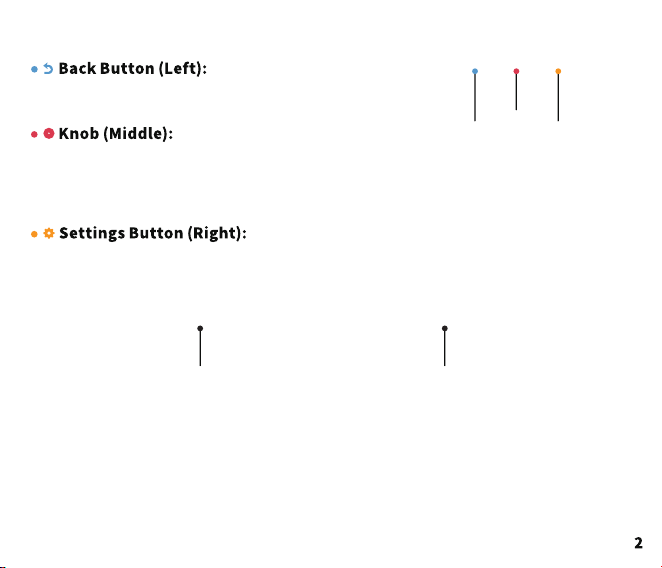
Long press the power button for
2 seconds to turn on the device.
Long press the return key for 5
seconds to enter the network
configuration mode.
Rotate:Adjust the volume level.
Press:When the alarm is idle, press it to enter the
intelligent conversation mode. When the alarm rings,
press it to turn off the sound.
Click to return to the previous interface./Long press
for 5 seconds to enter the network configuration mode.
Click to enter the settings page./Long press for 2 seconds to turn on or off the device.
Quick Operation Guide
Get Started
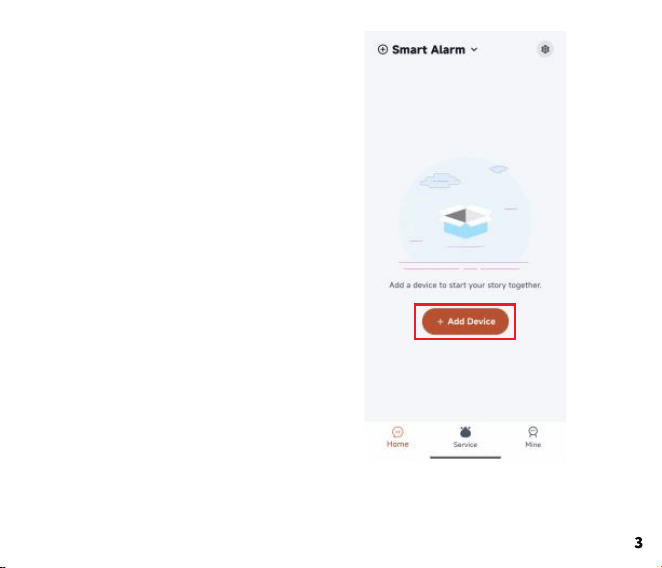
Download Hotmind App
Open the application, register an account,
log in, then go to the application homepage
and click "Add Device".
https://hotmind.ai/app
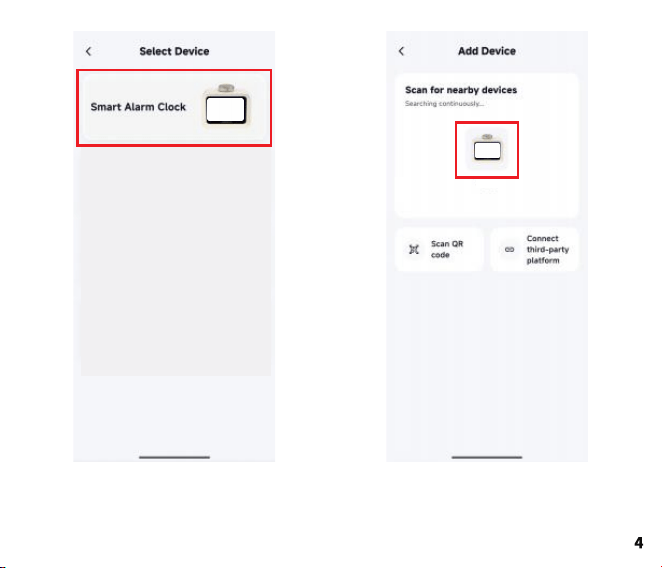
Choose smart devices Select the target device.
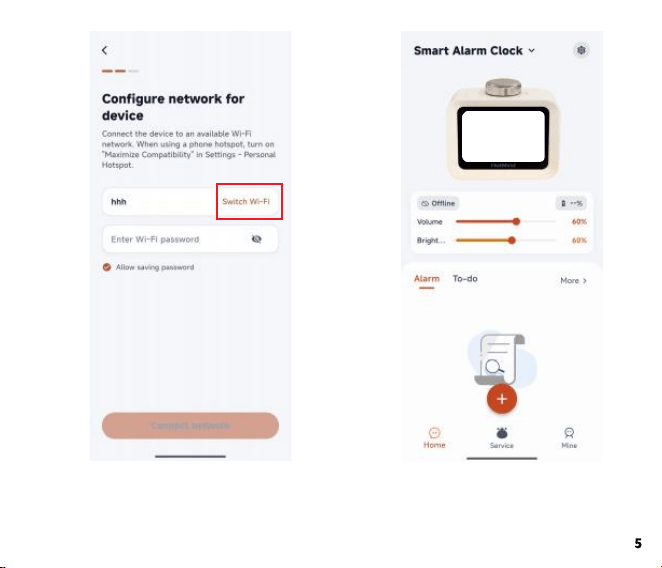
Select the wireless network and enter
the network password to connect the
device to the wireless network.
Device connection successful.
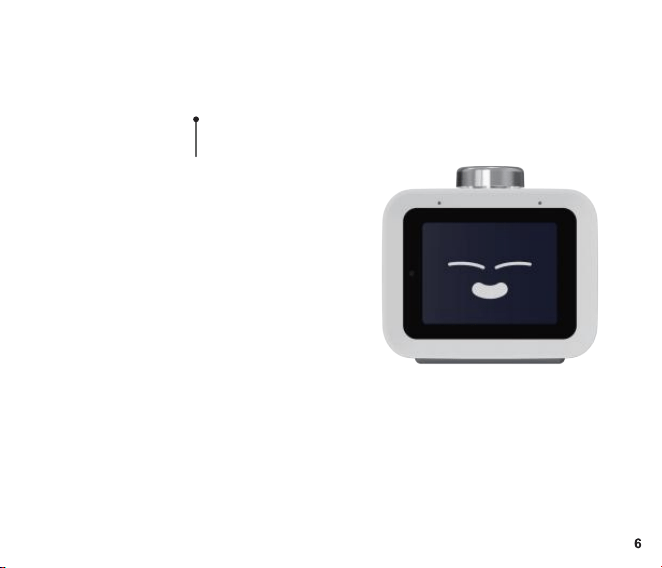
When the alarm clock is idle, simply
press the button to enter the
intelligent voice conversation.
Let's start the conversation.
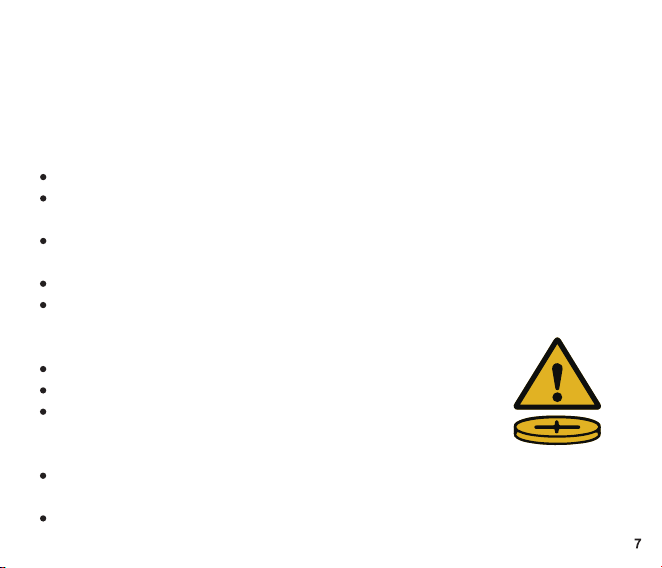
Failure to follow instructions may cause fire, explosion, serious injury or
property damage.
This product contains a non-replaceable rechargeable lithium-ion battery.
Read and follow all safety, usage and charging instructions before use.
Battery & Fire Safety
Do NOT disassemble, open, crush, puncture, or modify the battery.
Do NOT expose to fire, high heat (>45°C/113°F), direct sunlight, or
water/moisture.
Do NOT charge unattended overnight or overcharge. Unplug when fully
charged.
Use ONLY the original or manufacturer-approved charger/cable.
If the battery swells, leaks, smokes, overheats, or emits strange odor, stop
use immediately and keep away from flammables.
Usage & Placement
Place on a flat, hard, stable surface; do not block vents.
Keep out of reach of children and pets;
do not allow children to play with this device.
Do not use in humid, dusty or corrosive environments.
Disposal & Recycling
Do NOT discard in household trash. Lithium-ion batteries are hazardous
waste.
Dispose/recycle per local, state and federal regulations;
take to an authorized battery recycling center.
Safety Instructions
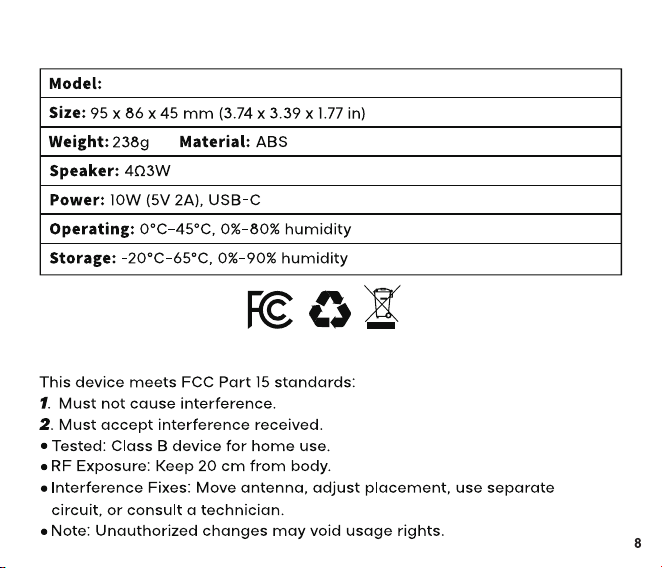
AC-S01
Specifications
FCC Compliance
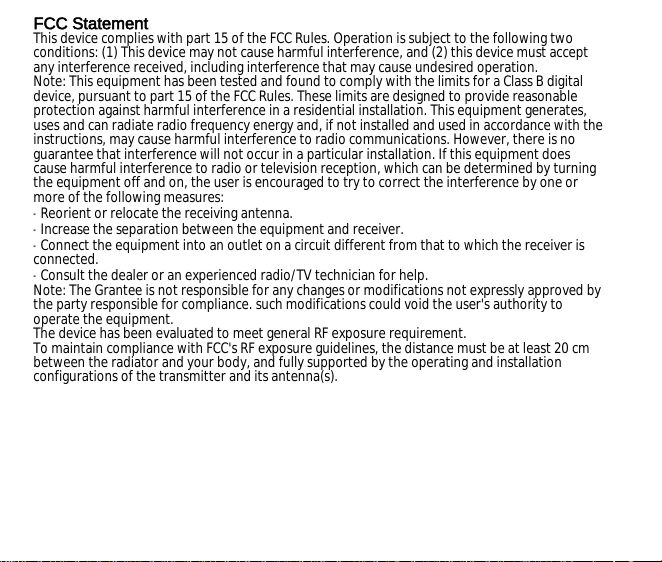
FCC Statement
This device complies with part 15 of the FCC Rules. Operation is subject to the following two
conditions: (1) This device may not cause harmful interference, and (2) this device must accept
any interference received, including interference that may cause undesired operation.
Note: This equipment has been tested and found to comply with the limits for a Class B digital
device, pursuant to part 15 of the FCC Rules. These limits are designed to provide reasonable
protection against harmful interference in a residential installation. This equipment generates,
uses and can radiate radio frequency energy and, if not installed and used in accordance with the
instructions, may cause harmful interference to radio communications. However, there is no
guarantee that interference will not occur in a particular installation. If this equipment does
cause harmful interference to radio or television reception, which can be determined by turning
the equipment off and on, the user is encouraged to try to correct the interference by one or
more of the following measures:
-Reorient or relocate the receiving antenna.
-Increase the separation between the equipment and receiver.
-Connect the equipment into an outlet on a circuit different from that to which the receiver is
connected.
-Consult the dealer or an experienced radio/TV technician for help.
Note: The Grantee is not responsible for any changes or modifications not expressly approved by
the party responsible for compliance. such modifications could void the user's authority to
operate the equipment.
The device has been evaluated to meet general RF exposure requirement.
To maintain compliance with FCC's RF exposure guidelines, the distance must be at least 20 cm
between the radiator and your body, and fully supported by the operating and installation
configurations of the transmitter and its antenna(s).

Single page size: 105x90mm front and back four-color printed folding