YOUR COMPLETE IOT SOLUTIONS PARTNER
HE02 SOS Button
SOS Hexagon
Button
Wearable
Hospital
Nursing Home
Safety, Healthcare, Nursing & Personnel
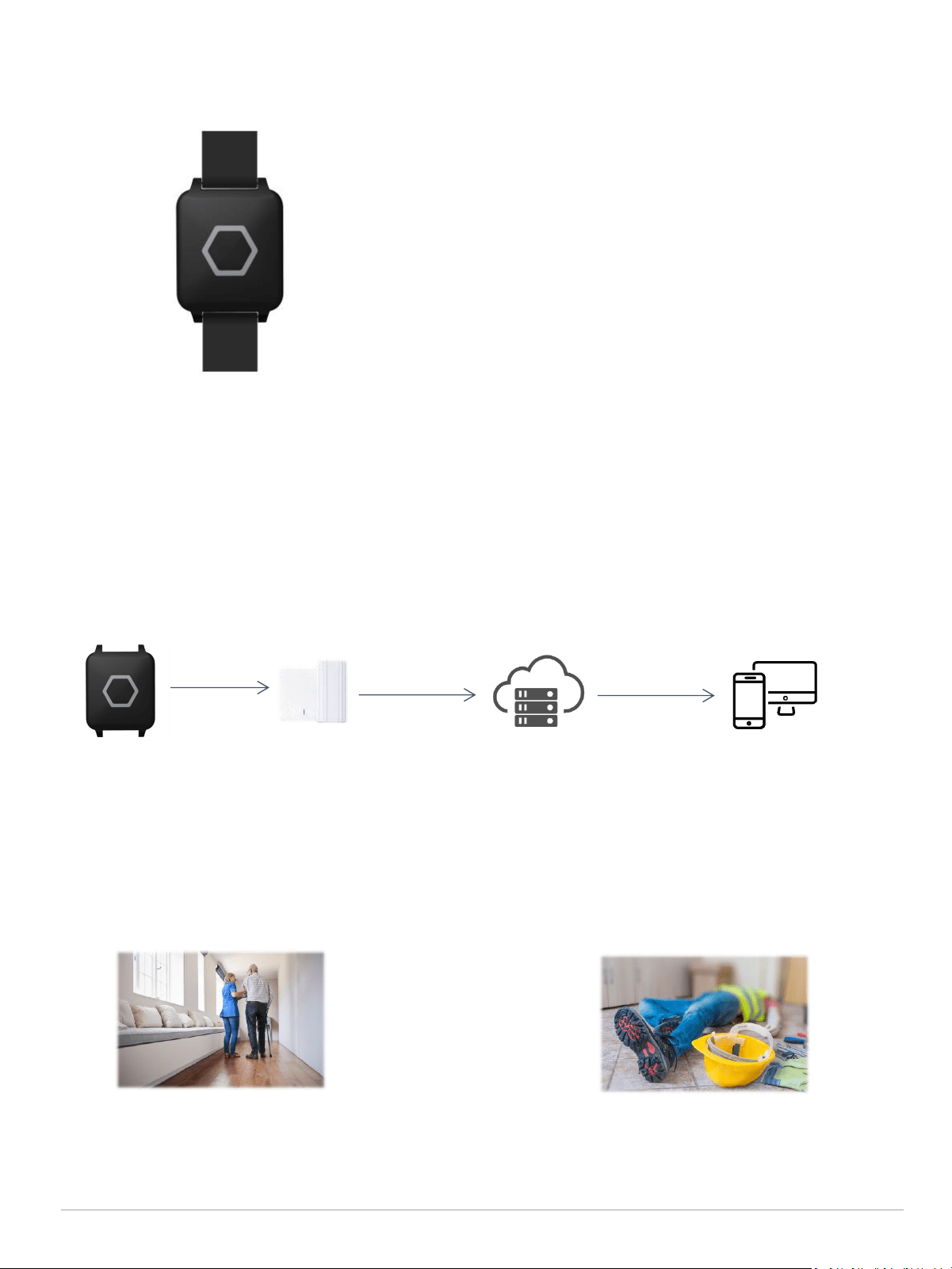
● With hexagon SOS button for emergency
● Wearable as wristband
● With NFC
● Up to 100 meters Adv range, a wide coverage
● IP67 waterproof
PRODUCT FEATURE
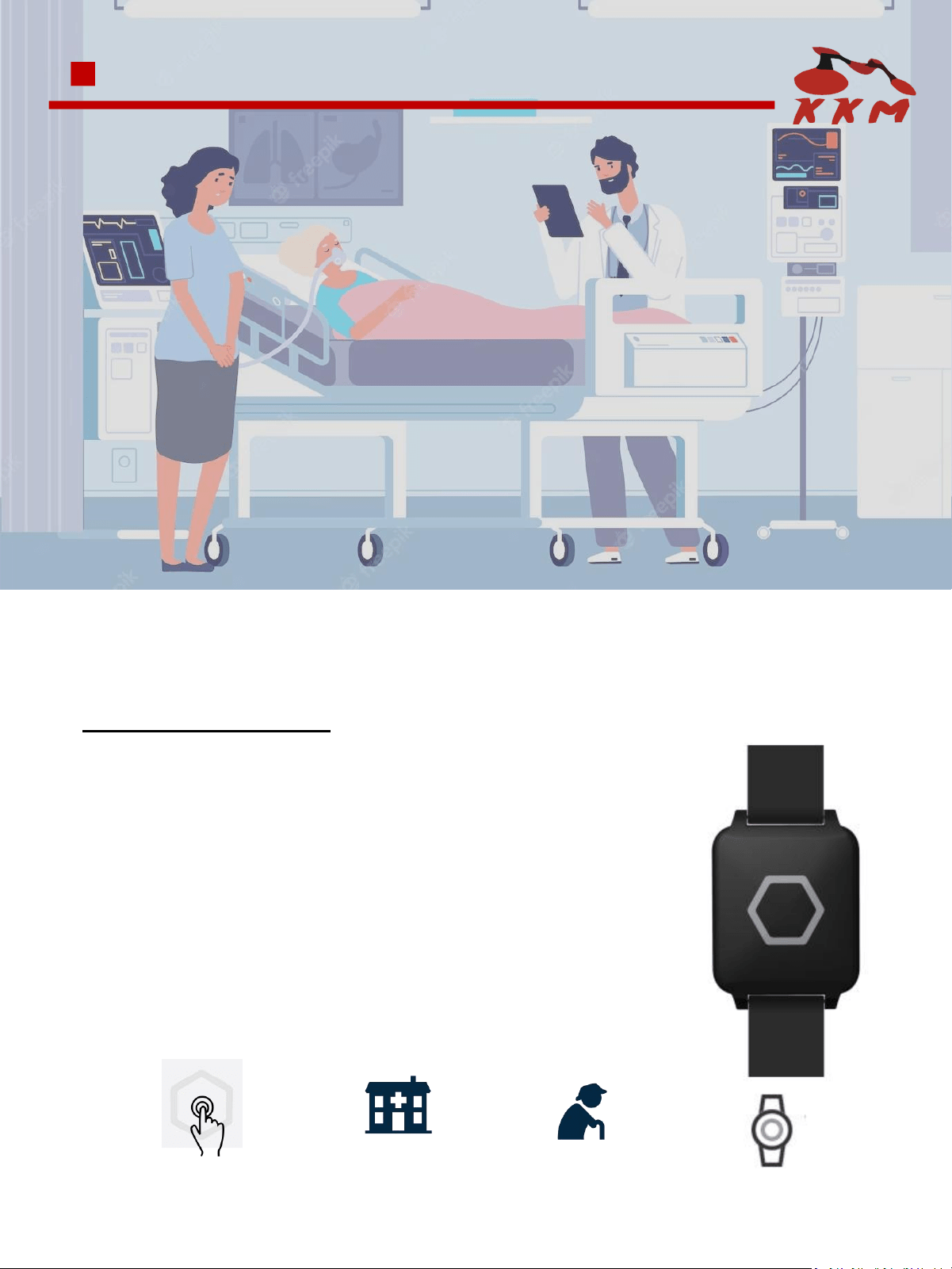
HE02 Beacon is SOS button, designed for hospital, nursing home, with ultra low power chipset nRF52 series
and BLE 5.0 technology.
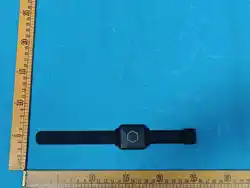
HE02 Beacon is a wristband Beacon designed for health care medical patient management. It has a hexagon
button in the center and supports button trigger, it can be used as emergency SOS button. It is designed for
patient/elderly management and indoor location-based service.
USAGE SCENARIOS:
HOW IT WORKS:
01
HE02 Beacon
KGateway receive
advertisement and
upload to server
Cloud server
Location tracking
platform / system
Calling System and SOS in Factory
SOS Button for Emergency
With the the SOS button and LED feedback
design in HE02 SOS beacon, people can easy to
operate and call for help in case emergency.
Bluetooth HE02 beacon can be used for calling
system and SOS button in construction sites,
mines, factory, and many other scenarios.

BASIC SPECIFICATIONS
Size
37*42*9mm
Material
ABS
Color
Black
Weight
21.2g (with battery)
Battery capacity
CR3032 battery((replaceable)
Battery life
21 months
[1]
Waterproof
IP67
Working temperature
-30℃ ~+70℃
Working humidity
0 ~ 99% RH
Buzzer
NA
Button
Yes (Hexagon)
LED
2 LED
NFC
Yes
Sensor
Accelerometer
Configure APP
KBeaconPro
TECHNICAL SPECIFICATIONS
02
* [1] Base on default parameter
Chip
Nordic nRF52 Series
Bluetooth version
BLE 5.0
OTA
YES
Transmit range
100m(328ft) in open area
Broadcast interval
100 ms ~ 40000 ms

03
Type(channel)
Item
Default settings
iBeacon (on)
UUID
Major
Minor
Measured power
KSensor (on)
Adv Interval
Sensor Axis
10000
Yes
URL (off)
URL
Measured power
Not broadcast by default
TLM (off)
Battery mV
Boot time
Temperature
PDU packets
Not broadcast by default
System
MAC address
Battery percent
Software version
Assigned at factory
0 ~ 100
6.x
Password
Password
0000000000000000(default)
Connectable mode
[2]
Connectable or not
No
BROADCAST SPECIFICATIONS
* [1] The default setting is power off
* [2] The device is set to non-connectable mode in the default, the device will enter the connectable mode and
broadcast system advertisement for 30 seconds after re-install the battery.
COMPATIBILITY
l Supported iOS 8.0+ and Android 4.3+ OS system, and other BLE 4.x/5.0 compatible devices
9cbaf2ab-a69b-4e71-b622-fbf7d211e969
Major and Minor combination is unique
-59dBm(0xC5)
BASIC OPERATION
Factory Default Setting: Device is powered off.
Power On: Lone hold the button for 3 seconds; LED flashes and vibration once when powering on.
Power Off: Tap “Power Off” on the KBeaconPro app. (The button can not be used to power off
the device unless “Button Trigger” and “Power On Always“ are disabled)
04
CERTIFICATIONS
* If you need specific information about the certificate, please consult the sales staff
PACKAGING INFORMATION
Details
Inner Box
(Battery is included)
Outer Carton
(Battery is included)
Quantity
Net Weight
Gross Weight
Size
FCC Statement
This equipment has been tested and found to comply with the limits for a Class B digital device,
pursuant to part 15 of the FCC Rules. These limits are designed to provide reasonable protection
against harmful interference in a residential installation. This equipment generates, uses and can
radiate radio frequency energy and, if not installed and used in accordance with the instructions,
may cause harmful interference to radio communications. However, there is no guarantee that
interference will not occur in a particular installation. If this equipment does cause harmful
interference to radio or television reception, which can be determined by turning the equipment off
and on, the user is encouraged to try to correct the interference by one or more of the following
measures:
•Reorient or relocate the receiving antenna.
•Increase the separation between the equipment and receiver.
•Connect the equipment into an outlet on a circuit different from that to which the receiver is
connected.
•Consult the dealer or an experienced radio/TV technician for help.
Caution: Any changes or modifications to this device not explicitly approved by manufacturer could
void your authority to operate this equipment.
This device complies with part 15 of the FCC Rules. Operation is subject to the following two
conditions: (1) This device may not cause harmful interference, and (2) this device must accept any
interference received, including interference that may cause undesired operation.
RF Exposure Information
The device has been evaluated to meet general RF exposure requirement.
The device can be used in 0mm exposure condition, compliance with exposure requirements.
Only in the stated conditions, the device is shown to fully comply with the FCC RF Exposure
requirements of KDB 447498.

05
We have qualified for ISO9001 quality system certification. The products have been implemented by
hardware test (component test, optical inspection, PCBA signal test, high and low temperature test,
drop test, bluetooth signal test, power consumption test, etc), software test (function test, IT and ST
test, etc), finish product test (button test, LED flashing test, buzzer test, etc)
Warranty Period: One year from the date of delivery (except batteries and other accessories)
QUALITY ASSURANCE
DECLARATION
Statement of Rights
The contents of this manual belong to KKM Company Limited. Without the permission of the
Company, no individual, organization, may modify, copy or use it for any commercial purpose.
The Company reserves the right to pursue legal liability for the use of illegal means to obtain,
reproduce or use the information in this manual.
Disclaimer
KKM team is not responsible for products developed independently by users without checking the
product manual, instructions for use or technical specifications. We reserve the right of final
interpretation of the products, and are not responsible for any property or personal injury caused by
improper operation.
KKM Company Limited
sales@kkmcn.com
86-755-28370901
www.kkmcn.com
3CDE, Building6, Baoneng Science& Technology Park,
Qingxiang Rd, Longhua Street, Longhua District,Shenzhen
City,Guangdong Province, China