YOUR COMPLETE IOT SOLUTIONS PARTNER
HE01 SOS Button
SOS Hexagon
Button
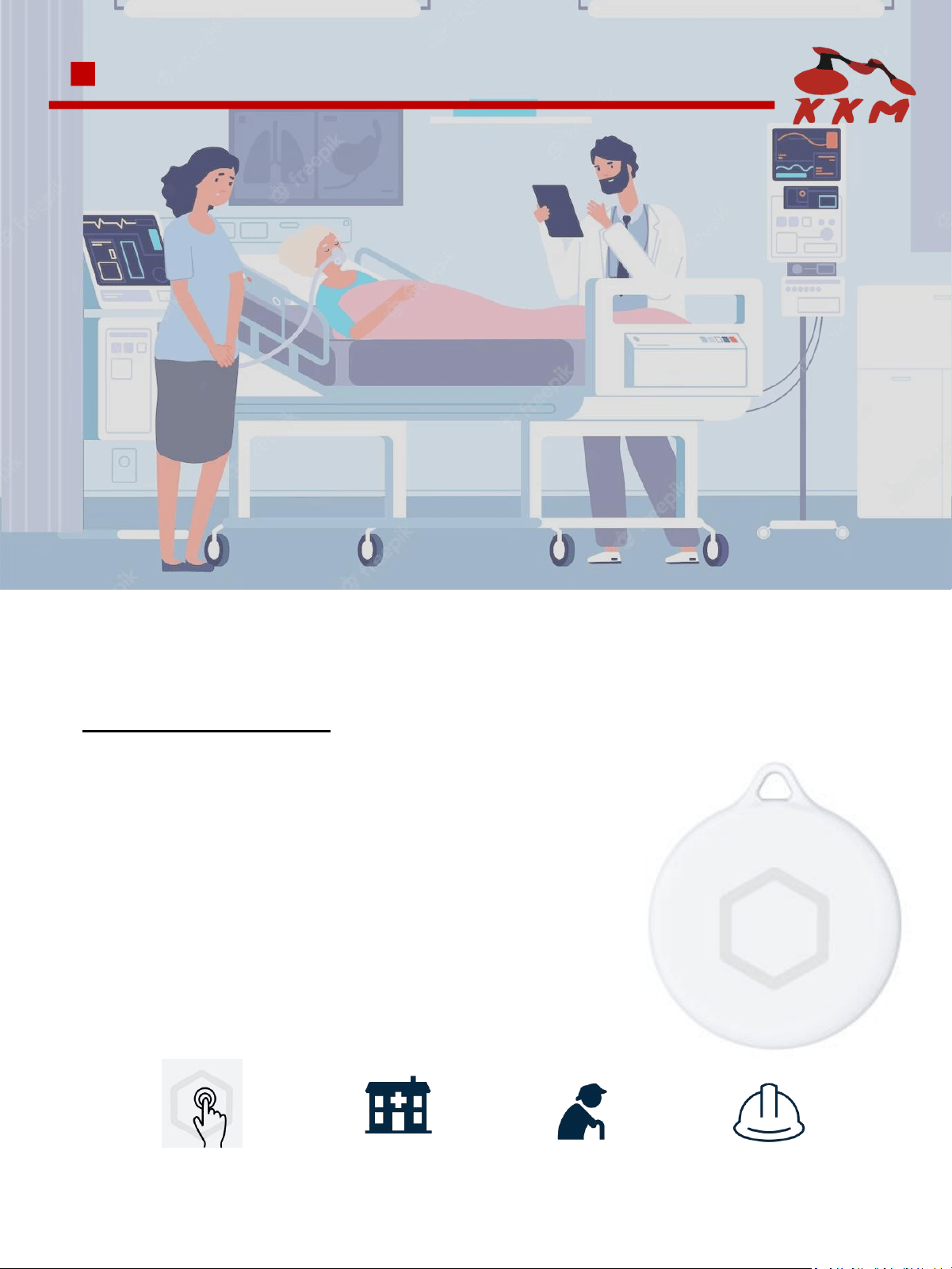
Factory
Hospital
Nursing Home
Safety, Healthcare, Nursing & Personnel
● With hexagon SOS button for emergency
● With hole for pendant, easy to carry
● With vibration, able to give haptic feedback to alert
● Up to 100 meters Adv range, a wide coverage
● IP67 waterproof
PRODUCT FEATURE
HE01 Beacon is SOS button, designed for hospital, nursing home, with ultra low power chipset nRF52 series
and BLE 5.0 technology.
With the the SOS button and the pendant hole, the people is easy to carry to operate and call for help. You
can press the button, it will trigger alert to connected App, or trigger the BLE advertisement to gateway. The
administrator can response and take action.
USAGE SCENARIOS:
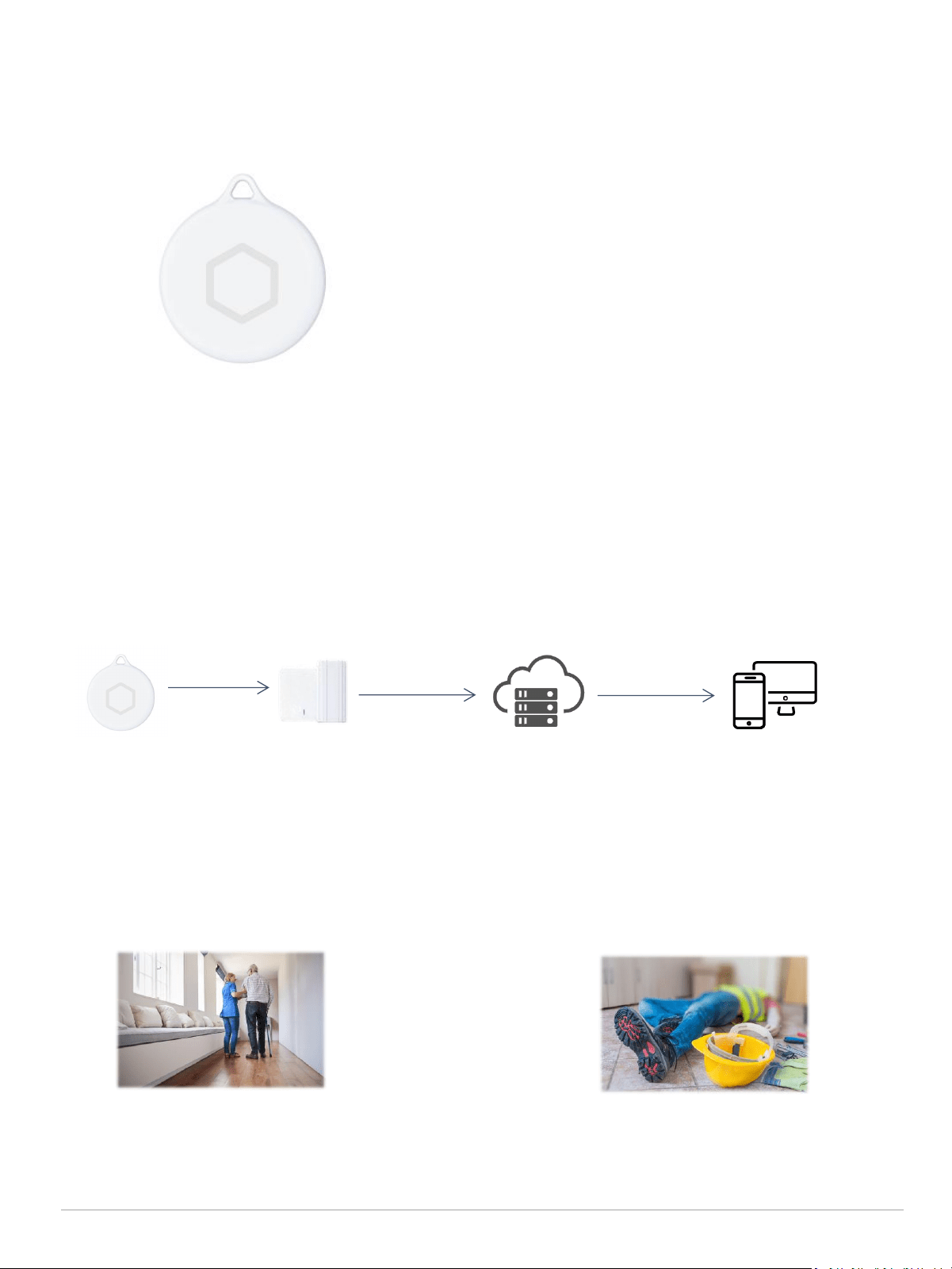
HOW IT WORKS:
01
HE01 Beacon
KGateway receive
advertisement and
upload to server
Cloud server
Location tracking
platform / system
Calling System and SOS in Factory
SOS Button for Emergency
With the the SOS button and vibration feedback
design in HE01 SOS beacon, people can easy to
operate and call for help in case emergency.
Bluetooth HE01 beacon can be used for calling
system and SOS button in construction sites,
mines, factory, and many other scenarios.

BASIC SPECIFICATIONS
Size
47.7mm*12mm
Material
ABS
Color
White
Weight
23.8g (with battery)
Battery capacity
CR2450 battery((replaceable)
Battery life
21 months
[1]
Waterproof
IP67
Working temperature
-30℃ ~+70℃
Working humidity
0 ~ 99% RH
Buzzer
NA
Button
Yes (Hexagon)
LED
2 LED
NFC
Yes
Sensor
Accelerometer
Configure APP
KBeaconPro
TECHNICAL SPECIFICATIONS
02
* [1] Base on default parameter
Chip
Nordic nRF52 Series
Bluetooth version
BLE 5.0(compatible with BLE 4.x)
TX power
-40dBm ~ +4dBm
Transmit range
100m(328ft) in open area
Broadcast interval
100 ms ~ 40000 ms
OTA
YES

03
Type(channel)
Item
Default settings
iBeacon (on)
UUID
Major
Minor
Measured power
KSensor (on)
Adv Interval
Sensor Axis
10000
Yes
URL (off)
URL
Measured power
Not broadcast by default
TLM (off)
Battery mV
Boot time
Temperature
PDU packets
Not broadcast by default
System
MAC address
Battery percent
Software version
Assigned at factory
0 ~ 100
6.x
Password
Password
0000000000000000(default)
Connectable mode
[2]
Connectable or not
No
BROADCAST SPECIFICATIONS
* [1] The default setting is power off
* [2] The device is set to non-connectable mode in the default, the device will enter the connectable mode and
broadcast system advertisement for 30 seconds after re-install the battery.
COMPATIBILITY
l Supported iOS 8.0+ and Android 4.3+ OS system, and other BLE 4.x/5.0 compatible devices
9cbaf2ab-a69b-4e71-b622-fbf7d211e969
Major and Minor combination is unique
-59dBm(0xC5)
BASIC OPERATION
Factory Default Setting: Device is powered off.
Power On: Lone hold the button for 3 seconds; LED flashes and vibration once when powering on.
Power Off: Tap “Power Off” on the KBeaconPro app. (The button can not be used to power off
the device unless “Button Trigger” and “Power On Always“ are disabled)
04
PRECAUTIONS
l Selection of installation location: Choosing a suitable installation location can ensure that the
beacon gets the best signal coverage and accuracy. Before installation, factors such as the usage
scenario of the beacon, the number of devices, and environmental factors need to be considered
to select the best installation location.
l Determination of installation height: Install at the best height that can cover the target area. If it is
installed too high or too low, it may affect the accuracy and range of the signal.
l Avoid extreme temperatures: Avoid exposing the battery to extreme temperatures, as high
temperatures can reduce battery capacity and low temperatures can affect the performance of the
battery.
CERTIFICATIONS
* If you need specific information about the certificate, please consult the sales staff
PACKAGING INFORMATION
Details
Inner Box
(Battery is included)
Outer Carton
(Battery is included)
Quantity
Net Weight
Gross Weight
Size

05
FCC Warning
Details
Inner Box
(Battery is included)
Outer Carton
(Battery is included)
Quantity
Net Weight
Gross Weight
Size
This device complies with part 15 of the FCC rules. Operation is subject to the
following two conditions: (1) this device may not cause harmful interference, and (2)
this device must accept any inte rference received, including interference that may
cause undesired operation.
Changes or modifications not expressly approved by the party responsible for
compliance could void the user's authority to operate the equipment.
NOTE: This equipment has been tested and found to comply with the limits for a
Class B digital device, pursuant to part 15 of the FCC Rules. These limits are designed
to provide reasonable protection against harmful interference in a residential
installation. This equipment generates uses and can radiate radio frequency energy
and, if not installed and used in accordance with the instructions, may cause harmful
interference to radio communications. However, there is no guarantee that
interference will not occur in a particular installation. If this equipment does cause
harmful interferenceto radio or television reception, which can be determined by
turning the equipment off and on, the user is encouraged to try to correct the
interference by one or more of the following measures:
• Reorient or relocate the receiving antenna.
• Increase the separation between the equipment and receiver.
• Connect the equipment into an outlet on a circuit different from that to which
the receiver is connected.
• Consult the dealer or an experienced radio/TV technician for help.
Radiation Exposure Statement
The device has been evaluated to meet general RF exposure requirement. The device
can be used in portable exposure condition without restriction.

06
We have qualified for ISO9001 quality system certification. The products have been implemented by
hardware test (component test, optical inspection, PCBA signal test, high and low temperature test,
drop test, bluetooth signal test, power consumption test, etc), software test (function test, IT and ST
test, etc), finish product test (button test, LED flashing test, buzzer test, etc)
Warranty Period: One year from the date of delivery (except batteries and other accessories)
QUALITY ASSURANCE
DECLARATION
Statement of Rights
The contents of this manual belong to KKM Company Limited. Without the permission of the
Company, no individual, organization, may modify, copy or use it for any commercial purpose.
The Company reserves the right to pursue legal liability for the use of illegal means to obtain,
reproduce or use the information in this manual.
Disclaimer
KKM team is not responsible for products developed independently by users without checking the
product manual, instructions for use or technical specifications. We reserve the right of final
interpretation of the products, and are not responsible for any property or personal injury caused by
improper operation.
KKM Company Limited
sales@kkmcn.com
86-755-28370901
www.kkmcn.com
6A-3CDE, Baoneng Science and Technology Industrial Park,
Long Hua district, Shenzhen, Guang Dong, China