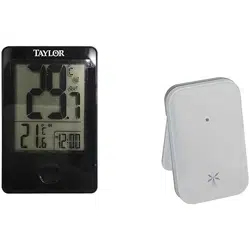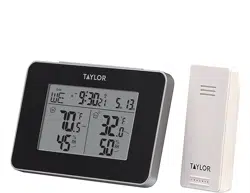
Indoor Comfort Level Weather Station
Model 1732
Simple, reliable, accurate…the weather station allows you to monitor indoor conditions and provides an indoor
comfort level reading.
NOTE: Some units have a static cling label over the digital display. Please remove before use.
BATTERY INFORMATION
The weather station is powered by 2 AAA batteries (not included). Remove the battery compartment cover
located on the back of the unit. Install 2 AAA batteries according to the polarity markings. Replace the battery
compartment cover.
Replace the batteries if readings grow dim or irregular. Always replace both batteries at the same time; do not
mix old and new batteries. Do not mix alkaline, standard (carbon-zinc) or rechargeable (ni-cad, ni-mh, etc.)
batteries.
NOTE: Please recycle or dispose of batteries per local regulations.
WARNING: Batteries may pose a choking hazard. As with all small items, do not let children handle batteries. If
swallowed, seek medical attention immediately.
PRECAUTION: Do not dispose of batteries in fire. Batteries may explode or leak. Remove the batteries if the
unit will not be used for a long period of time.
DISPLAYING YOUR WEATHER STATION
Place the unit indoors in a well-ventilated location away from direct sunlight.
Pull out the Table Stand on the back of the unit to stand upright on a flat surface.
HOW TO READ YOUR WEATHER STATION
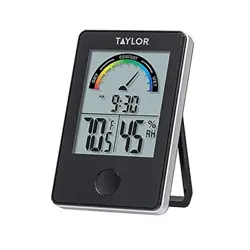
The weather station displays current indoor temperature and humidity. It also combines temperature and
humidity readings to offer a gauge of the indoor comfort level.
Indoor temperature readings – these are temperatures at the weather station location. The temperature
display is located in the bottom left of the LCD screen.
Indoor humidity readings – these are the relative humidity readings at the weather station location. The
humidity display is located in the bottom right of the LCD screen.
The unit will update temperature, humidity and comfort level readings approximately every 20 seconds.
Press the “°C/°F” button on the back of the weather station to switch between Fahrenheit or Celsius
temperature displays.
Notes: If the temperature is higher than the range of the unit, the temperature display will show “HH.H” and
the humidity display will show “--”. If the temperature is lower, the temperature display will show “LL.L” and
the humidity display will show “--”. If the humidity is higher than the range of the unit, the display will show
“HH”. If the humidity is lower, the display will show “LL”.

CLOCK SETTING
The clock display is located in the center of the LCD screen.
1. Press and hold the “SET” button on the back of the weather station for 2 seconds to enter Clock Setting
Mode. “12 Hr” or “24 Hr” flashes.
2. Press the “+” button on the back of the weather station to toggle between 12 or 24 hour clock mode. Press
“SET” to confirm. The hour digits flash.
3. Press the “+” button to change the hours. Press “SET” to confirm. The minute digits flash.
4. Press the “+” button to change the minutes. Press “SET” to confirm. The clock is set.
Notes: If no buttons are pressed within one minute, the unit will automatically exit Clock Setting mode.
The digits can only advance. If you pass the number you want, continue to press “+” to cycle through the
numbers again. Press and hold down the “+” button to advance the digits quickly.
MAXIMUM/MINIMUM TEMPERATURE READINGS
The weather station will store the last recorded high and low temperatures over a 24 hour period. The 24 hour
period starts when the unit is powered up.
• Press the “ ” button on the front of the unit once to display the highest (maximum) temperature and
humidity readings of the day at that unit’s location. “MAX” will show on the LCD.
• Press the “ ” button a second time to display the lowest (minimum) temperature and humidity readings
of the day at that location. “MIN” will show on the LCD.
• Press the “ ” button a third time to return to the current temperature and humidity readings at that
location, or the display will automatically return to current readings after 5 seconds.
To clear the maximum and minimum readings: In MAX or MIN mode, press and hold the “ ” button for 2
seconds to clear that memory. The temperature and humidity displays show dashes (“--”) and the unit will
begin to track new MAX and MIN readings. All memories will also reset when the unit’s batteries are removed.
COMFORT LEVEL
The effects of indoor temperature and humidity are combined to determine an Indoor Comfort level, which
appears as a gauge at the top of the LCD screen. The level is rated between DRY, COMFORT, and WET. The
color gauge is an easy way to visually assess the room’s current condition, spanning from red for dry, green for
ideal, and purple for wet.
DRY: Contain inadequate moisture
COMFORT: Comfortable level, ideal range for both temperature & humidity
WET: Contain excess moisture
PRECAUTIONS
1. The unit is intended for indoor use only. It is not sealed against moisture and could be damaged if used
outdoors.
2. Do not immerse the unit in water. If you spill liquid on it, dry immediately with a soft, lint-free cloth.
3. Do not clean the unit with abrasive or corrosive materials. This may scratch plastic parts and corrode
electronic circuits.
4. Do not subject the unit to excessive force, shock, dust, temperature or humidity. This may result in
malfunction, shorter electronic life span, damaged batteries or distorted parts.
5. Do not tamper with the unit's internal components. Doing so will invalidate the warranty on this product
and may cause damage. Other than replacing the batteries, the unit contains no user-serviceable parts.
6. Do not mix old and new batteries. Do not mix alkaline, standard (carbon-zinc) or rechargeable (ni-cad, ni-
mh, etc.) batteries. Do not dispose of batteries in fire. Batteries may explode or leak. Remove the batteries if
the unit will not be used for a long period of time.
7. This product is for measuring room temperatures only. DO NOT PLACE UNIT INTO OVENS, GRILLS, FREEZERS
or MICROWAVE OVENS.

8. Always read the instruction manual before operating this product.
9. If the temperature is higher than the range of the unit, the temperature display will show “HH.H” and the
hygrometer display will show “--”. If the temperature is lower, the temperature display will show “LL.L” and
the hygrometer display will show “--”.
If the humidity is higher than the range of the unit, the display will show “HH”. If the humidity is lower, the
display will show “LL”.
● Indoor temperature range is 14°F to 122°F (-10°C to 50°C).
● Indoor humidity range is 20% to 90% RH.
SPECIFICATIONS
Indoor temperature range: 14°F to 122°F (-10°C to 50°C)
Indoor humidity range: 20-90% RH
Over/Under range messages: “HH.H/LL.L” and “- -” for temperature, “HH/LL” for humidity
Resolution: 0.1 degree for temperature and 1% for humidity
Indoor temperature and humidity readings update approximately every 20 seconds
Minimum/Maximum temperature and humidity records
Comfort level display:
DRY – relative humidity is lower than 34%
COMFORTABLE/DRY - relative humidity is between 35% and 40%
COMFORTABLE/IDEAL - relative humidity is between 41% and 55%
COMFORTABLE/WET - relative humidity is between 56% and 64%
WET – relative humidity is higher than 65%
12/24 hour clock
Power: 2 AAA batteries (not included)
NOTE: This Class B digital apparatus complies with Canadian ICES-003. Operations are subject to the following two
conditions: (1) this device may not cause harmful interference, and (2) this device must accept any interference received,
including interference that my cause undesired operation of the device.
One Year Limited Warranty
This product is warranted against defects in materials or workmanship (excluding batteries and adapters) for one (1) year
from date of original purchase for the original purchaser. It does not cover damages or wear resulting from accident,
misuse, abuse, commercial use, or unauthorized adjustment and/or repair. Should this product require service (or
replacement at our option) while under warranty, do not return to retailer. Please return the item to:
Lifetime Brands Canada
5151 Thimens Boul.,
Montreal, Quebec,
H4R 2C8
Questions about your weather station?
1-800-661-6721
Service@accenthome.com
Manufactured For:
LIFETIME BRANDS CANADA
5151 Thimens Boul., Montreal, Quebec H4R 2C8
The trademarks ®/™ and logos appearing herein are the property of Lifetime Brands, Inc., and/or their respective owners.
© 2019 Taylor, a Division of Lifetime Brands Inc. All rights reserved.

Due to continuous product improvements, the picture on the carton may differ slightly from the actual product.
Made to our exact specifications in China. Not legal for trade.
MADE IN CHINA
1732 10.19