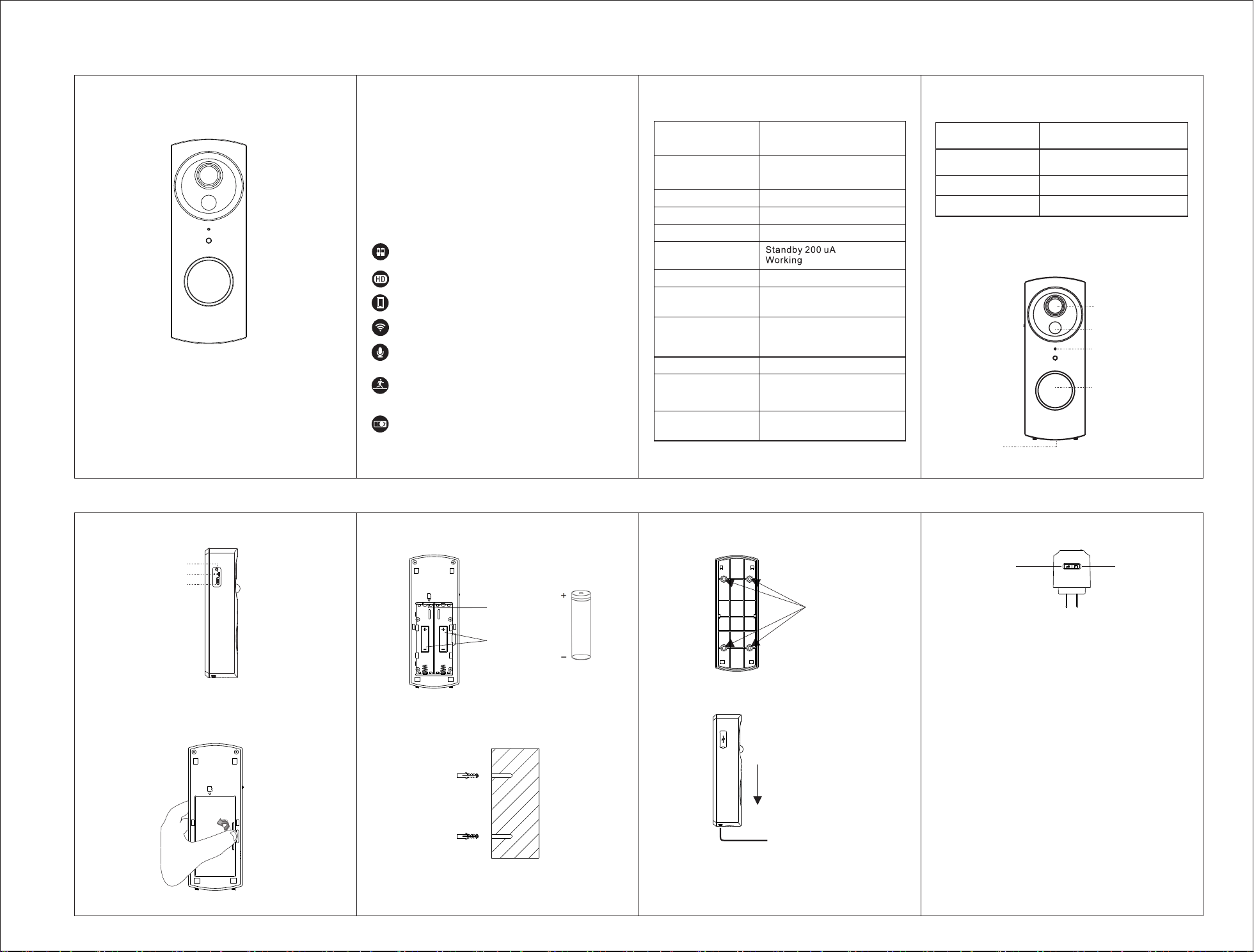
Step 3: Drill four holes in your wall, and install the
anchors.
Setp1: Open the battery cover.
Product Features
Product Overview
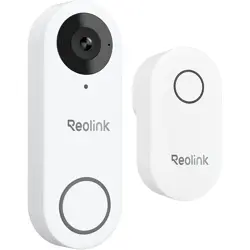
Our doorbell is a Wi-Fi enabled Smart Video
Doorbell which helps you to see, hear and speak to
anyone at your door from your smartphone or tablet
from anyw h e r e. Th i s Vide o D o o rbell supp o r ts
answering ring calls from mobile App, two-way
audio, instant alert, motion de tection and liv e
monitoring.
Install your doorbell
1 A brief introduction of the Doorbell.
Working Temperature
Storage Temperature
-10~ 55℃
-20~ 60℃
Push Notifications within
5-8 seconds
Notifications
Lens
Infrared LEDs
PIR Motion Sensor
Storage
Connectivity
Power consumption
Battery
Limited distance
between doorbell
and chime indoor
Video Compression
Voice Intercom
Video resolution
DFOV/130° Wide-angle
lens (4Glass)
3 meters
PIR distance
Up to 128GB Micro SD card
802.11b/g/n [email protected]
Two 18650 specification batteries
6pcs Infrared LEDs with
5 meters flash distance
80 meters (open space without
obstacle)15 meters (indoor)
20~30 meters
H.264
Two-way audio with noise
cancellation
1280*720@30 fps
Product Specification Sheet
Wi-Fi distance
Device Wakeup
Within 4-7s
Two 18650 specification batteries work regularly
up to 3-6 months
HD Mega pixels collocated with wide-angle lens
Support mobile phone remote fast wakeup within
4-7 seconds
2.4G Wi-Fi connection
High quality two-way communication with noise
cancellation
Support PIR motion detection, when someone hovers
at the door, it will send push alerts to your mobile phone
immediately
With IR-cut,it can switch automatically and it is
clearly visible at both day and night to keep your
home and family safe.
260 mA
User’s Guide for Battery
WiFi Video Doorbell
LY-136
Se tp 6: Pr ess the Reset button lon g un til you hear
the "system reset" prompt from the doorbell speaker.
Volume settings
Press the “volume” button once to trigger one time.
There are 4 volume levels you can choose from low to
high.
Change the ring
Step1:Press the “ring” button to choose one you like.
The indoor chime offers 38 different kinds of music for
options. Each press changes the music.
Step2:Press the “volume” button for 5 seconds till the
music changes.
Step3:Press the doorbell button to match the indoor
chime. Now, the music changed.
Indoor chime user manual
Volume key Ring key
Step 5: Mount doorbell in the direction of the arrow
and lock it by the screws at the bottom.
Step 4: Fix the doorbell on the wall through fixing
screw hole.
Fix screwhole
Camera
Mic
PIR
Call button
Speaker
Reset button
USB
Charge LED
Step 2: Install 18650 battery and Mirco-SD.
18650 Battery
Mirco-SD
18650
18650
Charge LED: Charging in Red; Full in Green.

This equipment has been tested and found to comply with the limits for a Class
B digital device, pursuant to part 15 of the FCC Rules. These limits are
designed to provide reasonable protection against harmful interference in a
residential installation. This equipment generates, uses and can radiate radio
frequency energy and, if not installed and used in accordance with the
instructions, may cause harmful interference to radio communications.
However, there is no guarantee that interference will not occur in a particular
installation. If this equipment does cause harmful interference to radio or
television reception, which can be determined by turning the equipment off and
on, the user is encouraged to try to correct the interference by one or more of
the following measures:
• Reorient or relocate the receiving antenna.
• Increase the separation between the equipment and receiver.
• Connect the equipment into an outlet on a circuit different from that to which
the receiver is connected.
• Consult the dealer or an experienced radio/TV technician for help.
Caution: Any changes or modifications to this device not explicitly approved
by manufacturer could void your authority to operate this equipment.
This device complies with part 15 of the FCC Rules. Operation is subject to the
following two conditions: (1) This device may not cause harmful interference,
and (2) this device must accept any interference received, including
interference that may cause undesired operation.
This equipment complies with FCC radiation exposure limits set forth for an
uncontrolled environment.
This equipment should be installed and operated with minimum distance 20cm
between the radiator & your body.