www.doorbird.com
Errors and omissions excepted. | Last update 08/2020 - Copyright © 2019 Bird Home Automation GmbH – www.doorbird.com
09:55
21°C
A1101
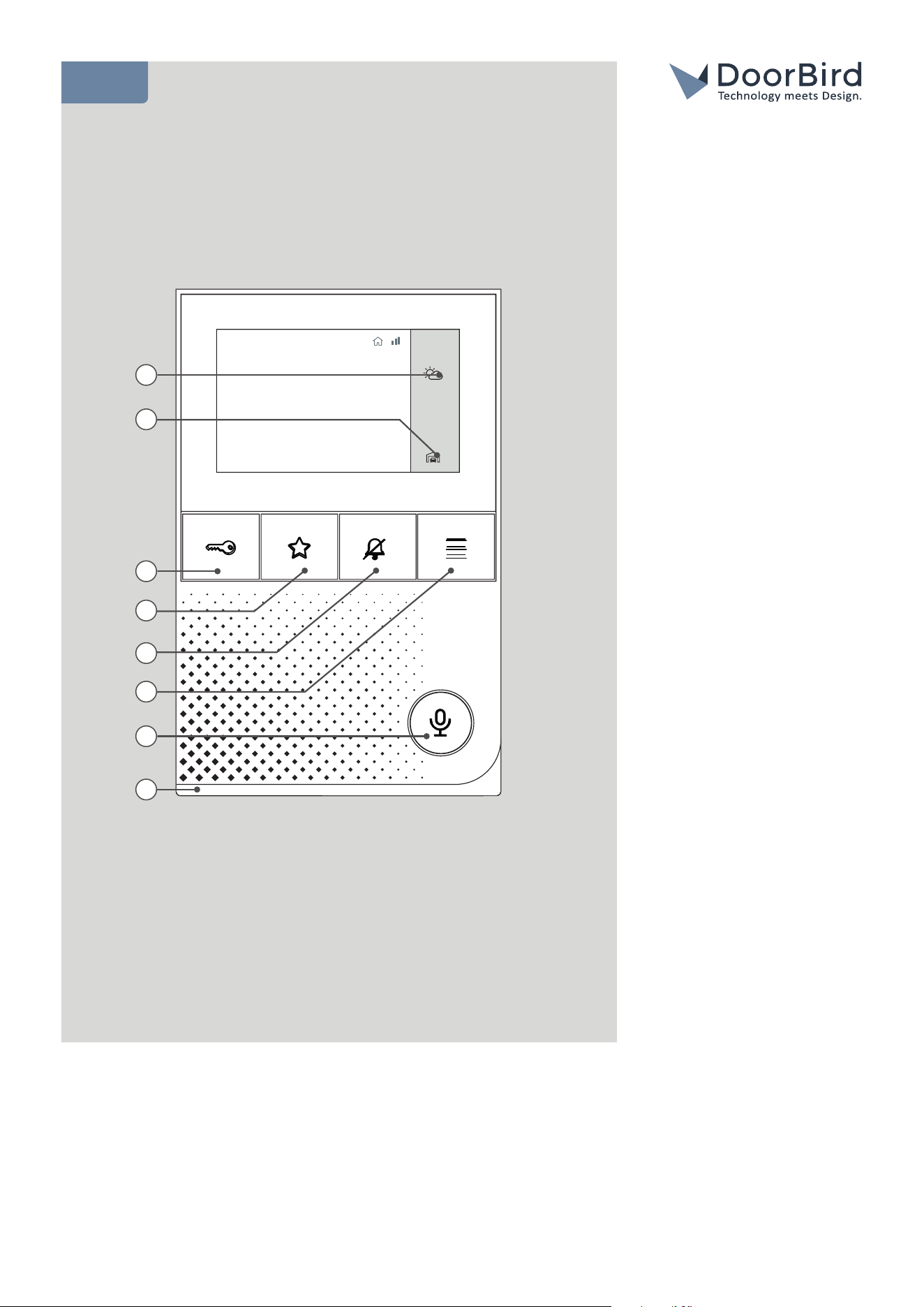
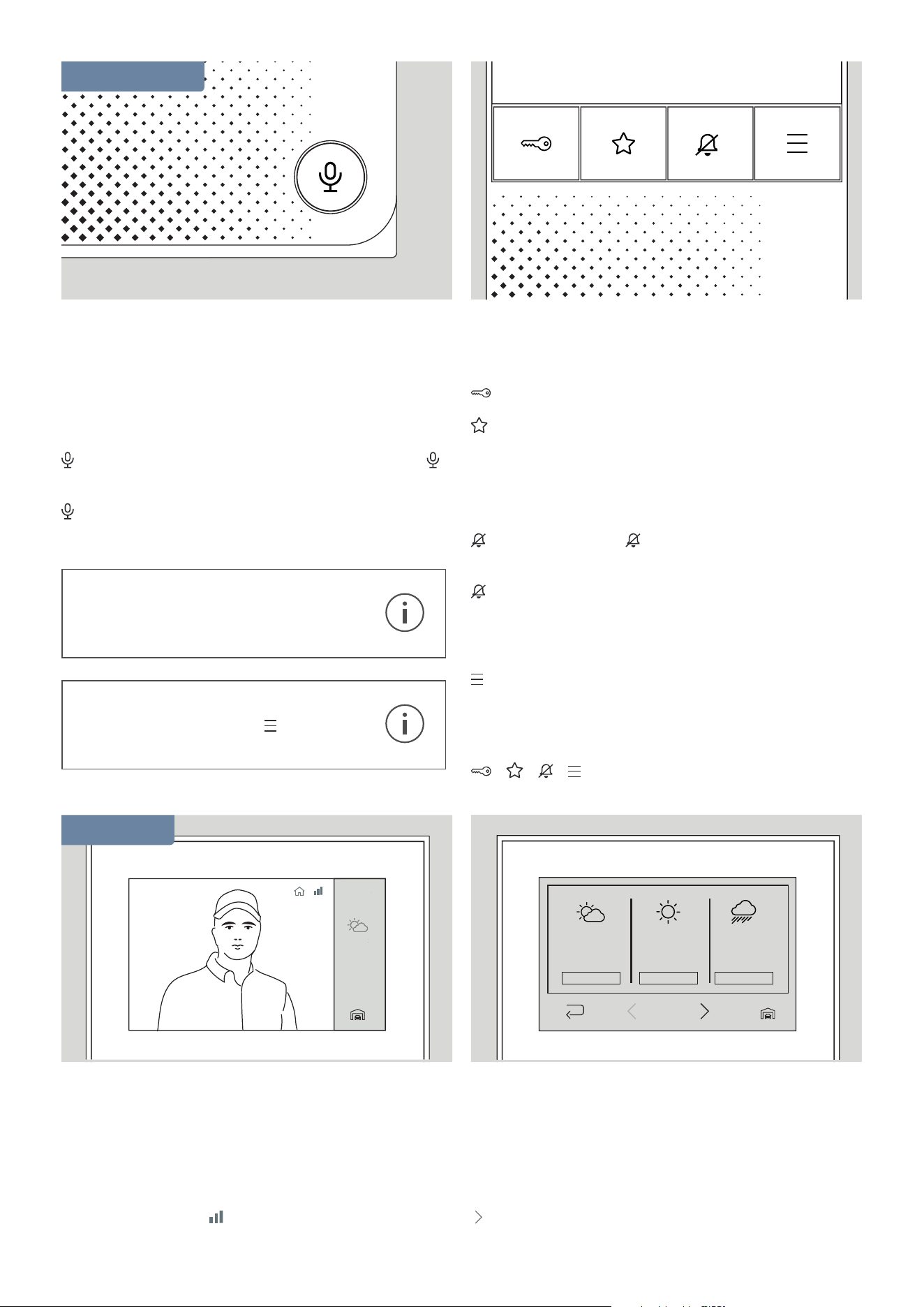
1) Weather Information
2) Choose Door Station
3) Button ”Open Door”
4) Button ”Favorite”
5) Button ”Mute”
6) Button ”Menu”
7) Button ”Enable Listen
And Speak”
8) LED Status Bar
(To visualize doorbell
events etc.)
6
8
2
3
7
4
1
5
END USER MANUAL
A1101 IP Video Indoor Station
2
09:55
21°C
09:55
21°C
20 - 21°C
2 mm
1010 hPa
20 - 21°C
2 mm
1010 hPa
20 - 21°C
2 mm
1010 hPa
06:00 - 12:00
06:00 - 12:00 06:00 - 12:00
09:55
21°C
20 - 21°C
2 mm
1010 hPa
20 - 21°C
2 mm
1010 hPa
20 - 21°C
2 mm
1010 hPa
06:00 - 12:00
06:00 - 12:00 06:00 - 12:00
Take/Exit Call
During an incoming call the display turns on automatically,
the camera view is displayed and the LED status bar lights
up.
Press:
to start the call with the person at the door station.
lights up during the call.
again to end the call.
Open Door
Press:
to open the door.
may be assigned to a function (e.g. further door
opener). If this is not the case, no action is executed.
Mute The Device
Press:
to mute the device. lights red while this setting
is active.
again to switch the tone back on.
Open Menu
Press:
to enter the menu.
Restart The Device
Press:
+ + + simultaneously to restart the device.
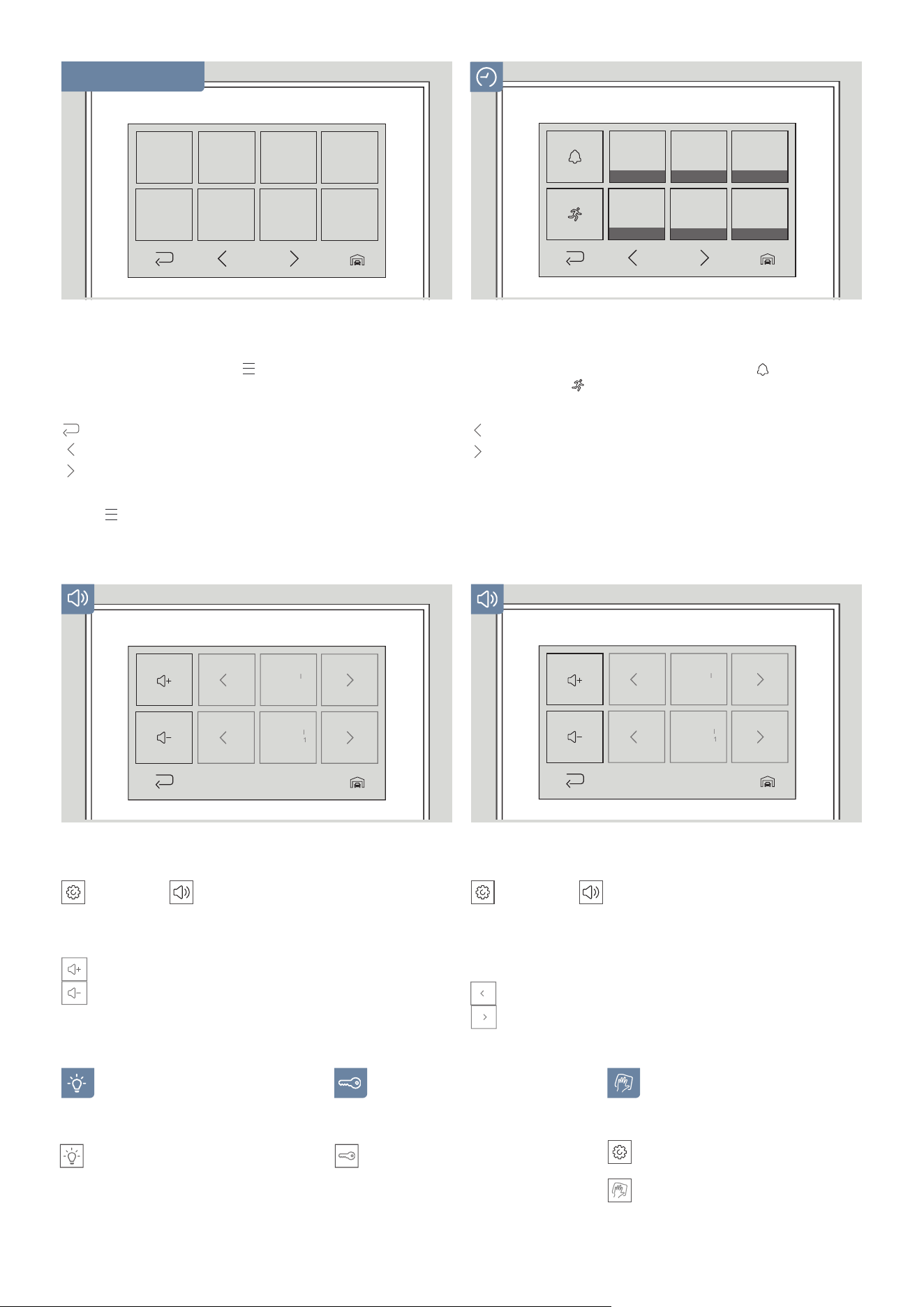
LIVE-SCREEN
BASIC FEATURES
Maximum call duration: 3 minutes
After this time has expired, the call is
automatically ended.
Standby screen after: 3 minutes
Touch the display or press
to reactivate
the screen.
Switch Between Live Views
You can switch between the live views if there is more
than one door station connected to your indoor station.
Tap the ”Door Station selection” icon in the bottom right
corner to change the station.
The reception symbol
indicates the connection quality
of your indoor station to the door station.
Weather Information
From the live screen, tap the weather icon in the
right sidebar to access the weather information for the
current day.
Tap:
to open the weekly overview.
09:55
21°C
3
09:55
21°C
09:55
21°C
Doorbel
l
Melody
7
St
orey
cal
l
Ding
Dong
1
09:55
21°C
09:55
21°C
Doorbel
l
Melody
7
St
orey
cal
l
Ding
Dong
1
Tap:
to navigate to previous events.
to navigate to next events.
Touch the image to display it in full-screen mode.
To view the history of another door station, tap the
”Door Station selection” icon in the bottom right corner.
View History
In the history, you can review past doorbell (
) and
motion events (
) with date and time.
Volume up / down
”Settings”→
”Sound”
Tap:
to turn the volume up.
to turn the volume down.
Light on/off
Tap ”Light” to switch the infrared
light of your door
station on/off.
Relais switch
Tap ”Relay” to get to the
relay overview.
Here you can trigger all connected
relays.
Cleaning mode
Tap ”Settings” →
Tap ”Cleaning Mode” to deactivate
the touch function for 30 seconds.
Tap:
to select the previous sound.
to select the next sound.
Select sound
”Settings”→
”Sound”
Select the sound for the doorbell.
Select the sound for the storey call if available.
Menu navigation
Tap the live video or press
to enter the menu.
Tap:
to go back.
to navigate to the left side of the menu.
to navigate to the right side of the menu.
Press
to return to the live screen.
MENU FEATURES