ST
AR
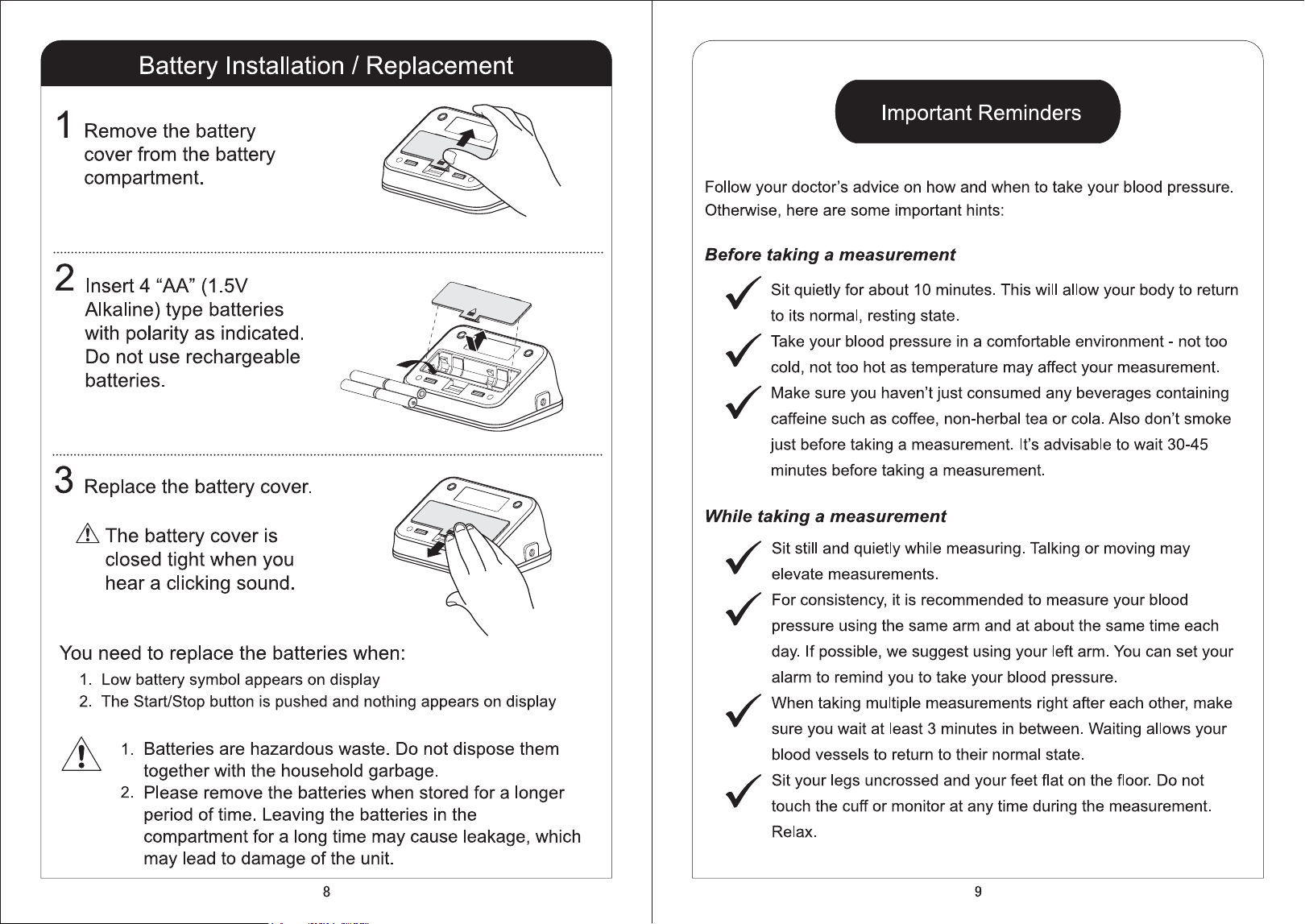
T/ST
OP
MEM
PUL
/min
DIA
mmHg
SYS
mmHg
7
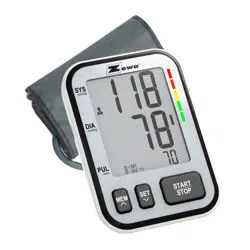
Part Identification
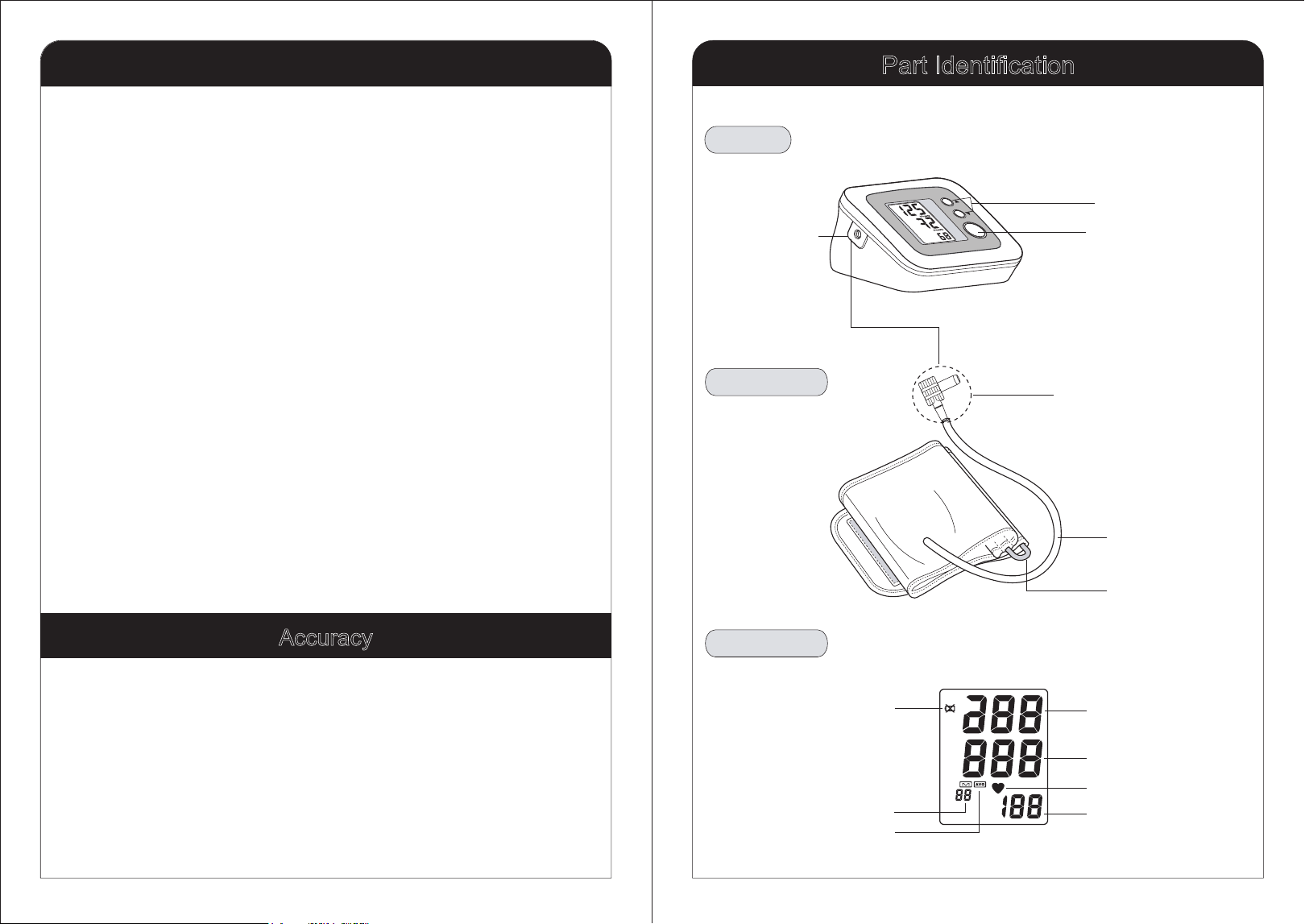
Pulse Display
Heartbeat Symbol
Diastolic Blood
Pressure
Systolic Blood
Pressure
Average Value Symbol
Memory Symbol
Low Battery Symbol
LCD Display
Arm Cuff
Connection Tube
Tube connector
(Insert to Air connector)
D-ring
Body
Air connector
Memory Button
Start/Stop Button
6
Zewa monitors have been clinically tested against a scientific device called
a sphygmomanometer, considered the standard in blood pressure
measurement. All Zewa monitors have performed equivalent to
measurements taken with this scientific device and are within the accuracy
limits prescribed by the American National Standard for Electronic and
Automated Sphygmomanometers.
Accuracy
TM
TM
Special Features
PI SYSTEM
Zewa’s exclusive PI System (Personalized Inflation System)
automatically determines the correct inflation pressure needed to take a
blood pressure measurement. Personalized inflation results in a faster,
more comfortable and more accurate reading.
Irregular Heartbeat Detection (IHB)
An irregular heartbeat may cause or indicate cardiovascular disease. Zewa
blood pressure monitors feature advanced technology to alert the user if an
irregular heartbeat is detected by displaying the IHB symbol on the display.
This is only a caution indication and not a diagnosis. Please consult
your physician if the IHB symbol is continuously displayed.
Note: Talking or moving while taking a measurement can give a false IHB
indication.
Low Noise System
The low-noise, rolling motor pump allows this monitor to offer quiet inflation.
Memory Feature
Zewa’s special memory feature allows the monitor to store up to 60
measurements. It also calculates the average of the last 3 readings.
Accuracy
13
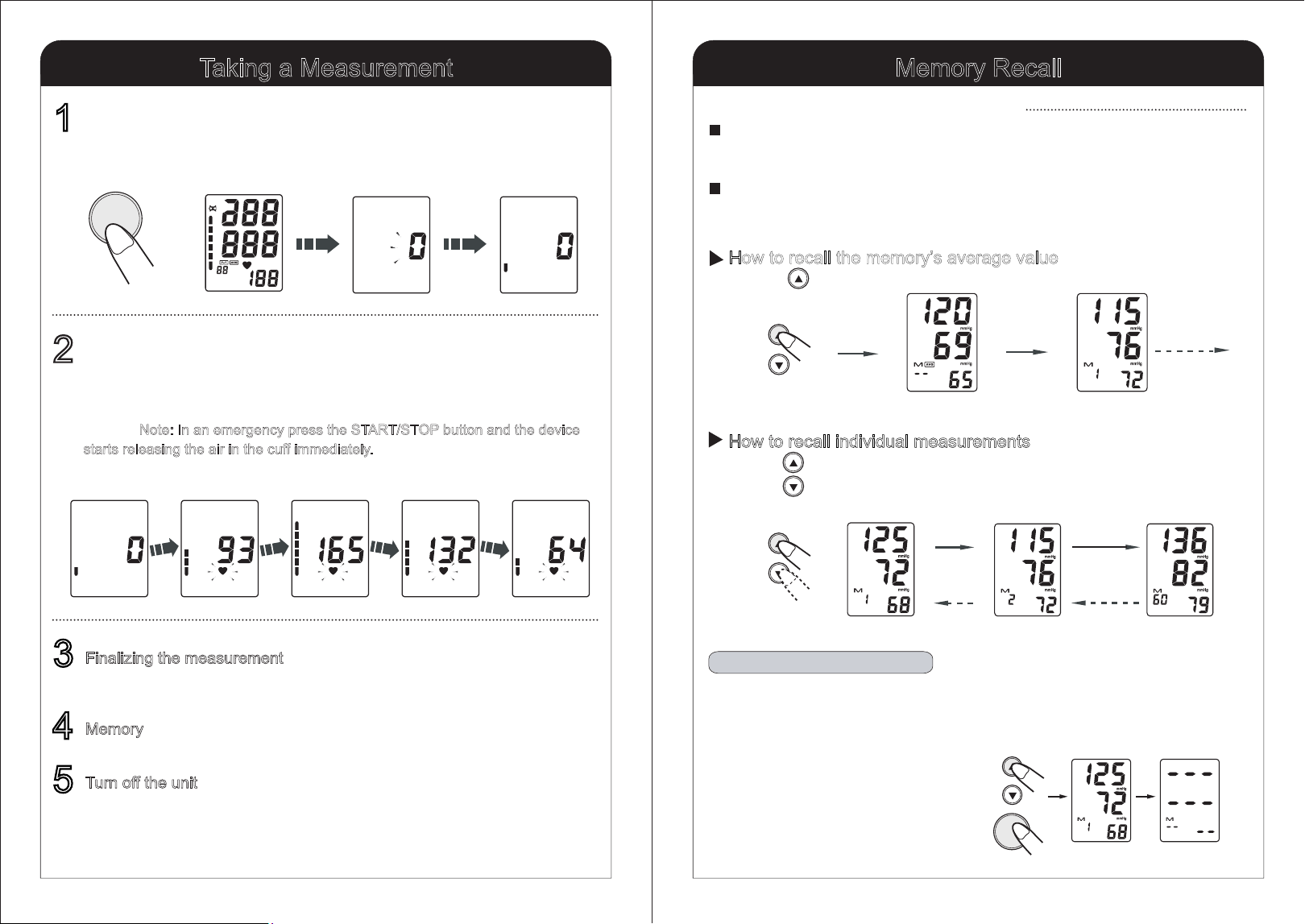
Memory Recall
12
Taking a Measurement
Finalizing the measurement
After the monitor completes the measurement, it will automatically display your
systolic, diastolic measurement and pulse rate.
Memory
The monitor will automatically store your readings.
Turn off the unit
The monitor will turn off automatically after 2 minutes. To turn it off manually
push the START/STOP button.
5
4
3
Deflating
Deflating
Maximum inflation
Inflating
Start to inflate
The unit will automatically start inflation until the optimum air pressure in the cuff
is reached. The device may re-inflated automatically when the first inflation is not
enough. Note: In an emergency press the START/STOP button and the device
starts releasing the air in the cuff immediately.
Inflation and measurement.
2
Start to inflateDeflating automaticallyAll symbols display
All display symbols appear on the screen. The cuff starts to inflate automatically.
Press the START/STOP button.
1
START/STOP
STAR T/STO P
MEM
MEM
How to recall individual measurements
Press the memory button to view the newest measurement.
Press the memory button to view the oldest measurement.
Press the button repeatedly to view all readings.
The Average
measurement value
The 1st newest
measurement value
Turn to next
MEM
How to recall the memory’s average value
Press the memory button to view the average of the last 3
measurements.
This blood pressure monitor can store 60 readings. Once the memory is
full (60 readings) it will automatically delete the oldest reading and replace
it with the newest one.
Average Function: This monitor will calculate the average of the last 3
readings taken. When recalling the memory the first reading displayed is
the average, indicated by the “AVG” symbol on the display.
How to Use the Memory Function
Forward
Backward
Clearing Values from Memory
Press the memory button once until numbers are displayed. Press and
hold the memory button and also press and hold the START button.
Keep both buttons pressed for about 5 seconds until the memory
is erased.
for about 5 seconds until the memory is erased.
The 1st newest
measurement value
The 2nd newest
measurement value
The 60th newest
measurement value