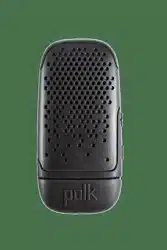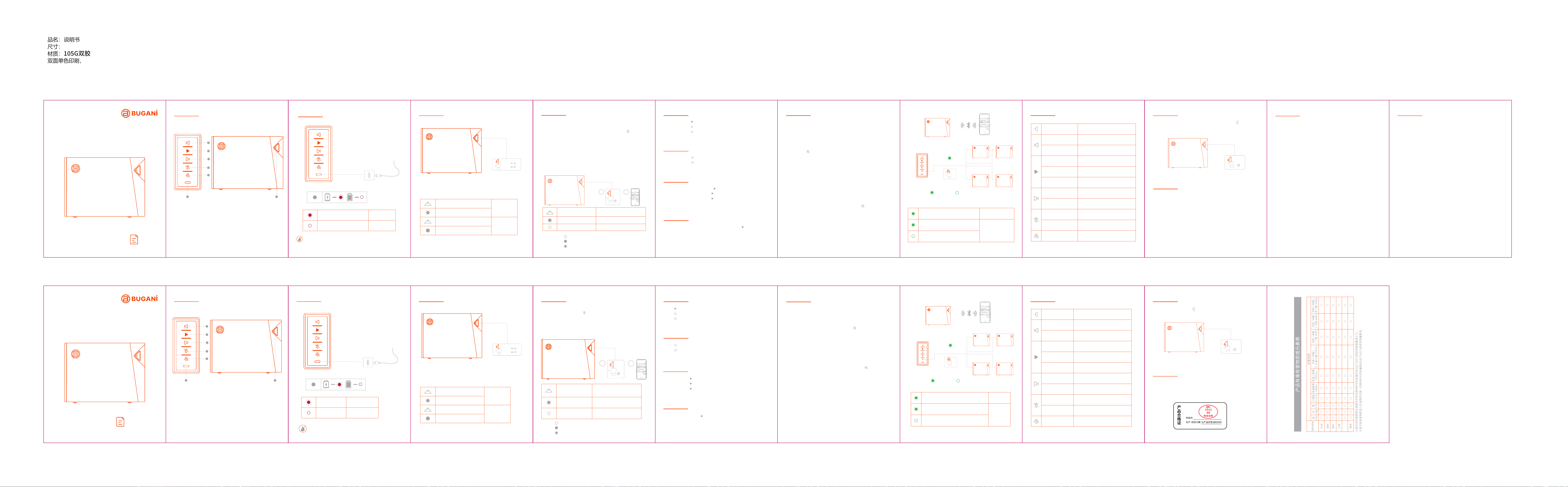
1. Volume Down / Previous Song
2. Play/Pause
3. Volume Up / Next Song
4. Bluetooth mode
5.Bluetooth Broadcast mode
6. USB-C
7. Power On/O/Indicator light
Red indicator light stays on
Red indicator light is flashing Charging
Fully charged
Don't plug the cable in when your speaker and the charging
port are not completely dry. Leave your speaker in a dry
area with some airflow to let the port air dry naturally.
Press for two seconds
Press for two seconds
Press for two seconds
White indicator light is flashing
All lights o
speaker 1 / speaker 2 / 3......
speaker 1
speaker 1
BUGANi LIMITED WARRANTY
CAUTION
•It is not recommended to replace the battery privately.
•The battery (battery pack or battery pack combination) must not
be exposed to sunshine, fire or similar overheated environments.
BUGANi Corporation (“BUGANi”) warrants your product against
defects in materials and workmanship when purchased directly
from BUGANi or a BUGANi authorized reseller. This warranty is
extended only to the original end-use purchaser or the person
receiving the product as a gift and shall not be extended to any
other person or transferee. The warranty is valid from the date of
retail purchase for a period of 1 year. BUGANi will provide the
Warranty Services in accordance with the relevant laws and
regulations of local government.
This warranty does not cover defects or damage arising from
improper use or maintenance, normal wear and tear, commercial
use, accident or external causes. Unauthorized repair, modification
or customization of your product voids this warranty.
For warranty service on covered defects during the warranty
period, contact BUGANi using the contact information at world-
wide. Prior to providing warranty service, BUGANi may require
you to provide proof of purchase details, including but not limited
to a receipt or sales invoice.
For more information, please visit www.bugani-global.com
Please contact: car[email protected]
......
speaker 2 / 3......
Hold down the power button for 2 seconds to power on.
Hold down the power button again for 2 seconds to power o.
Green light flashing (speaker 1)
Green light keeps on (speaker 2/3….)
Bluetooth broadcast
connected
connected connected
Green light flashing
Bluetooth
broadcast mode
• When first used and turned on, the speaker will automatically
enter a pairing mode for connection.
• If the Bluetooth device is already connected, press " " button
to disconnect the current connection and connect with other
devices.
• The speaker will automatically enter pairing mode if it is not
connected to a Bluetooth device.
When pairing, enable the Bluetooth function of the phone and
search for " BUGANi Brief Go " to connect. When the connection is
successful, you will hear a prompt tone and the Bluetooth indicator
will turn from blinking to long on.
White light flashing
White light keeps on
Automatically enter Bluetooth
pairing mode after boot
Bluetooth pairing
Bluetooth connected
This speaker will power o automatically after 15 minutes if no
device is connected.
FCC STATEMENT
Changes or modifications not expressly approved by the party responsible
for compliance could void the user's authority to operate the equipment.
This equipment has been tested and found to comply with the limits for a
Class B digital device, pursuant to part 15 of the FCC Rules.
These limits are designed to provide reasonable protection against harmful
interference in a residential installation. This equipment generates uses and
can radiate radio frequency energy and, if not installed and used in
accordance with the instructions, may cause harmful interference to radio
communications. However, there is no guarantee that interference will not
occur in a particular installation. lf this equipment does cause harmful
interference to radio or television reception which can be determined by
turning the equipment o
and on, the user is encouraged to try to correct the interference by one or
more of the following measures:
- Reorient or relocate the receiving antenna.
- Increase the separation between the equipment and the receiver.
- Connect the equipment to an outlet on a circuit dierent from that to
which the receiver is connected.
- Consult the dealer or an experienced radio / TV technician for help.
Changes or modifications not expressly approved by the party responsible
for compliance could void the user's authority to operate the equipment.
This device complies with Part 15 of the FCC Rules. Operation is subject to
the following two conditions:
(1) This device may not cause harmful interference, and
(2) This device must accept any interference received. Including interfer-
ence that may cause undesired operation.
The device has been evaluated to meet general RF exposure requirement.
The device can be used in portable exposure condition without restriction.
4C+1专
Description: Indicator light on
Indicate that the light is o
Indicate that the light is flashing
Volume down
Previous song
Volume up
Enable/disable the voice assistant
Next song
Reject a call
Play/Pause/Answer a call/
End the call
Bluetooth connection/Disconnect
Double click
Double click
Short press
Long press
Short press
Long press
Short press
Long press
Short press
Bluetooth broadcast
connection /Disconnect
Clear Bluetooth pairing list
Press and hold for 5
seconds
Press and hold for 2
seconds
Turn On/O
speaker 1 speaker 2 / 3......
pairing
RESET
产品概述 充电
开机/关机 蓝牙配对 音乐控制
�.音量减/上一曲
�.播放/暂停
�.音量加/下一曲
�.蓝牙模式
�.蓝牙广播模式
�.USB-C充电接口
�.电源开/关/指示灯
当音响充电接口未完全干燥时,请勿插入充电线。将音响放
在有空气流通的干燥区域,让充电口自然风干。
按住电源开 / 关按键 � 秒即可开启音响。
再次按住电源开 / 关按键 � 秒即可关闭音响。
开机后如没有连接到蓝牙设备,音响大约在 �� 分钟后关闭。
·首次使用并开机时,音响将自动进入配对模式。
·如已连上蓝牙设备,短按“ ”键,即可断开当前连接以便与其它设备
进行配对。
·如没有连上蓝牙设备,音响也会自动进入配对模式。
配对时,启用手机的蓝牙功能,搜索“ BUGANi Brief Go ”进行连接,
连接成功后你会听到提示音,蓝牙白色指示灯由闪烁变为长亮。
蓝牙广播模式
按钮控制 复位
短按“ ”键播放或暂停音乐。
长按“ ”键转到下一首歌曲。
长按“ ”键转到上一首歌曲。
音量控制
在开机状态下,长按 � 秒“ ”键至音响重新开机,即可复位音响。
注意
复位
红色指示灯闪烁
充电中
红色指示灯长亮
充满电
长按�秒
开机
关机
长按�秒
白色指示灯点亮
所有灯熄灭
BUGANi Brief Go
2
1
长按�秒
白色指示灯闪烁
白色指示灯长亮
开机后自动进入蓝牙配对模式
蓝牙配对
蓝牙已连接
短按“ ”键调高音量。
短按“ ”键调低音量。
通话控制
接听来电 : 短按“ ”键
拒接来电 : 长按“ ”键。
结束通话 : 短按“ ”键。
语音助手
已连接蓝牙状态,双击“ ”键启用 / 关闭语音助手。
音响 �
音响 �
音响 � / 音响 � / �......
音响 � 音响 �/�......
连接 连接
配对
......
音响 � / �......
�. 不建议未经许可私下更换电池。
�. 电池 [ 电池组或电池组合 ] 不得暴露在诸如日照、火烤或类似过热环境中。
BUGANi Brief Go
x2
蓝牙广播配对
蓝牙广播连接
绿色指示灯闪烁
绿色指示灯闪烁(音响�)
绿色指示灯长亮(音响� / �......)
说明 : 表示指示灯长亮
表示指示灯熄灭
表示指示灯闪烁
长按�秒
开/关机
设置一个“ Brief Go ”为主音响,可连接 ���+“ Brief Go ”副音响控
制其功能。
�. 首先,将其中一个“ Brief Go ”音响连接到您的蓝牙设备 ( 例如手机 )
作为主音响并播放音乐。
�. 双击主音响和其它“ Brief Go”音响上的“ ”键,进入蓝牙广播连
接模式并自动连接。
�. 连接成功后,主音响上的绿色 LED 指示灯继续闪烁,副音响上的绿色
LED 指示灯由闪烁变为长亮。
成功进入蓝牙广播模式后
• 您可以通过控制主音响关闭所有音响,调节音量等。
• 您可以分别关闭每个副音响的电源。
• 如要退出蓝牙广播模式,请再次双击任意音响上的“ ”键。
2s
1
2
3
4
5
7
6
105*135mm
风琴折
金属部件
本表格依据SJ/T�����-����的规定来编制
Model: BS12308
ON
OFF
2s
2s
开机
关机
PRODUCT OVERVIEW
CHARGING
POWER ON / OFF
BLUETOOTH CONNECTION
MUSIC CONTROL BLUETOOTH BROADCAST MODE BUTTON CONTROLS
RESET
Short Press the " " button to play or pause music.
Long press the " " button to go to the next song.
Long press the " " button to go to the previous song.
VOLUME CONTROL
Short press the " " button to turn up the volume.
Short press the " " button to turn down the volume.
CALL MODE
Answer a call: Short press the " " button.
Reject a call: Long press the " " button.
End the call: Short press the " " button.
VOICE ASSISTANT
When Bluetooth is connected, double-click the " " button to
enable/disable the voice assistant.
Set one " Brief Go " as the main speaker, and you can connect it to
more than 100 auxiliary " Brief Go " speakers to control their
functions.
1.First, connect one of the " Brief Go " speakers to your Bluetooth
device (such as a mobile phone) as the main speaker and play
music.
2.Press the " " button twice on the main speaker and other
" Brief Go " speakers to enter Bluetooth broadcast connection
mode and connect automatically.
3.After successful connection, the green LED indicator on the main
speaker will continue to flash, and the green LED indicator on the
auxiliary speaker will change from flashing to long light.
After successfully entering Bluetooth broadcast mode
• You can turn o all speakers, adjust the volume, etc. by
controlling the main speaker.
• You can turn o the power of each auxiliary speaker separately.
• To exit Bluetooth broadcast mode, press the " " button on any
speaker twice.
When the speaker is turned on, press and hold the " " button for
8 seconds.
CN
EN
Power on
Power o
BUGANi Brief Go
本产品由中国平安保险公司承保
用户手册
便携蓝牙音响
1
2
3
4
5
76
双击
双击
播放/暂停/接听电话/结束电话
拒接电话
启用/关闭语音助手
调高音量
下一曲
蓝牙连接/断开
蓝牙广播连接/断开
清除设备配对记录
长按�秒
长按
短按
上一曲
调低音量
2s
2s
BUGANi Brief Go
2
1
2s
BUGANi Brief Go
x2
长按
短按
长按
短按
短按
8s
Model: BS12308
BUGANi Brief Go
USER MANUAL
PORTABLE BLUETOOTH SPEAKER
EN
ENEN
EN
ENEN
EN
EN
EN
EN
CNCNCN
CN
CNCN
CNCNCN
8s
FCC ID:2BV4X-BS12308