V1
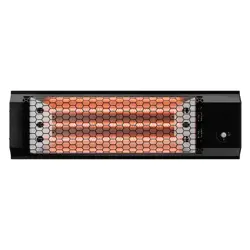
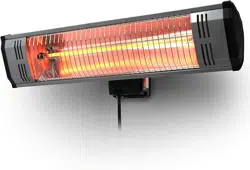
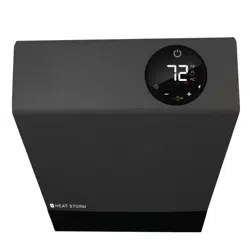
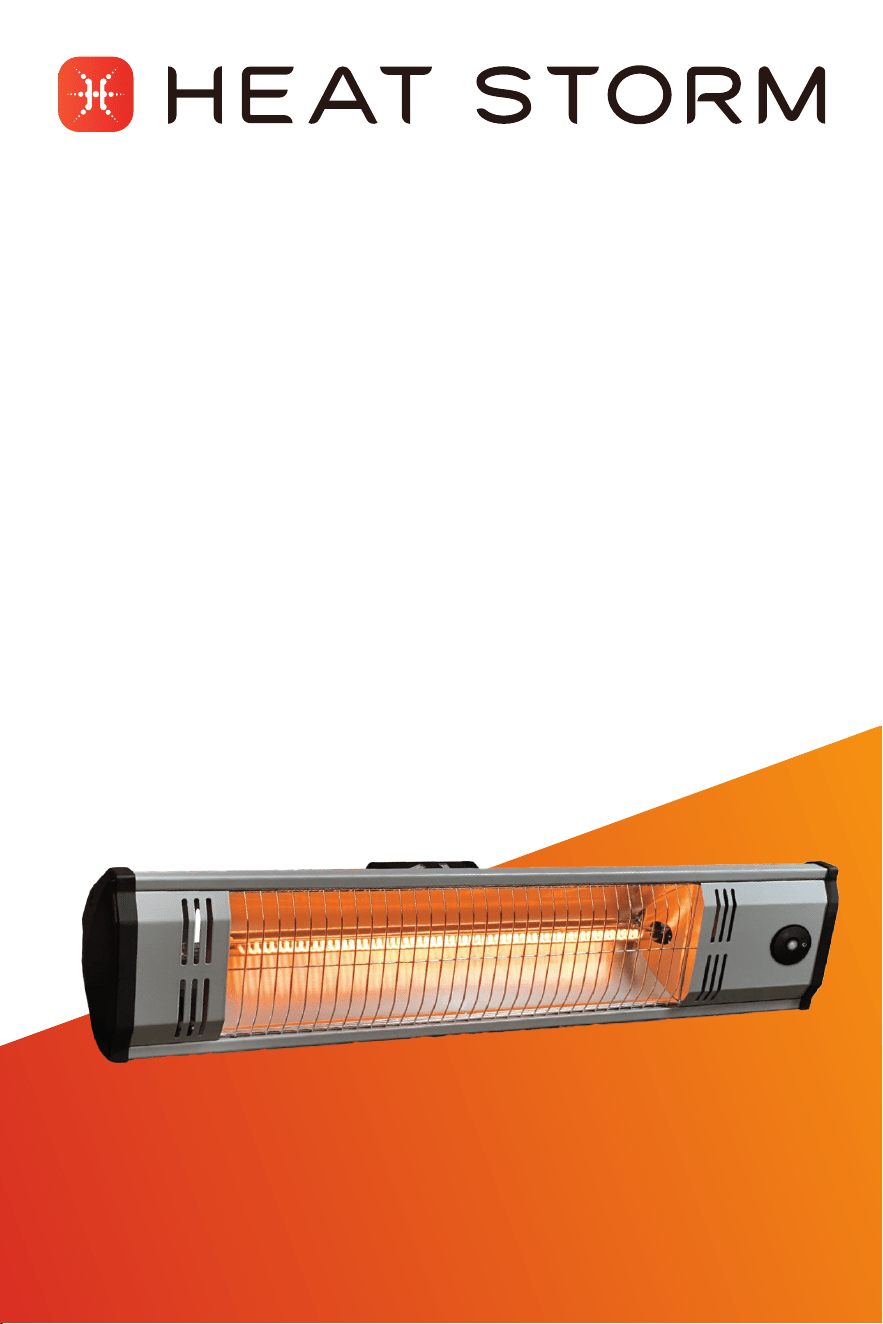
Model: HS-1500-OTR-MWI
1500 W | Carbon ber infrared heater
User
manual
2
Table of contents:
Important instructions ��������������������������������������������������������������������������������� 3
Installation instructions ������������������������������������������������������������������������������� 6
Operations & controls ����������������������������������������������������������������������������������10
Wi-Fi setup �����������������������������������������������������������������������������������������������������11
Maintenance ��������������������������������������������������������������������������������������������������13
Return policy �������������������������������������������������������������������������������������������������14
1-year limited warranty �������������������������������������������������������������������������������14
Thank you and congratulations on your Heat Storm Heater! Please
read and keep all safety and use instructions. Should you have any
questions or concerns, please don't hesitate to reach out to us at
435-752-6611 or cs@heatstorm.com.
CAUTION
Remove the black styrofoam shipping insert from
the heating element before turning on the heater.
Failure to do so can result in a re.

3
Important instructions
Please read and understand this entire manual before attempting
to assemble, operate, or install the product. Use this heater only as
described in the manual. Do not operate the heater unless it is attached
to the wall, tripod, or ceiling mount. If the directions are not followed,
an electric shock or re may result causing property damage, personal
injury or death.
SAFETY GUIDELINES & FEATURES
• Adhere to basic precautions to minimize the risk of re, electric
shock, and injury when using electrical appliances.
• The heater becomes hot during operation; avoid direct contact with
hot surfaces to prevent burns.
• Exercise extreme caution in the presence of children, invalids,
or when the appliance is unattended. Children should not play with
the appliance.
• Individuals with reduced capabilities should not operate the
appliance without supervision or proper instruction.
• Unplug the heater when not in use. To disconnect from the power
supply, grip by the plug to poll from the power socket. Never pull by
the cable.
• Overheat protection: If the product malfunctions or is covered,
and the temperature probe detects a temperature above 90°C, the
protection program will activate. The heating element will turn off,
and the power indicator light will ash and remain on. Additionally,
the heater will buzz with intermittent chirps.
Note: To deactivate the overheating protection, you must unplug or
turn off the power and then turn it back on.
• 24-hour automatic shutdown: If the product is in working mode
for more than 24 hours, it will automatically shut down. The
countdown will start from the last action, after which it will enter
standby mode.
• Tip-over protection: If the heater is tilted more than 45 degrees,
the heating element will turn off, and the product will enter
standby mode."
• Do not operate unless the protection grid is in place. Do not use if
the protection grid has been deformed.
• Never use the heater to dry washing.

4
WARNING
• For any maintenance other than light cleaning, please contact an
authorized service representative.
• Never plug the appliance into the socket with wet hands.
• High temperature, risk of re, keep electrical cords, drapery,
furnishings, and other combustibles at least 3 feet (0.9 m) from the
front of the heater and away from the side and rear. To reduce the
risk of re, do not store or use gasoline or other ammable vapors
and liquids in the vicinity of the heater.
• Heat Storm Infrared Heaters are considered to be an appliance.
Each heater and appliance should be on its own circuit.
• DO NOT operate if the following occurs:
» Heater has a damaged cord or plug.
» After the heater malfunctions.
» Heater has been dropped or damaged in any manner.
Turn off the heater, disconnect the cord, and have heater inspected/
serviced by an electrician before reusing or discard
the heater.
CAUTION
• To prevent electric shock, match the wide blade of the plug to the
wide slot and fully insert.
• To disconnect, turn controls off, wait for the fan to stop, and then
remove the plug.
• Do not insert foreign objects into ventilation or exhaust openings to
prevent electric shock, re, or heater damage.
• Do not block air intakes or exhaust. Do not place heater on soft
surfaces or near a bed, where openings may become blocked or
blankets can be ignited.
• Under no circumstances should this heater be modied.
Modications will void the warranty. Parts removed for servicing
must be replaced prior to operation.
• Do not move the heater while it is operating. Turn off the heater,
wait for the heater to cool, and then relocate.
• Plug the heater directly into a wall outlet; do not use extension
cords, surge protectors, or relocatable power taps. This heater
is designed for standard 120-volt outlets and should only be
connected to a proper 2-prong polarized outlet.
• Ensure the cord is not under carpeting, covered with rugs,
runners, or similar coverings. Avoid routing it under furniture or
appliances and position it away from high-trafc areas to prevent

5
tripping hazards.
• If the supply cord is damaged, it must be replaced by the
manufacture, its service agent, or similarly qualied persons in
order to avoid a hazard.
• Do not use in the following areas: outdoors, closets, or locations
with gasoline, paint, or ammable liquids.
• Do not use gasoline or any other ammable vapors or liquids,
including aerosol cans, near this heater while it's in operation. This
includes but is not limited to hydrogen, acetylene, ammonia, methane,
ethylene, carbon monoxide, or any other gases lighter than air.
• This heater is tted with safety guards. These are intended to stop
large objects from hitting the emitters. On no account should the
heater be operated with the guard removed.
REMOTE CONTROL BATTERY REPLACEMENT
WARNING: This product contains a lithium button/coin cell battery. If
a new or used lithium button/coin cell battery is swallowed or enters
the body, it can cause severe internal burns and can lead to death in a
s little as 2 hours. Always completely secure the batter compartment.
If the battery compartment does not close securely, stop using the
product, remove the batteries, and keep it away from children. If you
think batteries might have been swallowed or placed inside any part of
the body seek immediate medical attention.
WARNING: Improper use may cause battery leakage, rupture, or re,
resulting in injury or damage. Always follow safety guidelines and
proper disposal methods. Keep batteries away from children.
• Only use CR2025 batteries.
• Ensure the battery is installed correctly, observing the correct
polarity (+ and -).
• Do not attempt to recharge non-rechargeable batteries.
• Avoid mixing different battery types, such as alkaline, carbon-zinc,
lithium, or rechargeable (e.g., Nickel-Cadmium).
• Keep batteries out of reach of children and do not ingest. Batteries
are small parts and pose a choking hazard.
• Remove batteries from the device if it will not be used for an
extended period, or if they are depleted.
• Clean battery contacts before installing new batteries.
• Dispose of used batteries promptly and responsibly, following local
regulations and recycling guidelines, which can be found online or
in your local phone directory.
• Do not dispose of batteries in re, as they may explode or leak.

Installation instructions
• Ensure that the heater is properly installed before use.
• The heater should always be installed horizontally and should only
use the mounting brackets provided.
TOOLS NEEDED FOR INSTALLATION
• 3/16” drill bit
• Philips screwdriver
HEATER LOCATION
When choosing a location for your new heater, ensure that the general
instructions are followed.
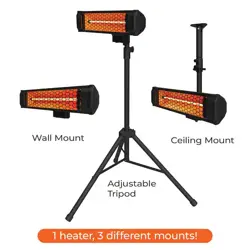
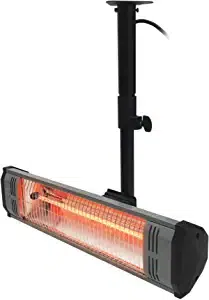
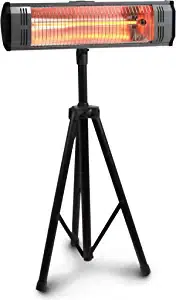
• Your heater must be installed on a provided mount or tripod.
• The heater should not face the ceiling or ammable substances.
• Ensure that there is no possibility of ammable material coming
into contact with the heater or lying near the heater.
• This heater is weather resistant (IP65) and can be used indoors or
outdoors. If using outdoors, use a waterproof outlet and cable.
Cold climate installation note
Placing the unit under a window or on a poorly insulated wall may result
in the heater reading a colder ambient temperature than the actual
room temperature.
DO NOT USE in the following areas:
• Locations with gasoline, paint, or ammable liquids
• Wet or moist locations
• Closets
• Do not use directly near a bathtub, a shower, a swimming pool
POWER CONNECTION GUIDELINES
Heat Storm Heaters are classied as appliances. Each heater and
appliance should have its own dedicated circuit.
This heater is designed for standard 120-volt, 20-amp outlets and
should only be connected to a properly grounded outlet. Plug the heater
directly into a wall outlet with the cord fully unwound; do not use
extension cords, surge protectors, or relocatable power taps. If you have
to use an extension cord, the cord should be No. 16 AWG minimum size
and rated not less than 1500 watts. Do not use this heater with a timer
device that automatically turns it on while unattended (e.g., Alexa or
Google programmed plug).
Ensure the cord is not concealed under carpeting, rugs, runners, or
similar coverings. Avoid routing it under furniture or appliances and
position it away from high-trafc areas to prevent tripping hazards.
Regularly inspect your heater cord and plug connections. A loose-tting
outlet can cause the plug to overheat or start a re. Ensure the plug ts
tightly in the outlet. Check frequently during use to ensure the plug and
outlet are not hot. If they are, discontinue using the heater and have the
outlet replaced by a qualied electrician.
Note: Heaters draw more current than small appliances, and overheating of the outlet
may occur even if it has not happened with other appliances.
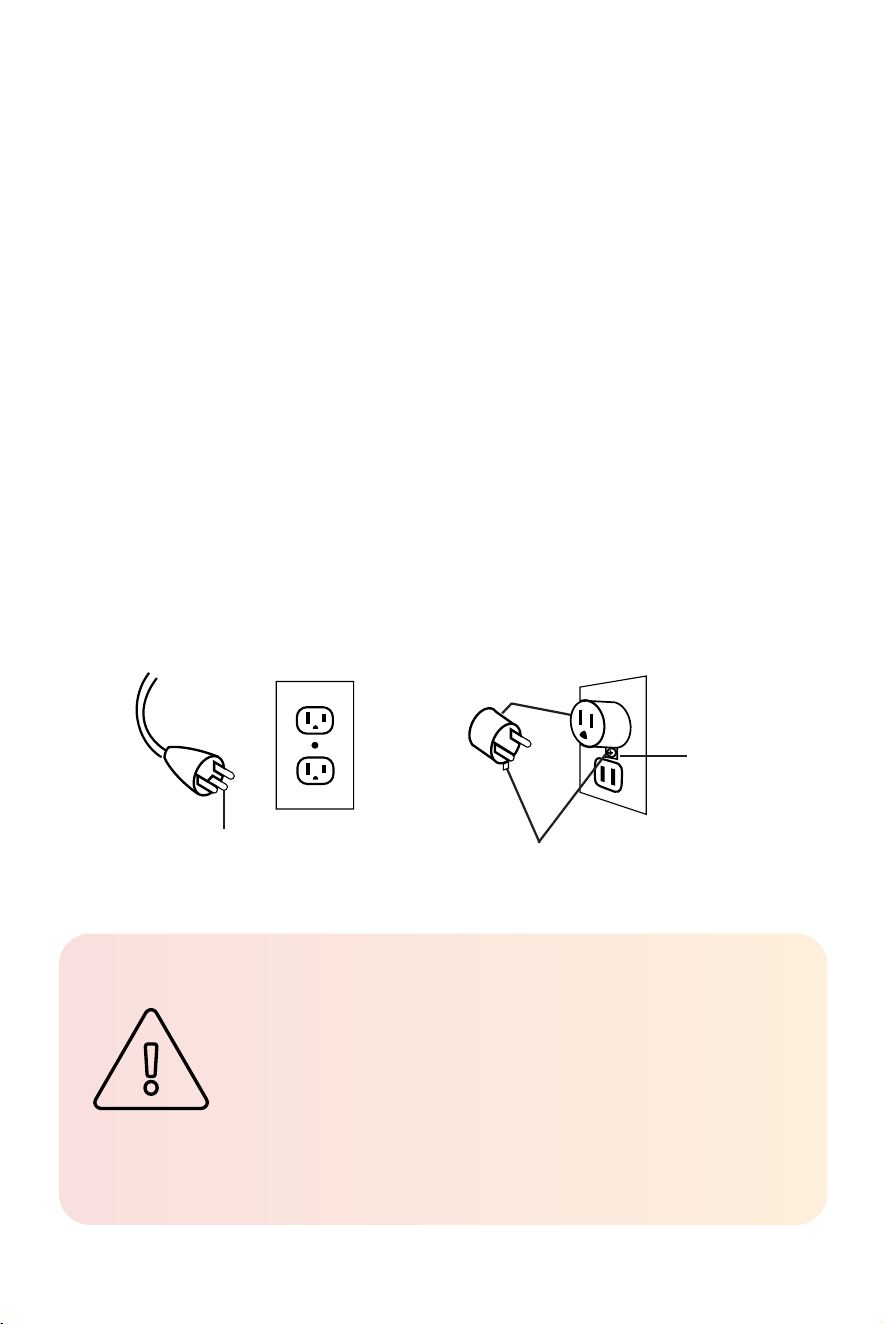
GROUNDING INSTRUCTIONS
This heater operates on 120 volts. The cord features a three-blade
grounded plug, shown in gure A. If using an adapter to connect a
three-blade grounding-type plug into a two-slot receptacle(gure B),
ensure the grounding lug extending from it is connected to a
permanent ground. Do not use the adapter if a three-slot grounded
receptacle is available.
CAUTION
High temperature, risk of re, keep electrical cords,
drapery, furnishings, and other combustibles at least
3 feet (0.9 m) from the front of the heater and away
from the side and rear. To reduce the risk of re, do
not store or use gasoline or other ammable vapors
and liquids in the vicinity of the heater.
Figure A
Figure B
Grounding pin
Metal screw
Grounding means
Adapter
WALL MOUNT
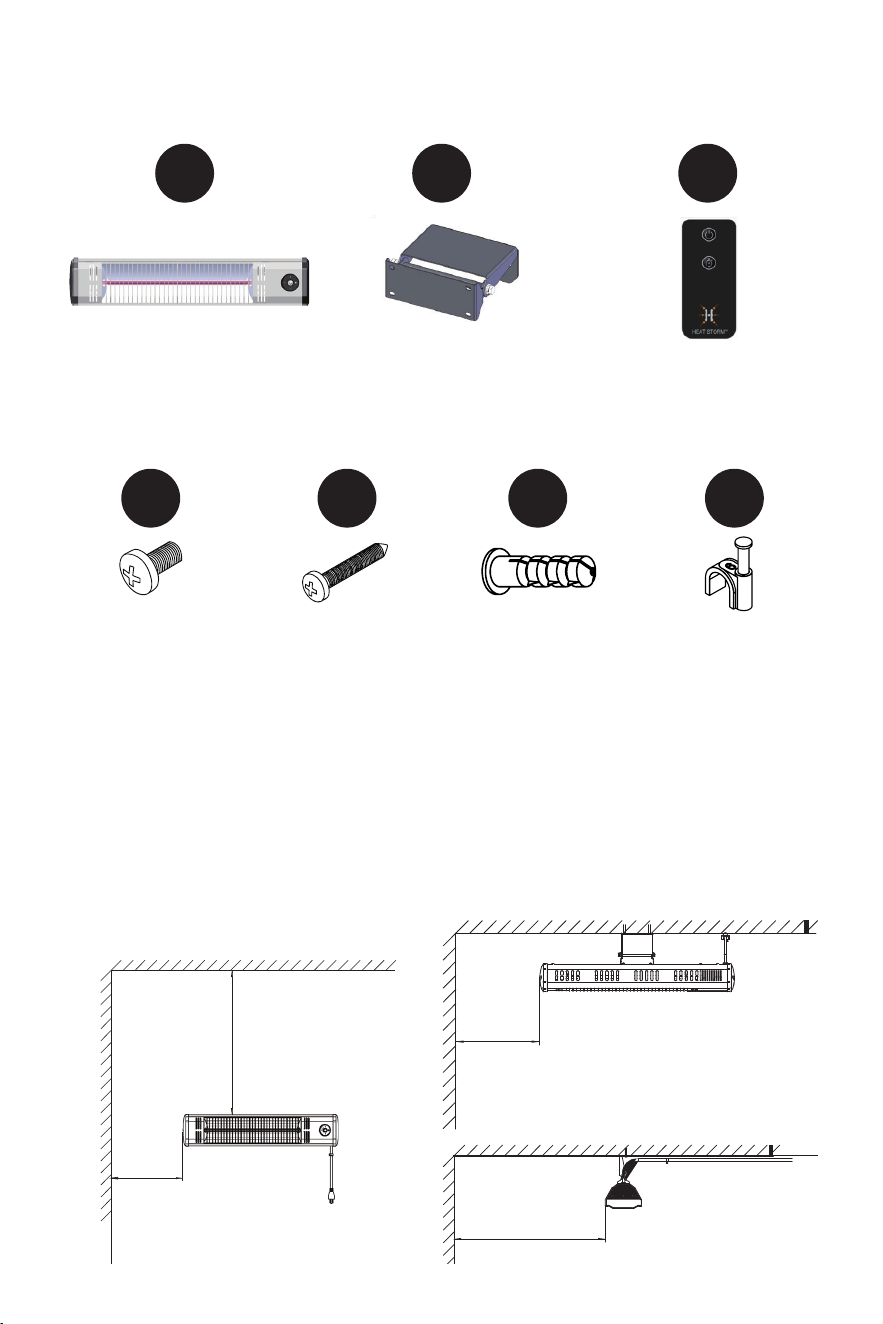
• Only use provided brackets.
• Ensure the power cable can reach an power outlet. Do not twist or
bend the power cable.
• Do not install closer than 20 inches to a vertical or
horizontal (etc) surface.
≥20"
≥20"
≥20"
Heater
qty: 1
Remote
qty: 1
Wall bracket
qty: 1
Missing parts or hardware?
Email us at cs@heatstorm.com
P1 P2 P3
Cable clip
qty: 4
Wall anchor
qty: 2
P6
M4x10 screw
qty: 4
P5P4 P7
Self tapping screw
qty: 2
INCLUDED PARTS
≥20"
9
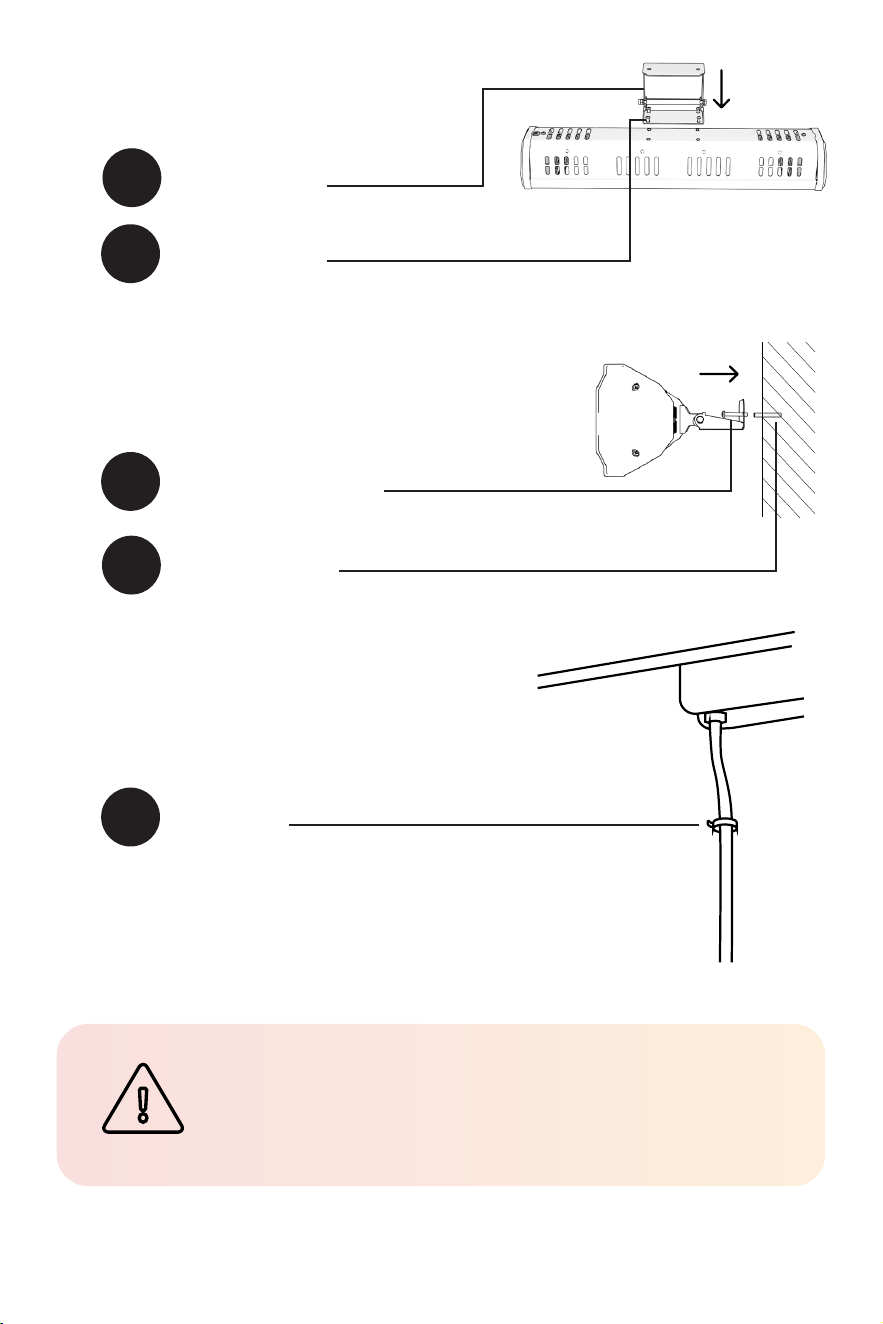
P2
P4
Wall bracket
qty: 1
M4x10 screw
qty: 4
Attach the heater bracket to the
back of the heater.
1
P5
Self tapping screw
qty: 2
Drill your pilot holes and insert the
ribbed plastic anchors before using the
screws to mount the heater.
2
P6
Wall anchor
qty: 2
Prevent the power cable from touching
the heater or entering the heated area.
Secure the cord to the wall or ceiling to
avoid re or damage.
3
P7
Cable clip
qty: 4
CAUTION
Heater must be mounted in the horizontal position.
10
Operations &
Controls
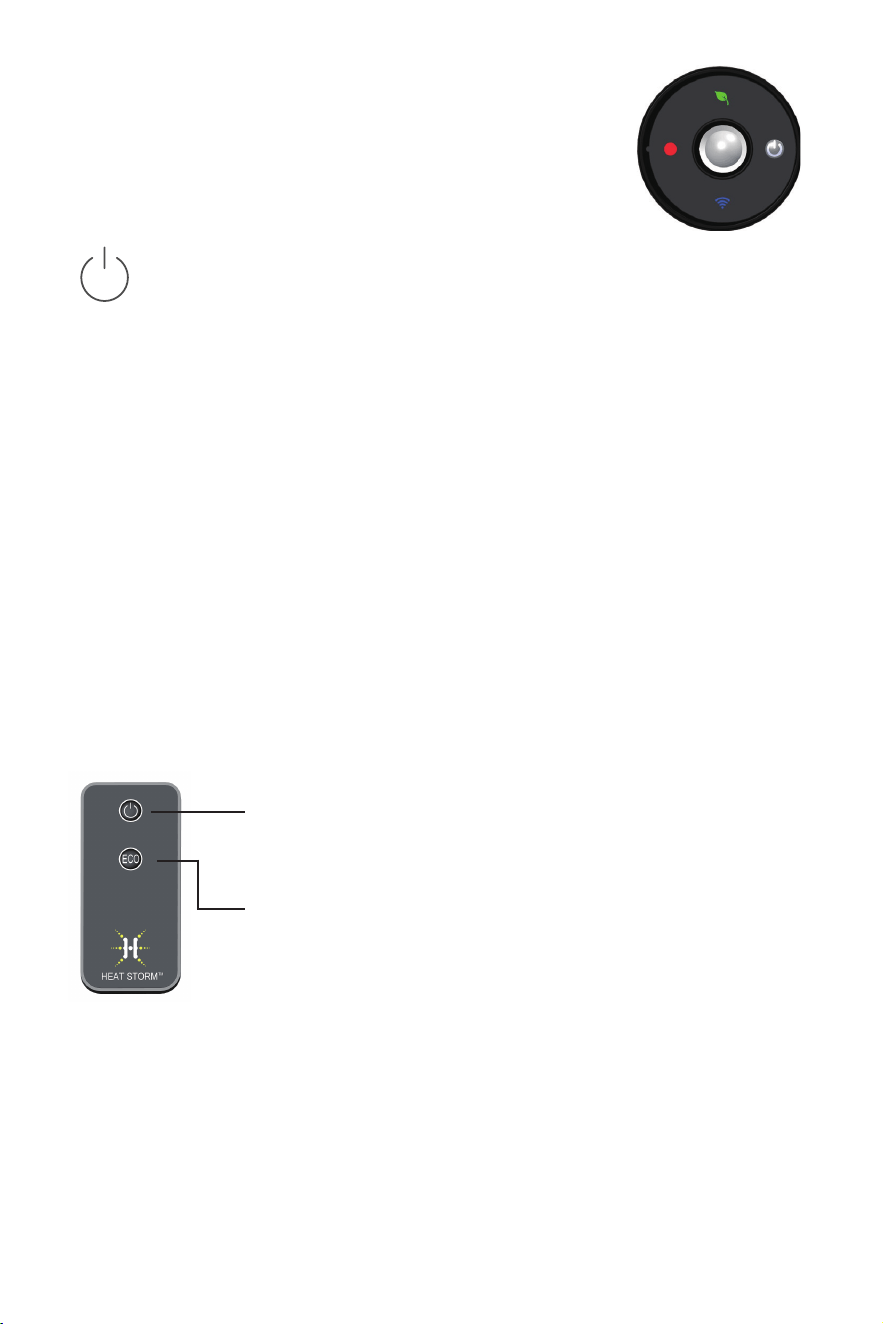
Turn heater on/off
Press the power button to alternate between on and standby.
Eco mode
While the heater is on, press and hold the power button for
about 2 seconds to turn the ECO setting on or off. When active,
a green leaf icon will appear, and the heater will automatically
turn off if it hasn't detected a person within 10 feet for 5
minutes. It will automatically turn on again when a person is
detected. The auto turn-off duration can be adjusted from 0 to
9 minutes within the app.
Wi-Fi discovery mode
Press and hold the power button for 5 seconds to enable the
Wi-Fi discovery mode (Wi-Fi symbol will blink blue). Refer
to page 11 for guidance on connecting to Wi-Fi. The blinking
blue light will turn to a solid blue once Wi-Fi is connected.
Turn heater on/off
Press the power button to alternate between
on and off.
Eco setting
While the heater is on, press the ECO button to turn
the ECO setting on or off. When active, a green leaf
icon will appear, and the heater will automatically
turn off if it hasn't detected a person within 10 feet for
5 minutes. It will automatically turn on again when a
person is detected. The auto turn-off duration can be
adjusted from 0 to 9 minutes within the app.
11
SMART LIFE APP
Manage your Heat Storm Smart Heater conveniently
anytime and anywhere you desire. With just a tap of your
nger, you can adjust temperatures, create schedules, set a child
lock, and ensure warmth according to your preferences.
Prepare your phone
Enable Wi-Fi and Bluetooth® on your phone. Connect to your phone
to a 2.4 GHz Wi-Fi network. Your phone needs to be connected to the
same Wi-Fi that you want to connect your heater to.
NOTE: for some dual band routers, you may need to manually create a network
dedicated to 2.4 GHz.
Download the Smart Life App
Download the app by scanning the QR code or search
for Smart Life in the App Store or on Google Play. Once
the app is downloaded, sign up, and agree to the User
Agreement and Privacy Policy.
Register with your email, set your password, and create a new home
in the Smart Life app.
CONNECT YOUR HEATER TO WI-FI
The Smart Life app offers multiple methods for Wi-Fi setup. If one
method fails, don't worry —simply move on to the next one.
It’s essential to note that the app might undergo updates over time.
As a result, the app prompts you encounter may differ slightly from
the manual. For the most accurate and up-to-date guidance, follow
the prompts within the app.
Wi-Fi® setup
Need help?
Visit heatstorm.com/wi for video tutorials and helpful tips.

12
EASY CONNECT
*Ensure your phone's Wi-Fi, Bluetooth®, and location functions are all activated.
Choose Wi-Fi
Enter your case-sensitive Wi-Fi network name and password, then
tap “Conrm.” Press "Next" if prompted to reset the heater.
Conguration process
Wait for the connection to be completed. Please be patient, as this
may take a few minutes. The app will notify you that the device was
successfully added. Select “done” to enter the control interface.
3
2
Add device
When the machine is on, press and hold the power button on the
control panel for 5 seconds until the Wi-Fi indicator light begins
ashing slowly. Add the appliance in the app:
i. If a pop-up is displayed, tap "Go to add". If you don't get a pop-
up, tap the plus icon in the top right corner. Select "Add device."
ii. Choose "small home appliance," then nd "Heater (BLE) .
1
Choose Wi-Fi
Enter your case-sensitive Wi-Fi network name and password, then
tap “Conrm.” Press "Next" if it is asking you to reset your heater.
Conguration process
Wait for the connection to be completed. Please be patient, as this
may take a few minutes. The app will notify you that the device was
successfully added. Select “done” to enter the control interface.
4
Conguration mode
Conrm the Wi-Fi indicator light on control panel is ashing
quickly and select "blinking quickly" within the app. Then click on
“Finish network conguration”.
2
Add device
i. When the machine is on, press and hold the power button on
the control panel for 5 seconds until the Wi-Fi indicator light
begins ashing.
ii. In the app, tap the plus icon in the top right corner.
iii. Select “Add device.” Choose “Small home appliance.”
iv. Tap “Heater (Wi-Fi).”
1
3
MANUAL CONNECT
13
WARNING
Before cleaning, unplug from the power supply
and wait until the heater cools down.
HEATER MALFUNCTION OR DAMAGE
DO NOT operate if the following occurs:
• Heater has a damaged cord or plug.
• After the heater malfunctions.
• Heater has been dropped or damaged in any manner.
Turn off the heater, disconnect the cord or turn off the circuit at the
breaker, and have heater inspected by an electrician or authorized
service facility before reusing.
Damaged cord or plug
If the supply cord is damaged, it must be replaced by the
manufacture, its service agent, or similarly qualied persons in order
to avoid a hazard.
Overheat protection
If the heater becomes overheated, it will automatically stop heating
and emit a "bee" sound for 60 seconds while the on/off light ashes.
To address this issue, unplug the heater and allow it to cool down for
30 minutes. Ensure the heater is installed horizontally and in good
working condition before using it again.
Maintenance
This heater contains no moving parts and needs very little
maintenance. When the heater builds up heavy dirt, use a soft cloth to
wipe it off.
All other servicing and heating element replacement should be
performed by qualied service personnel unless instructed by
Heatstorm customer service.

14
Returns & exchanges
30 DAY RETURN POLICY
Heaters purchased directly from EnergyWise Solutions can receive
a refund of the total sales amount if the following conditions are met
within 30 days:
1. Product is in new condition.
2. Product is packed in the original manufacturers box and
packing material.
3. Original manuals and accessories are included in package.
EXCHANGES & WARRANTY
After 30 days from the purchase date, the buyer is responsible for
all freight/shipping charges associated with exchanges, refunds, or
warranty claims for the purchased product.
1-year limited warranty
The manufacturer warrants this product and included accessories
against defects in materials and workmanship under normal use for a
period of ONE (1) YEAR from the date of retail purchase by the original
end-user purchaser.
EXCLUSIONS AND LIMITATIONS
1. Install and operate the electric heater strictly in accordance with
the provided instructions at all times. Unauthorized repairs,
alterations, willful abuse, accidents, or misuse of the product
will void this warranty.
2. This warranty is exclusive to the original owner, valid only if
the purchase was made through an authorized supplier of the
product, and is non-transferable.
3. The warranty is limited to repairing or replacing defective parts
in material or workmanship. This applies only if the said part(s)
have been exposed to normal conditions of use and service,
conrmed by the manufacturer's inspection.
4. The manufacturer may, at its discretion, fulfill warranty
obligations by refunding the wholesale price of the
defective part(s).
5. Costs related to installation, labor, construction, transportation,
or any other associated expenses arising from defective part(s),

15
repair, replacement, or otherwise, are not covered by this
warranty. The manufacturer disclaims responsibility for
such costs.
6. The owner/user assumes all risks, including any direct, indirect,
or consequential loss or damage resulting from product use,
except as mandated by law.
7. All other warranties, whether expressed or implied, pertaining to
the product, its components, accessories, or any manufacturer
obligations/liabilities, are expressly excluded. The manufacturer
neither assumes nor authorizes any third party to assume
additional liabilities related to the product sale.
8. The manufacturer neither assumes nor authorizes any third
party to assume on its behalf, any other liabilities with respect to
the sale of the product.
9. The warranties as outlined in this document do not apply to
non-accessories used in conjunction with the installation
of this product.
10. Specic legal rights provided; additional rights may vary
by state. Warranty void if prolonged exposure to dampness,
unauthorized alteration, willful abuse, accident, misuse, or lack
of original purchase receipt.
WARRANTY REDEMPTION
Reach out to Heat Storm customer service at 435-752-6611 during the
warranty period. Please have your sales receipt, purchase location,
and product model information ready. Troubleshooting support will be
offered over the phone. If the issue persists, you may be requested to
email proof of purchase and a photo of the manufacturer sticker to
cs@heatstorm.com.
Replacement parts:
In some cases, we may send you a replacement part along with repair
instructions. This is classied as an authorized repair and does not void
your warranty.
Unit repairs:
If the situation warrants, we will have you send the defective product
to us for inspection. Our technicians will repair the product or provide
a new unit if your heater is deemed irreparable. For units beyond the
30-day return policy, shipping costs are the consumers responsibility.
If interested in our discounted shipping rates, kindly inform your
customer service representative.

435-752-6611 cs@heatstorm.com heatstorm.com
Need help?