支持 Type-C 有线充电
使用说明
手册
半固态磁吸无线充电宝
支持所有Qi无线充兼容的设备进行无线充电
USB-C 充电器
USB-A 充电器
材质 P C+Aluminum alloy+ABS (UL94-V0)
1 0000mAh (5000mAh*2)电池容量
5 000mAh 7.7VDC/38.5Wh电池能量
2 5W (Max)无线输出
0 ℃-40℃工作温度
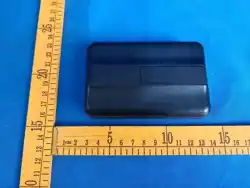
1 03.6*66.5*22.1mm产品尺寸
2 25.7g产品重量
半 固态磁吸无线充电宝产品名称
T 100D型号
输入 5 V 3A/9V 3A/12V 2.5A/15V 2A(30W)
输出 5 V 3A/9V 3A/12V 2.92A/15V 2.33A/20V 1.75A (35W)
组合输出 5 V 3A (Max)
额定容量 6 400mAh (5V 3A)
产品参数
清单
移动电源*1/使用说明书*1
※描述如与实物有差异,请以实物为准
浸水后禁止使用
请勿拆卸电池,请防火防高温,请注意环保
※消费者若使用电源适配器供电,则应购买配套使用获得CCC认
证 并满足标准要求的电源适配器
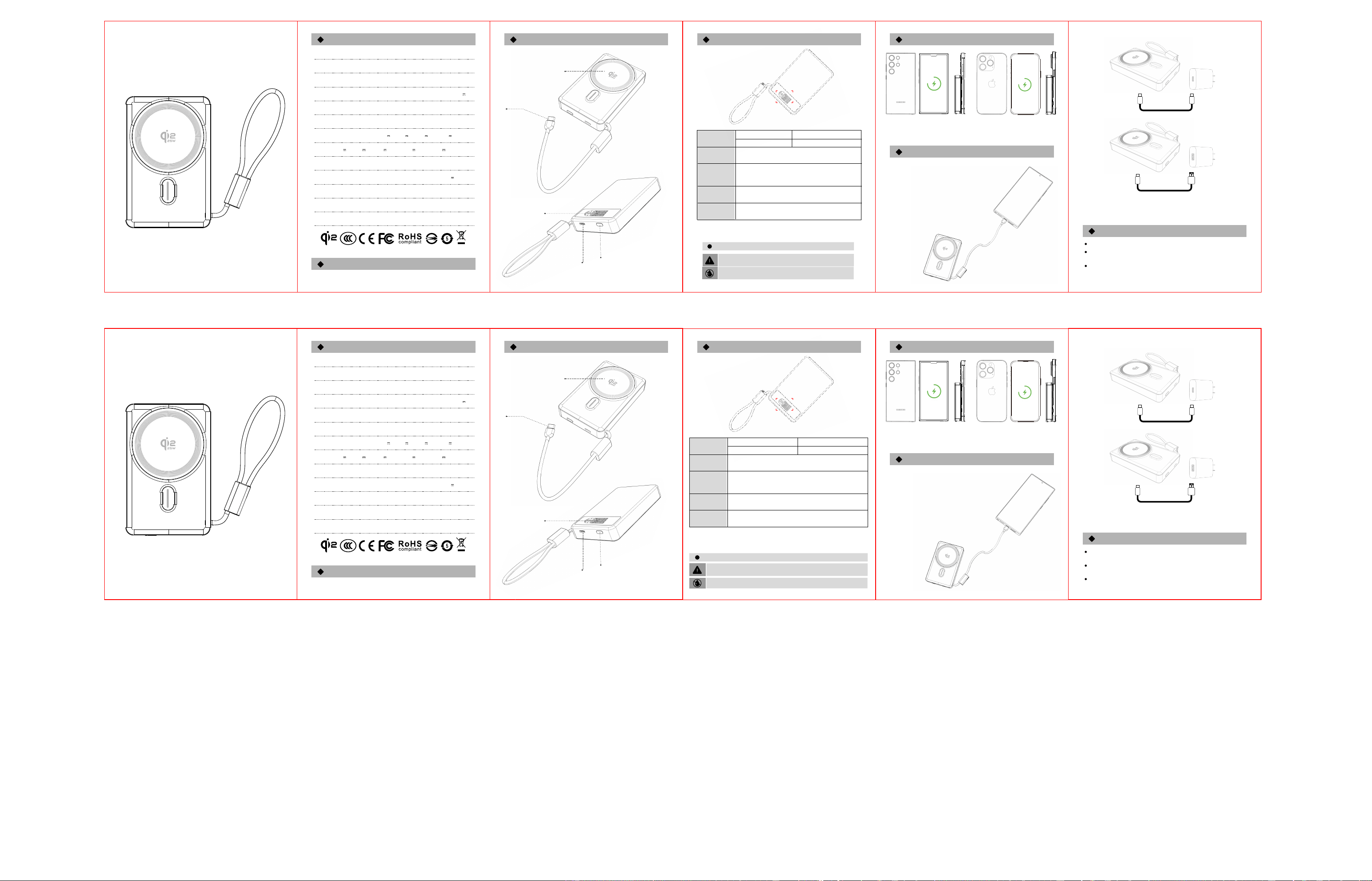
功能介绍
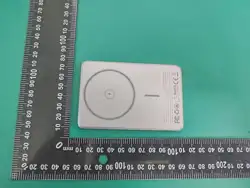
磁吸无线充区域
Type-C数据线
Type-C口
电源按键
TFT屏幕
无线充电
有线充电
请仔细阅读本手册后再使用本充电设备,设备首次使用前,请充分充电。
为避免电击危险,请勿用湿手操作本设备,且不要在高强度、苛刻环境
下使用本设备。
请仅使用接地电源或符合标准参数的标准电源适配器为设备供电。
注意事项
TFT屏幕工作说明
使用环境
TFT 屏电量递增,电量数字周围播放充电动画,输
入口显示 IN 及当前充电功率,快充显示快充标;
充满后屏幕常亮,充电动画停止。
连接手机或充电设备,TFT屏显示当前电量,
快充显示快充标。
TFT 屏电量递减,输出口显示 OUT 及当前放电功率,
快充显示快充标,电量常亮; 电量≤5% 时低电闪烁。
无线充电功能关闭,屏幕当前电量仍保持常亮,
异物 FOD 解除后自动恢复正常无线充显示。
异常时
放电时
充电时
上电时
按键
单击按键
双击按键
开机、查询电量
关 机
Supports Type-C wired charging
User Manual
Semi-solid State Magnetic Wireless Power Bank
Qi-enabled devices
USB-C Charger
USB-A Charger
P C+ABS (UL94-V0)
1 0000mAh (5000mAh*2)
5 000mAh 7.7VDC/38.5Wh
2 5W (Max)
0 ℃-40℃
1 08.1*67.6*22.35mm
2 37.8g
S emi-solid State Magnetic Wireless Power Bank
T 100D
5 V 3A/9V 3A/12V 2.5A/15V 2A(30W)
5 V 3A/9V 3A/12V 2.92A/15V 2.33A/20V 1.75A (35W)
5 V 3A (Max)
Material
Battery Capacity
Battery Energy
Wireless Output
Operating
Temperature
Product Dimensions
Product Weight
Product Name
Model
Input
Output
Combined Output
Rated Capacity 6 400mAh (5V 3A)
Product Specifications
Packing List
Power
Bank*1/User Manual*1
Do not disassemble the battery. Keep away from fire and high
temperatures. Please pay attention to environmental protection.
Operating Environment
Do not use after being immersed in water.
※If consumers use a power adapter for power supply, they should
purchase a matching power adapter that has obtained CCC
certification and meets standard requirements.
Function Introduction
Magnetic Wireless Charging Area
Type-C Data Cable
Type-C Port
Power Button
TFT Screen
Wireless Charging
Wired Charging
Please read this manual carefully before using this charging
device. Fully charge the device before first use.
To avoid electric shock, do not operate this device with wet hands,
and do not use it in high-intensity or harsh environments.
Please only use a grounded power supply or a standard power
adapter that meets the specified parameters to power the device.
Precautions
TFT Screen Operation Instructions
※Please refer to the actual product for any discrepancies.
As power increases, a charging animation will appear around the power
digits. The type-C port displays "IN" and current charging power, and the
fast charging icon is displayed when fast charging. The screen stays on
when fully charged, and the charging animation stops.
When connected to a mobile phone or device, the TFT screen
displays the current power level and the fast charging icon
when fast discharging.
As power decreases, the output port displays "OUT" and current
discharging power, and the fast charging icon is displayed when fast
discharging. The screen flashes when the power ≤5%.
Wireless charging function turns off, screen keeps showing
the current power level. It automatically resumes normal wireless
charging display after foreign object (FOD) is removed.
Abnormal
conditions
Discharging
Charging
Powered on
Button
Single-click the button
Double-click the button
Power on / Check power level
P ower off
N
NOTE 2: Any changes or modifications to this unit not expressly approved by the party responsible for compliance could void the user's authority to operate the equipment.
—Consult the dealer or an experienced radio/TV technician for help.
—Connect the equipment into an outlet on a circuit different from that to which the receiver is connected.
—Increase the separation between the equipment and receiver.
—Reorient or relocate the receiving antenna.
ote: This equipment has been tested and found to comply with the limits for a Class B digital device, pursuant to part 15 of the FCC Rules. These limits are designed to provide reasonable protection against harmful interference in a residential installation. This equipment generates, uses and can radiate radio frequency energy and, if not installed and
used in accordance with the instructions, may cause harmful interference to radio communications. However, there is no guarantee that interference will not occur in a particular installation. If this equipment does cause harmful interference to radio or television reception, which can be determined by turning the equipment off and on, the user is
encouraged to try to correct the interference by one or more of the following measures:
(1) This device may not cause harmful interference, and (2) this device must accept any interference received, including interference that may cause undesired operation.
This device complies with Part 15 of the FCC Rules. Operation is subject to the following two conditions:
FCC Warning
T
The device can be used in portable exposure condition without restriction.
he device has been evaluated to meet general RF exposure requirement.