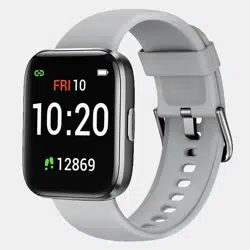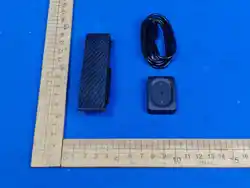
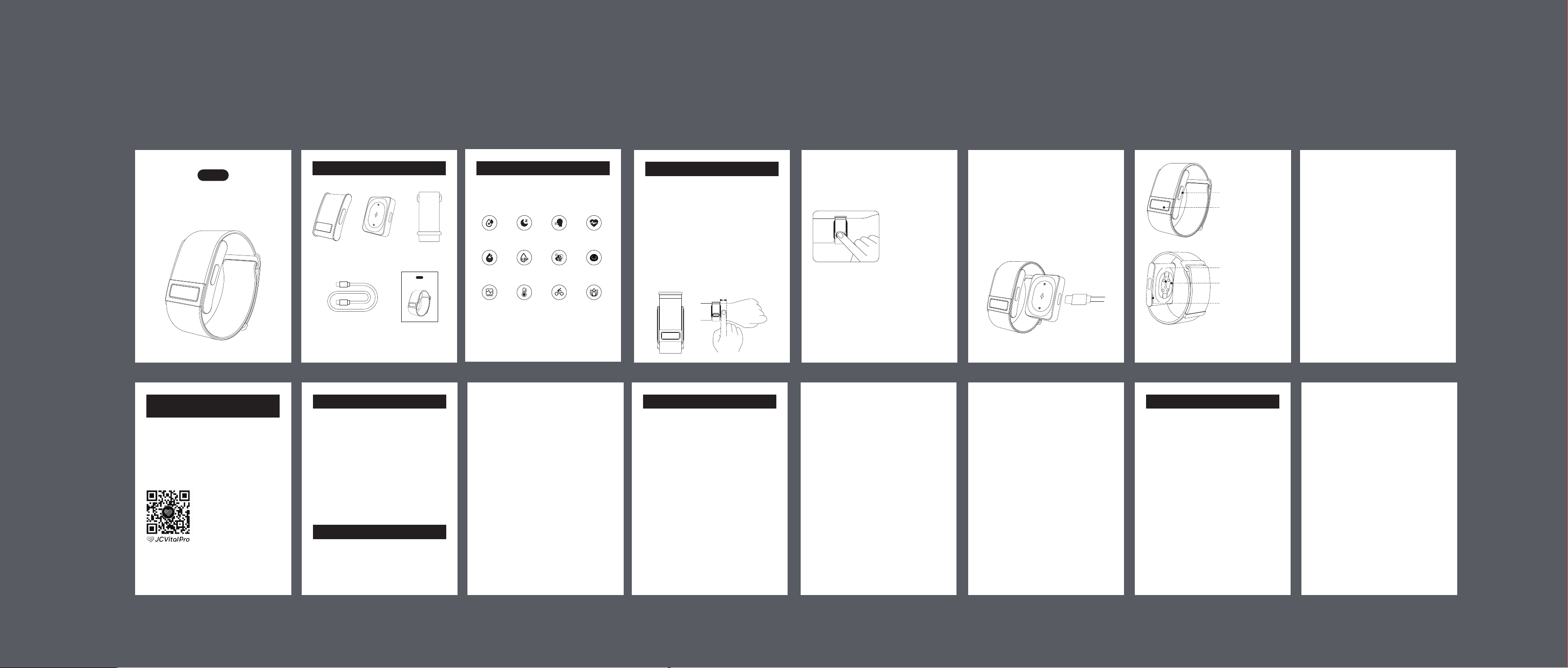
➂ Wristband➀ Device ➁ Charging base
What’s Included in the Box
Smart Health Band
V8S
User Manual
➃ Type-C charging cable ➄ User manual
Smart Health Band
V8S
User Manual
2.5cm
Introduction
This is a smart health bracelet which can monitor
multiple body vital signs under many different
activity modes.
Note: The watch is not a medical device. The test
results and suggestions are for reference only.
Sleep
Tracking
Sleep Apnea
Monitoring
24/7 Heart
Rate
Blood
Glucose
Female
Wellness
ECG
Skin Temperature
Trend
Activity
Tracking
SpO2 Blood
Pressure
HRV Stress
Instructions for Use
1. Initial Use & Wearing
Initial Charging: For first-time use, please fully
charge the device to activate it. If you perform a
factory reset via the mobile App, you will also
need to charge the device to turn it back on.
Proper Wearing: Insert the main unit into the
strap buckle and then wear it on your wrist. It is
recommended to position the strap approximately
2.5cm above your wrist bone. Ensure it is snug
but comfortable, allowing the sensors to maintain
full contact with your skin without causing
pressure. A simple test: If you can easily slide
your little finger between the strap and your wrist,
the fit is too loose.
2. ECG Measurements: When the bracelet is
awake, the App initiates ECG measurement,
which lasts 30 seconds. After the measurement is
completed, the App can view the real-time ECG
waveform, generate an ECG report, and the user
can also download the ECG waveform.
Cover the electrode
area with your finger.
SOS
3. Charging & Battery Life
Charging the Device: Connect the charging
base to a Type-C cable, then place the device on
the charging base to begin charging. During
charging, the green light flashes slowly. When
fully charged, the green light remains steadily lit.
Battery Indicator: The indicator light on the main
unit displays the remaining battery level through
color codes:
SOS
LED Indicator
SOS Button
HR & SpO2 Sensor
ECG & Body
Temperature Sensor
ECG Electrodes
Red light: Battery level is between 0%~20%.
Green light: Battery level is between 20%~100%.
Battery below 5%: The red light will flash three
times, after which the device will automatically
power off.
Battery Life: Under full charge, the device
supports approximately 15+ days of normal use
or about 30 days on standby. Actual battery life
depends on enabled features, usage frequency,
and environmental conditions.
If the device doesn’t pair with your
smartphone
1. Make sure your device is turned on.
2. Check your smartphone to ensure Bluetooth is on.
3. Check the app to make sure Bluetooth
Troubleshooting
permissions are turned on.
This should be in your Bluetooth settings.
4. Restart the app and go to the app home
screen.
5. The device battery should display on your
app device screen.
If the device isn’t measuring any data
Please contact our support team.
If the device battery is draining too quickly
1. Calibrate your battery by charging it for at least
three hours.
2. Start using your device again as you normally
would.
3. Contact our support team if the problem
persists.
If the device causes an allergic reaction
Please stop using the device right away. In the
rare event of an anaphylactic reaction, seek
medical attention immediately.
If the issue isn’t mentioned in these tips
Please contact our support team and report the
issue in detail.
Failure to follow these safety instructions could
result in fire, electric shock, injury, or damage to
the device or other property. Read all the safety
information below before using the device.
Not a Medical Device
It’s not a medical device and should not be used
as a substitute for professional medical judgment.
It is not designed or intended for use in the
diagnosis of disease or other conditions, or in the
cure, mitigation, treatment, or prevention of any
condition or disease. Please consult your healthcare
professional prior to making any decisions related
to your health.
Handling
Handle this device with care as it contains
sensitive electronic components and can be
damaged if dropped, burned, punctured, or
crushed. Don’t use a damaged Move Wearable
as it may cause injury. Avoid heavy exposure to
dust or sand. Children should not be allowed to
play with the device without supervision.
Battery
Do not attempt to replace the device battery
yourself, you may damage the battery, which
could cause overheating and injury. The
lithium-ion battery in the device should be
serviced only by manufacturer or an authorized
service provider. Batteries must be recycled or
disposed of separately from household waste. Do
not incinerate the battery. Do not dispose of the
device in domestic waste. If you have any
questions, please contact us.
Operating Temperature
This device is designed to work in ambient
temperatures between 32°F and 113°F (0°C and
45°C) and be stored in temperatures between
-4°F and 158°F (-20°C and 70°C). It can be
damaged and battery life shortened if stored or
operated outside of these temperature ranges.
Avoid exposing this device to dramatic changes
in temperature or humidity.
Prolonged Heat Exposure
Do not expose the device to extreme tempera-
tures or extreme temperature fluctuations. Protect
the device from direct sunlight. While this device
is charging or the power plug is plugged into a
power source, do not sleep on it or place it under
a blanket, pillow, or your body. Take special care
if you have a physical condition that affects your
ability to detect heat against the body.
Safety Notices
Any changes or modifications not expressly
approved by the party responsible for compliance
could void the user’s authority to operate the
equipment.
This device complies with Part 15 of the FCC
Rules. Operation is subject to the following two
conditions:
(1) this device may not cause harmful
interference, and
(2) this device must accept any interference
received, including interference that may cause
undesired operation.
Note: This equipment has been tested and found
to comply with the limits for a Class B digital
device, pursuant to Part 15 of the FCC Rules.
These limits are designed to provide reasonable
protection against harmful interference in a
residential installation. This equipment generates,
uses, and can radiate radio frequency energy,
and if not installed and used in accordance with
the instructions, may cause harmful interference
to radio communications. However, there is no
guarantee that interference will not occur in a
particular installation. If this equipment does
cause harmful interference to radio or television
reception, which can be determined by turning
the equipment off and on, the user is encouraged
to try to correct the interference by one or more
of the following measures:
-- Reorient or relocate the receiving antenna.
-- Increase the separation between the
equipment and receiver.
-- Connect the equipment into an outlet on a
circuit different from that to which the receiver is
connected.
-- Consult the dealer or an experienced radio/TV
technician for help.
FCC RF exposure statement:
The device has been evaluated to meet general
RF exposure requirement. The device can be
used in portable exposure condition without
restriction.
FCC Requirement
SOS
SOS
SOS
SOS
4. SOS
To enable SOS feature, firstly you need to set
emergency contact info (name & phone number)
on the App, up to 3 emergency contacts can be
added. The SOS feature can only be effectively
triggered when the device's Bluetooth is
connected to the APP. An SOS message will be
sent to the emergency contact, including your
name and GPS location.
In standby mode, long press home button for 3
times to trigger SOS message alert. If the white
light flashes quickly for 3 times, it indicates
successful sending; if the red light flashes
quickly for 3 times, it indicates Bluetooth is not
connected, please connect Bluetooth first.
Product Name: Smart health band
Model: V8S
Warranty: 12 months
BT Version: BLE 5.4
BT Range: 10 meters
Size: 40.3*29.6*11.8 mm
Battery: 180mAh
Data Memory: 30 days
Waterproof: IP68
Activity Time: Max 99h59min
Calories Burned: Max 9999.9kcal
Running & Walking Distance:
Max 999.99km
Specifications
Note: Please ensure that
your Android version is 5.0
or later, iOS version is 10.0
or later.
· Scan the QR code below or search JCVitalPro
on Google Play or iOS App Store to download our
JCVitalPro App.
· Make sure the Bluetooth of your mobile device
is on.
· Choose device identified in App and connect
to your smart band.
Download the APP
to Start Your Health Journey
8 9 10 11 12 13 14 15
6 71
2
3 4 5
V8S User Manual(英文版本)
128g铜版纸过油,骑马钉,55*75mm