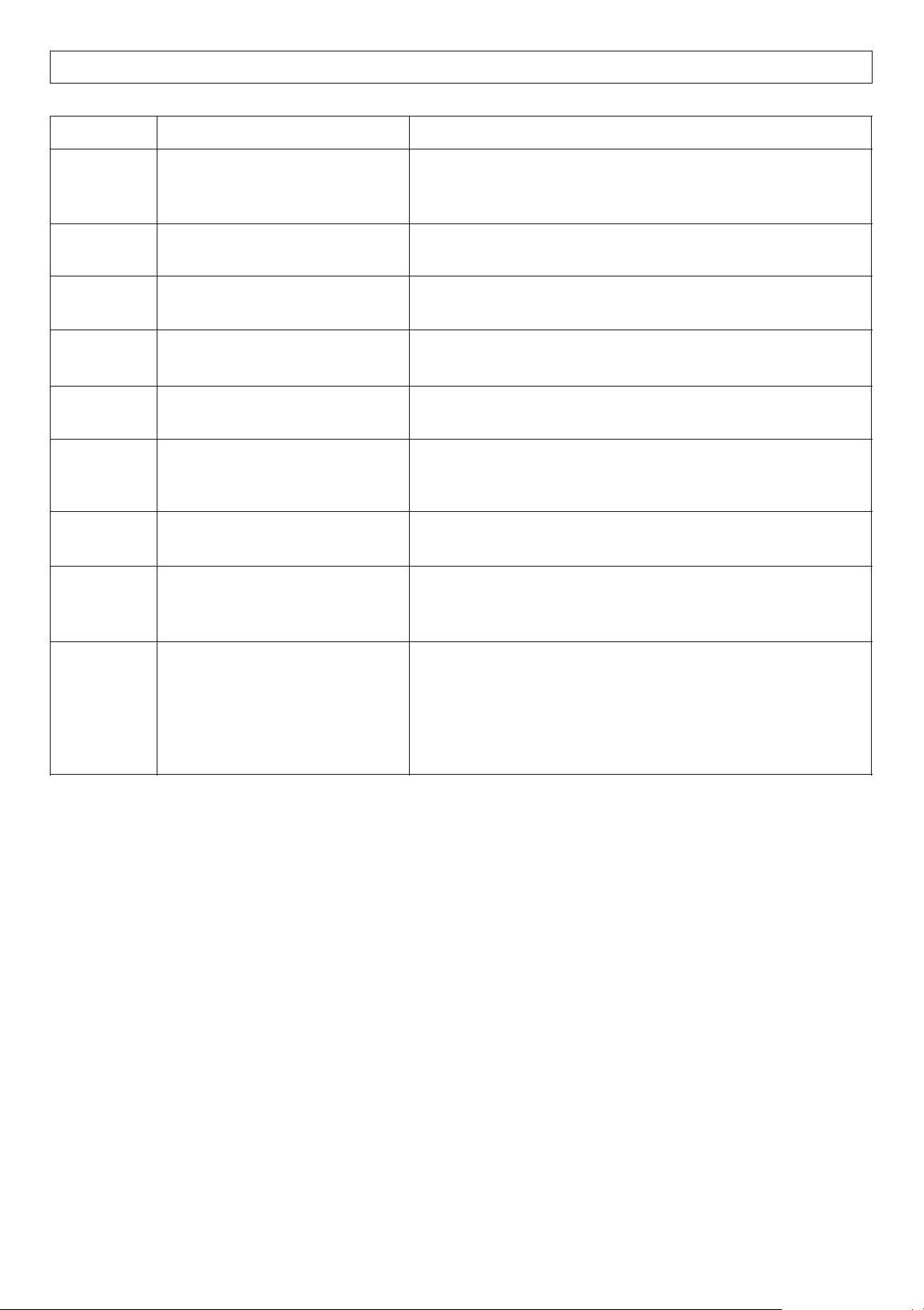
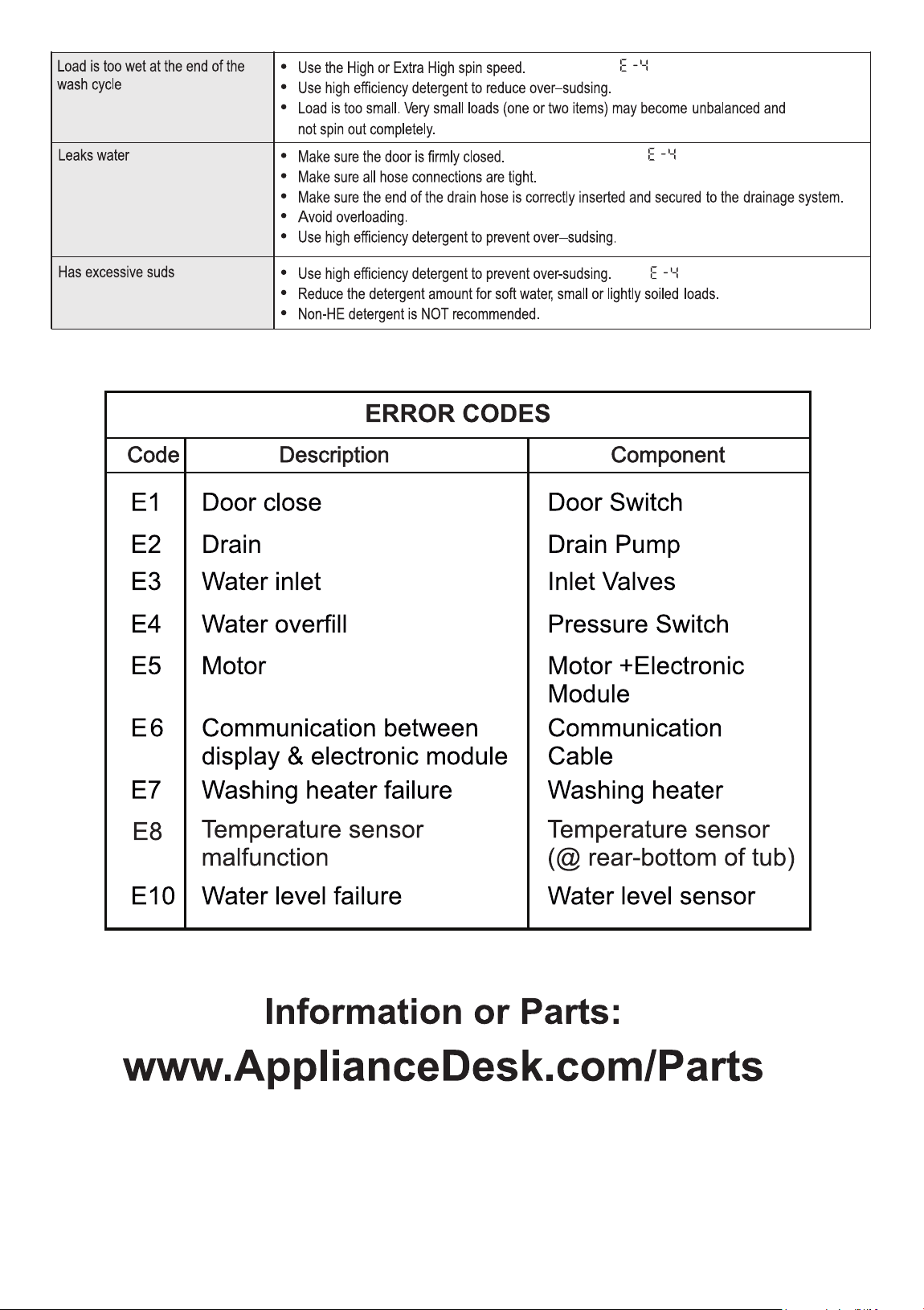
Error Codes
1
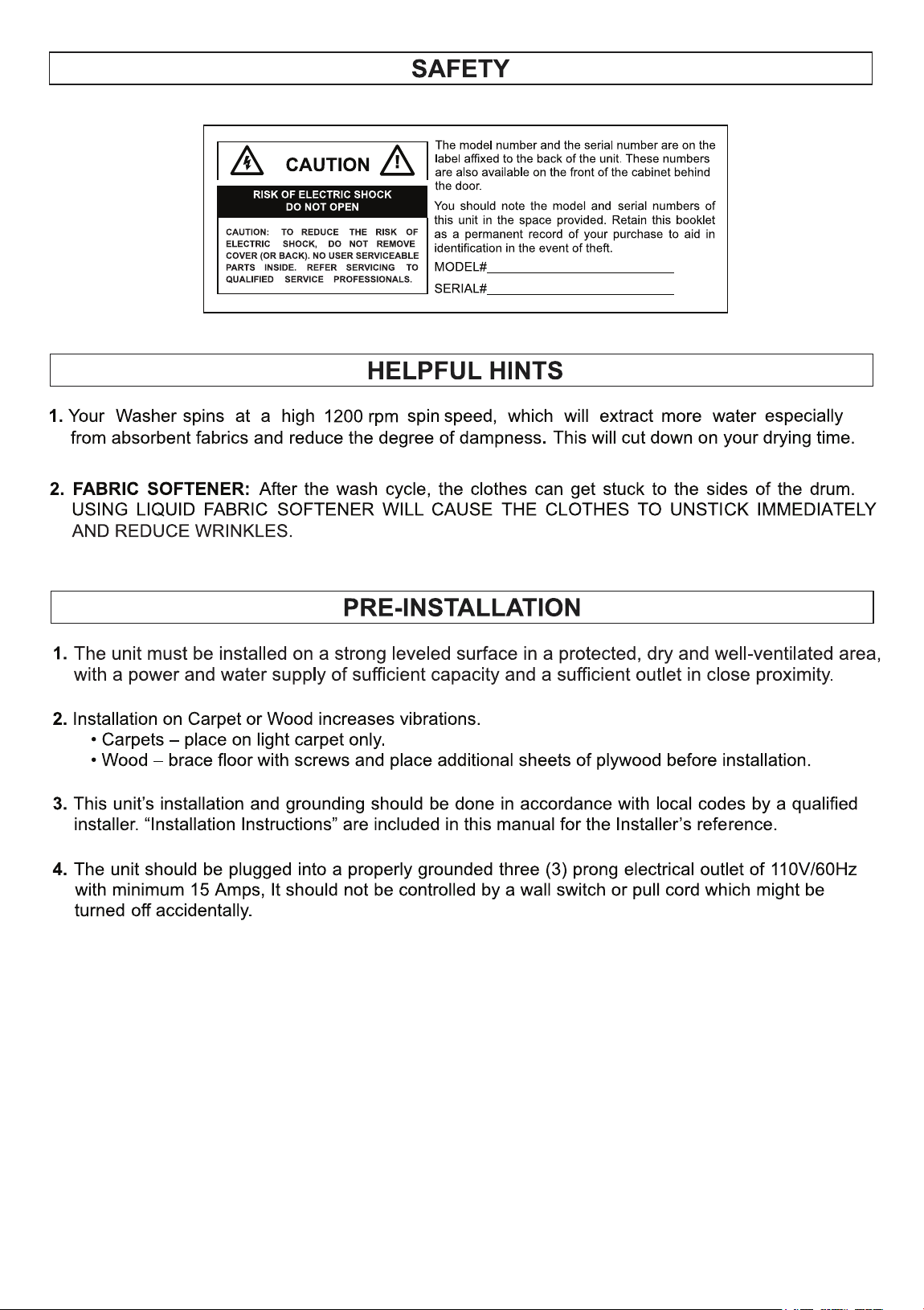
1200 rpm
2
3
4
5
6
7
8
9
10
11
12
13
14
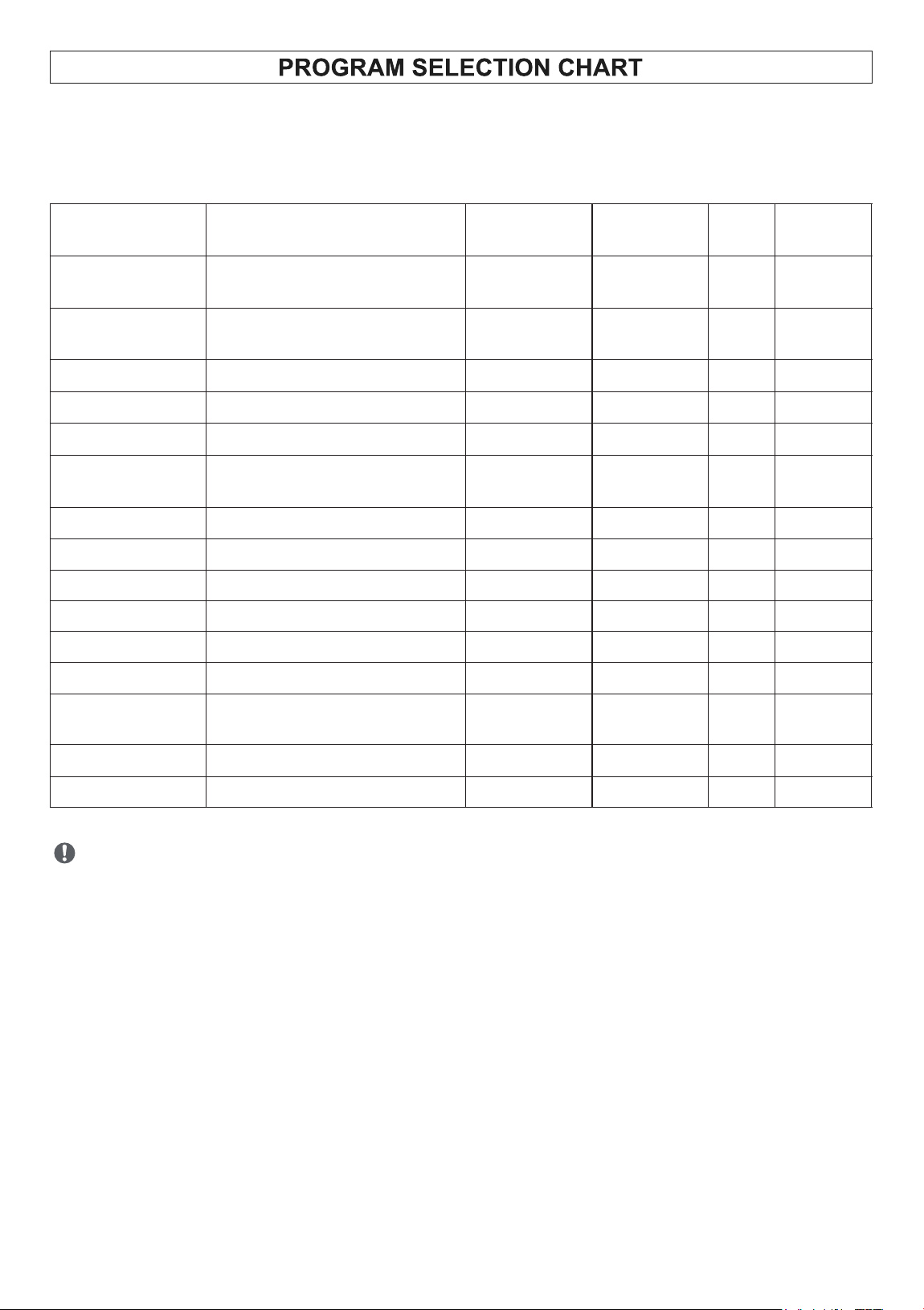
Wash Programs
Description of Load
Wash
Temperature
(rpm)
Spin Speed
Rinse
Display
Time min
1. Normal
Mixed Clothes
(Shirts, Trousers, etc)
Warm
1200
2
61
+Prewash
2. Heavy
Mixed Cottons
(T-Shirt, Jeans)
Hot
1200
2
75
3. Quick 20’
Light Sports Wear
Cold
800
1
20
4. ECO
Cotton Blends
Cold
800
1
42
5. Wool
Light Fabrics
Cold
500
1
41
6. Delicate
Machine-Washable
(Silk, Polyester, Wool)
Cold
800
1
36
7. Power Wash
Mixed Cottons
Hot
1000
2
61
8. Drain
-
-
-
-
2
9. Winterize
-
-
-
-
2
o
10. Allergen 131
Mixed Cottons
Hot
1200
2
65
11. Self Clean
-
Hot
400
1
45
12. PET
Mixed Cottons
Warm
1000
2
52
13. Baby
Cotton Blends and Light
Fabrics
Warm
400
1
60
o
14. Sanitize 165
Mixed Cottons
Hot
1200
2
69
15. Quiet 60 dB
Mixed Cottons
Warm
800
1
49
15
Wash Cycles
The total working time will vary with the laundry size, water pressure,
water temperature and ambient temperature etc.
Each wash program has default temperature, spin speed and rinse settings. You can use
the buttons on the control panel to changes the defaults for most of the programs.
PROGRAM
PURPOSE
HOW IT WORKS
ECO
Energy-efficient wash using
less water and power for
everyday cleaning.
Uses lower wash and rinse temperatures, longer cycle
times, and optimized drum motions to reduce power use.
Power
Wash
Deep cleaning for heavily
soiled items.
Uses higher water levels, stronger agitation, and hotter
water. May include an extra rinse or pre-wash.
Quiet 60’
Minimize noise during
operation.
Reduces spin speed and slows drum movement to lower
vibration and sound.
Sanitize
o
160
Kills germs, bacteria, and
allergens.
Heats water to very high temperatures (up to ~160 -
170°F / 70-75°C).
PET Cycle
Remove pet hair and odors.
Uses extra rinse cycles, higher water levels, and
sometimes soak to loosen fur and dander.
Self Clean
Cleans the washer drum itself.
Runs hot with extra water and strong agitation (empty).
Some machines suggest adding a cleaning tablet or
vinegar.
Allergen
o
131
Reduce common allergens
like dust mites and pollen.
Uses high-temperature water and an extended wash
cycle to break down and flush away allergens.
Winterize
Prepare the machine for cold
weather or storage (to prevent
freezing damage).
Drains all water from the hoses, pump, and internal
parts. Some versions circulate antifreeze through the
system.
Baby Wash
Gently but thoroughly clean
baby clothes, while removing
detergent residues and germs.
Ÿ Uses higher water temperatures (often around 140-
160°F / 60-70°C) to sanitize fabrics and kill bacteria.
Ÿ Gentle drum movements protect delicate fabrics like
cotton and soft baby wear.
Ÿ Includes extra rinse cycles to ensure no detergent
residue remains - important for babies sensitive skin.
SPECIAL WASH PROGRAMS
16
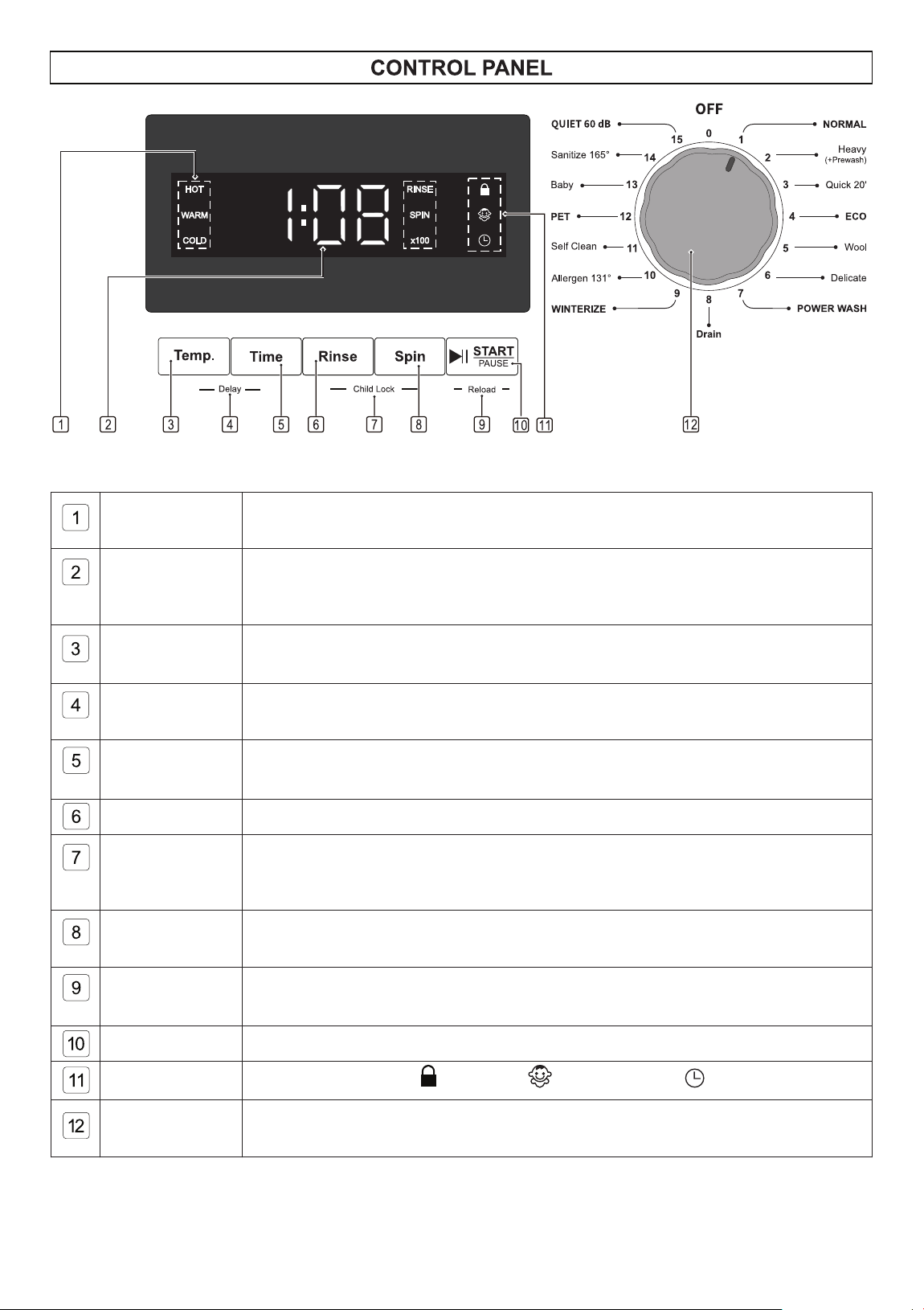
Temperature
Indicators
Highlights the water temperature during the main wash cycle.
Digital Display
Shows the total time of the selected program before and after starting.
It also displays the rinse times, spin speed, and delay time when pressing the
option button(s).
Temperature
Button
Press this button to select the water temperature for the main wash cycle of
the chosen program.
Delay
Press and hold Temp and Time buttons for 3 seconds to set the delay time
from 3 to 24 hours, in one-hour increments, before the start of the wash cycle.
Time Button
Press this button to select the duration of the wash cycle for the chosen
program.
Rinse Button
Press this button to set the number of rinse cycles for the selected program.
Child Lock
Repeat to deactivate this function.
Press and hold Rinse and Spin buttons to activate the Child Lock function,
which prevents children from playing with the buttons.
Spin Button
Press this button to set the spin speed for the last spin cycle of the selected
program.
Reload
Function
Press and hold the START/PAUSE button for 3 seconds to stop the cycle and
add more clothes.
START/PAUSE
Press this button to start or pause the selected wash program.
Indicators
Illuminates door lock , child lock and delay start when applicable.
Program
Selection Knob
Turn the knob clockwise to turn ON and select from 15 programs.
17
Display Panel and Buttons
18
DISPLAY PANEL
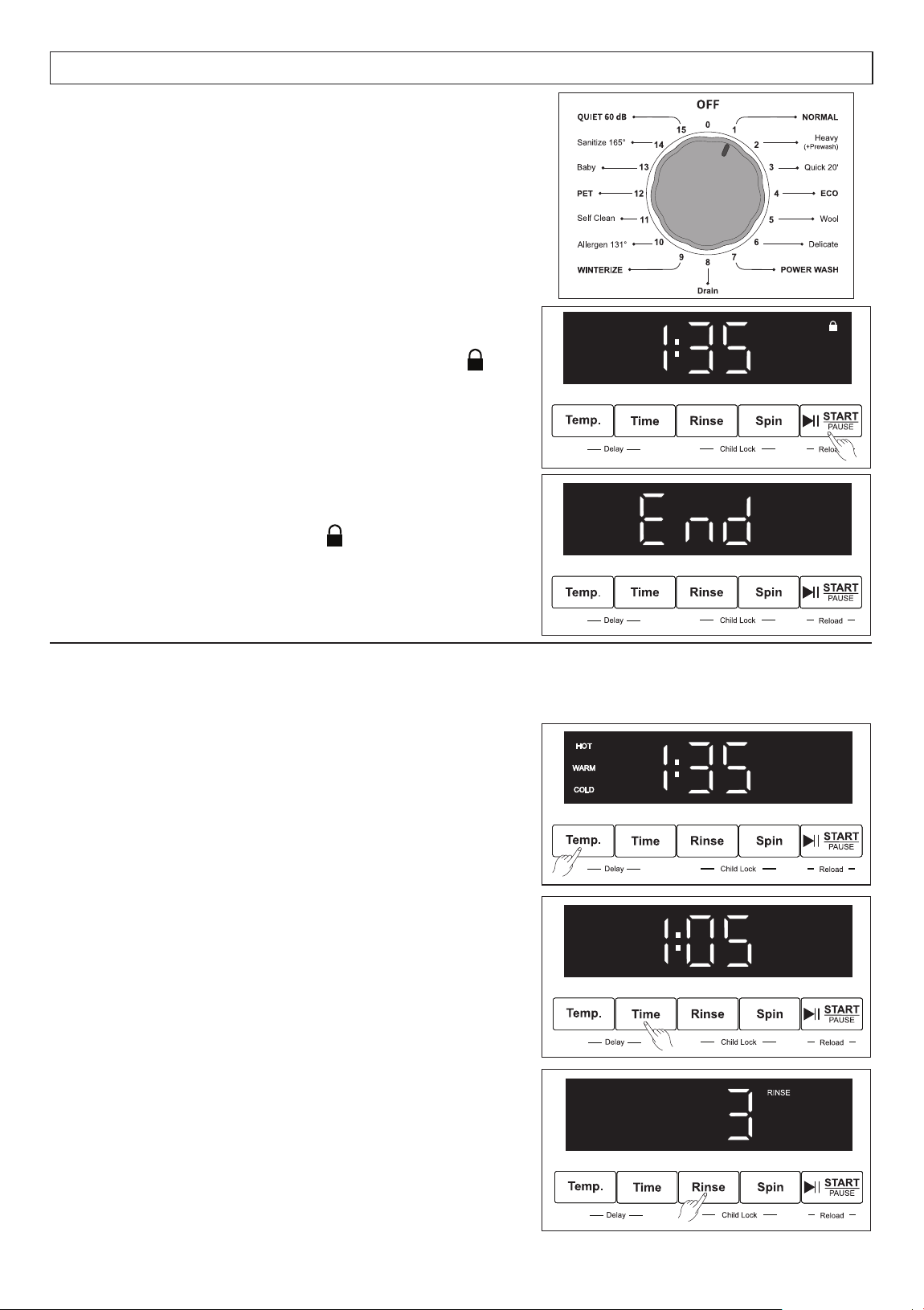
3. When the cycle is completed, “End” will be
displayed, and the Lock icon will go off.
You can now remove clothes from the washer.
How to run a Wash Cycle
1. Rotate the Program Knob clockwise to select a
wash program. Default information for the selected
program will be shown on the Display Panel.
2. Press the START/PAUSE button to start the cycle.
The time will be displayed, and the Lock icon
will illuminate. Please do not try to open the door
while the washer is locked.
Selecting Wash Options
For most of the wash programs, you can change the default settings to suit your preference
by pressing the buttons below the Display Panel.
Press the Temp button to select hot, warm or cold
water temperature for the main wash.
Press the Time button to add 5, 10 or 15 minutes
to the main wash cycle.
Press the Rinse button repeatedly to select the
number of rinses from 1, 2 or 3.
Press and hold for 3 seconds to select and display
the number on the Display Panel.
19
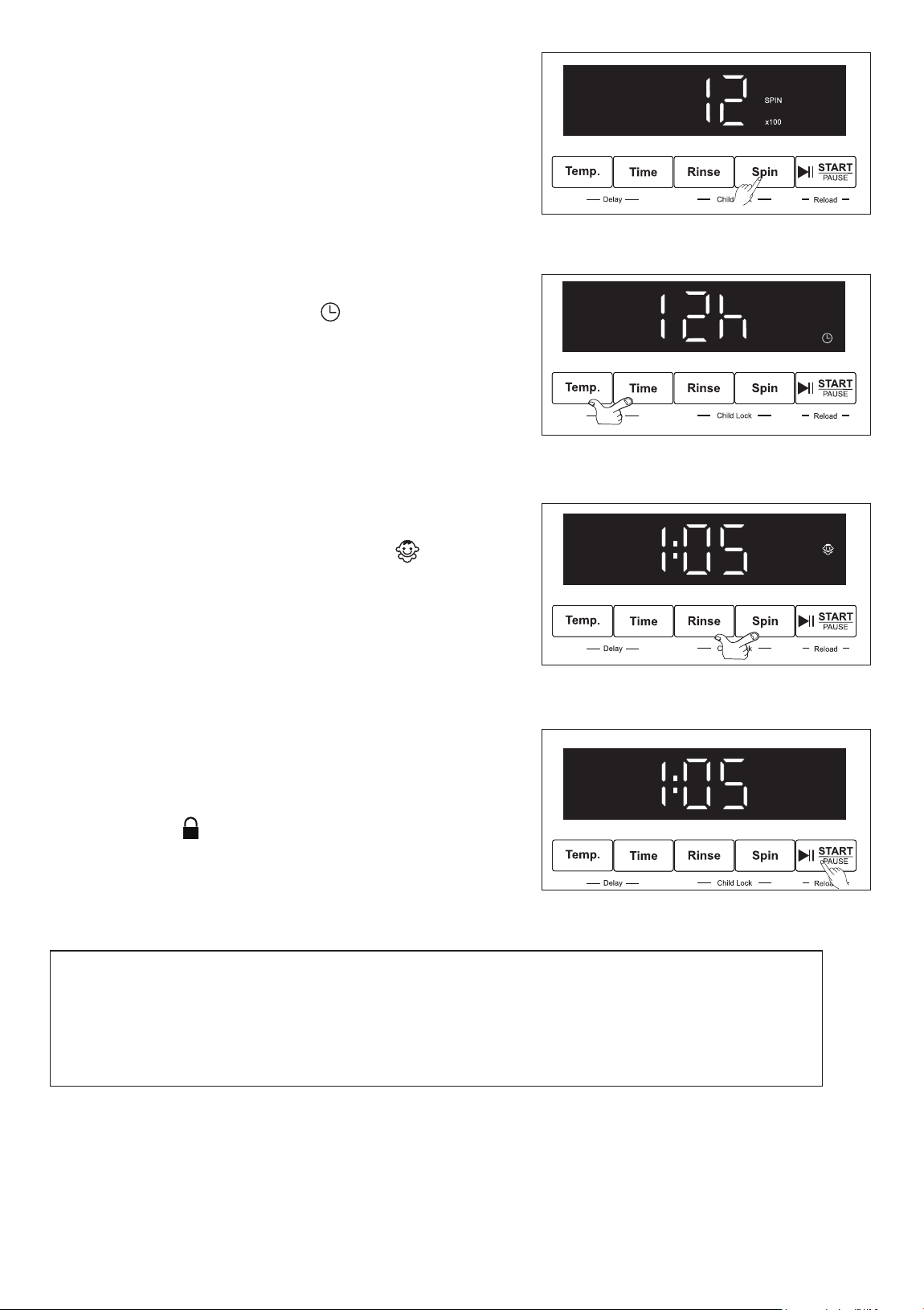
Press the Spin button repeatedly to select the final
spin speed. Press and hold for 3 seconds to select
and display the number on the Display Panel.
1. Press the Temp and Time buttons at the same time
and hold for 3 seconds. The icon will display.
2. Press the Time button to select how many hours to
delay the start. The time increases in one-hour
increments, from 3 – 24 hours.
3. To cancel the delay option, turn the Knob to the
Off position and then reselect the wash program.
To delay the start of the wash cycle:
Press the Rinse and Spin buttons at the same time
and hold for 3 seconds. The Child Lock icon
will display. This feature prevents the program to
be changed during the wash cycle, should a child
play or press the buttons on the washer.
Repeat this process to cancel child lock.
To activate the Child Lock:
To add forgotten items into the washer once the
wash cycle has begun:
Reload Function
1. Press and hold the START/PAUSE button for
3 seconds. The water in the drum will drain and
the lock icon will go off.
2. You can then open the door and load the
additional clothes.
3. Close the door and press START/PAUSE and the
cycle will restart from the point at which it stopped.
Note:
During the wash cycle, if you accidentally turn the Knob, an error will show on
the Display Panel.
The time and “Px” will flash intermittently. Turn the Knob to the Off position and
reselect the wash program.
20
21
22
23
24
25
26
27