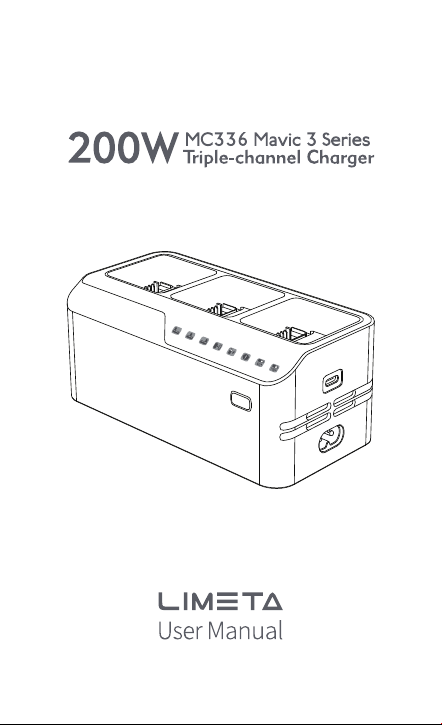

Thank you for your purchase of the LIMETA MC336 Mavic 3 Series
Triple-channel chargerBefore using the product, we kindly ask you to
carefully read this statement. By using thisproduct, you acknowledge and
accept the entire content of this statement. Please use theproduct
strictly following the provided instructions and pay close attention to all
precautions.
We want to emphasize that any improper use of the product by the user,
including but notlimited to charging a battery of a non-specifed model,
short-circuiting the product,overheating, inserting objects, or touching
the terminal with the hand or any proximal endmay lead to potential risks.
In such cases, we will not be held liable for any direct orindirect damage
or iniuries caused by the product.
To ensure safe and porper usage of the charger,
please adhere to the following precautions:
1.Never connect both the AC power and Type-C power simultaneously
during charger use.
2.The charger's battery interface is exclusively intended for charging
Mavic 3 seriesbatteries. Do not attempt to charge batteries of other
models.
3.Before inserting the battery, ensure proper alignment of the battery
interface with thecharger interface to prevent any damage to the battery.
4.Verify that the external AC power source has a current rating greater
than 2.5A, as theAC power cord for the charger is rated at 2.5A.
5.Before use, make sure that the battery interface, charger interface,
battery surface, andcharger battery compartment surface are dry and free
of moisture.
6.Place the charger on a stable surface during use and pay attention to
insulation and freprevention.
7.Keep the charger away from combustible materials during charging and
avoid using it oncarpet.
8.Ensure proper ventilation and heat dissipation by not blocking the
charger's ventilationports during charging.
9.Do not unplug the AC power cord or battery charging cable during the
charging process.Once charging is complete, promptly remove the
battery, remote controller, phone, etc.
10.When moving or transporting the charger, avoid pulling on the power
cord.
11.Avoid using the charger in direct sunlight, rain, or humid environments.
Strictly prohibitusing the charger during thunderstorms or lightning.
12.Refrain from touching the metal terminals of the battery interface with
hands or otherobjects. lf foreign objects are attached, clean them with a
dry cloth while the power is off
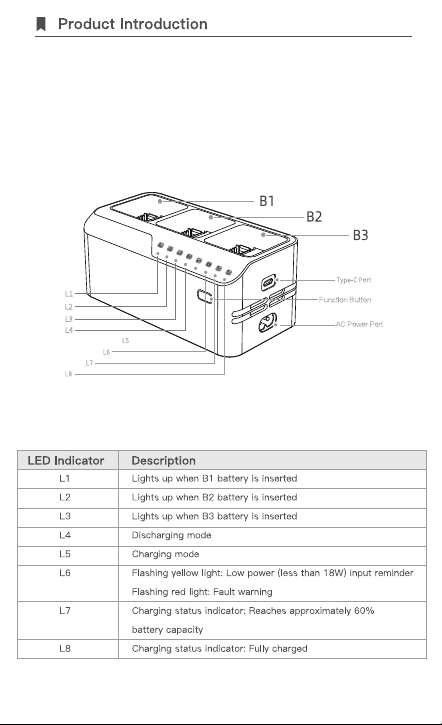
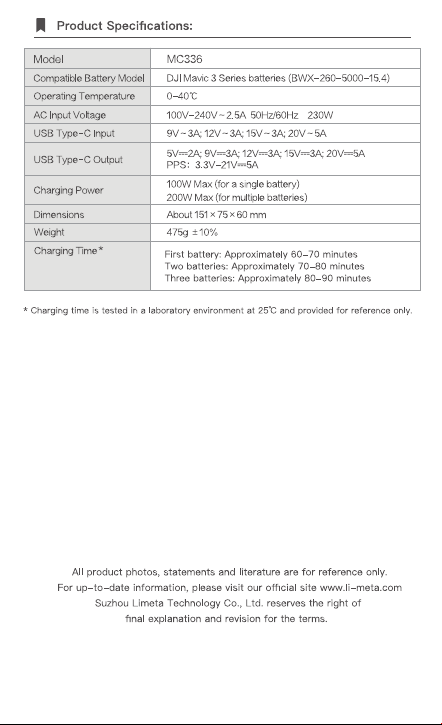
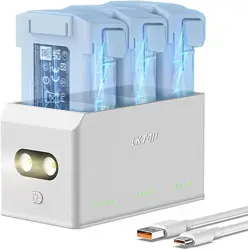
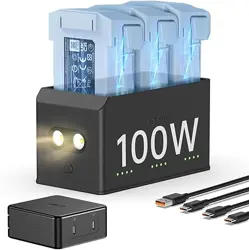
BattGo MC336 Mavic 3 Series Triple-channel charger is an intelligent
and versatile devicethat combines a charger and charging hub into one.
lt effciently charges three Mavic 3Series batteries simultaneously, with
a maximum output power of up to 200W. Users canchoose from two
charging modes: 60% and 100%. Additionally, it can charge the
remotecontrol or a phone through the Type-C port when used with
Mavic 3 Series intelligentfight batteries. Moreover, it can also function
as a power bank. Simplify your chargingneeds with this all-in-one
solution.
Function Button: Press and hold the button for 2+ seconds to toggle
between storage mode (approx. 60% battery capacity) and full charge
mode.

Charging Smart Flight Batteries:
1.Connect the charger to an AC power source (100-240V, 50/60Hz) using
a compatiblepower cord or adapter.
2.Ensure the intelligent flight battery is turned off, then connect it to the
charger.
3.During the charging process, the battery level indicator lights on the
intelligent flightbattery will cycle flash, providing real-time battery level
feedback.
4.When all the battery level indicator lights turn off, it indicates that the
intelligent flightbattery is fully charged. Please remove the battery
promptly and turn off the charger'spower.
5.When charging a single battery, the Type-C port can deliver a
maximum output powerof 100W.
6.When charging three batteries simultaneously, the Type-C port can
provide amaximum output power of 10W. However, as the battery
charge level approaches fullcapacity, the power output of the Type-C
port will gradually increase, ultimatelyreaching a maximum of 100W.
1.Ensure the charger is not connected to an AC power source.
2.Insert the Mavic 3 Series intelligent fight battery into the charger.
3.Turn on the intelligent flight battery switch; the discharging indicator
light will remain on.
4.Connect your external device to the Type-C port to charge it using the
battery's power.
5.Once the external devices are fully charged, promptly disconnect them
from the charger
6.The Type-C port can deliver a maximum power output of 100W when
charging externaldevices. Compatible devices: DJl RC Pro Remote
Controller (Max 30W), DJ RC Pro PlusRemote Controller (Max 100W), DJl
RC Remote Controller (Max 15W), DJl N1 RemoteController (Max 10W),
Mobile Phone and Tablet(Supports PD protocol).
Discharging Smart Flight Batteries: