1
P/N 263009600 Rev D
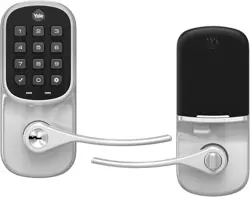
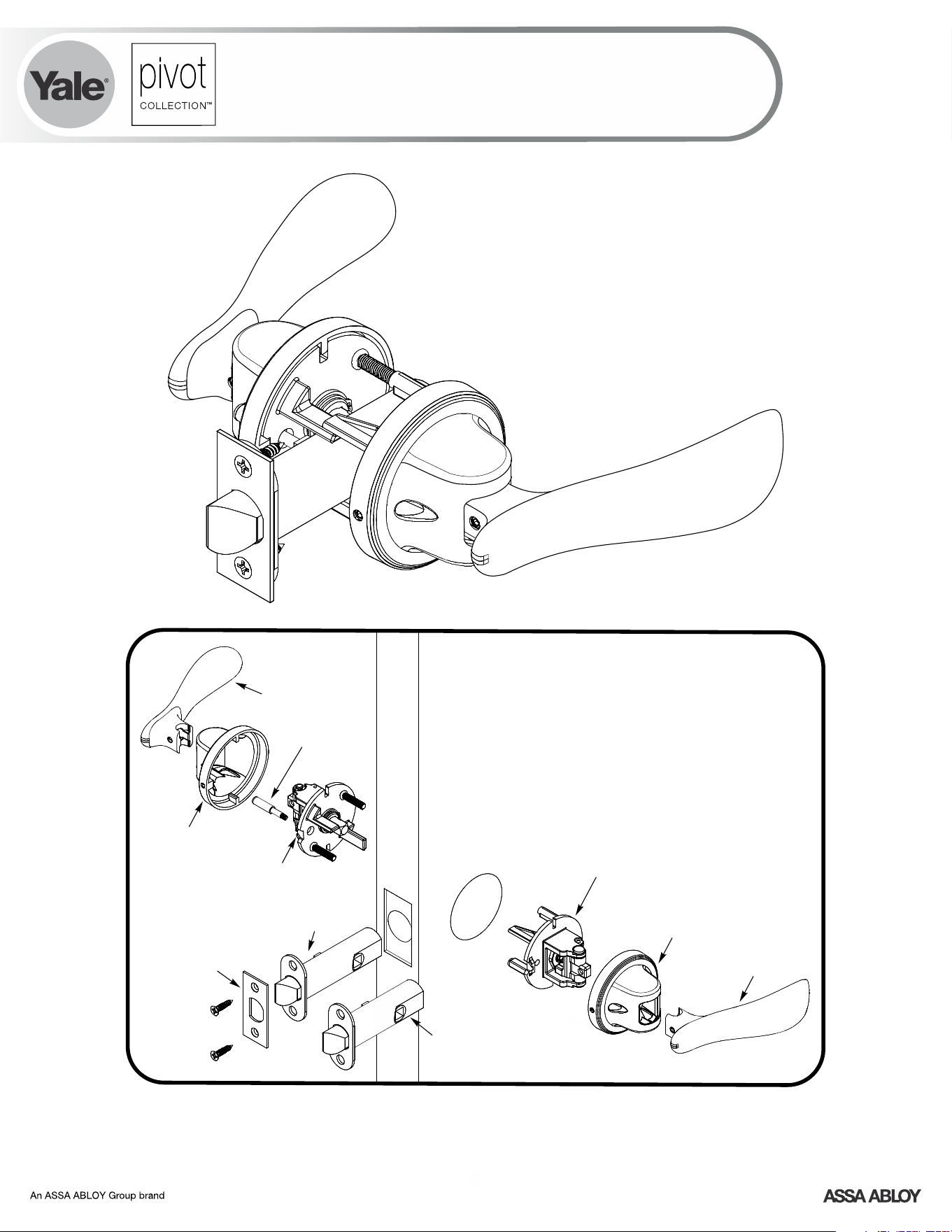
Privacy Function Shown
*2 latches are included when purchased retail or
specified in order.
Paddle
Exterior
Escutcheon
Exterior
Chassis
Privacy
Button
Interior
Escutcheon
Paddle
*2-3/4" Backset Latch
Latch
Front
*2-3/8"
Backset Latch
Interior Chassis
FAILURE TO FOLLOW THESE INSTRUCTIONS COULD RESULT IN DAMAGE TO
THE PRODUCT AND VOID THE FACTORY WARRANTY
Pivot Collection
™
Navis Paddle
™
Installation Instructions
2
P/N 263009600 Rev D
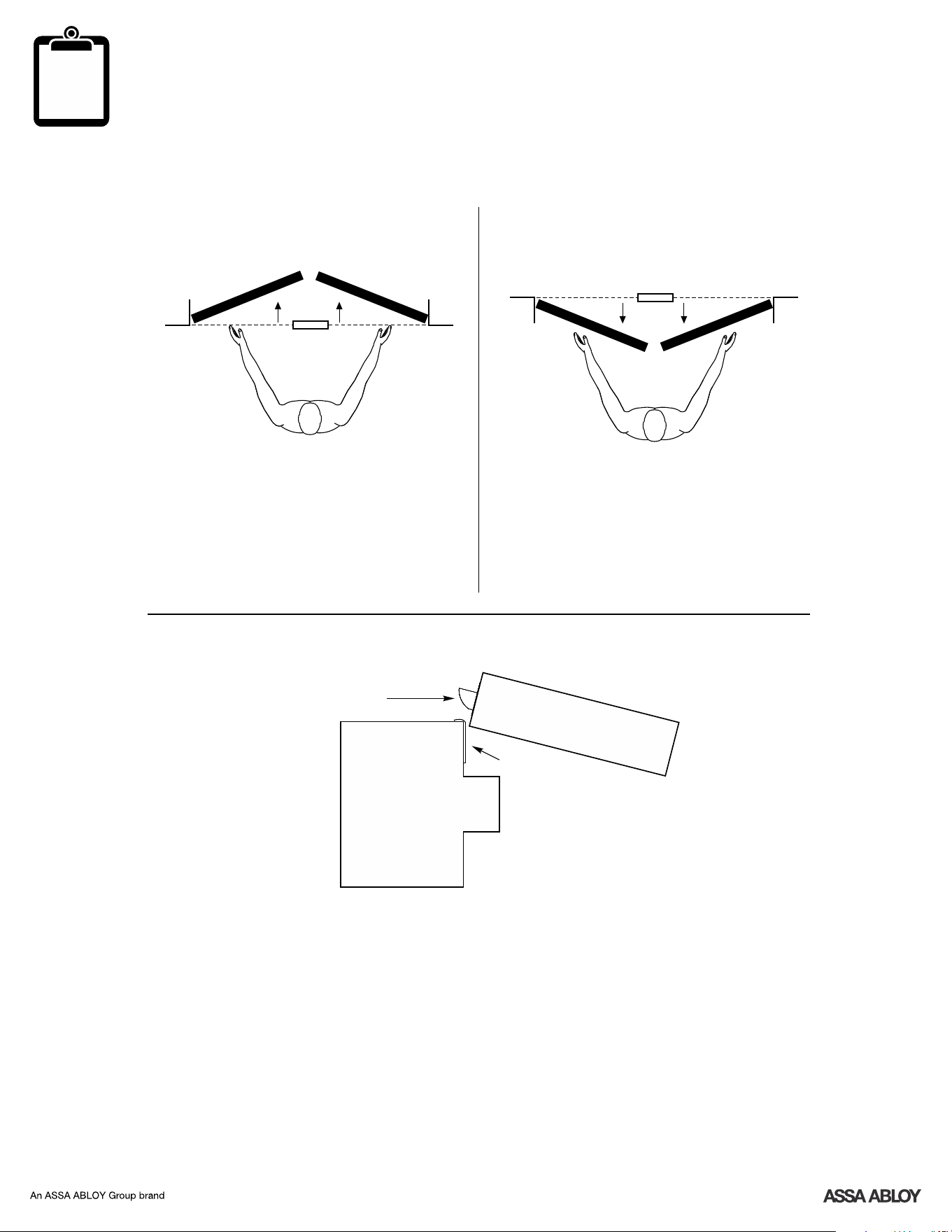
Determine Handing
?
Left Hand Right Hand
Face a door swinging open
away from you.
If it swings open to the right, it is a
right hand door. If it swings open to
the left, it is a left hand door.
Exterior
Inswinging Door
Interior
Left Hand
Reverse
Right Hand
Reverse
Face a door swinging open
toward you.
If it swings open to the right, it is
a right hand reverse door. If it
swings opens to the left, it is a
left hand reverse door.
Exterior
Outswinging Door
Interior
Curve of latchbolt must contact strike plate first.
Frame
Door
Latchbolt Curve
Strike Plate
3
P/N 263009600 Rev D
1
!
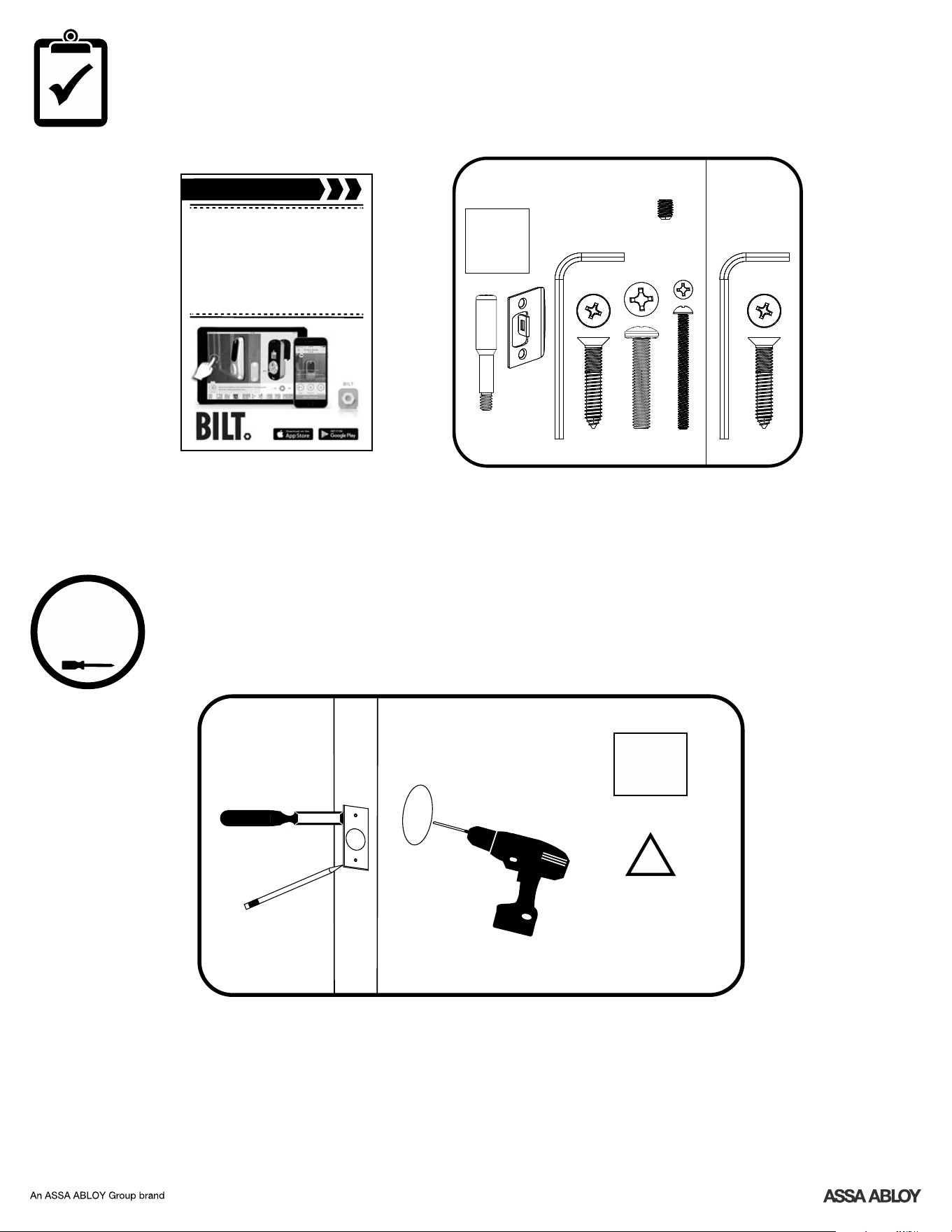
Prepare Door
(if necessary)
Drill holes 1/2 way thru
door then complete
from other side to
prevent splitting.
x2
x4
Before You Begin
x1 x2
Privacy/Passage
Dummy
template
Before you begin
for step-by-step installation
instructions & to register
your product
DOWNLOAD
THE BILT APP
template
Privacy
Only
x1
(extra)
4
P/N 263009600 Rev D
2
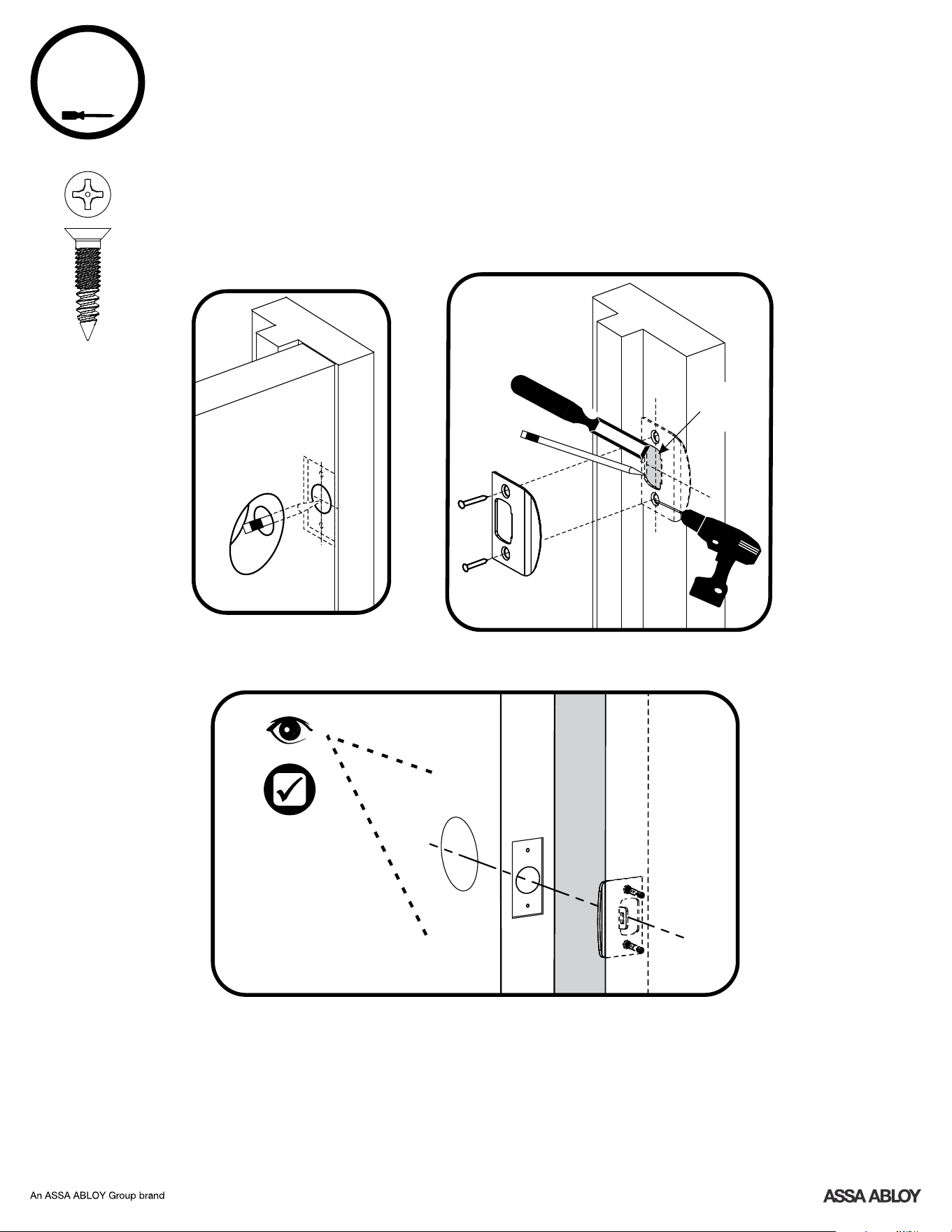
Door Frame
1/2"
Deep
Frame
Frame
Inside
of Door
Prepare Frame & Install Strike Plate
7-16/8-32 x 1" PFHMS
x2
5
P/N 263009600 Rev D
3
!
Inside
of Door
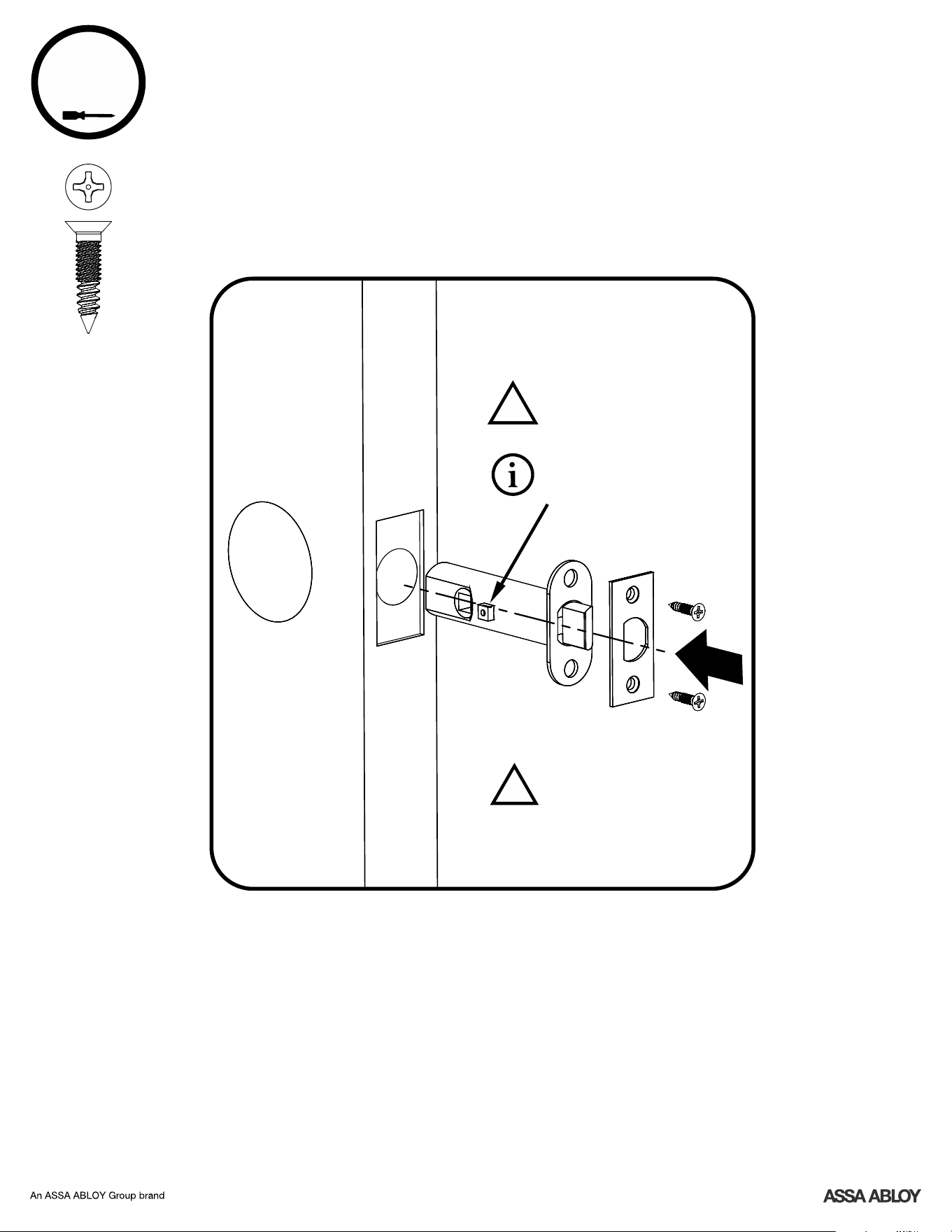
7-16/8-32 x 1" PFHMS
x2
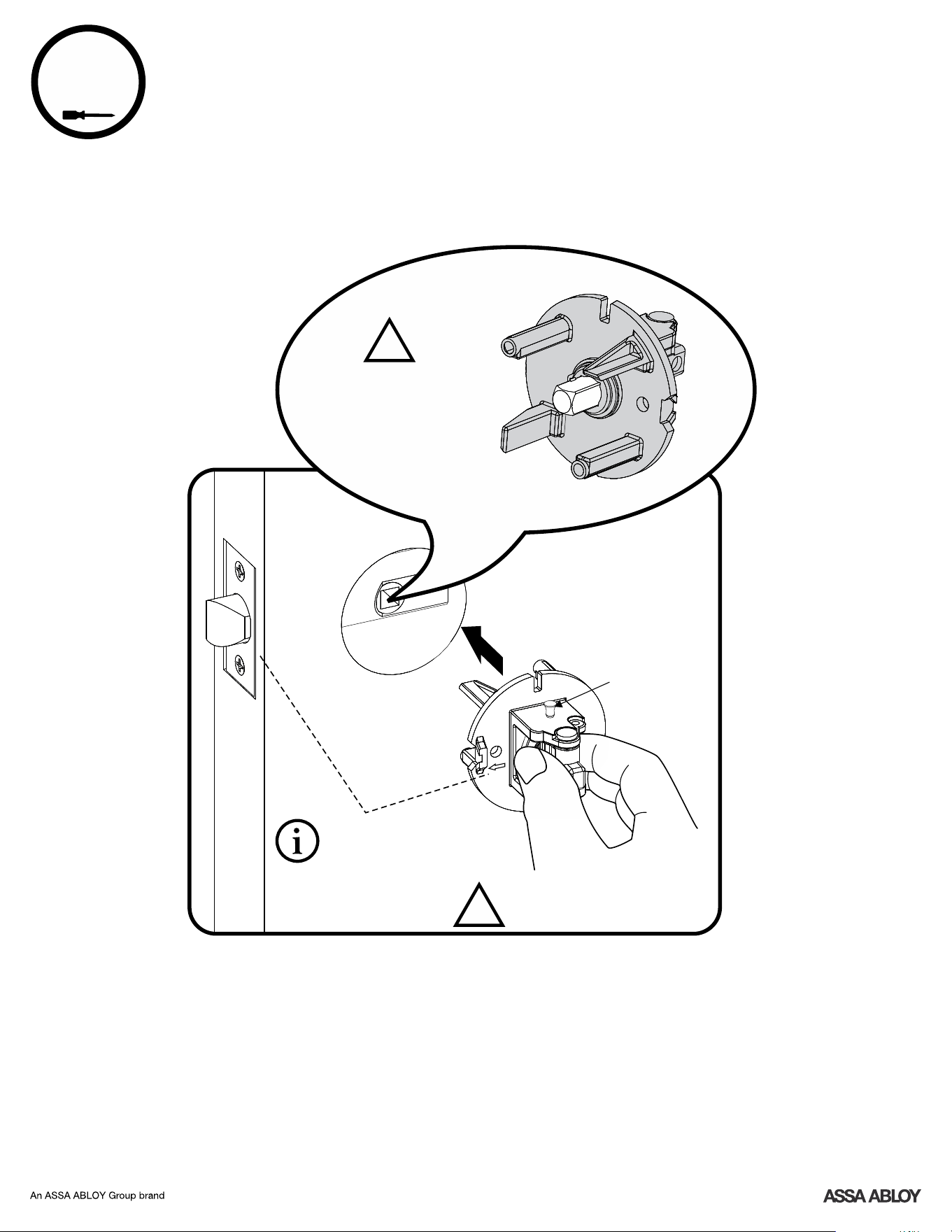
Install Latch & Latch Faceplate
Privacy Function:
Latch button must be
on inside of door.
Passage Function:
No button on latch.
Curve of latchbolt must
contact strike plate first.
!
4
6
P/N 263009600 Rev D
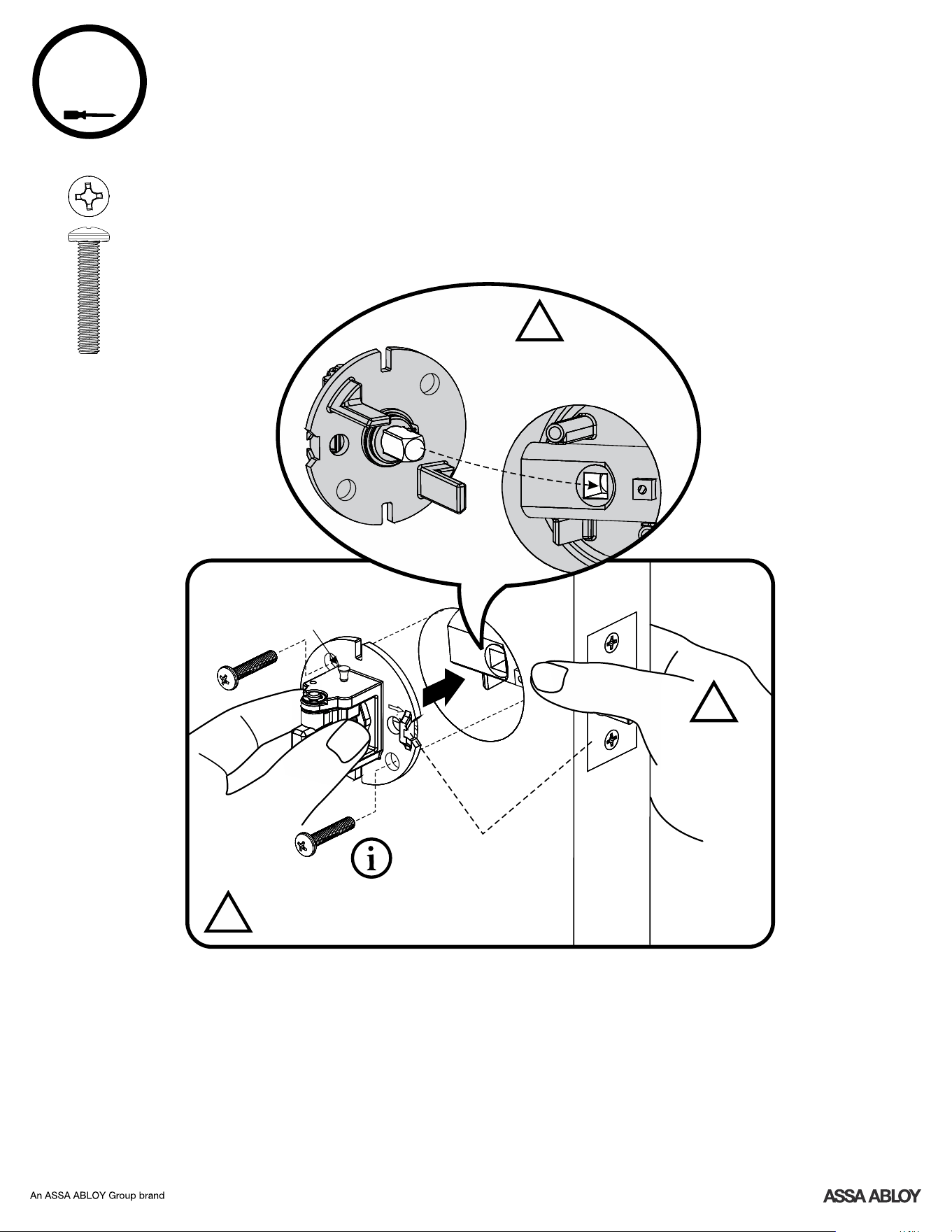
Install Exterior Chassis
Spindle square must
fit into latch.
Outside
of Door
Do Not Remove Installation
Pin Until Specified.
Installation Pin
(Top or bottom
of assembly.
Door handing
determines
orientation.)
LH (Left Hand) Door shown
EXTERIOR
!
!
Arrow ALWAYS faces latch
despite handing of door.
7
P/N 263009600 Rev D
5
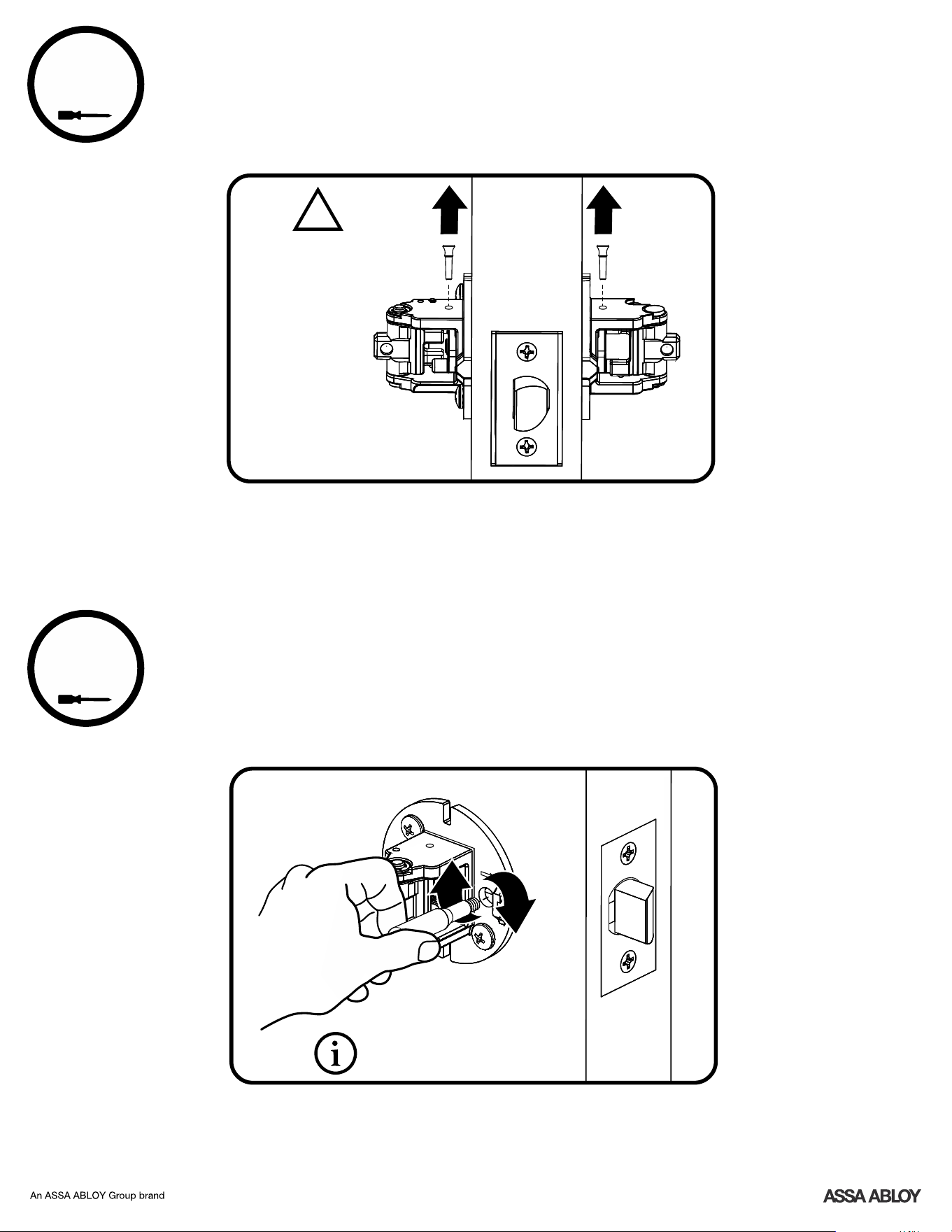
Install Interior Chassis
#10-32 x 1" PPHMS
x2
Do Not Remove Installation
Pin Until Specified.
Installation
Pin
INTERIOR
Inside
of Door
Spindle square
must fit into latch.
Hold Outside
Chassis stable
while installing
Inside Chassis.
!
!
!
Arrow ALWAYS faces latch
despite handing of door.
8
P/N 263009600 Rev D
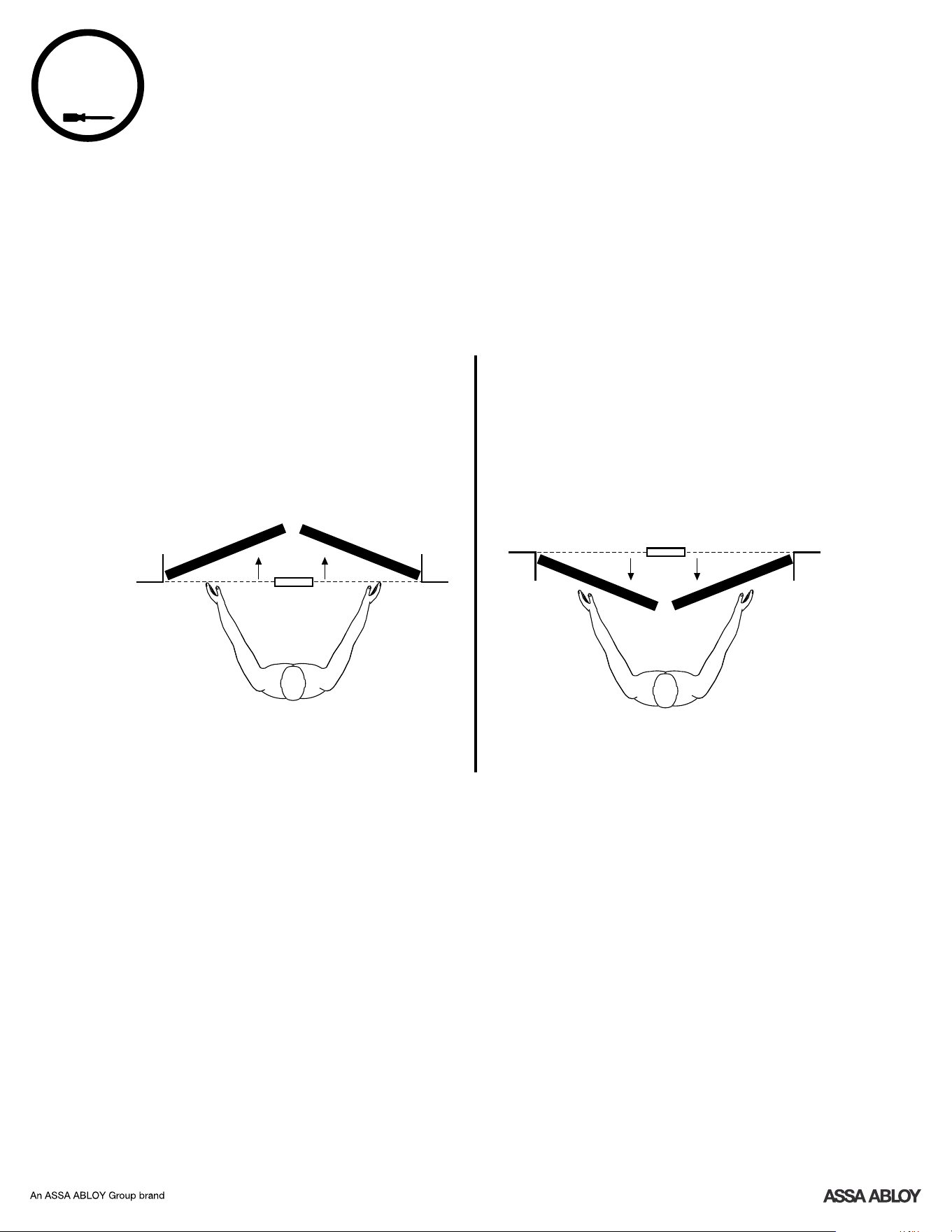
Passage Function:
Do not install Privacy Button.
Chassis screws should
be tightened before
removal of pins.
INTERIOR
Install Privacy Button
(for Privacy Function Only)
Inside
of Door
Remove Installation Pins
6
7
!
9
P/N 263009600 Rev D
Determining Selector Screw Location
(Optional)
to Block Paddle
8a
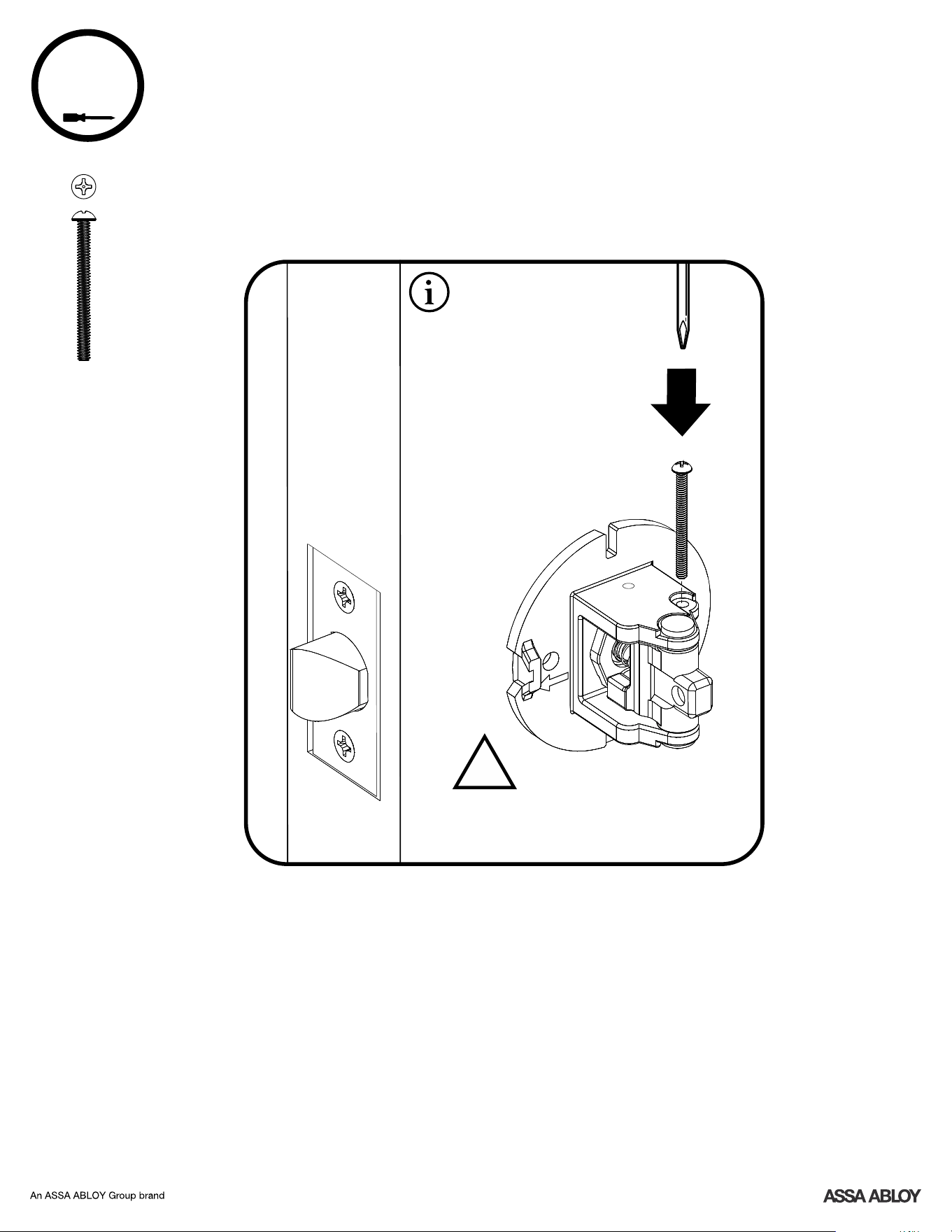
The Selector Screw is used to block PULL function of latch. Once blocked, paddle can be
pulled to close door without retracting latch. (Pulling a door closed while retracting latch
may result in latch not engaging strike plate and door standing ajar.)
Left Hand Right Hand
Exterior
Inswinging Door
Interior
Left Hand
Reverse
Right Hand
Reverse
Exterior
Outswinging Door
Interior
Place Selector Screw on outside of
door to select only.PUSH
Place Selector Screw on inside of
door to select only.PULL
10
P/N 263009600 Rev D
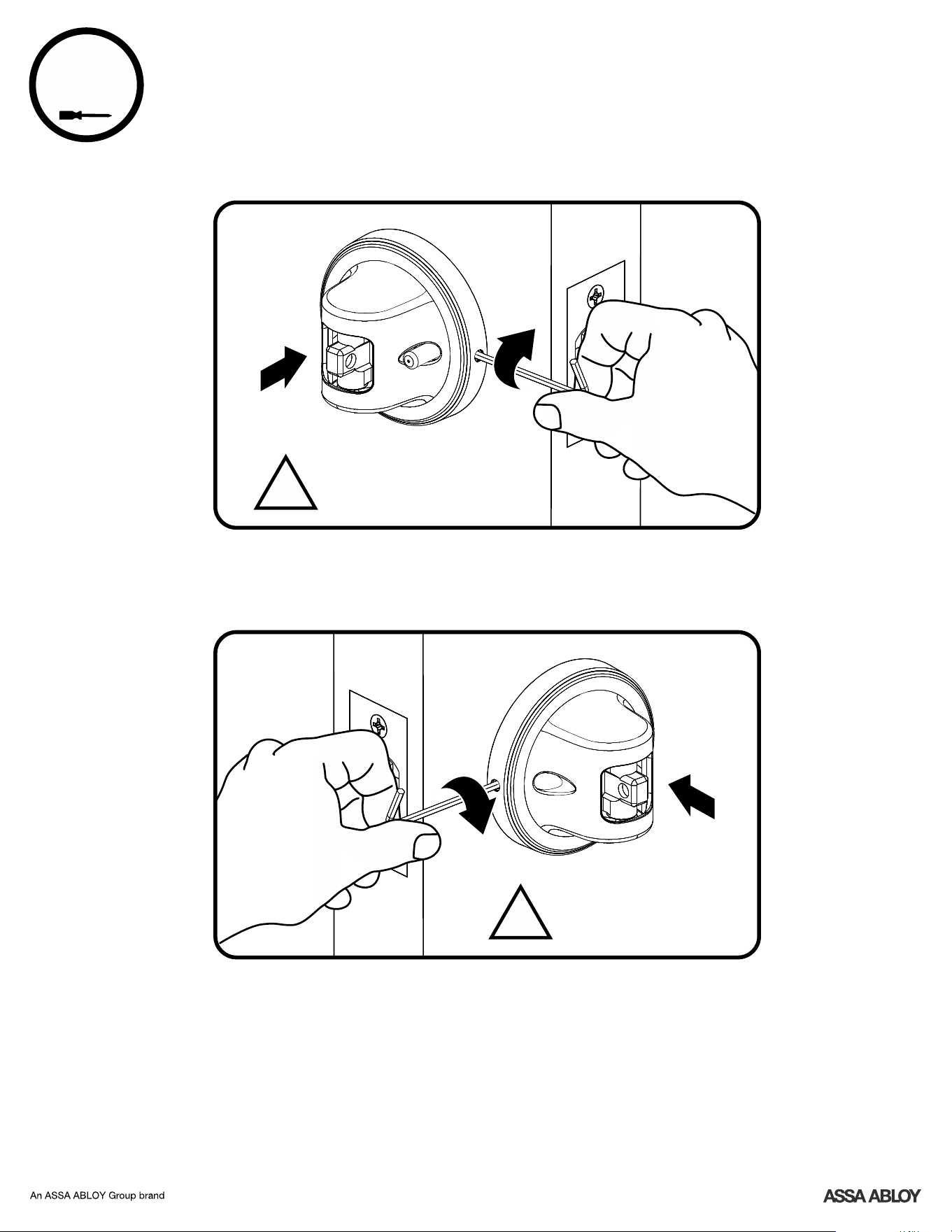
Do not over tighten
Selector Screw.
!
Block Paddle
(Optional)
x1
#4-40 x 1-1/4" Selector Screw
8b
For reverse handed door,
Selector Screw installs from
the bottom.
Place Selector Screw on
outside of door to select
PUSH only.
Place Selector Screw on
inside of door to select
PULL only.
11
P/N 263009600 Rev D
Install Escutcheons
Ensure escutcheon is flat
against door before
tightening set screw.
!
Inside
of Door
Ensure escutcheon is flat
against door before
tightening set screw.
!
Outside
of Door
9
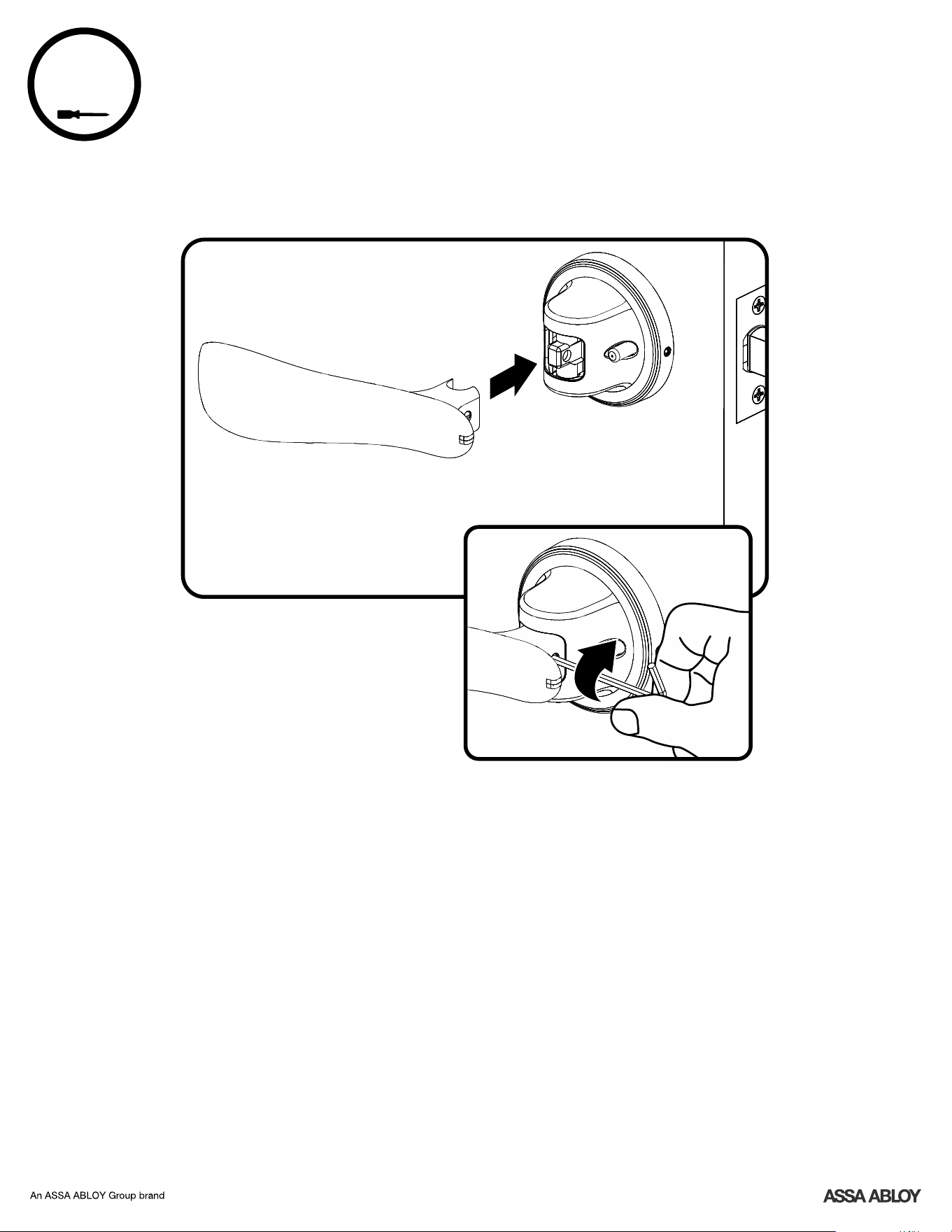
Install Paddles
10
Inside
of Door
Repeat for Exterior Paddle
12
P/N 263009600 Rev D
13
P/N 263009600 Rev D
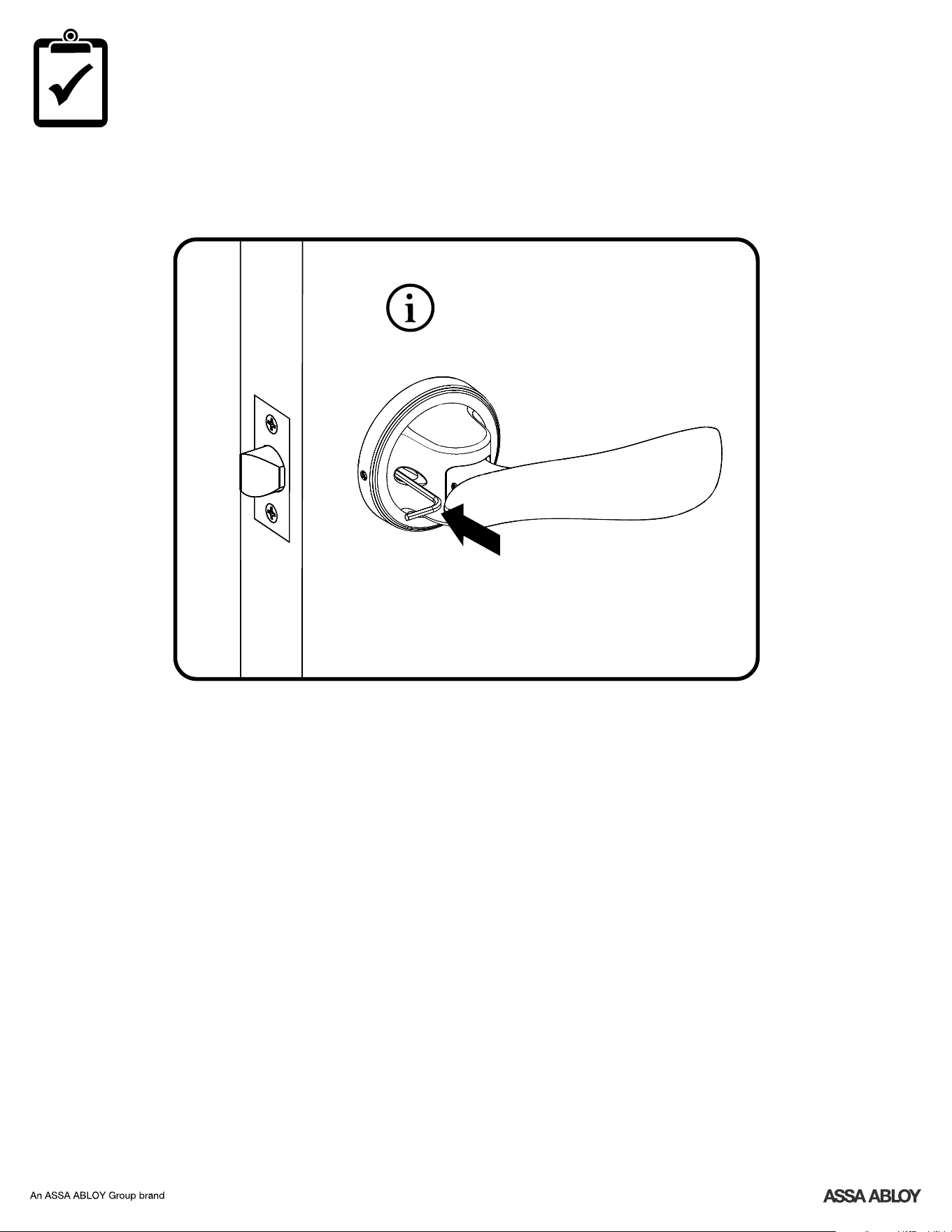
Emergency Release
Outside
of Door
PUSH
Until "Click"
Privacy Function ONLY
14
P/N 263009600 Rev D
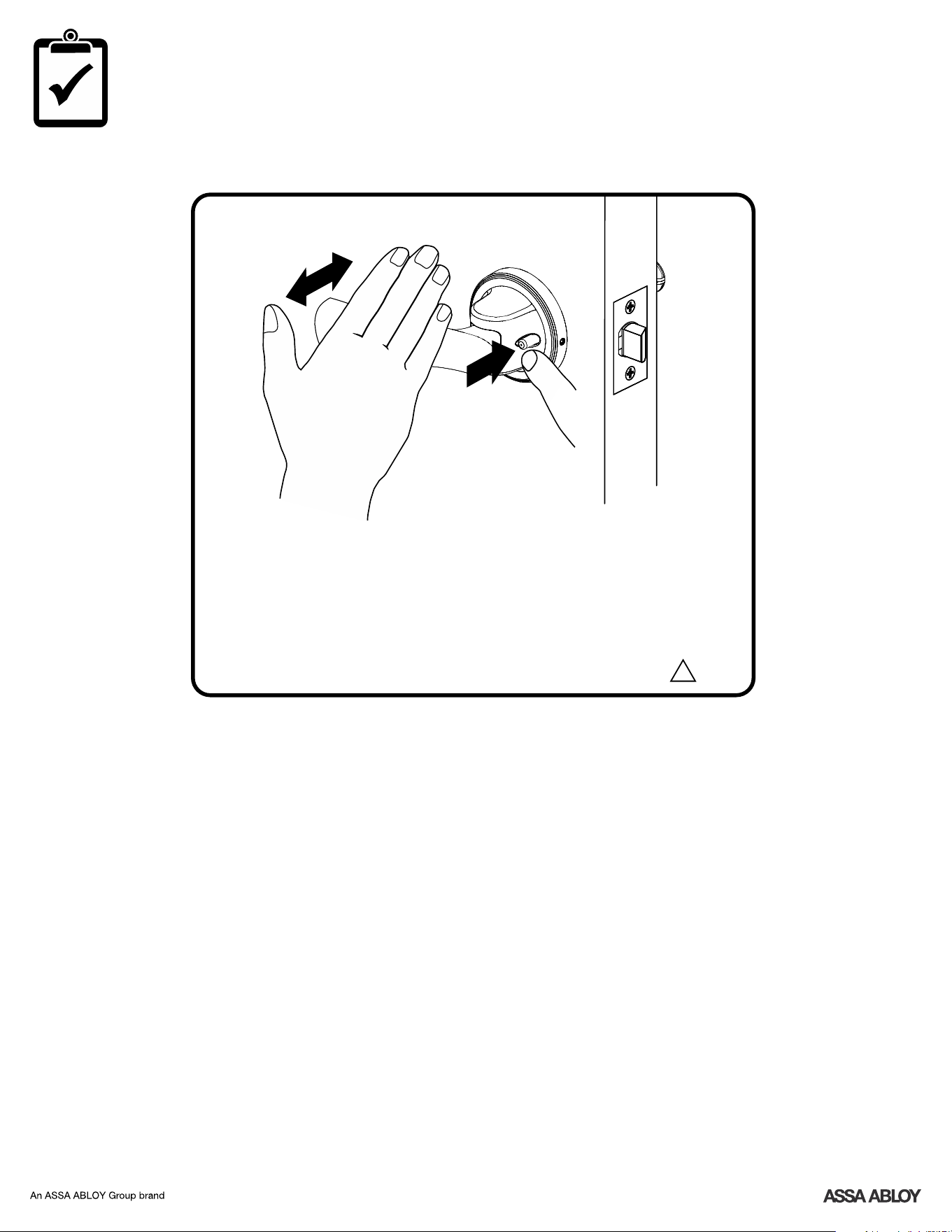
Test Operation
Inside
of Door
!
1. For Passage or Privacy when unlocked, pushing or pulling paddles on either side of
door will retract latch.
2. When Privacy Button is pushed (locking door), the outside paddle should not
activate latch. Pushing or pulling inside paddle will unlock the door.
If operation does not work smoothly, check all installation steps especially notes.
Congratulations, you've installed the
Yale Navis Paddle!
®™™
Pivot Collection
PUSH
TO LOCK
PUSH
OR
PULL
15
P/N 263009600 Rev D
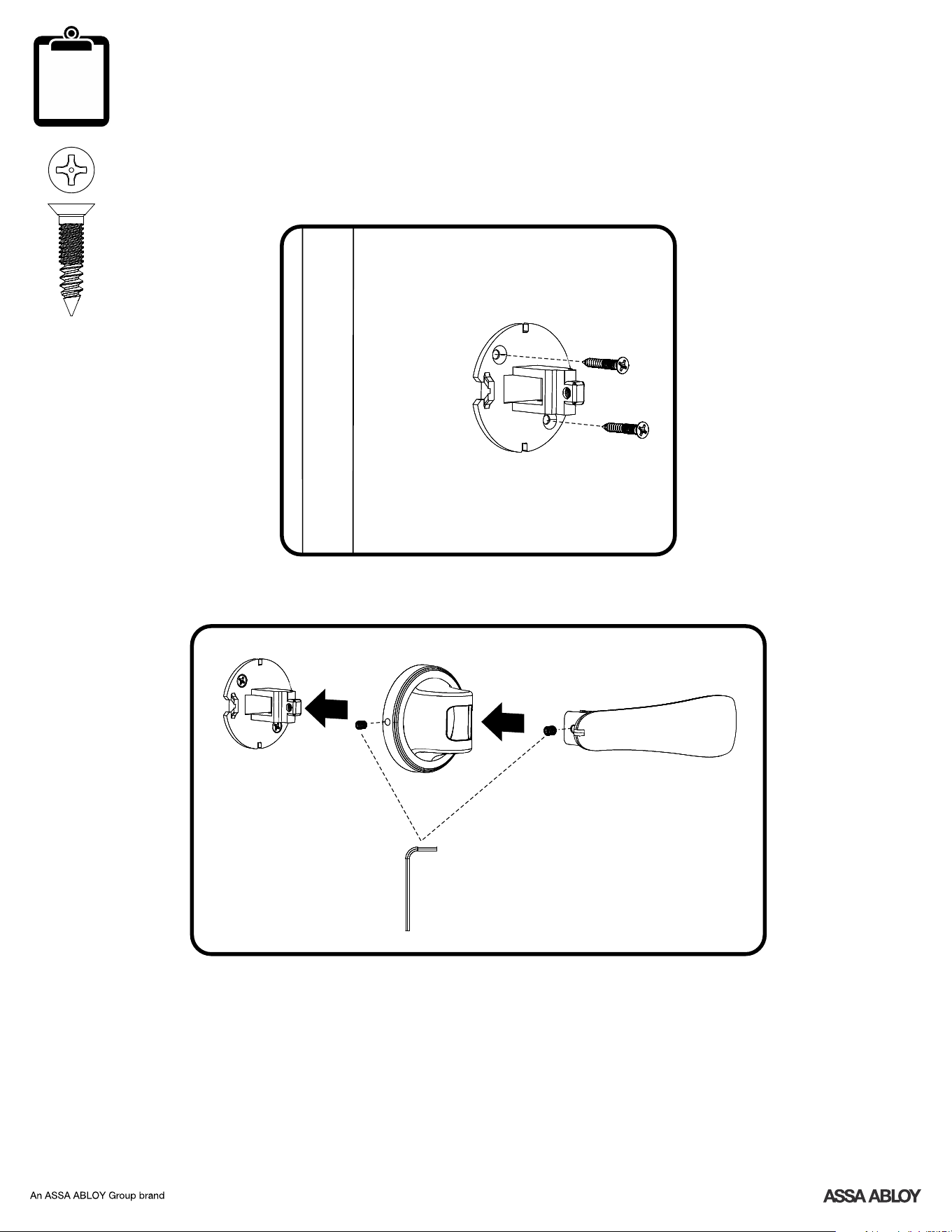
Dummy Function
7-16/8-32 x 1" PFHMS
x2

16
P/N 263009600 Rev D
Product Support Tel 1-855-213-5841 • www.yalehome.com
Yale® is a registered trademark of Assa Abloy Residential Group.
Pivot Collection™ and Navis™ are trademarks of Assa Abloy Residential Group.
© Copyright 2018. All rights reserved.
Reproduction in whole or in part without the express written permission of Assa Abloy Residential Group is prohibited.